 Get BlackFriday 25% for Limited Time on Lifetime & 35% for Bundle Deal



You already run a WordPress taxi site on eCab. Bookings come in, drivers get assigned, fares are calculated. So what actually breaks next? Almost always the same three things: pricing that can’t flex with demand, service areas you can’t control, and admin work that still happens by hand. That is exactly the gap the addons for eCab are built to close.
This guide walks through the addons worth installing — what each one changes about your fare logic or your workflow, who it genuinely suits, and where a built-in feature already does the job so you don’t pay twice. It also includes a comparison table, an honest look at where eCab itself is not the right fit, and a purchase order you can follow without stacking redundant tools.
One clarification before the list: eCab’s paid edition has absorbed several features that used to be sold separately, including the driver panel, Google Calendar sync, geofencing and intercity pricing. If you are still deciding on editions, the 12-step eCab taxi setup checklist is the better starting point; this article assumes the core is already running and you want to extend it.
Where an eCab addon actually earns its place
A booking plugin handles the transaction. An addon changes a variable inside that transaction — the price, the eligibility, the territory, or what happens after the sale. The test for any extension is simple: does it change one of those four things in a way your business needs this quarter?
- Pricing variable — surge windows, distance bands, map-based distance-and-time fares, fixed airport routes.
- Eligibility variable — which zones accept pickups, which vehicles serve which area, which bookings require approval.
- Territory variable — geofenced service boundaries and intercity corridors.
- Post-sale variable — confirmations, CRM records, driver notifications, accounting sync.
If an addon doesn’t move one of those levers for you yet, it is a “later” purchase, not a “now” purchase. That framing is the same one behind the broader explanation of how addons extend a WordPress booking system, which is worth reading if you are new to the model of plugins plus extensions.
Before you buy anything: what already ships with eCab
Four capabilities that used to justify an extra license are now part of the core in the paid edition. Check these first:
- Driver panel — each driver has their own login to see assignments, pickup details and job status.
- Google Calendar sync — confirmed bookings appear in a calendar you and your team already check on your phone.
- Geofencing — draw virtual boundaries for service areas, surcharge zones and intercity corridors.
- Fixed and map-based pricing — flat A-to-B fares plus distance, time or combined distance-plus-time meters.
If a vendor page still sells you a separate “geofencing addon” or “calendar addon,” verify what your license version already includes before checkout. The summary of the major eCab upgrade lists which former addons moved into the core. The four built-ins below are the ones to understand before layering anything on top.
Driver Panel: real-time dispatching without the radio chatter
Manual dispatching scales badly. The driver panel replaces group texts and phone calls with a login where each driver sees only their own jobs: pickup address, drop-off, customer notes, and a status control they tap when the ride is finished.
- Instant assignment alerts reach the driver as soon as a booking is confirmed, so the fleet starts moving before anyone opens a chat thread.
- Per-driver dashboards keep the schedule and job history in one place instead of scattered across messages.
- Customer-facing driver details cut down on “where is my taxi?” calls, because contact information lands on the ticket automatically.
What it does not do is route vehicles for you. There is no algorithmic auto-assignment across a large fleet — you still choose the driver. For a small or mid-sized operation that is fine; for a hundred-car fleet it is a real constraint.

Google Calendar Integration: say goodbye to double-bookings and manual scheduling
Every confirmed booking can sync to Google Calendar, which means your dispatch view lives in an app you already open every morning. Shared calendars let individual drivers see their own pickups without granting them access to the full admin.
- Visibility by day, week or month — fleet workload at a glance instead of one booking at a time.
- Native mobile reminders before a pickup, which matters most for early airport runs.
- Overlap detection — you spot two jobs against one vehicle before the customer does.
The honest limitation: calendar sync is a visibility tool, not a conflict-prevention engine. It will show you a double-booking; it will not stop a customer from creating one. Availability rules inside the plugin still do that work.

Geofencing Addon: draw your own boundaries for smarter pricing and control
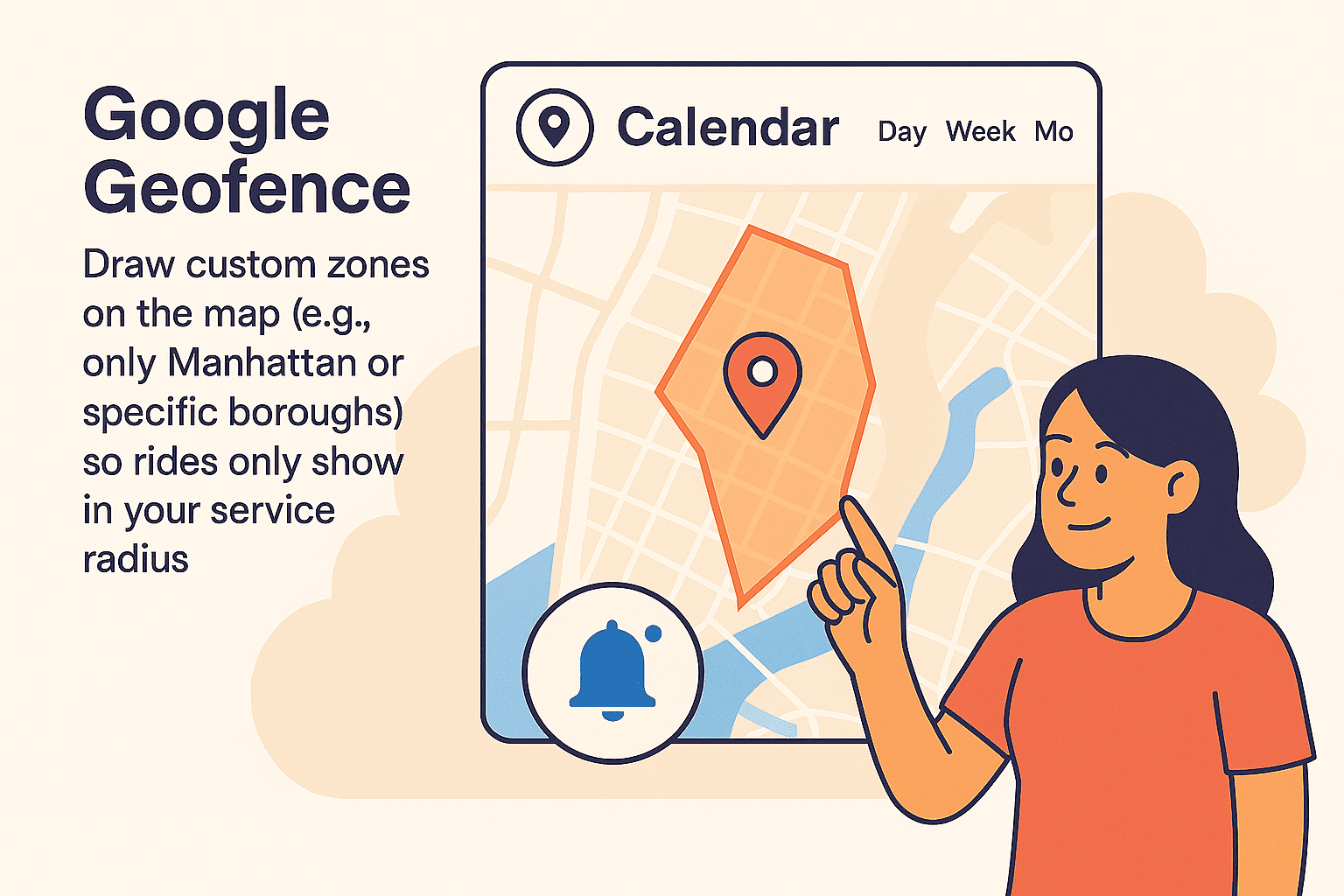
Geofencing lets you draw virtual boundaries on a map and attach rules to them. This is the single most useful built-in for operators working a city with distinct price tiers — a dense downtown, a premium airport corridor, suburbs with longer deadhead runs.
- Zone-specific surcharges — fixed or percentage-based uplifts that apply automatically when a trip starts or ends inside a boundary.
- Service area control — restrict pickups and drop-offs so drivers stay in areas that are legal and profitable for you.
- Intercity zones — separate long-distance corridors with their own one-way and round-trip rules.
- Vehicle-to-zone rules — keep premium cars in premium areas if that is your positioning.
If you want the mechanics rather than the theory, our guide to adding geofences and intercity pricing to a taxi site covers setup, and there is a dedicated walkthrough of single operation areas and fixed zone pricing in eCab for the simpler one-city case.
Map-Based Pricing: stop guessing and start charging with surgical precision
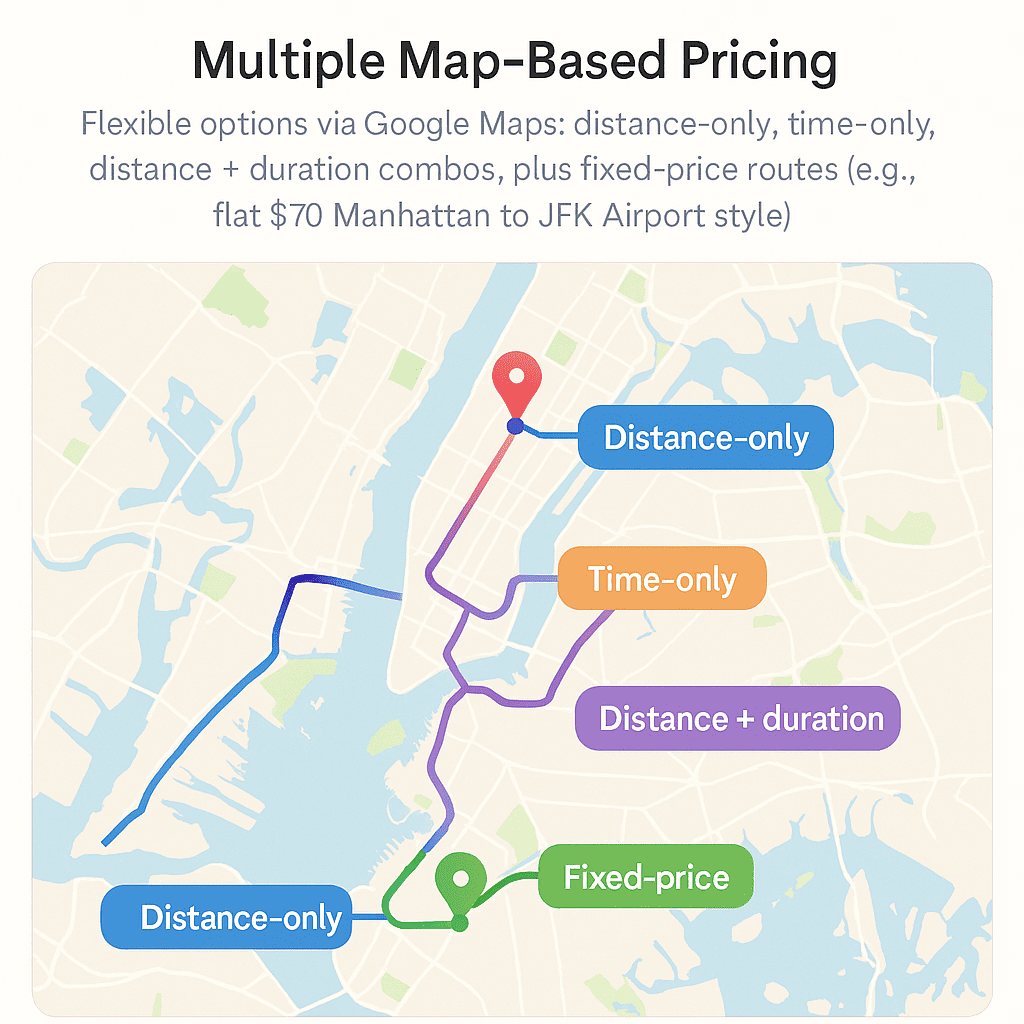
Straight-line distance is a poor proxy for cost. A mile in heavy traffic can cost you ten times what a mile on open road does. Map-based pricing calculates the actual route through Google Maps and lets you charge on distance, on time, or on both.
- Distance plus duration — a per-mile rate combined with a per-minute rate keeps revenue intact when the meter is running but the wheels are not.
- Fixed route pricing — a single quoted price for high-value runs such as airport transfers, which builds trust with travellers who dislike uncertainty.
- Upfront quotes — the customer sees a total before confirming, which reduces abandonment at checkout.
- Switchable models — distance-only for long hauls, time-heavy for chauffeur-style service, without rebuilding your rate card.
The addons worth adding on top
With the core understood, these are the extensions that change your commercial flexibility rather than just your admin comfort. Order matters — each one assumes the previous layer is stable.

1. Peak Hour Pricing Addon – turn rush hour into revenue hour
This is the highest-return addon for most city operators, and the simplest to explain: define time windows, attach a surcharge, and let the system apply it without you touching anything. A 4–8 PM evening crawl, Monday morning airport demand, a Friday night surge — each gets its own rule.
- Automatic surcharges inside defined windows, with no manual fare edits.
- Driver supply effect — better rates during peak hours attract more cars onto the road, which shortens pickup times.
- Competitive parity — customers already expect demand-based pricing from the major apps.
- Easy to reverse — you can switch a window off for a holiday or a promotional weekend without deleting the rule.
Where operators get this wrong is stacking a peak surcharge on top of a zone surcharge and a distance tier until the final fare looks arbitrary. Decide the maximum uplift your regulars will accept before you publish windows. Our step-by-step guide to adding peak hour pricing to a taxi booking website shows the configuration, and the peak hour pricing addon page carries current pricing — check it there rather than trusting a figure quoted in an older article.
2. Distance-Based Tier Pricing Addon – price every mile smarter
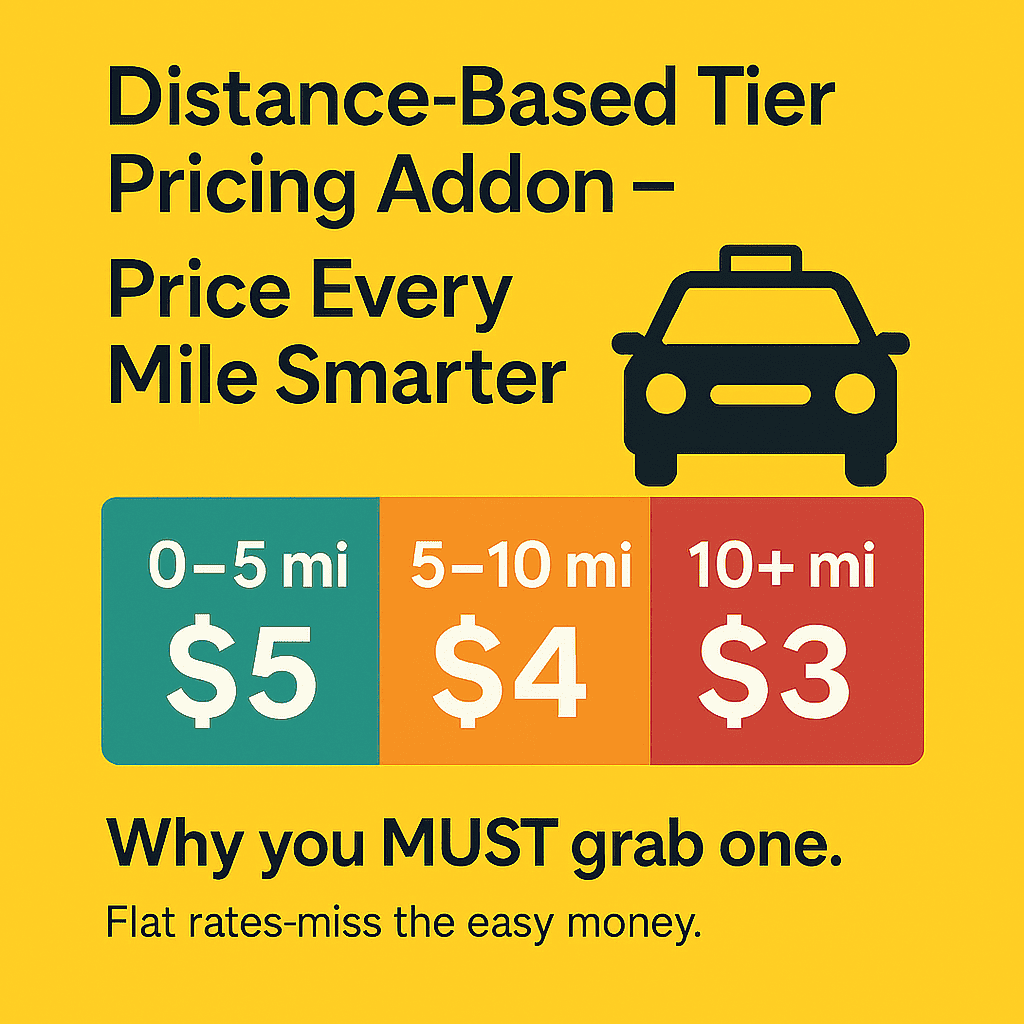
Flat per-mile rates are rigid. A two-mile city hop and a fifty-mile intercity run rarely deserve the same rate, and forcing them to share one number either overcharges short trips or undersells long ones. Tiered pricing lets you set bands, each with its own rate.
A typical structure looks like this — the numbers are an illustration, not a recommendation:
- 0–5 miles at a higher per-mile rate, covering the fixed effort of any short job.
- 5–20 miles at a mid rate that stays competitive with local rivals.
- 20+ miles at a lower per-mile rate that makes you the obvious choice for airport and out-of-town work.
The practical benefit is a bulk-discount feel for the customer without cannibalising margin on short trips. It also gives you a defensible answer when a long-haul customer asks for a better rate than the website shows.
Read the mechanics and current plan options on the distance-based tier pricing addon page. Keep in mind tier pricing and map-based distance pricing solve different problems: map-based pricing decides how distance is measured, tier pricing decides what rate applies to that distance. Run both only if you have a clear reason.
3. Zapier Integration Addon – automate like a pro (SMS, CRM, alerts & more)
Everything that happens after a booking is confirmed is a candidate for automation: the confirmation message, the CRM record, the Slack ping to the dispatch team, the row in a Google Sheet your accountant reads at month end. Zapier connects your site to thousands of external apps without writing code.
- Instant confirmations via SMS or WhatsApp through a provider such as Twilio, which reduces no-shows by keeping the ride top of mind.
- CRM and spreadsheet sync so every passenger becomes a record you can market to later.
- Team notifications in Slack or Telegram the moment a booking lands.
- Admin leverage — the same staff can handle materially more bookings once repetitive tasks run themselves.
Be realistic about the cost side: Zapier’s own task limits and per-task pricing apply on top of the addon, and a busy dispatch workflow can burn through tasks quickly. Map your intended automations and estimate monthly volume before you commit. Details live on the Zapier integration addon page.
4. Addons that are really theme-and-integration work
A fourth category doesn’t fit neatly into pricing at all. Payment gateway extensions, invoice and PDF ticket formats, multilingual configuration and SMS gateway integration are usually project work rather than product purchases. Budget for them as implementation time — they matter far more to customer experience than most operators expect, and they are the usual reason a launched site feels unfinished.
Comparison: the eCab addon stack at a glance
Prices change and regional taxes vary, so the table below tells you what each layer does and where to verify the current cost rather than quoting a number that may already be stale.
| Addon / feature | What it changes | Core or addon | Best suited to | Price & compatibility |
|---|---|---|---|---|
| Driver Panel | Dispatch visibility and job status | Core (paid edition) | Any operator assigning drivers manually today | Included in paid edition — check current pricing |
| Google Calendar Integration | Scheduling visibility and reminders | Core (paid edition) | Small fleets wanting schedule in one app | Included in paid edition — check current pricing |
| Geofencing | Service boundaries, zone surcharges, intercity corridors | Core (paid edition) | City and airport operators with tiered zones | Included in paid edition — check current pricing |
| Map-Based Pricing | Distance, time or combined metering plus fixed routes | Core (paid edition) | Operators quoting upfront fares | Included in paid edition — requires a Google Maps API key |
| Peak Hour Pricing | Time-window surcharges | Addon | Urban fleets with predictable demand spikes | Check current pricing on the product page; requires paid core |
| Distance-Based Tier Pricing | Rate bands by trip length | Addon | Mixed short-hop and long-haul services | Check current pricing; monthly and lifetime options listed on the product page |
| Zapier Integration | Post-booking automation to external apps | Addon | Teams wanting SMS, CRM and alerting without code | Check current pricing; plus Zapier’s own task costs |
| Payment, invoice and SMS gateways | Checkout and customer communication | Integration / project | Every site at launch | Varies by provider — budget implementation time |
A buying order that avoids wasted licenses
Most operators overbuy in the first month. A sequence that keeps spend tied to a real operational problem:
- Confirm what your edition already includes. If driver panel, calendar, geofencing and map pricing are present, do not buy them again.
- Fix pricing first. Peak Hour if demand spikes are predictable and consistent; Distance Tiers if your trip mix varies widely. Both, only if you can articulate the rule for each.
- Automate second. Add Zapier once booking volume is high enough that manual confirmations have become a genuine time cost.
- Revisit territory third. If you serve more than one jurisdiction or airport, ask whether your geofence rules are doing all the work they could before adding anything new.
Doing it in that order means every purchase answers a question you can name — and you can drop an addon later without unravelling your fare structure.
A note on the core plugin
Disclosure: the eCab taxi booking plugin is our own product, developed and sold by MagePeople.
You can find it on the WordPress taxi cab booking plugin for WooCommerce page. It is a strong fit if you run a WordPress site, want WooCommerce to handle checkout and payments, and prefer a one-time plugin purchase to a per-ride or monthly SaaS commission.
Being straight about the limits: eCab is not the right choice if you need native iOS and Android rider apps out of the box, if you are dispatching hundreds of vehicles with algorithmic auto-assignment, or if your business is large enough that per-ride SaaS pricing works out cheaper than the engineering time a self-hosted stack demands. It is also a poor fit if you have no appetite for WordPress maintenance — updates, backups, plugin conflicts and a Maps API key are your responsibility, not a vendor’s. And if you are not on WordPress at all, this whole addon ecosystem is simply the wrong starting point.
To see it working before buying, request the eCab demo or explore the trial from the product page.
Frequently asked questions
Do eCab addons require the paid version of the plugin?
The pricing and automation addons covered here are designed to work with the paid edition. They hook into advanced fare logic, booking data and driver workflows that the free version does not provide. Check each product page for exact requirements before purchase.
Are geofencing and Google Calendar still separate addons?
No. In the current paid edition they are part of the core. Older articles and listing pages may still describe them as separate purchases, so verify what your license includes rather than buying a second copy.
Can I use peak hour pricing and distance tiers together?
Yes, they apply at different stages — tiers set the base rate by trip length, and peak windows adjust the total for the time of day. Stack them carefully: a customer facing a zone surcharge, a tier rate and a peak uplift in the same quote is a customer who starts comparing you to a cheaper rival.
Does eCab work with Google Maps specifically, or other map providers?
Route calculation and map-based pricing rely on Google Maps, which means you need a Google Maps API key with billing enabled. Expect separate Google API charges once you pass the free usage allowance — check Google’s current pricing for your expected volume.
How much does the whole addon stack cost?
We do not quote totals here because pricing changes and regional taxes differ. Each addon has its own price and plan options on its product page, and Zapier adds its own subscription on top. Add up current prices from the product pages rather than relying on figures in a blog post.
Will these addons work if I do not use WooCommerce?
The core plugin is built for WooCommerce, so booking checkout and payments run through it. If you are running a different commerce layer, confirm compatibility with support before purchasing any addon — this is the most common integration question we see.
The bottom line
The right addon set for eCab is not the longest one. It is the one where each layer answers a question you can state in a sentence: our fares don’t match demand (peak hour), our trip lengths vary too much for one rate (distance tiers), or our admin work is eating the margin (Zapier). Everything else can wait until it does.
Start by auditing what your edition already includes, fix pricing before automation, and keep movement and territory rules simple enough that your customers can predict their fare. That predictability is the advantage a self-hosted taxi site has over an app that quietly changes its own rules.
