Get Halloween 15% for Limited Time on Lifetime & Bundle DealGet Halloween 15% for Limited Time on Lifetime & Bundle DealGet Halloween 15% for Limited Time on Lifetime & Bundle Deal
WordPress Event Manager Plugin
WPEvently is a WordPress event manager plugin that helps you create events, manage registrations, and keep ticket sales organized. We built this WooCommerce event manager plugin for businesses and event organizers who want a complete system inside WordPress. If you are looking for one of the best WordPress event plugins, this WooCommerce event manager delivers control, performance, and extensibility in a single solution.






WPEvently is built to support many different kinds of events. Below you’ll see how our WordPress event manager plugin works for meetups, online events, ticketed venues, classes, and other booking-based services. Click here to see more types of events this plugin supports.
WpEvently helps you manage meetups where people register, attend, and stay informed without back-and-forth emails or spreadsheets.

Whether you host webinars or virtual conferences, WPEvently keeps online event bookings organized and easy to control.

Selling tickets for concerts and parties needs clear control. WpEvently helps you manage volume without losing track.
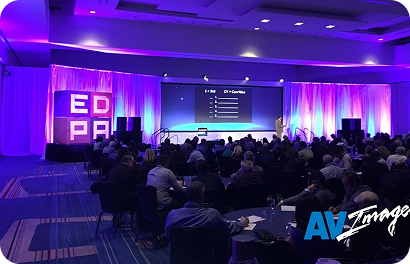
WpEvently supports cinema-style ticket booking where seat selection is necessary.

Museums and zoos need smooth ticket sales without queues or confusion. WPEvently helps manage visitor flow.

We keep our pricing flexible, so you only pay for what you need. Start small or choose a plan for multiple sites, depending on how you run your events.
Affordable plan to get you started for a single site.
Free Forever
(No credit card required)
1 Domain
Go beyond the basics with extra features and premium support.
5 Domain
Go beyond the basics with extra features and premium support.
10 Domain
Go beyond the basics with extra features and premium support.
Affordable plan to get you started for a single site.
Free Forever
(No credit card required)
1 Domain
Go beyond the basics with extra features and premium support.
5 Domain
Go beyond the basics with extra features and premium support.
10 Domain
Go beyond the basics with extra features and premium support.
Affordable plan to get you started for a single site.
Free Forever
(No credit card required)
1 Domain
Go beyond the basics with extra features and premium support.
5 Domain
Go beyond the basics with extra features and premium support.
Lifetime
Go beyond the basics with extra features and premium support.
7-Day Money Back Guarantee
conditions apply, see refund policy.
We built WPEvently to give you real control over events, tickets, and attendees. Every feature here is designed around actual event management workflows, so you can handle everything from planning to registration and reporting inside WordPress.
Powerful Admin
WPEvently gives you a dedicated attendee management dashboard where all registrations stay organized in one place. You can sort the attendee list by name, ticket number, or event, search by phone number or email, remove attendees individually, and download the full list as a CSV file.
| Sl. | Order ID | Ticket No | Events | Ticket | Full Name | Phone | Designation | Company | Gender | Action | |
|---|---|---|---|---|---|---|---|---|---|---|---|
| 1 | #29967 | 0299671958729969 | Springfield College Reunion | Person | AIamit iihglobal | amit.iihglobal@gmail.com | +918523252235 | ||||
| 2 | #29962 | 0299621532929963 | New York Trading, Finance & Banking – Fall Professional Networking Affair | 2nd Class | TEtest | stills_buyer0u@icloud.com | test | ||||
| 3 | #29953 | 0299532052229954 | Cinebarre Palace Station Las Vegas | Relux Max | AIamit iihglobal | amit.iihglobal@gmail.com | +918523252235 | demo test | |||
| 4 | #29948 | 0299481544629950 | Super Investor Meeting with Jet Lending, LLC and Renters Warehouse | একটিভ | GGGaston G | test@test.net | 23443676578 | ||||
| 5 | #29948 | 0299481541129949 | Leadership Experience Tour | Adult | GGGaston G | test@test.net | 23443676578 | ||||
| 6 | #29882 | 0298822662829883 | High School Reunion – Batch 21 | Couple | MKMuhammad Kashif shabbir | drft@mail.com | +923125384111 | DigiStartup | |||
| 7 | #29878 | 029878299529880 | FloorTek Expo | INOP | MAmajii | m.m.h.89@hotmail.com | 97778966 | ||||
| 8 | #29878 | 029878299529879 | FloorTek Expo | INOP | MAmajii | m.m.h.89@hotmail.com | 97778966 | ||||
| 9 | #29875 | 0298751536529876 | Austin Tech Career Fair | VIP | FFfdsfsd fdfds | erw@mail.com | 432442322 | sssww rtrjh |
Dynamic Options
You can create multiple ticket types for the same event, such as Standard, VIP, Early Bird, or Group tickets. Each ticket type has its own price, stock quantity, and optional short description. Early bird pricing is available in the free version, and it allows you to offer discounted rates for registrations made before a set date.
Edit pricing, capacities, advanced columns, and ticket settings without leaving this step.
Automation
If you run events that repeat on a regular schedule, WPEvently makes it simple to set up the full series in one go. You can create daily, weekly, monthly, or custom recurring schedules and manage all instances from one setup. Individual dates can be blocked if needed.
Edit the repeated event range, repeat interval, off days, and special date settings without leaving this step.
Flexible Scheduling
When event dates change, WPEvently lets you update all registered attendees at once. The bulk rescheduling tool adjusts the event date across all related records and automatically sends updated PDF tickets to every attendee.
Each person keeps their current ticket type if the new event offers it. Or choose one ticket type above to apply to everyone.
Add-On Services
You can offer optional extras alongside event tickets during the booking process. Examples include transportation, meal packages, merchandise, hotel accommodation, or exclusive event perks. Each extra has its own price and can be configured independently.
Create a new optional add-on, then fill in its price, available quantity, and quantity box settings.
Configure Extra Service Here. Extra Service as Product that you can sell and it is not included on event package
The data export and reporting features let you download attendee lists, order details, and event data whenever you need them. Pro users also get access to advanced sales reports with per-event breakdowns, so you can track revenue, registration numbers, and ticket type performance over time.
Track revenue, registrations, and event performance in one place.
Daily trend for the selected period
10,000+ happy customers worldwide. Join the community and transform your event management today.
We regularly introduce new features to WPEvently that solve real challenges for event organizers. Explore our latest updates that make event management faster, smarter, and more flexible than ever.
Flexible Scheduling
When event dates change, WPEvently lets you update all registered attendees at once. The bulk rescheduling tool adjusts the event date across all related records and automatically sends updated PDF tickets to every attendee.
Hybrid Events
You can create a single event page that handles both virtual and in-person attendees at the same time. Online and offline tickets are sold separately, each with their own pricing, and all registrations, bookings, and attendee details are managed from one organized dashboard.
Configure how users register or purchase tickets for this event.
RSVP Booking
Accept RSVPs for free events, workshops, webinars, meetups, and company gatherings without paid tickets. View submitted registrations and attendee responses from one event management dashboard. This feature is available without purchasing the Pro version.
Choose how customers pay for tickets.
Tickets will be added to the WooCommerce cart and paid through your store's checkout and enabled WooCommerce gateways.
Flexible Payments
In the Pro version, WPEvently accepts payments through Stripe, PayPal, local payment gateways, and custom payment methods. Free users can also display custom payment instructions during the booking process.
The core details of your event.
Where will this event take place?
Main event thumbnail.
Additional photos.
Thumbnail used in event listing layouts.
Modern Experience
WPEvently includes a redesigned event creation editor that walks you through each setting in a logical order. Tickets, schedules, speaker assignments, pricing rules, and event details are all configured in one organized flow.
Total Revenue
$ 0.00
▼ 100% vs prior period
Tickets Sold
0
▼ 100% vs prior period
Orders
720
– 0% vs prior period
Avg Order Value
$ 0.00
▼ 100% vs prior period
Refunded
$ 0.00
– 0% vs prior period
Daily trend for the selected period
Share of tickets sold
Breakdown of order states
When customers buy most
Top performing events
Event Analytics
The free version of WPEvently includes registration monitoring and basic attendee activity tracking. Upgrading to Pro adds detailed sales reports, event order histories, and deeper business insights.
Role / Title
—
Created
Jan 29, 2025 at 1:35 pm
Description
Lorem ipsum dolor sit amet, consectetur adipiscing elit, sed do eiusmod tempor incididunt ut labore et dolore magna aliqua. Ut enim ad minim veniam, quis nostrud exercitation ullamco laboris nisi ut aliquip ex ea commodo consequat. Duis aute irure dolor in reprehenderit in voluptate velit esse cillum dolore eu fugiat nulla pariatur. Excepteur sint occaecat cupidatat non proident, sunt in culpa qui officia deserunt mollit anim id est laborum.
Assigned Events
Speaker Profiles
You can add speaker profiles to any event, including photos, biographies, and role information. Speaker profiles appear directly on event pages so attendees can learn about presenters before registering. This feature is available in both the free and Pro versions.
No events match your filters.
Better Event Display
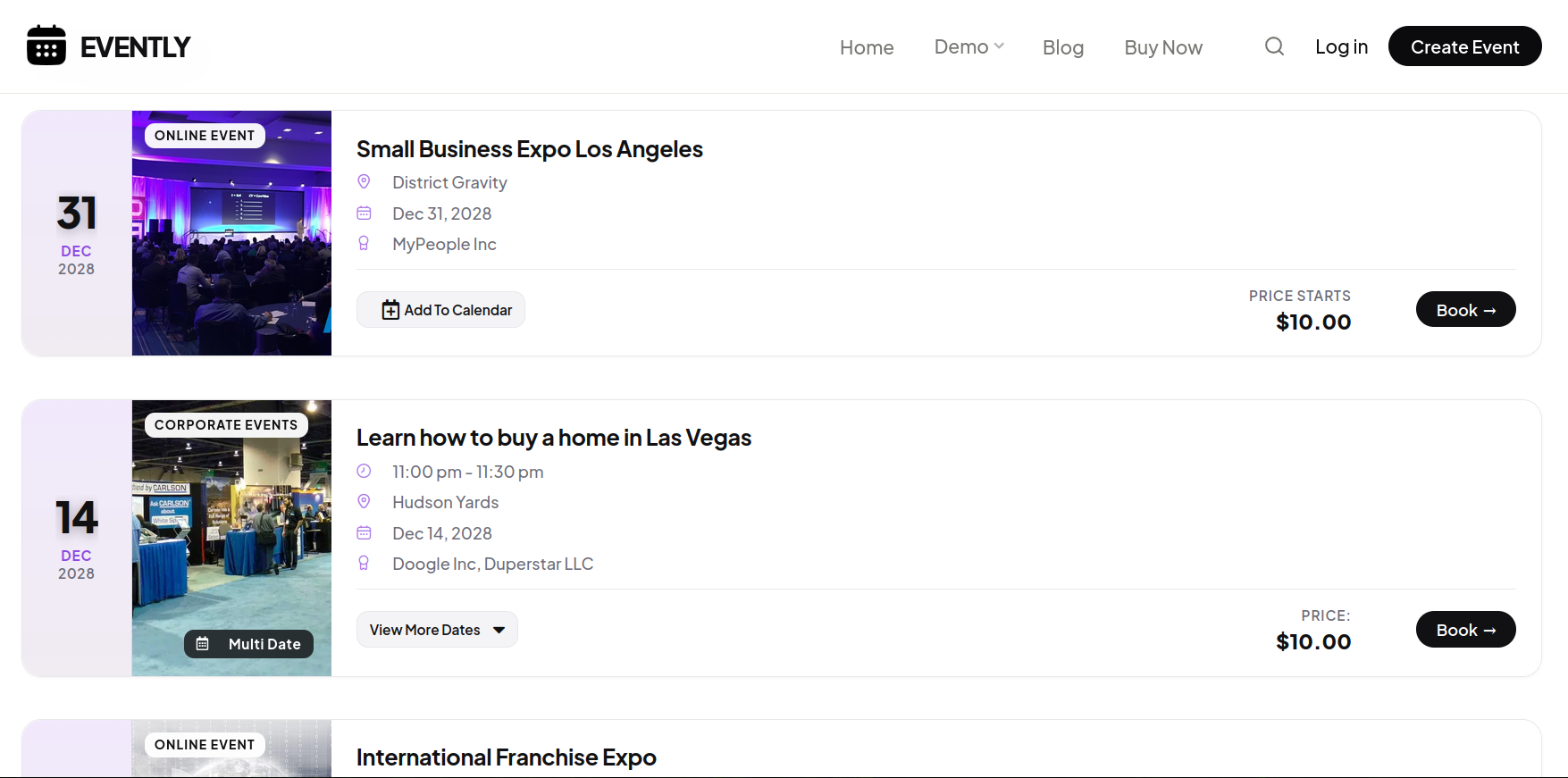
Present your WordPress events with a redesigned event list layout that improves readability and makes it easier for visitors to browse schedules, find ticket information, and complete their registration. The new list design is mobile-responsive and loads quickly on all devices.
Everything you need to create, manage, and grow successful events is now available in one WordPress event manager plugin.
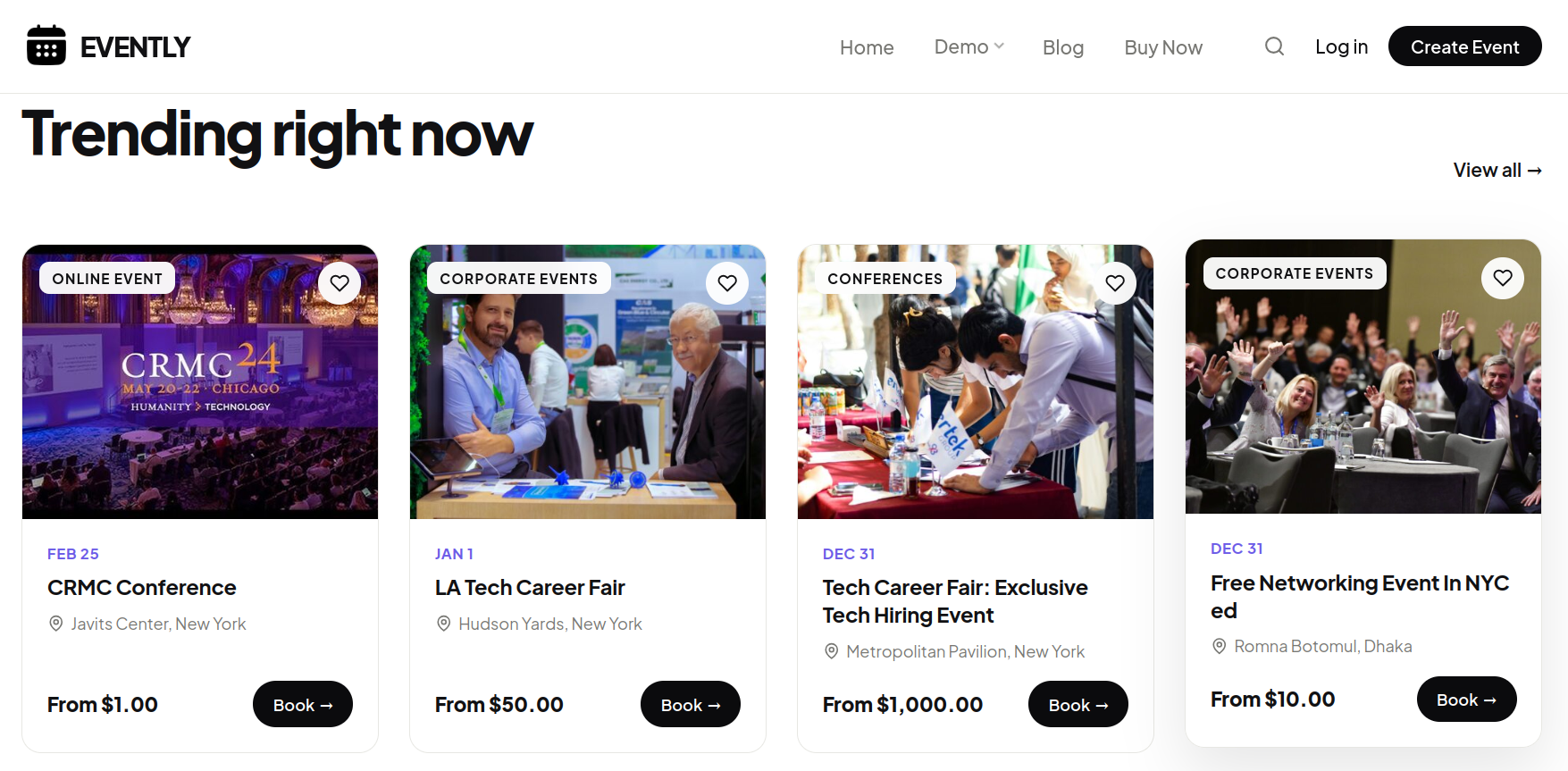
We give you multiple layout views inside WPEvently, so you can present your listings in the style that matches your brand and your audience. You can switch views anytime and keep the same data, tickets, and registrations running in the background.
Use this view when you want a visual layout that highlights multiple listings at once.
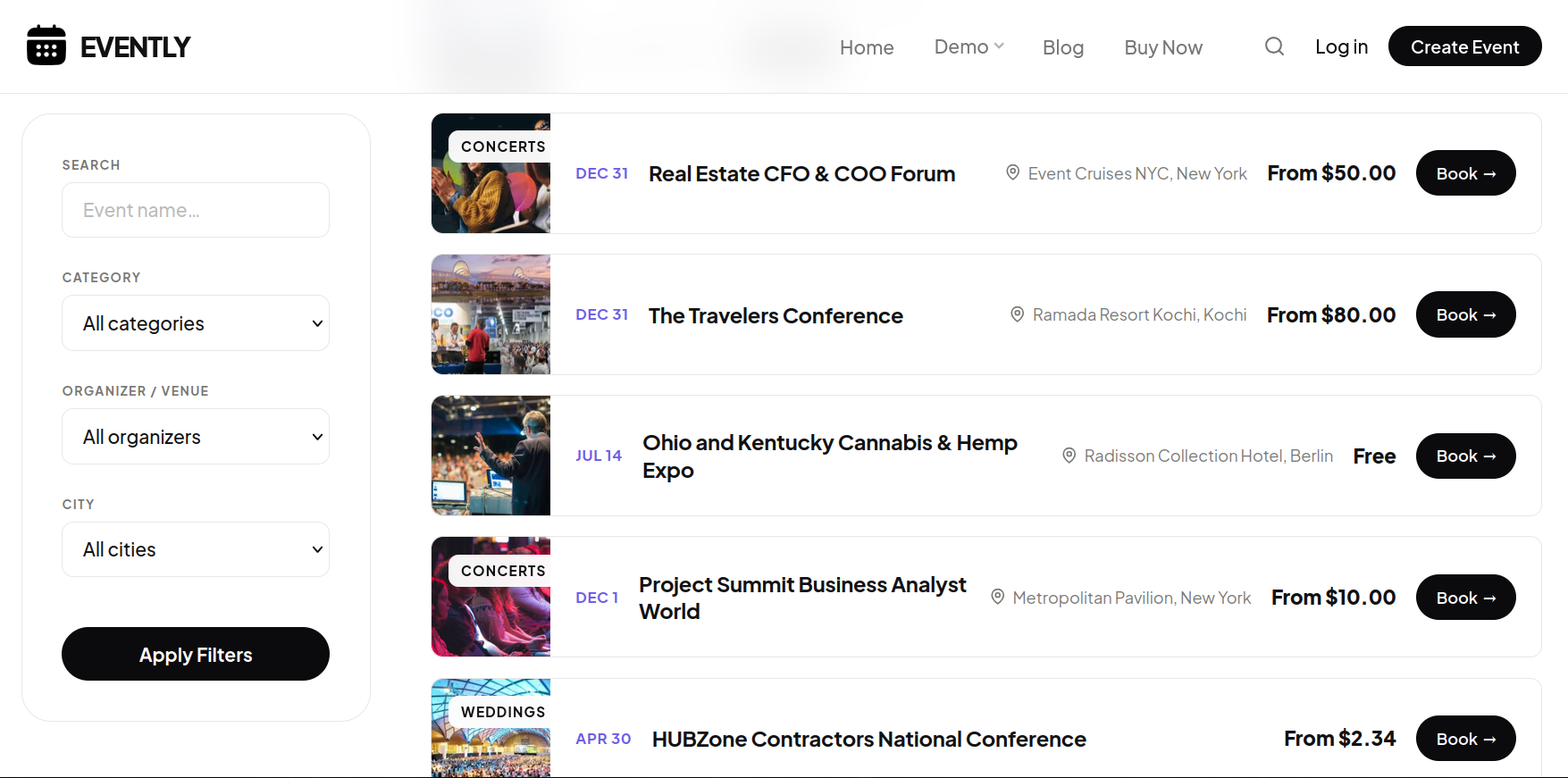
Our list view keeps things clean and readable, especially when your visitors want quick details.
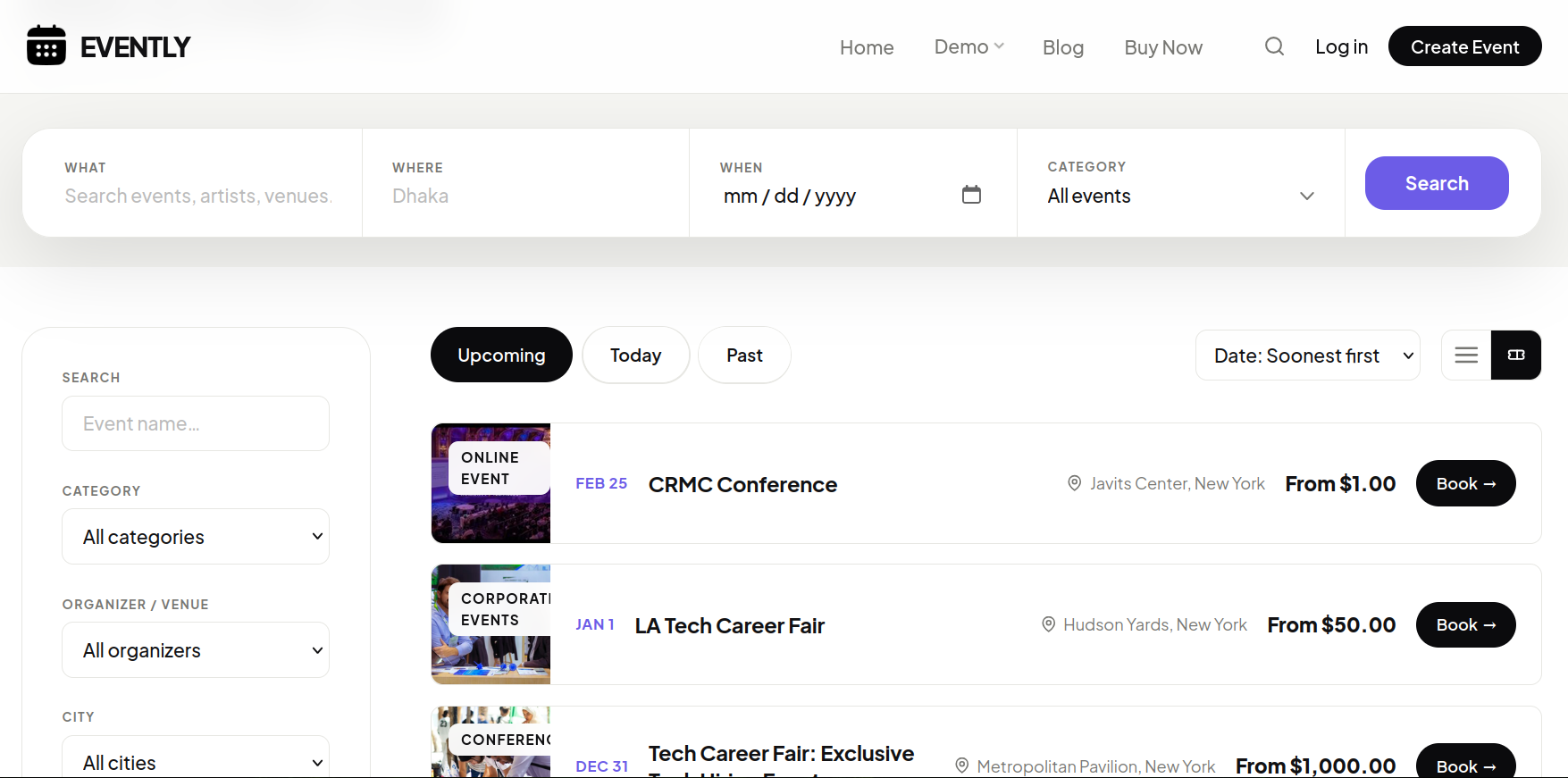
We add a search box in this view so your visitors can find what they need without scrolling.
This view is for simple sites that prefer a clean layout with only the essentials.
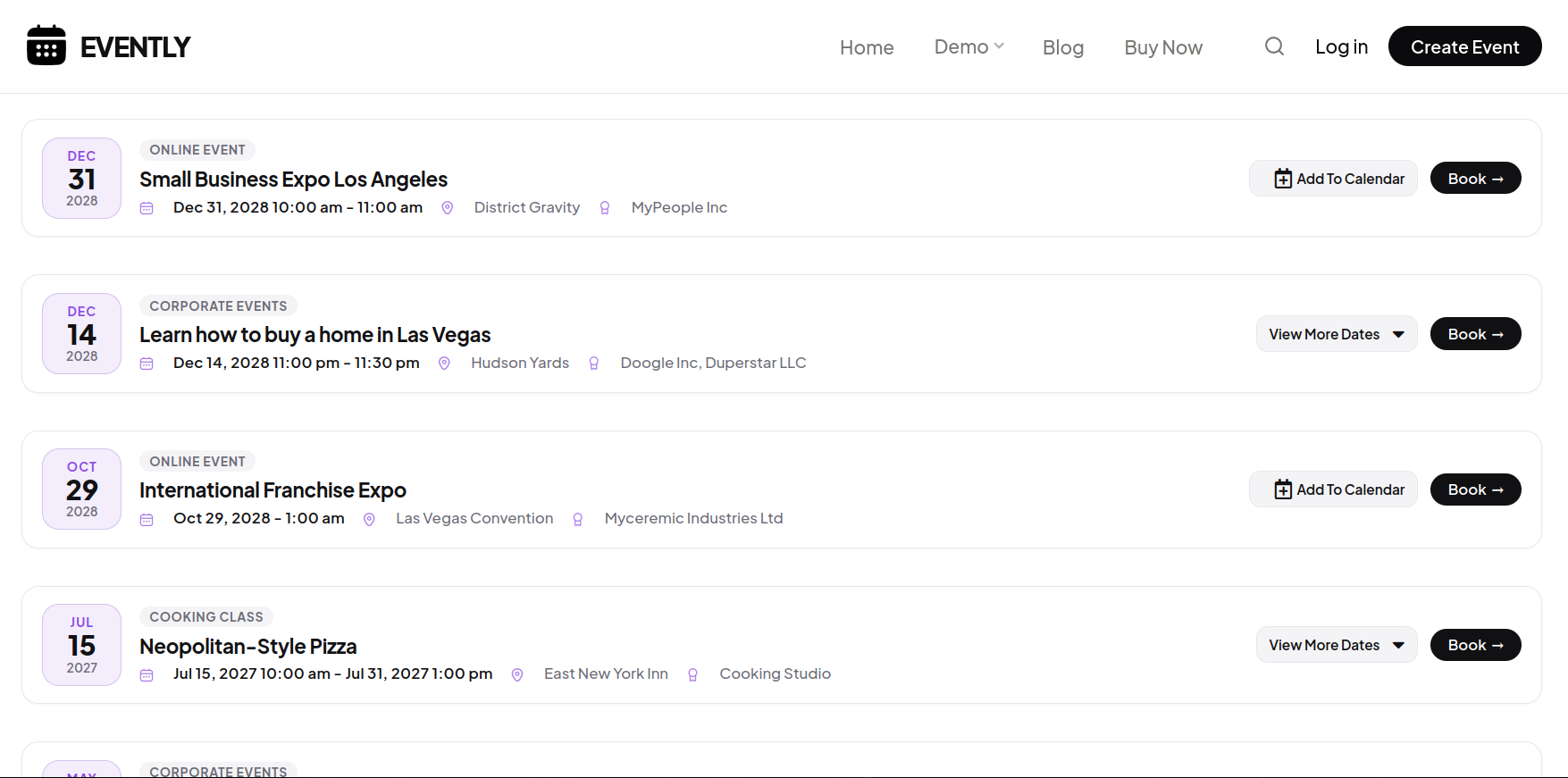
Use this style when you want a seasonal look that fits winter campaigns or themed pages.
See how WPEvently compares with the most popular event ticketing plugins across core features, WooCommerce support, and total cost so that you can pick the right tool for your events.
|
Recommended W WPEventlyby MagePeople
|
ET
Event TicketsThe Events Calendar
|
WP
WP Event Managerwp-eventmanager.com
|
T
Tickeratickera.com
|
|
|---|---|---|---|---|
| Sell tickets in free version | ✓Unlimited, via WooCommerce | ✓Via Tickets Commerce | Paid addon | ✓With per-ticket fee |
| WooCommerce checkout Use any WooCommerce payment gateway | ✓Native, free | Plus onlyRequires paid upgrade | Paid addon | Free bridgeSeparate addon |
| Per-ticket commission | ✓0% — always free | ✓0% | ✓0% | ✕Fee on free plan |
| Recurring events Daily, weekly & custom schedules | ✓Included free | Calendar Pro | Paid addon | ✕ |
| Virtual & hybrid events Online + in-person from one event page | ✓Included free | Calendar Pro | Paid addon | ✕ |
| Multiple ticket types VIP, Standard, tiered pricing | ✓ | ✓ | Paid addon | ✓ |
| Early bird ticket pricing | ✓Included free | ✓Sale pricing | Paid addon | ✕Via discount codes |
| Global / shared ticket quantity One stock pool across ticket types | ✓Included free | ✓Shared capacity | ✕ | ✕ |
| Group ticket purchasing Buy multiple tickets as a group | Addon | ✕ | ✕ | ✕ |
| Conditional registration forms Show fields based on ticket type | ✓Conditional logic, free | Plus onlyNo conditional logic | Paid addon | Paid addon |
| PDF tickets & email delivery | Pro | Wallet Plus | Paid addon | ✓ |
| QR code check-in | Addon | Plus only | Paid addon | ✓Barcode reader |
| Backend orders by admin Book tickets from the dashboard for phone/walk-in sales | Addon | Plus only | ✕ | ✓ |
| Visual seat plans Reserved seating with per-seat pricing | Addon | Seating tier | ✕ | Paid addon |
| Event calendar view | ✓Included free | ✓Via Events Calendar | Paid addon | ✕ |
| Booking calendar / datepicker Customers pick their date before checkout | ✓Included free | ✕ | Paid addon | ✕ |
| Event reviews & ratings Attendee testimonials on event pages | ✓Included free | ✕ | ✕ | ✕ |
| RSVP for free events | ✓ | ✓ | ✓ | ✕ |
| Frontend event submission Marketplace / multi-organizer | Addon | Community | ✓ | ✕ |
| Edit attendee information Update details after booking, with bulk actions | Pro | Plus only | Paid addon | ✓ |
| Bulk schedule change Reschedule an event & auto-update all attendees | ProNew tickets reissued automatically | ✕ | ✕ | ✕ |
| Auto per-attendee ticket card Card/ticket generated for each attendee after payment | Pro | Wallet Plus | Paid addon | ✓ |
| Social share with photo card Shareable branded event card for social media | Pro | ✕ | ✕ | ✕ |
| Lifetime license option | ✓From $149 once | ✕ | ✕ | ✓ |
| Premium price Entry paid plan, single site | $75/yror $149 lifetime | ~$99/yrEvent Tickets Plus | ~$39+/yrPer addon | ~$70/yr |
WPEvently gives you unlimited ticket sales, recurring events, and full WooCommerce checkout in the free version. No commissions, ever.
Download Free Plugin See Pro PricingWpEvently is more than a basic event booking plugin for WordPress. We include a wide range of additional features that help you manage schedules, tickets, communication, and presentations in a way that is suitable for your event workflows.

Our global registration form lets you customize fields to collect attendee details the way you need. This helps you gather the right information during checkout.

Generate professionally designed PDF tickets that attendees can download or receive by email. You can customize ticket layout and global settings to match your brand.

WPEvently works smoothly with popular SEO plugins. You can manage SEO settings on your event pages without conflicts or limitations.

This Backend order event addon will add a new feature to your event manager plugin so you can book any event from the WordPress Dashboard.

Review and Rating for Event Manager Plugin is a great solution to showcase Event Attendee testimonials.

Email Reminder Addon extends WooCommerce Event Manager to send automated email reminders to event attendees.

Visitors can search and filter listings by category, organizer, or keywords. Our live search feature helps users find the right listing faster.

You can customize email subjects, content, and sender details based on order information. This helps you keep communication clear and consistent for every registration.

Make your event SEO-friendly by implementing the schema integration option. Simple schema integration allows admins to specify event details for Google.

Our recurring event feature lets you create events that repeat daily, weekly, or on custom schedules. You can manage all recurring dates from one setup instead of creating the same event multiple times.

WPEvently includes a user-friendly event calendar that organizes listings by date. Visitors can see upcoming schedules and choose the right date to register.

Customize your WordPress Event Manager Carousel including Autoplay, Infinite Loop, and Speed Adjustments.

Export attendee and event data in CSV format whenever you need it. Our export tools help you analyze registrations and sales outside WordPress for reporting or planning.

Send emails to your full attendee list from one place. You can customize confirmation and update emails based on order status without sending messages one by one.

We make translation simple by keeping all plugin strings compatible with tools like Loco Translate. This helps you run your WordPress event manager plugin in any language.

When an event sells out, WPEvently can collect waiting list registrations so you can notify interested attendees if a cancellation frees up a spot.
Join thousands of organizers using WPEvently Pro today and experience the difference.
WPEvently works as a complete event booking plugin for WordPress on its own, but our add-ons let you go further. You can control ticket quantities, manage large events, support multiple organizers, and add advanced features without changing your core setup.

This is event marketplace addon that is needed to allow event submit from frontend. multiple organizer can sell ticket together in a same site.

QR code addon is needed to validate the ticket. if you have a large event then this addon must need to check ticket validity by scanning by QR scanner or mobile.

Let customers buy multiple tickets together in a single group order with flexible quantity selection. This is useful for corporate bookings, family registrations, and group events.

Duplicator addon mainly needed to save time while event creating, if you have an already created event and you want to duplicate that event then this addon needed.

A seat plan addon is needed for that organizer who wants to display a seat plan for customers to choose seating during event ticket buying.

A membership pricing addon for the event is needed for that organizer who wants to offer different pricing based on the user role of a wordpress website.
Assign different ticket types based on categories for better organization and flexible event pricing options.
Create and apply coupon codes to event tickets. Use this add-on for promotions, campaigns, or special offers.

Customize the WordPress login page with a professional design. This add-on improves branding and user experience beyond the default login screen.

Event Calender addon is nice enhancement of event list display in calender so that everyone can easily understand event date.
We build world-class WordPress plugins that empower millions of users to scale their digital presence with confidence and security.
Average 4.9/5 rating across WordPress.org, Envato, and Trustpilot.
I’ve had an excellent experience with the Event Booking Manager for WooCommerce – WpEvently team! Their support has been nothing short of outstanding.
They helped me resolve three different issues in less than a week and even went above and beyond by adding extra features I requested.
It’s rare to find a plugin with both great functionality and such responsive, helpful support. Highly recommended!
Thank you for the great plugin and support. Keep up the great work.

WpEvently is incredibly easy to use! When I ran into a small issue, their support team quickly came to the rescue. Excellent product and outstanding customer service – highly recommend!

We’re using the plugin for a customer project and everything works well. The documentation is great and I had some questions that I asked the support and everything was answered very fast. So 5 Stars from me, really great plugin.

We have been using this plugin for 3 years, and the support team has always been amazing. Just today, we had a problem with a shortcode not displaying content correctly. I submitted the support request, and the issue was fixed within an hour by their team. Fantastic support!

Very complete plugin that covers all necessities for event organizers. Simple and intuitive despite its comprehensiveness. Support is also great!
Great job!

These are some common questions people ask before using WPEvently as their WordPress event manager plugin. If you have a specific use case in mind, these answers will help you decide faster.
WPEvently is the best WordPress plugin for event booking. It gives you unlimited ticket sales through WooCommerce, recurring events, early bird pricing, hybrid event support, RSVP registration, and an interactive event calendar all in the free version. No commission is charged on any plan, and a lifetime license is available from $149.
No. You always install the free WPEvently plugin first. The Pro version is an add-on that installs alongside the free version and adds advanced features. You do not need to uninstall or reconfigure anything when upgrading from free to Pro. Your existing events, registrations, and settings are not affected.
The plugin continues to function after license expiry. You will not receive further plugin updates or priority support until you renew, but your existing events and attendee data are not affected. You can renew at any time, even after the license has expired.
No. The Pro version adds new features to the existing free installation. None of your previous event data, registrations, settings, or attendee records are changed or deleted during the upgrade.
Yes. Any valid license can be used on a client site. The 5 domain and 10 domain license plans are the most cost-effective options if you are building event sites for multiple clients.
Yes. WPEvently covers most of what The Events Calendar offers and includes several features that require paid add-ons in The Events Calendar ecosystem.
Yes. WPEvently works with Elementor, WPBakery, and most other popular WordPress page builders through shortcodes.
The price will remain the same each year. but we will add more feature and you will get those pro feature automatically to new version.
Yes, Everything open source, you can modify as needed. we never encrypt any code or functions.
If you find a bug in our plugin, we’ll fix it right away. In all cases, we’ll help you troubleshoot and find the root of the problem, and in most cases we can provide guidance on how to fix it. We strongly suggest you try out the free plugin first because if that works on your site Pro certainly will.
Once payment has been made, you’ll get immediate access to download the plugin.
Yes, in eligible cases. Please review our Refund Policy for details.
Pro Version include 2 addon functions that cover all pro feature.
Form builder addon: this will cover all attendee management feature with custom email
PDF addon: this will cover all about pdf ticketing.