 Get Halloween 15% for Limited Time on Lifetime & Bundle Deal

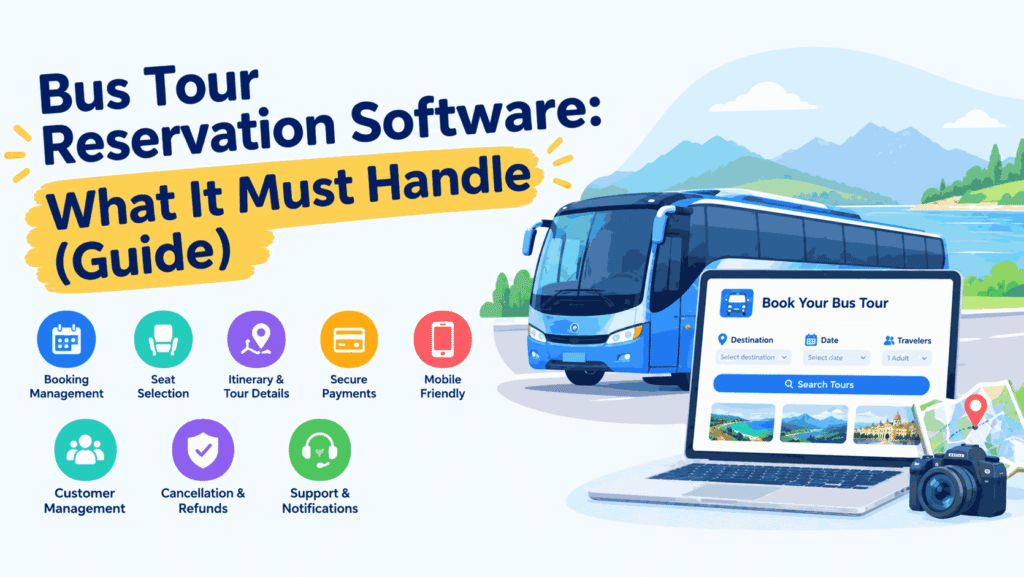
Bus tour reservation software is the system you use to sell seats on scheduled or custom bus tours, not just point-to-point bus tickets. It has to handle named pickup points, multi-day itineraries, guide and vehicle allocation, tourist pricing tiers, and the deposits that come with bookings made months in advance. If you run sightseeing loops, pilgrimage trips, school excursions or intercity tourist routes, the requirements are closer to a tour operator’s than to a city bus company’s. This guide walks through what the software must actually do, and where operators most often buy the wrong thing.
- Bus Tickets vs Bus Tours: Why the Same Software Rarely Fits Both
- Core Features Bus Tour Reservation Software Must Have
- Questions to Ask Before You Buy
- Platform Types: Which One Suits a Tour Operator
- What Integration and Ongoing Costs Involve
- Rollout Checklist for a Tour Bus Operation
- Common Mistakes Operators Make
- Frequently Asked Questions
- Final Thoughts
Bus Tickets vs Bus Tours: Why the Same Software Rarely Fits Both
A conventional bus ticketing platform is built around a single journey: origin, destination, departure time, seat. Pricing rarely changes, the trip ends the same day, and cancellation terms are simple.
A tour product breaks most of those assumptions:
- Multiple stop points. A passenger boards at one of several pickup locations, so seat availability has to be tracked per boarding point, not just per trip.
- Itineraries, not routes. A three-day tour has stops, overnight halts, and inclusions that customers want to read before they pay.
- Group and tiered pricing. Child, senior, student, group-of-ten and agent rates all coexist on the same departure.
- Partial payments. Bookings are often confirmed with a deposit and balanced later.
- Tour-specific extras. Guide assignment, entry tickets, meal plans and vehicle allocation.
This is why a platform that performs well for daily intercity ticketing can still collapse under a tour catalogue. The booking logic is fine; the product model is not. If your business is scheduled point-to-point ticketing rather than tours, a general bus ticket platform feature checklist is the better starting point.
Core Features Bus Tour Reservation Software Must Have
1. Departure-based inventory, not route-based
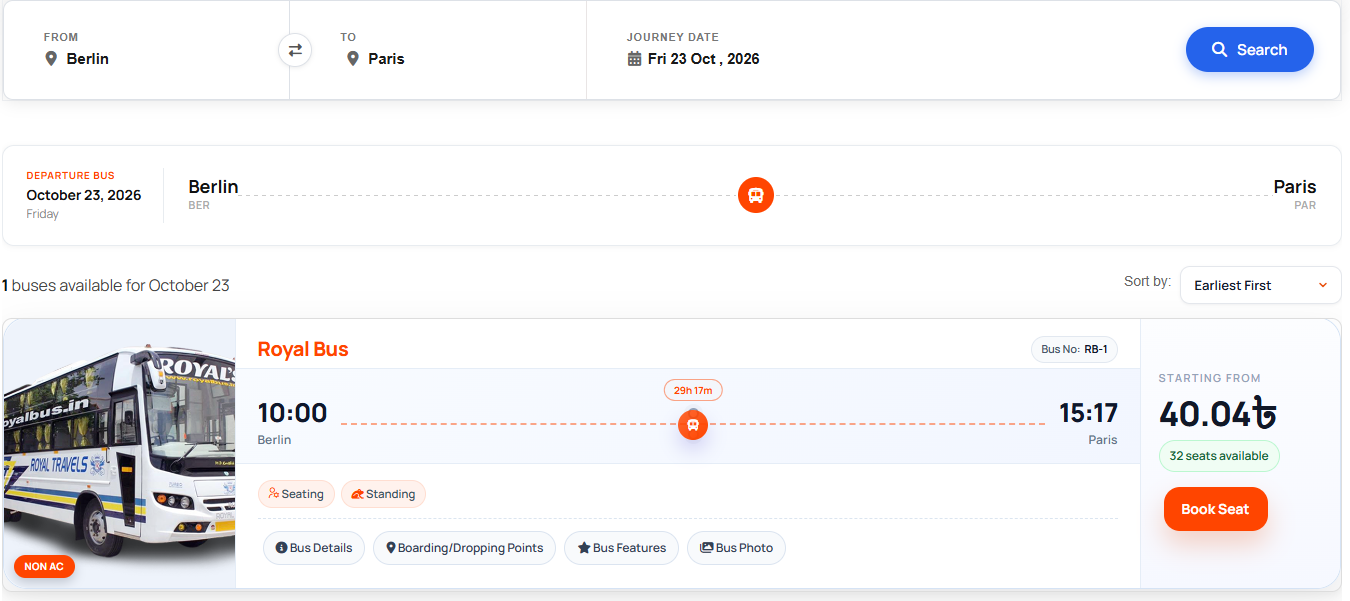
Sell against a specific dated departure with its own seat map and its own capacity. When the operator adds a second bus to a popular date, that must be a separate departure with separate inventory; otherwise, you will oversell.
2. Seat-level booking with boarding point selection

Passengers should pick a seat and a boarding point in the same flow. The system must then decrement the correct seat and show that seat as taken for every passenger boarding earlier in the route.
3. Multi-stop pickup and drop-off logic
Tour buses rarely have one departure point. Look for the ability to define several pickup locations with individual times, and to cap availability at each one if a smaller vehicle is used for the first leg.
4. Day-by-day itinerary content
Tour buyers decide on the itinerary, not the bus. Each listing needs structured day-by-day content, inclusions, exclusions, and a packing or preparation note. Search engines and customers both reward this detail.
5. Flexible pricing: tiers, extras and deposits
- Per-person pricing by age category or traveller type
- Group discounts that apply automatically at a threshold
- Optional add-ons such as meals, entry fees or a private cabin
- Deposit-first booking with a due date for the balance
6. Operator-side allocation
You need to assign a vehicle, a driver and a guide to each departure, and see at a glance which departures are still unassigned. Without this, coordination moves to phone calls and spreadsheets.
7. Cancellation and refund rules that match your policy
Tour cancellations happen weeks out, not hours out. The system should let you define tiered refund windows and apply them automatically rather than calculating each refund by hand.
8. Agent and reseller access
Travel agents and hotel desks sell tour seats on commission. A portal with negotiated rates, a booking cap, and a commission report saves a great deal of manual reconciliation.
9. Mobile-friendly checkout
Most tourist bookings are made on a phone, often on hotel Wi-Fi or mobile data. A checkout that needs more than a few taps and one payment step will lose the sale.
Questions to Ask Before You Buy
Vendors demo well. Use these questions to separate genuine tour support from a ticketing tool with the word “tour” in the marketing copy.
| Question | Why it matters |
|---|---|
| Can one departure have multiple boarding points with separate capacity? | Determines whether you can run real multi-stop pickup tours. |
| Does pricing support traveller types and group thresholds? | Tour margins depend on tiered pricing. |
| Are deposits and balance-due reminders built in? | Avoids manual follow-up on bookings made months ahead. |
| Can I assign guide, driver, and vehicle per departure? | Operational control, not just sales. |
| Will cancelled seats return to inventory automatically? | Prevents phantom sold-out dates. |
| How are refund tiers configured? | Tour refunds are policy-driven and frequent. |
| Is the front end mobile-first? | Most tourists book from a phone. |
| What does integration cost beyond the licence? | Check current pricing with each vendor before committing. |
Platform Types: Which One Suits a Tour Operator
Standalone SaaS tour platforms
Fast to launch, subscription-based, and usually strong on itineraries and tour packaging. The trade-off is limited control over the booking flow and ongoing per-booking fees. Availability and pricing change frequently; check current pricing with each provider.
Custom-built reservation systems
Best fit for large fleets with unusual rules and in-house developers. Expect a long build, a permanent maintenance cost, and slow iteration when you want to test a new tour product.
WordPress booking and tour plugins
You own the site, the customer data and the content, and you can extend the booking logic with plugins. For operators who also publish travel content, this keeps tour pages and booking pages on the same domain, which helps organic search. The practical route is to pair a bus or transport booking plugin with a tour booking plugin so seats and tour packages share one checkout. If you are choosing that tour-side component, this comparison of the best tour booking plugins for WordPress covers the tour packaging side that ticketing plugins usually leave out.
Marketplace listings on OTAs
Useful for demand, poor for margin and customer ownership. Most operators treat marketplaces as a supplement and keep their own reservation system for repeat and direct bookings.
What Integration and Ongoing Costs Involve
Licence or subscription is rarely the whole bill. Budget for:
- Payment gateway fees per transaction, plus settlement delays.
- Currency and language add-ons if you serve inbound tourists.
- Messaging for booking confirmations and pickup reminders — SMS in particular is charged per message.
- Setup and content to load tours, seat maps and boarding points.
- Staff training for counter and call-centre teams.
Ask vendors for these figures in writing. Where a number is not published, request a written quote rather than estimating.
Rollout Checklist for a Tour Bus Operation
- Map your tours. List every departure pattern, itinerary length, boarding point, and pricing tier you sell.
- Load one tour end to end. Publish a real itinerary with images, inclusions, and a seat map, then book it yourself as a customer would.
- Test the awkward cases. Two passengers boarding at different stops, one cancellation inside the free-refund window, one group booking at a discount threshold.
- Connect payments and confirmations. Make sure a paid booking triggers a confirmation with pickup time and location.
- Train counter staff. Most support calls come from staff rebooking a customer manually.
- Review after four weeks. Look at abandoned checkouts, refunds processed outside policy and departures with unassigned vehicles.
Common Mistakes Operators Make
- Buying ticketing software and expecting tour features to appear later.
- Loading tours without day-by-day content, then wondering why organic traffic underperforms.
- Setting one flat price for a tour that has child, group, and agent rates.
- Leaving pickup point capacity uncapped, so the first vehicle is over capacity before the second is filled.
- Running deposits manually in a spreadsheet instead of in the reservation system.
Most of these are configuration errors rather than software faults, and they show up in the same way on any platform. For a checklist of the setup pitfalls themselves, see these common bus booking plugin setup mistakes and how to avoid them.
Frequently Asked Questions
Can one system sell both bus tickets and bus tours?
Sometimes, but only if it supports departure-based inventory with multiple boarding points, tiered traveller pricing, and deposit payments. Many ticketing platforms support none of the three.
Do I need a separate tour booking tool?
If your tours include itinerary content, inclusions and multi-day packaging, a dedicated tour component usually saves development time. It also lets you keep selling simple tickets through the same checkout.
How long does implementation take?
Loading a small tour catalogue onto a hosted or plugin-based platform is typically a matter of days. Custom builds and migrations take considerably longer. Ask the vendor for a project timeline in writing.
Will a tour reservation system help with search visibility?
Only indirectly, and only if you publish real tour content. Structured itineraries, clear pickup information, and accurate durations are what earn rankings; the booking engine converts the traffic.
How should we handle refunds on cancelled departures?
Set explicit tiered rules in the system before you sell the first seat, publish them on the tour page, and let the software apply them automatically so agents cannot apply terms inconsistently.
Final Thoughts
Bus tour reservation software succeeds or fails on three things: departure-based seat inventory, flexible traveller pricing, and boarding point control. Get those right, and the rest itineraries, guides, deposits, refunds sits comfortably on top. Get them wrong, and no amount of interface polish will stop the overselling and manual reconciliation. Start from your tour list, not from the vendor’s feature page.