 Get Halloween 15% for Limited Time on Lifetime & Bundle Deal

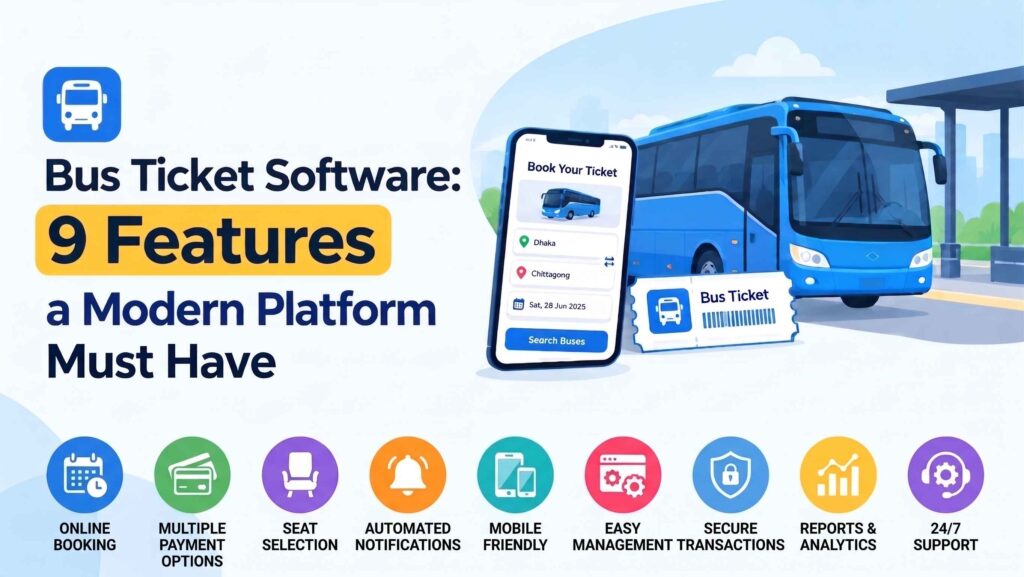
Bus ticket software is a digital platform used by transport operators and travel agencies to automate seat inventory, route scheduling, dynamic fare structures, online payments, and passenger manifests in a unified interface. Unlike standard event ticketing tools, dedicated bus reservation software accommodates directional multi-stop routes, vehicle-specific seat grids, boarding points, and multi-deck capacity restrictions.
Missing key features in a ticketing system leads directly to operational errors, double bookings, and manual refund overhead. Understanding the key advantages of an online bus ticket reservation system helps operators protect margins, automate dispatch, and improve passenger loyalty. This guide examines the nine features required in modern bus ticketing software, compares platform deployment models, and walks through technical setup configurations using modern transport software like WpBusTicketly.
9 Essential Features of a Modern Bus Ticketing Platform
1. Interactive Visual Seat Mapping with Seat-Level Control
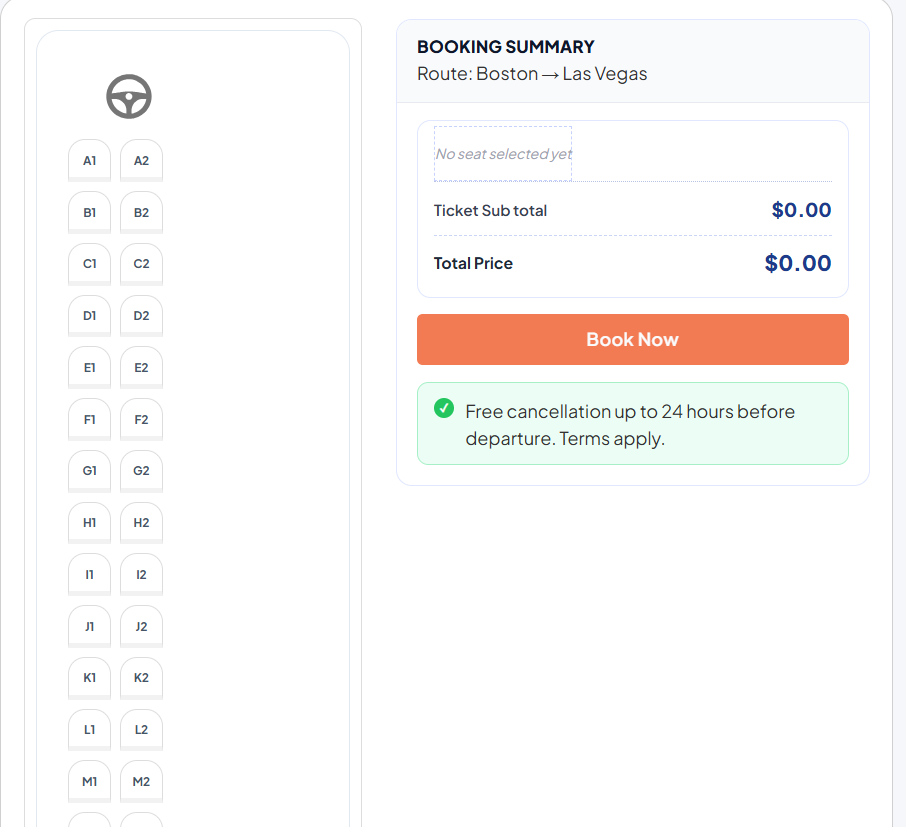
A static ticket count is inadequate for intercity coach transport. A modern platform provides an interactive visual grid where passengers can view cabin layouts, select individual seats (e.g., window, aisle, or front row), and view pricing distinctions. Administrators require full control over:
- Defining distinct lower and upper decks for double-decker coaches.
- Placing non-seat layout items (stairs, driver orientation, restrooms, luggage storage, and emergency exits).
- Applying seat-level price overrides to charge premiums for preferred seating.
2. Multi-Stop Routes and Segment Pricing Matrices
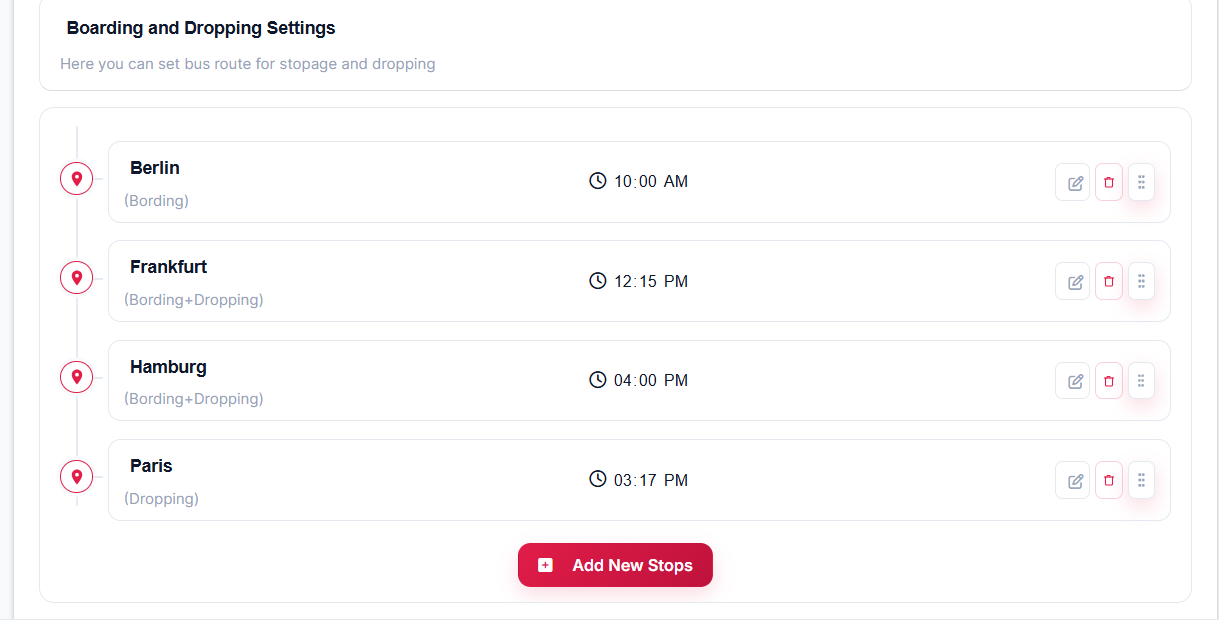
Bus routes rarely run simply from Point A to Point B; they pass through intermediate stations. Ticketing software must support flexible route mapping, enabling:
- Independent assignment of Boarding Only, Dropping Only, and Boarding + Dropping transit stations.
- Segmented price matrices that automatically calculate leg-specific fares (e.g., Berlin → Frankfurt vs. Berlin → Paris).
- Dedicated departure and arrival timestamps for every intermediate stop along the schedule.
3. Real-Time Multi-Channel Inventory Synchronization
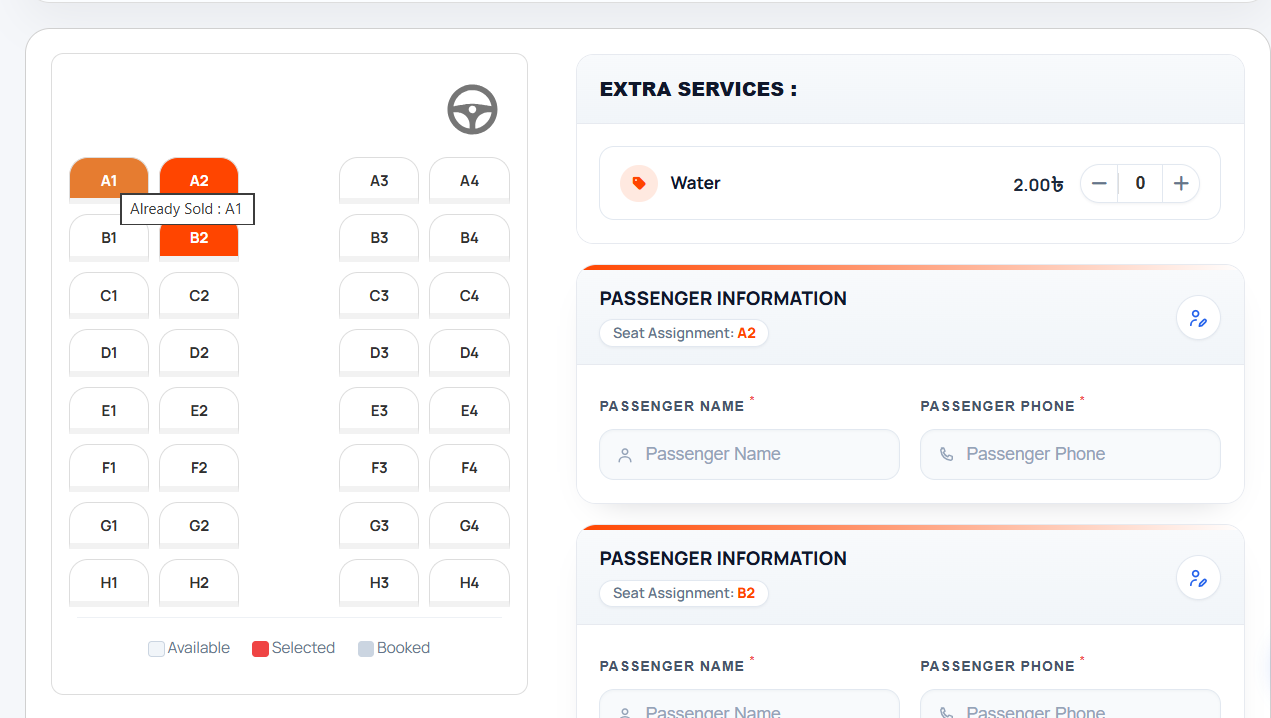
Double bookings occur when a seat sold at a physical terminal counter remains open for purchase online. Platforms require centralized, concurrent inventory synchronization across all sales touchpoints:
- Web booking portals
- Counter agent dashboards
- Mobile booking apps
- Third-party affiliate portals
4. Localized Payment Gateways and Native Checkout
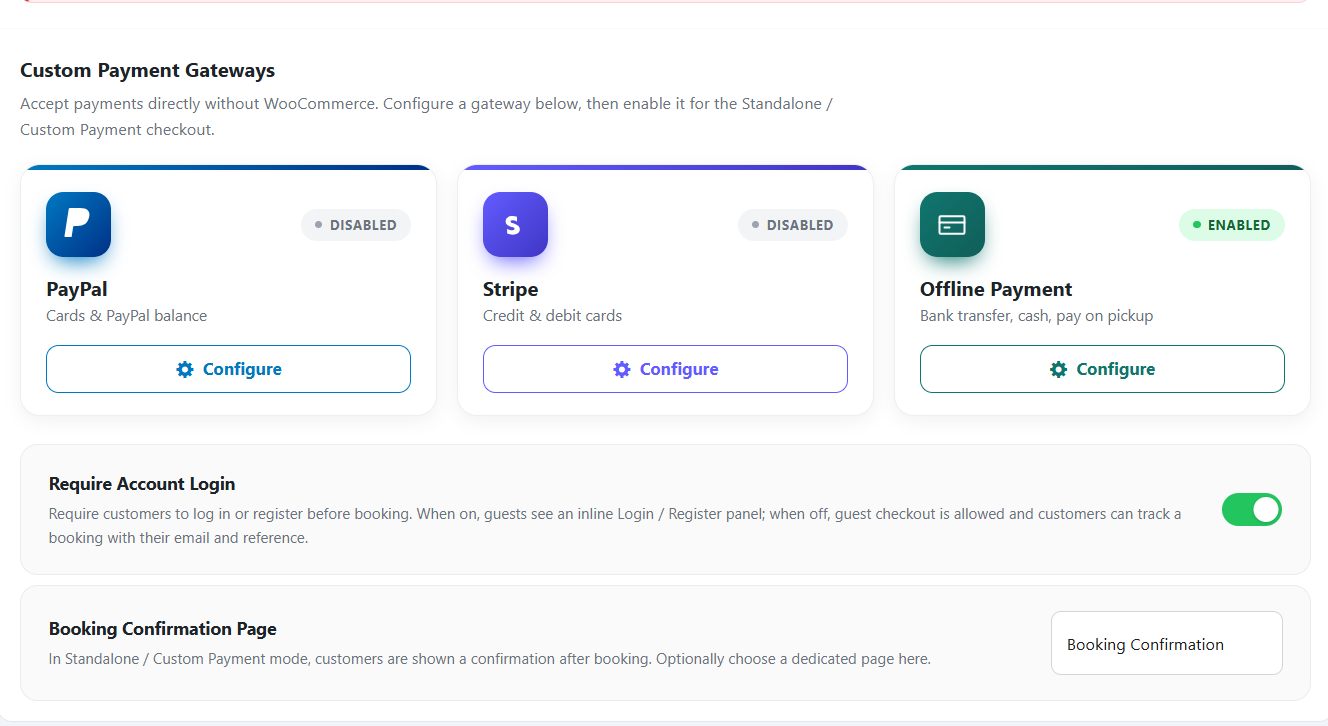
Payment drop-off increases when checkouts restrict customers to international credit cards. A robust bus reservation system integrates localized mobile wallets, debit networks, bank transfers, and cash-on-delivery/counter payment choices. Leveraging a native e-commerce engine like WooCommerce allows operators to support regional payment providers without recurring platform commissions.
5. Automated Digital Tickets with Scannable QR Codes
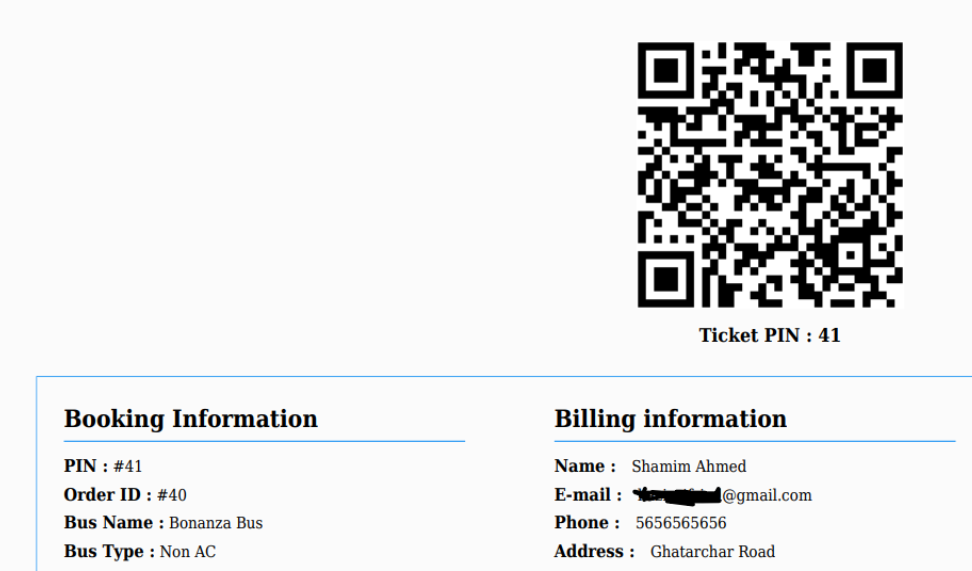
Digital PDF tickets containing unique barcodes or QR codes eliminate counterfeit passes and reduce check-in delays at busy terminals. Conductor apps must be capable of scanning and validating passenger tokens rapidly, ideally with offline-capable verification logic for remote transit stations. To see how this is configured technically, follow this walkthrough on how to add a bus ticket QR code to WordPress using WpBusTicketly.
6. Automated Cancellation, Rescheduling, and Refund Rules
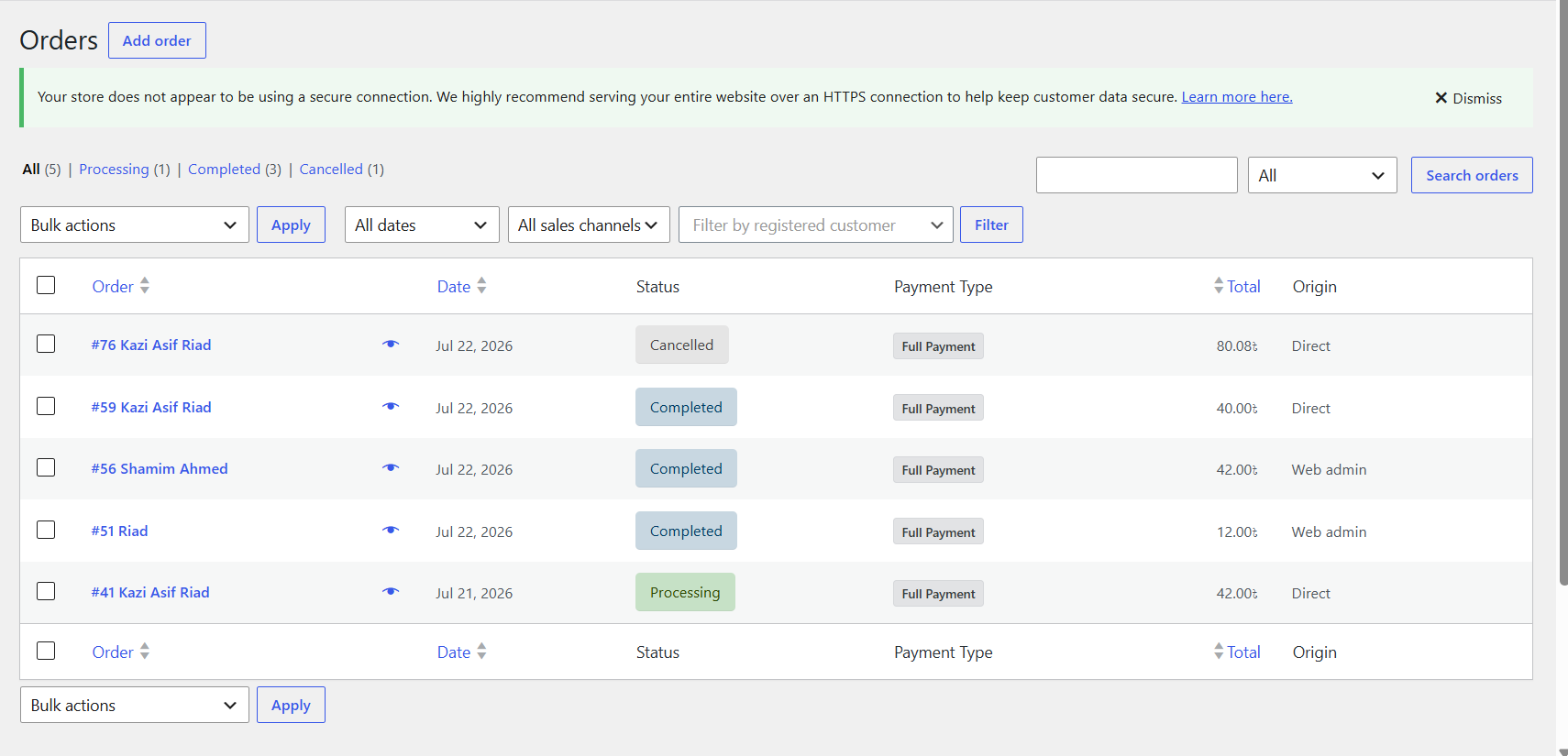
Handling ticket cancellations manually burdens administrative staff. Modern platforms enforce automated policies that calculate eligibility, deduction percentages, and processing cutoffs directly at checkout (e.g., free cancellations up to 24 hours prior to departure).
7. Ancillary Services and Extra Amenities
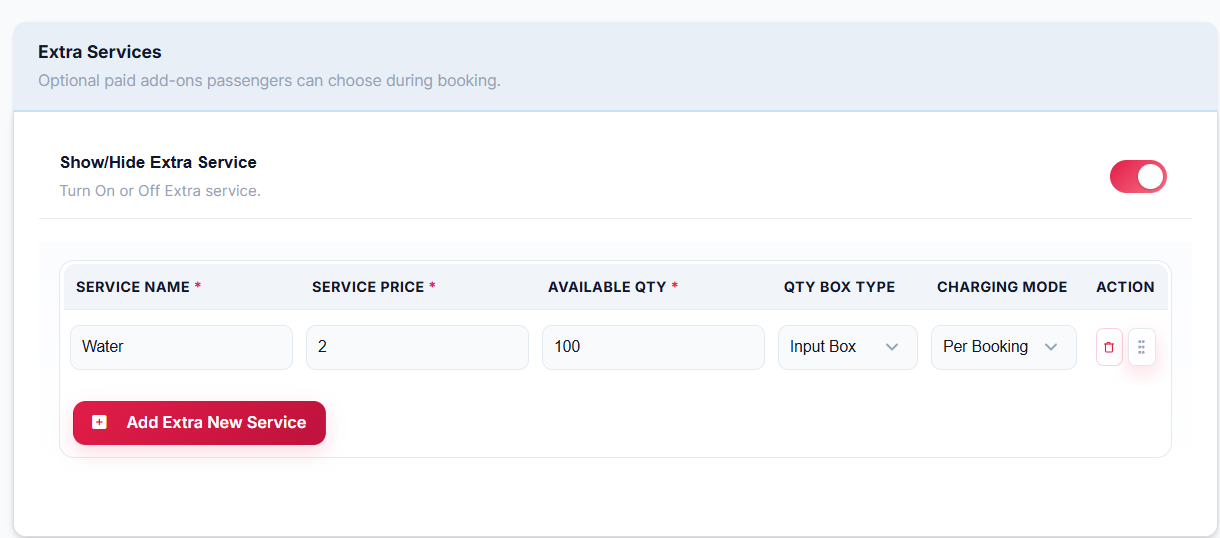
Ticket sales are only part of transport revenue. The platform should offer paid and complimentary ancillary options during checkout, such as:
- Bottled water or meal pre-orders
- Additional baggage allowances
- Onboard amenity disclosures (e.g., Wi-Fi, air conditioning, charging ports)
8. Granular Promotional Rules and Coupon Engines
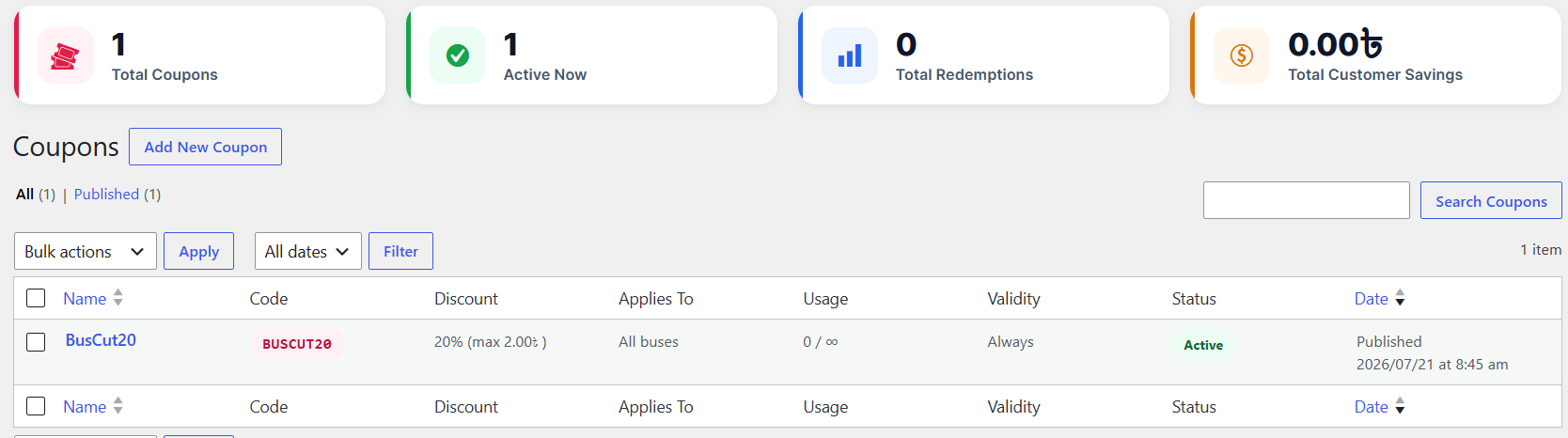
Dynamic discounting allows fleet operators to fill off-peak runs without compromising standard revenue lines. Advanced promotional systems feature:
- Fare discounts calculated as percentages, fixed booking amounts, or per-seat reductions.
- Restrictions by route, travel date range, or day of the week.
- Minimum seat volume thresholds and user login verifications.
9. Operational Reporting and Dispatch Manifests
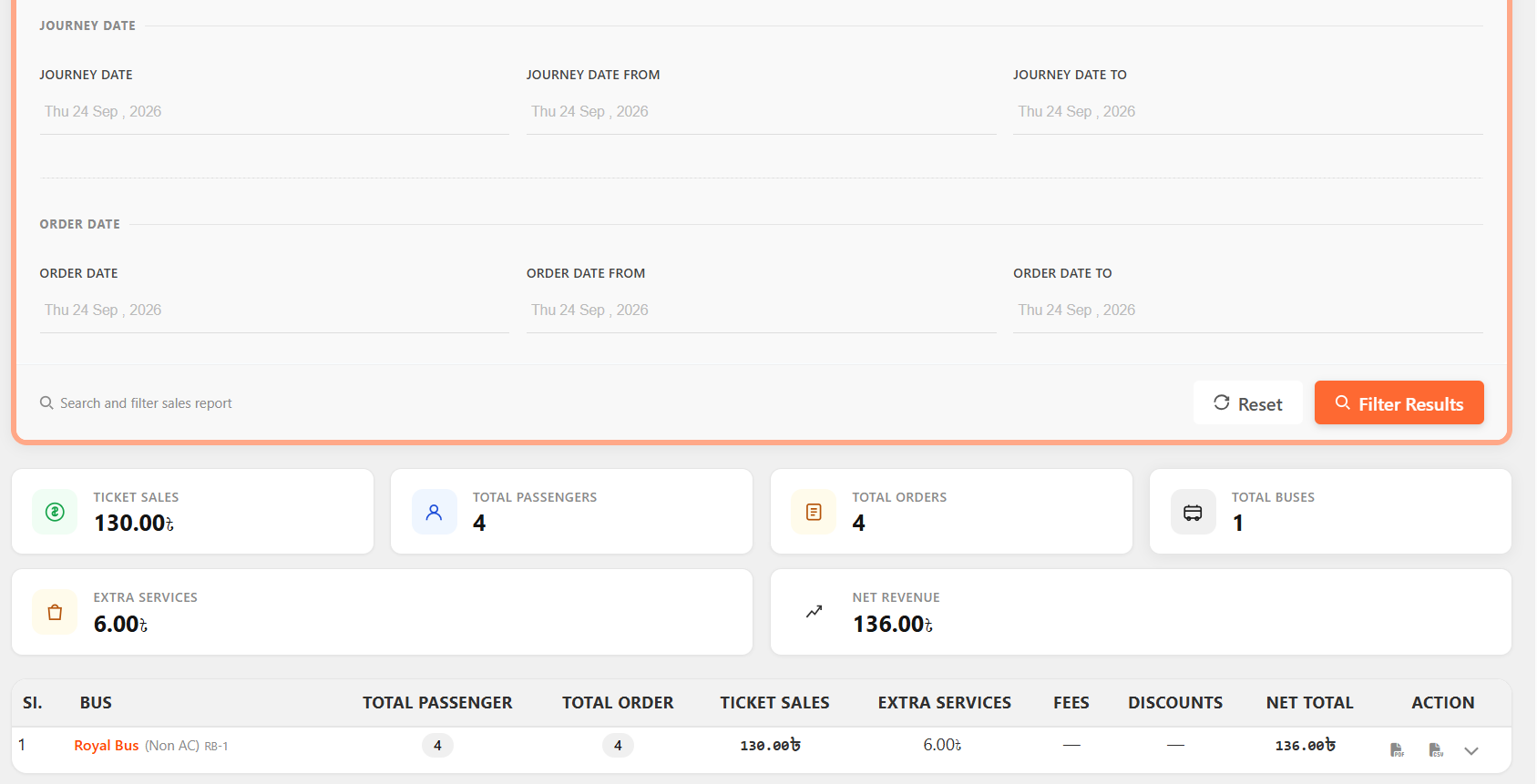
Executive reporting dashboards must translate raw booking totals into actionable fleet insights:
- Occupancy and load factor percentages per vehicle and schedule
- Segment-by-segment passenger manifests exportable to PDF and CSV formats
- Financial breakdowns separating base ticket sales, ancillary fees, and net receipts
Technical Implementation: Configuring WpBusTicketly on WordPress
For transport companies looking to maintain total ownership of passenger data and avoid commission models, you can create a bus booking website using a WordPress plugin like WpBusTicketly to manage the entire workflow natively.
System Prerequisites
To ensure optimal performance and reliable transactions, your hosting server should meet these baseline requirements:
- WordPress: 5.3 or higher
- PHP: 7.0 or higher
- Database: MySQL 5.7+ or MariaDB 10.4+
- Web Server: Apache or Nginx with active SSL/HTTPS support
WordPress Admin ➔ Plugins ➔ Add New ➔ "Bus Ticket Booking with Seat Reservation" (Install & Activate)
Step 1: Establish Fleets, Coach Classifications, and Stops
- Navigate to Bus → Bus Type to establish structural coach categories (e.g., AC Coach, Non-AC Coach, Sleeper).
- Open Bus → Bus Stops to create primary transit hubs (e.g., Berlin, Frankfurt, Hamburg, Paris).
- Go to Bus → Pick & Drop Point to configure specific terminal locations or platforms linked to parent bus stops.
Step 2: Build the Visual Seat Grid and Decks
- Go to Bus → Add New Bus and complete the General Info panel with vehicle registration details (e.g., Bus No, Coach Type, and onboard amenities).
- In Step 2 (Seat Configure), choose Seat Plan to enable manual passenger selection.
- Configure layout dimensions (e.g., 8 rows by 5 columns with an aisle offset).
- For multi-level buses, toggle Show Upper Deck and assign unique deck price multipliers.
- Drag and drop interior markers (restrooms, driver seat, emergency doors) around the generated seat matrix.
Step 3: Configure Routes, Schedules, and Dynamic Pricing
- In Step 3 (Pricing & Route), build the sequential boarding and drop-off timeline.
- Set passenger types (Adult, Child, Infant) and fill out the Route Pricing Matrix to set specific tariffs for every point-to-point transit leg.
- In Step 4 (Advanced), establish recurring schedules, define regular weekly off-days, add ancillary services (e.g., bottled water), and define custom passenger registration fields (e.g., National ID or passport number).
Platform Models: Self-Hosted vs. Marketplace
| Feature / Model | Self-Hosted Platform (e.g., WordPress + WpBusTicketly) DOCX | Centralized Marketplace (e.g., RedBus) |
| Transaction Fees | Gateway fees only (Stripe/PayPal ~2-3%) | Commission cuts (10% to 20% per ticket) |
| Customer Data | 100% owned; direct access to emails and phone records | Retained by marketplace for platform retargeting |
| Brand Identity | Full checkout customization under your domain | Displayed alongside competing fleet services |
| Setup & Maintenance | Requires server hosting, SSL, and initial setup | Instant account creation; zero hosting administration |
Final Thoughts
Good bus ticket software does three things: it prevents double bookings, it gets a valid ticket into a passenger’s hand quickly, and it shows you which routes make money. Everything else is secondary.
Build your shortlist around the nine features above, score vendors on the checklist, and confirm current pricing and support terms directly with each provider before committing. Choose a system you own and can extend, and it will keep serving your fleet long after the first route becomes profitable.
Frequently Asked Questions
What happens if an online and counter booking occur at the same second?
Robust bus reservation platforms implement database-level cart locking. When a customer or counter agent selects a seat on the visual layout, that seat enters a temporary “held” state for a defined checkout window (e.g., 10 minutes), preventing concurrent purchases until payment is completed or expires.
Can bus software handle different pricing for intermediate stops on one route?
Yes. Systems that feature a segment-based Route Pricing Matrix allow operators to charge distinct tariffs based on a passenger’s selected boarding and drop-off locations, even when travelers ride on the same scheduled vehicle.
How do conductors verify digital bus tickets at boarding?
Conductors access a centralized booking manifest via a mobile interface or use a QR scanner app to inspect digital or printed PDF tickets. Successful scans validate the booking ID, display the passenger name and assigned seat number, and automatically mark the ticket as boarded to prevent reuse.