 Get Halloween 15% for Limited Time on Lifetime & Bundle Deal

If you run more than one kind of bookable service — say bus seats in the morning and event tickets at the weekend — a single-purpose scheduler will not cover you. The best multipurpose booking plugin for WordPress takes reservations for transport, events, rentals, rooms and appointments from one dashboard, with one payment setup and one customer list. This guide compares six all-in-one options on price, features and compatibility, explains what genuinely separates them, and shows where each one stops being the right answer.
Before comparing tools, it helps to be clear about why you are replacing manual booking in the first place. The short version is that an online booking system keeps taking reservations while your office is closed, removes double-entry from phone calls, and gives you calendar data you can actually report on. A plugin delivers that on a site you already own, instead of a costly custom build.
What Makes a Booking Plugin “Multipurpose”?
Most booking plugins aim at one industry: appointments, hotels, events, taxis. A multipurpose plugin is built around a flexible inventory model, so the same booking flow can serve services as different as a ferry crossing and a rental item. In practice, you can spot a true multipurpose plugin by four traits:
- Flexible inventory and ticket types. You can define multiple categories, prices, durations and capacity rules rather than one fixed “slot” concept.
- Route, resource or unit logic. Boarding points, pick-up locations, rooms, vehicles or rentable items can be added without code.
- One checkout for everything. Payments, coupons and taxes are handled centrally, usually through WooCommerce.
- Document and notification output. Tickets, confirmations, QR codes and PDFs are generated per booking type.
If a plugin only passes three of those four tests, it is probably a specialist in disguise. There is nothing wrong with that — but it will limit you as soon as you add a second line of business.
The 6 Best Multipurpose Booking Plugin for WordPress Compared
| Plugin | Price | Key Features | Compatibility |
|---|---|---|---|
| Bus Booking Manager / Ticket Manager (MagePeople) | Free version on WordPress.org; check current pricing for the paid tier | Multi-route transport seats, boarding/dropping points, ticket categories, QR and PDF tickets, waitlist and backend-order addons | WooCommerce, any standard WordPress theme |
| WpBookingly | Check current pricing | Service and class scheduling, staff or instructor assignment, recurring sessions, calendar view | WooCommerce, modern block themes |
| WpTravelly | Check current pricing | Travel inventory: hotels, tours, vehicles, room types, seasonal pricing, itinerary content | WooCommerce, travel-oriented themes |
| WpRently | Check current pricing | Rental and unit booking, availability calendar, coupon engine, block editor based booking forms | WooCommerce, block themes |
| Amelia | Check current pricing | Appointments, employee schedules, group classes, integrated payment options | Standalone payments; WooCommerce via integration |
| BookingPress | Free core plugin; check current pricing for addons | Appointment and service booking, custom form fields, service categories, payment addons | Standalone; WooCommerce via addon |
Prices move often and licences differ by tier, so verify on each vendor’s site before you buy. The important comparison is not the sticker price — it is whether the plugin’s booking model matches the shape of your inventory.
How to Choose Between Them
1. Start with your inventory shape, not the feature list
Ask one question first: is a booking a seat on a departure, a slot in a calendar, or a unit for a period? Transport and ticketed events are departure-based, which is where plugins like Bus Booking Manager or the event-focused tools shine. Appointments, classes and consultations are slot-based — the territory of WpBookingly, Amelia and BookingPress. Hotels, tours and equipment are period-based, which is what WpTravelly and WpRently are designed for.
2. Check how many booking types you will actually run
If you only ever sell one thing, a specialist plugin will be leaner and cheaper. Multipurpose only pays off when you need a second or third booking type sharing the same customer, checkout and reporting. Be honest about the next twelve months, not the next five years.
3. Confirm the checkout you already use
WooCommerce-based plugins inherit your existing taxes, coupons, gateways and order emails. Standalone plugins often ship a lighter checkout that is faster to set up but harder to bend later. Neither is automatically better — just match it to what your site already runs.
4. Score the operational extras
- Automatic confirmation emails and ticket delivery
- Check-in or QR scanning at the point of service
- Waitlists, rescheduling and refund rules
- Staff, driver or instructor assignment
- Reporting on capacity utilisation and no-shows
5. Test the non-negotiables before you commit
Install the free or trial version, create your real listing, and run a live test booking with a low-value gateway. If seat selection, capacity limits or time slots break at that stage, no feature list will save the project.
Where Multipurpose Plugs Into Specific Industries
Multipurpose does not mean generic. The booking flows people expect differ sharply by sector, and it is worth reading a sector-specific walkthrough before you configure anything:
- Ground transport operators need seat maps, boarding points and departure times. See the step-by-step guide on creating a bus booking website with a WordPress bus booking plugin.
- Taxi and cab firms need distance or zone pricing and driver assignment. Our comparison of taxi booking plugins for WordPress covers the options in detail.
- Stays and holiday lets need date-range availability and per-night rates. The vacation rental booking plugin roundup is the right starting point.
- Classes, salons and repairs need staff rosters and recurring slots. If that is your case rather than transport or rentals, see the yoga class booking system guide built with WpBookingly.
Our Own Plugin: Where Bus Booking Manager Fits — and Where It Doesn’t
Disclosure: Bus Booking Manager is our own product, published by MagePeople. We are covering it here alongside competitors, so treat this section as a statement of scope rather than a neutral verdict.
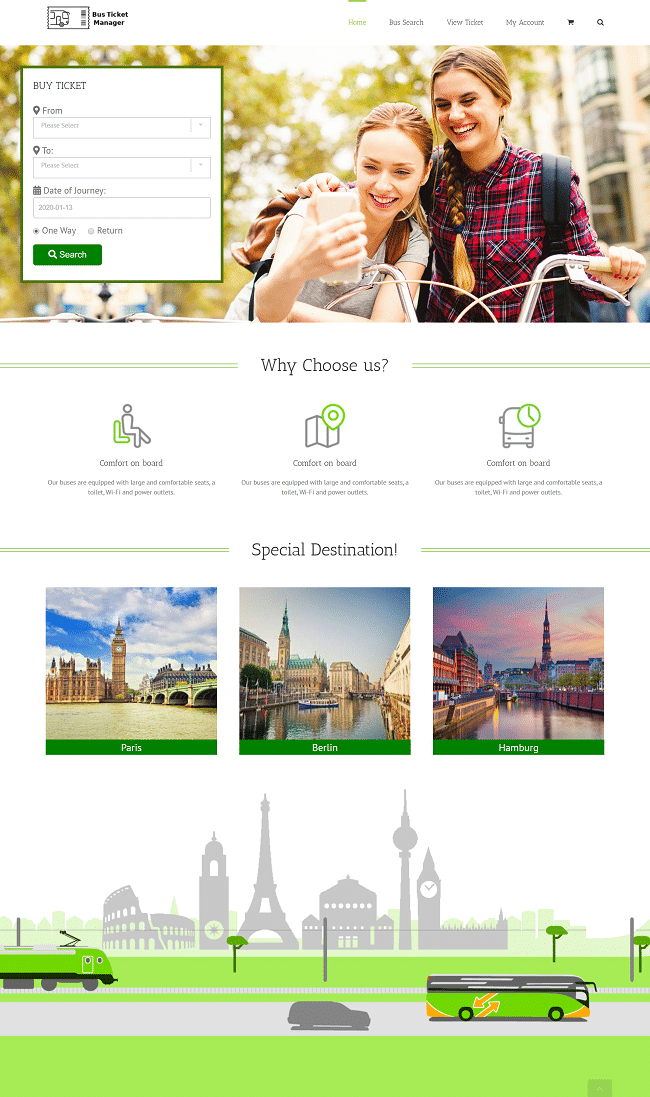
It is the strongest fit if you sell seats on departures: buses, coaches, trains, ferries or boats. You get multiple ticket categories with separate prices, unlimited boarding and dropping points, featured images, descriptions and terms attached to each trip, automatic confirmation emails with attached tickets, multi-currency checkout through WooCommerce, and a developer-friendly codebase you can extend. Addons cover QR codes, waitlist handling and backend order creation, and every addon is documented on our showroom-supported support line during office hours.
Where it is not the right fit: if your business is appointment-based rather than departure-based. A salon taking 30-minute slots, a clinic booking consultations, or a repair service dispatching technicians to a postcode all need calendar-slot logic that this plugin does not attempt. Hourly equipment rental and multi-night accommodation are also outside its model. In those cases choose a slot-based or unit-based tool instead — we would rather you bought the correct plugin than the one we publish.
You can install the free core from the WordPress plugin directory and try it on a staging site, or request a walkthrough of the paid tier on our product page:
See Bus Booking Manager features and request a demo
Frequently Asked Questions
What is a multipurpose booking plugin for WordPress?
It is a plugin that handles several different kinds of reservations from one dashboard — for example transport seats, event tickets and rental units — instead of being limited to one booking type. You configure the inventory and rules, and the plugin supplies the calendar, checkout and confirmation flow.
Can one booking plugin really run bus tickets and event tickets together?
Yes, if the plugin supports flexible ticket categories and separate inventory. Departure-based plugins such as Bus Booking Manager handle both seat reservations and ticketed events because both are effectively timed departures with capacity. Purely appointment-based plugins generally cannot.
Do I need WooCommerce for a multipurpose booking plugin?
Not always, but most of the multipurpose options on WordPress integrate with WooCommerce because it handles taxes, coupons, refunds and gateways reliably. Some plugins also ship a standalone payment flow, which is useful on smaller sites.
How much does a multipurpose booking plugin cost?
Licence pricing changes frequently and varies by tier, number of sites and addons, so check current pricing on each vendor’s site. Budget also for the payment gateway fees and, if you need seat maps or check-in scanning, the relevant addons.
Is a free multipurpose booking plugin enough for a small business?
Often yes, for a single booking type with manual payment or basic gateways. Free versions typically stop short of automatic ticketing, QR check-in, waitlists and advanced reporting, so upgrade only when one of those becomes a real operational need.
Can I migrate from a single-purpose plugin later?
You can, but plan for it. Bookings, customers and orders usually need exporting and reformatting, and seat or slot configurations rarely transfer cleanly. Choosing the right booking model at the start is far cheaper than migrating halfway through a season.
Final Thoughts
There is no single winner in this category — only the plugin whose booking model matches your inventory. Departure-based operators should compare seat, route and ticket-category handling first. Slot-based businesses should compare calendars, staff assignment and recurring bookings. Period-based businesses should compare date-range availability and pricing rules. Shortlist two or three, run a real test booking on each, and pick the one that survives your own use case rather than the demo.
