 Get BlackFriday 25% for Limited Time on Lifetime & 35% for Bundle Deal


Bus booking software comes in several shapes: self-hosted WordPress plugins, dedicated bus SaaS platforms, and bundled reservation modules inside larger transport suites. This review compares seven options across those categories, matched to the fleet type you actually run – full-size coaches, minibuses, school buses, employee shuttles, or mixed bus-and-ferry operations. It covers what each one costs, which seats and bus types it handles, and where each one stops being the right fit.
Short on time? Here is the summary.
- For WordPress operators who want to own their booking data, WpBusTicketly (our own product, disclosed below) is the most bus-specific option in this list.
- For operators who want a hosted platform with a booking marketplace, RedBus or Busbud-style aggregators are relevant – but they usually own the customer relationship.
- For mixed fleets and multi-day hire, a general rental or appointment system may beat any bus-specific tool.
- What to Compare Before You Pick
- Comparison Table: 7 Bus Booking Software Options
- 1. WpBusTicketly - Best for WordPress Operators Who Want Seat-Level Control
- The Function of Bus Booking Software
- 2. WpRently - Best When You Rent the Whole Bus
- 3. Token-Based Reservation Suites - Best for Coach Networks With Counters
- 4. Bus Aggregator Marketplaces - Best for Extra Demand, Not for Your Own Site
- 5. Generic Travel Booking Suites - Best for Mixed Agencies
- 6. Appointment and Class Booking Tools - Best for Shuttles Where Seats Do Not Matter
- 7. Custom-Built Modules - When Nothing Off the Shelf Fits
- Flexible Admin Panel: What Operators Actually Use Daily
- Easy-to-Understand User Interface
- Version, Pricing and Free vs Pro
- Where WpBusTicketly Is Not the Right Fit
- Customer Reviews and Community Signals
- Common Questions
- Which One Should You Choose?
What to Compare Before You Pick
Most bus booking software reviews rank features. That is the wrong starting point, because a 12-seat shuttle operator and a 40-bus coach company need almost opposite things. Start with these six questions instead.
1. Which bus types must the seat plan handle?
A seat plan engine that only draws 2+2 single-deckers will fail the moment you add a sleeper coach, a 2+1 semi-sleeper, a minibus with a bench row, or a double-decker with a staircase gap. Check the software can reproduce your real layouts, including rows with fewer seats and odd empty positions.
2. Does the bus type change the data you collect?
An intercity coach needs passenger names and ID numbers for each seat. A school bus needs guardian contact details and a fixed route contract. A staff shuttle may need none of that. The right software lets you build a custom passenger form per route or bus type rather than forcing one global form.
3. How are intermediate stops priced?
Long-distance operators earn extra revenue by selling a segment between two intermediate stops on a route that is already partly sold. If your software only prices origin to destination, you leave that revenue on the table – and a seat may look “booked” when it is free for part of the journey.
4. Where does the booking data live?
Self-hosted software keeps the customer list, order history and passenger database on your own server. Hosted SaaS platforms typically keep it in their dashboard, sometimes with export limits. For operators building a repeat-customer base, this matters more than any feature checkbox.
5. What does the whole stack cost, not the headline price?
A plugin price plus WooCommerce, a payment gateway fee, a theme, and an SMS add-on is the real number. For a side-by-side of licence costs and payment fees, see our breakdown of free vs paid bus ticket booking software costs rather than guessing from a price tag.
6. What happens at boarding?
Ticket scanning, seat-number format, and whether a conductor can look up a booking on a phone all affect how fast a bus loads. Ask for a live demo of the boarding screen, not just the checkout flow.
Comparison Table: 7 Bus Booking Software Options
Prices below are the ones you should verify on each vendor’s own page before purchasing – licensing terms change and a published figure can shift. Where a verified figure is not available in this review, the cell says “Check current pricing”.
| Software | Type | Price | Bus types / seat plans | Compatibility | Best for |
|---|---|---|---|---|---|
| WpBusTicketly | WordPress plugin (bus-plus add-on) | Free version on WordPress.org; Pro paid – check current pricing | Seat plans for coaches, minibuses, school buses, double-deckers; cabin booking for train and ferry | WordPress + WooCommerce; any standard theme | Operators who want their own site and data |
| WpRently | WordPress plugin (rental manager) | Check current pricing | Whole-bus or daily hire rather than per-seat | WordPress + WooCommerce | Bus hire, charters and wedding or event fleets |
| Token-based reservation suites | SaaS | Check current pricing (usually recurring) | Configurable seat maps for large coach fleets | Browser; integrates with POS and agents | Coach networks with ticket counters |
| Bus aggregator marketplaces | SaaS marketplace / distribution | Commission-based; check current terms | Standard layouts on listed routes | API or partner dashboard | Operators who want extra demand, not a website |
| Generic travel booking suite | SaaS | Check current pricing | Buses alongside tours, hotels and flights | Mixed | Travel agencies selling more than bus tickets |
| Appointment / class booking tools | SaaS or plugin | Check current pricing | No seat map; capacity counts only | WordPress or hosted | Shuttles and school runs where seat choice is irrelevant |
| Custom-built booking module | One-off development | Quoted per project | Whatever you build | Depends on stack | Very large fleets with in-house developers |
1. WpBusTicketly – Best for WordPress Operators Who Want Seat-Level Control
Disclosure: WpBusTicketly is our own product. It is in this list because it is the most bus-specific option we can stand behind, and the section below says plainly where it is not the right fit.
WpBusTicketly is a WordPress plugin that turns a WooCommerce store into a bus ticket booking system with seat reservation. Because it sits on WordPress, the operator keeps the site, the customer database and the order records – which is the main reason bus companies choose it over a hosted dashboard.
It has a free version you can install before spending anything, and a Pro tier that adds the operational features most serious operators need on day one.
What it handles well
- Multiple bus types on one site. You can publish double-decker, single-decker, minibus and school-bus layouts side by side, each with its own seat plan, without running separate software per service.
- Unlimited routes, boarding and dropping points. Point-to-point fares and longer multi-stop routes live in the same system.
- Per-seat passenger forms. Collect name, phone and ID details against each seat, which is what intercity and school operators need.
- PDF tickets with scannable QR codes, generated and emailed automatically once payment clears. There is a separate walkthrough on adding bus ticket QR codes with WpBusTicketly if you want the boarding mechanics in detail.
- Rotating seat plans for high-frequency routes where the physical bus changes between departures – covered in our guide to setting up seat plan rotation in WpBusTicketly Pro.
- Multi-modal transport: buses, plus cabin booking for trains and ferries – useful for operators running a combined route to an island or regional destination.
A full feature walkthrough sits in our overview of the features a modern bus ticket software must have, so this review focuses on fit rather than repeating the list.
The Function of Bus Booking Software
A bus booking system is not only a checkout. Understand the four jobs it does and it becomes easier to see which product does them properly for your fleet.
- Inventory. Convert a physical bus layout into a sellable map, and keep that map in sync with what has actually been sold, including partial journeys.
- Ordering. Take payment, hold the seat, and issue a document that proves the purchase.
- Boarding. Let a driver or conductor verify a passenger quickly, usually by scanning a QR code.
- Reporting. Show which routes, departures and stops made money – the number most operators check weekly.
Software that does the first two but not the last two tends to get replaced within a year. Software that does the boarding check well but cannot price an intermediate segment loses revenue quietly.
What a bus add-on changes
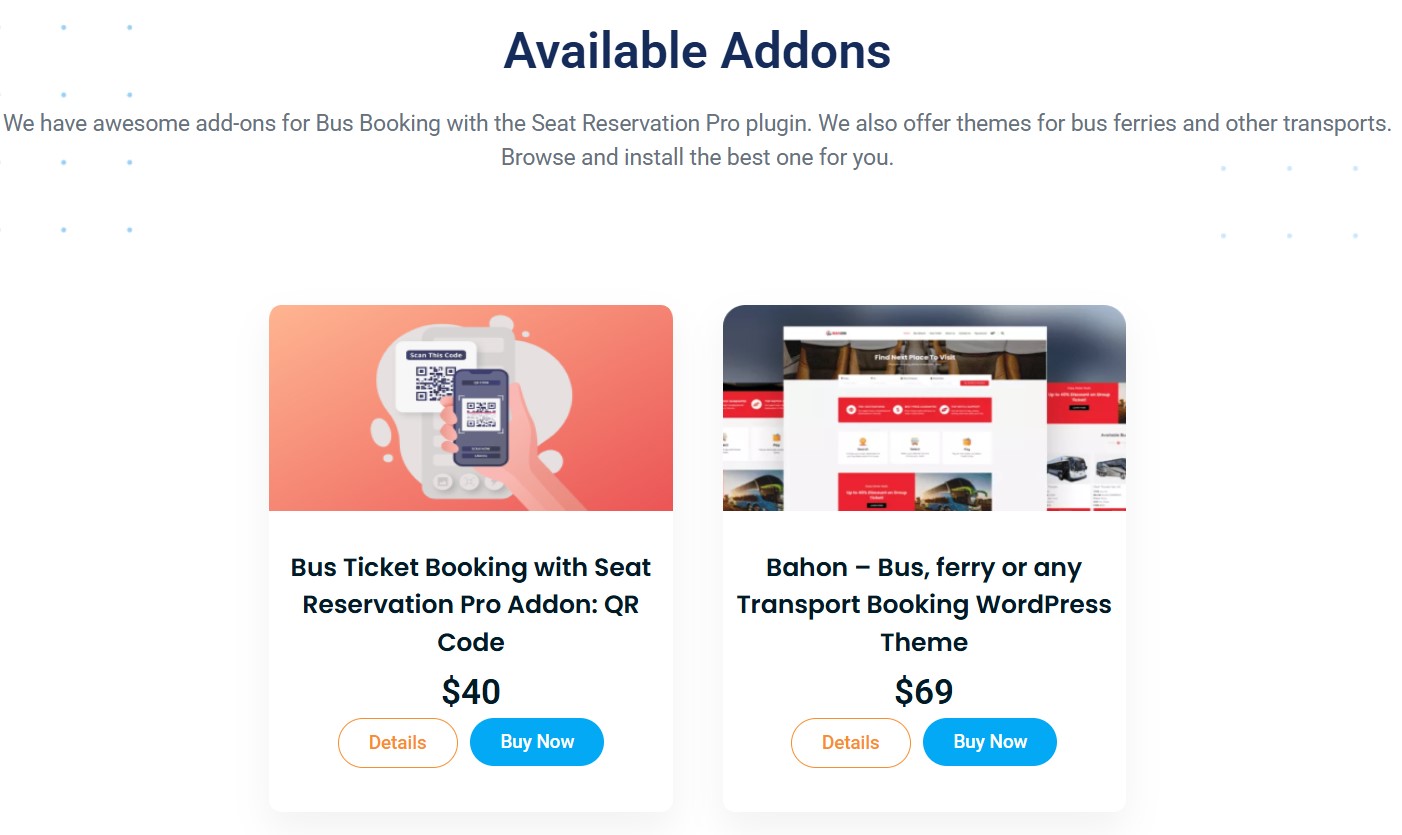
Extensibility is where self-hosted software pulls ahead of most SaaS. WpBusTicketly, for example, allows admin-side bookings through a backend order add-on, so a phone booking or a ticket-counter sale can be entered into the same inventory as an online order. Add-ons for extras such as luggage or meals work the same way: the operational feature you are missing is often a module rather than a new platform.
2. WpRently – Best When You Rent the Whole Bus
Not every bus booking is per seat. Wedding coaches, corporate charters, school trips and airport transfers usually sell the vehicle for a day or a date range – and a seat-map system is the wrong tool for that. WpRently is a rental manager, also on WordPress, and it fits that model better: one booking, one vehicle, one price, with availability blocked across a date range.
The trade-off is obvious. If a customer must choose seat 14 on a 2+2 coach, WpRently will not do it. If a customer simply needs a 45-seat bus on 12 June, a seat map adds friction.
Many operators run both: rentals for charters, and a seat-map system for scheduled services.
3. Token-Based Reservation Suites – Best for Coach Networks With Counters
Larger coach operators often work through agents and physical ticket counters as much as their own website. Dedicated reservation suites built around agent logins, counter sales and centralised inventory serve that model well. They are usually priced as recurring subscriptions, and the cost scales with modules and users rather than being a flat licence.
The maths only works at volume. Below a certain fleet size, the counter-sales features are unused complexity and the subscription is a fixed cost you cannot switch off.
4. Bus Aggregator Marketplaces – Best for Extra Demand, Not for Your Own Site
Marketplaces list your departures next to other operators’ and send you bookings. That is a genuine distribution channel, and for operators with spare seats on new routes it can fill them.
What it is not is your booking system. You generally will not control the seat map design, the passenger form, the ticket format, or the customer relationship, and commission usually applies per ticket. Treat aggregators as one sales channel alongside your own site – not as a replacement for it.
5. Generic Travel Booking Suites – Best for Mixed Agencies
Travel agencies selling bus tickets alongside tours, hotels and flights often prefer one dashboard over four. A generic travel suite handles buses as one product type among several, which keeps reporting in one place.
The compromise is depth. Bus-specific behaviour – intermediate-stop pricing, per-seat passenger data, seat rotation between departures, cabin layouts – is usually thinner in a multi-product suite than in a dedicated bus tool. Decide which matters more before you sign a contract.
6. Appointment and Class Booking Tools – Best for Shuttles Where Seats Do Not Matter
For a fixed staff shuttle on a fixed schedule, or a school run with assigned pupils, a general appointment or class booking tool can be sufficient and cheaper. Capacity per departure is what matters; nobody picks a seat.
Choose this only if the user genuinely gets nothing from a seat map. It is cheaper now and harder to migrate from later, because passenger-level data lives in a generic capacity model rather than a seat record.
7. Custom-Built Modules – When Nothing Off the Shelf Fits
Very large fleets with existing back-office systems sometimes build their own booking module. That gives exact fit – and a permanent maintenance burden: payment gateway updates, ticket design changes, mobile boarding screens, and the seasonal pricing rules that change every year.
Custom development makes sense when you already have a development team and the booking system is a competitive differentiator. If it is not, the maintenance cost usually exceeds the licence cost of a commercial product.
Flexible Admin Panel: What Operators Actually Use Daily
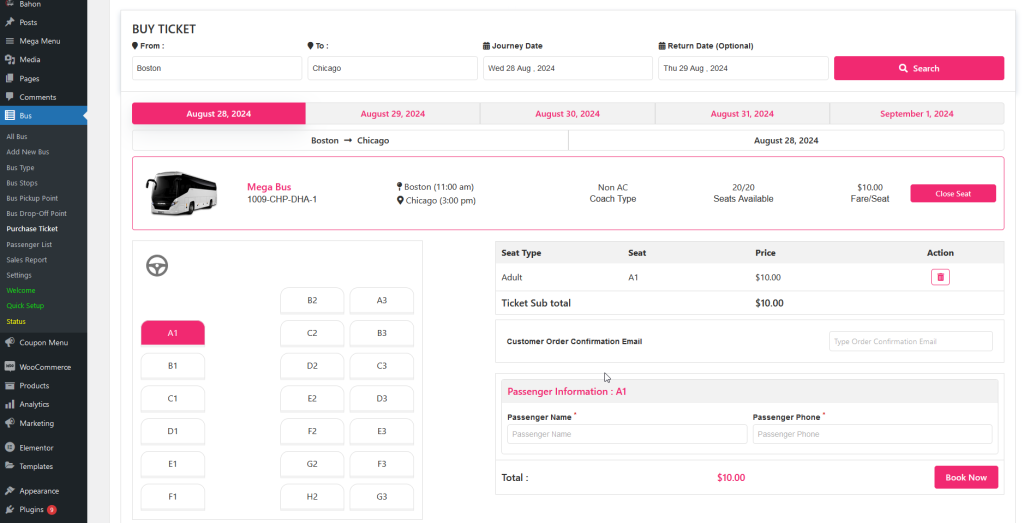
The admin side is where a bus booking system is judged after the launch excitement wears off. Whatever platform you choose, confirm an admin can do all of the following from one screen without a developer.
- See which seats are available, held and sold on a given departure.
- Open a booking and read the customer’s name, phone, order ID, address and gender.
- Check payment status and refund or edit a booking.
- Maintain a waitlist for departures that sell out.
- Re-send a confirmation email when a passenger loses their ticket.
- Export a passenger manifest before departure.
In WpBusTicketly all of this sits inside the standard WordPress dashboard, and a custom passenger booking form lets you decide which fields appear per bus type. Creating the site itself is covered step by step in our guide on how to create a bus booking website.
Easy-to-Understand User Interface
On the customer side, a good bus booking flow is short and unsurprising. The sequence below is the one that converts best, and every option in this list should be measured against it.
- Pick origin, destination and travel date.
- Compare departures with times, prices and remaining seats.
- Choose a seat from a readable, mobile-friendly map.
- Enter passenger details for each seat.
- Pay through a familiar gateway.
- Receive an instant confirmation with a PDF ticket.
Two details are commonly neglected. First, mobile: most bus tickets are bought on a phone, often on poor connections, so the seat map must be legible at a narrow width. Second, clarity about which seat number maps to which physical position – a confusing layout causes arguments at boarding time.
If you want a purpose-built front end rather than styling a generic theme, the Bahon transport booking theme is built to pair with WpBusTicketly for a professional bus booking interface.
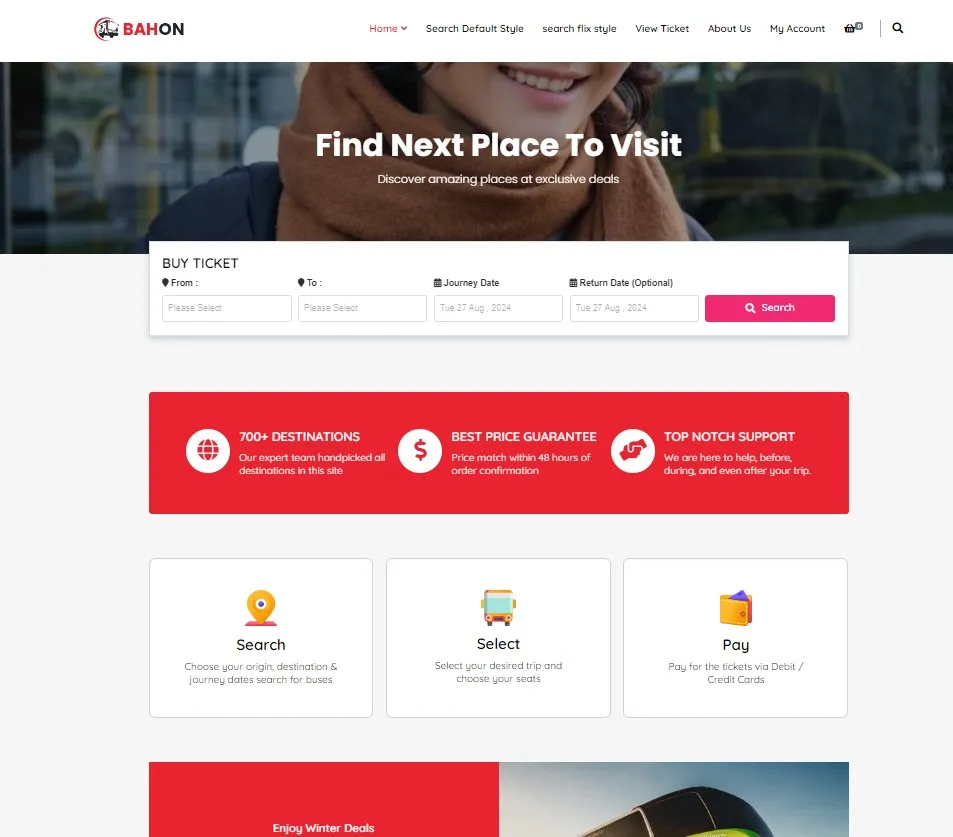
To see the whole flow built from scratch – pages, routes, seat plans and shortcodes – the end-to-end tutorial on building a bus booking website in WordPress walks through the same screens shown above.
Version, Pricing and Free vs Pro
WpBusTicketly is available in two tiers: a free version on WordPress.org for testing the core idea, and a Pro version for commercial operations. The free version is genuinely useful for a single-route trial; it is not a substitute for a live operator’s needs.
| Capability | Free | Pro |
|---|---|---|
| Basic seat booking | Yes | Yes |
| WooCommerce payments | Yes | Yes |
| Route and pricing setup | Yes | Yes |
| PDF tickets with QR codes | No | Yes |
| Intermediate-stop inventory | No | Yes |
| Buffer time controls | No | Yes |
| Passenger self-edit | No | Yes |
| Seat plan rotation | No | Yes |
| Multi-language | No | Yes |
| Advanced reports and CSV export | Basic | Full |
Pricing is shown on the plugin’s own product page – check current pricing there rather than relying on a figure quoted in an article, since licence terms and bundles change. Compare that number with the cost of a hosted subscription over the same period, plus payment gateway fees, before deciding.
Where WpBusTicketly Is Not the Right Fit
This is the paragraph most product reviews skip, so here it is plainly.
- You do not want to run WordPress. If your team has no appetite for hosting, updates and a WordPress maintenance routine, a SaaS platform is the more sensible choice even at a higher monthly cost.
- You need a large travel agent network with per-agent logins and commission splits. That is specialist reservation-suite territory; a WordPress plugin is not built for it.
- You sell whole-bus charters only. WpRently fits that model better than a seat-map system.
- You want turnkey demand from a marketplace. A plugin gives you the storefront; it does not bring buyers.
- You need native mobile apps for drivers and conductors. Confirm the current capability with support before assuming a plugin covers it.
Try it before deciding: explore WpBusTicketly Pro and its live demo – start on the free version if you want to test the seat-plan editor first.
Customer Reviews and Community Signals
WpBusTicketly is a smaller name than the large aggregators, which is both a limitation and a hint: it attracts operators with a specific requirement rather than casual browsers. The sensible approach is to read the WordPress.org reviews yourself, install the free version on a test site, and build a seat plan for your actual bus before buying.
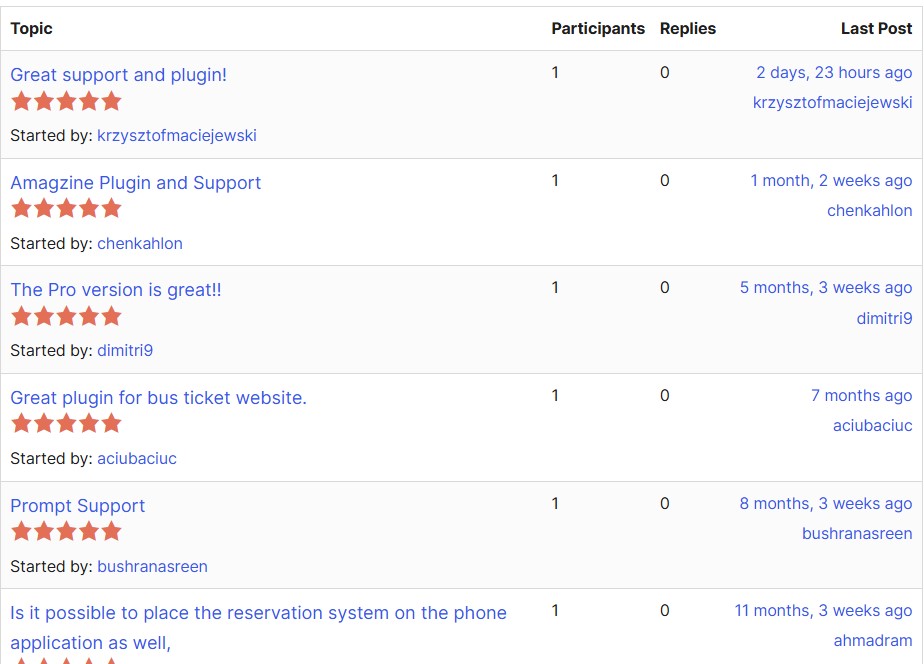
Community feedback, add-on requests and release notes are worth following if you run a seasonal fleet, because operational features such as intermediate inventory and buffer controls came from operator requests rather than marketing plans.
Common Questions
What is the best bus booking software for a small fleet of two or three buses?
For a small fleet, the deciding factor is usually cost predictability and simplicity rather than feature depth. A free or low-cost WordPress plugin on your own site, or a general appointment tool if you do not sell seat-specific tickets, is normally enough. Paying for an enterprise reservation suite at that size rarely pays back.
Can one system handle coaches, minibuses, school buses and ferries?
Yes, if the seat plan engine supports multiple layouts and cabin-style booking. WpBusTicketly supports double-decker, single-decker, minibus and school-bus seat plans, and adds cabin booking for train and ferry services, so a mixed fleet can live on one website. Generic appointment tools cannot do this because they count capacity instead of mapping seats.
How much does bus booking software cost?
It ranges from free plugins to recurring SaaS subscriptions, plus payment gateway fees on every ticket sold. Self-hosted plugins are typically a one-off or annual licence; hosted platforms charge monthly or take commission. Add the cost of your theme, payment gateway and any SMS or automation add-ons before comparing headline prices.
Does bus booking software support intermediate stops and segment pricing?
The better ones do. Intermediate-stop support lets you sell the segment between two stops on a route that is already partly booked, and release the seat for the rest of the journey once the passenger alights. Check this specifically if you run long-distance routes, because it directly affects revenue per departure.
How do passengers prove their ticket at boarding?
The usual method is a PDF ticket with a QR code, scanned by the driver or conductor, which is faster and less error-prone than checking names against a printed list. The free tier of many plugins issues only an email confirmation, so confirm QR ticketing is included in the plan you buy.
Will bus booking software work with my existing website?
WordPress-based systems work with any standard WordPress theme through shortcodes, and are compatible with WooCommerce for payments. Hosted SaaS platforms usually require either a subdomain, an embedded widget or an API integration, so ask how bookings will appear on your existing domain before committing.
Which One Should You Choose?
Match the software to how you sell, not to a feature list.
- Scheduled routes with seat selection: a seat-map system. WpBusTicketly if you want WordPress and your own data; a reservation suite if you sell mainly through agents and counters.
- Whole-vehicle hire and charters: a rental manager such as WpRently.
- Fixed shuttles and school runs: a simple appointment or capacity tool.
- Extra demand on new routes: an aggregator as an additional channel, not as your main system.
- Mixed travel products: a generic travel suite, accepting thinner bus-specific features.
Whichever you choose, run one test before paying: build your most awkward bus – the sleeper with a staircase, the minibus with a bench row – and see whether the seat plan and fare rules match reality. That single test separates usable bus booking software from a demo that photographs well.
If your fleet is bus-only and you want to move quickly, the free version of our own plugin is the lowest-risk way to start, and the documentation covers routes, seat plans and QR ticketing step by step.