 Get Halloween 15% for Limited Time on Lifetime & Bundle Deal

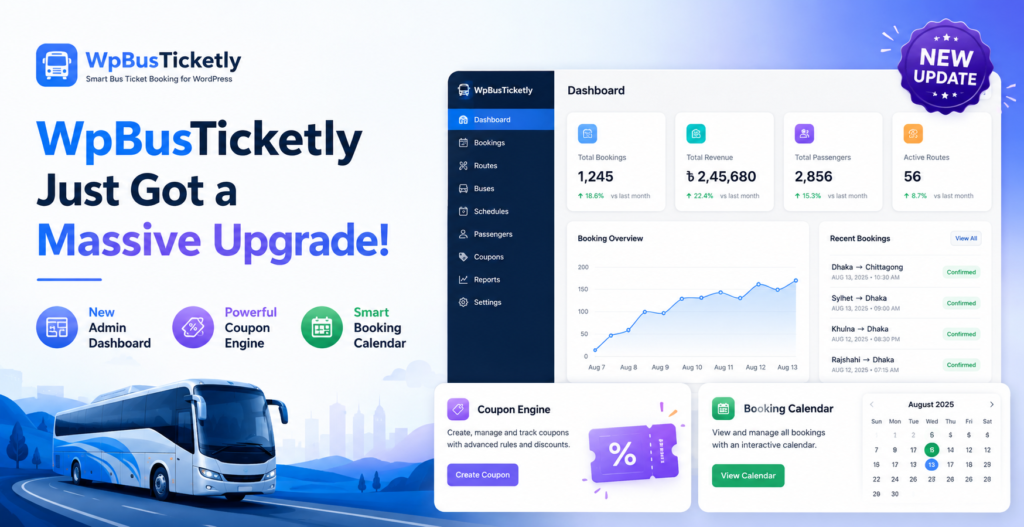
The WpBusTicketly upgrade rebuilds the plugin’s entire admin experience: new bus and booking dashboards, a drag-and-drop seat editor, a full coupon engine, a real booking calendar, and route-level sales reporting. The short version is that it now does much of what operators normally pay a monthly SaaS booking platform for, except it runs on the WordPress site you own.
If you have used WpBusTicketly before, open the backend and you may think you installed the wrong plugin. Bus management, bookings, coupons, the calendar, and reports have all been reworked. The goal is straightforward: give bus and transport operators the visibility that used to require an expensive subscription tool, without leaving WordPress.
We went through the plugin documentation screen by screen. This guide walks through all nine changes and what each one actually means for day-to-day operations.
- 1. A Real Admin Dashboard for Your Fleet
- 2. Drag-and-Drop Seat Editor With Real Bus Layouts
- 3. A Full Coupon Engine, Built for Transport Businesses
- 4. Booking Calendar: See Your Whole Schedule at a Glance
- 5. Sales Report: Route-Level Financial Visibility
- 6. Extra Services: Sell More Than Just the Seat
- 7. Smarter Route and Pricing Tools
- 8. The Booking Experience Changed for Passengers Too
- 9. Why This Matters If You Are Comparing Booking Systems
- Frequently Asked Questions
- The Bottom Line
1. A Real Admin Dashboard for Your Fleet
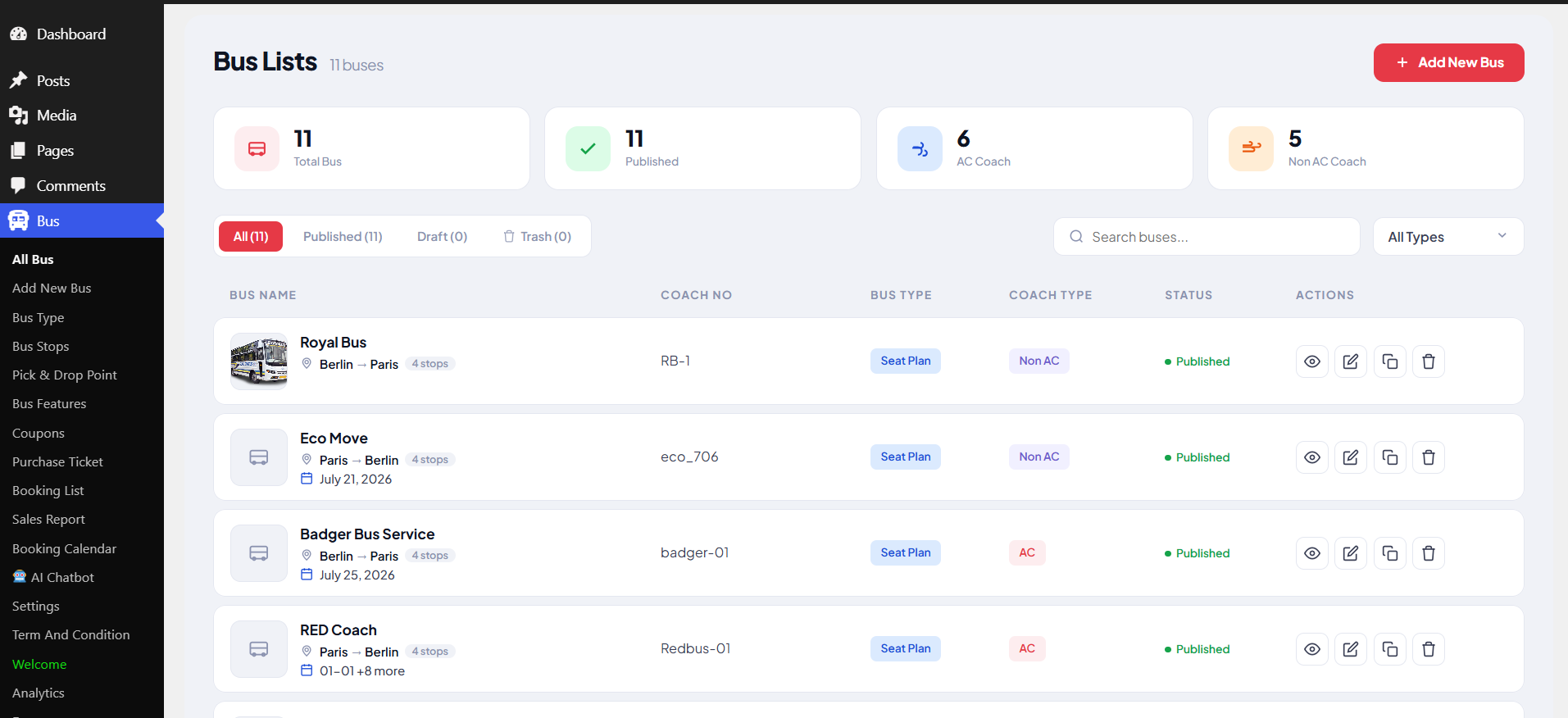
The old Bus Lists page was basically a table. Not anymore. Summary cards now sit at the top of the screen: total buses, how many are published, and a live AC vs. Non-AC split, so you can read the state of your fleet before scrolling.
There is also a filter bar (All / Published / Draft / Trash), a search box, and a bus type filter. Each row shows the thumbnail, the route (Berlin → Paris, for example), how many stops, the schedule, and the coach number, with quick buttons to view, edit, duplicate, or delete.
Running two or three buses, this will not change your life. Running a real fleet, not having to hunt through an unfiltered post list is a genuine time-saver. For a wider look at which operational headaches this update targets, see our guide to the bus reservation problems WpBusTicketly solves.
2. Drag-and-Drop Seat Editor With Real Bus Layouts
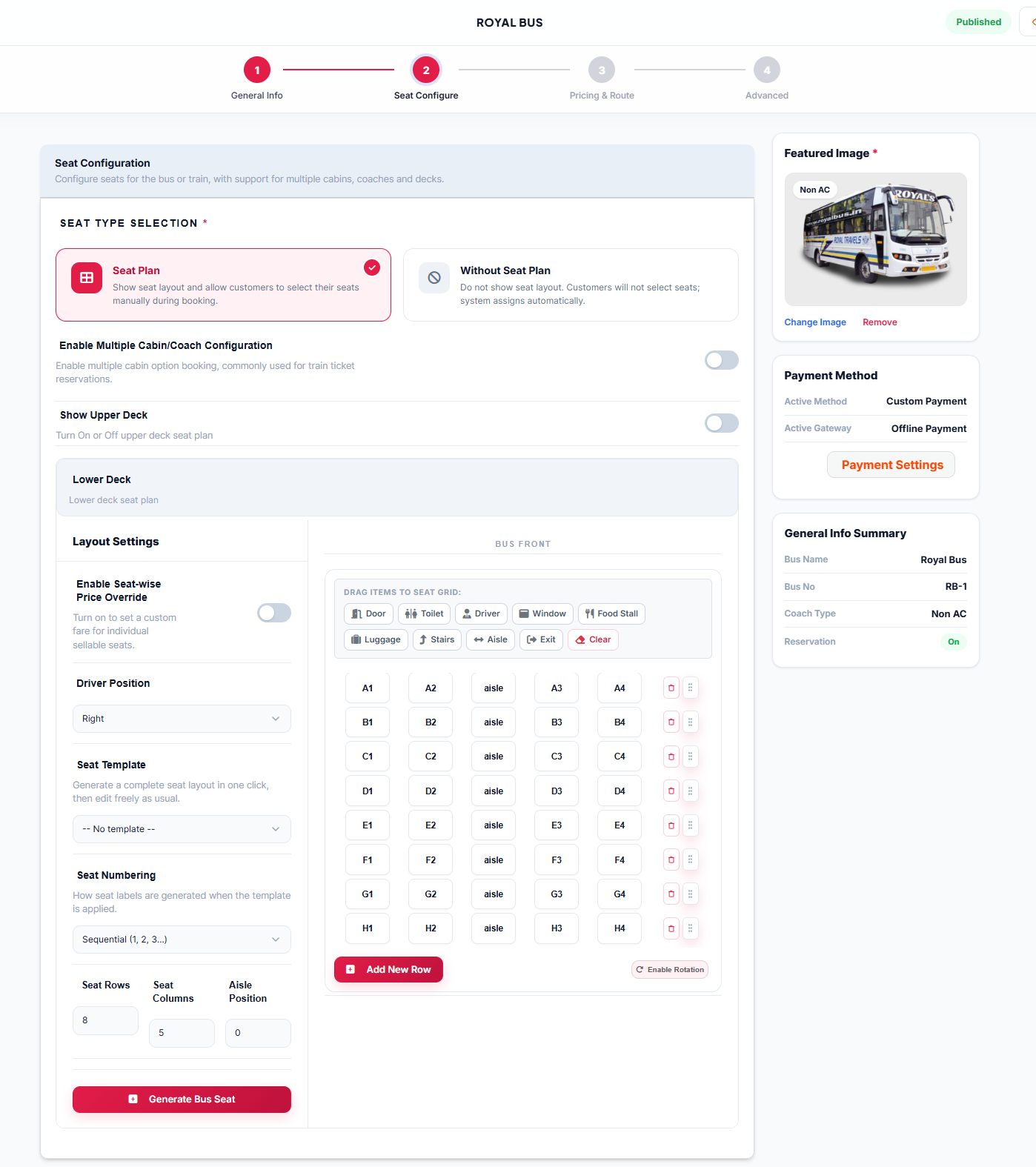
This is the change we would call genuinely impressive. Instead of filling out number fields and hoping the seat map comes out right, you now build it visually.
A few things worth calling out:
- A BUS FRONT indicator on the canvas, so you are never guessing which end you are editing
- Structural elements you can drag in: Door, Toilet, Driver, Window, Food Stall, Luggage, Stairs, Aisle, and Exit, so the layout resembles a real coach rather than a grid of numbers
- Generate Bus Seat, which builds the full seating matrix instantly from your row, column, and aisle settings
- Double-decker and multi-cabin setups, each with its own Upper Deck price multiplier and a separate editing canvas, so an upper-deck seat does not have to cost the same as the seat with the same number below it
- Per-seat price overrides, which matters if you charge more for a window or front-row seat
For anyone running double-decker or multi-cabin coaches, each deck is now configured and priced on its own.
3. A Full Coupon Engine, Built for Transport Businesses
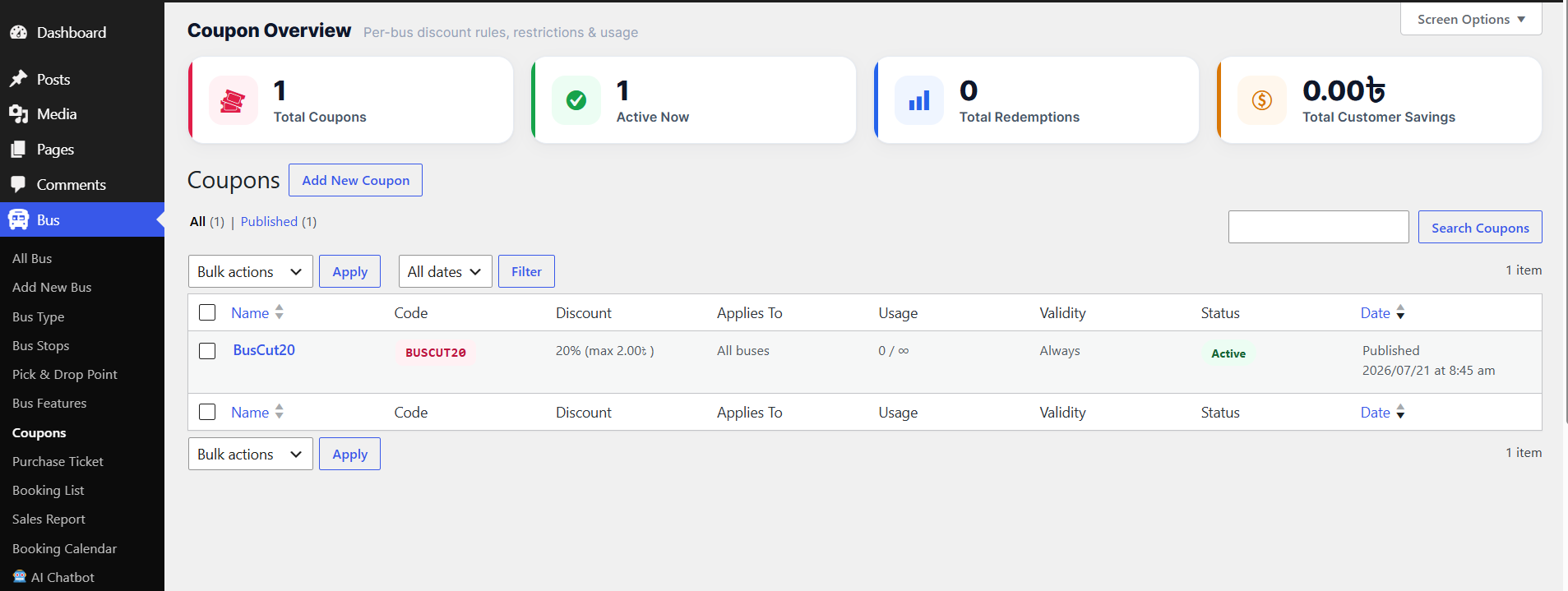
This may be the biggest addition in the whole release. It is no longer a basic “10% off” code field; it is a real rules engine:
- Discount types — percentage off, a fixed amount per booking, or a fixed amount per seat, with an optional cap on the maximum discount
- Fleet targeting — apply a coupon site-wide, or lock it to specific buses or bus types
- Booking thresholds — set a minimum fare, minimum seats, or a maximum seat count for the coupon to trigger
- Scheduling — active-from and active-until windows, specific valid days of the week, and travel-date restrictions that are separate from purchase-date restrictions, so you can sell a coupon in August that is only valid for trips in September
- Usage limits — total redemptions, per-customer limits, and per-day caps
- Eligibility rules — require login, restrict to first-time customers, allow or block stacking with other coupons, restrict by user role, or whitelist specific email addresses
That is the depth you would expect from a dedicated WooCommerce coupon plugin, not a bundled feature.
4. Booking Calendar: See Your Whole Schedule at a Glance
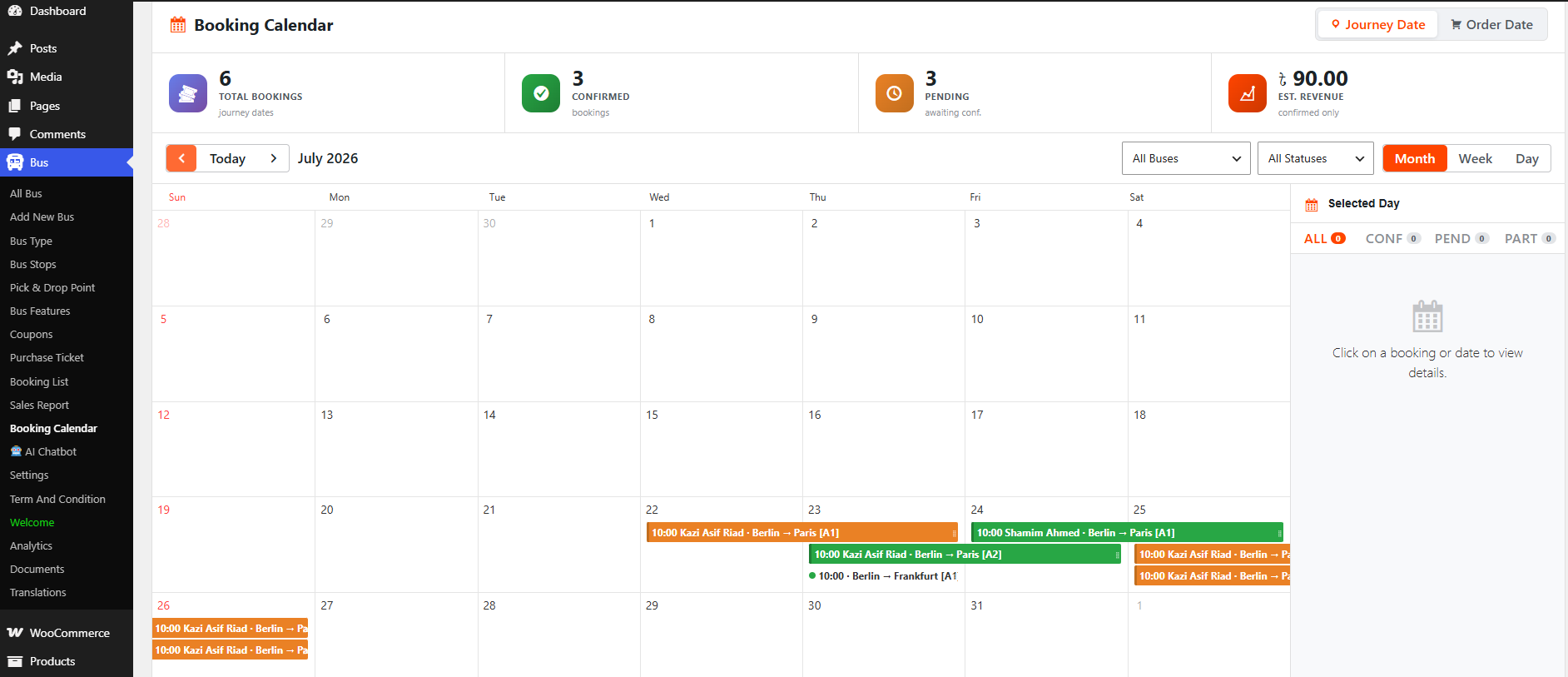
There is now an actual calendar, with Month, Week, and Day views, plus a toggle to switch between viewing by journey date or order date. Summary cards show total bookings, confirmed, pending, and estimated revenue at the top.
Click into a day and a sidebar breaks the bookings down by status: all, confirmed, pending, partial. It replaces the old routine of cross-checking the booking list against a spreadsheet just to work out what departs tomorrow and how full it is.
5. Sales Report: Route-Level Financial Visibility
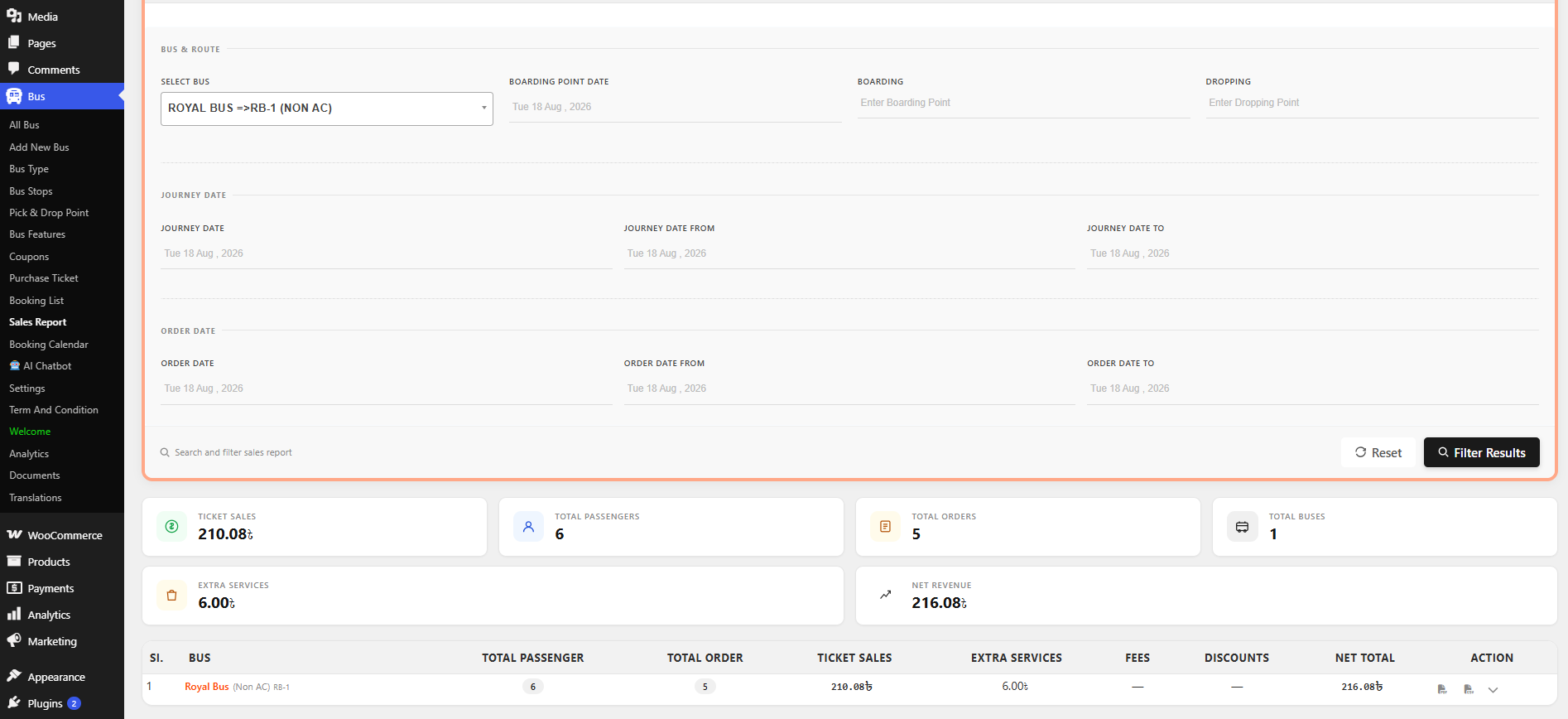
This turns raw bookings into something you can act on. Filter by bus, boarding point, drop-off point, or date range, and you get summary cards for ticket sales, total passengers, total orders, extra services revenue, and net revenue. Below that, a per-bus table breaks down ticket sales, extras, fees, discounts, and net total, with one-click PDF and CSV export.
Running more than one route, this is the screen that finally tells you which ones are profitable, without exporting everything into a spreadsheet first.
For the workflows this reporting was designed around, see how small travel agencies use WpBusTicketly to automate ticket sales.
6. Extra Services: Sell More Than Just the Seat
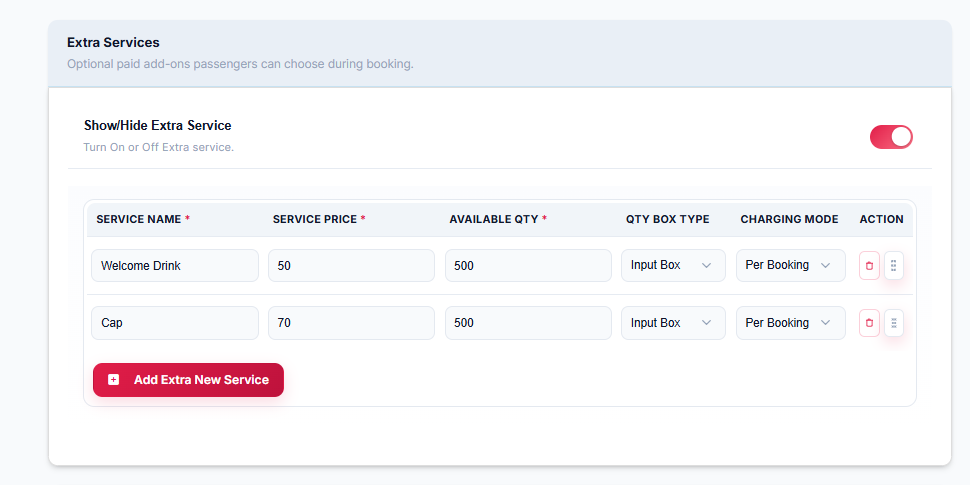
Passengers can now add paid extras at checkout: water, snacks, luggage handling, or anything else you set up, with quantity controls. Because extra services get their own line in the Sales Report, you can see whether the upsells are working instead of watching them disappear into the order total.
7. Smarter Route and Pricing Tools
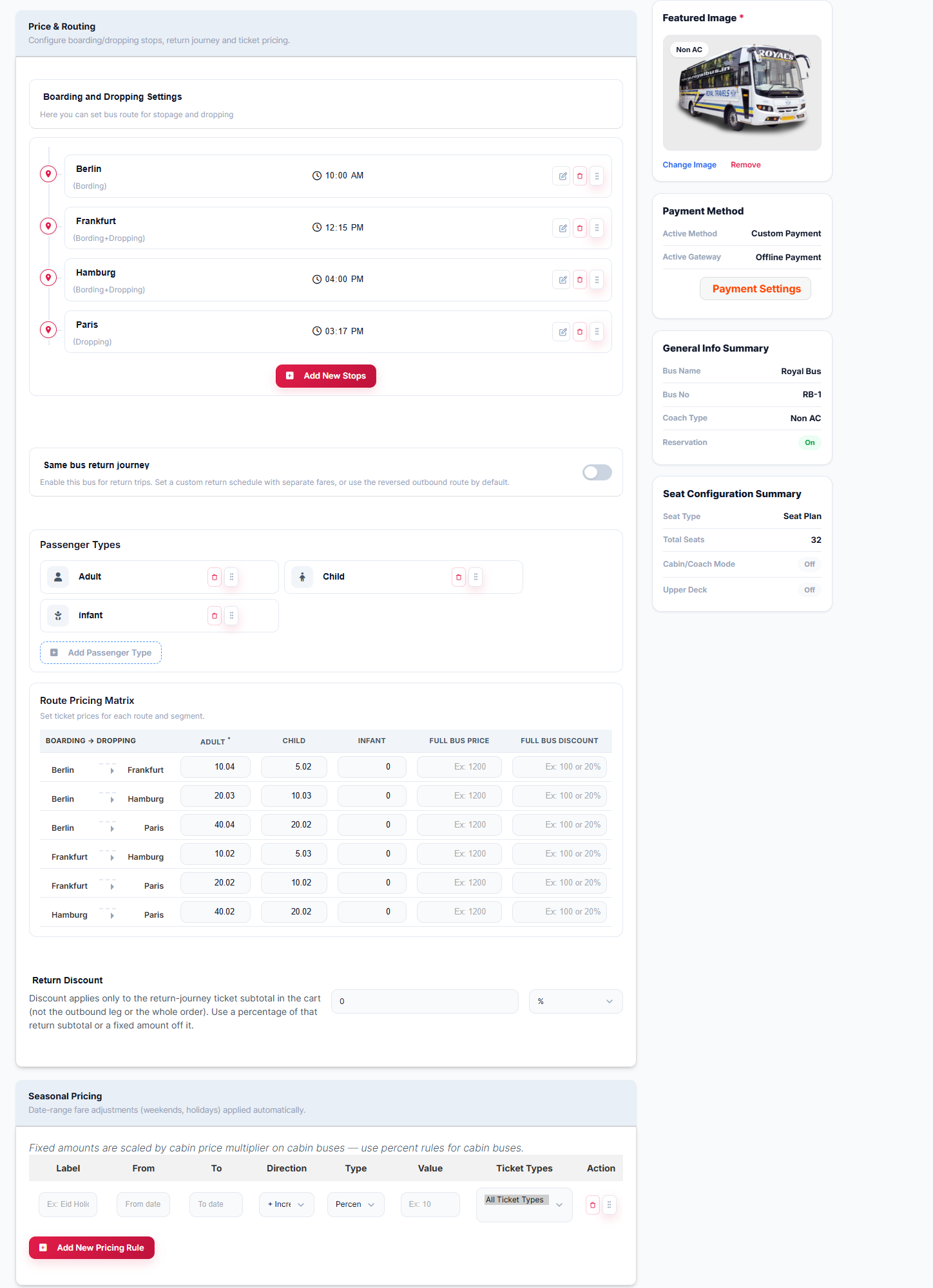
Adding a new bus is now a four-step wizard: General Info → Seat Configure → Pricing & Route → Advanced. The pricing step is where most of the new power sits:
- A Route Pricing Matrix that prices every stop-to-stop segment individually, not just the full origin-to-destination fare, broken down by passenger type
- Seasonal pricing, so weekend or holiday fares adjust automatically
- Return journeys on the same bus, with a reversed schedule and its own discount rules
- Configurable passenger types (Adult, Child, Infant), each with its own price
Bus Stops and Pickup/Drop-off Points are now separate, reusable entities too, so you are not redefining the same station every time you add a route that uses it. If you want the practical, step-by-step side of configuration, our walkthrough on adding a bus ticket QR code in WordPress shows how tickets are issued and validated once these settings are in place.
8. The Booking Experience Changed for Passengers Too
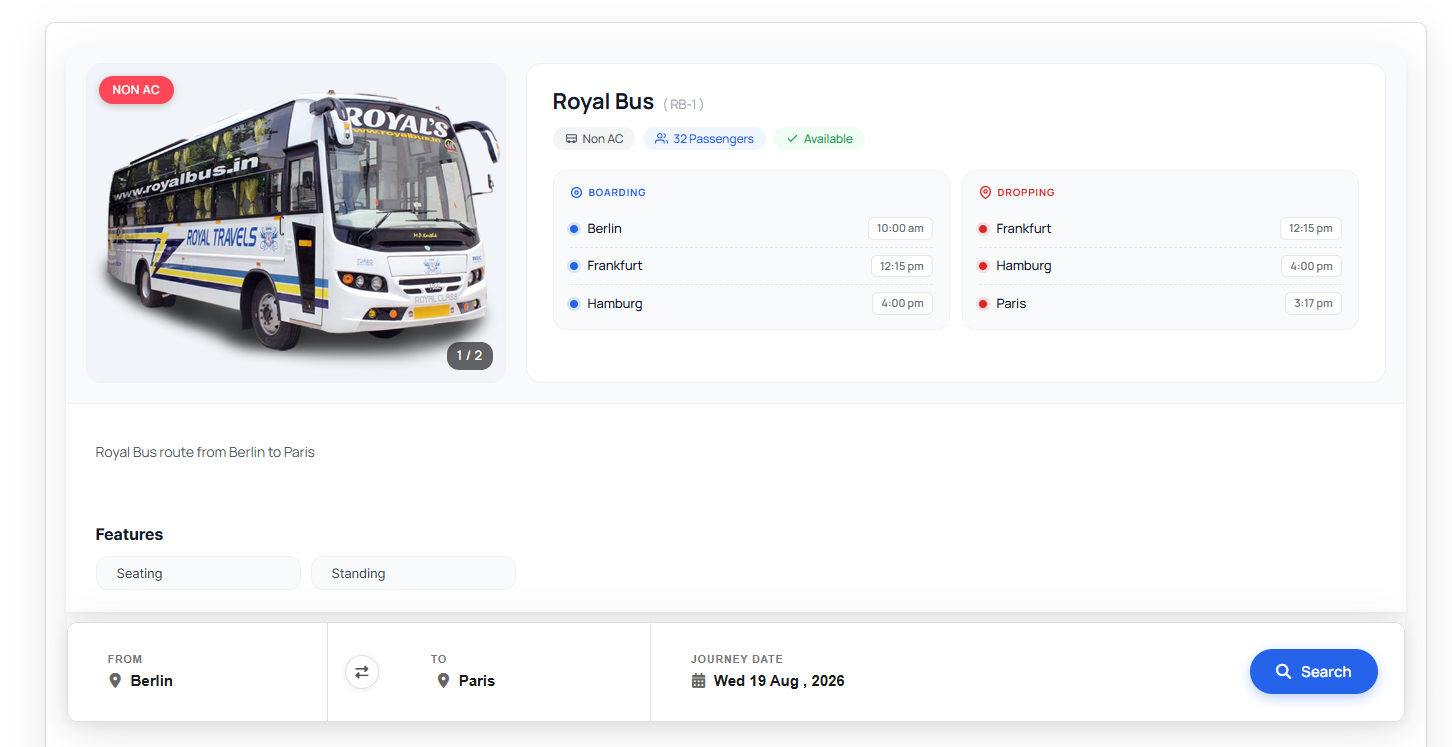
It is not only the backend that got the upgrade. Search results now show departure and arrival times, total journey length, live seat availability, and the starting fare, all in a single card.
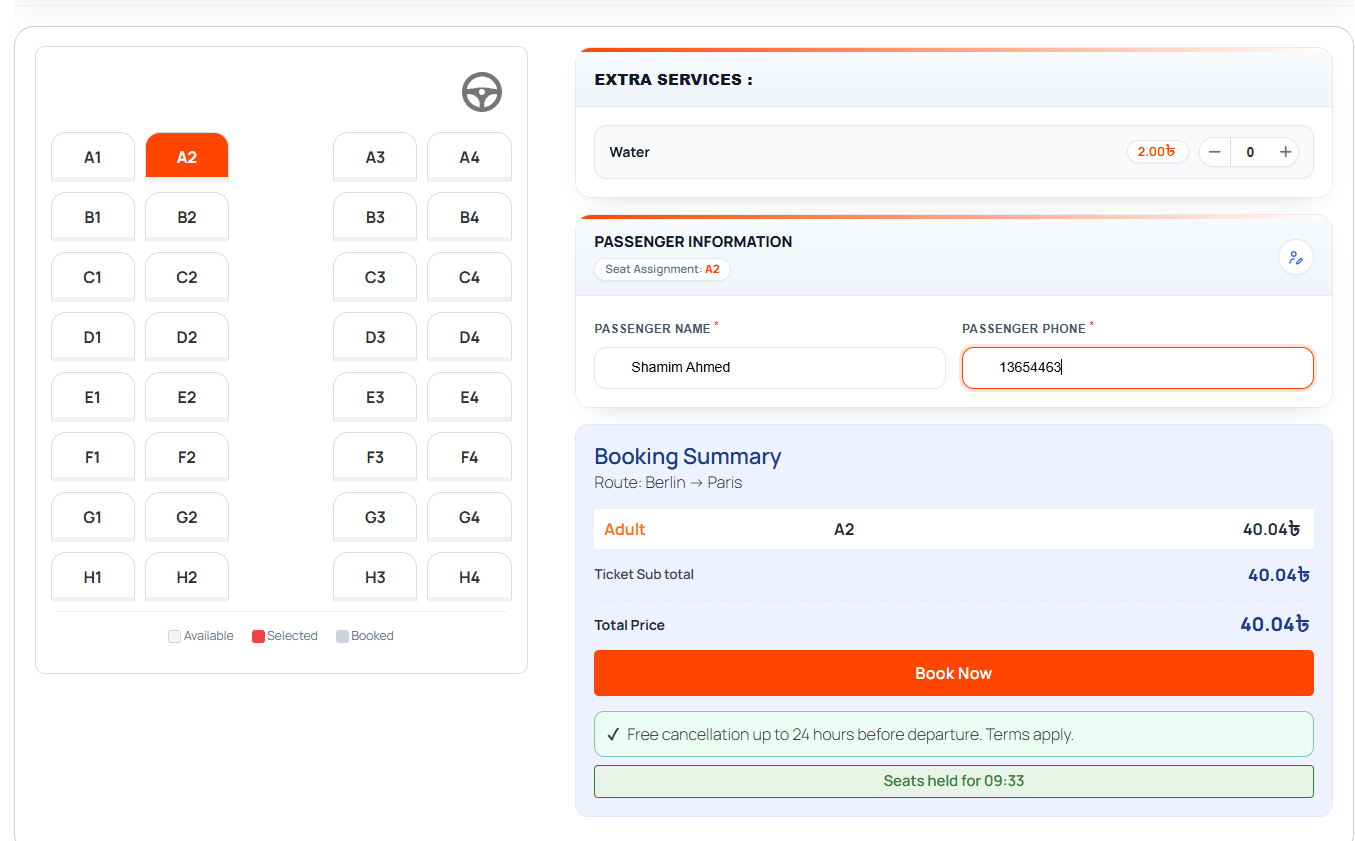
At checkout, customers get a live seat map with a clear available / selected / booked legend, a passenger form for each seat, the extra services panel, and a full fare breakdown before they confirm. Less confusion at checkout usually means fewer “why was I charged this” messages afterwards.
9. Why This Matters If You Are Comparing Booking Systems
Most bus and transport booking tools are subscription SaaS built for large operators, and your data lives on their servers rather than yours. This update pushes WpBusTicketly further away from that model: fleet management, a genuine coupon engine, a visual seat editor, and real reporting, all running on a WordPress site you own.
That is a fair amount of what operators normally pay a monthly fee for, minus the monthly fee. Check current pricing on the plugin’s site before comparing it against any subscription platform, since add-on tiers change.
Frequently Asked Questions
Is this update available in the free version of WpBusTicketly?
The core plugin is still free to install, with paid add-ons for extended functionality. We are still confirming the exact Free vs. Pro breakdown for this release, so check the in-plugin Pro Features screen for the current split before assuming any specific feature is free.
Do I need WooCommerce for these new features?
Yes. Checkout, payments, and coupon redemption all run through WooCommerce, so it needs to be active.
Can the new coupon engine be combined with other WooCommerce coupons?
Yes, but it is your call. Each coupon has a toggle to allow or block stacking with other active discount codes.
Does the new seat editor handle double-decker buses?
It does. You can turn on an Upper Deck for any cabin, lay it out separately in the editor, and price it independently from the deck below.
The Bottom Line
The WpBusTicketly upgrade is less a cosmetic refresh and more a rebuild of the operator side of the plugin. If you manage a fleet, sell on multiple routes, or run promotions, the coupon engine, seat editor, and route-level sales report are the three features worth exploring first. If you are still setting the plugin up, start with our list of common bus booking plugin setup mistakes so the new screens are configured correctly from day one.
