 Get Halloween 15% for Limited Time on Lifetime & Bundle Deal

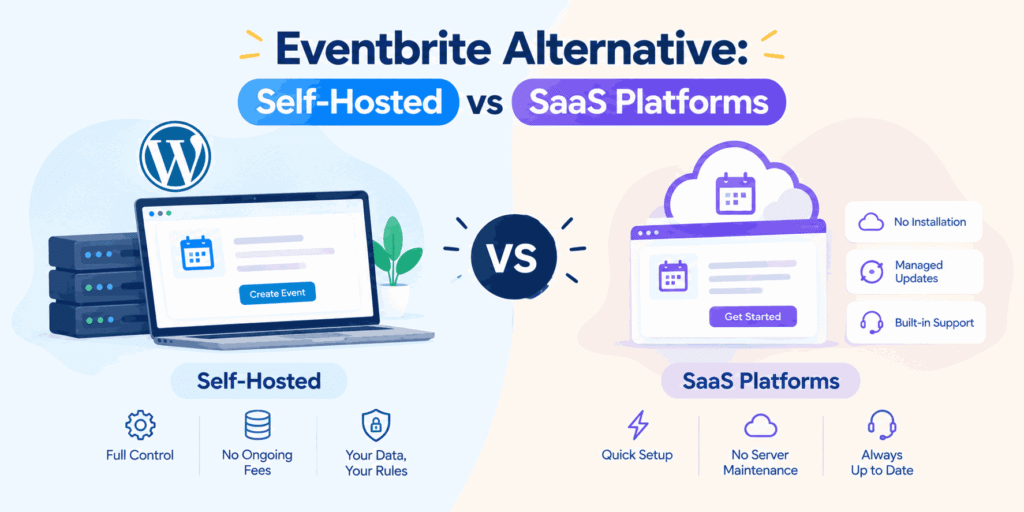
Quick answer: The first decision isn’t which brand to pick; it’s which model to adopt. Self-hosted platforms give you ownership of your data, branding, and payment flow, with no per-ticket commission. SaaS platforms give you speed and a discovery marketplace, at the cost of an ongoing percentage of every sale. If you already run WordPress and sell a meaningful volume of tickets, Evently (Event Booking Manager for WooCommerce) is a strong self-hosted route: it runs entirely through WooCommerce checkout, works with every WooCommerce payment gateway for free, and charges no per-ticket platform fee. Below is the full breakdown, including where the numbers actually land.
If you’re shopping for an Eventbrite alternative, the first decision is not which brand to pick; it’s which model to adopt. Self-hosted event platforms give you ownership of your data, your branding, and your payment flow. SaaS event platforms give you speed, support, and a marketplace of attendees. Both can be cheaper than Eventbrite’s per-ticket fees at scale, but they fail in different ways. This guide breaks down the trade-offs so you can choose with confidence.
- Why Organizers Look for an Eventbrite Alternative
- What "Self-Hosted" Actually Means
- Advantages of Self-Hosted Ticketing
- The Trade-Offs of Self-Hosted
- What SaaS Event Platforms Offer
- Cost Comparison: Where the Break-Even Sits
- How to Choose the Right Model
- A Practical Hybrid Approach
- Final Thoughts
- Frequently Asked Questions About Eventbrite Alternatives
Why Organizers Look for an Eventbrite Alternative
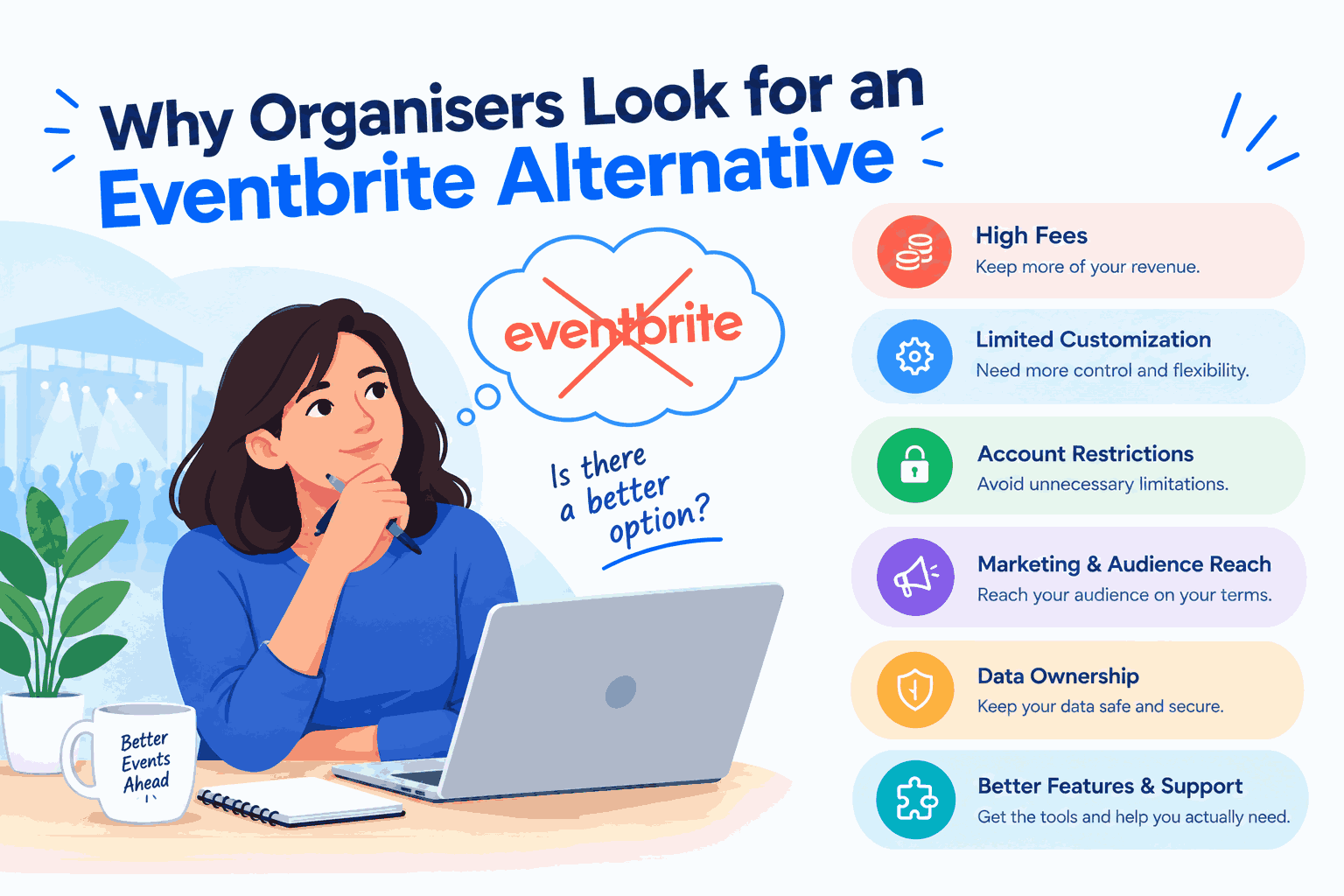
Eventbrite remains a capable ticketing service, but organizers typically start exploring alternatives for a handful of recurring reasons:
- Fee structure. Eventbrite currently charges a 3.7% + $1.79 service fee per paid ticket, plus 2.9% payment processing per order. On a $50 ticket, that works out to roughly $5.20 in total fees — about a 10% effective rate. Sell 500 tickets at $50 and Eventbrite’s cut lands around $2,600.
- Payout timing. Funds are often held until after the event, which strains cash flow when you need to pay venues and suppliers upfront.
- Branding limits. Checkout pages and confirmation emails carry the platform’s identity as much as yours.
- Attendee data. Organizers want direct access to their customer list for marketing, not a filtered export.
- Workflow gaps. Complex needs session-level registration, memberships, multi-day passes, and invoicing often outgrow a general-purpose tool.
Once those pain points are clear, the self-hosted versus SaaS question becomes much easier to answer.
What “Self-Hosted” Actually Means
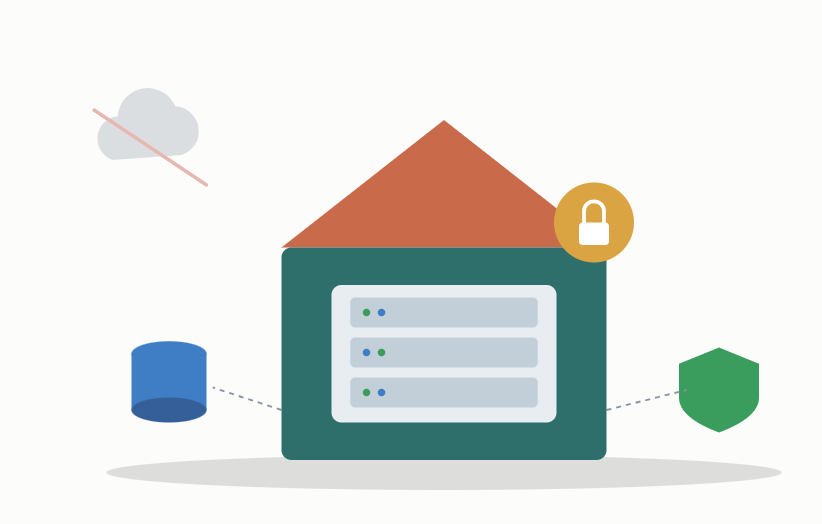
A self-hosted event platform is software you install on your own server or hosting account. Common routes include WordPress plugins such as Evently, Events Calendar Pro, Event Espresso, or Tickera, plus open-source projects like Pretix or Indico, and standalone Laravel/PHP scripts. If you’re comparing WordPress-native options specifically, see our best WordPress event booking plugins roundup and our guide on how to choose the best WordPress event management plugin for a fuller breakdown.
The WordPress Route: Evently
If you already run WordPress or are willing to, Evently (Event Booking Manager for WooCommerce) is worth a close look specifically because it builds ticketing directly into WooCommerce rather than running a separate checkout system alongside it.
What makes it a strong self-hosted candidate:
- Every WooCommerce payment gateway works for free: Stripe, PayPal, Klarna, bank transfer, cash on delivery, and 100+ local gateways with no per-ticket platform fee on top. You pay your gateway’s processing rate and nothing else.
- No separate checkout to build or maintain: Tickets sell through the same WooCommerce cart, checkout, and order system you’d use for anything else on the site, so attendee and payment data live in one place.
- Automatic Event schema markup: structured data for name, dates, status, and attendance mode is generated automatically, which matters for search visibility that a subdomain-hosted SaaS listing can’t give you. See our full guide to SEO for event websites for how to build on that foundation.
- Recurring events, multi-date events, and undated “coming soon” listings are all supported natively, covering more event formats than a basic ticketing form.
- Announcement mode lets you collect interest via an enquiry form before you’re ready to sell tickets, useful for gauging demand before committing to a date.
- Free RSVP mode turns any event into a no-payment attendance confirmation, with dashboard filtering, search, and CSV export included free, relevant if not every event you run is ticketed.
- A dynamic registration form builder with conditional logic (e.g., showing a field only for certain ticket types), which is often a paid add-on elsewhere.
- The free version covers most of this; PDF ticket generation, automatic email confirmations, a dedicated attendee dashboard, backend/phone order creation, and a waitlist feature are Pro-tier additions.
The trade-off is the same one that applies to any self-hosted route: no built-in discovery marketplace, and you’re responsible for hosting, backups, and support.
Advantages of Self-Hosted Ticketing
- No per-ticket platform fee. You pay a license fee or nothing at all, plus your payment gateway’s processing rate. On thousands of tickets, the savings are substantial.
- Direct payouts. Money lands in your Stripe, PayPal, or merchant account immediately, not after the event.
- Full data ownership. Your attendee database sits in your own system, ready for email marketing, CRM sync, and analytics.
- Complete branding control. The entire journey landing page, checkout, ticket, confirmation email is yours.
- Customization. If you can configure it (or code it), you can build it: custom fields, conditional pricing, bespoke integrations.
The Trade-Offs of Self-Hosted
- You are the support desk. Downtime during an on-sale rush is your problem to fix.
- Hosting must scale. A flash sale can overwhelm shared hosting; you need caching, a solid host, and testing.
- Security and compliance. PCI considerations, GDPR handling, and regular updates fall to you.
- No built-in audience. There’s no marketplace sending you discovery traffic — you drive every visitor.
- Setup time. Expect hours to days, not minutes, before the first ticket is live.
What SaaS Event Platforms Offer
Hosted alternatives: Ticket Tailor, Humanitix, TicketSpice, Luma, RegFox, Bizzabo, and similar tools run the infrastructure for you. You log in, build an event page, and start selling.
Advantages:
- Speed to launch. Most organizers can publish an event within an hour.
- Managed reliability. Uptime, scaling, and security patches are the vendor’s responsibility.
- Built-in features. Check-in apps, seat maps, waitlists, refund handling, and reporting arrive out of the box.
- Support. A team to call when something breaks at 8 am on sale day.
- Discovery marketplace. Eventbrite’s marketplace puts events in front of buyers already searching for something to attend, genuinely valuable for public events with no existing audience.
The trade-offs:
- Ongoing cost. Fees never stop, and percentage models scale with your success.
- Limited customization. You work within the vendor’s templates and feature roadmap.
- Data portability risk. Exports may be restricted, and migration later can be painful.
- Platform dependency. Pricing changes, feature removals, or acquisitions are outside your control.
Cost Comparison: Where the Break-Even Sits
Here’s a concrete scenario using Eventbrite’s actual published 2026 fee structure (3.7% + $1.79 service fee per ticket, plus 2.9% payment processing per order).
| Eventbrite (SaaS) | Self-hosted (Evently + Stripe) | |
|---|---|---|
| Platform fee | 3.7% + $1.79 per ticket | $0 — no per-ticket platform fee |
| Payment processing | 2.9% per order (on top of platform fee) | ~2.9% + $0.30 per transaction (Stripe’s standard rate) |
| 500 tickets @ $50 (= $25,000 gross) | ~$2,600 total fees | ~$875 (processing only, plus any Pro license if used) |
| Cost scaling | Grows with every ticket sold | Flat — processing only, no platform cut |
The pattern is consistent: the more tickets you sell, the more a percentage-based SaaS platform costs, while a self-hosted plugin’s cost stays essentially flat aside from payment processing you’d pay regardless of platform. Below a few dozen tickets a year, SaaS usually wins once you value your own setup time. Above a few hundred paid tickets annually, self-hosting starts to pay for itself clearly and the gap widens the more you sell.
How to Choose the Right Model
Choose self-hosted if…
- You already run a WordPress site and want ticketing inside it.
- Ticket volume is high, and margins matter.
- Attendee data feeds an ongoing marketing or membership program.
- You have the time (or a maintenance partner) to handle setup and support.
- Your registration logic is unusual, and off-the-shelf SaaS tools keep saying no.
Choose SaaS if…
- You run occasional events and can’t justify infrastructure work.
- You need to launch quickly with minimal risk.
- Free or low-cost events dominate your calendar, where fees are negligible.
- Discovery traffic from a ticketing marketplace genuinely brings you sales.
- You want someone else accountable when systems fail.
A Practical Hybrid Approach
Many organizations don’t choose one model exclusively. A common pattern is self-hosted ticketing on the main website for flagship, high-volume events, plus a SaaS listing for smaller or experimental events where reach matters more than margin. Another is self-hosted registration with a third-party check-in app on the day. Keep your email list and CRM in systems you own, whichever front end you use; that single habit protects you from most platform risks.
Final Thoughts
There is no universally best Eventbrite alternative. Self-hosted event platforms reward volume, control, and a long-term view of data ownership, and for WordPress users specifically, Evently makes that route straightforward by working inside WooCommerce rather than alongside it. SaaS platforms reward speed, simplicity, and predictable support. Map your annual ticket volume, average price, and internal resources against the trade-offs above, run the fee math on your real numbers, and the right answer usually becomes obvious. Whatever you pick, test a full purchase-to-check-in cycle before your next on-sale date.
Frequently Asked Questions About Eventbrite Alternatives
What is the best self-hosted Eventbrite alternative for WordPress?
If you already run WordPress and want ticketing built into WooCommerce rather than a separate system, Evently is a strong option; it works with every WooCommerce payment gateway for free, charges no per-ticket platform fee, and generates Event schema markup automatically for search visibility.
How much does Eventbrite actually cost compared to a self-hosted plugin?
Eventbrite charges 3.7% + $1.79 per paid ticket, plus 2.9% payment processing per order, roughly a 10% effective rate on a $50 ticket. A self-hosted WordPress plugin like Evently charges no per-ticket platform fee; you only pay your payment gateway’s standard processing rate, which you’d pay on any platform anyway.
Is self-hosted ticketing hard to set up?
Not as hard as it sounds if you’re already on WordPress. Installing a plugin like Evently and connecting a WooCommerce payment gateway typically takes under an hour. The bigger time investment is building out your event pages and testing the full purchase flow, not the technical setup itself.
Do I lose Eventbrite’s discovery marketplace by switching?
Yes, self-hosted platforms don’t come with a built-in audience. If walk-up discovery from Eventbrite’s marketplace genuinely drives ticket sales for you, that’s a real trade-off to weigh. If your attendees already come from your own list, site, or community, you’re not losing much by moving to a self-hosted platform.
Can a self-hosted plugin handle free RSVP events, not just paid tickets?
Yes, if the plugin supports it. Evently, for example, includes a free RSVP mode that turns any event into a no-payment attendance confirmation, with response filtering, search, and CSV export included in the free version.
What’s the break-even point between self-hosted and SaaS?
It depends on ticket price and volume, but as a rough guide: below a few dozen tickets a year, SaaS platforms usually win once you factor in your own setup time. Past a few hundred paid tickets annually, the flat cost of a self-hosted plugin plus payment processing typically beats a percentage-based SaaS fee clearly, and the gap widens the more you sell.
