 Get Halloween 15% for Limited Time on Lifetime & Bundle Deal

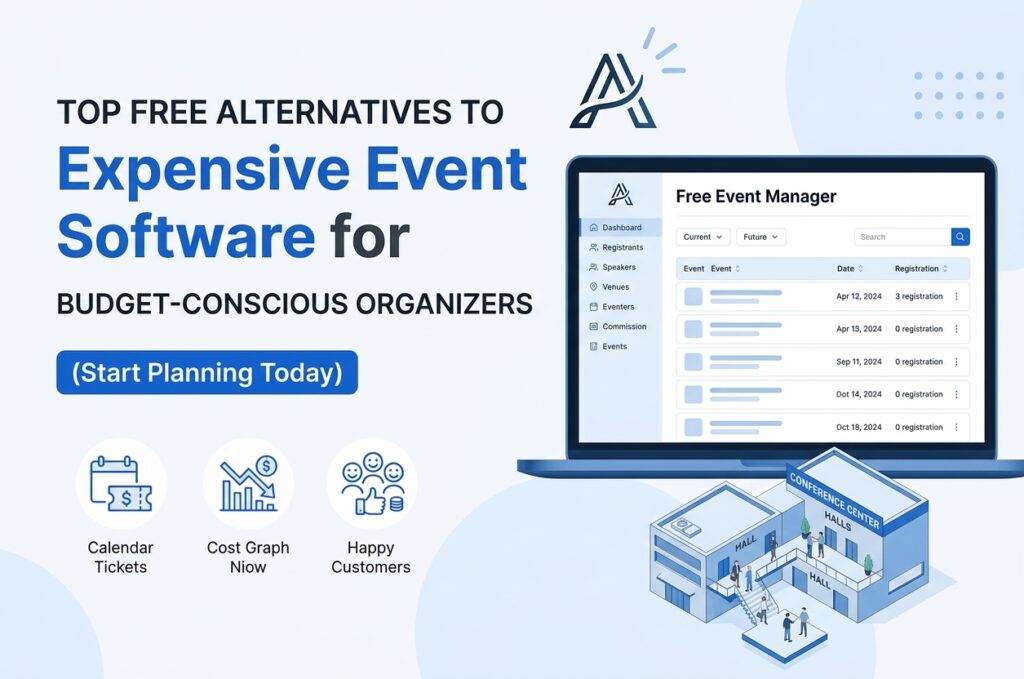
Enterprise event platforms can cost thousands per year before you sell a single ticket. If that pricing does not match the size of your events, there are plenty of affordable alternatives to expensive event management software that still handle registration, ticketing, attendee communication and reporting. This guide breaks down the realistic options, what you give up at each price point, and how to build a low-cost stack that does not fall apart on event day.
Why Premium Event Platforms Cost So Much
All-in-one event management suites bundle features that large conferences genuinely need: badge printing, sponsor portals, lead retrieval, complex agenda builders, mobile apps and dedicated account managers. That bundling is exactly why the price is high — you pay for the whole suite even if you use a quarter of it.
Most small and mid-sized organisers only need four things:
- A registration or ticketing form that takes payment
- An attendee list that stays accurate and exportable
- Email or SMS communication before and after the event
- Check-in on the day
Once you separate those core needs from the extras, cheaper tools become viable very quickly.
Budget-Friendly Categories Worth Considering
1. Pay-Per-Ticket Platforms
Tools such as Eventbrite, Ti.to, Humanitix and TicketTailor charge a fee per ticket sold rather than an annual licence. For free events, many of these cost nothing at all. For paid events, you can usually pass the fee to attendees. This is the closest thing to zero-risk event software: no upfront spend, and cost scales only when revenue does.
Best for: one-off conferences, workshops, community events and anyone running fewer than a dozen events a year.
2. Open-Source Event Software
Self-hosted options like Attendize, Indico or an event plugin on WordPress remove licence fees entirely. You pay only for hosting and the time required to configure and maintain the system. Open-source suits organisations with in-house technical support or strict data-residency requirements.
Watch for: hidden costs in developer hours, security patching and payment gateway setup.
3. WordPress and CMS Plugins
If you already run a website, an events plugin may be the cheapest credible route. Plugins like WPEvently and WpBookingly add registration, ticketing, and calendars for a modest one-time or annual fee. Everything lives on your own domain, which helps with branding, ownership of your data, and SEO — a big advantage over platforms where your event page competes on someone else’s marketplace.
4. General-Purpose Tools Repurposed
A combination of a form builder, a spreadsheet and an email tool covers a surprising amount of ground. For example:
| Need | Low-cost tool options |
|---|---|
| Registration | Google Forms, Typeform, Jotform, Tally |
| Payments | Stripe Payment Links, PayPal buttons |
| Attendee database | Google Sheets, Airtable, Notion |
| Mailchimp, Brevo, MailerLite (free tiers) | |
| Check-in | Shared spreadsheet or a QR scanning app |
This stack can run at close to zero cost, though it demands more manual coordination and careful data hygiene.
5. Lightweight Niche Platforms
Several newer vendors deliberately target smaller organisers with flat monthly plans — often between $20 and $100 — covering unlimited events. Look at tools built for associations, training providers or membership groups rather than enterprise conference brands, as their pricing reflects a different market.
How to Choose the Right Low-Cost Option
- Map your non-negotiables. Write down the five features you genuinely cannot run the event without. Ignore everything else during evaluation.
- Calculate true cost per event. Compare a per-ticket fee against an annual subscription using your actual attendance numbers. Small, frequent events often favour subscriptions; large, rare events favour per-ticket pricing.
- Check payout timing. Some ticketing platforms hold funds until after the event, which affects cash flow for venue deposits.
- Test data export. Confirm you can download attendee data in CSV format. Lock-in is the real cost of cheap software.
- Run a pilot. Use the tool for one small event before committing to a full season.
Trade-Offs to Expect at a Lower Price
Cheaper tools are rarely worse — they are simply narrower. Be prepared for:
- Limited support: email-only help with 24–48 hour response times rather than a phone line
- Fewer integrations: you may need Zapier or Make to connect your CRM
- Basic branding: platform logos on registration pages unless you upgrade
- Manual steps: exporting lists, merging duplicates or building name badges yourself
If those trade-offs would cost you more in staff hours than the software saves, the premium option may still be justified. For most events under 500 attendees, they will not.
A Practical Low-Budget Stack
A reliable setup used by many small organisers looks like this: a per-ticket platform for registration and payment, a free email marketing tier for reminders, a shared cloud spreadsheet as the master attendee record, and a QR check-in app on event day. Total fixed cost: often under $30 a month, with ticketing fees covered by attendees.
Frequently Asked Questions
What is the cheapest way to manage a small event?
For a single small event, a pay-per-ticket platform (Eventbrite, Ti.to, TicketTailor) combined with a free email tool and a shared spreadsheet costs close to nothing upfront — you only pay a small fee per ticket sold, and that fee can usually be passed to attendees.
Is open-source event software actually free?
The software licence is free, but you still pay for hosting, setup time, and ongoing maintenance — including security patches and payment gateway configuration. Factor in developer hours before assuming it’s cheaper than a paid tool.
Do cheap event platforms support recurring or subscription-based events?
Some do. WordPress plugins and niche flat-rate platforms are generally better suited to recurring bookings and memberships than pay-per-ticket tools, which are built around single, one-off events.
What should I check before switching to a cheaper event tool?
Confirm you can export attendee data as CSV, check when ticket revenue is paid out to you, and run one small event as a pilot before committing your full event season to it.
Final Thoughts
Finding affordable alternatives to expensive event management software is less about hunting for a cheaper clone of an enterprise suite and more about matching tools to the scale you actually operate at. Start with your must-have features, choose a pricing model that matches your event frequency, and confirm you can always export your data. Done well, a lean stack delivers a smooth attendee experience at a fraction of the price — and frees budget for the parts of the event guests actually remember.