 Get Halloween 15% for Limited Time on Lifetime & Bundle Deal


Car rental PMS pricing plugins do one job that generic booking tools usually fail at they turn fleet availability, rental duration and seasonal demand into a price the customer can actually accept at checkout. This guide compares seven WordPress options on the things that decide your monthly bill and your margins how pricing rules are built, whether the plugin talks to a property management system or the WordPress dashboard alone, and what compatibility looks like in practice.
- What "PMS Pricing" Actually Means for a Car Rental Website
- The 7 Car Rental PMS Pricing Plugins Compared
- What Drives the Price You Pay
- Features a Car Rental Pricing Plugin Must Have
- Compatibility: WordPress, Themes and Payments
- WpCarRently: The Publisher's Own Car Rental Pricing Plugin
- How to Choose Without Regretting It in Year Two
- Frequently Asked Questions
What “PMS Pricing” Actually Means for a Car Rental Website
A property management system (PMS) in car rental circles is the back-office layer that tracks vehicles, maintenance schedules, bookings, and rates. Most WordPress rental plugins are not full property management systems; they are booking front-ends that either connect to an external PMS or duplicate part of its job inside the dashboard.
When people search for car rental PMS pricing plugins, they are usually trying to solve one of three problems:
- Dynamic rates: the price should change with season, rental length, vehicle class, or pickup location.
- Fleet truth: a vehicle marked “in maintenance” must never be bookable, and a double booking must be impossible.
- Total cost of ownership: licence, extensions and add-ons that quietly double the annual cost.
Those three concerns drive everything below. If you are still deciding whether you need a plugin at all, our guide to free car rental plugins covers the budget end of the market, while this article assumes you have rates to manage and are comparing paid options seriously.
The 7 Car Rental PMS Pricing Plugins Compared
Prices for WordPress plugins change often, and rental plugins in particular bundle features into tiers. Where a verified figure was not available at the time of writing, the table says “Check current pricing” rather than quoting a number that may be stale.
| Plugin | Pricing model | Pricing rules you can build | PMS / compatibility notes |
|---|---|---|---|
| WpCarRently | Free core with paid add-ons; check current pricing | Daily, weekly and monthly rate types; seasonal and custom date ranges | WordPress-native, works with standard themes and WooCommerce checkout |
| MotoPress Vehicle Manager | Annual licence; check current pricing | Seasonal pricing, per-day and per-hour rates, add-on fees | WordPress-native, integrates with MotoPress Hotel Booking for cross-selling |
| RentalHive | Tiered annual licence; check current pricing | Duration-based discounts, seasonal rules, deposit handling | WordPress-native with its own dashboard; no external PMS sync |
| Booking Calendar + vehicle add-ons | One-off or annual; check current pricing | Basic per-day pricing, manually applied seasonal rates | Broad theme compatibility; pricing logic is thin without paid add-ons |
| WooCommerce Bookings | Annual licence; check current pricing | Date-range pricing, resource-based rates, buffer rules | Requires WooCommerce; strong for pricing, weaker for fleet-specific features |
| Car Rental (ThemeForest themes) | One-off theme purchase (typical range around USD 50-80) | Fixed rate tables, optional seasonal multipliers | Pricing logic is tied to the theme; migrating later is difficult |
| eCab Taxi | Check current pricing | Fixed zone pricing, peak-hour pricing, single operation areas | Built for taxi and chauffeur fleets rather than self-drive hire |
Two rows in that table need a longer explanation, because they serve genuinely different businesses.
Fixed zone pricing versus seasonal rate tables
Self-drive rental businesses price by duration and demand curve. Taxi and chauffeur businesses price by route and time of day. If your fleet is driver-operated, a zone-based engine is the right shape of tool – our walkthrough of single operation areas and fixed zone pricing in eCab Taxi explains how that model works. If you rent cars to customers who drive themselves, an hourly peak multiplier is usually the wrong abstraction, and you want a date-range rate table instead.
Where a dedicated car rental PMS beats a generic plugin
Generic booking plugins handle availability well and pricing adequately. What they rarely do is model your fleet: vehicle condition, mileage, service intervals, and the rule that a car in the workshop is invisible to customers. That is the gap a dedicated rental system fills.
What Drives the Price You Pay
Four factors explain almost all of the variation in car rental PMS pricing plugins.
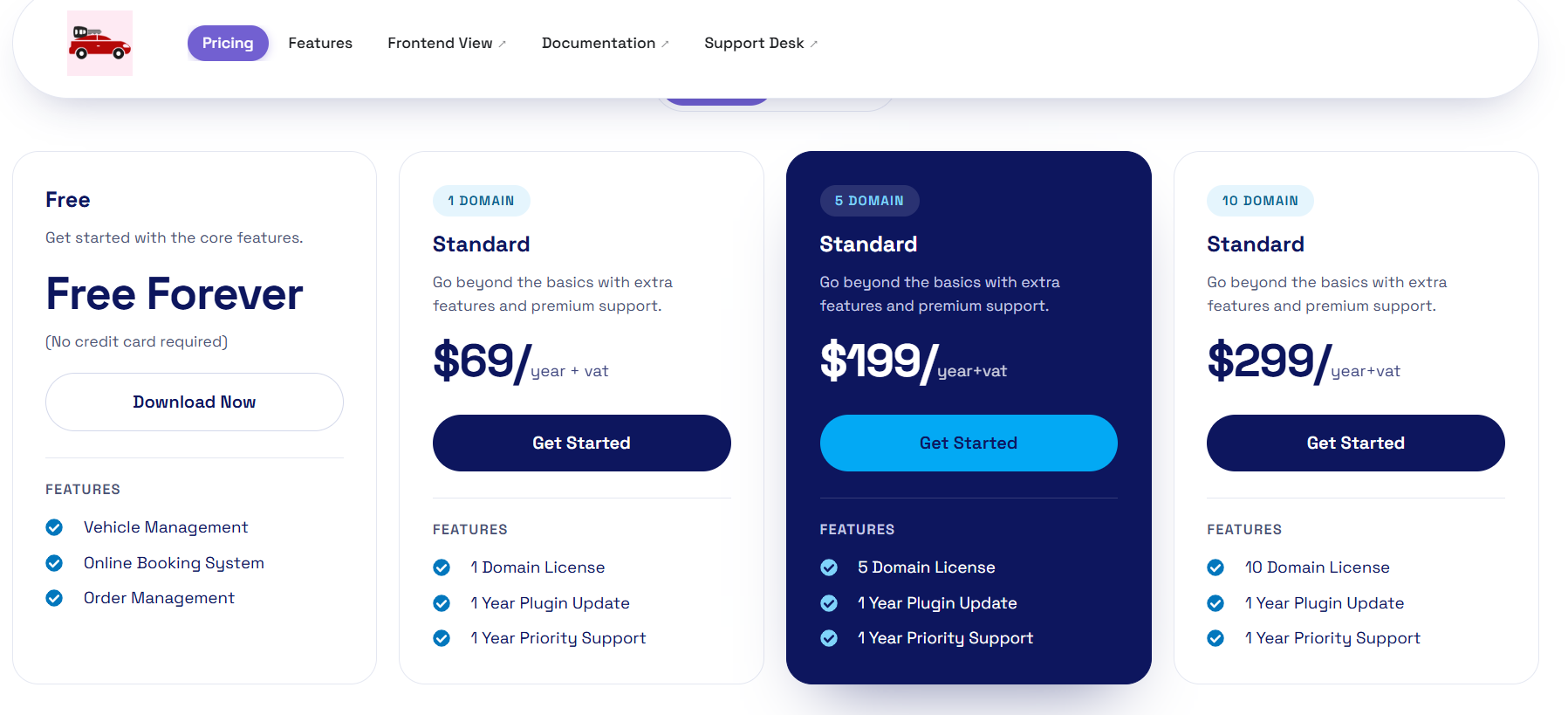
- Whether the core is free. A free core plus paid add-ons keeps entry cost near zero but makes the total unpredictable as you grow.
- Licence type. Annual licences renew forever; one-off theme purchases stop costing money but also stop receiving updates and support.
- Vehicle and booking limits. Some plugins cap the number of vehicles or bookings per tier. A fleet of 15 cars and a fleet of 150 can sit on different tiers of the same product.
- Payment and tax handling. Deposits, partial payments, refunds, and VAT add-ons are often separate modules.
A practical way to compare: add up the licence plus every module you would need in year one, then again in year three. The plugin with the cheaper sticker price is frequently the more expensive three-year decision.
Features a Car Rental Pricing Plugin Must Have
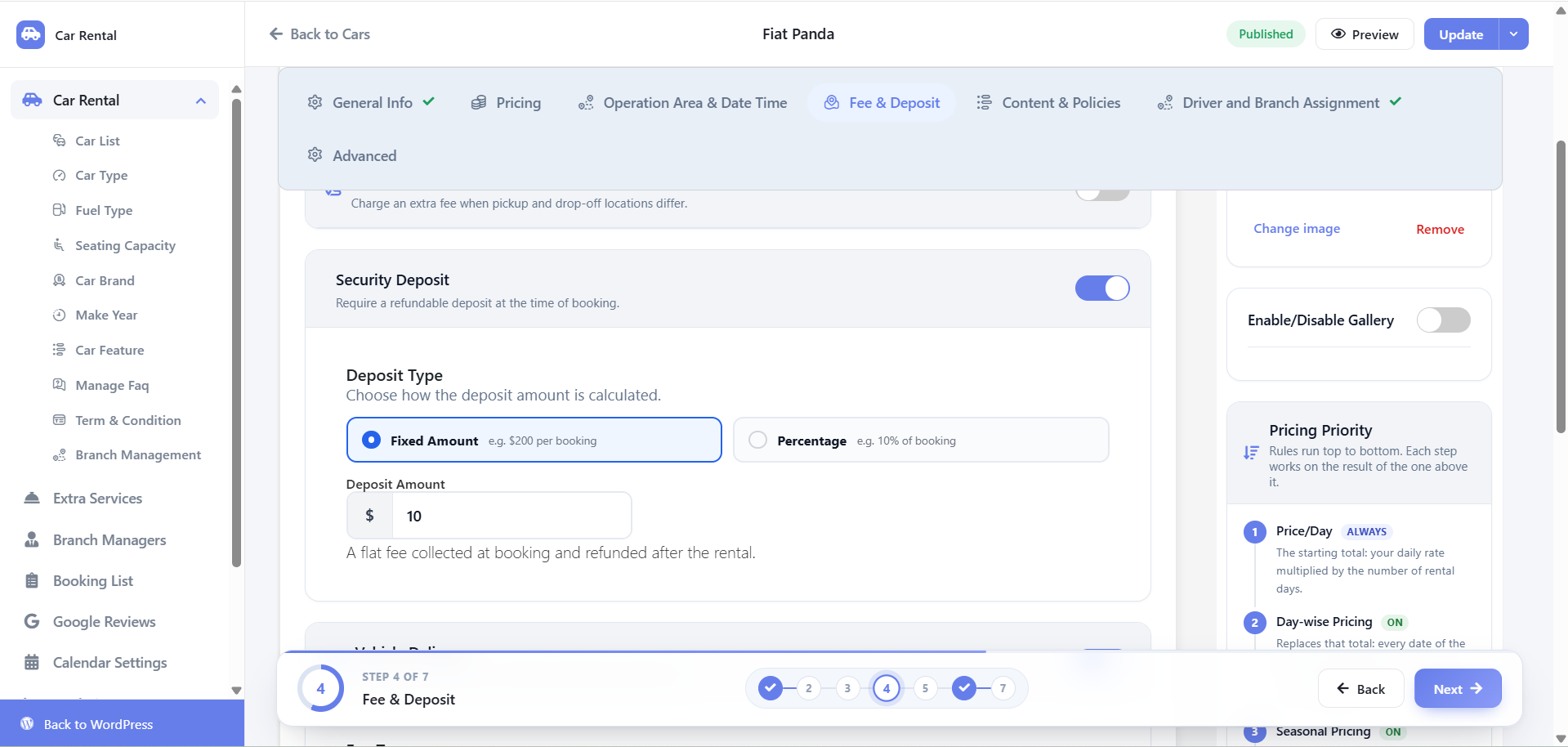
- Date-range rate tables: the ability to set a price for 1-3 days, 4-7 days, and 8+ days without re-entering data per vehicle.
- Seasonal overrides: a winter rate, an Eid or holiday rate, and a weekend rate, each applied automatically to the correct dates.
- Extra fees that follow the vehicle: child seats, additional drivers, mileage packages, and cross-border permits attached to specific cars.
- Availability buffers: cleaning and turnaround time between rentals, calculated into availability rather than manually blocked.
- Deposit and cancellation rules: enforced at booking, not explained in a paragraph of terms.
- Reporting on realised rates: you need to see what you actually charged versus your list rate before you can improve pricing.
The fleet-side features most buyers forget to check
Pricing is only half of a property management system. Check for maintenance logs, mileage tracking, and a per-vehicle availability calendar that blocks a car the moment a service is logged. A car rental operator with 20 vehicles loses more money to double bookings and missed services than to imperfect rate cards.
Compatibility: WordPress, Themes and Payments
Compatibility problems in rental plugins show up in three places:
- Theme conflicts. Booking widgets render inside your theme’s templates. Plugins built with the block editor are more forgiving than shortcode-only plugins.
- Checkout stack. If you rely on WooCommerce, you need a plugin that hands the booking to WooCommerce as a line item with a date range attached.
- Translation and multi-currency. If you serve customers in more than one language or accept payment in more than one currency, test the booking flow end to end before launch.
Before committing, run one booking through with a discount, a deposit and a seasonal rate at the same time. Most broken pricing engines only fail on the combination, not on each rule individually. If you are still at the setup stage, the step-by-step car rental plugin setup guide covers the installation order that avoids these conflicts.
WpCarRently: The Publisher’s Own Car Rental Pricing Plugin
Disclosure: WpRently is our own product. We are including it because it is the option we know in detail, and the honest limits below matter more than the feature list.
WpCarRently is a WordPress-native car rental plugin where the free core handles listings, availability, and vehicle inventory, and paid add-ons extend it into pricing and fleet management. The pricing side covers daily, weekly, and monthly rate types, seasonal date ranges, and per-vehicle extras. On the PMS side, it gives you a per-vehicle availability calendar and maintenance blocking inside WordPress, without requiring an external system.
Where WpCarRently is not the right fit
Be clear about this before you buy:
- It is not a full enterprise property management system. If you already run a separate PMS with accounting, invoicing, and workshop modules, WpRently will not replace it and does not sync with it.
- If you operate driver-based services such as a taxi or chauffeur fleet, zone and peak-hour pricing engines are a better fit than a duration-based rental rate table.
- If your whole business is a single car and a single rate, you do not need a pricing add-on at all – the free core is enough.
- Add-on modules are priced separately, so plan the year-one total rather than judging the free core alone.
You can see WpCarRently in action and request a demo to test the pricing builder against your own rate structure before buying anything. Plans and add-on pricing are listed on that page – check current pricing rather than relying on a figure quoted in a blog post.
How to Choose Without Regretting It in Year Two
- Write your rate structure down first. Seven rate rows on paper, then check which plugins can express all seven.
- Test the combination case. Seasonal rate plus weekly discount plus extra fee, in one booking.
- Confirm the vehicle cap. Ask explicitly what happens at 20, 50, and 100 vehicles.
- Price three years, not one. Licence plus every module you will realistically enable.
- Check the exit path. Ask how bookings, vehicles, and customers export if you switch.
Frequently Asked Questions
What is a car rental PMS pricing plugin?
It is a WordPress plugin that manages both the vehicle fleet layer – availability, maintenance, inventory – and the pricing rules applied when a customer books. Some are complete systems; others connect to a separate property management system.
Do I need a full property management system or just a booking plugin?
If you track maintenance, mileage, and service intervals yourself, you need PMS-style fleet features. If you only need to show availability and take a payment at a fixed rate, a standard booking plugin is sufficient and cheaper.
How much do car rental pricing plugins cost?
Costs range from a free core with paid add-ons to annual licences and one-off theme purchases. Pricing changes frequently, so check current pricing on each vendor’s site rather than trusting a figure in an older article.
Can a WordPress rental plugin handle seasonal and peak pricing automatically?
Most quality plugins can. The rule to verify is overlap: what happens when a seasonal rate, a weekly discount, and a weekend multiplier all apply to the same booking date. Test that combination before choosing.
Are free car rental plugins enough for dynamic pricing?
Usually not on their own. Free cores typically handle listings and availability, with seasonal rates and fee logic sitting in paid extensions.
Does a rental pricing plugin work with WooCommerce?
Many do, and WooCommerce is often the preferred checkout because it handles taxes, deposits, and refunds already. Confirm that the plugin passes the booking date range to WooCommerce as structured data, not just a product name.