 Get BlackFriday 25% for Limited Time on Lifetime & 35% for Bundle Deal



- What a Booking Marketing Funnel Actually Is
- Map Your Funnel to Four Booking Stages
- Stage 1: Discover — Build Pages That Match Booking Intent
- Stage 2: Compare — Price and Package Without Guesswork
- Stage 3: Decide — Reduce Friction at the Booking Form
- Stage 4: Convert — Engineer the Checkout Handoff
- Stage 5: Return — Turn One Booking Into the Next
- Choose the Metrics That Diagnose the Funnel
- Configure Your Booking Stack to Support the Funnel
- Common Funnel Mistakes and How to Fix Them
- A 30-Day Implementation Sequence
- Conclusion
What a Booking Marketing Funnel Actually Is
A booking marketing funnel is the staged path a stranger follows from first seeing your business to paying for a confirmed slot and back again for the next one. This guide shows you how to build that path deliberately: which funnel stage each page owns, what to put on it, which emails and retargeting sequences to trigger, and which numbers prove whether the funnel is working.
Search intent here is practical, not comparative: you already have (or are about to have) a booking system, and you want more of the traffic you already get to end in a paid reservation. That is a different job from choosing which plugin to install, and it is the job this article takes on.
Two ground rules before we start:
- The booking engine is the plumbing, not the funnel. A working cart does not create demand. The funnel creates the decision.
- Most booking businesses are repeat businesses. A funnel that ends at the confirmation email wastes the cheapest revenue you have.
We will assume a WordPress-based booking stack (a booking plugin plus WooCommerce or an equivalent checkout), because that is the site this guide is written for. The stage logic is identical on any platform.
Map Your Funnel to Four Booking Stages
Classic funnel diagrams use awareness, consideration, conversion and retention. Booking businesses need a fifth micro-stage squeezed between consideration and conversion, because the decision to book involves checking availability, comparing slots and, for many services, trusting you with a date.
| Stage | Reader’s question | Page or channel that owns it | Primary metric |
|---|---|---|---|
| Discover | “Who can solve this for me?” | SEO landing pages, map listings, social, referrals | Qualified sessions per week |
| Compare | “How does this fit my date and budget?” | Package, menu or vehicle pages; pricing tables | Time on page; add-to-cart or slot-view rate |
| Decide | “Is this slot real and safe to pay for?” | Availability calendar, seat map, deposit options, reviews | Calendar engagement to checkout-start rate |
| Convert | “Did my booking go through?” | Checkout, payment step, confirmation page | Booking conversion rate |
| Return | “Why book elsewhere next time?” | Reminder emails, reviews, referrals, rebooking prompts | Repeat booking rate |
Write this table out for your own business with real URLs in the third column. If a stage has no URL and no channel, that is your first gap — no amount of ad spend fixes a funnel with a missing stage.
Stage 1: Discover — Build Pages That Match Booking Intent
The discovery stage fails most often because businesses publish one generic “Services” page instead of a set of pages that each answer a specific search. Someone typing “car wash near Gulshan with pickup” is not looking for your about page.
Practical discovery layer for a booking business:
- One page per service-and-location pairing you genuinely serve, not arbitrary combinations. Each page carries its own booking CTA above the fold.
- One page per distinct booking query type — for example “weekend”, “family”, “group” or “short notice” variants where you can actually deliver something different.
- Google Business Profile and map listings kept current, with hours, service area and the booking link in the right field.
- A newsletter or offer capture point for people who are researching but not ready — they will be ready later, and this is how you meet them then.
If your funnel is travel- or rental-shaped, your discovery pages double as booking engine entry points. The setup decisions that make those pages work package structure, personalization, inventory display are covered in the guide to building a personalized travel booking website, which is worth reading before you template them.
Instrument discovery before you scale it
Add one conversion event to the top-of-funnel pages that is worth counting for example a slot-view, a pricing-table expand or an offer-signup. Without a micro-conversion, you cannot tell a page that attracts browsers from a page that attracts bookers, and you will pour budget into the wrong one.
Stage 2: Compare — Price and Package Without Guesswork
At this stage the reader is translating your offer into their budget and calendar. Ambiguity here is expensive: a surprising fee at checkout is one of the most reliable ways to lose a booking you had already won.
- Show the full price shape — base rate, per-person or per-hour variation, taxes, and any deposit requirement — on the page where the decision starts, not only in checkout.
- Offer a deposit or partial payment where total price is the objection. Splitting payment is a comparison-stage tool, not a checkout afterthought.
- Bundle sensibly. Grouping an add-on with the base service raises average order value and reduces the number of separate decisions the reader must make.
- Answer the two questions people always ask: what happens if I cancel, and how long does the whole thing take.
For businesses with fixed-capacity inventory seats, tables, bays, units the comparison stage also has to show scarcity honestly. A seat map or availability calendar that reflects real inventory does this without invented countdown timers. If you manage inventory on a seat level, read how a movie booking platform handles seat-level inventory; the lessons about clarity in selection apply well beyond cinemas.
Stage 3: Decide — Reduce Friction at the Booking Form
The decision stage is where most conversion rate is won or lost, and it is almost entirely a form-design problem. Every field you add is a reason to leave.
Audit the form itself
- Count the required fields. For a first booking, the essentials are usually: service or item, date and time, contact method, and payment or deposit choice.
- Move anything you can collect after confirmation preferences, how-did-you-hear, special notes into a follow-up email.
- Check the mobile layout end to end, including the date picker. Most booking traffic is mobile, and native pickers behave differently on small screens.
- Test with a real payment method, not a sandbox, at least once a month.
Field-level design matters most in service businesses where the customer is describing a problem. A well-built intake form does more for show-up rates than a discount does; the field-by-field logic is laid out in the nine fields that get more bookings on a cleaning service form.
Make availability feel real
Slot-based booking converts better than request-based booking because it removes the waiting period where interest decays. If your operator model requires manual approval, say so on the button (“Request this slot confirmed within 2 hours”) instead of pretending it is instant.
Kill the avoidable drop-offs
- Forced account creation. Offer guest checkout; let people register after paying.
- Hidden fees appearing late. Show them at stage 2, repeat them at stage 3.
- Unclear time zones and cut-off times. State them next to the slot picker.
- No reassurance copy near the pay button. One short line on cancellation terms and one on payment security is enough.
Stage 4: Convert — Engineer the Checkout Handoff
Conversion here means two things: the payment completes, and the customer knows it completed. Both matter, because a booking that “feels” unconfirmed generates support tickets, duplicate attempts and cancellations.
- Confirmation page with booking reference, date, time, location or pickup details, and what happens next.
- Confirmation email sent within a minute, containing the same details plus a calendar file and a change/cancel link.
- Payment fallback for failed cards a second method offered immediately, not in a support email.
- Abandoned-checkout recovery for anyone who reaches the payment step and leaves. One email a few hours later and one the next day, then stop.
Use retargeting against the stage, not the person
Because you are tracking stage-level micro-conversions, you can retarget by behaviour rather than by audience guesswork:
- Viewed a package page, never opened a calendar → ad or email showing availability for the specific date range they looked at.
- Opened calendar, never started checkout → reminder of what is still open, plus the cancellation terms that remove the risk.
- Started checkout, abandoned → recovery email only; do not chase with discount ads on day one.
Keep retargeting frequency modest. Booking audiences are small, and burning goodwill on repeated impressions costs more than the ad saves.
Stage 5: Return — Turn One Booking Into the Next
Retention is the cheapest stage and the one most booking businesses ignore. You already have permission to email these people; use it to reduce the gap between bookings.
- Pre-appointment reminder 24 hours before, with directions, what to bring, and a one-click reschedule link. This is the single highest-value email in most service funnels because it directly reduces no-shows.
- Post-booking follow-up shortly after the appointment or trip, asking for a review and offering the next logical booking.
- Reactivation on the natural cycle. If your customers book every four to six weeks, send at week five not on an arbitrary monthly blast.
- Referral prompt in the thank-you email, where willingness to recommend peaks.
If you are still choosing the marketing channels and offers that feed this stage, the eight core strategies in rental business marketing pair well with the funnel structure here that article covers tactics, this one covers sequencing and measurement.
Choose the Metrics That Diagnose the Funnel
Track rate between stages, never totals alone. Totals hide where the leak is.
| Rate | Formula | What a drop usually means |
|---|---|---|
| Discovery-to-engagement | Sessions with a micro-conversion ÷ qualified sessions | Page copy or offer mismatch with the query |
| Engagement-to-checkout | Checkout starts ÷ calendar or slot views | Price surprise, unclear availability, weak trust signals |
| Checkout conversion | Confirmed bookings ÷ checkout starts | Form friction, payment failures, forced signup |
| Show-up rate | Attended bookings ÷ confirmed bookings | Reminder timing, reschedule friction, deposit policy |
| Repeat rate | Customers with 2+ bookings ÷ total customers | Weak follow-up and no rebooking prompt |
Add one revenue metric that books the whole picture: revenue per session rather than revenue per booking. It forces you to value repeat customers, not only first-time conversions.
Set a baseline for each rate before you change anything. Without a baseline you cannot tell improvement from seasonality, and booking businesses are highly seasonal by nature.
Configure Your Booking Stack to Support the Funnel
Whichever plugin or platform you run, five configuration decisions determine whether the funnel above is even possible:
- Guest booking or low-friction account — otherwise stage 3 leaks.
- Transactional email you control — confirmation, reminder and follow-up must be editable, or the retention stage is closed to you.
- Coupons and deposit rules — needed for comparison-stage offers and abandonment recovery.
- Analytics hooks on each booking step — a plugin that cannot fire events at calendar view and checkout start leaves you measuring outcomes instead of causes.
- Add-on or upsell capability — so the comparison stage can present a bundle instead of a single price.
Run these five checks against your current setup before adding traffic. The plugin-test checklist approach in the booking plugin pre-install test checklist is a good way to verify item four in particular, since tracking completeness is the item most often skipped at purchase time.
Common Funnel Mistakes and How to Fix Them
Optimising the checkout when the leak is upstream
If calendar views are low, checkout tweaks change nothing. Measure rate between stages first, then fix the stage that is actually leaking.
Skipping the reminder email
A confirmed booking has no customer-service value if the customer does not turn up. Reminders are cheap, automated, and directly improve show-up rate.
Treating discounts as the only lever
Discounts work at the comparison stage, but applied to the decision stage they train customers to wait for sales. Test trust-building content reviews, cancellation clarity, real photos before you test a price cut.
Chasing new traffic with an unmeasured funnel
Every paid click enters a funnel you cannot see. Get stage-level tracking in place before spending on acquisition, or you will scale a leak.
Ignoring the post-booking sequence entirely
Most booking businesses have a natural rebooking cycle. If you are not prompting it, a competitor is.
A 30-Day Implementation Sequence
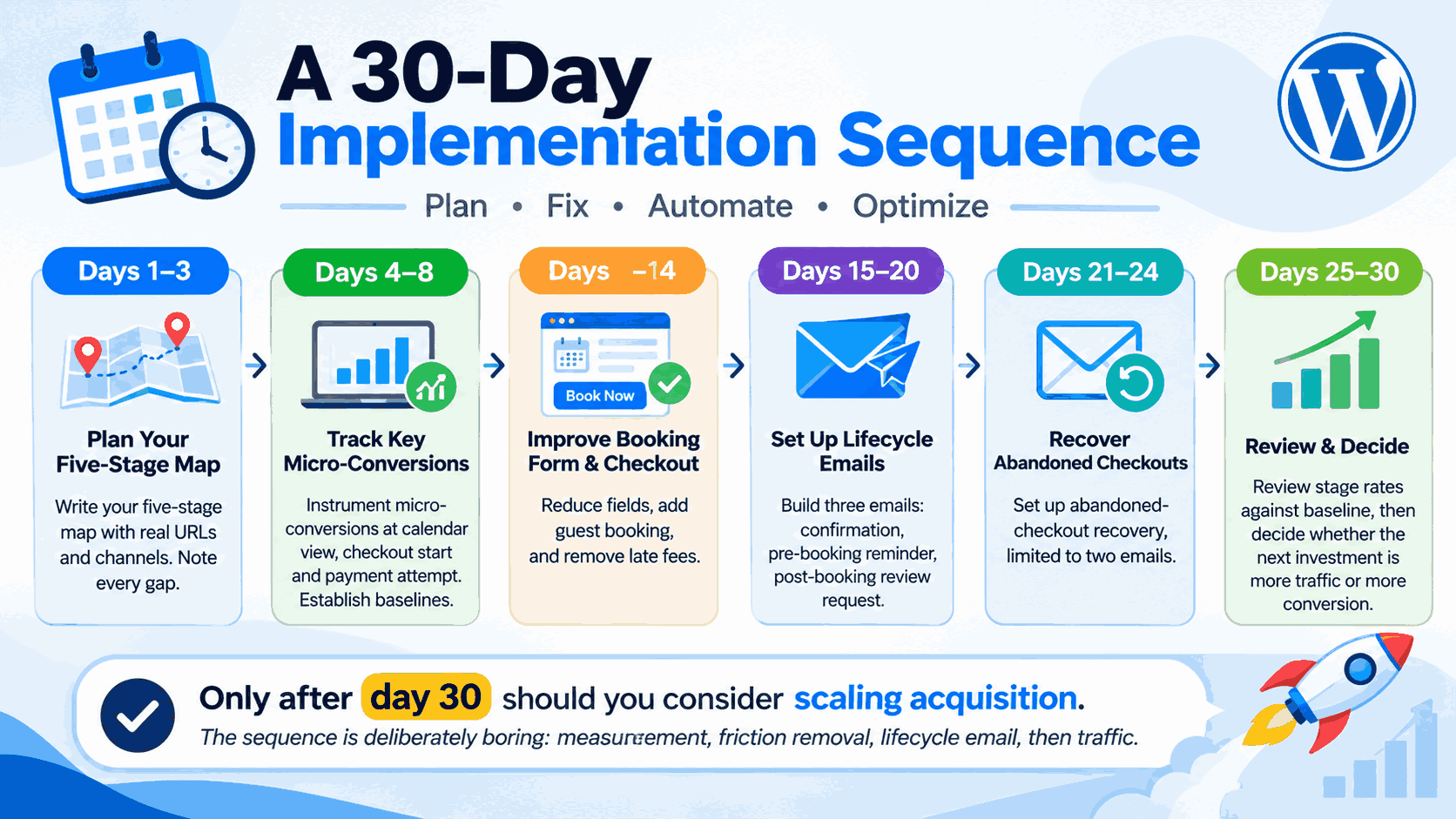
- Days 1–3: Write your five-stage map with real URLs and channels. Note every gap.
- Days 4–8: Instrument micro-conversions at calendar view, checkout start and payment attempt. Establish baselines.
- Days 9–14: Fix the booking form and checkout reduce fields, add guest booking, remove late fees.
- Days 15–20: Build the three lifecycle emails: confirmation, pre-booking reminder, post-booking review request.
- Days 21–24: Set up abandoned-checkout recovery, limited to two emails.
- Days 25–30: Review stage rates against baseline, then decide whether the next investment is more traffic or more conversion.
Only after day 30 should you consider scaling acquisition. The sequence is deliberately boring: measurement, friction removal, lifecycle email, then traffic.
Conclusion
A booking marketing funnel works when each stage has a named owner, a measurable handover rate to the next stage, and a follow-up path that brings the customer back. Start by mapping your four core stages plus retention to real URLs, instrument the calendar and checkout steps you are currently blind to, remove the friction that lives in your form, and automate the three lifecycle emails that most businesses still send by hand or not at all.
Then, and only then, buy more traffic. A funnel you can measure is the only kind you can improve.