 Get Halloween 15% for Limited Time on Lifetime & Bundle Deal

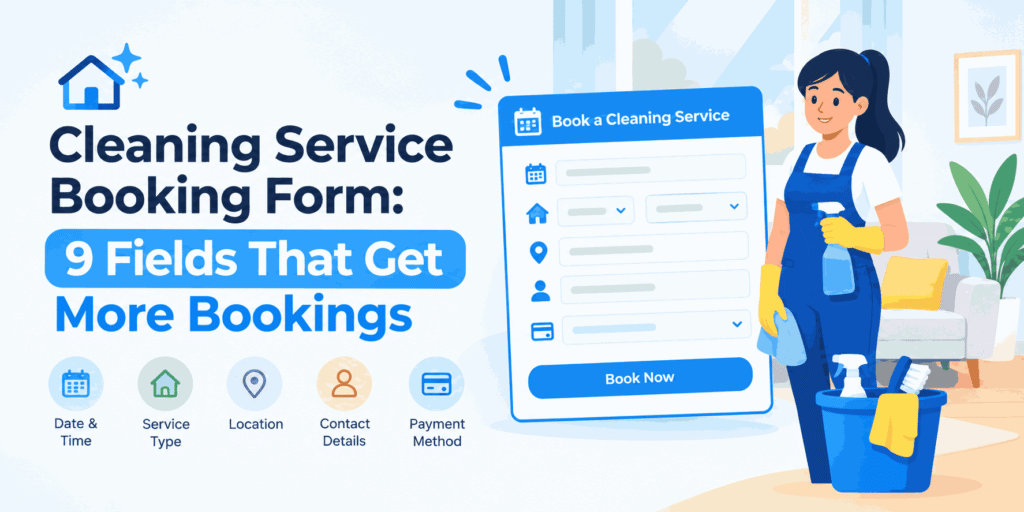
A cleaning service booking form is the single page on your website that decides whether an enquiry turns into a paid job. Customers hiring a cleaner usually decide within minutes: they want to know what a clean costs, when someone can come, and whether the company is trustworthy. A short, well-structured form answers those questions as the visitor fills it in. A long or confusing one sends them straight to a competitor. This guide covers the nine fields every cleaning booking form needs, how to handle extras and pricing, and the practical details that prevent no-shows and double bookings.
- Why the Booking Form Matters More Than the Rest of the Site
- The 9 Fields a Cleaning Service Booking Form Needs
- How to Price Extras Inside the Form
- Stop Fake, Duplicate and Speculative Bookings
- Form Design Details That Lift Completion Rates
- What to Do With Booking Data After Submission
- Common Mistakes to Avoid
- Frequently Asked Questions
- Start With the Form, Not the Website
Why the Booking Form Matters More Than the Rest of the Site
Most people arrive on a cleaning website with one task in mind. They have already searched for “house cleaning near me” or “end of tenancy cleaning quote.” They are not there to read your story; they want to book.
That puts unusual pressure on a single form. If it asks for twelve pieces of information before showing a price, the visitor leaves. If it shows a price but then asks them to call to confirm the date, they leave too. The form has to do three jobs at once:
- Collect enough detail for the cleaner to do the job without a phone call
- Show or estimate the price so the visitor can commit
- Lock in a real date and time slot, not just a “request”
Everything below is designed around those three jobs. If you are still deciding how the form fits into your wider setup, our explanation of the core elements of a WordPress booking system is a useful starting point before you get into field-level detail.
The 9 Fields a Cleaning Service Booking Form Needs
Nine fields is the sweet spot for residential and small commercial cleaning. It is enough to quote accurately, and short enough that most visitors finish it in under two minutes.

1. Service Type
This is the first decision the customer makes, and it should be the first field they see. Offer a short list rather than a blank box:
- Regular domestic clean (weekly, fortnightly, monthly)
- One-off deep clean
- End of tenancy / move-out clean
- Office or commercial clean
- Post-construction clean
- Carpet, upholstery or window add-on
Service type drives price, duration and which staff member you assign, so make it a required dropdown rather than free text.
2. Property Size and Room Count
Cleaning is priced by effort, and effort scales with size. Bedrooms, bathrooms and total floor area are the three numbers that matter most. Bathrooms are worth counting separately because they take disproportionately long.
A simple set of numeric fields works better than a long dropdown of property types. If your customers think in property types, offer both: a property type selector that then reveals the size fields.
3. Date and Time Preferences
Customers almost always have a preference and often have flexibility. Give them a preferred date and time slot, then a second-choice field. That single extra field lets you fill gaps in your schedule instead of turning work away.
Offer realistic slots. If a deep clean takes four hours, do not offer a two-hour window. Slot length should be calculated from the service type and property size from the fields above.
4. Frequency and Contract Length
One of the highest-value fields on the whole form, because recurring customers are worth far more than one-off jobs. Options like weekly, fortnightly, monthly or one-off tell you immediately whether you are quoting a single visit or an ongoing arrangement.
Many cleaning businesses discount recurring bookings and the form should reflect that automatically. A fortnightly rate that is visibly lower than the one-off rate nudges people toward the recurring option.
5. Address and Access Details
You need the address to route staff and quote travel. But access detail is what stops a wasted trip on the day:
- Parking available? Permit needed?
- Flat or house, and which floor
- Lift access or stairs
- Where the keys will be, or who will let the cleaner in
Keep this to a postal address plus one short “access notes” box. A long list of yes/no questions here is the most common reason people abandon the form.
6. Extras and Add-Ons
Inside-oven, inside-fridge, interior windows, balcony, laundry, ironing. These are profitable and customers often forget to mention them until the cleaner arrives. Present them as tick boxes with prices attached so the total updates live.
Being able to add extras to a single booking without a separate form is the difference between a tidy operation and a pile of manual invoices. If your site needs that kind of modular pricing, the mechanics are the same ones described in our guide to how booking addons extend a WordPress booking system.
7. Contact Details and Preferred Channel
Name, phone, email — and a preference for how you contact them. Some customers want a WhatsApp confirmation, others want email only. Capturing that preference cuts down on back-and-forth.
Keep phone as the primary contact field for cleaning. It is a local, trust-based service and a surprising share of customers will want to talk before the first visit.
8. Price Estimate Shown Inline
Not a capture field, but a required element of the form. Show a running total as the customer fills in service type, size and extras. Visitors who see a number they are comfortable with complete the booking far more often than visitors who are told “we’ll send you a quote.”
If you must quote manually, show an honest range rather than nothing. Silence on price reads as “expensive” to most buyers.
9. Optional Notes and Pet or Allergy Information
One free-text box labelled clearly. Customers use it for pets, allergies to cleaning products, fragile items, alarm codes, or a note that a family member works nights. This field reduces complaint rates more than any other single change to a cleaning form.
Learn how to create cleaning service using WpBookingly
How to Price Extras Inside the Form
Extras are where a cleaning booking form earns its keep. Handle them with three rules:
- Attach a price to every option. “Enquire for price” on an oven clean means a phone call, and phone calls are friction.
- Show quantity where it makes sense. Two bathrooms, three carpets, four windows. Quantity fields prevent underquoting.
- Cap the obvious discounts. A loyalty discount on your twelfth visit is fine; an unlimited stacking rule is a pricing error waiting to happen.
Test your own form as a customer would. Add every extra at maximum quantity and check the total still makes commercial sense.
Stop Fake, Duplicate and Speculative Bookings
Cleaning businesses attract a particular kind of bad booking: the speculative slot grab. Someone books Saturday morning, then never confirms, and the slot is gone. Four safeguards solve most of it:
- Require confirmation. The booking is provisional until the customer confirms by email or SMS, and the slot is released automatically if they do not.
- Block overlapping slots. Your system must prevent two bookings for the same cleaner at the same time — the same constraint any scheduling tool applies.
- Take a deposit on first bookings. A small refundable deposit on new customers virtually eliminates no-shows for higher-value deep cleans.
- Limit bookings per phone number. A simple cap stops one person holding six slots “to decide.”
Where you take payment raises a familiar question. If you want a form that collects deposits and applies the same tax and coupon rules as the rest of your store, WooCommerce-based booking fits naturally. Our breakdown of why WooCommerce suits service booking sites explains when that is the right call and when a standalone booking form is simpler.
Form Design Details That Lift Completion Rates
Field choice is half the job; presentation is the other half.
| Design choice | Why it helps |
|---|---|
| Single-column layout | Easier to scan on mobile, where most local searches happen |
| Progress indicator | Makes a two-minute form feel shorter |
| Visible running total | Removes the “how much will this cost?” hesitation |
| Instant confirmation screen | Reduces duplicate submissions from impatient visitors |
| Save-and-resume link | Recovers customers interrupted mid-form |
| Calendar view for slots | Shows real availability instead of a vague time range |
Two smaller points matter more than they look. First, label your required fields in plain words, not asterisks alone. Second, make the confirmation screen tell the customer exactly what happens next and when — “we will confirm within two working hours” is far better than “thank you.”
What to Do With Booking Data After Submission
A form that only sends an email is doing half its job. The data should flow into your operations:
- Assign the job to a cleaner based on postcode and skill (deep cleans and end-of-tenancy work usually need experienced staff)
- Create a checklist from the service type and extras, so nobody re-reads the notes in the van
- Schedule reminder messages 24 hours before the visit
- Trigger a review request two hours after completion
Cleaners who run this loop well report fewer complaints and better retention, because the customer never has to repeat information they already gave.
Common Mistakes to Avoid
- Asking for a phone number before showing any price. Price first, contact details last.
- Making every field required. Mark only what you genuinely need to quote and schedule.
- Ignoring mobile. Most local service searches start on a phone; test the form on a small screen before anything else.
- No cancellation policy visible. State the policy next to the confirm button, not buried in terms.
- Postal-only or phone-only booking. Offer both online and phone, and make the online route the fast one.
Frequently Asked Questions
How many fields should a cleaning booking form have?
Between eight and ten for most residential cleaning businesses: service type, property size, date, frequency, address and access notes, extras, contact details, and an optional notes box. Anything beyond that should be optional.
Should I show prices or ask customers to request a quote?
Show an estimate inline. Even a range is better than nothing, because price is the main reason people abandon a cleaning enquiry. Reserve manual quoting for unusual jobs like post-construction cleans.
Do I need online payment in the booking form?
Not always. Many cleaning businesses take payment after the job. A deposit on first bookings or high-value deep cleans is usually worth it, but requiring full prepayment from regular customers can cost you bookings.
How do I stop customers booking slots they never confirm?
Make bookings provisional until confirmed by email or SMS, release unconfirmed slots automatically, and take a small refundable deposit from new customers. Blocking overlapping slots for the same cleaner is essential.
Can I sell cleaning services through WooCommerce?
Yes. If you already run a WooCommerce store and want the same coupons, taxes and checkout rules to apply to cleaning jobs, a WooCommerce-based booking setup keeps everything in one system. For a simple local cleaning business with no store, a dedicated booking form is usually less admin.
Start With the Form, Not the Website
The most effective change most cleaning businesses can make is to rebuild the booking form around the nine fields above: service type, size, date preference, frequency, address and access, extras, contact details, an inline price, and a notes box. Pair that with provisional confirmation and slot-blocking, and you will convert more enquiries while wasting fewer trips.
If you are comparing how this fits into your wider setup rather than the form itself, our WordPress cleaning booking walkthrough covers plugin configuration end to end, while this guide stays focused on what the customer actually fills in.