

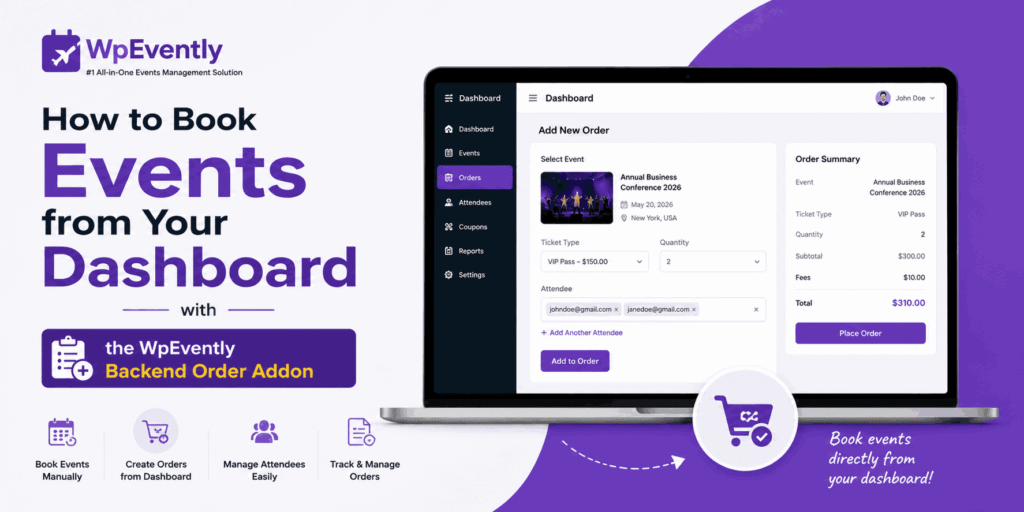
Ever feel like offline ticket sales are the one thing slowing down your event business?
Managing walk-ins and phone reservations shouldn’t feel like a chore. If you want to Book Events from Your Dashboard without the hassle of frontend forms, the Backend Order Addon for WpEvently is your new best friend.
In this guide, we’ll show you how to:
- Simplify Sales: Process VIP and phone bookings in seconds.
- Stay Accurate: Keep your inventory synced automatically.
- Get Set Up: Follow our quick, step-by-step tutorial (with screenshots).
Ready to streamline your workflow? Let’s dive in!
Why Backend order Addon is Your 2025 Event Management Essential
Is your event business ready for the 2025 boom? Industry data shows that 66% of organizers are increasing their event schedules this year. With more events comes more complexity, which is why 85% of pros now lean on management software to stay sane.
The Backend Order Addon is the bridge between your online site and real-world sales. It allows you to Book Events from Your Dashboard instantly—no customer logins or frontend navigation required. Whether it’s a phone order or a walk-in, this tool ensures your inventory stays synced and your revenue remains accurate.
Why Event Pros Love It:
- Zero-Stress Offline Sales: Ditch the spreadsheets. Handle phone orders and VIP bookings in seconds directly within WordPress.
- The “Wow” Factor: Automatically trigger emails with PDF tickets the moment you hit “confirm,” giving your offline clients a premium digital experience.
- Hybrid Ready: With 74.5% of planners moving toward hybrid models, having a central dashboard to manage both virtual and in-person attendees is a non-negotiable.
- Error-Proof Inventory: Real-time syncing with WooCommerce means you can say goodbye to the nightmare of double-bookings.
The Bottom Line: In a year where 63% of organizers are investing more in tech to drive efficiency, this addon isn’t just a luxury—it’s your secret weapon for a high-ROI, headache-free season.
How to Book Events from Your Dashboard in 6 Steps
Setting up takes about 15 minutes. Pro Tip: This addon works best with WpEvently Pro—without Pro, you won’t be able to generate PDF tickets or view a dedicated order list.
Step 1: Install the WpEvently Pro
Go to Plugins > Add New and search for “Event Booking Manager for WooCommerce.” Install and activate the free core.
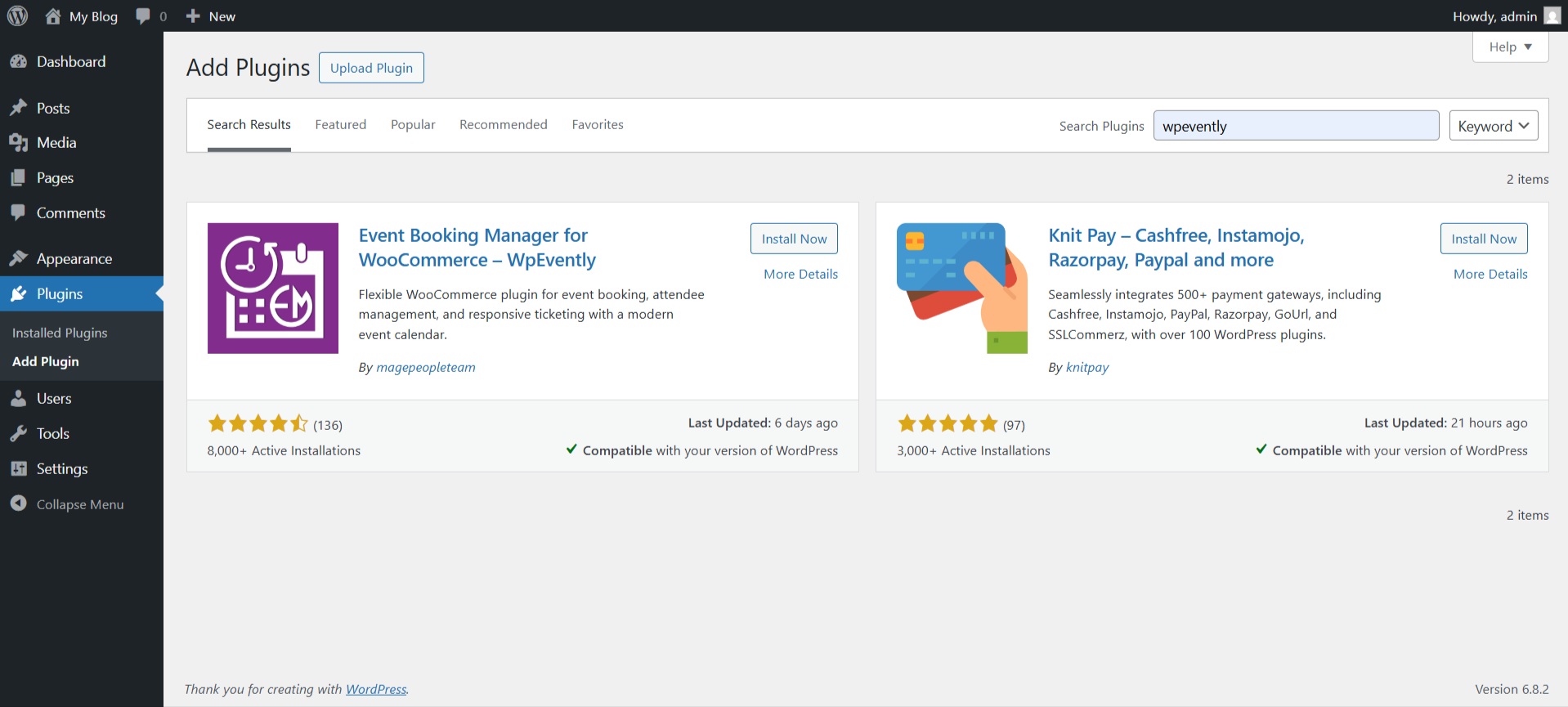
Learn more about WpEvently installation from getting started with WpEvently.
Purchase WpEvently Pro and upload and install the plugin.
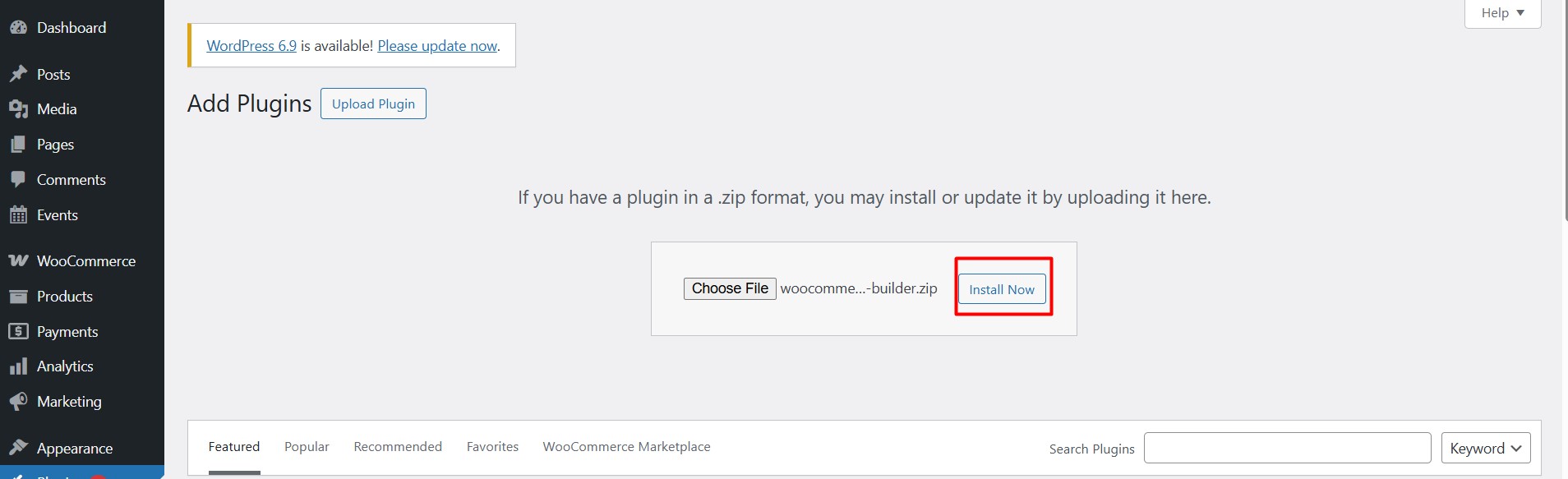
You can learn more about WpEvently Pro installation from the documentation.
Step 2: Install the Backend Order Addon
Purchase the Backend Order addon from MagePeople’s official site
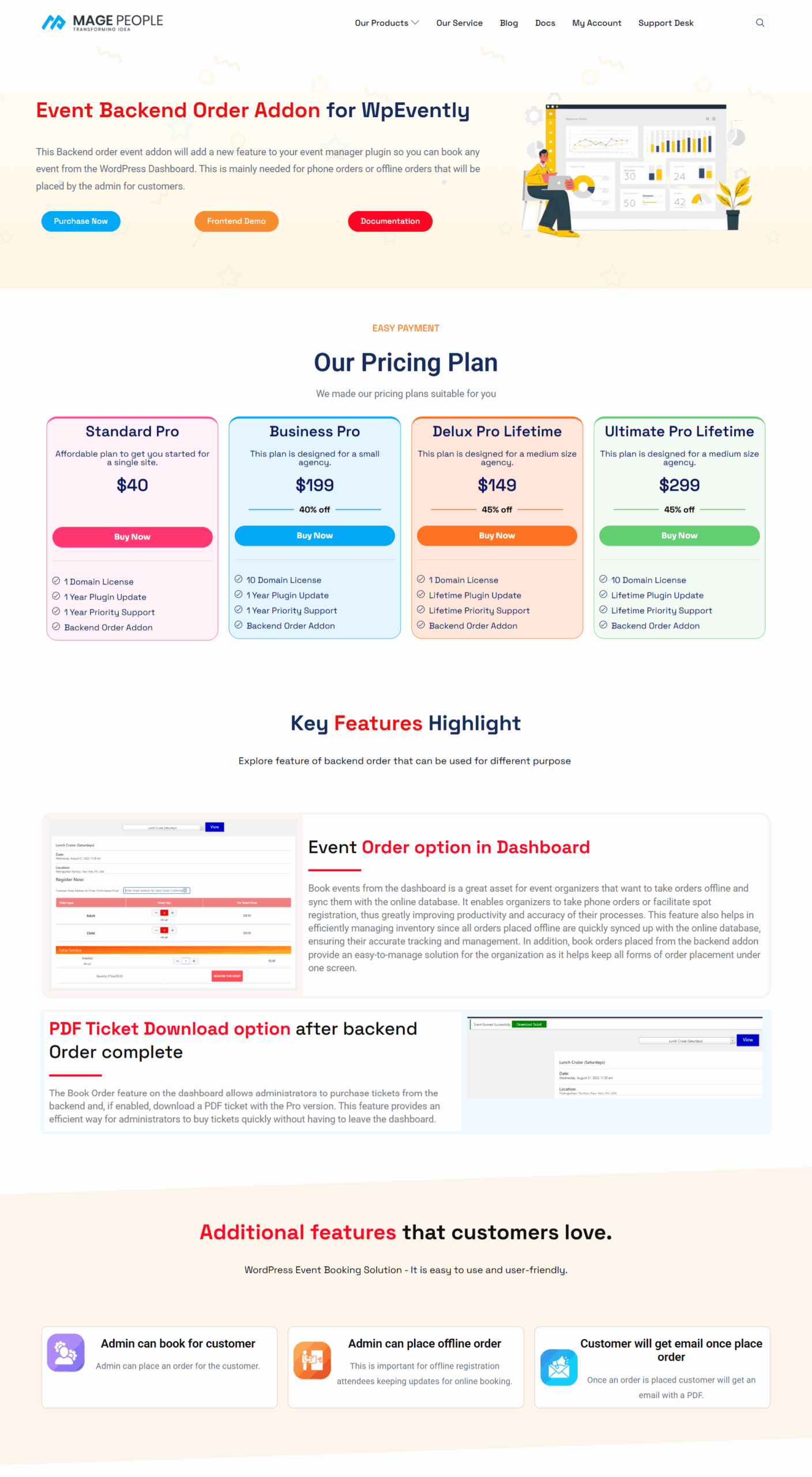
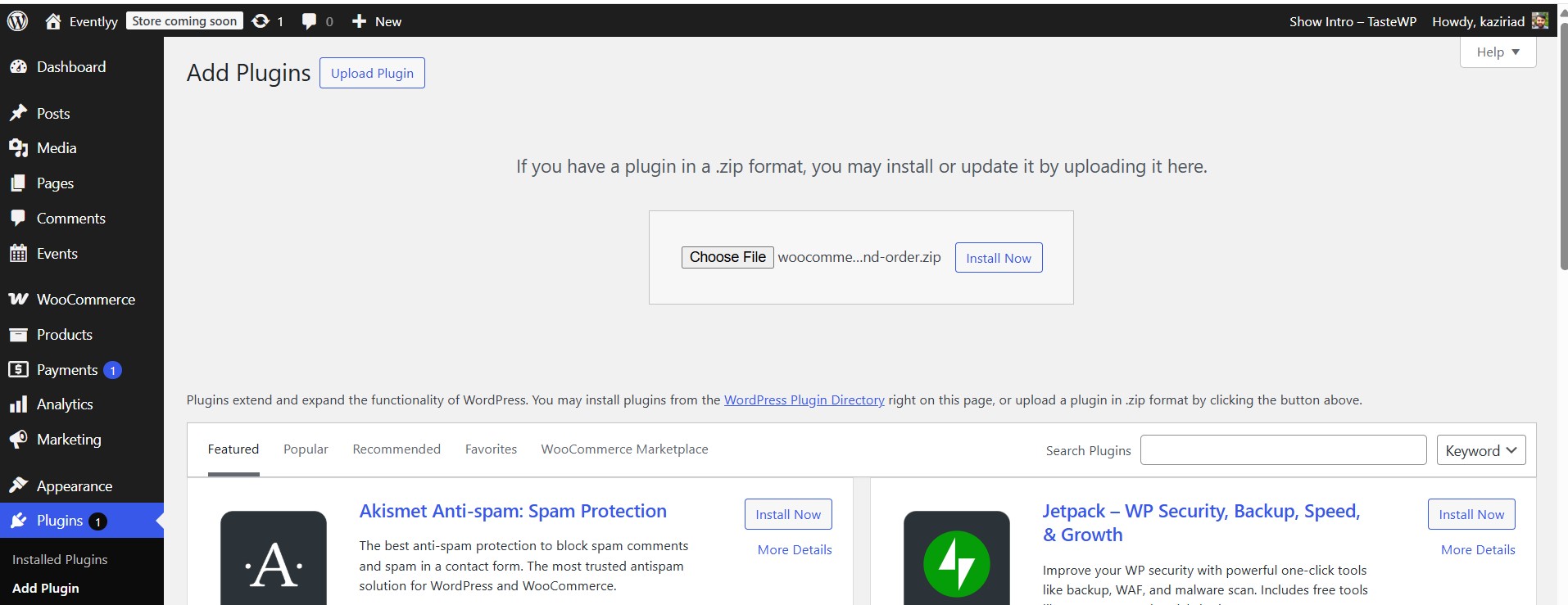
Upload the ZIP file via Plugins > Add New > Upload Plugin.
- Important: Ensure WooCommerce is active, as it’s required for inventory sync and payment processing.
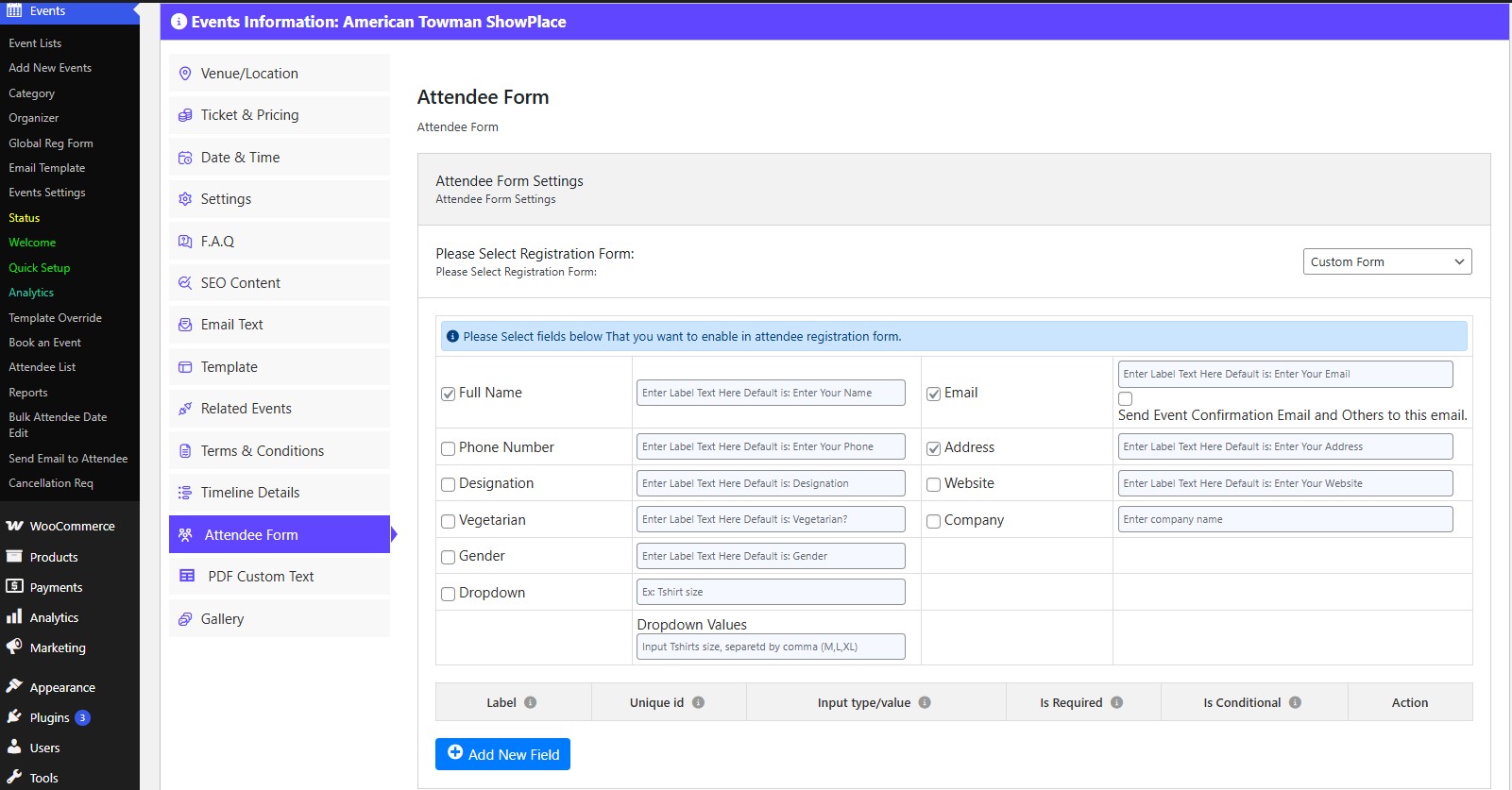
Step 3: Configure Your Pro Form Fields
Critical Step for Pro Users: Before booking, make sure you have added your custom form fields in the WpEvently Pro Form Builder for each event. If these fields aren’t set up, the attendee form will not appear during the backend booking process.
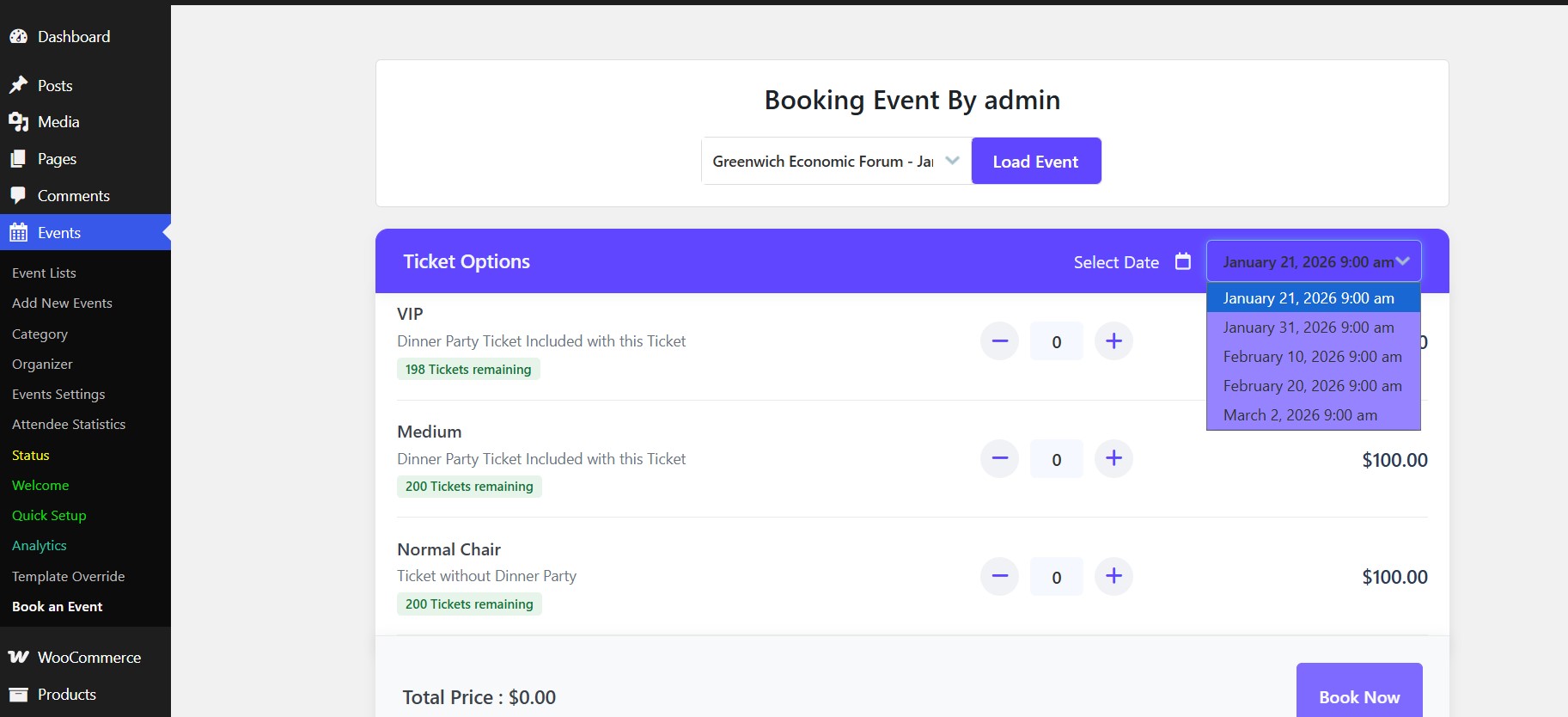
Step 4: Access the Booking Interface
Navigate to Events > Book an Event in your sidebar. Click Load Event to choose your gig.
- The Calendar Rule: The date-picker calendar will only appear for recurring or multi-date events. If it’s a single-day event, the calendar stays hidden to keep your workflow fast.
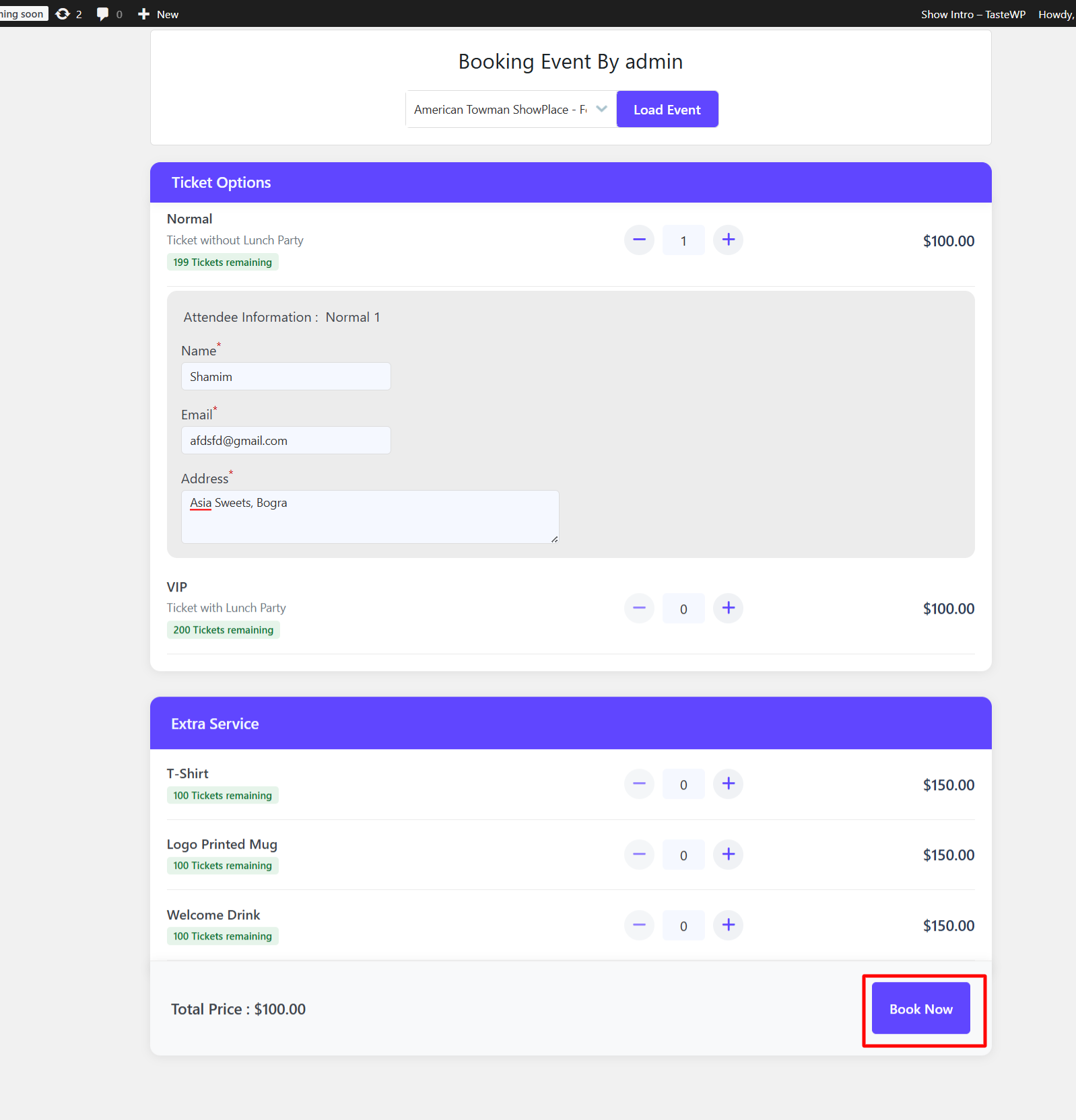
Step 5: Select Tickets & Add Attendee Info
Adjust your ticket quantities (VIP, Regular, etc.). Scroll to the Attendee Information section and fill in the details.
- Note: If you are using the Free version, the form options will be limited compared to the Pro Form Builder. Hit Book Now and look for the green success message.
Step 6: Generate PDF Tickets (Pro Feature)
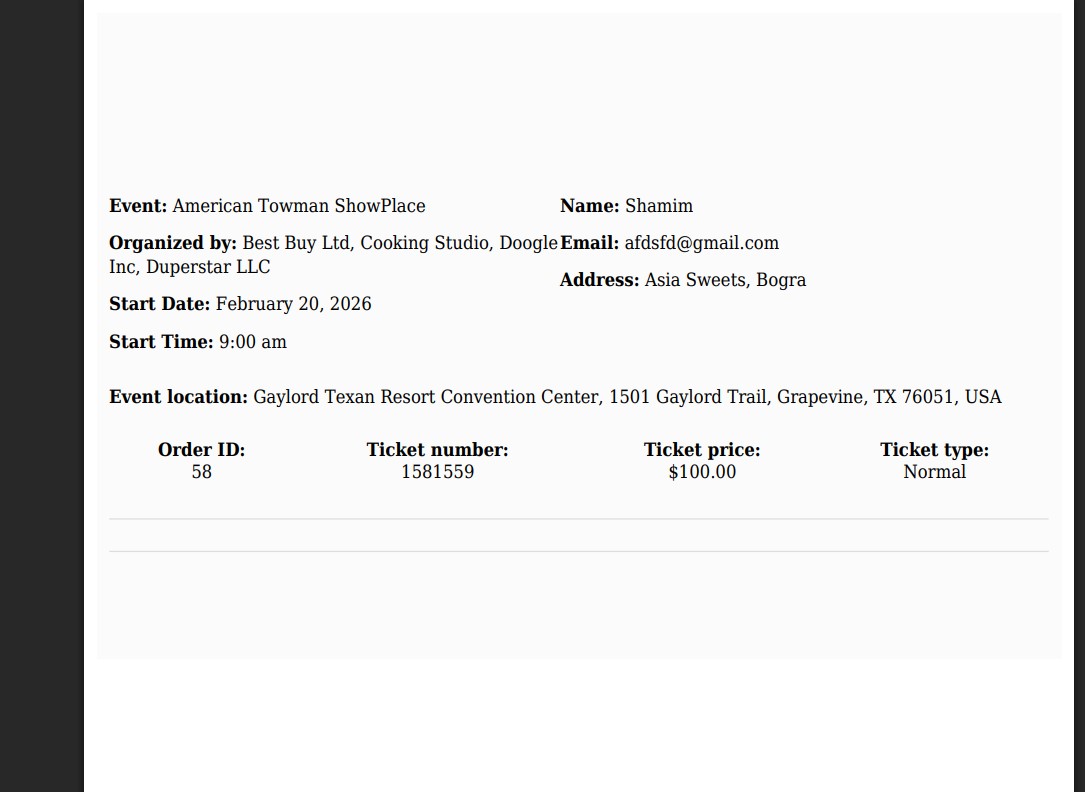
If you have WpEvently Pro, click Download Ticket to grab the branded PDF. The system will automatically email this to the attendee.
- Note: Users on the Free version will not see the PDF generation or Order List features.
Free Version vs. WpEvently Pro: What’s the Difference?
The Backend Order Addon is a champ with the free version of WpEvently—you’ll get core booking, inventory sync, and email notifications without spending a dime. However, if you want to truly professionalize your workflow, upgrading to WpEvently Pro (starting at $75/year or $149 lifetime) is a game-changer.
Here’s how they compare when using the dashboard booking tool:
| Feature | WpEvently Free | WpEvently Pro |
| Booking Source | Manual Admin entry | Manual Admin entry |
| Attendee Info | Basic name/email only | Custom Form Builder (dietary needs, etc.) |
| PDF Tickets | ❌ Not available | ✅ Auto-generated with QR codes |
| Order List | ❌ Standard Woo list only | ✅ Dedicated Event Attendee Dashboard |
| Calendar View | Basic date selection | ✅ Enhanced Recurring Event support |
| Data Export | ❌ No | ✅ Export Attendee List to CSV |
The Bottom Line: If you’re managing a small local meetup, the Free version handles the basics. But if you need to collect specific guest data, send branded tickets, or manage a high volume of orders, Pro is the secret weapon that turns your dashboard into a full-scale event empire.for starters, Pro for pros scaling to 2025’s event boom. No lock-in—features stick around post-trial.
How This Addon Supercharges Your Event Business
As an event owner, your plate is full—scouting venues, managing speakers, and chasing sponsors. The Backend Order Addon is designed to take the “busy work” off your hands by centralizing your entire sales flow.
By choosing to Book Events from Your Dashboard, you’re not just installing a plugin; you’re upgrading your workflow:
- Centralized Control: Stop switching between apps and tabs. Manage online sales and offline phone orders in one single place.
- Eliminate Manual Errors: Say goodbye to “fat-finger” typos on spreadsheets. Direct entry into WordPress ensures your data is clean and consistent.
- 100% Inventory Accuracy: Never worry about overselling a sold-out show. Real-time syncing keeps your ticket counts perfect.
- Instant Customer Loyalty: Even offline callers get the “VIP treatment” with instant email confirmations and professional PDF tickets.
In a year where event tech is the key to scaling, this addon turns your site into a revenue rocket. It handles the “admin drudgery” so you can get back to what you do best: creating epic experiences.
Wrapping It Up: Level Up Your Events Today
There you have it—the Backend Order Addon isn’t just a plugin; it’s your dashboard superpower for nailing offline sales and staying ahead of the curve.
With the 2025 event surge in full swing, why risk the chaos of manual spreadsheets or inventory mix-ups? By choosing to Book Events from Your Dashboard, you’re choosing a smoother workflow, happier clients, and a more professional business.
Ready to streamline your sales? Follow the steps above, book a test order, and watch your productivity soar.
FAQs: Your Burning Questions Answered
Q: Do I need WooCommerce for this?
A: Yep! It’s built for WooCommerce integration, so payments and stock flow like butter. No Woo? It won’t fly solo.
Q: What’s the cost, and any 2025 deals?
A: Standalone addons are one-off buys, but bundles start low. Snag 20-50% off lifetime with CMNW25-LD right now—perfect holiday timing!
Q: Can I tweak the code?
A: Totally open-source, baby! No encryption, so customize away for your unique event vibe.
Q: How’s support if I hit a snag?
A: Top-notch—users report 99% satisfaction, with quick fixes and refunds if bugs linger.
Q: Does it work with virtual events?
A: Absolutely! Syncs registrations for Zoom links or hybrid setups, keeping your 2025 hybrid game strong.
