 Get 15% to 25% OFF for Limited Time Lifetime & Bundle Deal

Running a rental business is a bit like juggling—except the balls are expensive equipment, the venue is your website, and one missed booking can drop your entire reputation.
With the rental market in the US and Europe currently sitting at a staggering $500 billion, there is a massive slice of the pie waiting for anyone who can make “renting” as easy as “buying.” But to grab your share, you need more than just a WordPress site; you need a digital storefront that doesn’t break under pressure.
From simple availability calendars to “do-it-all” booking engines, the plugin market is crowded. To save you the headache of trial and error, we’ve rounded up the 7 best rental booking plugins for WordPress.
Whether you’re renting out luxury villas or power tools, let’s find the WordPress Rental Plugins that will power your business.
What we’ll cover:
- Power Players: A breakdown of the top 7 plugins.
- Free vs. Pro: Is the upgrade worth your cash?
- The Perfect Fit: Matching plugin features to your specific niche.
Why You Need a Rental Plugin for WordPress
There are many advantages to using a WordPress Rental Plugin, and you should install one on your website if you run a rental business.
1. A Frictionless Booking Experience
Modern customers don’t want to wait for a callback. A rental plugin gives them a sleek, self-service dashboard where they can browse your gear, check real-time availability, and book instantly. When you remove the friction, you increase the conversions.
2. Pricing That Works While You Sleep
Gone are the days of manual calculations. Whether you need dynamic seasonal pricing, hourly vs. daily rates, or automatic “stay longer, pay less” discounts, these plugins handle the math for you. You set the rules; the plugin does the rest.
3. Inventory Management Without the Mess
Stop worrying about double-bookings. These tools act as a “live brain” for your stock, automatically updating availability the second a reservation is made. Adding new items or pulling damaged gear from the rotation takes just a few clicks.
4. Professional Branding & Customization
Your booking form should look like your business, not a generic third-party tool. Most plugins allow you to customize layouts, colors, and fields so the transition from your homepage to the checkout feels seamless and trustworthy.
5. Automated “Heavy Lifting”
The real magic happens in the background. From sending out confirmation emails and processing secure payments to generating revenue reports, a plugin automates the repetitive tasks. This frees you up to focus on the big picture—scaling your business.
Moving to a professional rental tool doesn’t just make you look more legitimate; it creates an efficient environment where happy customers and increased bookings become the new normal.
Learn how to Create A Dynamic Rental Booking With WordPress.
How To Choose The Best Rental Plugin For WordPress
Before you hit that “Install” button, remember: the most expensive plugin isn’t always the best, and the cheapest one could cost you hours of frustration.
The “perfect” plugin is the one that fits your specific workflow like a glove. To help you filter through the noise, here is a quick checklist of the non-negotiables you should look for:
1. The “Niche” Factor
Does the plugin actually understand your business? A plugin built for vacation rentals handles things very differently than one designed for car rentals or heavy machinery. Ensure the tool supports your specific booking logic, whether that’s per-night, per-hour, or per-mile.
2. A “Smart” Management System
Your plugin should act like a virtual assistant. Look for:
- Automation: Does it send confirmation emails to you and the guest automatically?
- Records: Can you pull up a history of every booking and guest with one click?
- Reporting: Does it give you a bird’s-eye view of your monthly revenue?
3. Pricing & Inventory Control
You need total control over your stock. Can you set “peak season” rates? Can you block out dates for maintenance? Look for dynamic pricing and minimum/maximum stay rules to ensure you aren’t losing money on awkward gaps in your calendar.
4. Seamless (and Secure) Payments
A clunky checkout kills sales. Make sure the plugin integrates with the heavy hitters like Stripe and PayPal.
Pro Tip: Check if the plugin developer takes a “commission” on your sales. Most top-tier plugins charge a flat fee, not a percentage of your hard-earned money.
5. Customization & UX
If the booking form looks like it’s from 2005, your customers won’t trust it. Choose a plugin that allows you to tweak colors, fonts, and fields to match your brand. More importantly, make sure the User Experience (UX) is mobile-friendly—most people book on their phones these days.
6. Reliability & Support
WordPress updates constantly. You need a plugin that is updated just as often. Check the “Last Updated” date and scan the support forums. If the developers are active and responsive, you’re in good hands.
Now let’s check out the list.
7 Best Rental Plugins For WordPress
There are a few great rental plugins for WordPress out there. Here are 7 of the best:
1.WpRently
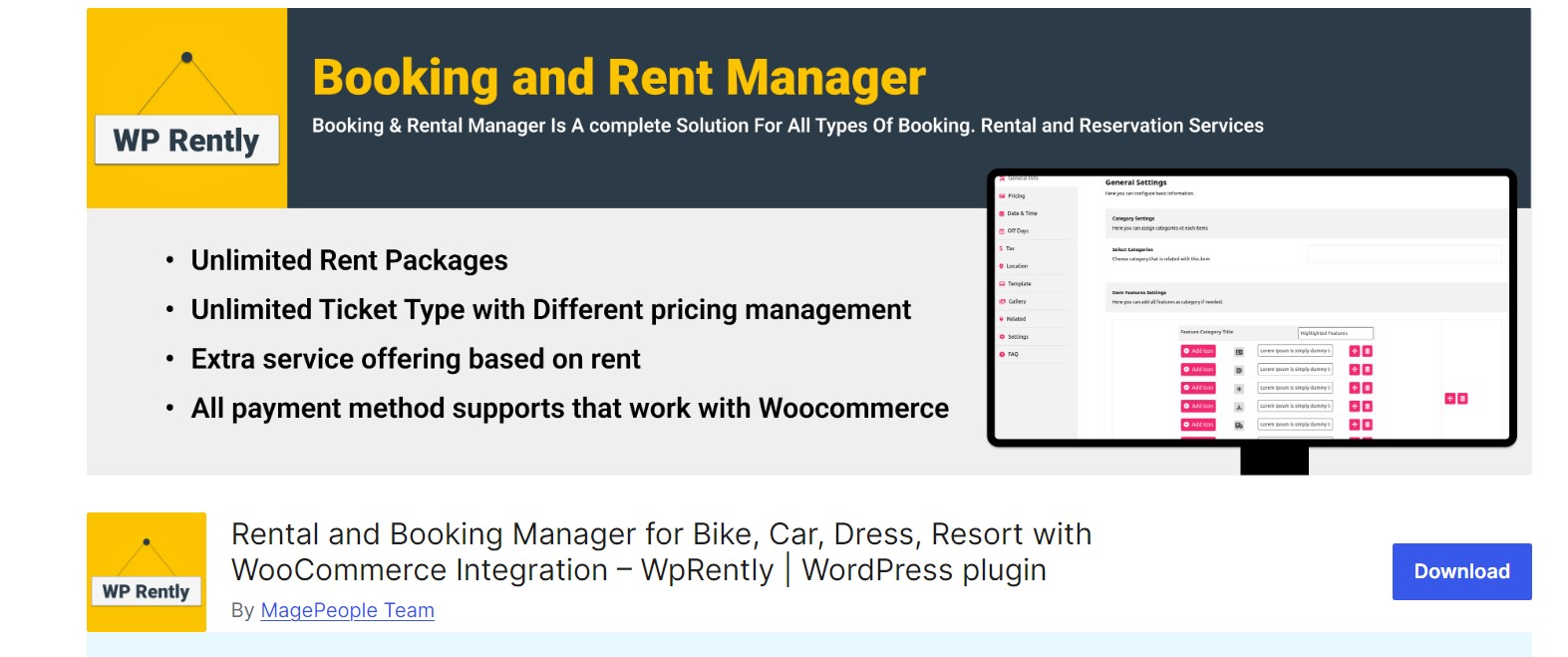
If your business model is “if you can dream it, we can rent it,” WpRently is likely your perfect match. While some plugins specialize in just one niche, WpRently is built to be a chameleon. From high-end yachts and luxury party dresses to parking spaces and doctor appointments, this tool is designed to handle the unique logic of almost any industry.
It transforms your WordPress site into a sophisticated booking engine that balances the needs of the business owner with a smooth, customer-centric experience. Hundreds of businesses trust it to handle the heavy lifting of inventory and scheduling so they can focus on scaling.
WpRently Free: The Small Business Starter Kit
Unlike many “lite” versions, WpRently’s free tier is surprisingly generous. It’s perfect for startups or small shops that need professional features without the upfront cost.
- Deep WooCommerce Integration: Leverage the world’s most popular payment system and all its compatible gateways.
- Visual Showcases: Includes image galleries, “Related Items” suggestions, and multiple template styles to make your gear look irresistible.
- Flexible Time Slots: Whether you rent by the hour, day, or week, the system adapts to your schedule.
- Variant Support: Easily manage items that come in different sizes or colors (perfect for apparel or sports kits).
- Admin Calendar: A bird’s-eye view of every order to keep your day organized.
WpRently Pro: The Scalability Engine
For businesses ready to “level up,” the Pro version adds the automation and data depth required for high-volume operations.
- Financial Precision: Advanced sales tax management and professional PDF receipts (with your logo) sent automatically.
- Smart Deposits: Boost conversions by allowing customers to pay a partial deposit upfront and the balance later.
- Advanced Analytics: Dive into dynamic charts and export your data to CSV for deep performance audits.
- Seasonal Pricing: Automatically hike prices during peak holidays or drop them during the off-season.
- Global Reach: Built-in API for translations (WPML/Polylang) to serve customers in any language.
🛠️ The Add-on Ecosystem (Customize Your Workflow)
One of WpRently’s biggest strengths is its “Add-on” library. Instead of bloating the plugin with features you don’t need, you can buy specific tools for your workflow:
- Backend Order Add-on: Perfect for “walk-ins” or phone bookings—manual entry that syncs with your online stock.
- Min/Max Booking Days: Set rules (like a 2-day minimum for bikes) to protect your margins.
- Tiered Discounts: Automatically reward customers who rent for longer periods (e.g., “15% off for 5+ days”).
💰 Pricing
WpRently offers flexible pricing that scales with the number of sites you manage:
- Standard Plan: $49/year (1 Domain) – Ideal for single-store owners.
- Business Plan: $199/year (10 Domains) – Great for agencies or multi-branch businesses.
- Lifetime Plan: $99 (1 Domain) – A one-time payment for long-term peace of mind.
Our Take: WpRently is the most versatile “all-rounder” on this list. If your inventory is diverse or you plan on expanding into new rental categories, this is the safest investment for your future growth. 1 domain and $399 for 10 domains.
2. MotoPress Appointment Booking
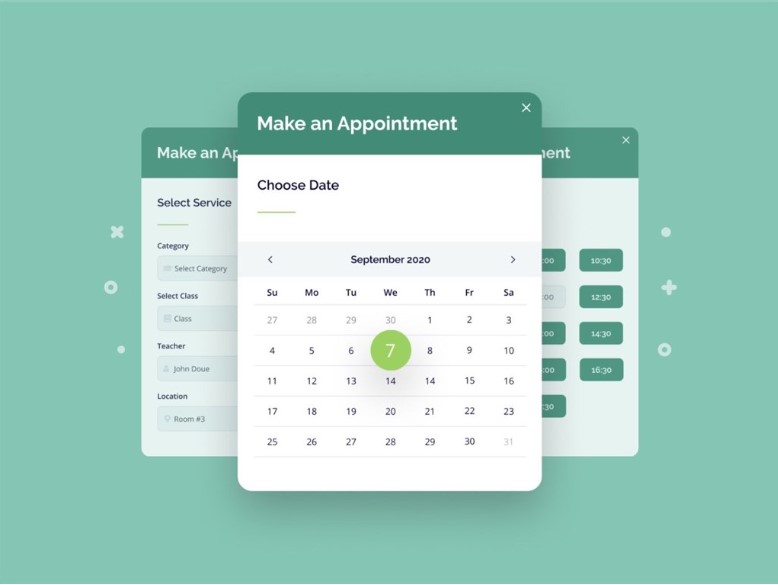
Don’t let the name fool you, MotoPress Appointment Booking is a secret weapon for rental businesses that live and die by the clock. While other plugins focus on “items,” MotoPress excels at “time-based” rentals. Whether you are renting out jet skis by the hour, shared co-working spaces, or guided tour equipment, this plugin offers a level of scheduling precision that is hard to beat.
It’s built for the service-oriented rental business. If your operation involves multiple staff members, various locations, or group bookings (like a 10-person boat tour), MotoPress handles the logistics with a sleek, step-by-step booking widget that customers enjoy using.
Free Features: A Heavyweight Starter
The free version of MotoPress is surprisingly “unlocked.” Unlike competitors that cap your growth, the base version allows for:
- Unlimited Everything: No limits on the number of rental services, employees, locations, or bookings.
- Group Capacity Logic: Set minimum and maximum group sizes—perfect for equipment that requires a team or shared rentals.
- Sync-Ready Calendars: Connect with Google, Apple, Outlook, and Yahoo so you never miss a beat.
- Multi-Service Cart: Let customers book a bike, a helmet, and a guided tour all in one single transaction.
- Flexible Payments: Accept on-site “pay later” options or direct bank transfers right out of the box.
- Visual Builders: Native integration with Elementor, Divi, and the WordPress Block Editor (Gutenberg).
Premium Features: The High-Performance Upgrade
When you’re ready to automate your revenue and marketing, the premium add-ons turn your site into a hands-off machine:
- The Payment Powerhouse: Full WooCommerce integration opens the door to Stripe (Apple/Google Pay), Square, and PayPal.
- SMS Alerts: Use the Twilio integration to send text reminders—reducing “no-shows” and late returns.
- Pro-Level Scheduling: Custom time steps (like 15 or 45-minute slots) and 24-hour service cycles for flexible rental durations.
- Advanced Tracking: Integrated Google Analytics 4 (GA4) to see exactly which rental services are your biggest earners.
- Employee Sync: Two-way synchronization with your team’s personal Google Calendars to prevent scheduling conflicts.
Pricing: Pay Only For What You Need
MotoPress uses a modular pricing model, so you don’t get stuck paying for features you’ll never use.
- The Core Plugin: Free.
- Individual Add-ons: Start at $39/year (e.g., for GA4 tracking).
- WooCommerce Payments: $79/year for a single site.
- The Membership Bundle: If you need it all, you can grab the plugin plus 7 premium add-ons in a bundle (often discounted at 85% off) to save significantly on a yearly license.
Our Take: MotoPress is the “Gold Standard” for rentals that are tied to specific time slots or staff involvement. If you run a high-traffic operation with multiple locations, this is the most organized way to keep your sanity.
3. VikRentItems
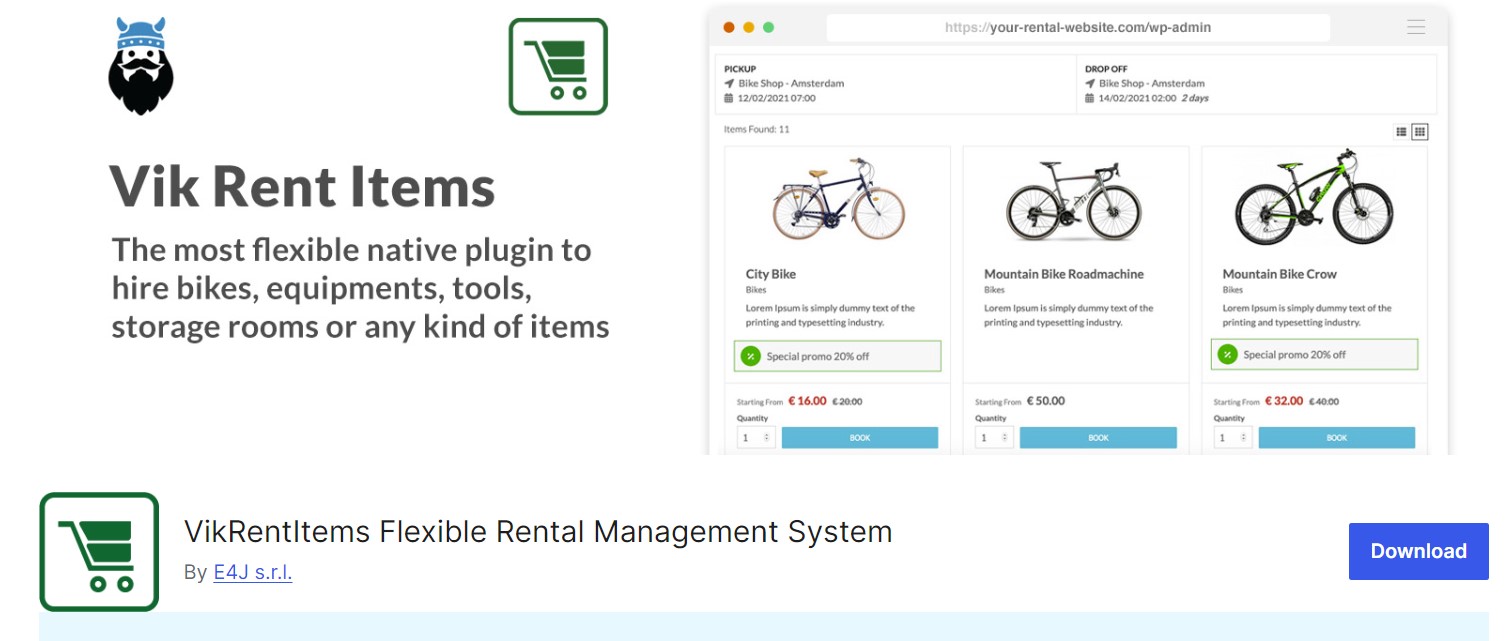
If you are managing a large inventory—think a warehouse full of power tools, a fleet of hundreds of bikes, or a massive collection of event party supplies. VikRentItems is built for the “heavy lifters.”
While its sibling plugin (Vik Rent Car) is laser-focused on vehicles, VikRentItems is the more versatile powerhouse. Its standout feature? Multi-item bookings. It allows customers to rent multiple units of the same item (or different items) in a single transaction with ease. Whether you’re renting by the hour or the year, this plugin provides a rock-solid infrastructure that feels more like an enterprise-level management system than a simple WordPress add-on.
Free Features: The Essentials
The free version isn’t just a “demo”—it’s a functional tool that can handle a professional rental shop right out of the box:
- True Versatility: Perfect for everything from luxury goods and tools to bikes and tents.
- Granular Timeframes: Set rental terms for hours, days, weeks, months, or even years.
- Smart Rates: Create flexible, refundable, or non-refundable pricing plans.
- Delivery Engine: Includes a distance-based fee calculator—essential for items that need to be dropped off at the customer’s door.
- The “Look”: Comes with 7 different front-end views to ensure the booking process fits your site’s design.
- Multi-Language Ready: Communicate with your customers in their native tongue from day one.
Pro Features: The Advanced Control Room
The Pro version is where VikRentItems truly outshines the competition, offering tools that automate the complex logic of a growing business:
- The Price Master: Set seasonal discounts, one-click editable calendars, and complex “weekday-only” pickup/drop-off rules.
- Massive Payment Support: Access over 60+ payment gateways, including direct bank channels for high-security transactions.
- Automation via Cron Jobs: Set up “set-and-forget” email and SMS alerts to remind customers of upcoming returns or overdue balances.
- Inventory Dashboard: A dedicated command center for pickups and returns, ensuring you always know exactly where your gear is.
- Upselling Tools: Easily add extra services (like insurance or cleaning kits) as optional add-ons to any order.
- iCal & Google Maps: Seamlessly sync with external calendars and provide accurate delivery locations via Google Maps integration.
Pricing: One-Time Payment, Lifetime Value
VikRentItems offers a refreshing departure from the “subscription fatigue” of modern software:
- Core Version: Free. Available on the WordPress repository.
- VikRentItems Pro: €109 (One-time fee). This includes the license for one site and one year of updates/support. Unlike many competitors, you won’t be charged every month just to keep your features active.
Our Take: This is the “professional’s choice.” If you need a plugin that can handle complex quantity-based inventory and don’t want to be tied to a monthly subscription, VikRentItems is worth every penny.patches.
4. Booqable Rental Plugin
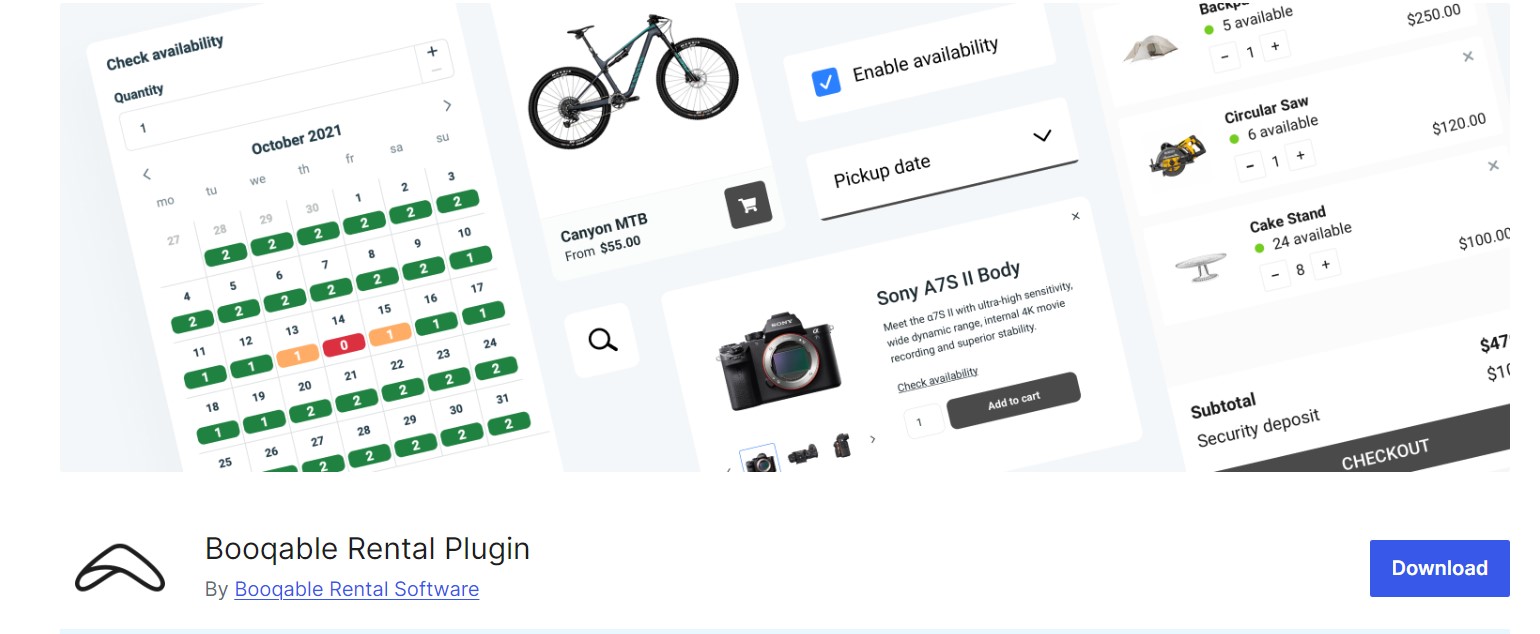
If you want your rental business to feel like a high-end tech startup, Booqable is the answer. Trusted by over 7,500 businesses worldwide, this isn’t just a plugin—it’s a comprehensive rental ecosystem. It specializes in 12 distinct industries, ranging from AV and camera gear to construction tools and luxury fashion.
The magic of Booqable lies in its “command center” approach. It links your WordPress site directly to a dedicated Booqable account, ensuring your online store and your physical shop are always in perfect sync. With a sleek interface and a 4.2/5 rating, it’s designed for those who want a professional, “corporate-grade” system without the corporate headache.
Free Features: The All-Access Trial
Booqable offers the plugin for free, and while it requires a subscription to keep running, you can start with a 14-day full-access trial to test-drive these features:
- Real-Time Sync: Never worry about overbooking again. Your online orders and in-person walk-ins share the same “live brain.”
- Shortcode Flexibility: Effortlessly drop product lists, category filters, and datepickers onto any WordPress page.
- Hosted Checkout: Provide a secure, lightning-fast checkout experience with a sidebar cart that keeps customers on your site.
- Global Payments: Integration with Stripe (supporting 40+ methods) and PayPal, plus the ability to hold security deposits.
- No Commissions: You keep 100% of your booking revenue—Booqable doesn’t take a cut.
Pro Features: The Scaling Suite
For established teams and growing enterprises, the Pro tiers unlock serious operational power:
- Product Bundles: Create “kits” (e.g., a camera + lens + tripod) that track inventory for each individual component.
- Mobile POS App: Manage your business on the go. Perfect for handling deliveries, scanning returns, or checking stock from your phone.
- Deep Automation: Automatically generate and send quotes, contracts, invoices, and reminders.
- Advanced Multi-Location: Manage inventory across different warehouses or storefronts from one dashboard.
- The “Connection” King: Seamlessly integrates with Google Analytics 4, Zapier, MailChimp, and even Shopify or Webflow if you ever decide to expand beyond WordPress.
Pricing: Subscription-Based Growth
Booqable operates on a monthly subscription model, providing dedicated cloud hosting for your booking data:
- Start Plan ($29/mo): Perfect for small operations just getting their feet wet.
- Grow Plan ($69/mo): The “sweet spot” for teams needing bundles and advanced reporting.
- Scale Plan ($149/mo): For large enterprises requiring API access and multi-location support.
- Pro Tip: You can save 20% by paying annually, and all higher-tier plans include professional onboarding to help you set everything up.
Our Take: Booqable is the best choice for businesses that want an “all-in-one” platform that grows with them. If you value a polished mobile app and a high-tech customer experience, this is the gold standard.
5. RnB
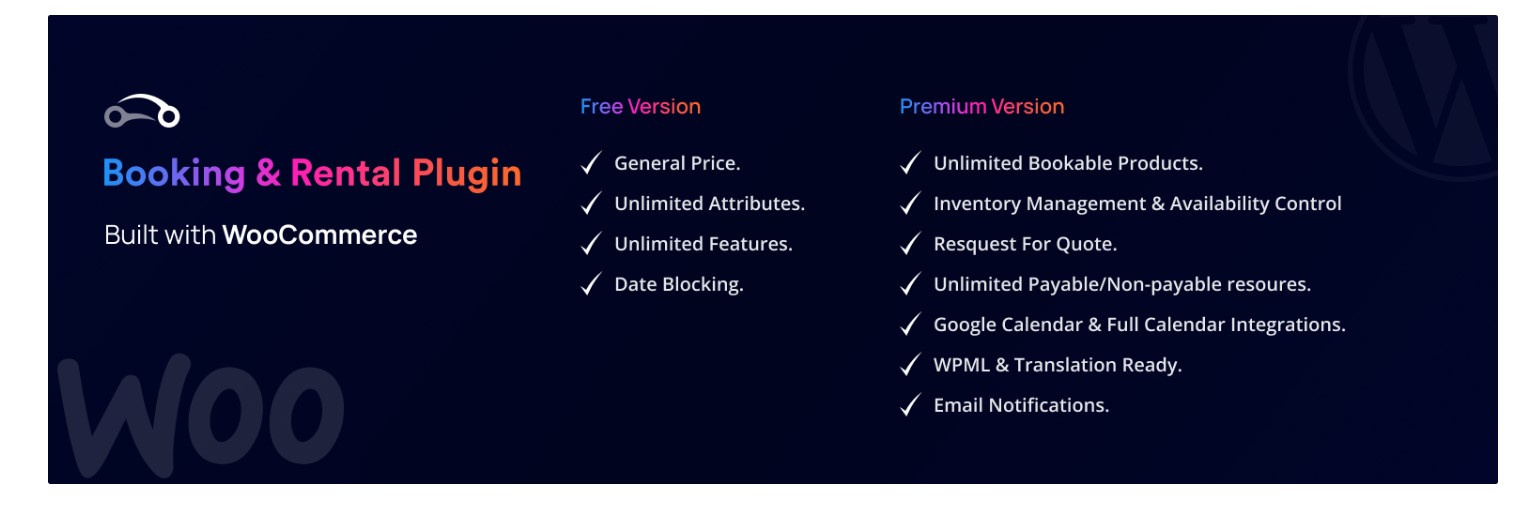
RnB is a powerful WooCommerce-integrated tool for creating a full rental management system, enabling businesses to rent cars, bikes, dresses, tools, gadgets, and more. It supports unlimited rental products with advanced inventory control, flexible pricing (hourly/daily/monthly/km-based), calendar blocking, and RFQ for custom quotes.
Easy setup with global/local configurations for blocking days/hours, minimum/maximum bookings, and beautiful layouts like basic, map-based, or Uber-style. Compatible with Google Calendar for scheduling. The Lite version offers core basics, while Pro unlocks advanced features. The last major Pro update in May 2025 (v18.0.4) ensures compatibility with WooCommerce 8.x and WordPress latest.
RnB Lite version features:
- Unlimited bookable rental products
- Multiple inventory management and availability control
- Backend booking creation with frontend availability display
- Drag-and-drop product attributes and features
- Hourly/daily range pricing with percentage/fixed discounts
- WooCommerce coupon code support
- Security deposit handling
- Custom order emails
- Basic booking layouts (e.g., simple calendar)
- Full compatibility with WooCommerce payment gateways (PayPal, bank transfer, cash on delivery)
RnB PRO version features:
- Advanced inventory for multi-unit rentals
- Payable/non-payable features like pickup/drop-off sites, resources, security deposits
- Hourly/day/km/mile-based pricing with seasonal variations
- Full/partial payment options and deposit settings
- Pre/post booking blocks, weekend/holiday configurations
- Enhanced RFQ with guest checkout and custom fields
- Google Calendar synchronization
- Global/local settings for business rules (e.g., min/max days)
- Automated email confirmations and detailed reports (bookings, revenue, occupancy)
- Multilingual support via WPML
- Variations, resources, and extended order management
- Integrations with Elementor, Bootstrap 4/5, Bookingly, and redqteam add-ons (e.g., Backend Booking)
Pricing for RnB Plugin
RnB Lite is free via WordPress.org. The Pro version costs $29 (regular license for 1 site, includes 6 months support and lifetime updates); extended license $3,025 for commercial use. Over 10,000 sales with 150+ 5-star ratings.
6. Twice Commerce
The Twice Commerce plugin is a robust WooCommerce-integrated solution for building a complete rental management system, allowing businesses to rent out cars, bikes, dresses, tools, gadgets, equipment, apparel, machinery, and more—while also supporting sales and subscriptions. It enables quick setup (under 30 minutes) to make WooCommerce products rentable, with real-time inventory syncing across online/offline channels, dynamic pricing (hourly/daily/weekly/monthly, seasonal/demand-based), and flexible models like short-term hires, long-term installments, or bundled services.
The plugin embeds Twice Commerce’s API-first platform for multi-location support, POS orders, barcode/QR scanning, and automated workflows. Available as a free WordPress plugin with a 3-day trial for + $1 first month, it scales via paid plans. Last updated December 2025 (v1.4), with 400+ active installs and a perfect 5/5 rating from 2 reviews.
Twice Commerce free version features
- Supports simple, variable, and grouped rental products with flexible pricing (hourly, daily, weekly, monthly)
- Real-time booking calendar for availability tracking and preventing overbookings
- Step-by-step booking process with customizable checkout, discount codes, and multiple payment methods
- WooCommerce integration for secure online payments, taxes, and local pick-up/deliveries
- Basic inventory management, order tracking, walk-in rentals, and automated confirmation emails
- Product pages, categories, location selector, customer lists, and data imports/exports
- Multi-language support, barcode scanner compatibility, and user access levels
- Built-in online store setup with webhooks for basic integrations
Twice Commerce PRO features:
- Advanced multi-unit inventory with serialized tracking, multi-location syncing, and shortage/overbooking rules
- Dynamic pricing adjustments (seasons, weekdays, hours, demand) with pre-authorized security deposits and buffer times
- Enhanced order management, including POS, check-in kiosks, document handling, and usage history logs
- Detailed sales reports, analytics on availability/profitability, and API access for custom integrations (e.g., AI tools, CDPs)
- Unlimited channels/locations, flexible bundling of services (maintenance, insurance), and scalable workflows for high-turnover ops
- Advanced reporting, localization, and support for enterprise features like maintenance audits
Pricing plan for Twice Commerce plugin
The plugin is free to install via WordPress.org with a 3-day trial + $1 first month. Pro subscriptions start at $29/month (Discover plan for < $40K annual turnover), $69/month (Build for < $300K), $359/month (Advance for multi-location > $300K), or custom Enterprise ($2,000+/month annually). 20% off with yearly billing; no credit card required for trial.
7. eaSYNC Booking
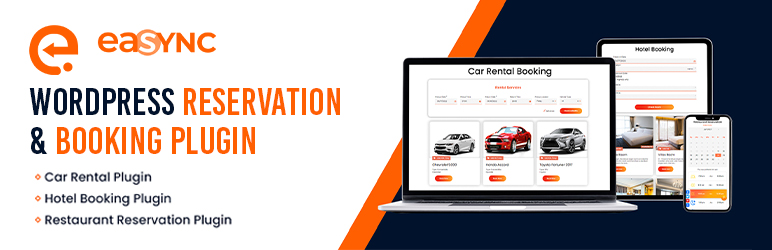
If you are looking for a “set it and forget it” solution that doesn’t feel like rocket science, eaSYNC Booking might be your best bet. It’s an all-in-one, open-source tool designed for businesses that want a clean, minimalist look without sacrificing power.
Whether you’re juggling hotel rooms, a fleet of cars, or restaurant tables, eaSYNC uses a modular approach—meaning you only use the tools that actually apply to your niche. With its latest 2026 updates, it’s fully optimized for WordPress 6.9 and strictly GDPR compliant, making it a safe, modern choice for small-to-medium businesses.
What Makes it Stand Out?
- Modular Magic: It comes with pre-built “brains” for specific industries (Car, Hotel, or Restaurant), so you aren’t stuck with settings you don’t need.
- Smart Currency: It uses geolocation to automatically adjust prices and currency for your visitors—a huge plus for international rentals.
- Clean Management: Your dashboard stays clutter-free by auto-sorting bookings into Active, Pending, Inactive, or Trash.
Free Features: Surprisingly Robust
Don’t let the “Free” tag fool you; the base version packs a punch:
- Responsive Forms: Booking forms that look great on everything from an iMac to an iPhone.
- Automated Emails: Send instant confirmations with custom headers and footers to keep your branding consistent.
- Real-Time Calendars: A visual preview of your availability so customers can see exactly what’s open.
- Shortcode Ready: Drop your booking engine into any page, post, or sidebar widget in seconds.
- PayPal Integration: Start accepting payments immediately without spending a dime on the plugin.
Pro Features: Tailored to You
eaSYNC takes a unique approach to their Pro version. Instead of a one-size-fits-all paid tier, they offer customized module upgrades based on your specific business needs:
- Expanded Payments: Unlock Stripe and Authorize.net for more checkout options.
- Marketing Tools: Full coupon management to run seasonal promos and discounts.
- QR Code Power: Automatically generate QR codes for digital check-ins and confirmations.
- Deep Analytics: Detailed financial reporting to track your revenue and occupancy trends.
- Advanced Logic: Table mapping for restaurants, guest profiles for hotels, and multi-location support for car rentals.
Pricing: How much will it cost?
- The Core Plugin: $0 (Free). You can download and start using the open-source version right now from WordPress.org.
- Pro Upgrades: eaSYNC uses a “Request a Quote” model. Because their Pro features are highly tailored to your specific industry (Car vs. Hotel), you’ll need to contact their team for a custom license and support package. This ensures you only pay for the features you actually use.
Our Take: eaSYNC is perfect for the “no-nonsense” business owner. If you want a lightweight site that stays fast and looks modern, this is a top-tier contender.
Final Thoughts
Well, you just learned about the best WordPress rental plugin. Among these 7 rental plugins, each plugin offers incredible features in its free and paid versions.
From lists 1 to 7, each plugin is ranked based on the core features that are mostly available in the free version. So you can at least use the free version of the plugin and decide to purchase their paid version.
If you want most of the features to make a rental booking website in WordPress, WpRently will be the best with most core features. Its paid versions are also more affordable than those of its competitors. Vik Rent Items is also close enough to WpRently but its price is a bit higher than WpRently.
WordPress Appointment Booking Plugin by MotoPress is also a very user-friendly plugin that simplifies rental booking.
Booqable, RnB, eaSYNC Booking, and Twice Commerce offer limited features in their free version. Their paid version is higher than WpRently.
Now you decide which Rental Booking plugin is suitable for your WordPress site.
Frequently Asked Questions
What kinds of rental items can I handle with these plugins?
Most of the time, the best WordPress rental plugins can handle a lot of different types of rentals, like vacation rentals, cars, bikes, equipment, party supplies, and more. They give you the freedom to rent out different kinds of goods.
Can I integrate the plugins on different platforms?
Many of the best rental plugins work well with WooCommerce features and don’t cause any problems. Some also let you connect to other services, like Airbnb, Booking.com, Google Calendar, and different payment methods.
What’s the difference between the free version and the paid one?
The basic rental management plugins are usually included in the free versions. The pro versions, on the other hand, give you access to more advanced features, such as automated email reminders, thorough reports, custom fields, and integrations. Most of the time, the pro versions cost money either once or once a year.
How simple is it to install and use these plugins?
Most of the best rental plugins are made to be easy to use, with setup wizards and simple interfaces. To get started, you don’t need to know much about coding. This makes it easy for businesses to add rental features to their WordPress websites.
