 Get Halloween 15% for Limited Time on Lifetime & Bundle Deal

You can create a car wash appointment booking system in WordPress without writing code: install a service booking plugin, build your wash packages and vehicle types, set your operating hours and slot capacity, then paste a shortcode on a page so customers can choose a date, a time and pay. This walkthrough does it with WpBookingly, a free WooCommerce-based booking plugin, in about eight steps.
Most car wash owners lose money in two places: the phone that rings while staff are holding a pressure washer, and the customer who books a 30-minute slot for a full valet. A booking system fixes both by letting customers pick only the services, dates and times you have actually made available. Below you will find the setup steps, the settings that matter most for a wash bay, and the mistakes that cause overbooking.
What a car wash appointment booking system actually does
A car wash booking system is the part of your website that collects a booking request, checks availability, records the order and triggers a confirmation. For a physical wash bay, the important word is capacity: you are selling the same time slot to more than one car only when you have the bays, water and staff to handle it.
A useful system therefore answers four questions every time a customer arrives on your page:
- What wash packages and add-ons exist, and what does each include?
- Which vehicle type is the car, since a hatchback and an SUV take different time and chemical?
- Which dates and times are still open, given your operating hours, breaks and capacity per slot?
- What happens after the booking is placed — confirmation, payment, and where the order lives?
Everything in the steps below maps back to those four questions. If you have not yet decided which features your site needs, the feature-level comparison in the seven features a car wash appointment booking system should have is the better starting point; this guide assumes you have chosen the plugin and now want to build and configure it.
What you need before you start
- A WordPress site on a host that supports current PHP versions, with an SSL certificate (you will be taking payments and personal details).
- WooCommerce, installed and active — WpBookingly uses WooCommerce orders, taxes and payment gateways, so it is mandatory rather than optional.
- WpBookingly, free from the WordPress plugin directory. The Pro version adds staff management, CSV and PDF export, and analytics if you need them later.
- Your service catalogue written down before you touch the dashboard: package names, what each includes, prices, duration in minutes, and which vehicle sizes each applies to.
- Your real operating hours, including break times, off days and public holidays.
Writing the catalogue first is the single biggest time-saver in this process. It is much easier to type a finished list into the plugin than to design packages while staring at form fields.
How to create a car wash appointment booking system, step by step
Step 1: Install and activate WpBookingly
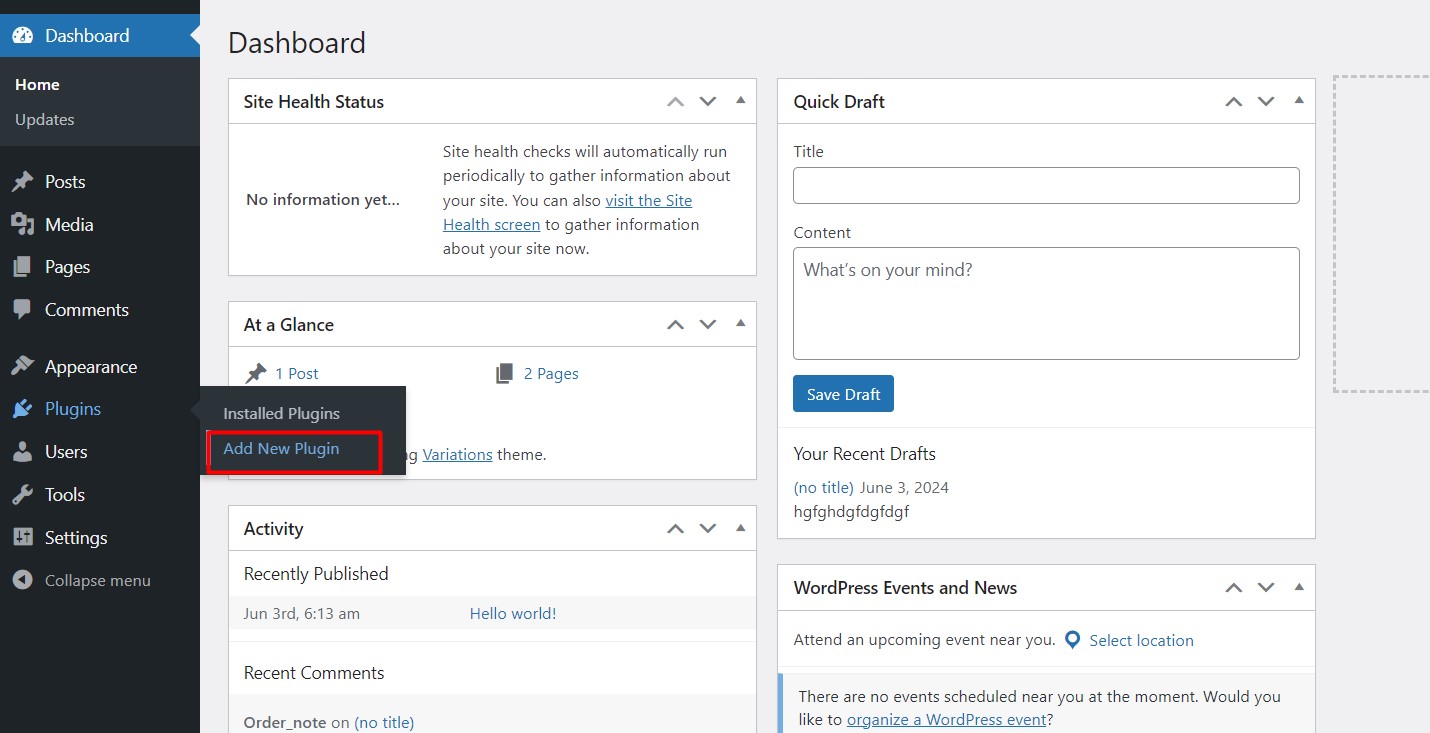
In your WordPress dashboard go to Plugins → Add New Plugin.
Search for WpBookingly in the plugin search field and install the plugin shown in the results.
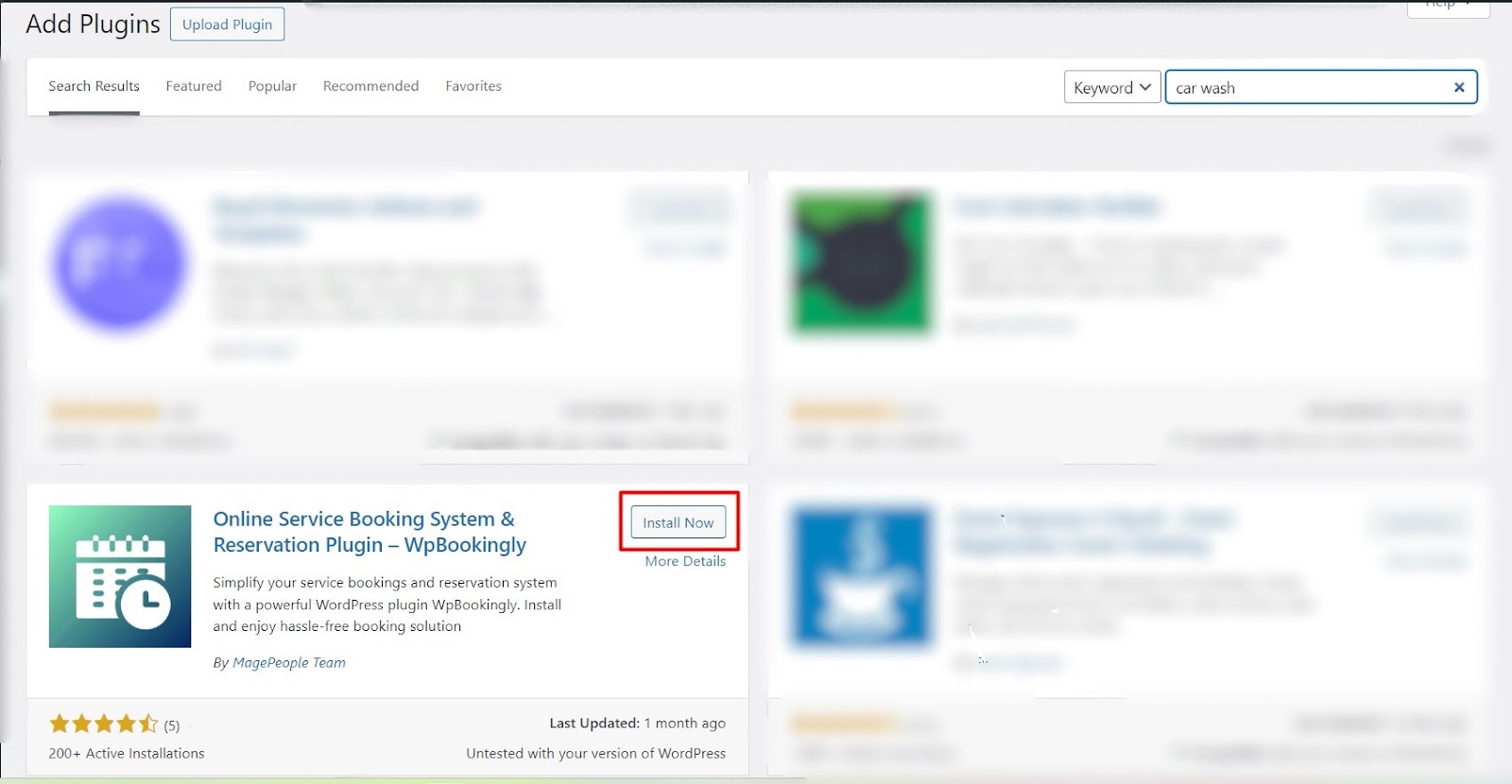
Click Install Now, wait a few seconds, then click Activate. You can review the WpBookingly premium booking features if you want to compare the free and paid versions before committing to either.
Step 2: Run the setup wizard and install WooCommerce
On activation WpBookingly opens a setup wizard and asks you to install WooCommerce.
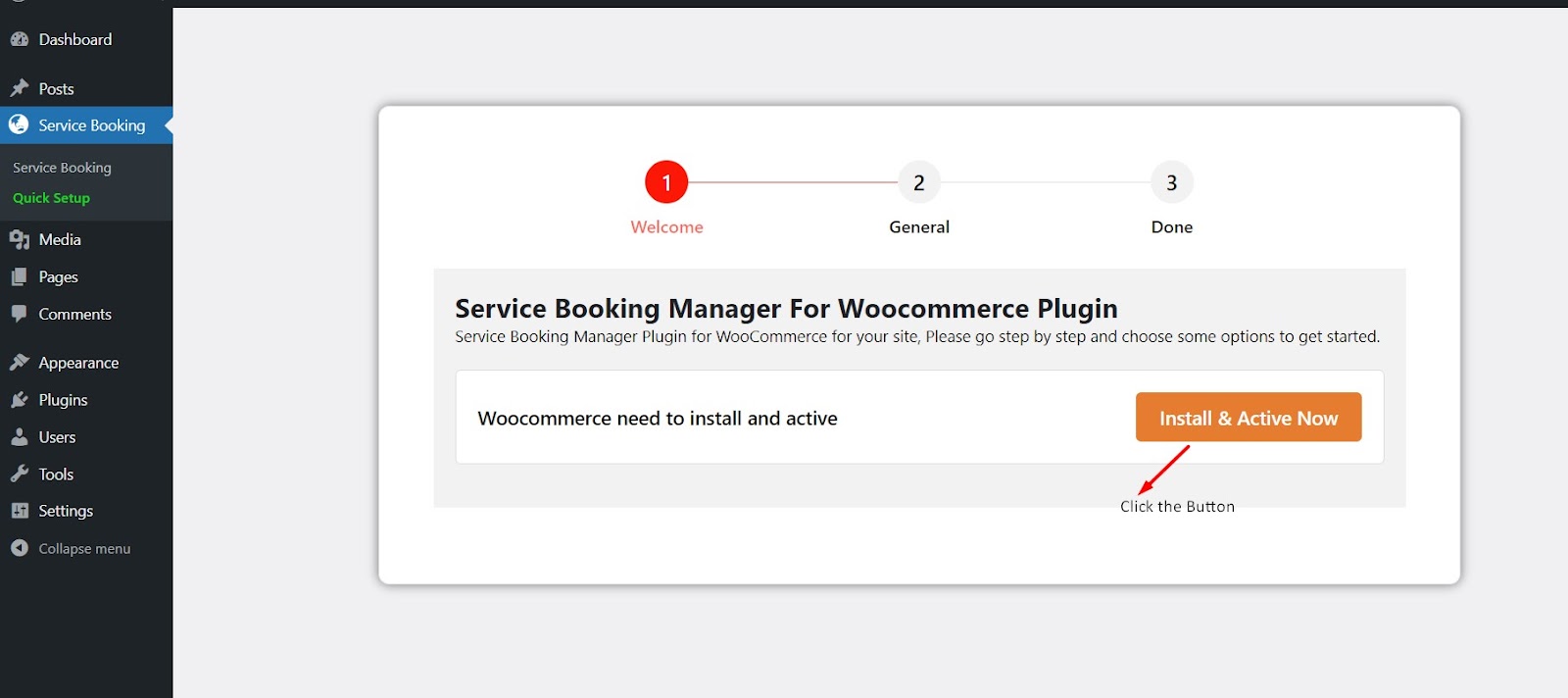
If WooCommerce is already active, the wizard recognises it — click Next to continue.
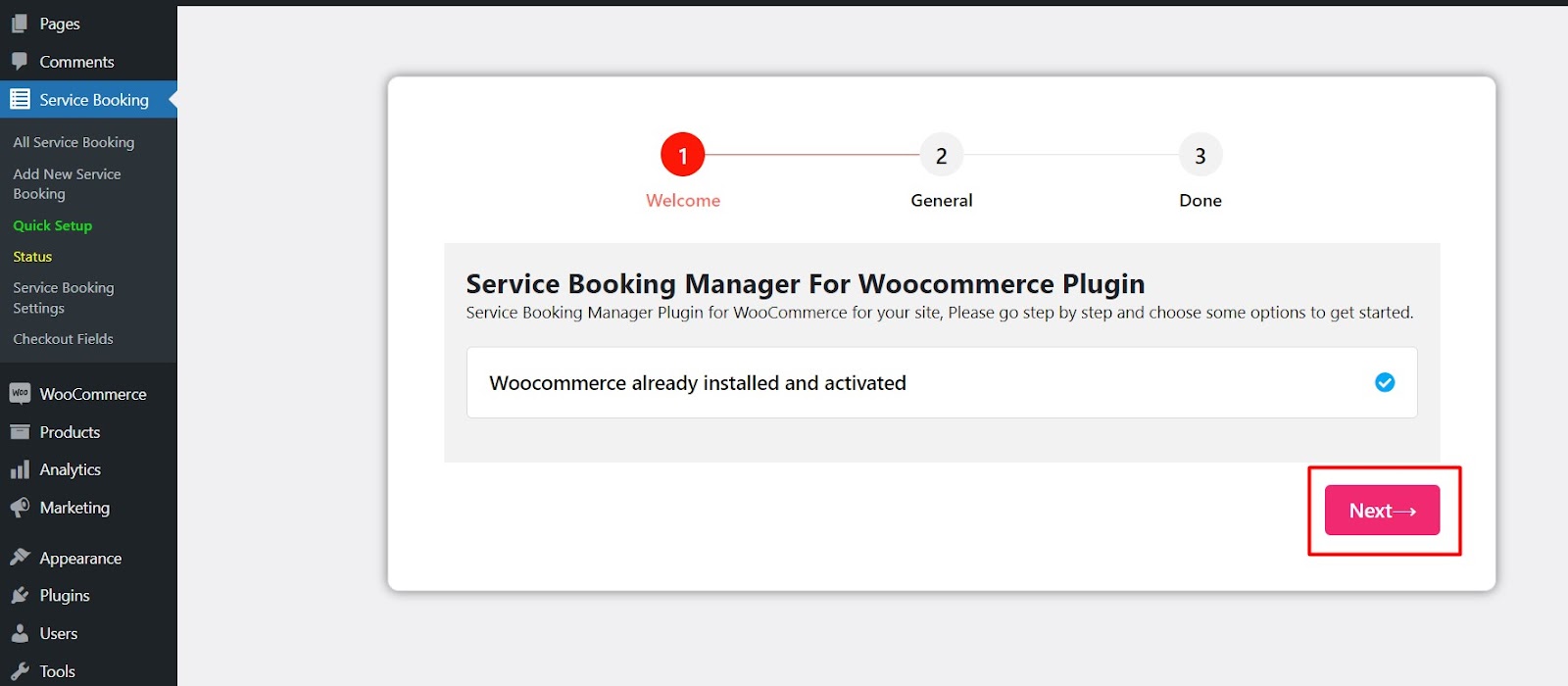
Because WpBookingly is a WooCommerce-based appointment plugin, this is the step that gives you checkout, taxes and payment gateways. Do not skip it.
Step 3: Set the booking labels, then enforce a permalink format
The General tab of the wizard lets you rename the booking label and slug — for example changing “Service Booking” to “Car Wash Booking”. Keep the defaults if you are unsure; the label can be changed later.
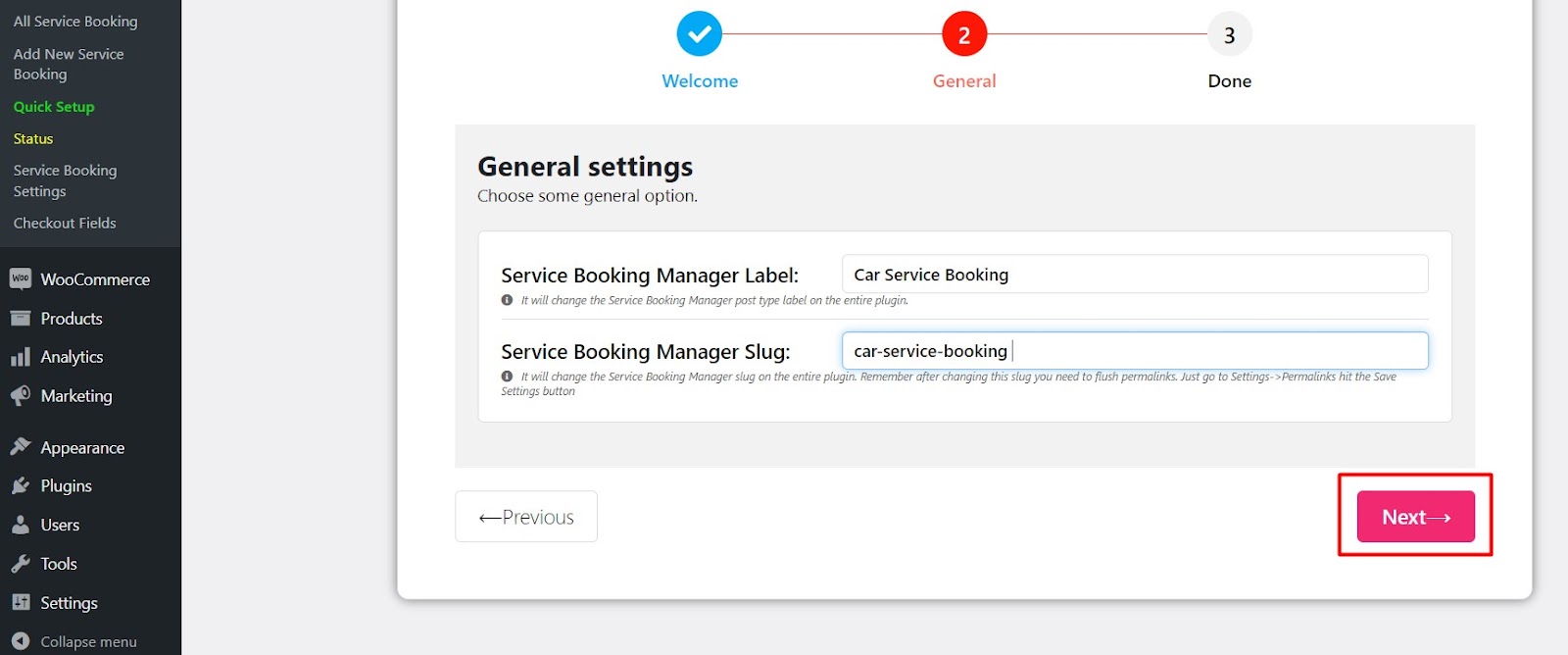
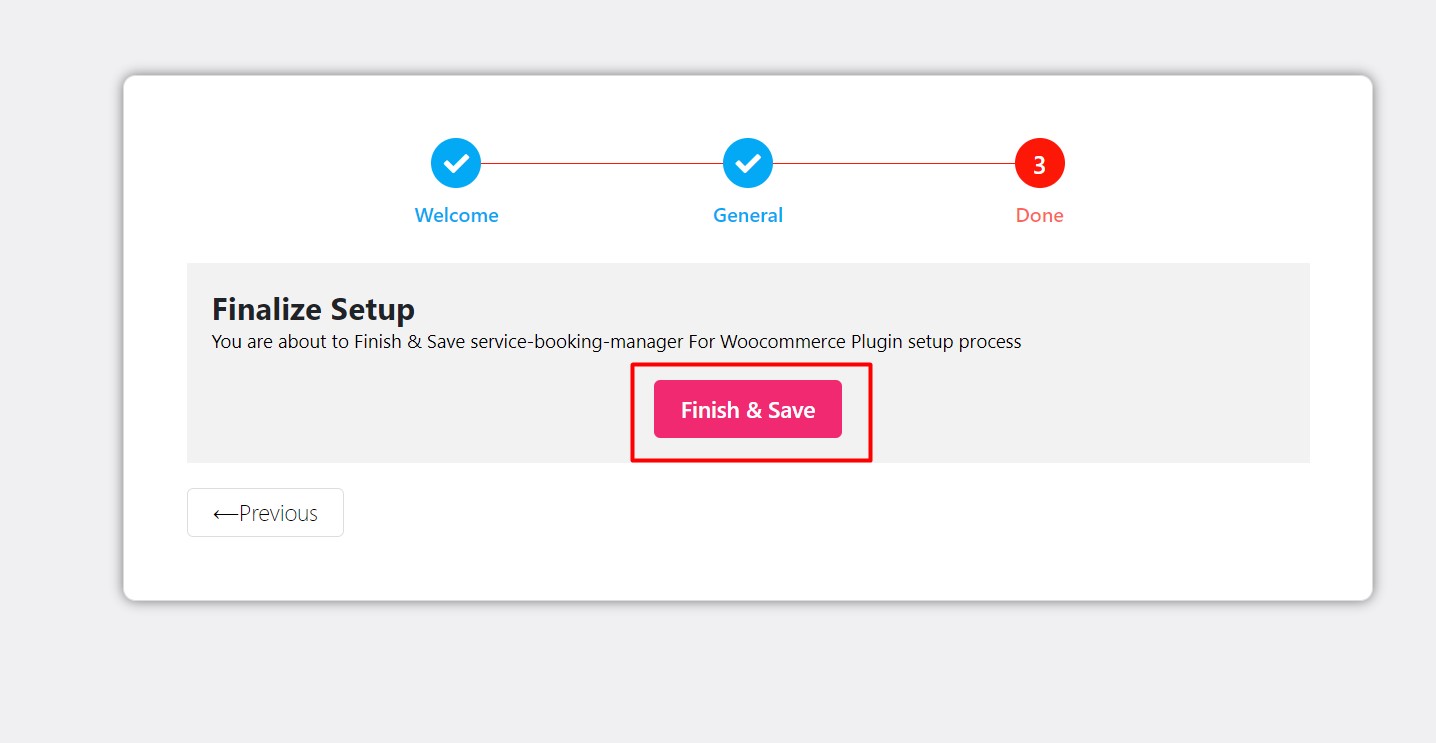
Click Finish & Save when the wizard completes.
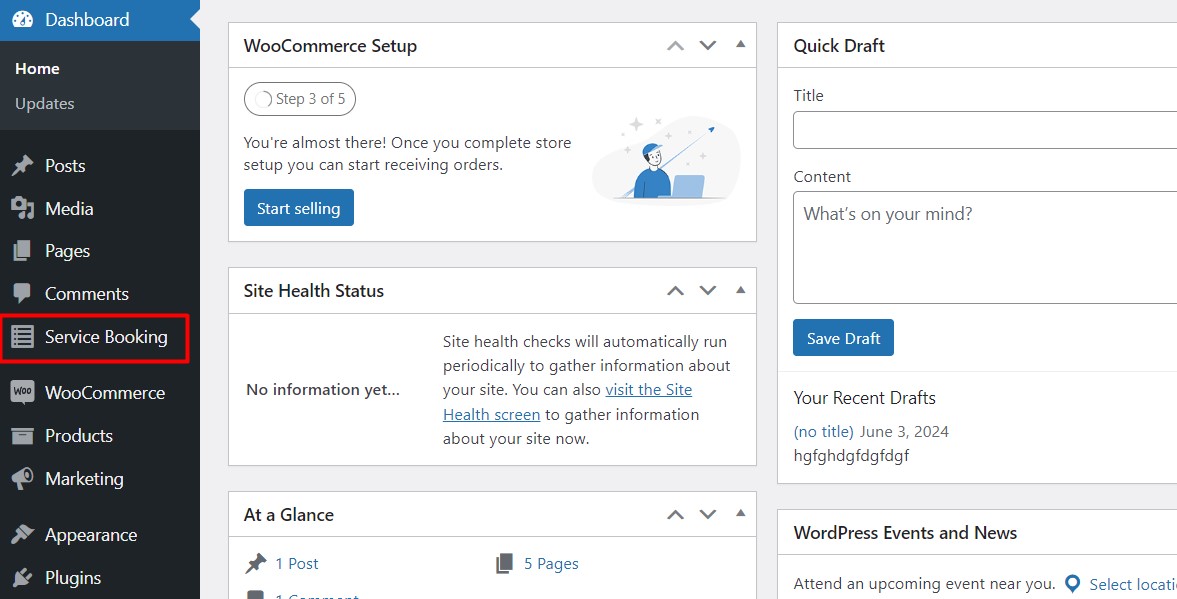
A new Service Booking menu item now appears in your dashboard.
Before creating anything, open Settings → Permalinks.
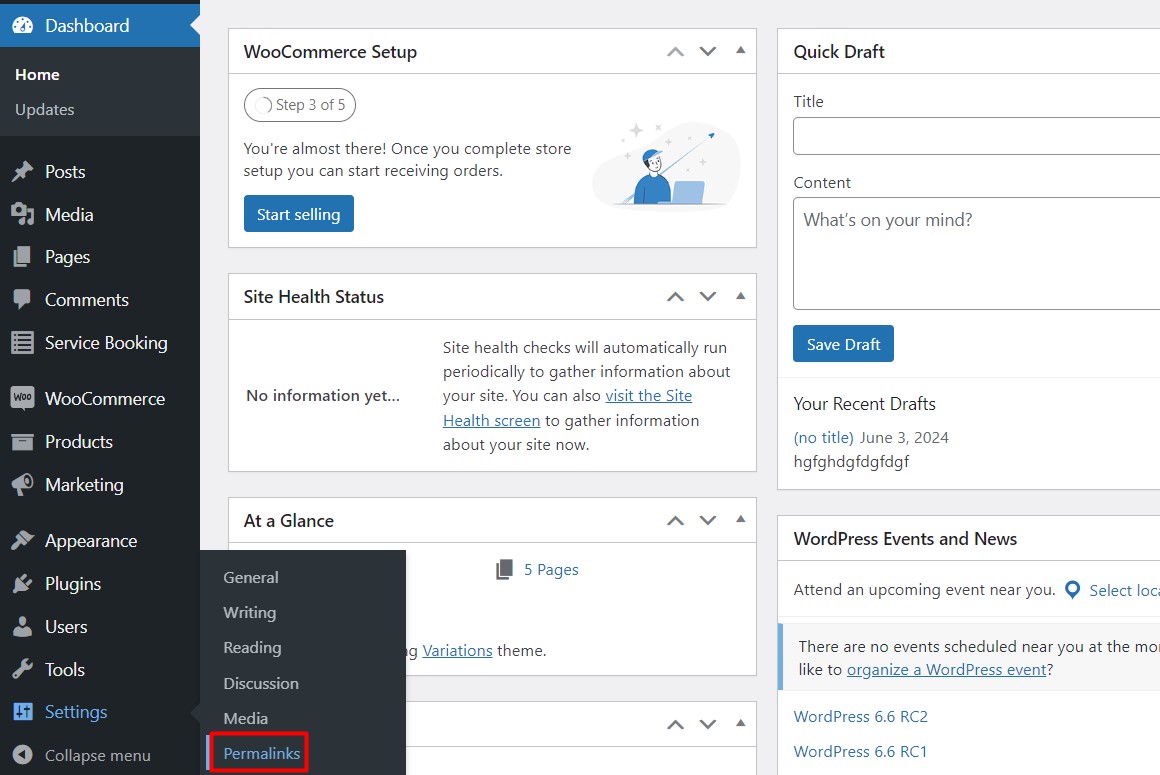
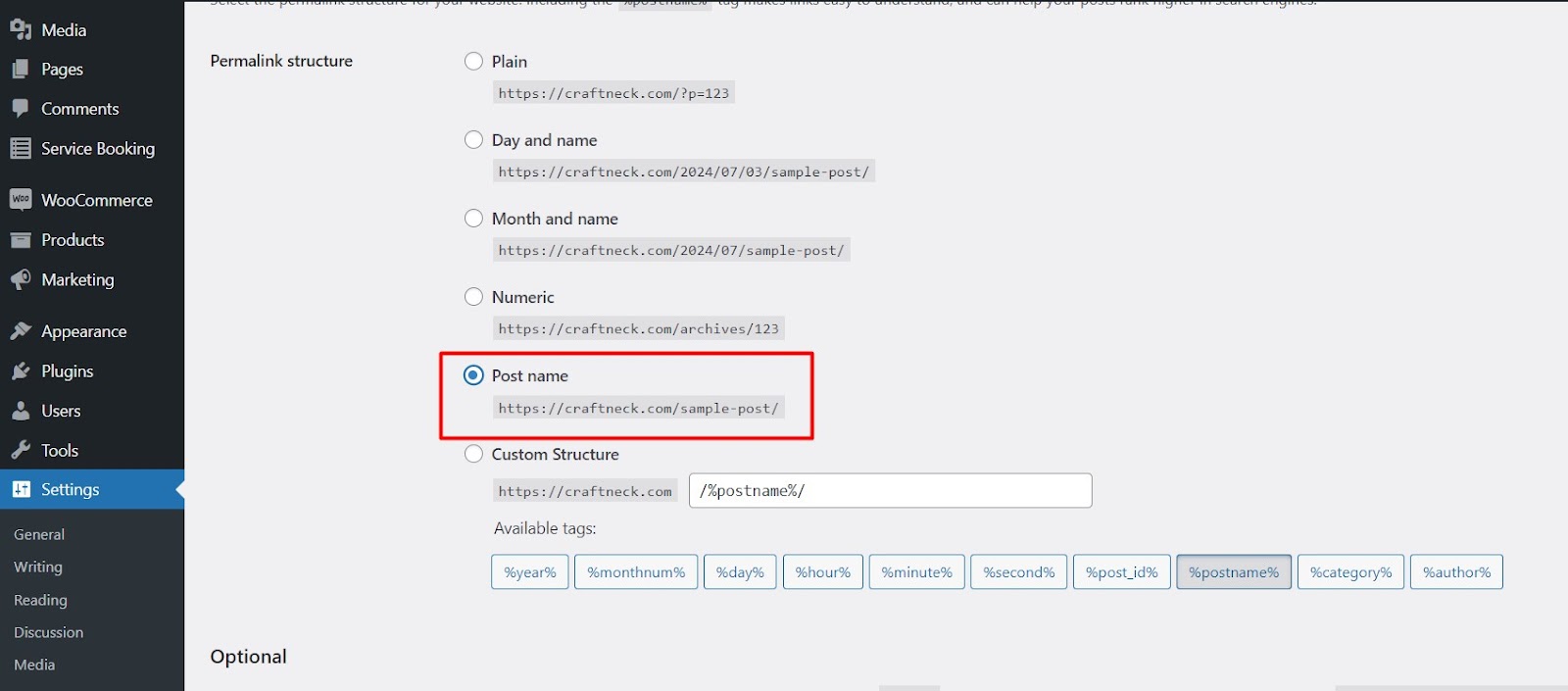
Confirm the permalink structure is set to Post name, and change it if it is not.
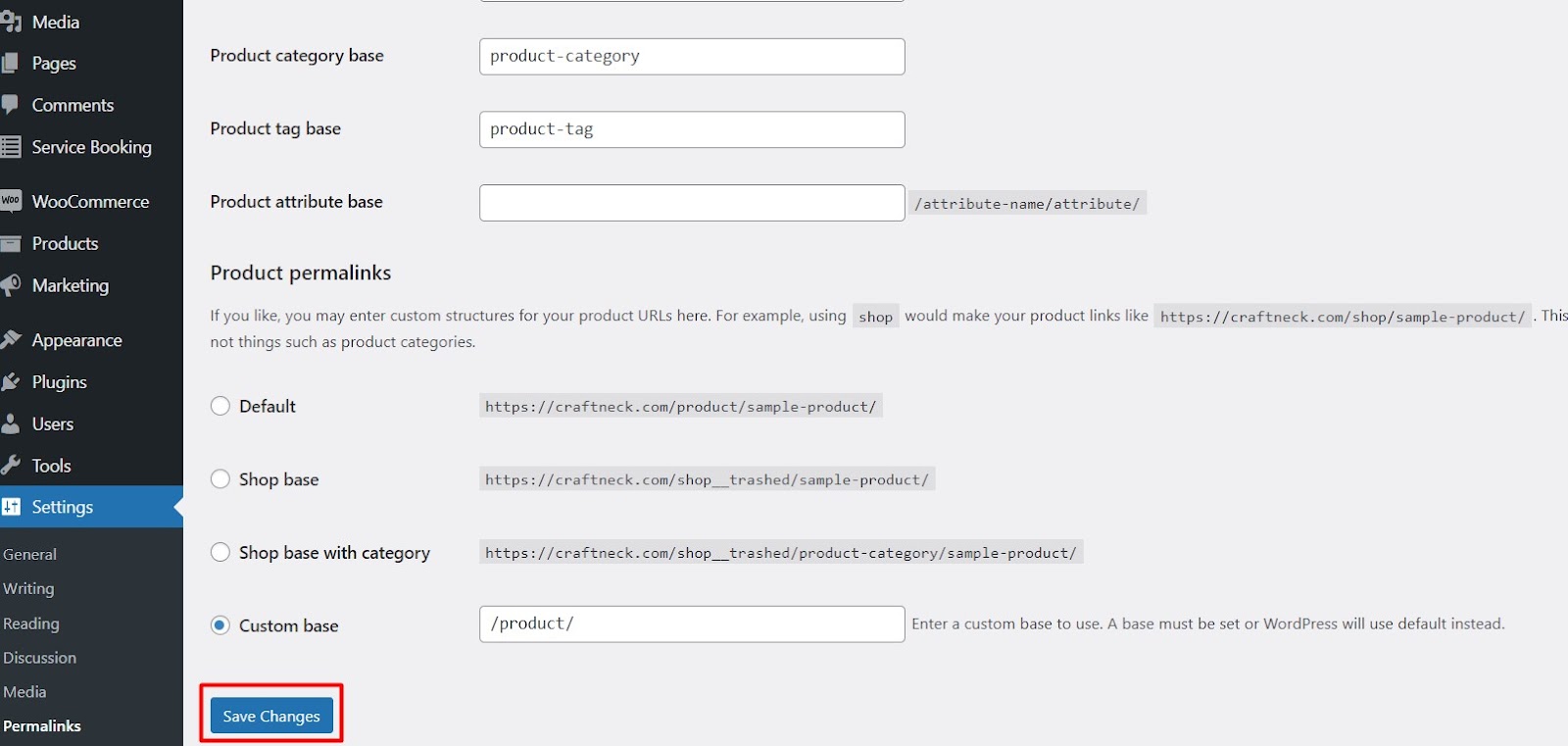
Click Save Changes.
This is not a cosmetic setting. The booking front end is served through WordPress URLs, so a plain or numeric permalink structure can break the display of your car wash services.
Step 4: Start from the built-in Car Wash service
Go to Service Booking → All Service Bookings.
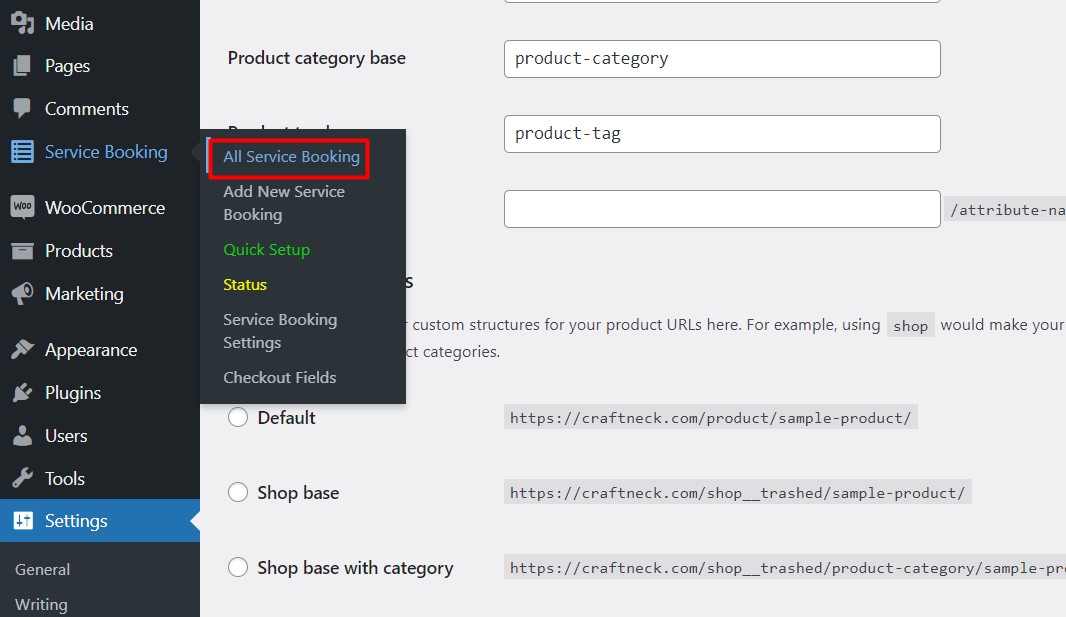
WpBookingly ships with a set of example services, including a Car Wash service you can duplicate or edit in place. Starting from an existing service means fewer empty fields and a working template.
If you want a general orientation to the plugin before editing services, the walkthrough on adding an online booking system with WpBookingly covers the dashboard end to end.

Step 5: Edit the general info and copy the shortcode
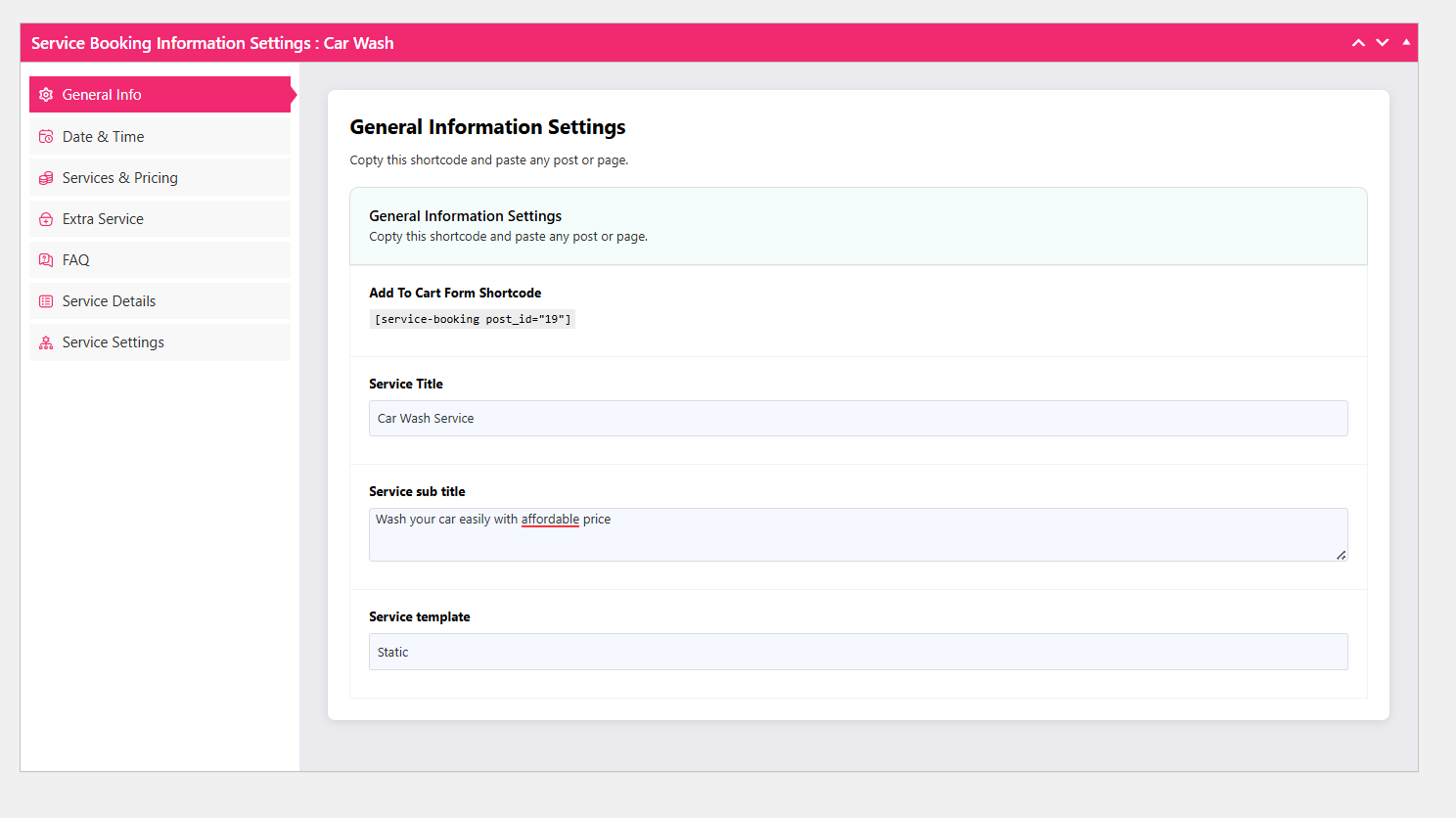
Click Car Wash to open the service editor. The first tab is general info.
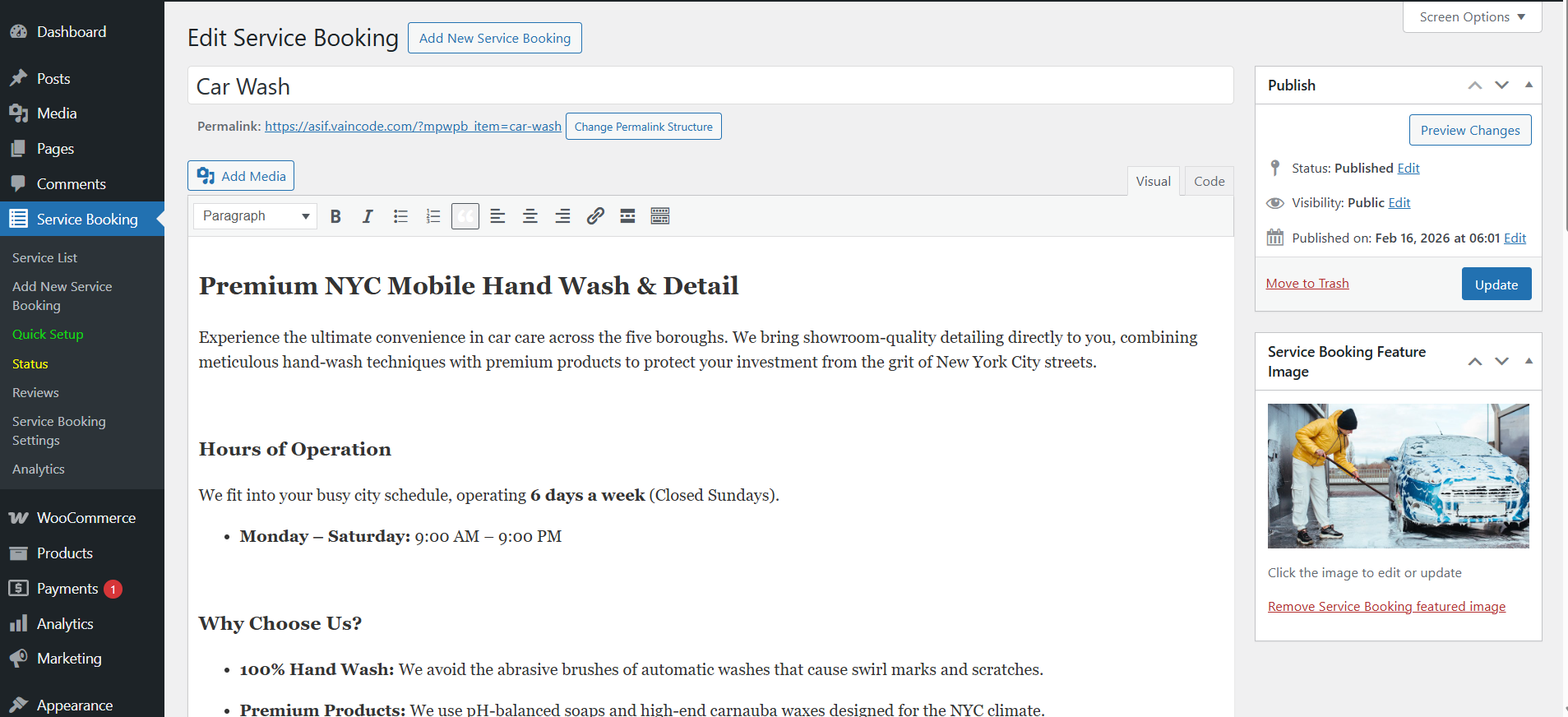
Here you set the service title, permalink and description.
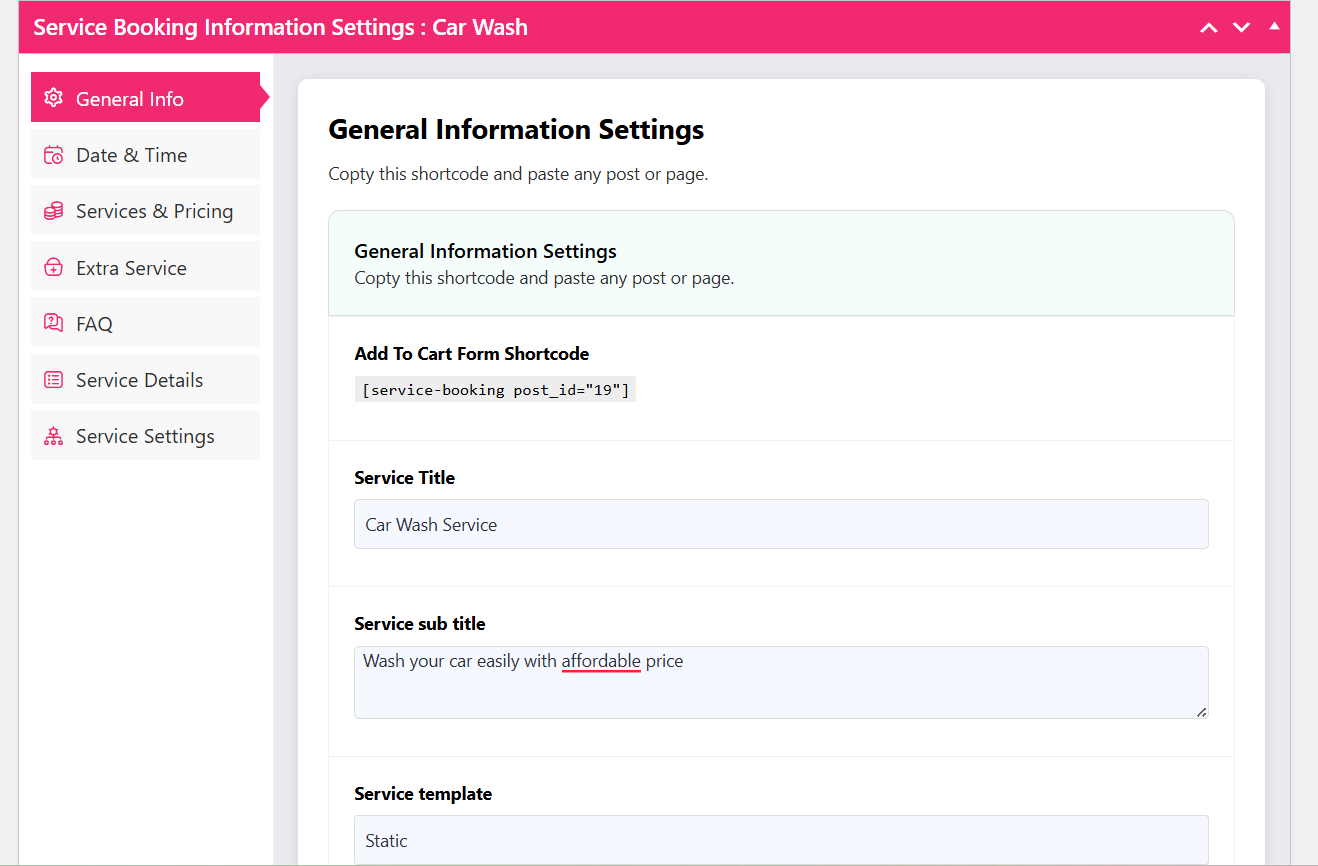
The editor generates a shortcode ID. This is the code you will paste on a page in step 7, so copy it now. You can also change the service title, subtitle and service template on this tab — templates control how the booking form is laid out on the front end.
Step 6: Set dates, times, capacity and pricing
Open the Date & Time tab.
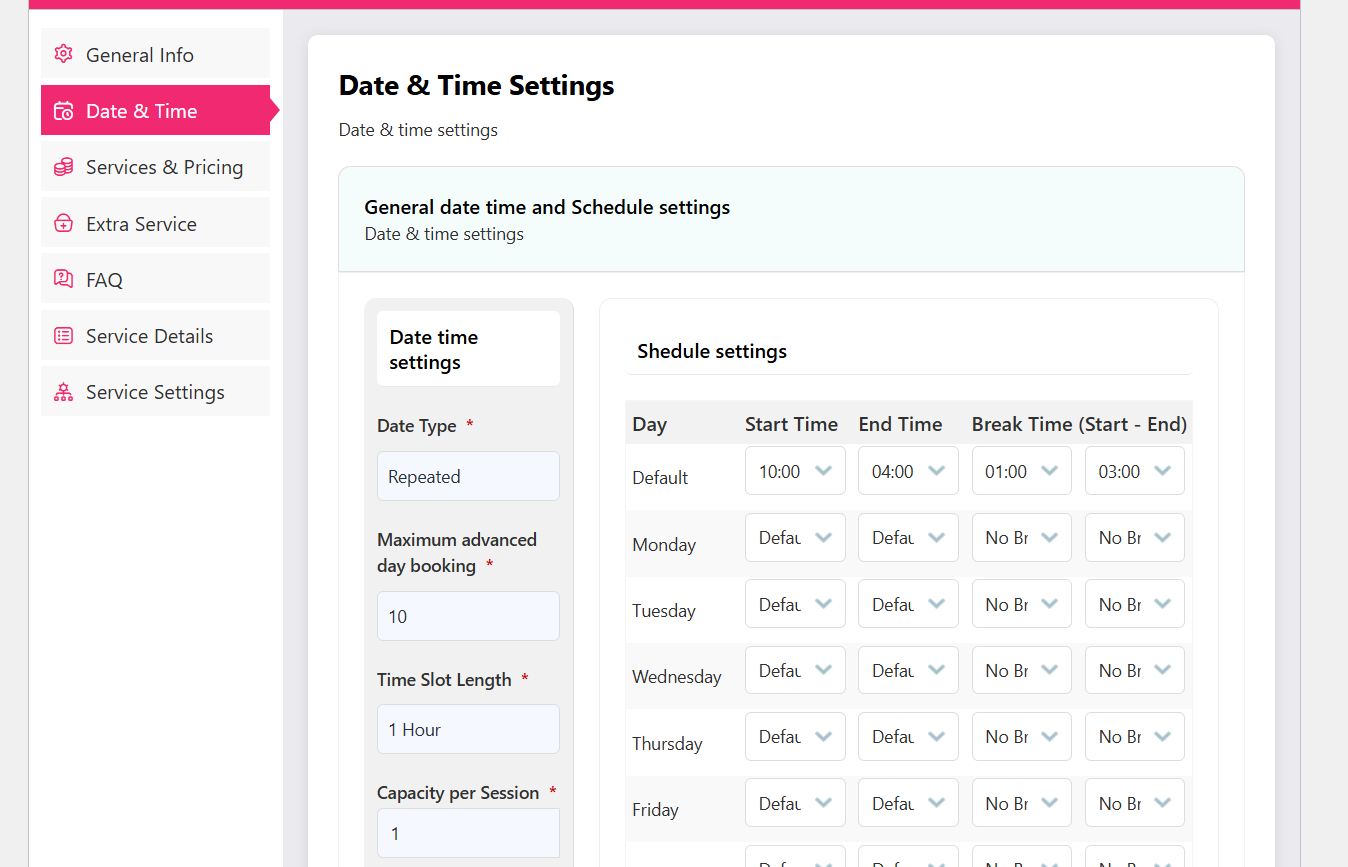
- Choose the date type: repeated (a rolling schedule, right for an ongoing car wash business) or particular (a fixed window).
- Set the repeated start date and end date based on how far ahead you want to trade.
- Set the maximum advanced booking days — the furthest ahead a customer may book.
- Set the time slot length and the capacity per slot.
The capacity field is where wash businesses get into trouble, so treat it as an operational number, not a marketing one. If you have two bays and a full valet takes about 90 minutes, a 30-minute slot should not be set to a capacity of four.
Next, open the schedule settings.
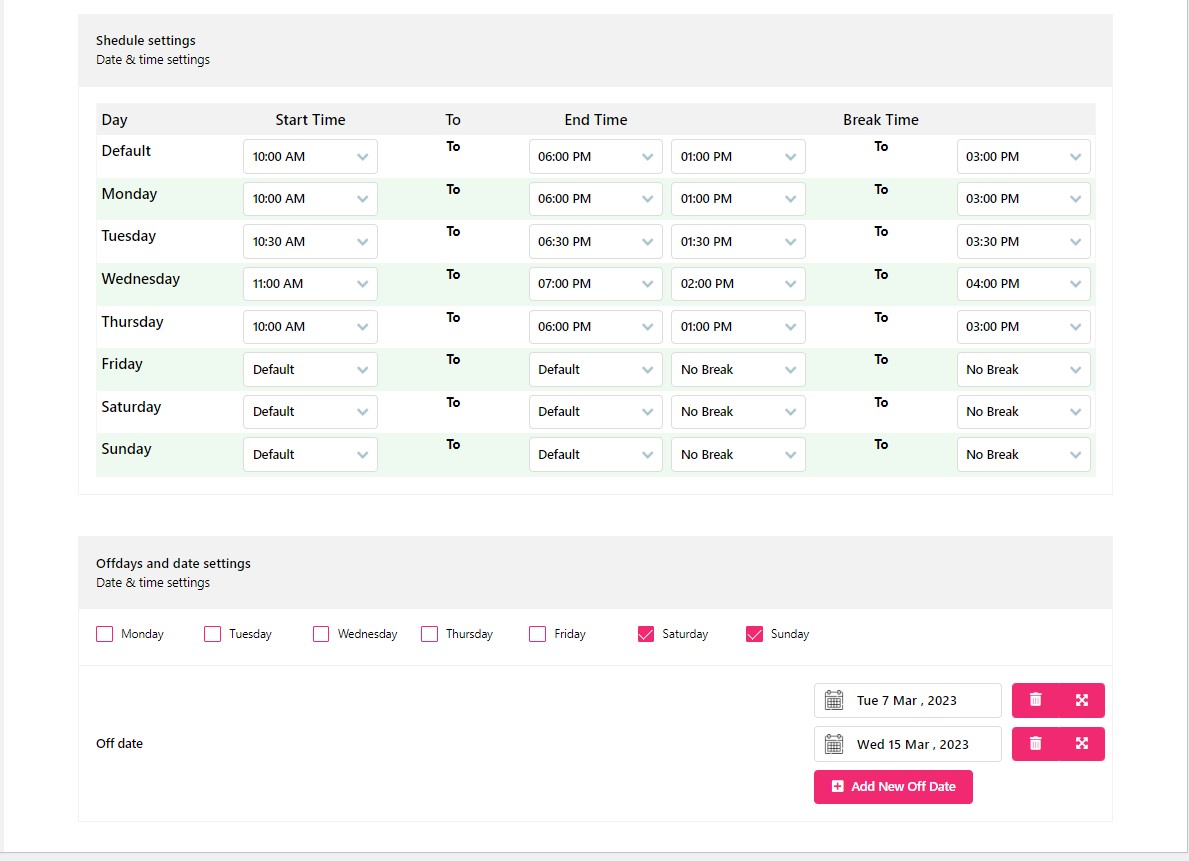
Set the start time, end time and break time for each day, and mark your off days and off dates so customers cannot book a slot you cannot staff.
Then move to the Pricing tab.
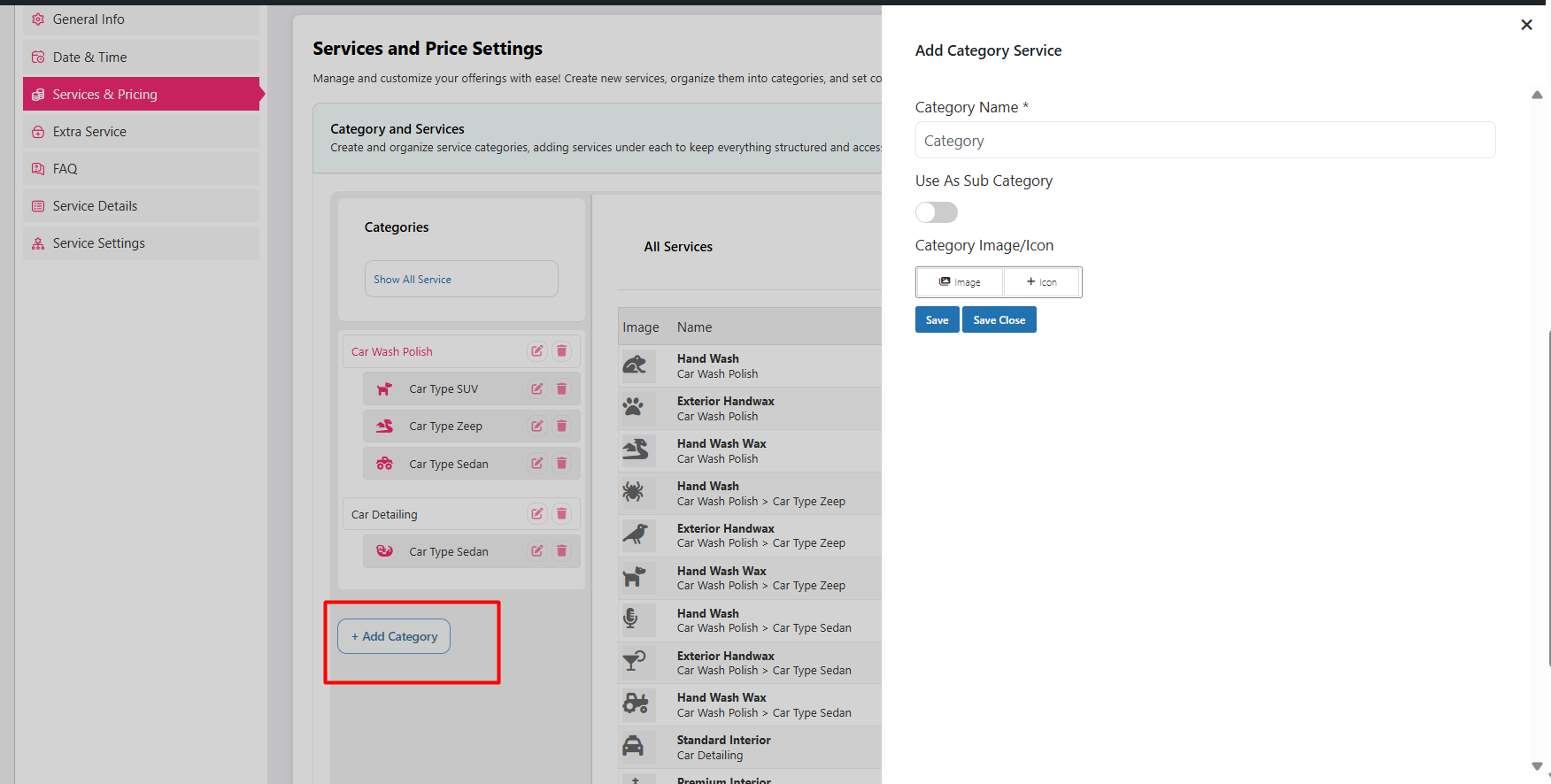
Click Add Category and give it a name and image — for example “Exterior”, “Interior” or “Detailing”.

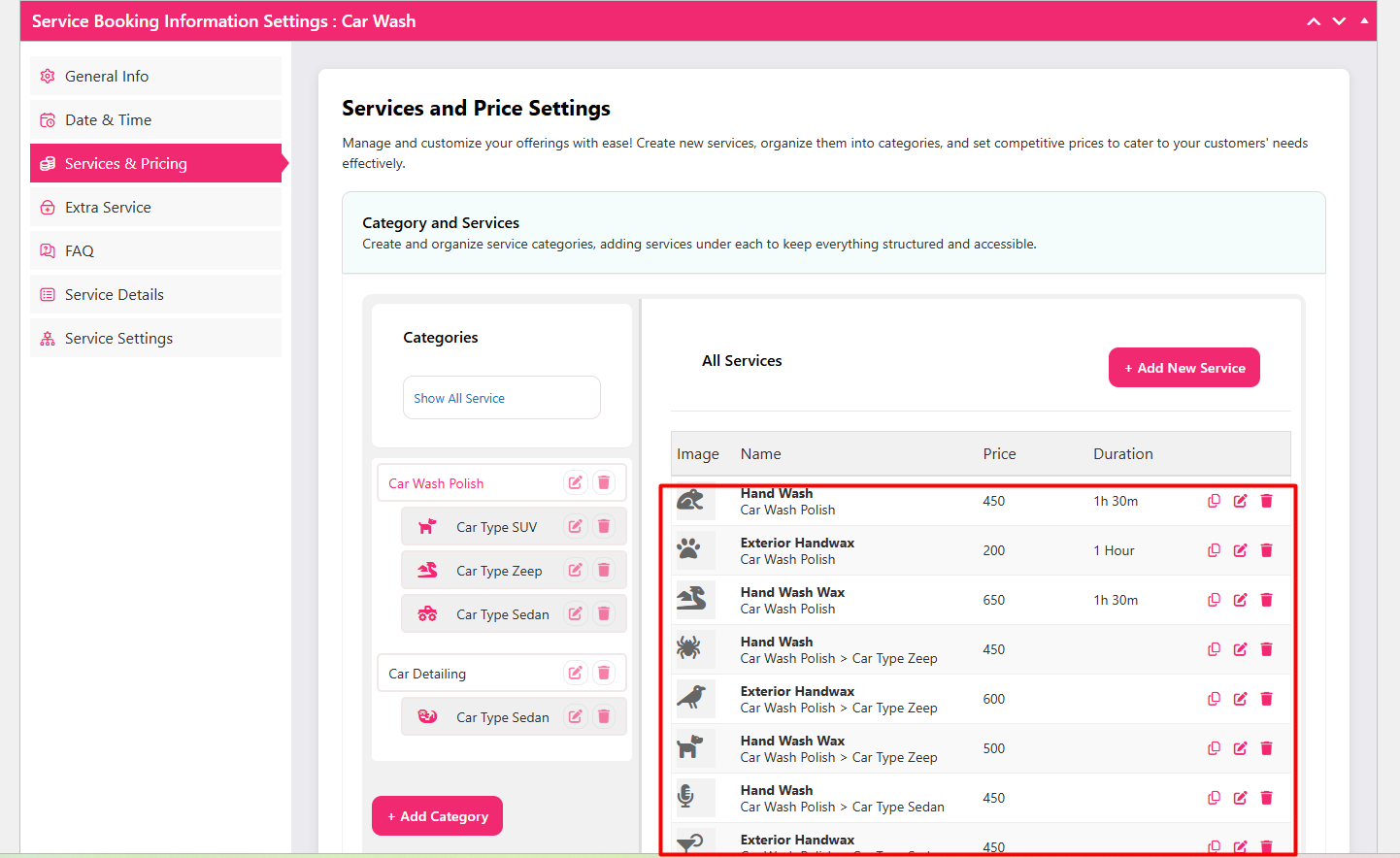
Click Add New Service and fill in the wash type, vehicle type, service name, image icon, price, duration and details. Add as many rows as your catalogue needs, and remove the fields you do not use.
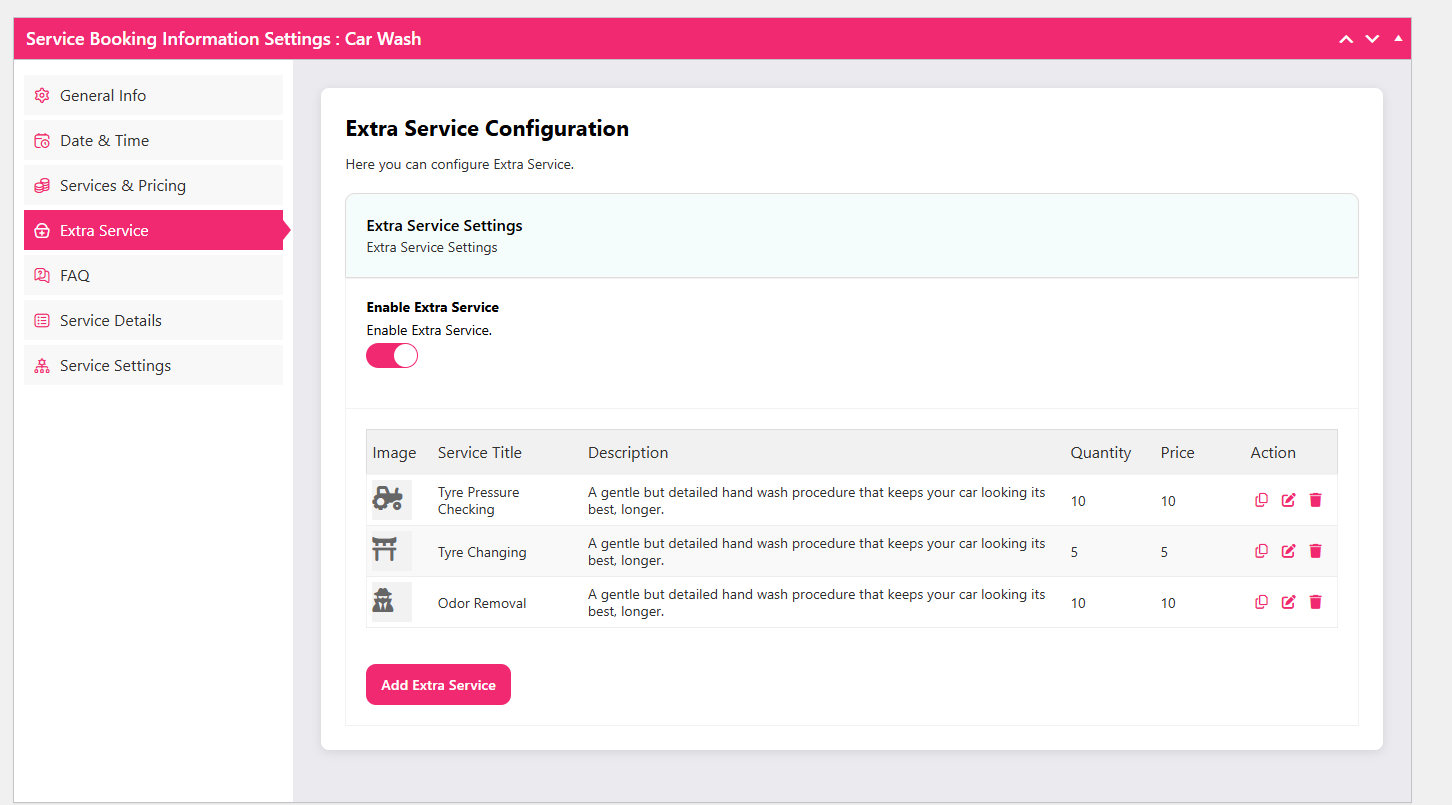
Open the Extra Service tab to add optional paid add-ons — wax, engine bay clean, pet hair removal, tyre dressing. These are the items that most reliably lift the average ticket, so give each one a clear name and price.
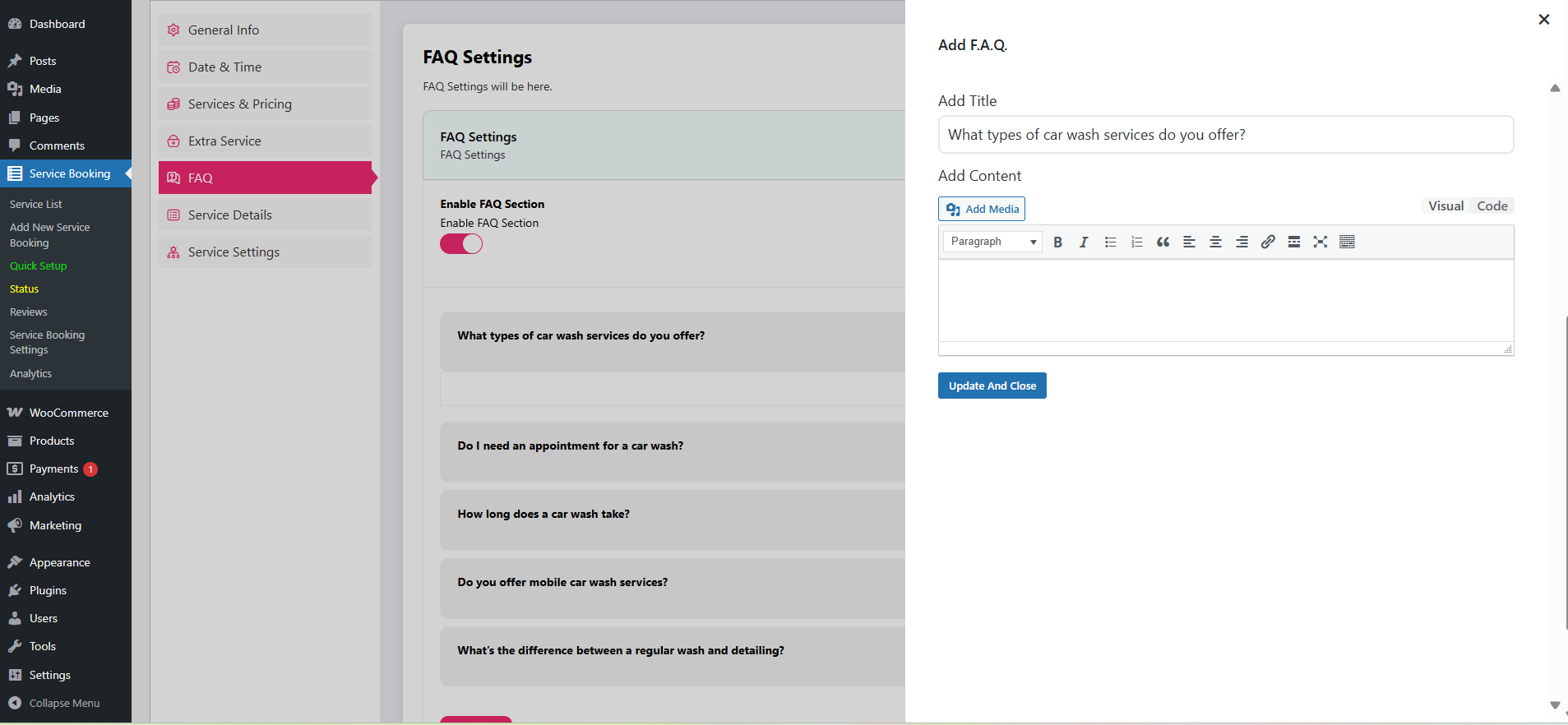
The FAQ tab lets you enable a question-and-answer block for the booking page. Put the questions customers actually phone about here — how long a service takes, whether they need to stay, what happens in rain.
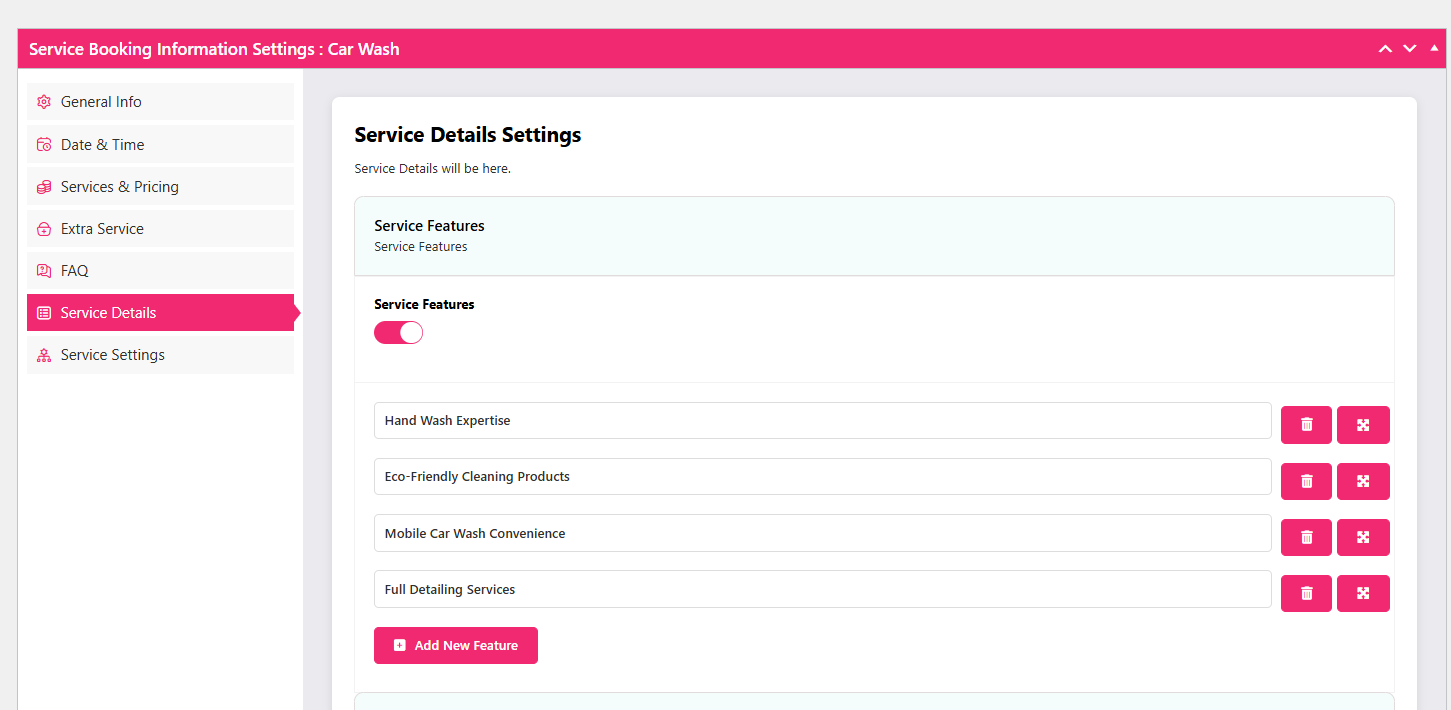
Under Service Details, add the features of each service so they display during booking.
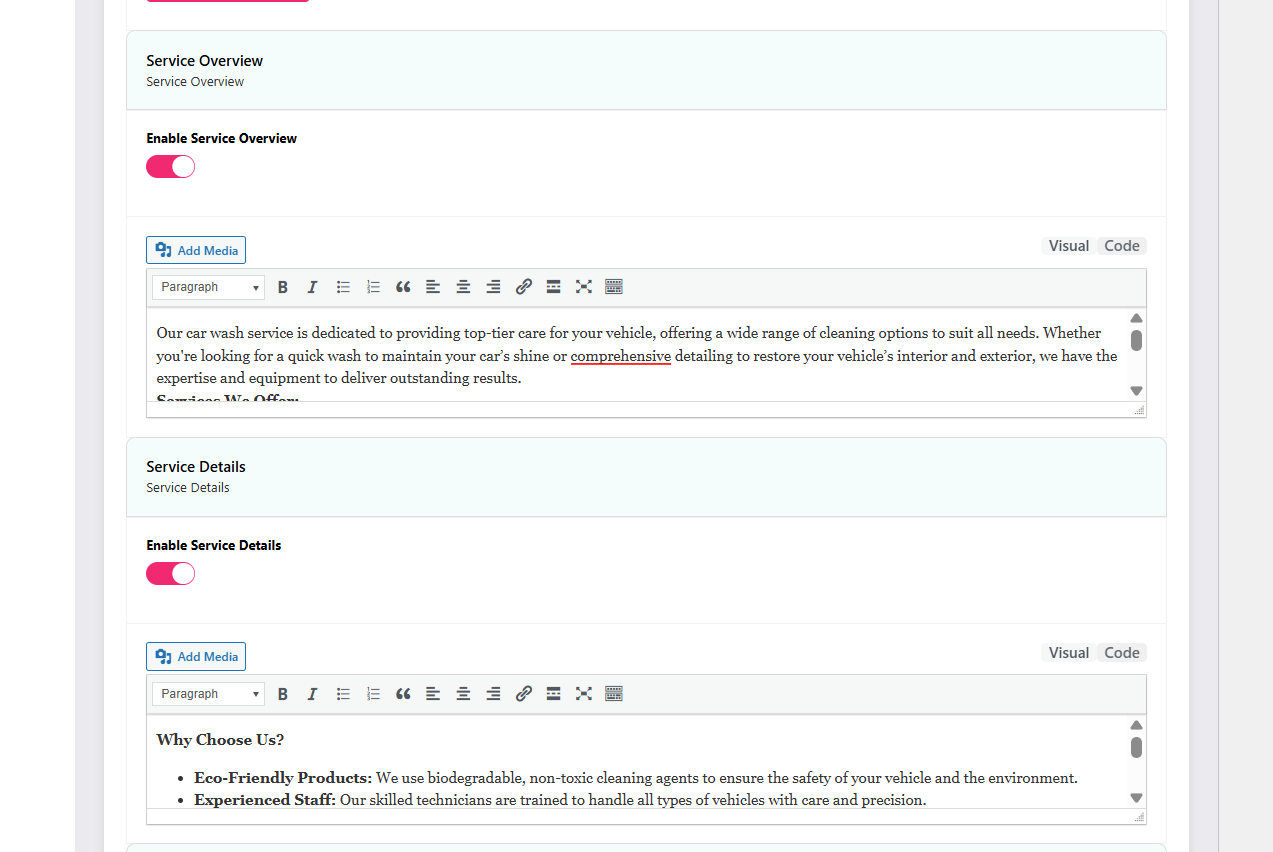
You can enable the service overview and service details blocks to give customers a scannable summary.
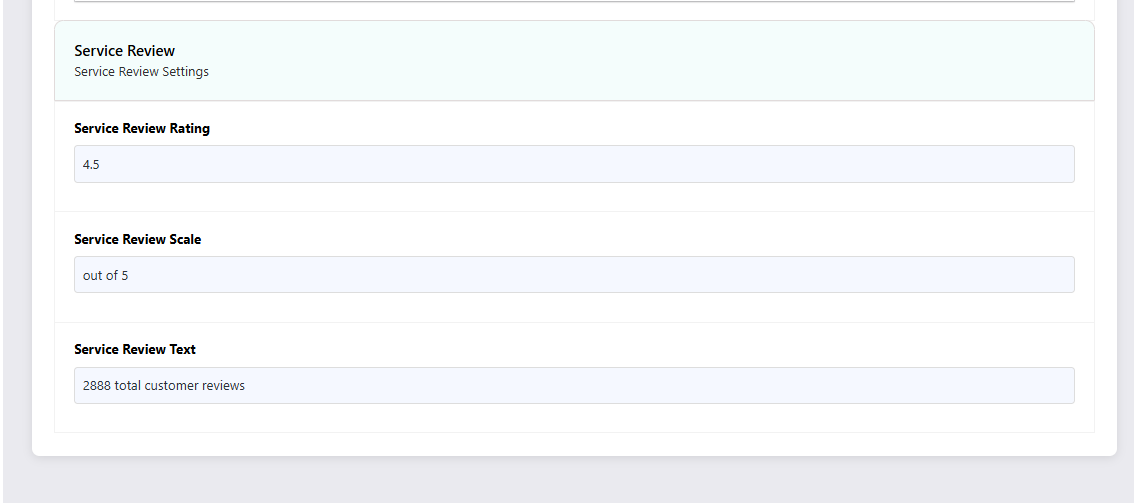
Add service ratings if you want to highlight social proof on the booking page.
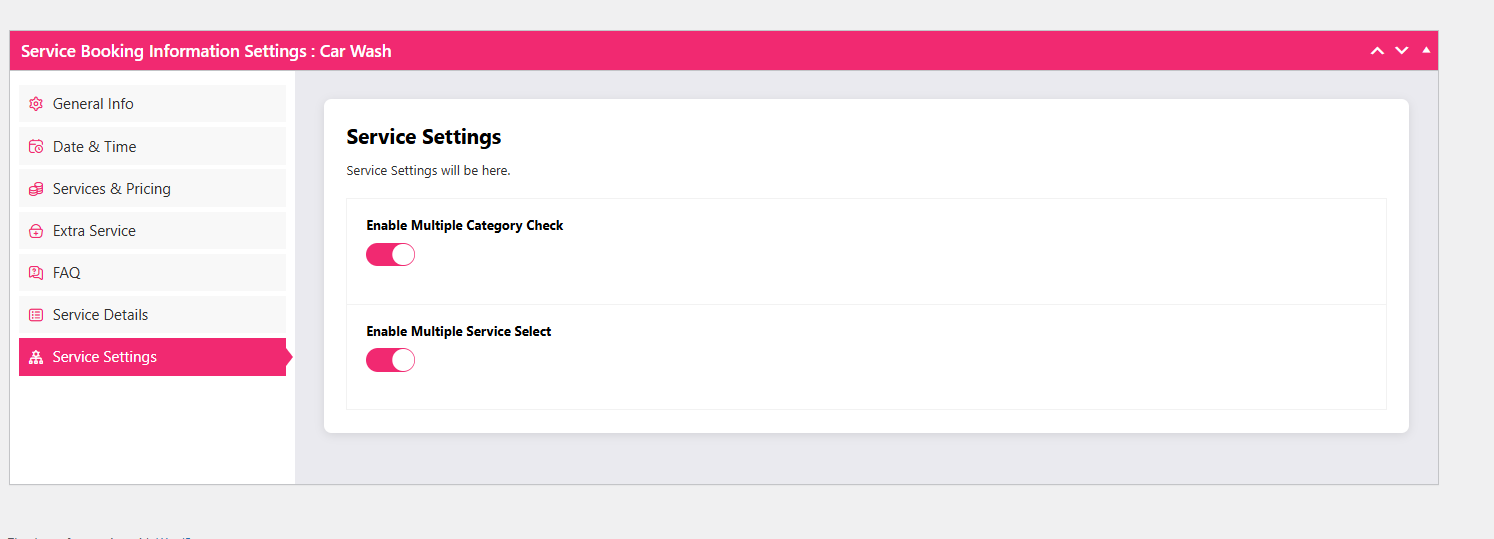
Finally, enable multiple category and multiple service selection if you want customers to add several washes or add-ons in one booking rather than returning to the page.
Step 7: Publish the booking form with a shortcode
Copy the shortcode displayed for the car wash service.
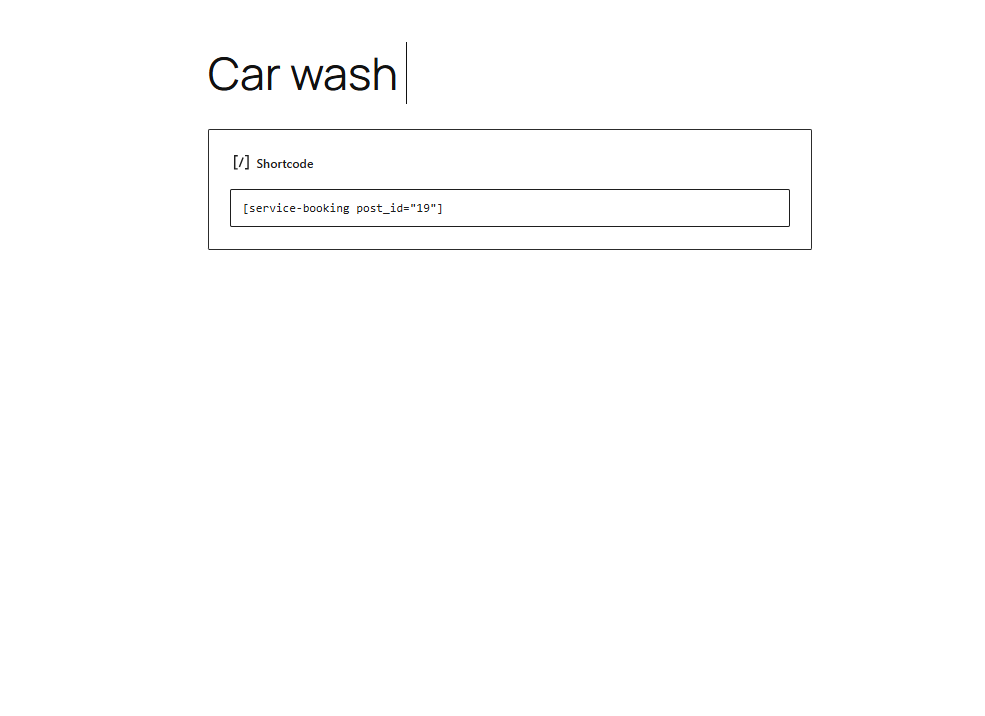
Create a new page — for example “Book a Car Wash” — and open the block editor. Add a Shortcode block, paste the shortcode, and publish.
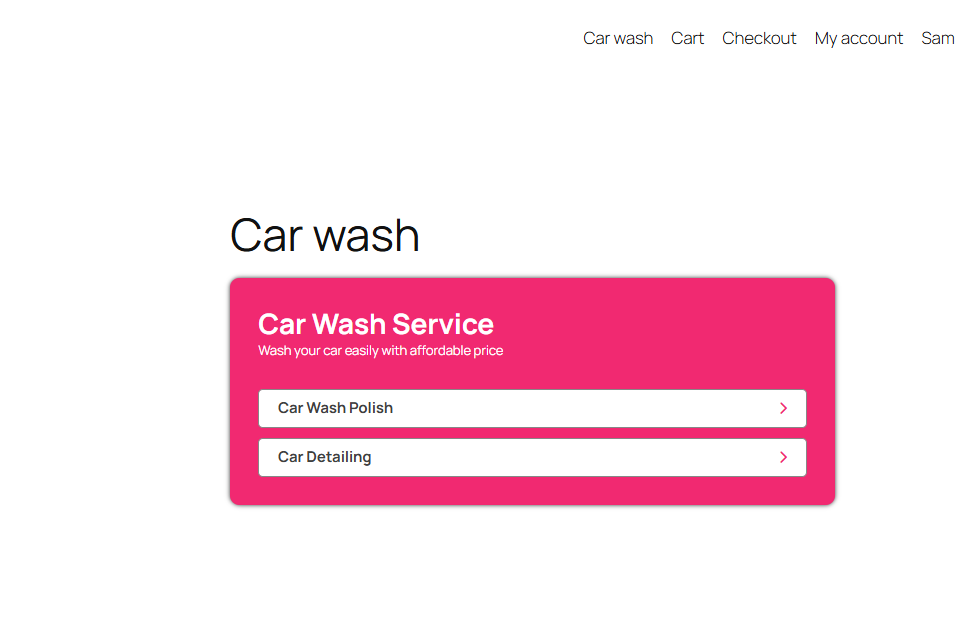
View the page to confirm the booking form renders.
Step 8: Test a booking as a customer
Open your site in an incognito window so you are not logged in as the admin, and place a test booking from start to finish. This is the step most people skip, and it is where broken payment gateways and wrong slot lengths show up.
Start by selecting a wash package such as a polish service.
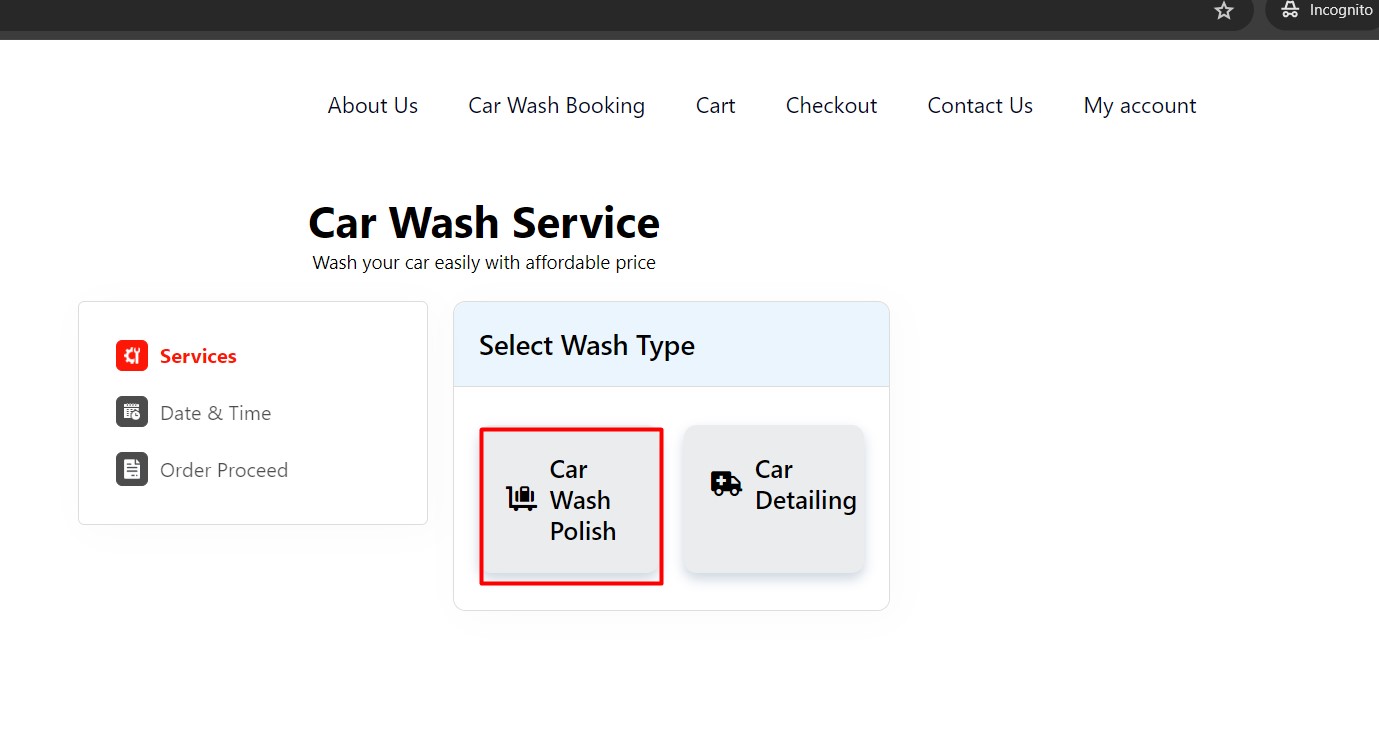
Select the vehicle type.
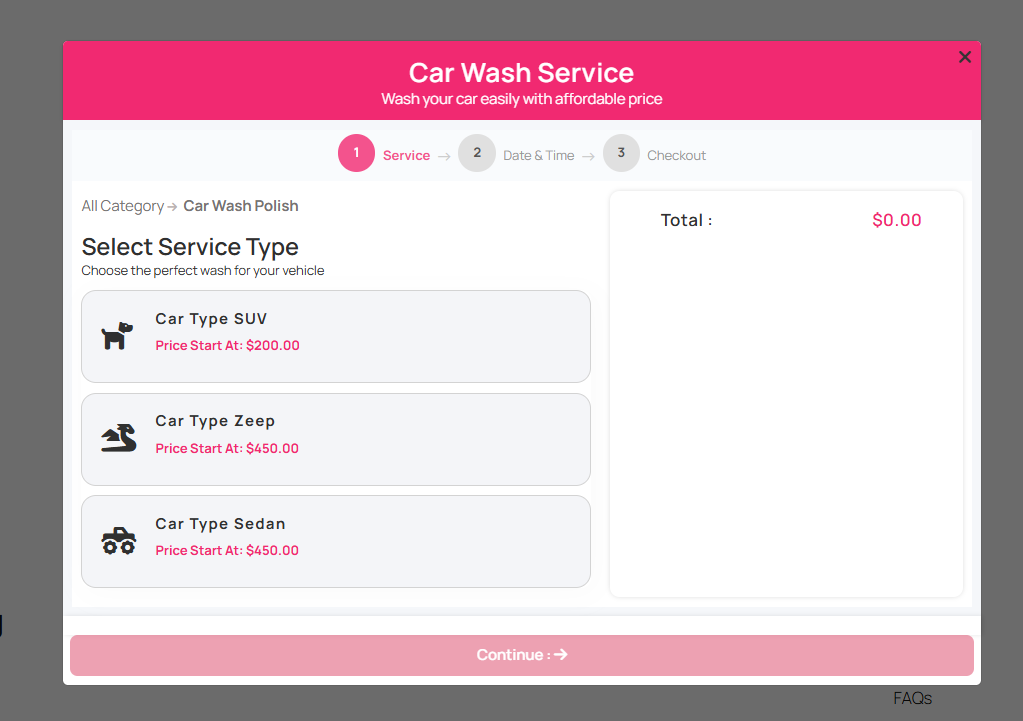
Select the specific service you want in the wash.
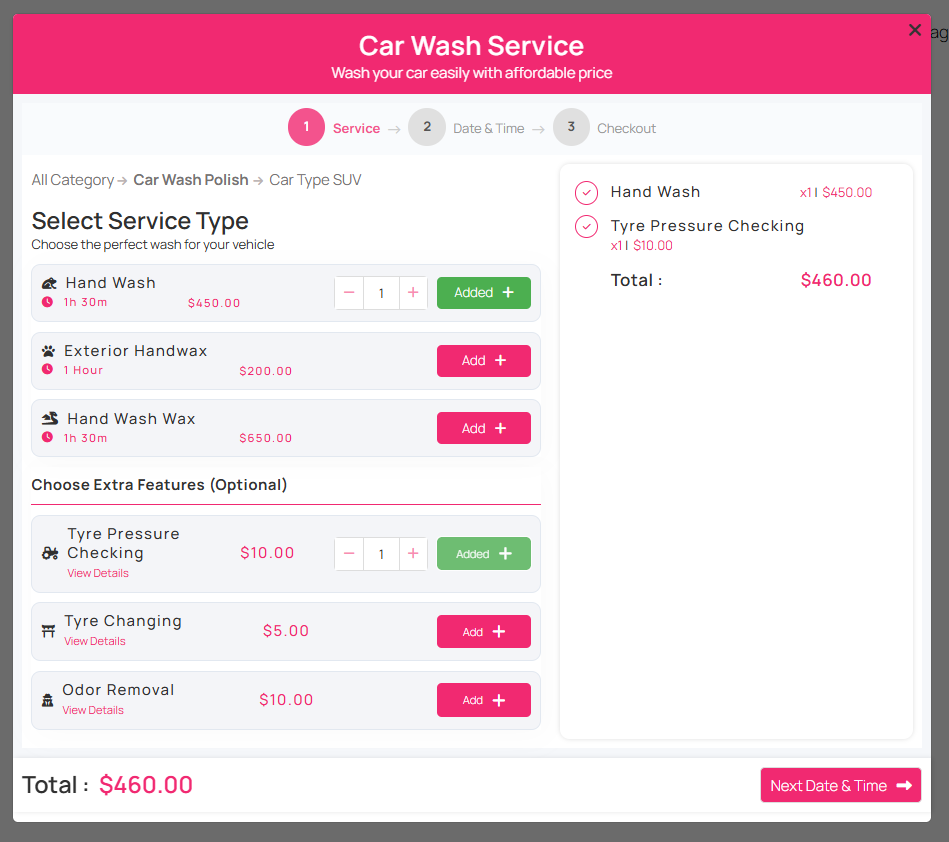
Add an optional extra service if you want one, then click Next to choose a date and time.
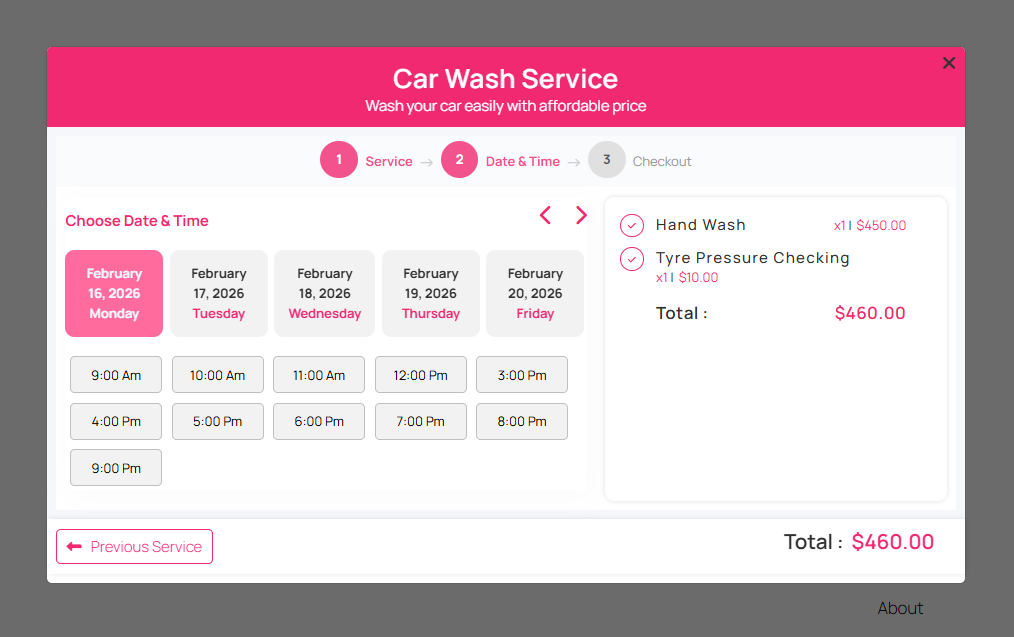
Pick the date and time and click Next to review the summary.
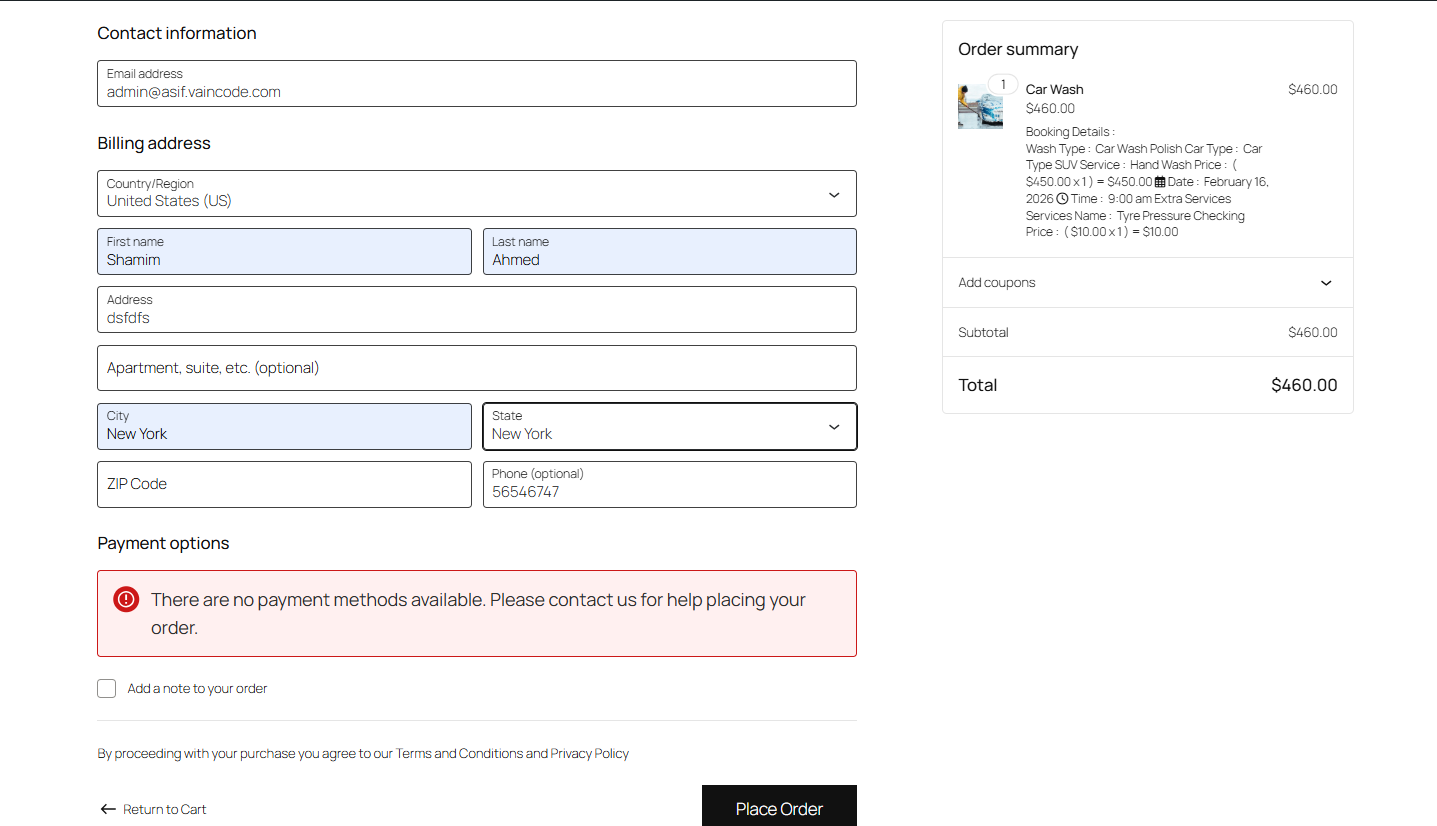
Enter the customer details and place the order. A thank-you page with the order summary confirms the flow completed.

Now open WooCommerce → Orders in the dashboard and confirm the booking appears with the correct service, slot, customer and payment status.
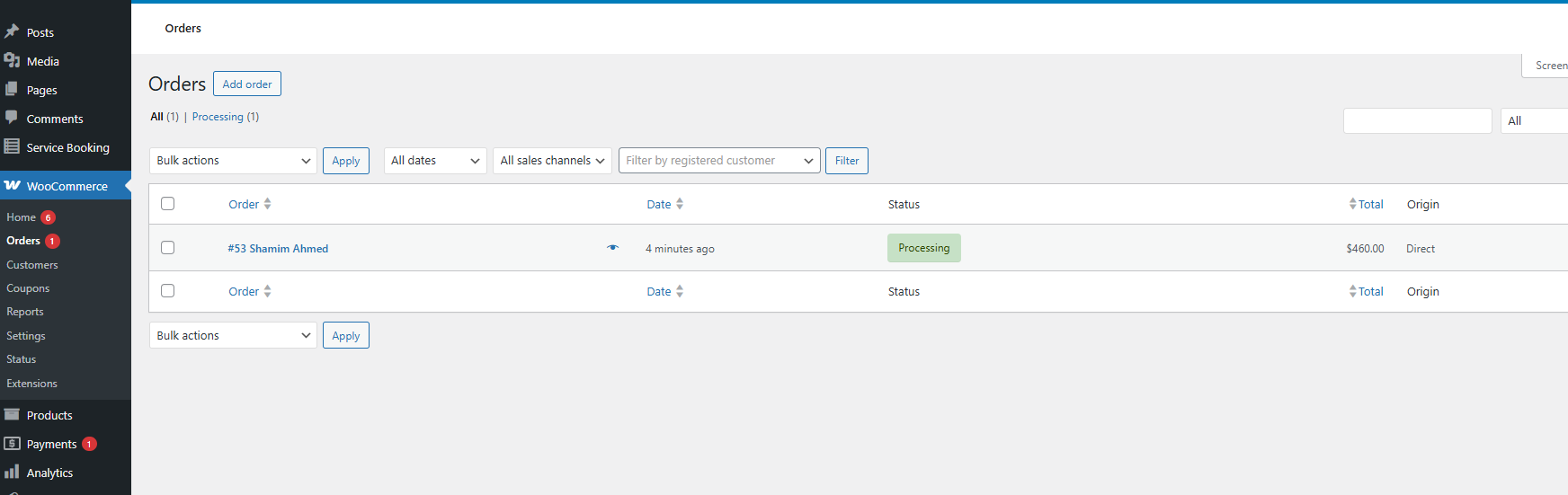
If the order is there, the system works end to end: the customer has a confirmed slot and you have a record to work from when the car arrives. The customer can pay in advance, or you can collect payment after the service if you have enabled that option in WooCommerce.
Tuning the front end and admin experience
The customer-facing layout can be adjusted from the Service Booking global settings — colours, labels and the elements shown on the booking page — without editing the shortcode.
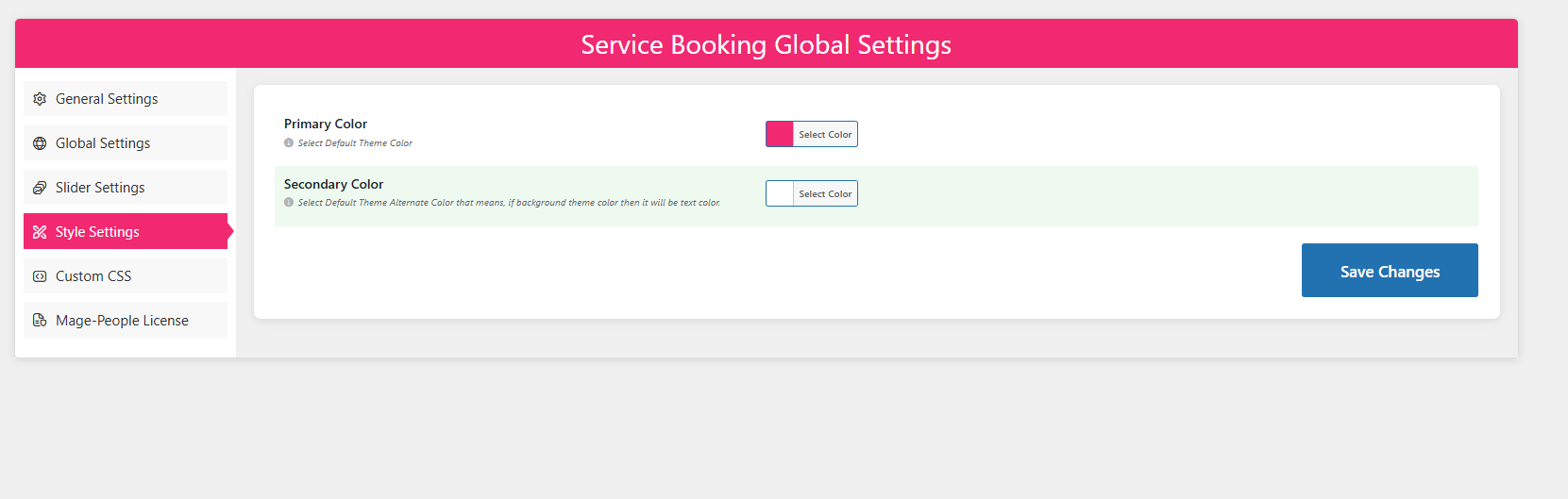
Two settings deserve a second look once the flow works:
- Capacity per slot. Watch your first week of real bookings. If slots fill and cars queue, your capacity is too high; if slots stay empty during busy hours, it may be too low or your slot length may be longer than the job really takes.
- Off dates. Add public holidays and planned maintenance days as soon as you know them. A slot customers can book but nobody can staff is worse than no slot at all.
If you want a broader view of what these plugins do beyond wash bays, the benefits of WordPress service booking plugins explain the pattern that applies to salons, garages and detailing studios alike.
Common configuration mistakes that cause overbooking
| Mistake | What happens | Fix |
|---|---|---|
| Capacity set higher than real bay throughput | Multiple cars booked into one slot, queues and unhappy customers | Calculate slots from bay count × service duration, then set capacity to match |
| One slot length for every package | A 20-minute exterior wash blocks a bay as long as a full valet | Set service duration per package and let slot length follow the longest service offered per slot, or split packages across schedules |
| Permalinks left on the default structure | Booking form fails to display correctly on the front end | Set permalinks to Post name before creating services |
| No off dates for holidays | Customers book days the site is closed | Add off days and off dates in the schedule settings |
| Never running a test booking | Payment or confirmation failures reach real customers | Place one incognito test order after every settings change |
If you are still choosing the plugin rather than configuring one, the guide to choosing an appointment booking plugin sets out the questions to ask before you install anything, and the pre-install test checklist for WordPress booking plugins covers what to verify afterwards.
Frequently asked questions
Can I add my own vehicle types to the car wash booking form?
Yes. Open All Service Bookings, select the Car Wash service, go to the Pricing tab, enable the car type section, and add a title, icon or uploaded image for each type. You can add further vehicle types with the add-new-field option. Most wash businesses run three to five types — hatchback, sedan, SUV, pickup and van is a practical starting set.
How does WpBookingly prevent overbooking?
Through slot capacity. In the Date & Time tab you set the maximum number of bookings available for each date and time; the system reduces the remaining capacity as bookings come in. Set that number from your real bay throughput rather than your ambition, and review it after the first busy week.
Where do car wash bookings appear in the dashboard?
Every WpBookingly booking becomes a WooCommerce order. You can see the service, slot, customer details and payment status in WooCommerce → Orders, and take payment through any gateway your WooCommerce store has enabled. That means one place to manage revenue and schedule, instead of two disconnected tools.
Can I sell wash packages, add-ons and memberships?
Packages and optional add-ons are both handled inside the service editor: packages as categories and services in the Pricing tab, add-ons in the Extra Service tab. Recurring unlimited-wash memberships are a WooCommerce subscriptions problem rather than a booking-form problem, so plan to handle those with a subscription extension if that is part of your model.
Do I need paid software to start?
No. The core flow described here — services, vehicle types, schedule, capacity, shortcode and WooCommerce checkout — is available in the free plugin. The Pro version adds staff management, CSV and PDF export, and analytics, which become worth paying for once you have more than a couple of bays or staff to roster.
Next steps
Work through the eight steps in order, test one booking in incognito mode, and only then share the page. Once that first order lands in WooCommerce, you have a working car wash appointment booking system: customers choose from real availability, your staff see a schedule instead of a stream of phone calls, and every booking carries a record you can act on.
From there the improvements are incremental rather than structural — review slot capacity after a week of real traffic, add your holiday off dates, and experiment with the extra services that lift the average ticket. If any setting does not behave as described here, the WpBookingly support team can help you trace it.
