 Get Halloween 15% for Limited Time on Lifetime & Bundle Deal

An appointment booking plugin is software you add to your WordPress site so clients can see your availability and reserve a slot themselves, without a phone call or a back-and-forth email thread. The right one turns your calendar into a self-service booking page; the wrong one creates double bookings and admin work. This guide explains what to look for, how the main plugin types differ, and how to match a booking plugin to the way your business actually schedules work.
- What an Appointment Booking Plugin Actually Does
- The Main Types of Booking Plugins Compared
- Features That Separate a Good Appointment Booking Plugin From a Weak One
- When You Need a General Plugin vs a Niche-Specific Plugin
- Free vs Paid Appointment Booking Plugins
- Costs to Budget For Beyond the Plugin
- How to Choose: A Short Checklist
- Avoiding the Classic Setup Mistakes
- Final Thoughts
What an Appointment Booking Plugin Actually Does
At its core, an appointment booking plugin handles four jobs:
- Availability display — showing open slots based on staff, service length, and existing bookings.
- Slot locking — preventing two clients from grabbing the same time.
- Confirmation and reminders — emails, SMS, or calendar invites that reduce no-shows.
- Record keeping — a dashboard of who booked what, when, and with whom.
Everything else — payments, deposits, rescheduling rules, staff logins, recurring appointments is a variation on those four. When you evaluate a plugin, it helps to sort its feature list into “solves a real scheduling problem I have” versus “sounds impressive.”
The Main Types of Booking Plugins Compared
Not every plugin that accepts a booking is built for the same business. There are broadly four families, and picking the wrong family is the most common buying mistake.
| Plugin type | Built for | Scheduling unit | Typical extras |
|---|---|---|---|
| Appointment/service | Salons, clinics, consultants, repair services | A slot with one staff member | Staff calendars, buffers, deposits, recurring visits |
| Event/class | Workshops, seminars, yoga classes | A seat in a scheduled session | Capacity limits, attendee lists, ticket tiers |
| Resource/rental | Equipment, venues, vacation rentals, vehicles | A resource booked for a date range | Availability calendars, seasonal pricing, damage deposits |
| Transport/route | Taxis, buses, transfers | A seat or vehicle on a route | Pickup and drop points, seat maps, route timetables |
An appointment plugin for a dental clinic and an event plugin for a seminar may both “take bookings,” but the data models are different. If your business sells time with a person, you want the first row. If you sell a place at a scheduled session, you want the event model a class booking flow is closer to ticketing than to appointment scheduling.
Why the Distinction Matters for Your Calendar
Appointment plugins assume one provider per slot and enforce a buffer between visits. Event plugins assume many attendees per session and enforce a capacity. Trying to run classes on an appointment plugin usually means manual seat counting; trying to run one-on-one consultations on an event plugin means every client becomes their own “session,” which quickly becomes unmanageable.
Features That Separate a Good Appointment Booking Plugin From a Weak One
Once you have the right family, compare plugins on the mechanics that affect daily operations.
Availability Logic
- Service duration handling — does a 45-minute service automatically block the following 45 minutes?
- Buffers — can you add 10 minutes of clean-up or travel time between appointments?
- Lead time and cut-off — can you block bookings made less than two hours in advance?
- Staff-specific rules — do different team members get different working hours?
Payments and No-Show Reduction
Deposits are the single most effective no-show deterrent for appointment-based businesses. Check whether the plugin supports a percentage deposit, a flat deposit, and full prepayment as options, and whether it can tie into your existing store checkout rather than a separate payment account.
Reminders matter just as much. Automated confirmation emails plus a reminder before the appointment (whether email or SMS) reduce missed slots considerably more than a confirmation email alone.
Calendar and Notification Integrations
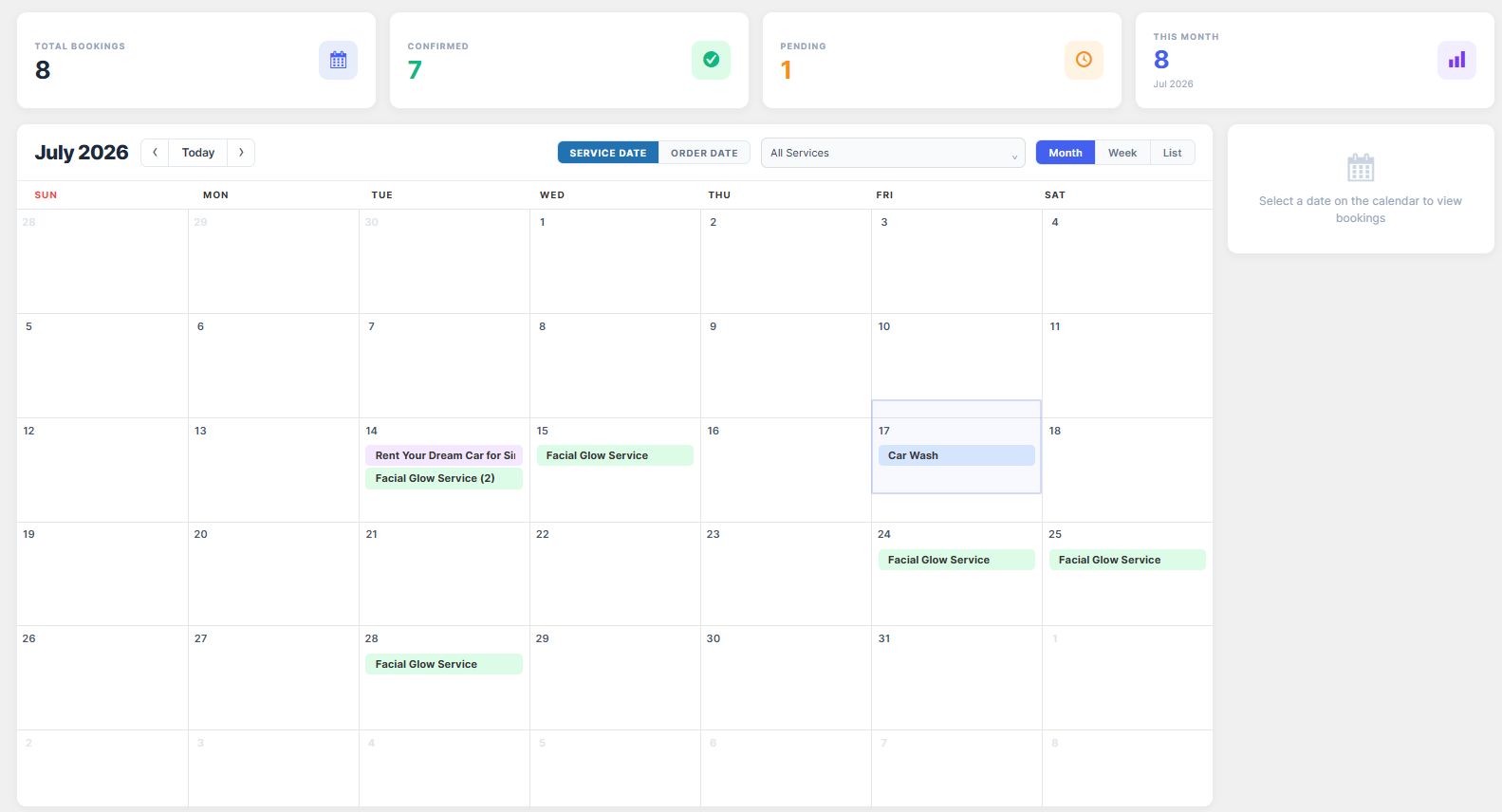
- Two-way sync with Google Calendar or Outlook, so staff see bookings where they already work.
- ICS attachments or “add to calendar” links in confirmation emails.
- Time zone handling if you serve clients remotely.
Admin and Client Experience
Test the booking flow on a phone before you commit. A plugin that looks clean on desktop but takes six taps to pick a time will lose bookings. On the admin side, look for a single dashboard where you can reschedule, refund, add a note, and mark a visit complete without leaving the page.
When You Need a General Plugin vs a Niche-Specific Plugin
General-purpose appointment plugins cover the basics for any service business. Niche plugins are built around one industry’s workflow and usually include industry-specific fields you would otherwise have to configure yourself.
Two examples show the difference in intent:
- For a repair or field-service business, what matters is capturing the appliance type, model, and fault description at booking time so the technician arrives with the right parts. A guide to choosing a WordPress plugin for appliance repair booking walks through those requirements.
- For a studio running group sessions, the scheduling unit is a class with limited seats rather than a one-to-one slot. If that is your case, see how to create a yoga class booking system rather than forcing a class schedule into an appointment plugin.
If your business falls into neither camp, a flexible general appointment plugin is usually the safer, cheaper starting point; you can add custom fields yourself instead of paying for modules you will never use.
Free vs Paid Appointment Booking Plugins
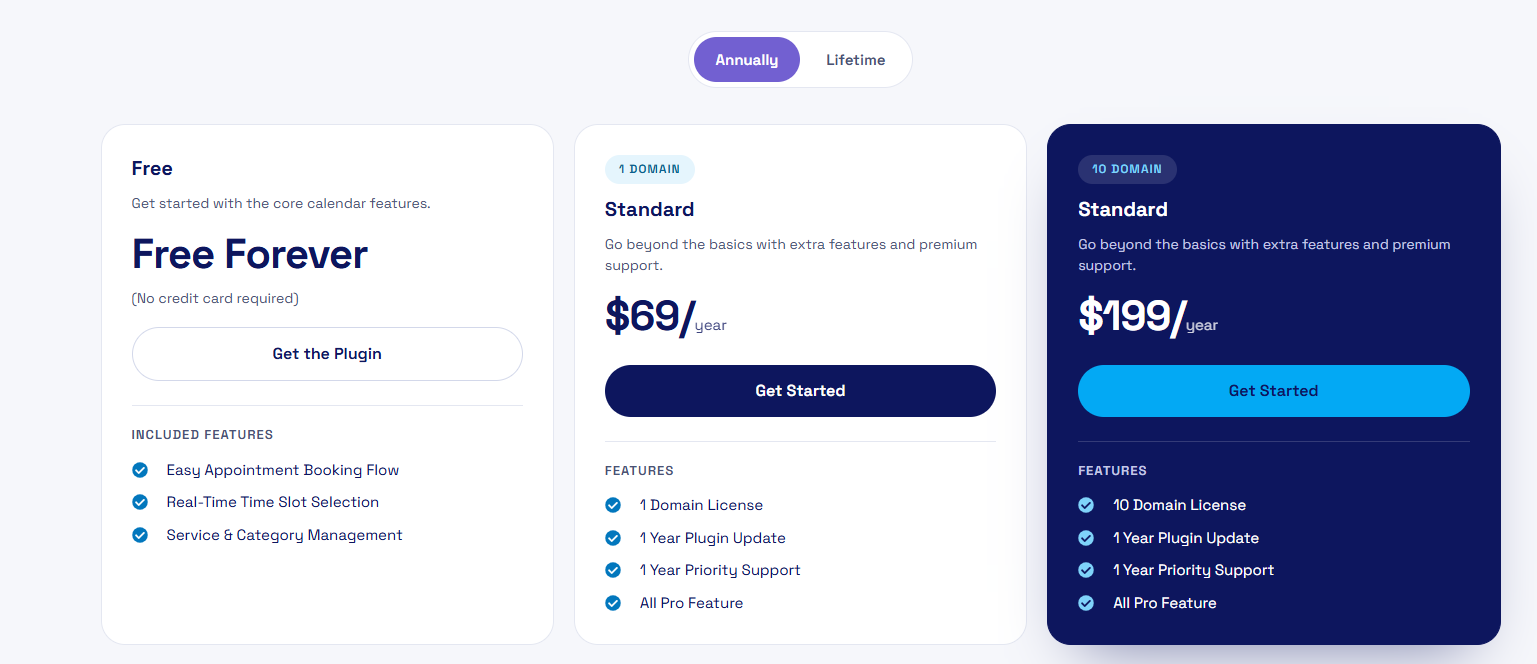
Free plugins are genuinely usable if you book a modest number of appointments and handle payments elsewhere. The typical limitations of free tiers are:
- No automated reminders, or only a limited monthly allowance.
- One staff member or one calendar.
- No deposit or partial-payment support.
- Limited form fields, so intake questions get lost.
Paid plugins charge either a yearly licence or a per-business subscription. Before buying, confirm what happens if you stop paying; you do not want your booking history locked behind a lapsed subscription.
Costs to Budget For Beyond the Plugin
The plugin licence is rarely the whole cost. Plan for:
- Payment processing fees on any deposit or prepayment you collect.
- SMS credits if you send text reminders.
- Add-ons — some plugins sell reminders, recurring appointments, or multi-staff support as separate extensions.
- Setup time — configuring working hours, services, and staff correctly takes an afternoon, not five minutes.
Check current pricing on the vendor’s site rather than trusting a figure from a blog post, including this one.
How to Choose: A Short Checklist
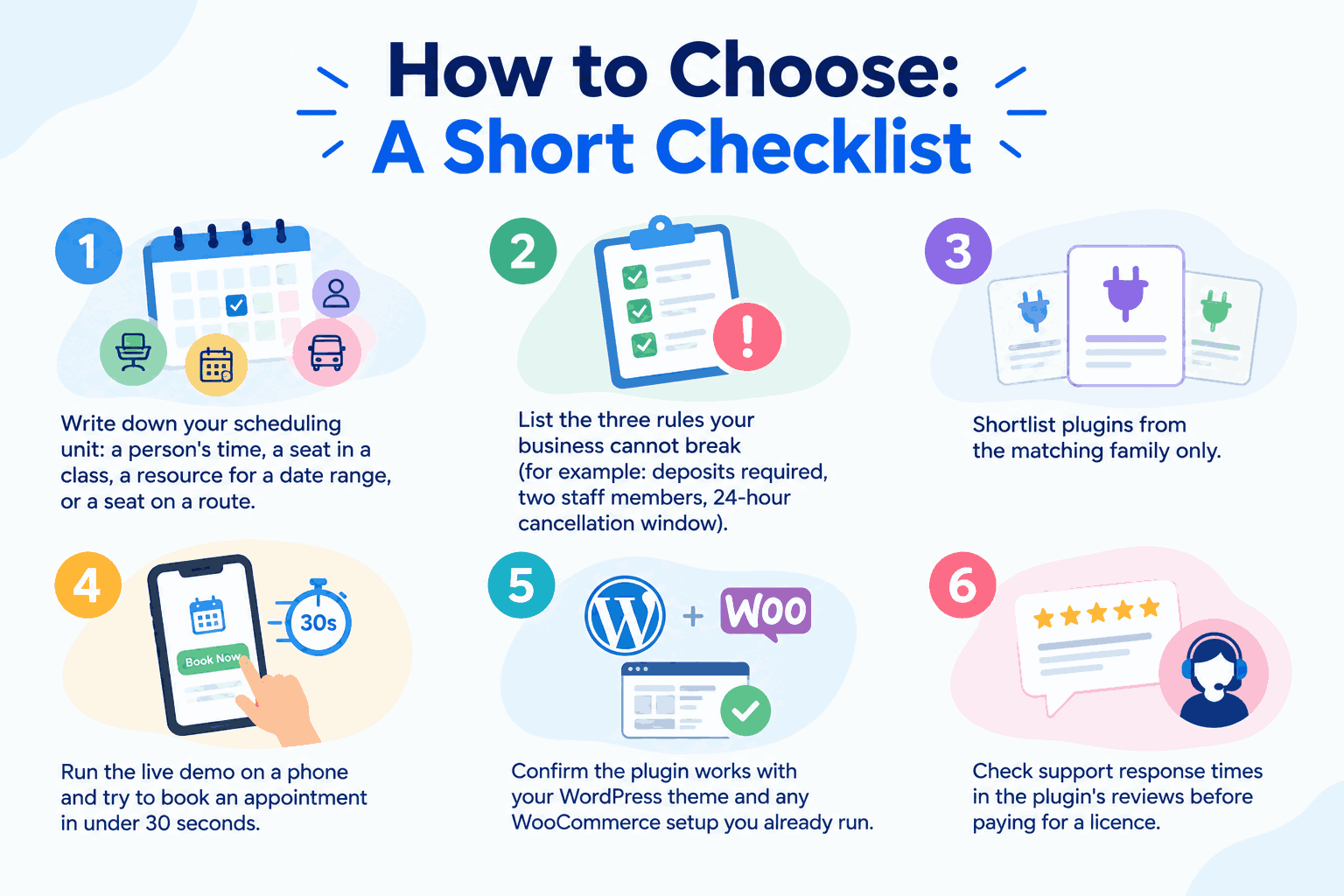
- Write down your scheduling unit: a person’s time, a seat in a class, a resource for a date range, or a seat on a route.
- List the three rules your business cannot break (for example: deposits required, two staff members, 24-hour cancellation window).
- Shortlist plugins from the matching family only.
- Run the live demo on a phone and try to book an appointment in under 30 seconds.
- Confirm the plugin works with your WordPress theme and any WooCommerce setup you already run.
- Check support response times in the plugin’s reviews before paying for a licence.
Avoiding the Classic Setup Mistakes
Most booking problems after launch trace back to configuration, not the plugin itself:
- Leaving default service durations so appointments overlap at the edges.
- Forgetting to set realistic lead times, then getting same-day bookings you cannot staff.
- Running two booking channels (phone plus online) without blocking the same calendar, which produces double bookings.
- Not testing the confirmation email, so clients never know where to go or what to bring.
Fix these before launch, and the booking page becomes a genuinely useful front door rather than a second inbox to manage.
Final Thoughts
The best appointment booking plugin is the one whose scheduling model matches how you already work. Decide whether you sell time with a person, a seat in a session, a resource for a period, or a place on a route, then compare appointment booking plugins only within that family, and judge them on availability logic, deposits, reminders, and mobile booking flow. Set your working hours, buffers, and lead times carefully on day one, and your calendar will run itself instead of running you.