 Get BlackFriday 25% for Limited Time on Lifetime & 35% for Bundle Deal



Choosing a travel booking plugin starts with one honest answer: what does your site actually sell? A single walking tour, a hotel-plus-tour package, or hundreds of departure dates across several cities each demand a different kind of booking engine. Get that answer wrong and no feature list will save the project. This guide walks you through seven decision steps — from mapping your inventory to testing the plugin on a staging site — plus a scoring table you can use to compare shortlisted options fairly.
It is written for tour operators, travel agencies, DMCs and independent guides running WordPress. It is a buying-process guide, not a plugin roundup: the goal is a repeatable way to judge any option, including the one you end up paying for.
- What a travel booking plugin actually has to handle
- Think about what you need your travel booking plugin to do
- Step-by-step: how to evaluate a travel booking plugin
- Step 1: Determine your needs and constraints
- Step 2: Map your inventory model
- Step 3: Define the checkout experience you want
- Step 4: Decide how much help you want with marketing
- Step 5: Look at the plugin's support and security
- Step 6: See how the booking plugin integrates with your site
- Step 7: Consider your budget realistically
- How to compare shortlisted plugins fairly
- Red flags that should remove a plugin from your shortlist
- Meet WpTravelly: a hotel-first option worth testing
- Common mistakes when buying a travel booking plugin
- Conclusion
- Frequently asked questions
What a travel booking plugin actually has to handle
Travel bookings differ from appointment bookings in ways that break generic form plugins. Before comparing products, make sure you understand which of these your business needs.
- Multi-day itineraries. A tour that runs Monday to Friday has to block the whole date range, not one slot.
- Departure dates and time slots. Many products share one inventory pool across repeating departures.
- Per-person pricing plus variations. Adult, child, infant and group rates usually coexist in one booking.
- Capacity and room or vehicle allocation. You are selling finite seats, beds or vehicles, and you cannot oversell them.
- Seasonal and date-based pricing. Peak-season rates, weekend surcharges and early-bird discounts are normal in travel.
- Add-ons. Airport transfers, extra nights, meals and insurance are often sold alongside the core product.
- Deposits and balance payments. Travel is frequently booked months ahead with a part payment now and the remainder later.
- Cancellation and refund rules. Policies are rarely a simple full refund.
- Documents. Vouchers, e-tickets, QR codes and PDF confirmations are expected by guests.
If only two or three of those apply, a simpler tool may genuinely be the better buy. If six or more apply, you need a plugin built for travel inventory rather than a general-purpose form builder with a calendar attached.
Think about what you need your travel booking plugin to do
Start from the job, not the feature grid. Write one sentence describing the transaction your site has to complete, then test every candidate against it.
There are broadly three levels of need.
Level 1: enquiries only
Your site is a brochure. Visitors read about the trip and send you a message, and you close the sale by phone or email. A simple enquiry form handles this, and a full booking engine adds cost and complexity you will not use.
Level 2: direct single-product bookings
Visitors book one tour, one transfer or one stay, pay online, and receive a confirmation. This is the most common requirement for small operators, and it is where most mainstream WordPress booking plugins sit.
Level 3: packaged or multi-vendor bookings
Visitors assemble a trip from several components — accommodation plus activities, or products supplied by different partners — and check out once. This is the level that separates travel-specific plugins from general ones, because it requires linked inventory, availability checks across products and often commission handling.
Be realistic about which level you are at today. Buying two levels up front is a common and expensive mistake.

Step-by-step: how to evaluate a travel booking plugin
The rest of this guide is a sequence. Work through it in order and you will end with a shortlist you can defend, rather than a winner chosen on the strength of a demo video.
Step 1: Determine your needs and constraints
Before opening a single product page, document your own requirements. Answer these questions in writing.
- What exactly do you sell — tours, stays, tickets, transfers, or a bundle of these?
- How many products and departure dates will be live at launch, and in a year?
- How many bookings per month do you expect in low season and in peak season?
- Do you take payment up front, a deposit, or payment on arrival?
- Who does the admin work — you, a staff member, or several people with different roles?
- Do you need pricing that changes by date, season or group size?
- Will you sell in one currency or several?
- Do you need invoices and vouchers that look like your brand?
These answers become your test list. Note which requirements are genuine must-haves and which are simply nice to have — the distinction matters later when two plugins differ on one feature.

Step 2: Map your inventory model
This is the step most buyers skip and later regret. Inventory means whatever you sell that can run out.
Shared vs. private inventory
A daily group tour has shared capacity: 20 seats, sold to anyone, filled once. A private transfer has per-booking allocation: one vehicle, one time slot. A hotel-based package has both — rooms and tour places — and the two must stay in sync. A plugin that handles only one model will force you into manual workarounds.
Availability conflicts
Ask directly how the plugin prevents double bookings when two customers check out at the same moment. Availability logic is where cheap plugins fail first, and the failure mode — oversold rooms or departures — is expensive in refunds and reputation.
Vendor and partner structures
If you resell suppliers’ trips, do you need per-vendor records, payout reports or a vendor dashboard? If you are the only supplier, say so and skip that requirement entirely. Multi-vendor capability is a significant cost driver and is wasted on a single-supplier business.
Step 3: Define the checkout experience you want
Now decide how much of the booking journey happens on your site.

- On-site checkout. The guest selects a date, chooses travellers, pays and receives confirmation without leaving your domain. Best for trust and for keeping the customer relationship.
- Widget or iframe. A booking widget embedded in a page. Faster to launch, but often constrains styling and splits analytics.
- Search-and-compare flow. Visitors filter by destination, date and budget before booking. This suits agencies with a large catalogue and is closer to an OTA experience than a simple form.
Then check the details that decide whether people finish the booking:
- Does the guest need to create an account, or can they check out as a guest?
- Is the whole flow usable on a phone with one hand? Compare it on a real device, not a desktop browser resized to mobile width.
- How many clicks from product page to payment?
- Are date and traveller selection on the product page, or only after several page loads?
If you are comparing several candidates on this dimension, the best travel booking plugins for WordPress roundup groups them by strength, which is useful for shortlisting before you test.
Step 4: Decide how much help you want with marketing
Some plugins are primarily booking tools; others bundle marketing features such as coupons, abandoned-cart emails, review collection or email newsletters. Decide what you want to own inside the plugin and what you would rather handle in a dedicated tool.

- Booking-only. The plugin does one job. You pair it with your existing email platform and run promotions there. Simpler to maintain, but you will need to connect the two systems.
- Booking plus built-in marketing. Coupons, seasonal discounts and reminder emails live inside the plugin. Fewer moving parts, but less control if your campaigns get sophisticated.
- Marketing-first, booking-light. Some tools focus on capturing leads and driving traffic rather than managing inventory. Usually the wrong fit if your priority is selling departures.
For a travel business, marketing features worth checking specifically are: coupon and early-bird support, abandoned-booking recovery, review or rating display, and whether the plugin emits clean product and offer structured data that search engines can read.
Step 5: Look at the plugin’s support and security
Travel bookings involve money, personal data and trip logistics. A plugin that is unsupported or insecure is a business risk, not an inconvenience.

Support signals to check
- Is there written documentation, and does it match the current version of the plugin?
- Is there a documented support channel with a stated response expectation? Check current terms on the vendor’s site.
- Are there changelogs showing regular, substantive releases — not just version bumps?
- Do reviews mention support quality specifically, rather than only features?
Security and data signals to check
- Payments are tokenised. Card details should be handled by the payment gateway, never stored in your WordPress database.
- HTTPS is in place across the entire checkout, including the confirmation and voucher pages.
- Roles and permissions exist. Staff should be able to manage bookings without full administrator rights.
- Data you collect is deliberate. Passport numbers and similar sensitive fields should only be collected if you truly need them, and you should know where they are stored.
- Backups and updates are routine. Booking data is business-critical; confirm your host’s backup schedule before launch.
Security also affects conversion. Guests who are asked for card details on a page that looks inconsistent with the rest of your site will abandon the booking. A dull but reliable plugin beats a feature-rich one you cannot trust with payments.
Step 6: See how the booking plugin integrates with your site
Integration problems are the most common reason a perfectly good plugin becomes a bad purchase. Test before you commit.

- Theme compatibility. Does the booking form render correctly inside your existing theme? Does it inherit your fonts and colours, or impose its own design system?
- Page builder support. If you build pages with a block editor or a page builder, check there are native blocks or widgets rather than shortcodes pasted into HTML.
- Payment gateways. Confirm the gateway you actually use is supported in your region and currency. Test a live-mode transaction, not just a sandbox one.
- Email and marketing. Transactional emails must send reliably, and booking data should reach your email platform if you run follow-up campaigns.
- Google Maps and location data. Useful for meeting points and hotels, and usually a small add-on rather than core.
- Other plugins. Caching, multilingual and SEO plugins are the usual suspects for conflicts. Test with your full stack active.
- Data portability. Ask whether bookings, customers and products can be exported. Anything you cannot export is a lock-in risk.
If you want to see how far a travel-specific stack can go, this walkthrough of creating a tours and travels website in WordPress shows the pages and settings involved from empty site to booking-ready.
Step 7: Consider your budget realistically
Plugin price is the smallest part of the total. Budget for the whole picture.

| Cost area | What to budget for |
|---|---|
| Plugin licence | Annual or one-time fee, plus add-ons you actually need. Check current pricing with each vendor. |
| Payment processing | Per-transaction fees charged by your gateway. Check current rates. |
| Setup and configuration | Your time, or a developer’s. Rates vary by market — get quotes rather than assuming a figure. |
| Theme or design work | Needed if the booking pages do not match your brand out of the box. |
| Email and marketing tools | Any platform the plugin connects to for confirmations and campaigns. |
| Maintenance | Updates, backups, security monitoring and occasional fixes after launch. |
| Migration | Only if you later outgrow the plugin. A reason to check export options now. |
Two principles keep the budget honest. First, weigh cost per booking rather than the sticker price: a plugin that costs more but converts better can be cheaper in practice. Second, do not buy the top tier to avoid a future upgrade — buy for the traffic and inventory you have, with a clear view of what upgrading will cost later.
Try before you buy
Almost every serious plugin offers a live demo or a free version. Use them properly:
- Install on a staging copy of your real site, not a fresh install.
- Create one real product with your actual pricing rules, departure dates and capacity.
- Complete a full booking as a customer would, on a phone.
- Check the confirmation email, voucher and PDF that arrive.
- Process a refund and see what the admin has to do.
- Repeat with your theme and your key plugins active.
An hour of that tells you more than any feature comparison.
How to compare shortlisted plugins fairly
Once you have two or three candidates, score them against your own requirements instead of the vendor’s marketing. Use a simple weighted table.
| Criterion | Why it matters for travel | Weight (1–3) |
|---|---|---|
| Inventory model fit | Shared capacity, private allocation or packaged stays — the wrong model breaks everything else | 3 |
| Pricing flexibility | Seasons, group rates, add-ons, deposits | 3 |
| Checkout quality on mobile | Most travel browsing now happens on a phone | 3 |
| Payment gateway support | Must match your gateway, currency and region | 3 |
| Support and update cadence | Protects a live revenue channel | 2 |
| Theme and plugin compatibility | The usual cause of failed launches | 2 |
| Marketing features | Useful, but replaceable by other tools | 1 |
| Export and migration options | Limits future lock-in | 1 |
Score each candidate out of three per row, multiply by the weight, and total. A plugin that wins on marketing features but loses on inventory fit should lose overall — and this table makes that visible to anyone else who has to approve the purchase.
Red flags that should remove a plugin from your shortlist
- No changelog, or no meaningful update in a long time.
- Ambiguous answers about how double bookings are prevented.
- No guest checkout and no clear reason why not.
- Card data stored in the site database instead of tokenised at the gateway.
- No way to export bookings and customers.
- Demos that only show a default theme with sample data.
- Pricing pages that cannot be found or that you have to ask for.
Meet WpTravelly: a hotel-first option worth testing
If your answer to the requirements questions is “we sell tours with accommodation included”, a travel-specific plugin is a better starting point than a generic booking form. WpTravelly is one such option, built on WooCommerce so that checkout, taxes and payment gateways run on infrastructure most WordPress users already know.
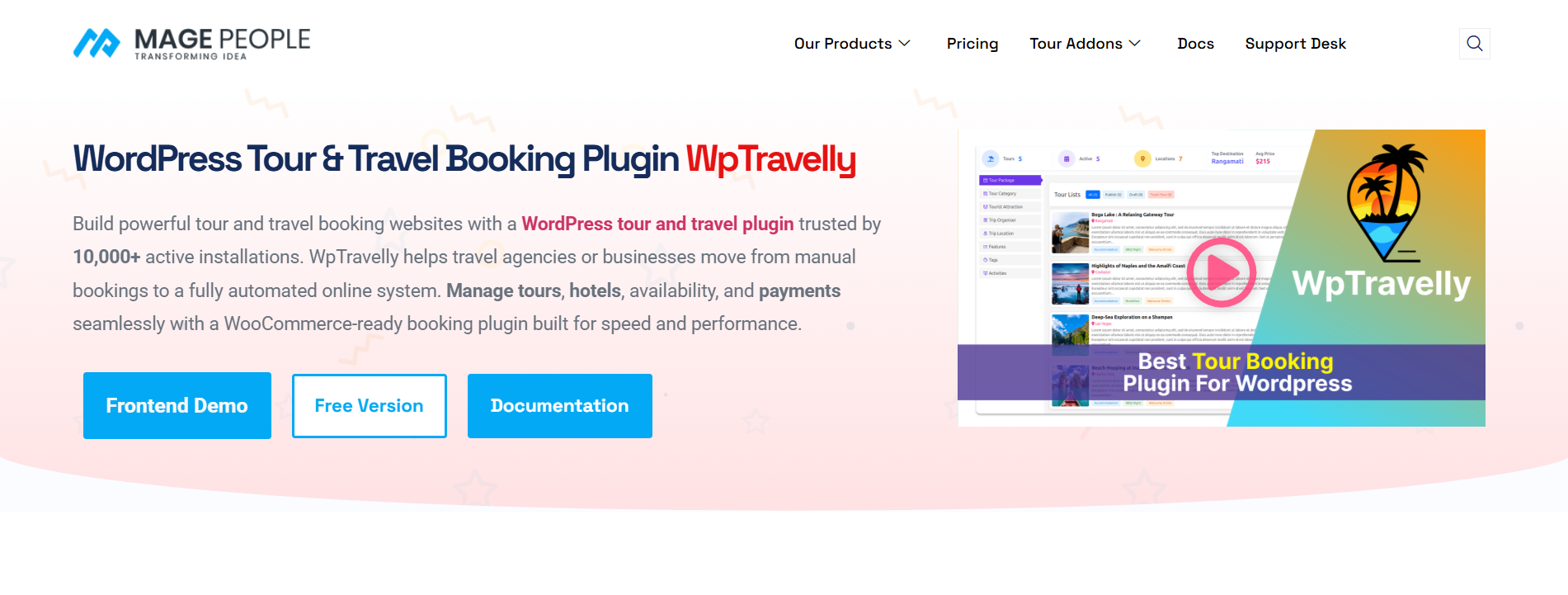
What makes it worth putting on the shortlist, in the language of the seven steps above:
- Inventory model (Step 2): it is designed around hotel-based tour packages, linking specific accommodation to a tour rather than treating the two as separate products.
- Checkout (Step 3): booking runs through WooCommerce checkout, so your gateway and currency choices come from the WooCommerce ecosystem rather than a plugin-specific list.
- Marketing (Step 4): coupon and discount behaviour follows WooCommerce conventions, which means existing WooCommerce coupon skills transfer.
- Integrations (Step 6): Google Maps location data, PDF vouchers and QR codes support the real-world handoff at a hotel front desk.
You can review the feature set and current licensing on the WooCommerce Tour and Travel Booking Manager page. Treat that page as input to Step 7, not a conclusion — the test is still whether it fits your inventory and your guests’ checkout behaviour.
Common mistakes when buying a travel booking plugin
- Choosing the demo, not the product. Demo sites are configured by the vendor with ideal content.
- Ignoring the peak season. A setup that works for ten bookings a month can fail silently at a hundred a week.
- Buying for imagined scale. Multi-vendor capability you never use is licence cost and admin clutter.
- Testing on a clean install. Compatibility problems only appear with your theme and plugins active.
- Forgetting the manual work. Some “cheap” plugins move booking management into spreadsheets. That is a monthly cost in staff time.
- No exit plan. Not checking export options before you migrate years of bookings into a system.
Conclusion
Choosing a travel booking plugin is a requirements exercise, not a popularity contest. If you can answer five questions — what you sell, how your inventory behaves, how guests should check out, what support and security you need, and what the total cost really is — you can evaluate any plugin on the market without relying on review scores.
Work through the seven steps, score your shortlist with weights, and test on staging with a real product. Then pick the plugin that matches the business you have now, with a clear, documented path to the one you want next year.
Frequently asked questions
What is the difference between a travel booking plugin and a general booking plugin?
A travel plugin is built around multi-day itineraries, departure dates, per-person pricing and finite seat or room capacity. A general booking plugin is usually built around time slots and single appointments, which fits a salon better than a five-day tour.
Do I need WooCommerce for a travel booking plugin?
Not always, but many travel plugins use WooCommerce for checkout, taxes and payment gateways because it is already widely understood and supported. Confirm gateway support and currency handling for your region before deciding.
How do I prevent double bookings?
Check how the plugin locks inventory during checkout, whether availability is checked in real time, and what happens when two people book the last seat at the same moment. Ask for a specific answer, and test it on staging.
Can one plugin sell both tours and hotel rooms?
Some can, particularly those designed around hotel-based packages. The key is linked availability: the plugin must keep room and tour capacity consistent so neither side oversells.
How much should I expect to spend?
Licence prices vary widely and change often, so check current pricing with each vendor. Budget for the whole picture — payment processing, setup, design, email tools and ongoing maintenance — rather than the licence alone.
Is a free plugin enough?
For a brochure site taking enquiries, often yes. For a site selling dated departures with capacity limits, a free tier usually lacks the inventory and payment logic you need, though it is a sensible way to test the interface first.
