 Get Halloween 15% for Limited Time on Lifetime & Bundle Deal

A cab booking system is the software that lets a passenger choose a vehicle, set a pickup and drop-off point, see a fare, pay, and get a confirmed ride – without a phone call. For an operator, it replaces the diary, the WhatsApp group, and the cash log with one screen that shows demand, drivers, and money in real time. This guide explains what the system is actually made of, which features matter, where the costs hide, and how to decide between a ready-made platform and a custom build.
What a Cab Booking System Actually Does
Strip away the branding and every cab booking platform runs the same four loops. Understanding them makes it much easier to judge any demo you are shown.
- Capture the request. The passenger states origin, destination, time, and vehicle preference through a website, an app, or a phone call logged by an agent.
- Quote and match. The system calculates a fare – fixed, metered, per-kilometre, or hourly – and either assigns a driver automatically or broadcasts the job to nearby drivers.
- Track and confirm. Both sides see status changes: accepted, en route, arrived, on trip, completed. Notifications by email, SMS, or push keep the passenger from calling.
- Settle and record. Payment, invoice, commission split, driver payout, and trip history are written to the same database.
Everything else – corporate accounts, airport surcharges, split fares, loyalty credit – is a variation on those four loops. If a platform cannot do all four cleanly, no amount of extra features will save the operation.
Core Features to Check Before You Buy
Vendors list dozens of features, but a small fleet rarely uses more than a third of them. These are the ones that decide whether the system works day to day.
Fare logic
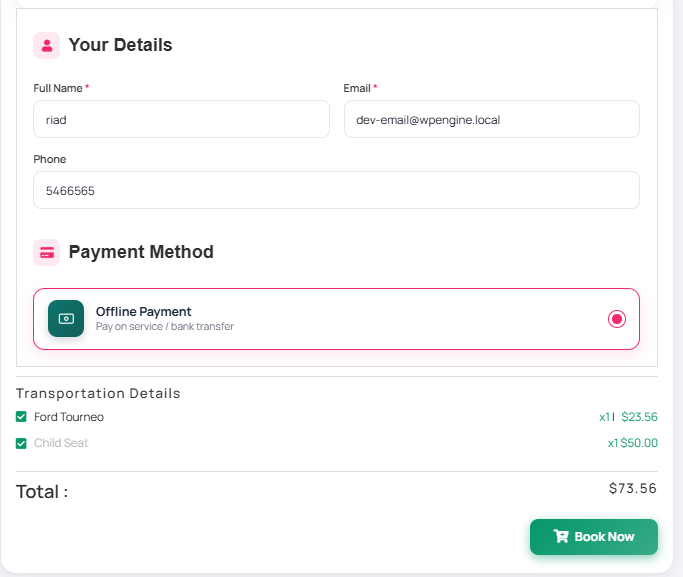
Can you set a base fare, a per-kilometre rate, a waiting charge and a night surcharge? Can a fixed airport transfer price sit alongside a metered city rate? Fare rules are the single most common source of disputes, so test them with your own routes, not the vendor’s demo route.
Driver and vehicle management
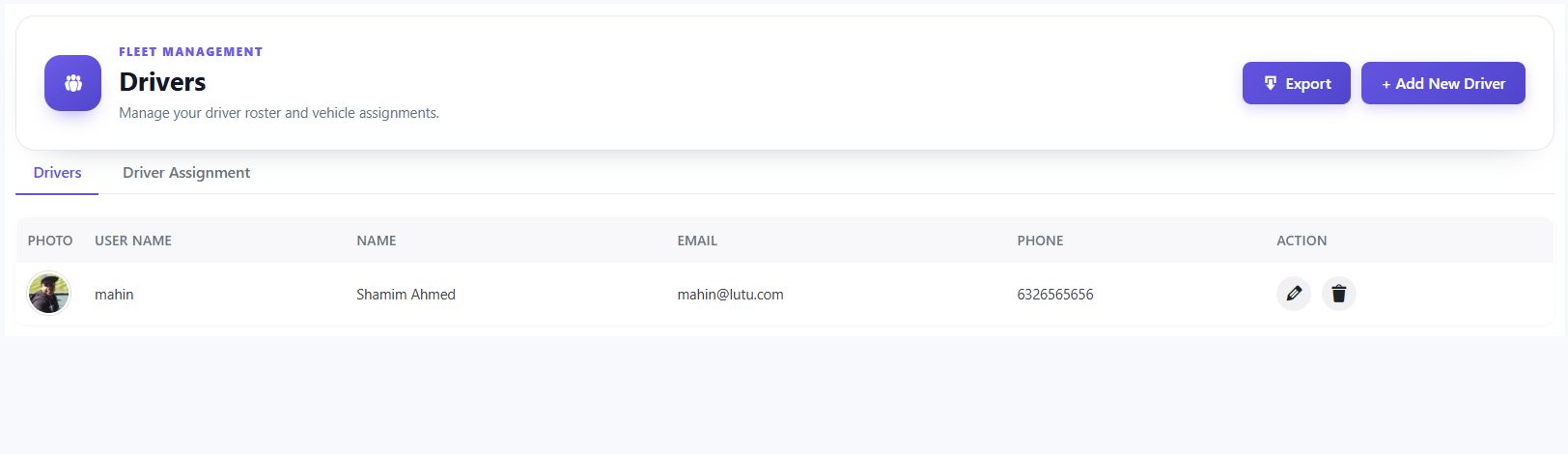
Each driver needs an account, a vehicle, a document expiry date, and an availability state. If the system cannot mark a driver as off-shift or off sick, dispatch will keep offering them jobs.
Dispatch: automatic or manual
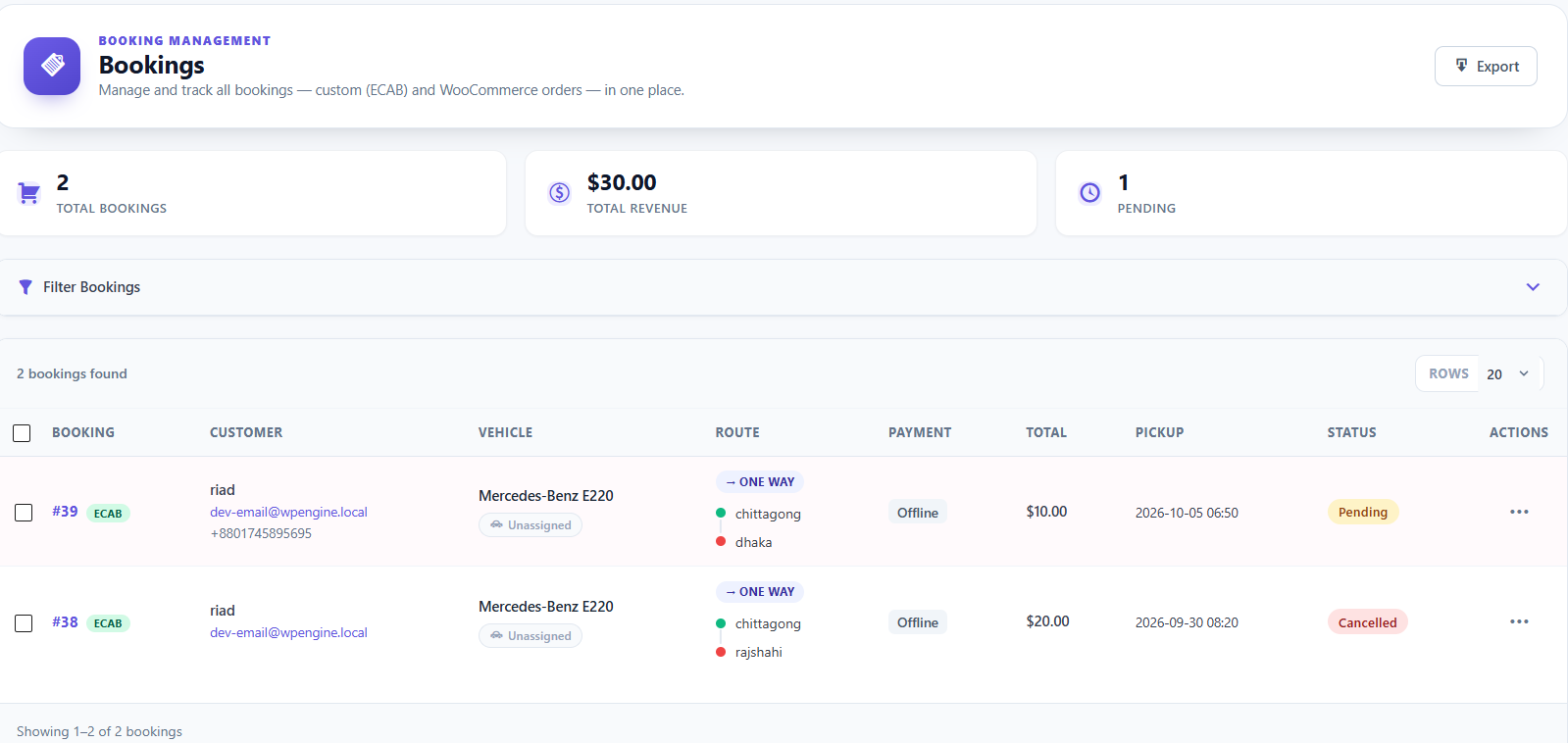
Small operators usually start manual – a dispatcher assigns jobs – and move to automatic once volume makes manual dispatch a bottleneck. Confirm the switch is a setting, not a paid migration.
Booking types
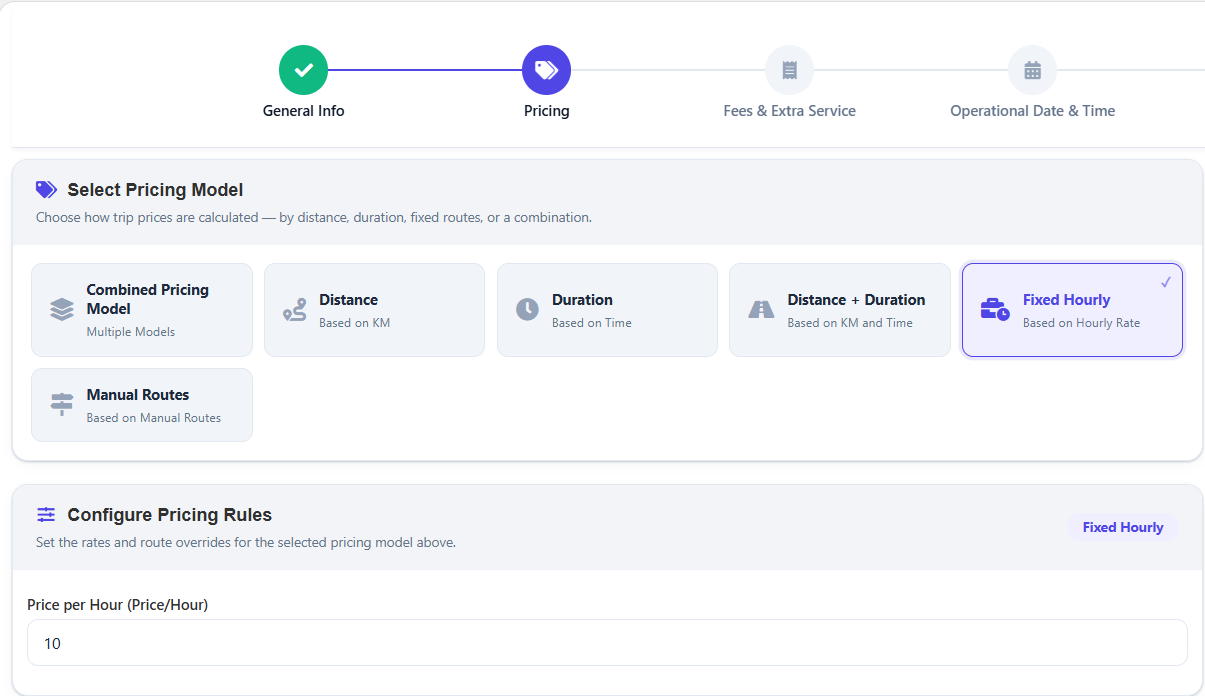
You likely need more than one: immediate rides, scheduled future rides, hourly hire, multi-day rental, and return trips. Some platforms handle all of these natively; others only handle immediate rides and need workarounds.
Payments and payouts
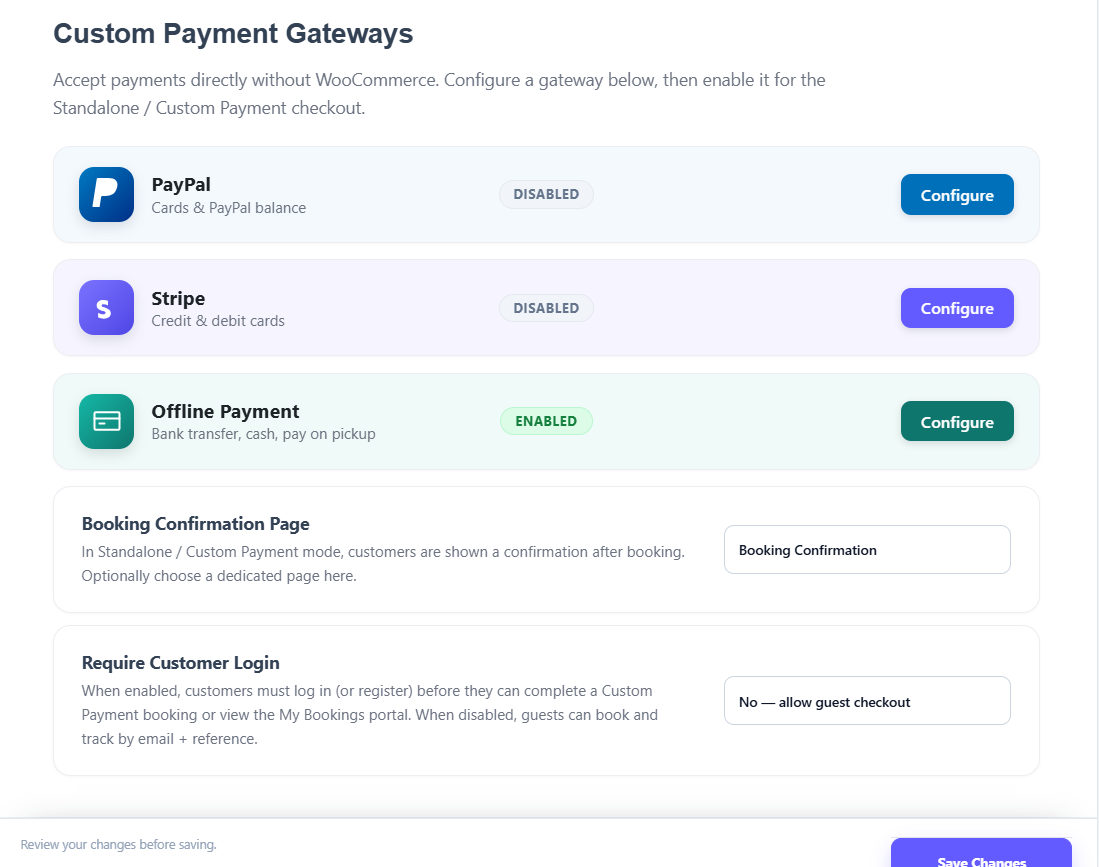
Cash, card, mobile wallet, and corporate invoicing should all reach the same reconciliation report. Ask specifically how driver commission is deducted and when payouts are calculated.
Passenger-facing experience
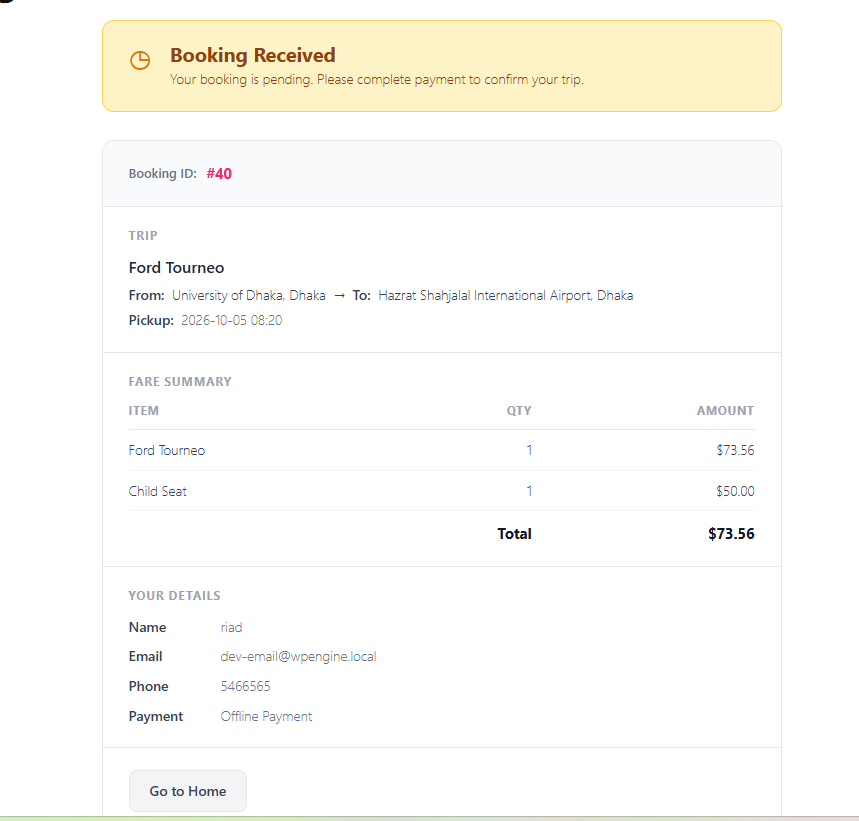
Guest checkout, trip confirmation emails, live status, and a way to cancel or reschedule without calling you. A booking that needs a phone call to amend is only half-digitised.
Website, App or Both?
This decision shapes both budget and maintenance load.
| Channel | Best for | Main trade-off |
|---|---|---|
| Website booking form | Scheduled rides, airport transfers, corporate contracts | Fewer same-hour bookings; no push notifications |
| Driver app | Dispatching jobs and capturing trip status | Driver adoption and device support |
| Passenger app | Repeat urban riders who expect live tracking | Highest build and store-review overhead |
Most operators should start with the website and a driver-side tool, prove the demand, then add a passenger app. Building all three before you have bookings is the most expensive way to learn the same lesson.
Get your Cab Booking System now from Magepeople website.
What a Cab Booking System Costs
Costs fall into four buckets, and only the first is usually quoted up front.
- Software licence. A one-off plugin or platform fee, an annual subscription, or both. Check current pricing with each vendor – it changes often.
- Hosting and infrastructure. Maps, SMS, and payment gateways all bill per use, so they scale with your trip volume, not your seat count.
- Setup and customisation. Branding, fare rules, payment gateway configuration and data migration.
- Ongoing operations. Support, updates, driver onboarding, and the staff time to run dispatch.
The trap is comparing licences while ignoring the usage-based lines. A cheap licence with per-trip map and SMS costs can end up costing more than a subscription with those included.
Ready-Made Platform vs Custom Build
This is the real fork in the road, and the honest answer depends on how unusual your operation is.
When a ready-made system wins
- You run standard point-to-point and airport rides.
- You want to be taking bookings in days or weeks, not quarters.
- You have no in-house development team and no wish to maintain one.
- You are happy with the vendor’s roadmap rather than your own.
When a custom build wins
- Your pricing model is genuinely novel – shared shuttles with dynamic seats, or contract billing across multiple corporate clients.
- You must integrate with in-house dispatch, payroll, or ERP systems.
- You have budget for ongoing maintenance and a team to own it.
For most small and mid-sized fleets, the ready-made route is the rational one, because the expensive part of a cab booking system is not the code – it is the operations behind it.
Common Mistakes When Choosing a System
- Buying for features you will never use. A long feature list is not the same as a system that handles your routes well.
- Skipping the fare test. Configure your three most common journeys during the trial, not after you have paid.
- Ignoring driver adoption. If drivers find the job flow slow, they will go back to the phone.
- Forgetting data ownership. Confirm you can export bookings, customers, and driver records if you ever leave.
- No cancellation policy in the system. Rules that live only in staff memory are enforced inconsistently and argued about often.
Operators in adjacent segments make the same mistakes in their own context – if you are running buses rather than cars, the checklist shifts, and if you need a WordPress-specific build rather than a platform comparison, see the 8-step WordPress car booking build and the WordPress taxi booking guide.
Matching the System to Your Fleet Type
The same booking engine behaves differently depending on what you drive and whom you drive for.
Airport and hotel transfers
Fixed prices, flight-number capture, meet-and-greet instructions and a high share of advance bookings. Reliability beats flexibility here.
City taxi and ride-hailing
Immediate rides, live tracking, driver ratings and surge or night rates. Passenger expectations are set by the largest apps in the market, so response time is part of the product.
Corporate and contract hire
Monthly invoicing, cost centres, authorised-booker lists and usage reporting. The booking screen matters less than the back-office report.
Long-distance and intercity
Return trips, multi-day hire, one-way pricing and driver rest rules. Availability calendars become as important as dispatch.
Getting Started Without Overspending
A workable sequence for a small operator:
- Write down your five most common journeys and what you charge for each.
- Shortlist two or three systems and configure those journeys in a trial.
- Book a ride yourself as a customer, on a phone, outside office hours.
- Ask each vendor for a full cost picture including maps, SMS and payment fees.
- Pilot with one driver and one route before switching the whole fleet.
If you would rather see how one taxi plugin handles dispatch, fares and driver payouts in practice, read the eCab taxi booking plugin review. And if you want the operational side while your site is already live, the taxi booking module feature checklist is the tighter, more technical companion to this article.
Final Thoughts
A cab booking system is not a website with a form on it. It is the pricing rules, the dispatch logic, the driver records, and the payment reconciliation that together decide how many rides you can run per day. Choose the feature set that matches your actual fleet, test your own routes before you pay, and remember that the software is the easy part compared with the operation it has to support.