 Get Halloween 15% for Limited Time on Lifetime & Bundle Deal


A booking module for taxis is the set of components that lets a passenger search, get a fare, reserve a vehicle, and pay – while your team assigns a driver and tracks the trip. On a WordPress taxi site, it is usually the core of a plugin, not a single “Book Now” button. Below are the nine modules worth checking before you buy or build, what each one actually has to do, and the mistakes that turn a good demo into a broken booking flow.
- What "Booking Module" Means in a Taxi Booking System
- The 9 Modules a Taxi Booking Site Actually Needs
- Quick Checklist: Modules vs. What to Verify
- Booking Module vs. Booking Plugin vs. Booking System
- Common Oversights That Break a Taxi Booking Flow
- How to Test a Booking Module Before You Launch
- Frequently Asked Questions
- The Takeaway
What “Booking Module” Means in a Taxi Booking System
Vendors use the phrase loosely, so it helps to be precise. A booking module is a functional block: forms, pricing logic, availability, driver management, notifications, or payments. A complete taxi booking plugin bundles several of them.
When you evaluate a product, ignore the feature list’s length and ask one question per module: what happens at the edge case? A fare calculator that only handles point-to-point trips will fail the moment a customer wants an airport run at 5 am with two extra stops.
Check the eCab Taxi Booking plugin for all your booking modules.
The 9 Modules a Taxi Booking Site Actually Needs
These are the components I would check on any taxi reservation system, roughly in the order a passenger meets them.
1. Search and Route Input
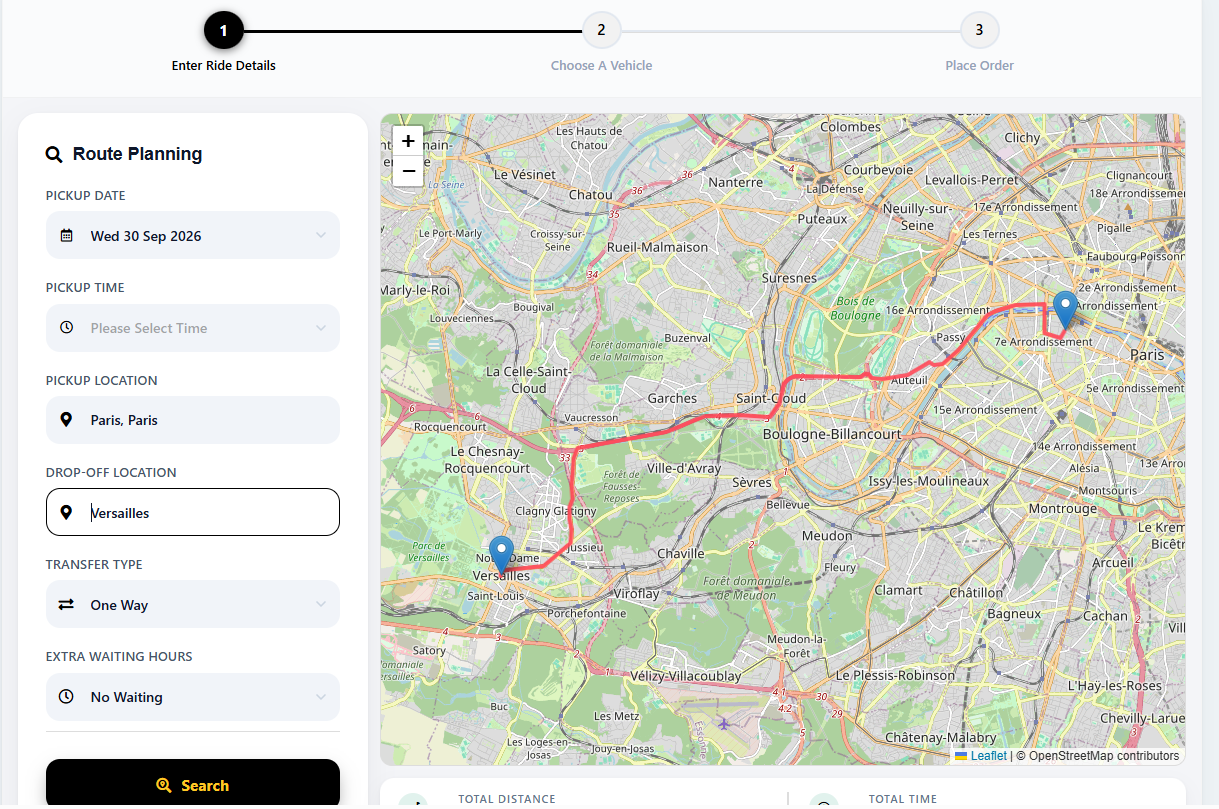
The search block collects pickup point, drop-off point, date, time, and passenger count. Good implementations also support:
- Airport, station, or landmark pickups instead of raw addresses
- Round trips and multi-stop journeys
- Optional flight number or “meet and greet” flags
If the search step is awkward on a phone, nothing downstream matters. Most taxi bookings are made on mobile.
2. Fare Calculation
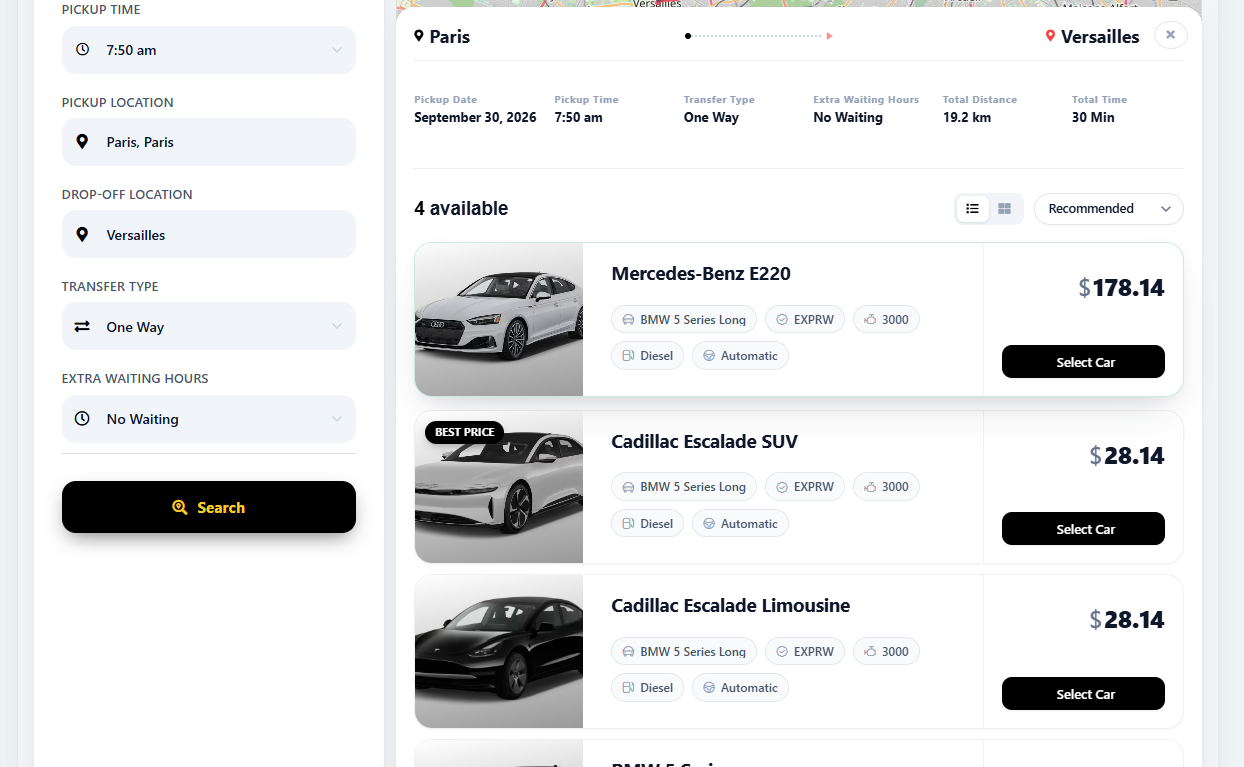
This is where taxi booking differs most from tour or event booking. You are not selling a fixed-price seat. You are pricing a distance, a duration, or a pre-agreed route. Fare logic typically combines:
- A base fare plus a per-kilometre or per-mile rate
- Vehicle class multipliers – standard, executive, van, wheelchair accessible
- Time-based surcharges such as night rates or peak-hour pricing
- Fixed tariffs for known routes like city to airport
Check whether the module can show an estimated fare before payment and a final fare after the trip. Estimated-only means your driver has to argue with the passenger at the destination.
3. Vehicle Fleet and Capacity Rules
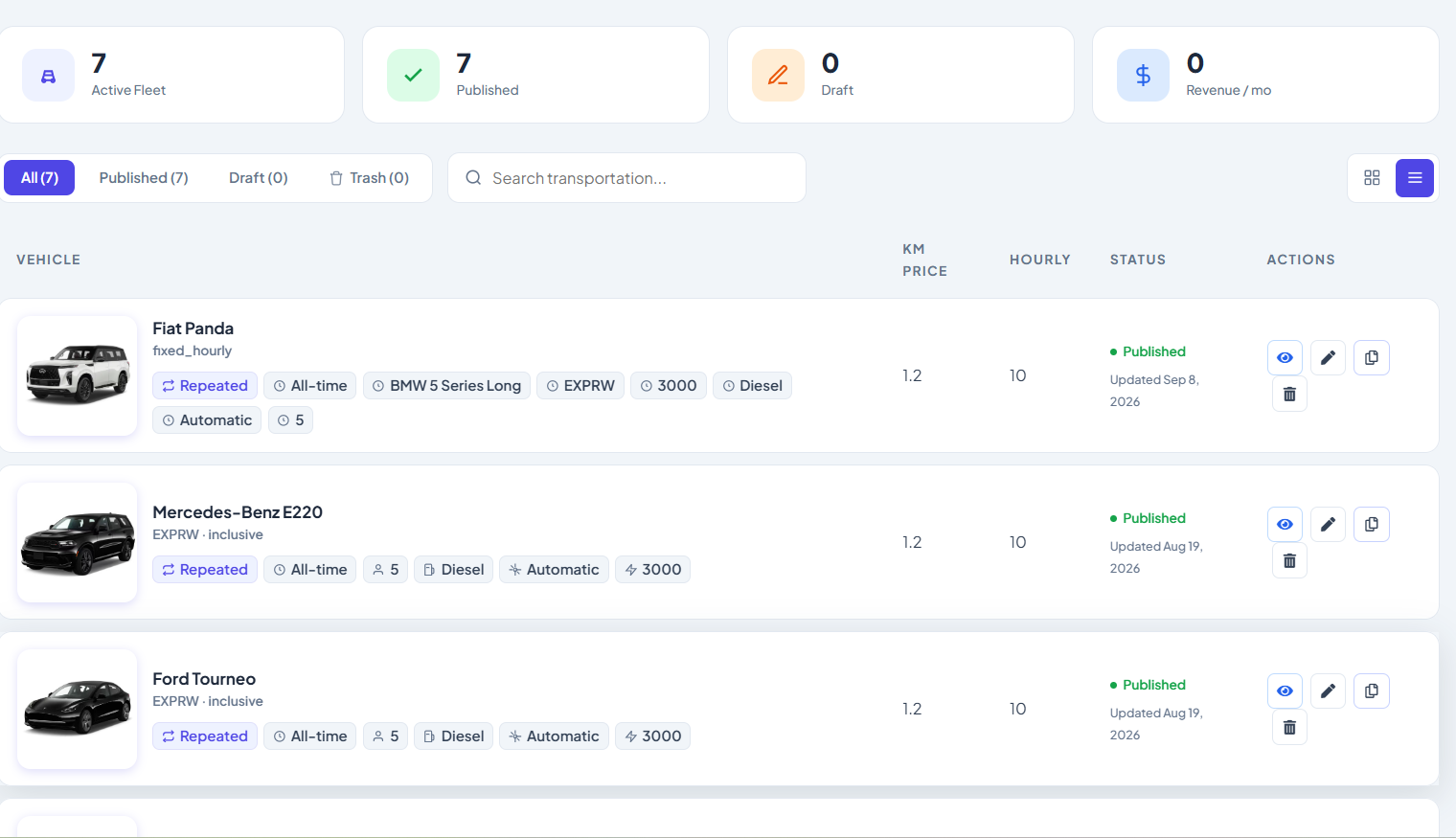
Each vehicle record needs seating capacity, luggage capacity, class, and availability windows. The module should refuse to offer a sedan for six passengers, and should hide vehicles that are already booked or in maintenance.
Maintenance blocking is easy to overlook. A taxi site that keeps selling a car that is off the road creates refunds and angry messages.
4. Driver and Fleet Partner Management
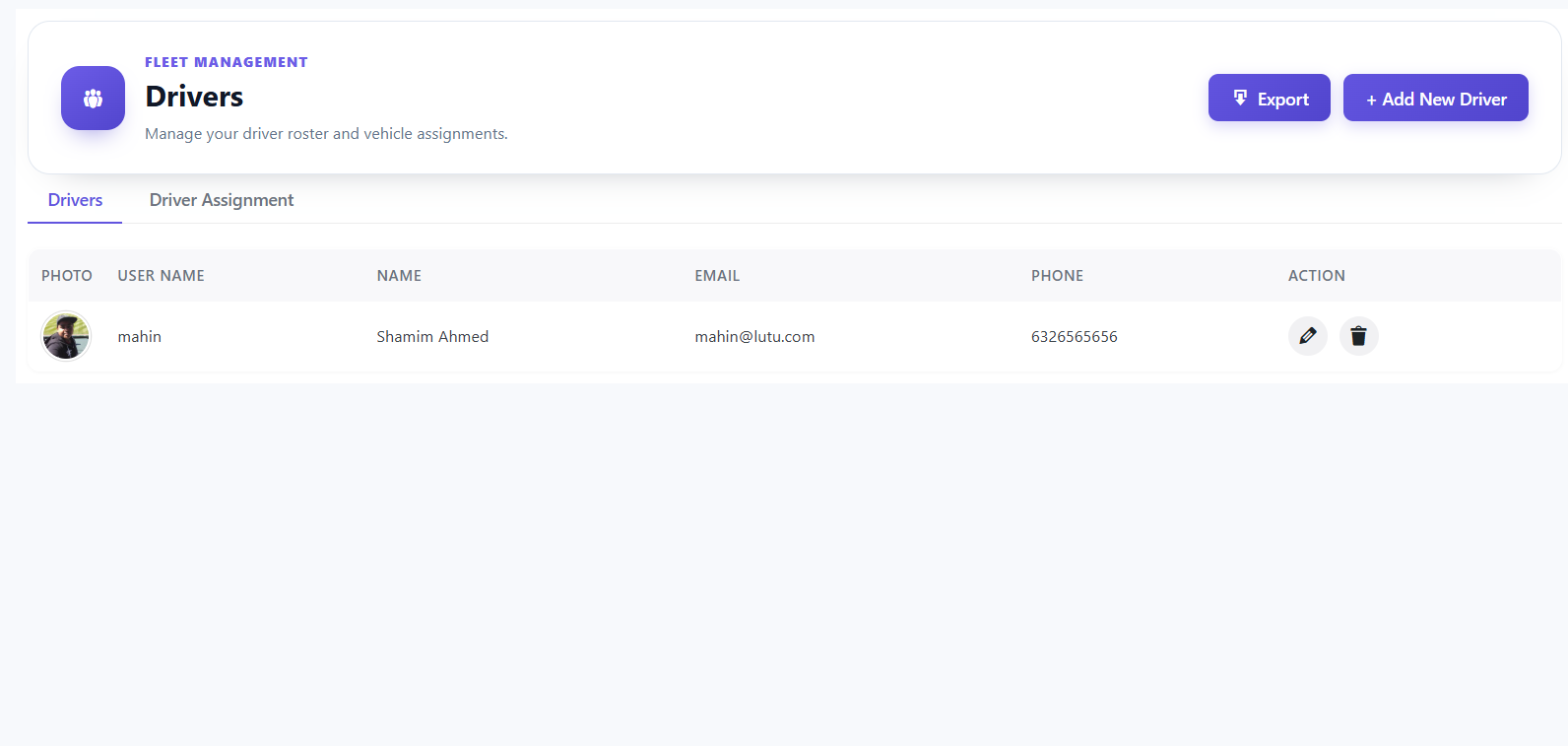
If you own the cars, you need driver records with shift patterns and assigned vehicles. If you work with partner operators, you need a way to offer them jobs they can accept or decline.
Two questions to ask: can a driver see only their own trips, and can an admin reassign a trip after it has been accepted?
5. Availability and Scheduling
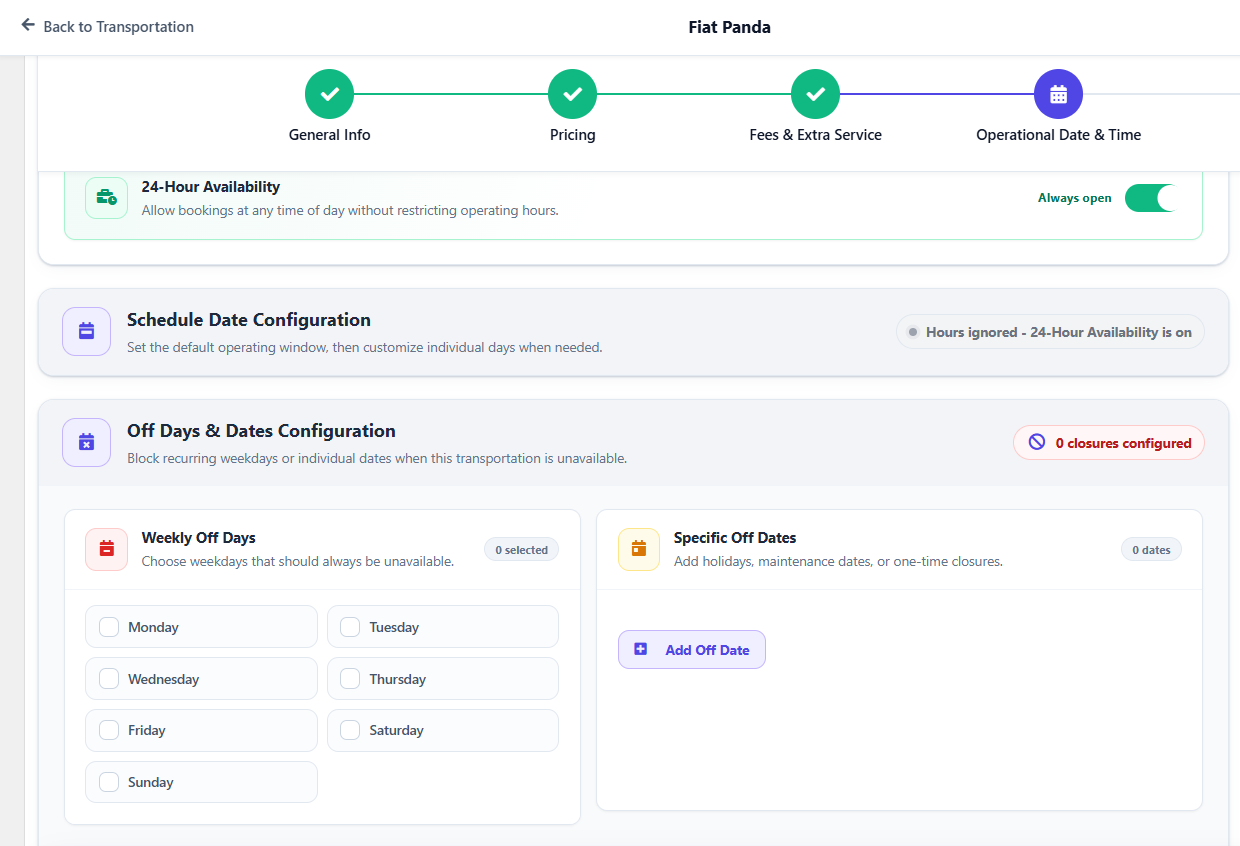
A taxi booking module should block overlapping assignments for the same car and driver, including the travel time to the pickup point. A car dropping off at 10:00 is not free for a 10:00 pickup across town.
Buffer settings matter here. Some systems let you define a turnaround gap per vehicle class, which quietly removes a whole category of scheduling conflicts.
6. Passengers, Accounts and Guest Checkout
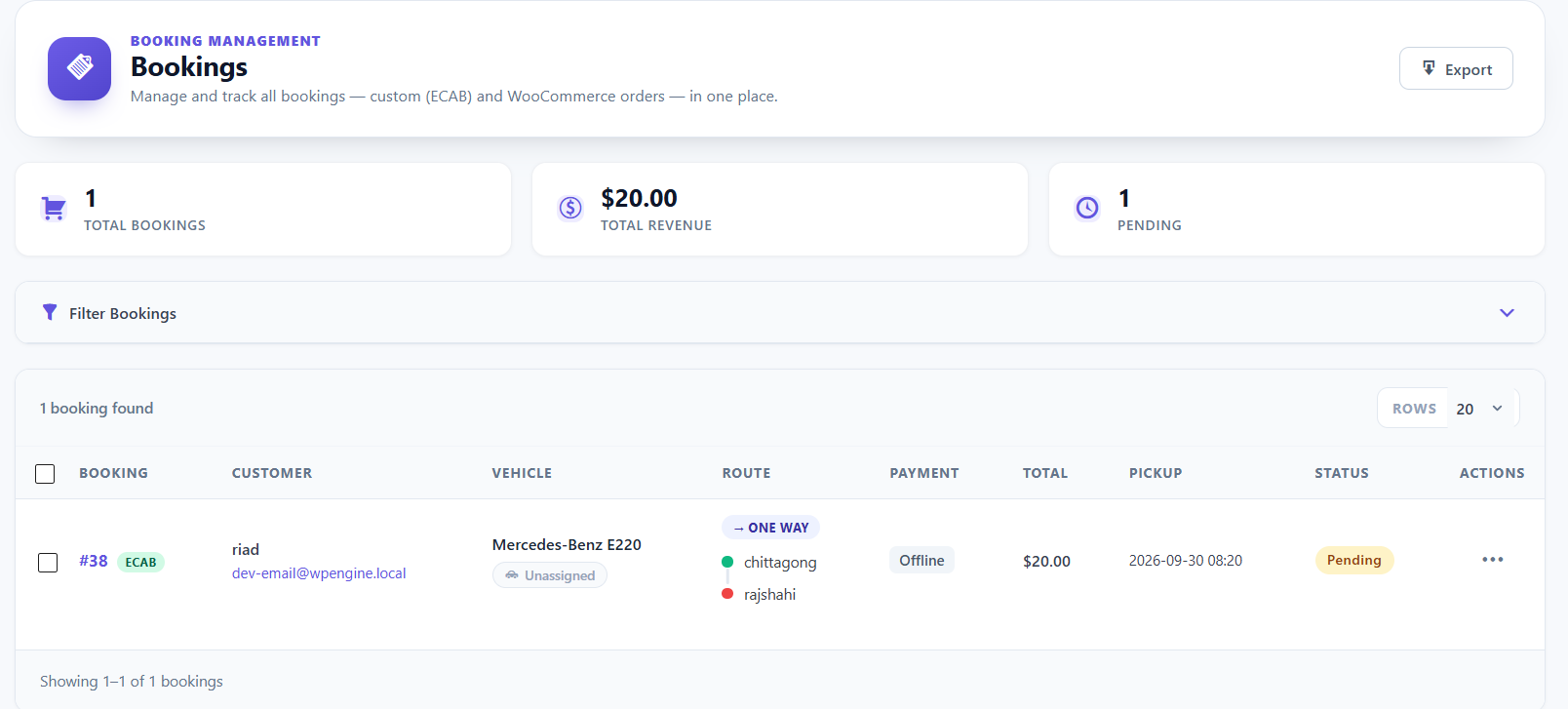
Registered users get saved addresses, trip history, and faster repeat bookings. Guest checkout keeps conversion high for first-time riders. The best booking modules offer both, plus a way to convert a guest into an account after the trip.
7. Payments, Deposits and Refunds
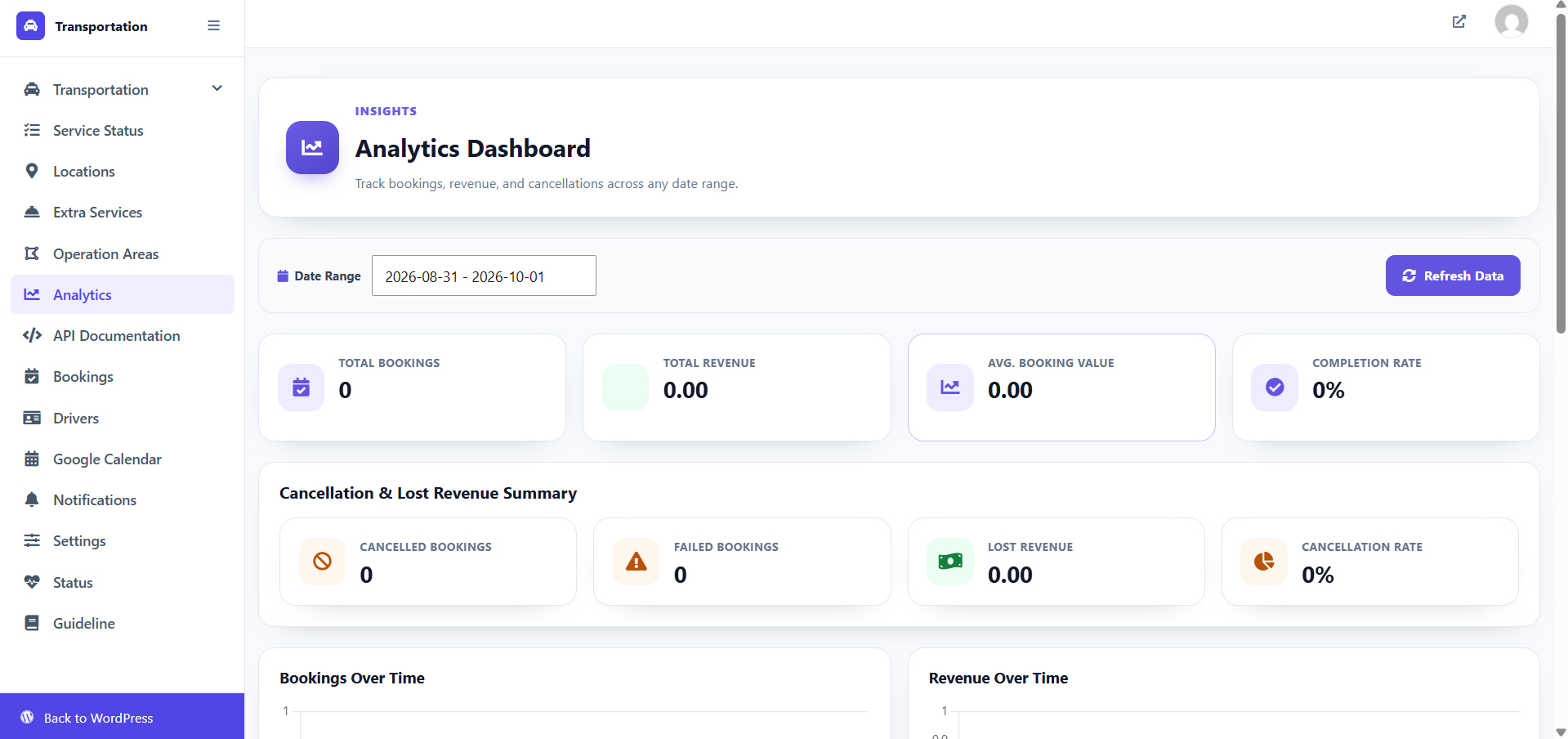
Decide early whether you take full prepayment, a deposit, or payment in the vehicle. This affects which payment methods you enable and how cancellations are handled.
A deposit model usually needs a stored payment method for the balance. Cash-on-arrival models need a clear cancellation policy displayed at checkout. If you are building on WooCommerce, the taxi plugin inherits its payment gateways and refund tools, which saves integration work. If you need a booking engine that works without WooCommerce at all, see the free booking plugin guide for small businesses.
8. Notifications and Trip Communication
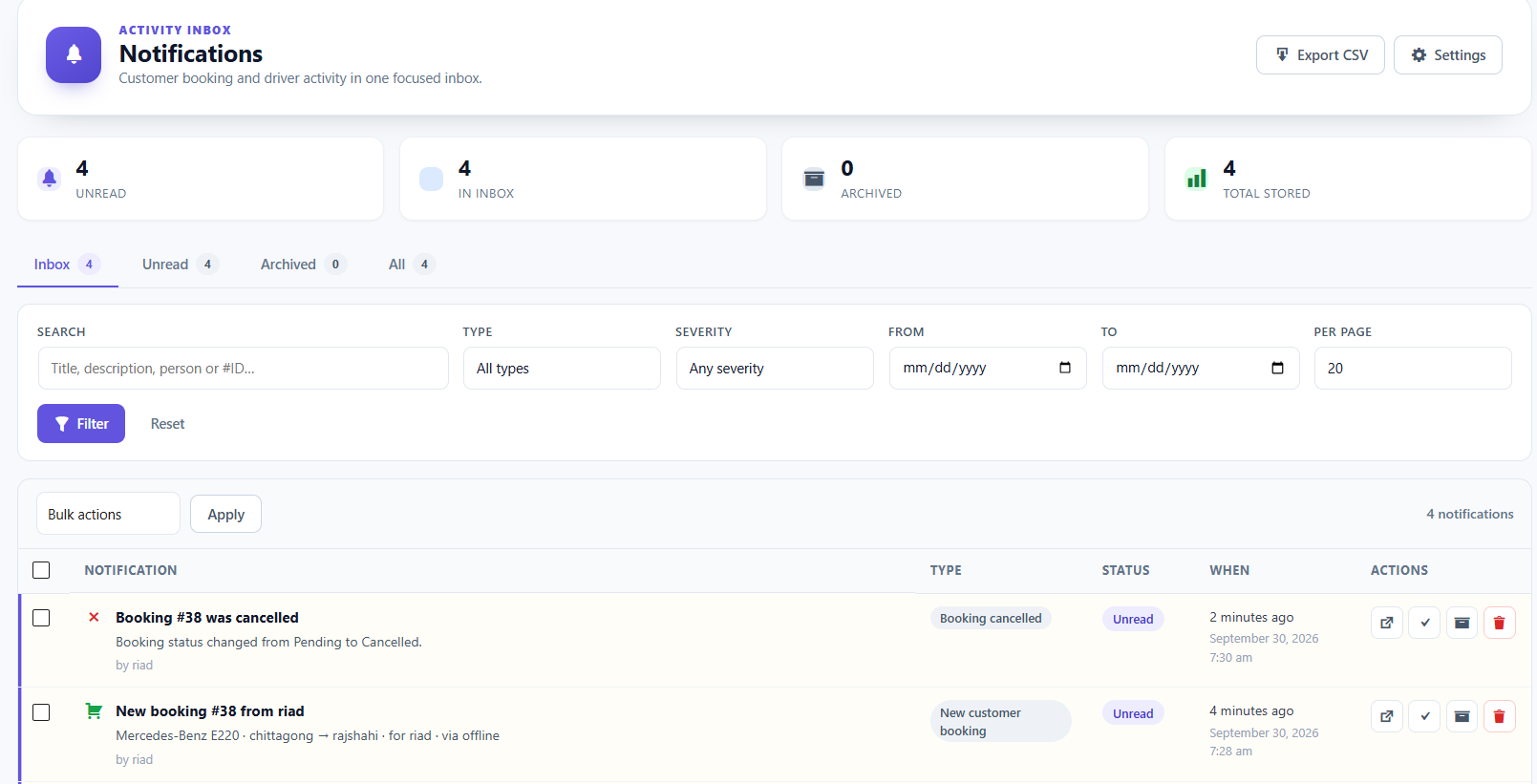
At minimum: a booking confirmation to the passenger, a job alert to the driver, and an admin copy. Practical extras include SMS reminders before pickup, driver-name and vehicle-number messages on the day, and status updates when the driver arrives.
Notification reliability is one of the hardest things to test before launch. Put yourself on the passenger list and book a real trip.
9. Admin Dashboard, Reporting and Payouts
The admin side is where you earn your margin. Look for trip lists filterable by date, driver, and status; revenue reports by vehicle class; commission or payout calculations if you use partner drivers; and export for accounting.
If payouts are manual, make sure the commission for each completed trip is recorded automatically. Reconstructing it from bank statements at month-end is a miserable process.
Quick Checklist: Modules vs. What to Verify
| Module | What to verify before you commit |
|---|---|
| Search and route input | Mobile usability; multi-stop and airport pickups |
| Fare calculation | Estimate and final fare; vehicle-class multipliers; fixed routes |
| Fleet and capacity | Capacity rules enforced; maintenance blocking |
| Driver management | Role-based trip views; job reassignment |
| Availability | Travel-time buffers; no double booking per vehicle |
| Accounts | Guest checkout plus saved addresses for members |
| Payments | Prepay, deposit and pay-in-car options; refund path |
| Notifications | Passenger, driver and admin messages all fire |
| Reporting | Commission accuracy; exports for accounting |
Booking Module vs. Booking Plugin vs. Booking System
Searchers often use the three terms interchangeably, and they do overlap. A rough division:
- Module – one functional block, such as the fare calculator or driver assignment.
- Plugin – the installable WordPress package that contains the modules.
- System – the whole operation: plugin, pricing policy, drivers, notifications, support process.
This matters at buying time. A plugin with a strong fare module but weak driver assignment will still cost you a hired dispatcher. If you are at the stage where you have not chosen a platform yet, the step-by-step walkthrough in how to make a taxi booking website in WordPress covers choosing a plugin and configuring it for launch.
Common Oversights That Break a Taxi Booking Flow
Most failed taxi sites fail for operational, not technical, reasons. The recurring ones:
- No buffer between trips. The car is technically free; physically, it is not.
- The fare and price shown at checkout don’t match. Usually caused by a surcharge applied after the estimate.
- Driver assignment is manual only. Fine at ten trips a day, unworkable at a hundred.
- Cancellation policy buried. Prepaid rides with hidden fees generate chargebacks.
- No visibility for the passenger. Without arrival status updates, your phone becomes the tracking system.
- Testing with a single vehicle class. Multi-class pricing and capacity rules are where bugs hide.
How to Test a Booking Module Before You Launch
Run this sequence in a staging site. It takes an afternoon and catches most of the problems.
- Book a simple point-to-point trip as a guest on a phone.
- Repeat it as a logged-in user with a saved address.
- Book the same vehicle class for an overlapping time slot. The system should refuse.
- Book a multi-stop trip with more passengers than a sedan holds. Only larger classes should appear.
- Apply a night or peak surcharge and confirm the checkout total matches what you advertised.
- Cancel one booking as a passenger and one as an admin. Check refunds and notifications on both.
- Export the trip and revenue report and reconcile it against your commission rules.
If any step needs a developer, note it now rather than discovering it during your first busy weekend. Pricing and licensing for taxi booking plugins change regularly, so check current pricing on the vendor’s site before you budget.
Frequently Asked Questions
Do I need a separate booking module for each vehicle type?
No. One fare module usually handles multiple vehicle classes through multipliers and capacity rules. You only need separate logic when a class has genuinely different pricing behaviour, such as a fixed-rate airport shuttle.
Can a taxi booking module work alongside an existing service booking site?
Yes, if both run on the same booking engine or share a user database. Mixed-service operators often keep one site with separate booking flows so customers can see every service, then book the one they need.
What is the minimum configuration to go live?
Search with fare estimate, at least one working payment path, driver assignment, and confirmation notifications. Everything else can be added after your first bookings, provided the data model supports it.
The Takeaway
Judge a booking module for taxis by its weakest component, not its longest feature list. If search, fare calculation, availability, and driver assignment all hold up under edge cases, the rest is configuration. Test the seven-step sequence above on a staging site before launch, and confirm current pricing and licence terms directly with the vendor rather than trusting an old review.