 Get Halloween 15% for Limited Time on Lifetime & Bundle Deal


If you run a travel agency, your website has to do more than show pretty destination photos. It has to publish itineraries, take deposits, collect passenger details, issue tickets and confirm bookings without you touching a spreadsheet. That is exactly the job of a travel booking plugin for WordPress.
Below you will find the 6 best WordPress plugins for travel agency websites in 2026, compared on price, booking features and compatibility. Number four is our own product and is flagged as such, and the last two sections cover what each option genuinely does not do well, so you can pick on fit rather than hype.
A quick note on numbers: plugin vendors change prices and bundles often. Treat every figure here as “at the time of writing” and check current pricing on the vendor’s own page before you buy.
Comparison Table: Pricing, Features and Compatibility
| Plugin | Free version | Paid from | Best for | Compatibility notes |
|---|---|---|---|---|
| WpTravelly (WooCommerce Tour & Travel Booking Manager) | Yes, on WordPress.org | Check current pricing on the product page | Agencies already running WooCommerce that want tickets, guests and hotel style packages in one place | WordPress + WooCommerce; add-ons for QR check-in and package duplication |
| Tour Master | No | Paid only, tiered licences — check current pricing | Operators who need a wishlist and multi-status booking workflow | Standalone plugin; not built around the WooCommerce cart |
| WP Travel | Yes | Annual licence — check current pricing | Tour-only operators who want unlimited packages and partial payments | Own payment flow, plus optional WooCommerce and automation connectors |
| WP Travel Engine | Yes | Monthly/annual subscription tiers — check current pricing | Content-led agencies publishing rich itinerary pages with forecasts and reviews | Works best paired with travel themes; multiple gateways |
| WooTour | Yes | Annual licence — check current pricing | Small agencies that want a light, cart-based tour checkout | Depends entirely on WooCommerce for payments |
| Tourfic | Yes | Annual licence — check current pricing | Marketplaces listing tours, hotels and apartments from several suppliers | WooCommerce based; multi-vendor and shortcode driven |
Two practical filters cut the list down fast. If you sell tours and hotel rooms together, you need a plugin with real package or stay logic — see this walkthrough on adding hotel bookings to your tour site. If you only sell day tours, a simpler cart-based plugin is enough.
How to Choose a Travel Agency Booking Plugin
Before you install anything, write down four things about your agency. They decide the answer more than any feature list does.
1. Booking complexity
- Single-day tours with fixed departure dates, or multi-day itineraries with several departures?
- Do you sell per person, per group, or per room?
- Do you need seat or capacity limits, or is it unlimited?
2. Money flow
- Full payment at checkout, or a deposit now with the balance later?
- Which gateways does your bank or local payment provider actually support?
- Will you issue invoices and refunds from inside WordPress, or outside it?
3. Documents and check-in
- Do customers need a PDF ticket or voucher to show at the gate?
- Will a guide scan a QR code, or will someone tick a paper list?
- Do you need passenger names, passport details and meal preferences captured before departure?
4. Growth path
- Will you add hotels, transfers or visas later as separate products?
- Do you plan to onboard other suppliers onto a marketplace?
- Who maintains the site — you, or an agency that will hand it over?
If you want a longer checklist with trade-offs for each answer, our guide on how to choose a travel booking plugin that fits your site goes deeper than this section.
1. WpTravelly — WooCommerce Tour & Travel Booking Manager
WordPress Tour & Travel Plugin – WpTravelly
WpTravelly is the plugin we build, so read this section with that in mind — and read the limitations further down before you decide.
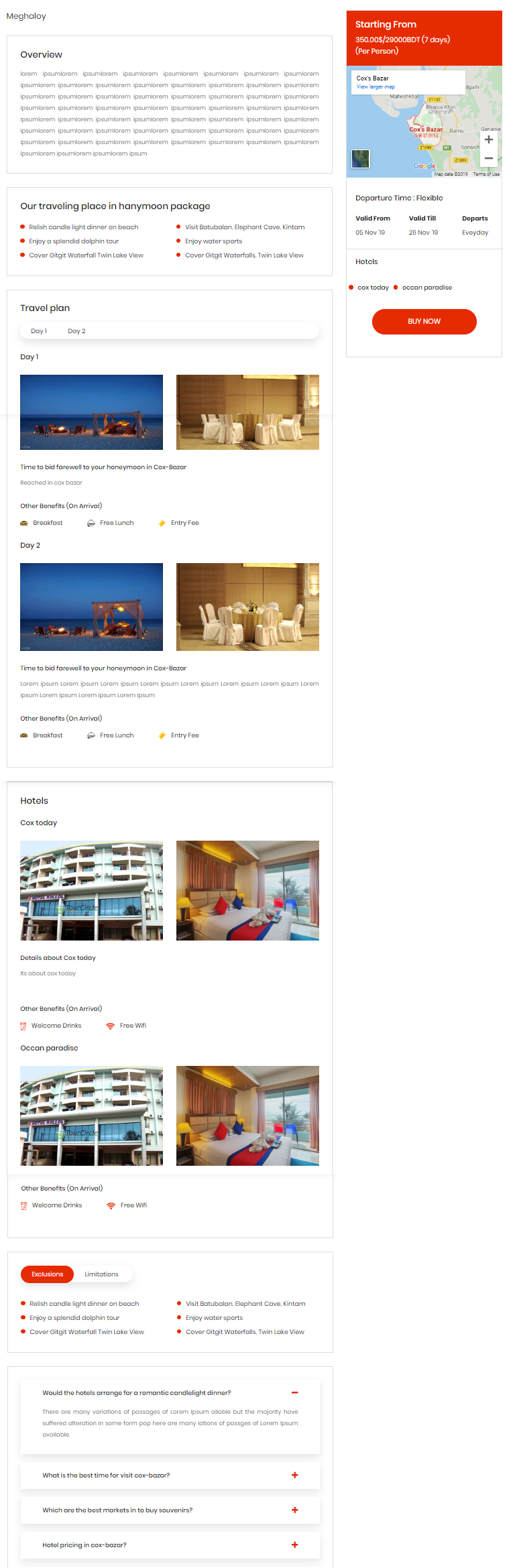
It extends WooCommerce rather than replacing it, which means checkout, taxes, coupons, order emails and payment gateways stay in the system you already know. On top of that it adds the travel-specific layer: departure dates, adult/child/group pricing, all-in-one packages combining tours, stays and transport, passenger information collection, and PDF ticket generation with guest list and check-in tracking.

Practical extras worth knowing: CSV export of guest data, booking reports, Google Maps on itineraries, multilingual support, and add-ons such as the QR code add-on for mobile ticket check-in and the duplicator add-on for cloning tour packages instead of rebuilding them each season.
Key Features
- Booking and payment handling through your existing WooCommerce setup
- Multiple pricing tiers, including adult, child and group rates
- All-in-one packages that bundle tours with accommodation and transport
- Passenger detail capture: names, contact details, dietary requirements
- PDF tickets, guest lists and per-tour check-in tracking
- Hotel-based packages that sync tour dates with room availability
- Google Maps, multilingual support and CSV export
- Booking and sales reports for tour organisers
- Automation connectors to push bookings into email or CRM tools
Where it is not the right fit: if you do not use WooCommerce, this plugin is the wrong starting point — you would be installing a whole e-commerce layer first. It is also not a multi-vendor marketplace, so suppliers cannot manage their own listings and payouts through it. And if you need a pure enquiry-only site with no online payment at all, you are paying for checkout machinery you will not use.
If you want to see the booking flow and tour layout before installing anything, try the WpTravelly demo and free version.
2. Tour Master
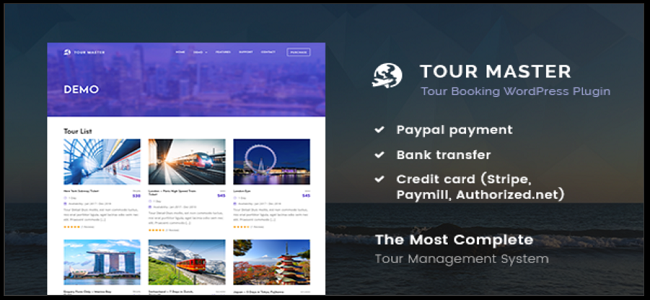
Tour Master is a standalone tour management plugin, meaning it runs its own booking logic instead of leaning on a shop plugin. That makes it attractive if you have no WooCommerce site and do not want one.
Its strongest differentiator is the front-end booking experience for customers: they can track booking statuses, read other travellers’ reviews and save packages to a wishlist before committing. Operators get a capable backend panel for editing package content, adjusting ticket prices per traveller, and issuing coupon codes.
Watch out for: there is no free tier, so you cannot test the workflow on a live site without paying. Because it ships its own payment and order layer, you are limited to the gateways and add-ons the developer supports rather than the far larger WooCommerce payment ecosystem.
Pricing: paid only, with tiered licences — check current pricing before purchase.
3. WP Travel
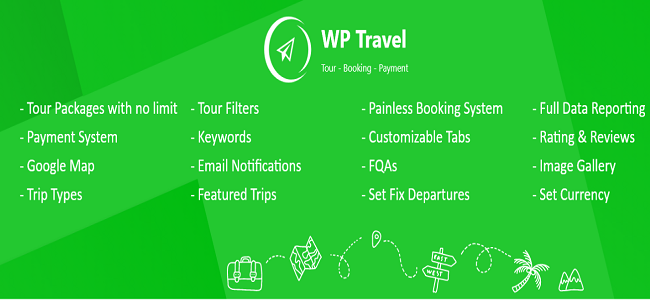
WP Travel is a well-established tour booking plugin with a free core in the WordPress directory and a paid version for advanced features. It is a solid pick for tour-only agencies that expect to publish a large catalogue.
You can create unlimited tour packages, set multiple price options, accept several payment gateways including PayPal and card processors, offer coupon codes, and let customers search and book online. Automatic email notifications confirm bookings without manual work, and the paid tier supports automated partial payment schedules — genuinely useful when customers pay a deposit months ahead of a departure.
Watch out for: if your agency sells hotels and flights alongside tours, you will need extra plugins or custom development, because its core is tour packages rather than mixed travel inventory. Advanced reporting also tends to sit behind the paid tier.
Pricing: free core; annual paid licence — check current pricing.
4. WP Travel Engine

WP Travel Engine is the content marketer’s choice. It is built to produce itinerary pages that read well and rank, which matters if your growth depends on people searching “5-day Cox’s Bazar itinerary” rather than on repeat customers.
Notable features include tour weather forecasts on itinerary pages, trip reviews after travel, add-on services attached to a package, adult and child group discounts, inquiry forms for lead capture, and multiple payment gateways. It pairs naturally with dedicated travel themes, so an agency site can look like a tour operator’s site rather than a shop.
Watch out for: the feature set is broad but shallow in places, so complex multi-option products — several departure cities, variable room types, per-passenger add-ons — can need extra plugins or development. Subscription pricing means an ongoing cost even if bookings are quiet.
Pricing: free core with monthly and annual subscription tiers — check current pricing.
5. WooTour

WooTour is deliberately lightweight. It bolts tour booking onto WooCommerce, uses the cart and checkout you already have, and prices tickets by traveller type — adult, child and infant — which is exactly the model most day-tour and activity operators need.
It also handles daily, weekly and monthly booking periods, so you can run scheduled departures or a single date for a special event. After payment, customers get an email confirmation and can see past and upcoming trips in their account profile.
Watch out for: simplicity is the point, so there is no itinerary builder, no multi-day package combining hotels and transport, and no supplier marketplace. If your products grow into complex packages, you will outgrow it rather than scale it.
Pricing: free core; annual paid licence — check current pricing.
6. Tourfic

Tourfic targets a different business model: marketplaces. It manages tours, hotels and apartments inside one system and supports multi-vendor setups, so several suppliers can list inventory on your site while you take a commission. There is a front-end dashboard for management, booking history tracking, tour extras and custom services, and shortcodes for dropping booking widgets into any page.
Watch out for: marketplace features bring configuration overhead. Vendor onboarding, commission rules and payout flows need decisions before launch, and a site with only your own tours is carrying complexity it will never use. Those with simple sites can find the settings screens heavier than the job requires.
Pricing: free core; annual paid licence — check current pricing.
Which Plugin Should Your Travel Agency Use?
- Selling tours and hotel stays together, WooCommerce already installed: WpTravelly — the travel layer sits on top of a checkout you control.
- No WooCommerce and no plans to add it: Tour Master, if you will pay for an out-of-the-box system.
- Large tour-only catalogue with deposits: WP Travel.
- Content-led growth from organic search: WP Travel Engine.
- Simple day tours and activities: WooTour.
- Listing other suppliers’ inventory: Tourfic.
One caution that applies to all six: every plugin here changes how your site handles money, so test the full path from a customer clicking Book to the confirmation email landing, on a staging copy of your site, before you take a single real booking.
FAQ
What is the best WordPress plugin for a travel agency in 2026?
There is no single winner, because the best choice depends on how you sell. If you already use WooCommerce and sell tours plus hotel stays, WpTravelly is a strong fit. If you sell only day tours, a lighter cart-based plugin such as WooTour is enough. For a multi-supplier marketplace, Tourfic is the closer match.
Do I need WooCommerce to run a travel booking site on WordPress?
No. Tour Master and WP Travel Engine can handle bookings without WooCommerce, and WP Travel offers its own payment flow. But if you want coupons, taxes, invoices and a wide choice of payment gateways handled by an established shop system, running on WooCommerce saves you building that infrastructure yourself.
Are there free WordPress travel booking plugins?
Yes. WpTravelly, WP Travel, WP Travel Engine, WooTour and Tourfic all have free versions, usually in the WordPress.org directory, and paid tiers add the advanced features. Tour Master has no free version. Free editions commonly limit reports, add-ons or support, so plan for a paid tier if you take real booking volume.
Can these plugins sell tour packages and hotel rooms together?
Some can. WpTravelly supports hotel-based packages that tie tour dates to room availability, and Tourfic manages tours, hotels and apartments in one system. Plugins focused purely on tours, such as WP Travel and WooTour, usually need extra plugins or custom work to add accommodation inventory.
How do travel booking plugins handle payments and deposits?
It depends on the plugin. WooCommerce-based options inherit whatever gateways WooCommerce supports, including local providers, and can take full payment or a deposit. Standalone plugins use their own supported gateway list and add their own deposit rules. Always confirm your specific gateway is supported before you buy the licence.
Do I need a PDF ticket or QR code for tour check-in?
Not for every business, but it helps once you run fixed departures with groups. Ticketing add-ons can print a unique QR code on the PDF ticket and scan it at the meeting point, which replaces paper lists and gives you real-time attendance. If you never run group departures, you may not need it.
Final Thoughts
The 6 best WordPress plugins for travel agency sites in 2026 split into two broad camps: WooCommerce-based systems that give you a flexible checkout and a rich payment ecosystem, and standalone systems that offer convenience without the shop layer. Both are valid — the deciding factor is how complex your products are and how much of your site you want to maintain yourself.
Start with a free version, test the booking path end to end, and only then pay for the tier with the features you actually used. If you sell tours alongside stays, hotel bookings are the first thing to get right — see our guide to hotel booking for tour sites for that next step.
