 Get Halloween 15% for Limited Time on Lifetime & Bundle Deal

The benefits of an online bus reservation system come down to one idea: the seat, the money and the record all move at the same moment, without a human in the middle. Passengers book in minutes from a phone, pick an exact seat, and get a ticket they cannot lose. Operators fill more seats per departure, stop reconciling paper manifests, and see which routes actually earn. This guide walks through the nine benefits that matter most, then covers the honest drawbacks and what to look for if you are choosing software.
What an Online Bus Reservation System Actually Does
An online bus reservation system is software that lets a passenger search a route, view a live seat map, pay, and receive a confirmed ticket — while the operator manages schedules, seat inventory, pricing and passenger lists from one dashboard. Nothing is duplicated by hand, and no two people can hold the same seat.
That last point is the whole game. A counter clerk with a paper register has to trust their own memory. Software checks availability at the instant of payment.
9 Benefits of an Online Bus Reservation System
1. Booking Around the Clock, Not Around Office Hours
A counter closes at 6pm. A ticket page does not. Passengers planning a trip at midnight or during a lunch break can complete a booking without waiting for anyone to open a window. For operators, this converts off-hours intent into revenue that would otherwise go to a competitor who was open.
2. Real-Time Seat Selection and Live Inventory
An interactive seat map shows exactly which berths and seats are free, held or sold, updated as payments complete. Passengers get the window seat or the lower berth they wanted, and they stop calling the office to ask whether seat 14B is available. Dynamic allocation matters on multi-stop routes too, because a seat vacated mid-journey can be resold for the remaining leg instead of riding empty.
3. Fewer Booking Errors and No Double-Booked Seats
Manual ticketing fails in predictable ways: two passengers sold the same seat, a fare keyed in at the wrong tier, a child counted as an adult. Automated reservation removes the transcription step entirely. The seat is locked when payment clears, the fare is calculated by rules rather than arithmetic, and the passenger list is generated from the same record that produced the ticket.
4. Secure, Flexible Payment Options
Passengers expect to pay the way they already pay for everything else. A modern reservation system connects to card gateways, mobile wallets and bank transfers, and holds payment data behind encrypted checkout rather than in a spreadsheet. If your customers often book early on a tight budget, deposit and part-payment flows let them hold a seat with a small amount upfront — and if you are running that on WooCommerce, see our guide to integrating a deposit and partial payment system.
5. Instant E-Tickets Passengers Cannot Lose
A PDF ticket or a ticket with a scannable code delivered by email or SMS is harder to lose than a printed slip and faster to check at the door. Boarding moves quickly, staff spend less time reading handwriting, and every scan writes back to the passenger record as proof of travel. If you want to add that layer to a WordPress site, our walkthrough on adding a bus ticket QR code to WordPress covers the setup.
6. Lower Operating Costs for Bus Operators
Every booking a passenger completes alone is a booking a staff member does not have to key in, confirm, and file. That is the direct saving. The indirect one is bigger: fewer refund disputes, fewer lost manifests, and no need to maintain a separate counter system alongside your website. For small operators, replacing a rented third-party listing platform with your own booking page also removes per-ticket commission.
7. Data That Shows Which Routes and Departures Earn
Paper registers tell you how many tickets sold. Software tells you which departure, which seat class and which fare tier drove the revenue, and how full each coach ran. That is the difference between guessing at a schedule change and knowing it. Sales reports by month or year, exportable for accounting, turn pricing and route decisions into something you can actually check.
8. Better Customer Experience and Repeat Bookings
Automatic confirmations, self-service cancellation where policy allows, saved passenger details and clear rules all reduce friction at the exact moments customers get frustrated. People rarely compliment a smooth booking, but they remember an argument at a counter. Repeat business tends to follow the operator whose process never created one.
9. Less Paper and Less Administrative Waste
Paperless ticketing cuts printing and storage costs, and it removes the pile of used ticket books that someone has to reconcile at month end. It is a modest benefit on its own, but it compounds with the others: the same digital record that issues the ticket also produces the manifest, the report and the refund trail.
What Online Bus Reservation Does Not Solve
A balanced look is more useful than a sales pitch. These are the genuine limitations.
- Internet dependency. Passengers need a connection at booking time, and staff need one at boarding if tickets are scanned live. Offline fallbacks still matter on weak-signal routes.
- Adoption curve. A percentage of regular passengers will keep buying the way they always have. Plan for staff-assisted bookings to run alongside self-service for a while rather than switching overnight.
- Policy confusion, not software failure. Most cancellation complaints are really unclear refund rules. Write them down before you launch.
- Maintenance is not optional. Any booking plugin on any platform needs timely updates for security. An unpatched system is a risk regardless of who built it.
Platform Choice: Where the Reservation System Lives
Operators generally face three routes: a hosted third-party listing platform, a custom-built system, or a booking module installed on your own website. Hosted platforms are quick to join but you rent the customer relationship and pay per ticket. Custom software gives full control at a cost that rarely makes sense below a certain fleet size. Installing a reservation module on a site you already own sits in between, and for a bus business that is already on WordPress it is usually the fastest path — the page, the content and the booking flow stay on one domain you control. Our step-by-step guide on how to create a bus booking website covers that route end to end.
What to Look For in Bus Reservation Software
Feature lists are long, so judge on the handful of items that decide whether a system survives its first busy season.
- Accuracy under load. Can two people complete payment for the same seat at the same second? Test it.
- Route flexibility. Multi-stop routes, boarding points and per-leg pricing are where simple systems break.
- Payment and refund handling. Multiple gateways, plus a refund and part-payment path that does not require a developer.
- Reporting you would actually open. Departure-level occupancy and revenue, exportable.
- Mobile-first checkout. Most bus bookings start on a phone. Test on one.
- Ongoing maintenance. Regular releases, a changelog, and a support channel with answers during your working hours.
A Practical WordPress Option: WpBusTicketly
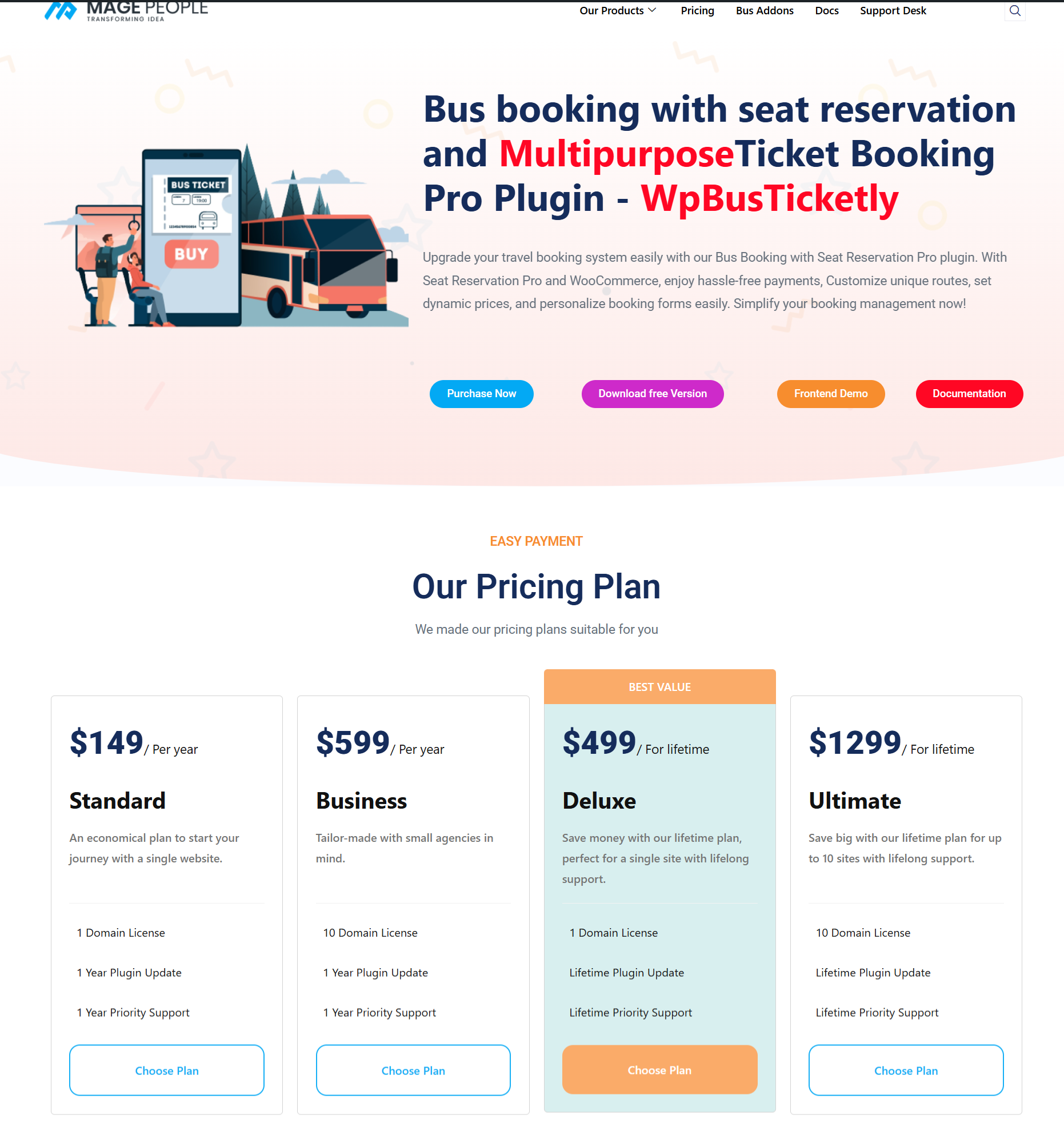
WpBusTicketly is a WordPress bus ticketing plugin from the MagePeople team, built specifically for bus operators rather than adapted from generic event booking. It ships the essentials covered above — search and route filtering, live seat maps, secure checkout via WooCommerce, and an admin dashboard for bookings, passenger lists and routes — and adds PDF tickets with QR check-in, custom passenger registration fields, tax and extra-service handling, and exportable sales reports. Multi-language support means it can serve a regional passenger base in their own language. Check current pricing and licence tiers on the product page before you commit, and confirm which capabilities sit in the free versus paid edition, since QR ticketing and several reporting features are add-on or higher-tier.
The free version is listed on the WordPress plugin repository, which is the quickest way to see current features and release history. The paid edition and the seat-reservation pro add-on live on the WpBusTicketly seat reservation pro product page.

FAQ
What are the main benefits of an online bus reservation system?
Round-the-clock booking, real-time seat selection, fewer ticketing errors, secure online payment, instant e-tickets, lower administrative cost for operators, and sales data that shows which departures perform. The biggest single gain is that seat inventory and payment stay in sync, so double bookings stop happening.
Is an online reservation system only useful for large bus companies?
No. Small operators often gain more, because they cannot absorb the cost of a full reservations desk. A hosted booking page replaces manual register-keeping without adding headcount, and it lets a small fleet compete for bookings outside counter hours.
Do passengers still need paper tickets?
Not usually. A PDF or SMS ticket with a scannable code is accepted at boarding, and the scan updates the passenger record automatically. Some operators keep a printed backup manifest for weak-signal routes.
How long does it take to move bookings online?
If you already run a website, adding a bus reservation module is a configuration job rather than a development project — loading routes and schedules is typically the longest part. Building custom software from scratch takes far longer and costs substantially more.
What is the biggest risk when switching?
Under-preparing your cancellation and refund policy. Software makes rules easy to enforce but it cannot decide them. Publish clear terms before launch, and keep counter-assisted booking available during the transition.
Bottom Line
The benefits of an online bus reservation system are straightforward: passengers get a seat they chose and a ticket they cannot lose, and operators get accurate inventory, lower cost per booking, and reporting that supports real decisions. The drawbacks — connectivity, adoption, maintenance — are manageable with planning rather than technology.
If your bus business already runs on WordPress, the shortest route to those benefits is installing a dedicated reservation module instead of commissioning custom software. Start with the free version, work through a single route, and expand once the process is proven.
