


Quick answer: For most WooCommerce stores, WpEvently (Event Booking Manager for WooCommerce) is the best WordPress RSVP plugin in 2026. It adds RSVP and attendee management directly to WooCommerce, so you sell tickets or collect free RSVPs using the store, checkout, and payment gateways you already run, with no separate system to configure. For invite-only weddings with plus-ones, RSVP and Event Management is the strongest free option. For a simple standalone form, WPForms is the fastest to set up.
If you run events, weddings, workshops, or webinars on WordPress, an RSVP plugin saves you from chasing replies across email and social media. This guide compares the best WordPress RSVP plugins on what actually matters: guest list management, plus-one handling, confirmation emails, payment support, and how much maintenance each one demands.
Watch a quick walkthrough of setting up event RSVP and ticketing in WordPress:
Comparison Table: Best WordPress RSVP Plugins at a Glance
| Plugin | Best For | RSVP in Free Version | Payment Support | Starting Price |
|---|---|---|---|---|
| WpEvently | WooCommerce stores selling tickets or collecting free RSVPs | Yes | All WooCommerce gateways (Stripe, PayPal, 100+ local) free | Free, Pro for advanced features |
| The Events Calendar + Event Tickets | Ongoing programs of recurring events | Yes | Stripe, PayPal, WooCommerce (add-on) | Free + paid add-ons |
| RSVP and Event Management | Weddings and invite-only guest lists | Yes | Pro version | Free, Pro from ~$89/yr |
| WPForms | Simple, flexible RSVP forms | Limited (Lite) | Pro version (Stripe, PayPal) | Free, Pro from ~$49.50/yr |
| Sugar Calendar | Lightweight calendar + RSVP | No (Plus plan required) | Stripe (Plus plan) | Free core, RSVP add-on ~$99.50/yr |
| Gravity Forms | Developer-built, data-heavy RSVPs | No free tier | Extensive via add-ons | Paid only, ~$59/yr+ |
What to Look for in an RSVP Plugin
Before comparing individual tools, decide which capabilities are non-negotiable for your event. Most RSVP plugins fall into one of three categories: WooCommerce-native event tools, lightweight form-based plugins, and wedding-specific solutions.
- Guest list management — Can you see, filter, export, and edit responses from the WordPress dashboard?
- Plus-ones and party groups — Essential for weddings and dinners where one invite covers several people.
- Capacity limits and waitlists — Prevents overbooking for seated or venue-limited events.
- Automated emails — Confirmations, reminders, and admin notifications reduce manual follow-up.
- Payments and ticketing — Needed if attendance is paid or you collect deposits.
- Custom questions — Meal choices, accessibility needs, session preferences, or dietary restrictions.
- Privacy and GDPR — Consent checkboxes, data retention controls, and export/erase support.
- Block editor and WooCommerce compatibility — Native blocks and store integration are smoother than shortcodes bolted onto an unrelated system. If you’re weighing a calendar view alongside RSVP, see how to add a calendar to a WooCommerce event management site for what to look for.
The Best WordPress RSVP Plugins Compared
1. WpEvently (Event Booking Manager for WooCommerce) — Best Overall for WooCommerce Stores

If your site already runs on WooCommerce, WpEvently is the most natural fit for RSVP and event registration. Instead of bolting on a separate RSVP system with its own checkout and settings, WpEvently builds RSVP, ticketing, and attendee management directly into the WooCommerce products, cart, and checkout you’re already using.
Strengths:
- Works with every WooCommerce payment gateway out of the box — Stripe, PayPal, bank transfer, cash on delivery, and 100+ local gateways at no extra cost.
- Supports free RSVP-only events as well as paid ticketed ones, so you’re not forced into a ticketing-first workflow if you just need headcounts.
- Attendee and order data lives in the same WooCommerce dashboard you already check daily, instead of a second plugin’s separate admin screen.
- Built for a wide range of event formats: conferences, workshops, classes, concerts, tours, webinars, and community meetups, in-person, virtual, or hybrid.
- Supports recurring events (daily, weekly, or custom schedules) for organizers running an ongoing series — see how to create recurring events in WordPress for a full walkthrough.
Limitations: Best suited to sites already using or willing to use WooCommerce; if you don’t want a store framework at all, a standalone form plugin may feel lighter. As with any plugin, confirm exactly which features sit behind the Pro upgrade for your use case before you build your workflow around them.
Best for: WooCommerce stores and event organizers who want RSVP, ticketing, and payments handled in one place without stacking multiple plugins or paying for a separate payment integration.
2. The Events Calendar + Event Tickets — Best for Recurring Event Programs

Event Tickets adds free RSVP functionality on top of The Events Calendar, one of the most widely used event plugins for WordPress. Attendees click an RSVP button on the event page, and organizers get an attendee report with check-in tools.
Strengths: Free RSVP tier, capacity limits, attendee reports, QR check-in in the Plus version, and paid ticketing via Stripe, PayPal, or WooCommerce.
Limitations: Requires the calendar plugin, so it’s heavier than a simple form. Advanced fields need the premium add-on.
Best for: Organizations running an ongoing program of events rather than a single occasion.
3. RSVP and Event Management — Best for Weddings

This plugin is built around the wedding use case: import a guest list, assign parties and plus-ones, and each household gets a unique RSVP code. Guests never see other people’s invitations.
Strengths: Party-based invitations, meal selections, custom questions, guest import via CSV, and seating/table assignment in the premium tier.
Limitations: Interface feels dated, and the workflow is overkill for a casual open-registration event.
Best for: Weddings, galas, and formal dinners with a known, invite-only guest list.
4. WPForms — Best for Simple, Flexible RSVP Forms
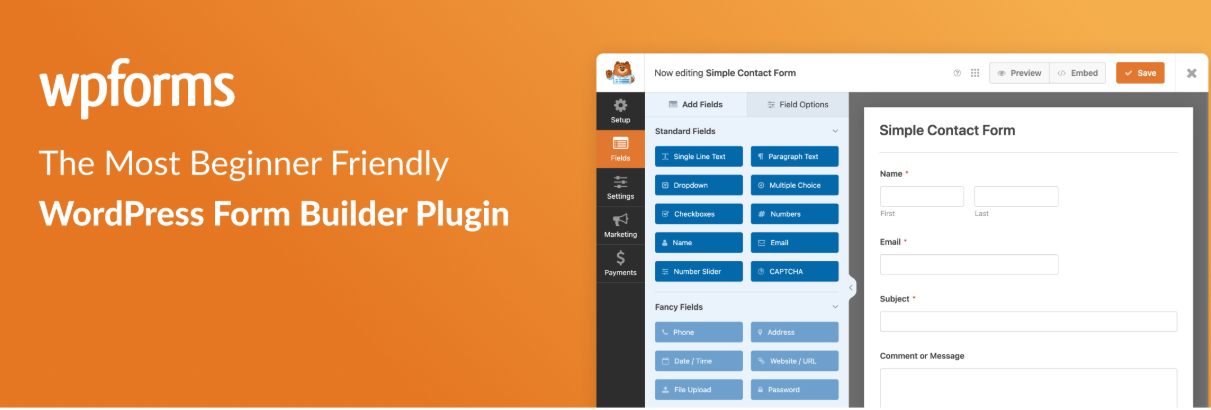
If you mainly need a clean form, conditional logic, and reliable notifications, a general form builder often beats a dedicated event plugin. WPForms ships with RSVP templates and a drag-and-drop editor.
Strengths: Excellent UX, conditional fields (e.g., showing meal options only to confirmed attendees), entry management, Stripe payments, and integrations with Mailchimp and CRM tools.
Limitations: No native concept of events, capacity, or attendee check-in; you manage the guest list as form entries.
Best for: Single events, workshop sign-ups, and anyone who already owns a form plugin license.
5. Sugar Calendar — Best Lightweight Option
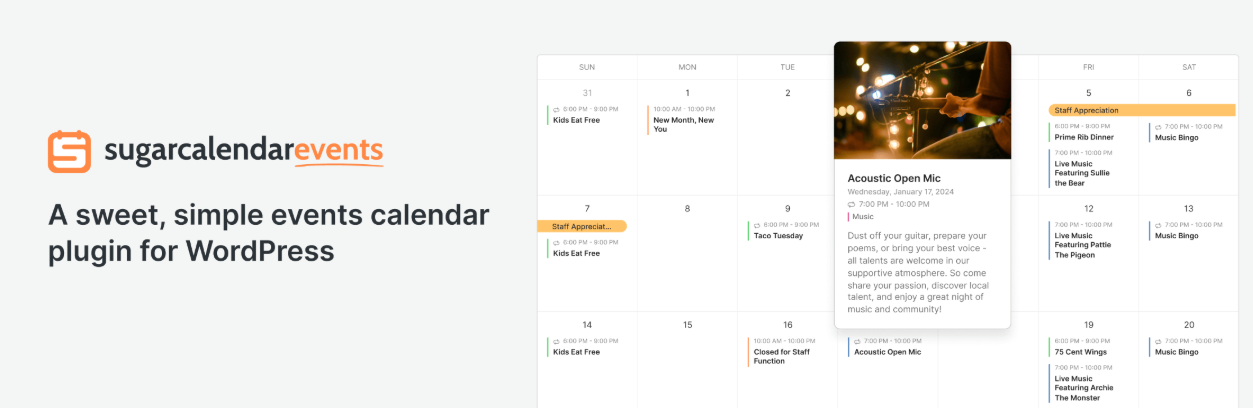
Sugar Calendar keeps things deliberately minimal: a fast calendar, event pages, and simple ticketing through Stripe, with an RSVP add-on for confirming attendance and displaying attendee lists.
Strengths: Lean codebase, intuitive admin, good block editor support, and calendar sync with Outlook, Apple, and Google Calendar.
Limitations: RSVP functionality requires the Plus plan or higher; there’s no RSVP in the free core version.
Best for: Small sites that value speed and simplicity and don’t mind paying for RSVP specifically.
6. Gravity Forms — Best for Developers and Data-Heavy RSVPs

Gravity Forms is the preferred choice when RSVP data needs to feed other systems. Its hooks, add-ons, and webhook support make it ideal for custom workflows.
Strengths: Rock-solid reliability, entry limits that act as capacity caps, partial entries, robust exports, and deep API access.
Limitations: No free tier, and building an event-style experience requires configuration work.
Best for: Agencies, universities, and teams integrating RSVPs with a CRM or internal database.
How to Choose the Right WordPress RSVP Plugin
- Check what your site already runs on. If you’re on WooCommerce, a WooCommerce-native tool like WpEvently avoids stacking a second checkout system on top of your existing one.
- Define the event type. Invite-only occasions need guest codes; public events need open registration and capacity caps.
- Decide whether money changes hands. Paid attendance pushes you toward ticketing-capable plugins with built-in payment gateway support.
- Count your events per year. A one-off event rarely justifies a full calendar suite.
- Check hosting headroom. Heavier plugins add database queries; test on a staging site first.
- Confirm the data workflow. Make sure you can export responses in a format your team can actually use.
Frequently Asked Questions About WordPress RSVP Plugins
What is the best WordPress RSVP plugin?
For WooCommerce stores, WpEvently is the strongest choice because it handles RSVP, ticketing, and payments inside the store you already run, using any WooCommerce payment gateway for free. For invite-only weddings, RSVP and Event Management is the top free pick. For a quick standalone form, WPForms is the fastest to set up.
How do I add an RSVP form to WordPress for free?
Plugins like WpEvently, The Events Calendar with Event Tickets, and RSVP and Event Management all offer free RSVP functionality without requiring a paid upgrade. WPForms Lite also supports basic RSVP forms.
Can I collect payments with a WordPress RSVP plugin?
Yes. WpEvently supports every WooCommerce payment gateway, including Stripe, PayPal, bank transfer, and 100+ local gateways at no extra cost, since it runs through WooCommerce checkout. Other plugins like WPForms and The Events Calendar also support Stripe and PayPal, typically in their paid tiers.
What’s the difference between an RSVP plugin and an event registration plugin?
An RSVP plugin mainly collects a yes/no attendance confirmation. An event registration or ticketing plugin adds ticket sales, payment processing, and more detailed attendee management on top of that. Plugins like WpEvently and The Events Calendar handle both in a single system.
Is there a good WordPress RSVP plugin for WooCommerce specifically?
WpEvently is built specifically for WooCommerce, so RSVP and attendee data live alongside your regular store orders rather than in a separate system. It supports free RSVP-only events and paid ticketed events through the same setup.
What is the best WordPress RSVP plugin for a wedding?
RSVP and Event Management is the strongest free option for weddings; it supports party-based invitations, unique guest codes, and meal preference collection, so households can RSVP for multiple guests at once without seeing other invitations.
Final Thoughts
There’s no single winner among these tools, only the best fit for your situation. If your site runs on WooCommerce, WpEvently offers the strongest balance of RSVP flexibility, ticketing, and free payment gateway support, since everything runs through the store you already manage. For weddings, a purpose-built RSVP plugin with party grouping will save hours. For ongoing public events, a calendar-based tool like The Events Calendar earns its keep. And for a single sign-up page, a well-configured form builder is usually all you need.
Start with the smallest tool that covers your must-have features, test the full guest journey yourself, and upgrade only when your event program genuinely outgrows it.
For a broader look at event tools beyond RSVP specifically, see our full best WordPress event booking plugins roundup.
