 Get Halloween 15% for Limited Time on Lifetime & Bundle Deal

If you run a taxi, chauffeur, or airport transfer business on WordPress, the plugin underneath your booking form decides how much of your day is admin work and how much is revenue. This review explains why eCab Taxi Booking Manager for WooCommerce earns its reputation as one of the strongest taxi booking system plugins on the market, where it genuinely is not the right fit, and what you should check before you install it.
Everything below is based on the plugin’s documented features: WooCommerce checkout, geofencing, single operation areas, fixed zone pricing, a driver panel, and the Pro pricing addons. We also explain plainly who should pick a different tool instead.
Disclosure: eCab Taxi Booking Manager is a MagePeople product, and MagePeople publishes this site. We have tried to be as blunt about its limitations as we are about its strengths.
- What eCab Actually Is (And What It Is Not)
- Power-Packed WooCommerce Integration
- No Fuss, Just Fun: eCab's Super Simple Design Rocks!
- Geofencing: Run Your Cab Business Like a Boss
- Single Operation Areas
- Fixed Zone Pricing (The "Flat Rate" Advantage)
- Long Trips? eCab's Got It Covered!
- Inclusive Pricing: Fares That Keep It Real
- Driver Panel: Get Your Crew in Gear
- Pump Up Profits with eCab's Pro Addons
- More Pro Features to Love
- Start Free, Scale with Pro
- eCab vs Other WordPress Taxi Booking Options
- Where eCab Is Not the Right Fit
- Fantastic Support and Customization Galore
- Why eCab Leaves the Competition in the Dust
- How to Evaluate eCab Before You Buy
- Frequently Asked Questions
- Ready to Put Your Taxi Business in the Fast Lane?
What eCab Actually Is (And What It Is Not)
eCab is a WooCommerce-based booking engine. Every ride a customer books becomes a WooCommerce order, which means payments, taxes, coupons, refunds, and order emails run through the commerce stack you already know. That design choice is the single biggest reason it suits WordPress taxi businesses: you are not bolting a second, unfamiliar system onto your site.
What it is not: it is not a native mobile app builder, and it does not give you a built-in rider app on the App Store. It is a website booking system that passengers use through a mobile-responsive form on your own domain. If your growth plan depends on a branded passenger app, that is a different product category.
- Best for: local taxi fleets, chauffeur and limo services, airport transfer operators, and regional taxi companies already on WordPress.
- Poor fit for: ride-hailing marketplaces that need to match thousands of independent drivers to riders in real time.
Power-Packed WooCommerce Integration
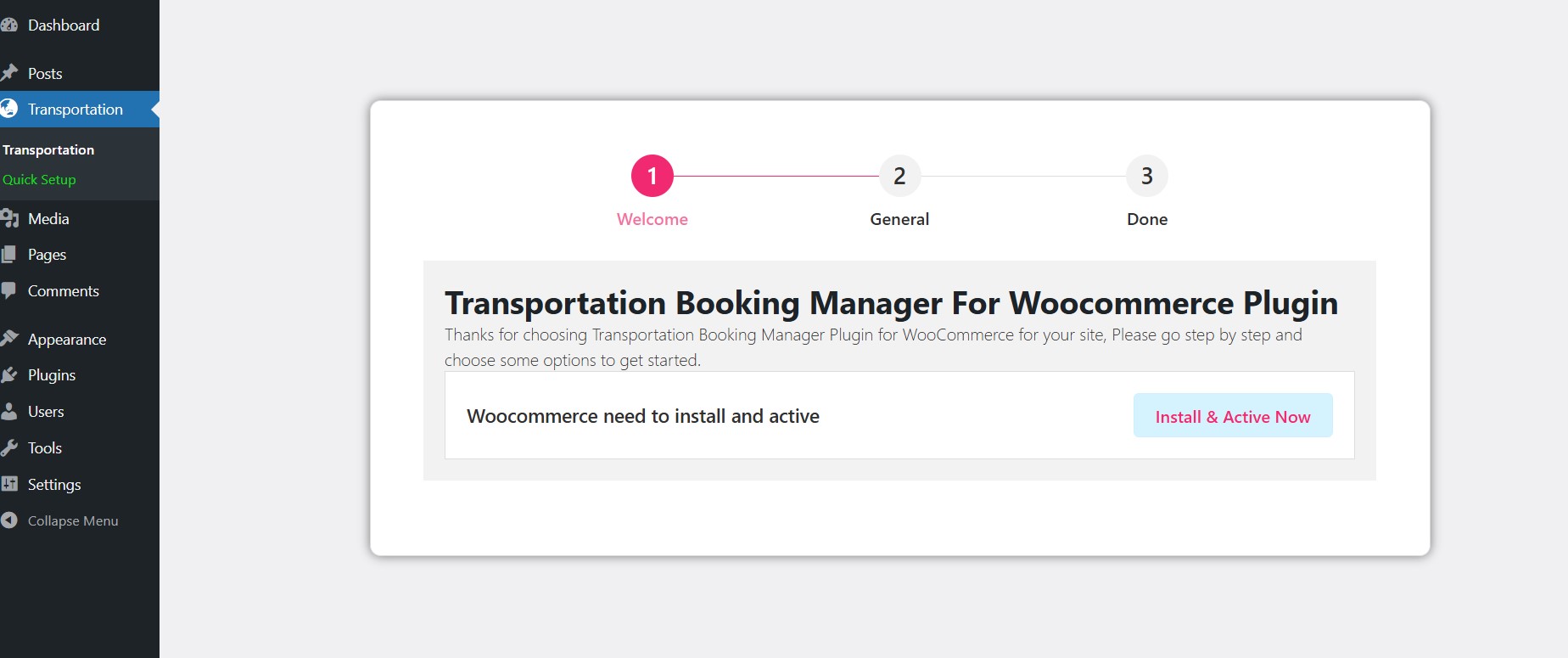
Because every booking is a WooCommerce order, the payment and checkout layer is already handled:
- Pay any way: pair it with the WooCommerce payment gateways you already have enabled, plus offline options such as cash on pickup.
- Structured checkout: the booking form collects rider details before the order is created, so pickup and drop-off data live alongside the payment record.
- One dashboard: bookings, orders, and reports all sit inside the standard WordPress admin rather than in a separate portal.
The practical benefit is operational, not cosmetic. Your accounts, your refunds, and your booking history use the same tools, so you do not maintain two sets of customer records. If you are starting from nothing, the sequence in this walkthrough for making a taxi booking website in WordPress shows how the plugin fits into a full site build.
No Fuss, Just Fun: eCab’s Super Simple Design Rocks!
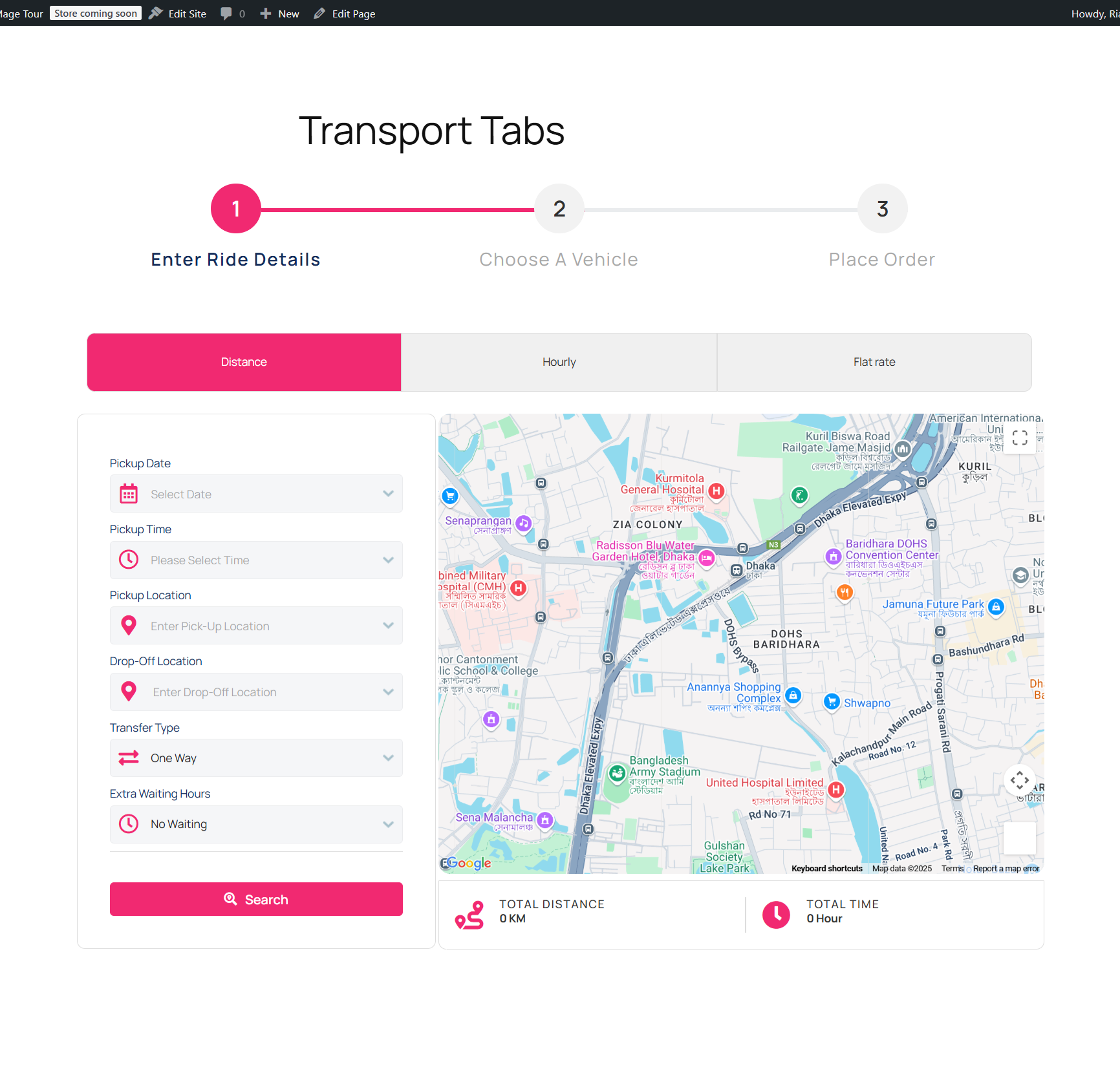
A booking flow that takes ten steps loses the fare. eCab keeps it short:
- For riders: enter the pickup and drop-off points, review the route on the map, see the fare, and confirm.
- For operators: add vehicles, assign drivers, and cancel or reschedule bookings from the admin dashboard.
- On any screen: the front-end form is responsive across phones, tablets, and desktop, which matters because most passengers book from a phone.
Geofencing: Run Your Cab Business Like a Boss
Geofencing, built on the Google Maps Geofence API, defines where your business operates and blocks bookings outside that footprint. A customer outside the zone simply cannot complete a booking, which removes the awkward phone call that follows an impossible request.
- Define your turf: set neighbourhood, city, or district-level service areas.
- Work smarter: only vehicles inside the active area are offered, saving fuel and dead mileage.
- Consistent fares: map-based distance calculation keeps estimates predictable across the zone.
Setup is documented step by step in this guide to adding geofencing to your WordPress site, so you can map your zones without calling support for every boundary tweak.
Single Operation Areas
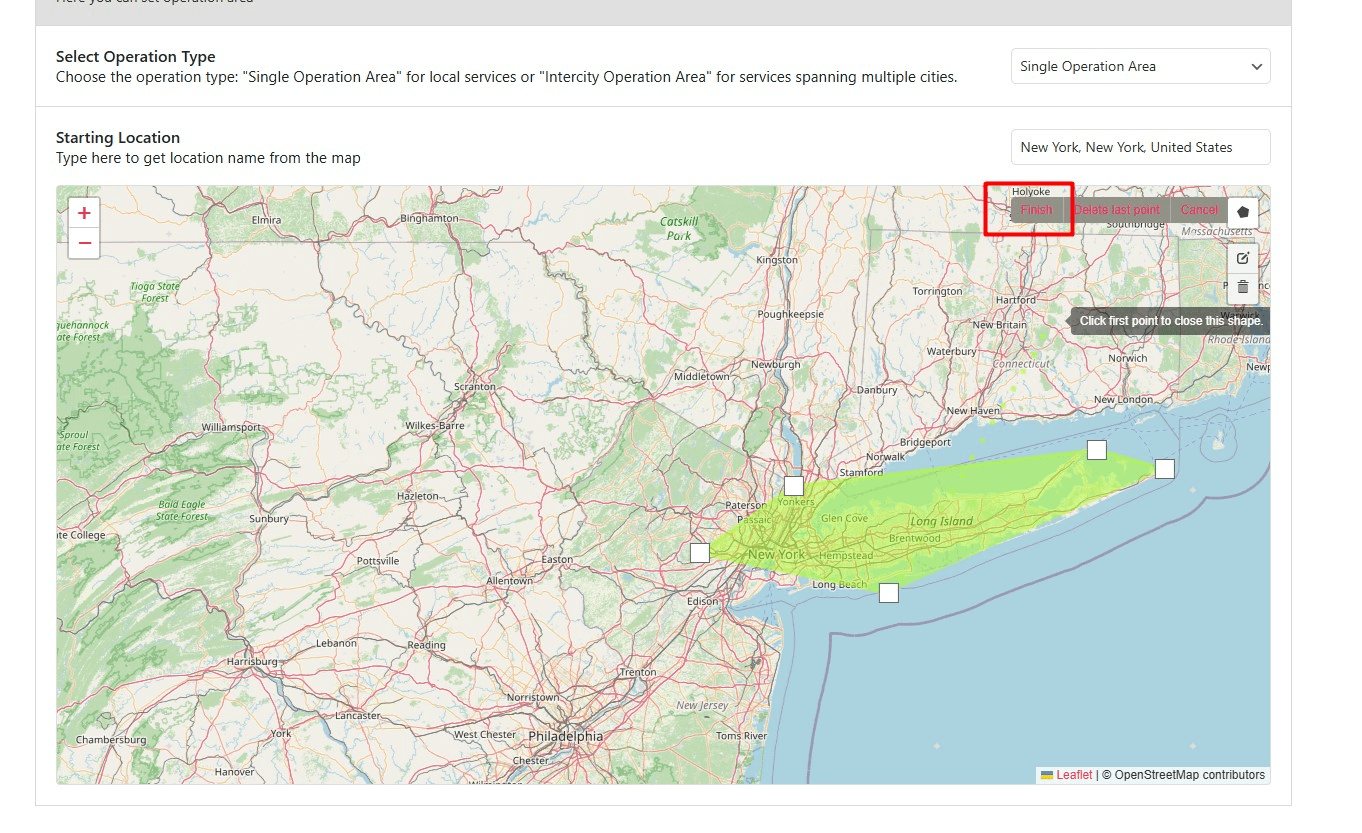
Single operation areas go further than a simple geofence because they let you choose the rule, not just the boundary. You draw a polygon on the map, then decide how strictly it applies:
- Fixed operation area (both in): a booking is only valid when both the pickup and the drop-off fall inside the polygon.
- Fixed map operation area (pickup in): the booking is valid as long as the pickup point is inside the zone, so one-way trips out of your area still work.
That second option is what makes one-way airport runs and out-of-town departures practical without manually approving each booking. The full mechanics, including how the zones interact with pricing, are covered in the guide to single operation areas and fixed zone pricing in eCab Taxi.
Fixed Zone Pricing (The “Flat Rate” Advantage)
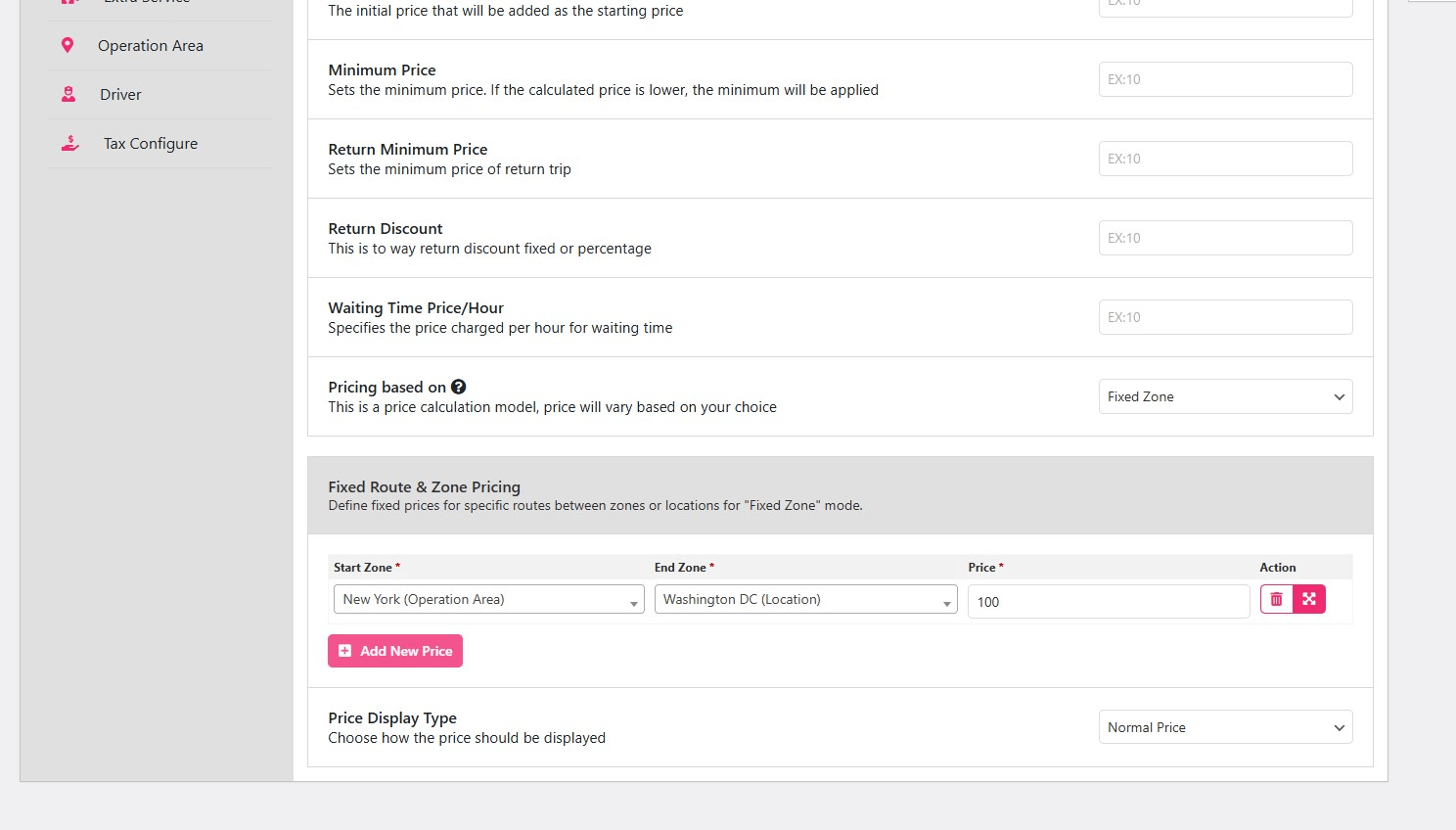
Some routes should not be metered. Fixed zone pricing replaces real-time distance estimation with a predictable, upfront number:
- Fixed pickup pricing: if the ride starts inside a designated operation area, the passenger pays a flat fee regardless of destination.
- Fixed drop-off pricing: the same logic in reverse, when the destination sits inside your operation area.
- Manual point-to-point rates: for non-map pricing, such as a flat airport-to-downtown fare, you can set rates by location slug using the
[mptbm_booking price_based='manual']shortcode.
Flat rates are a strong conversion lever for airport and hotel transfers. Passengers choose predictability over the cheapest theoretical price, especially when they are booking for a family or a client.
Long Trips? eCab’s Got It Covered!
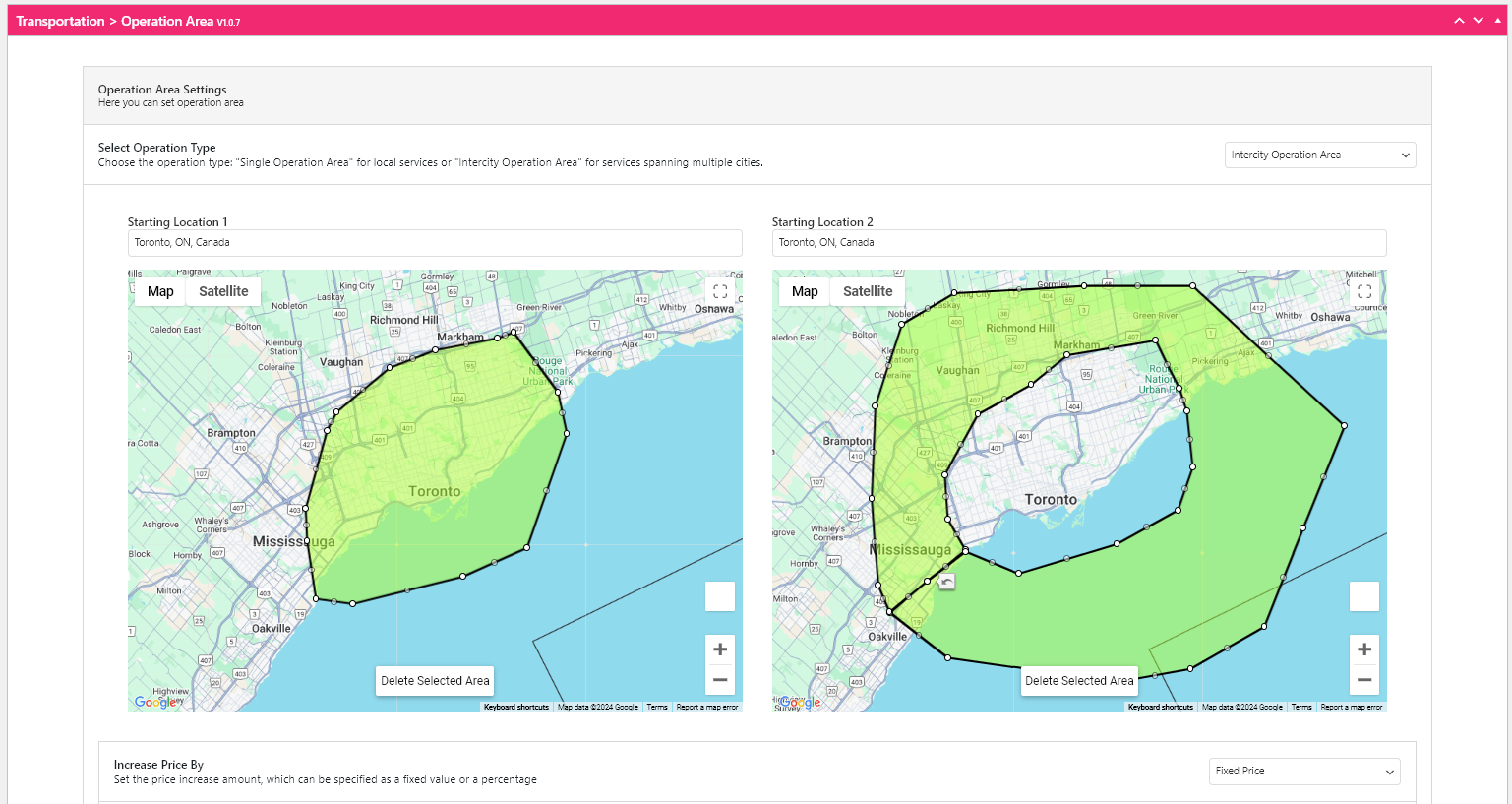
City trips are table stakes. eCab also handles intercity and long-distance work:
- Custom long-haul rates: set separate fares for multi-hour or cross-city journeys, calculated through Google Maps.
- Distance-tier pricing: pair with the Distance Based Tier Pricing addon to charge by distance band.
- No surprises: the passenger sees the total before confirming, which is exactly what a long journey requires for trust.
Inclusive Pricing: Fares That Keep It Real
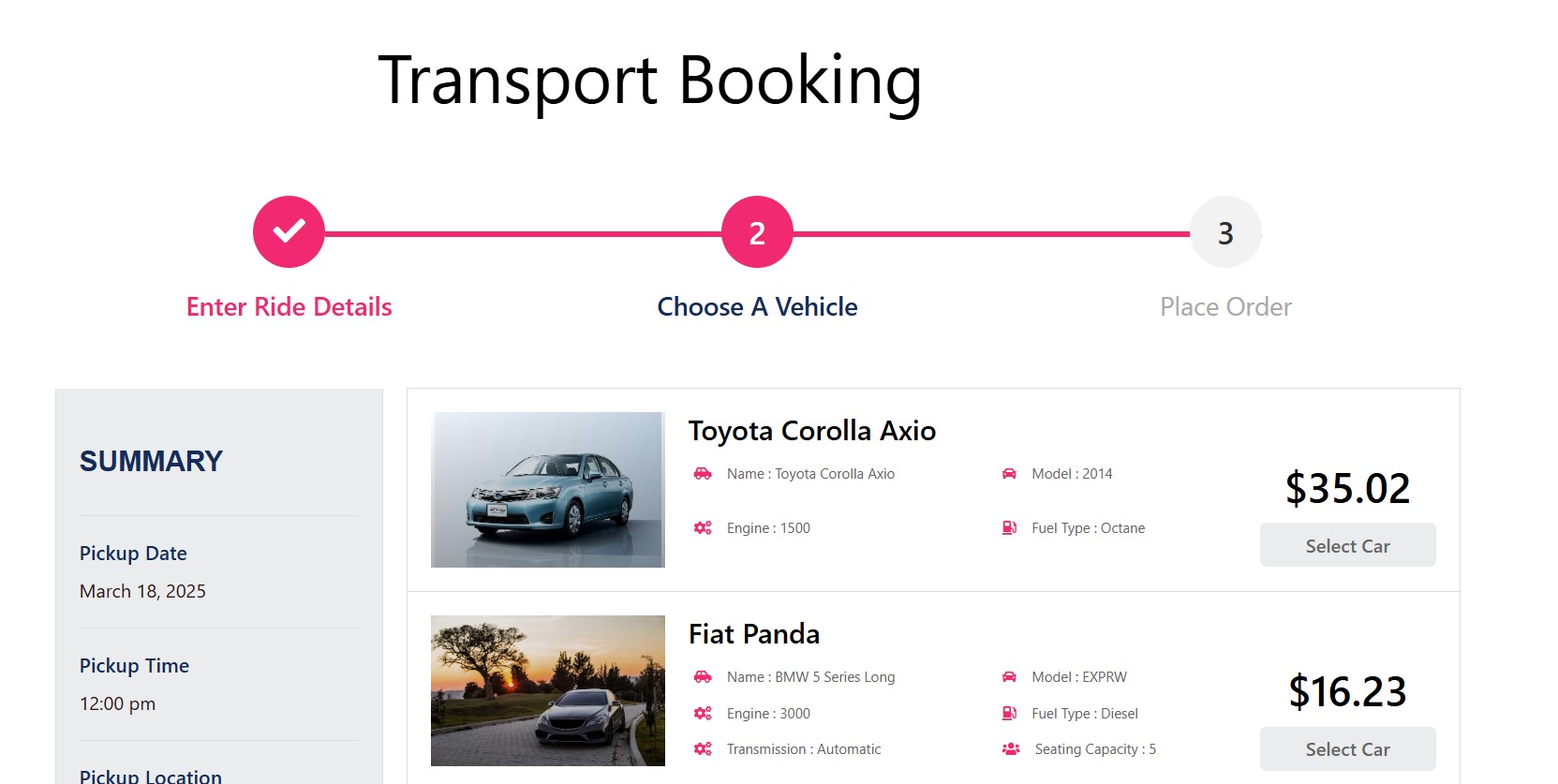
Inclusive pricing bundles everything into one upfront figure instead of surprising the rider at the end:
- One price: distance, time, taxes, and extras such as wait time or baggage roll into a single total.
- Your rules: configure fixed, per-kilometre, or hourly fare structures.
- Premium extras: add wait-time charges or premium service fees for VIP jobs.
Transparent pricing reduces disputes and refund requests, which is worth more to a small fleet than any single upsell.
Driver Panel: Get Your Crew in Gear
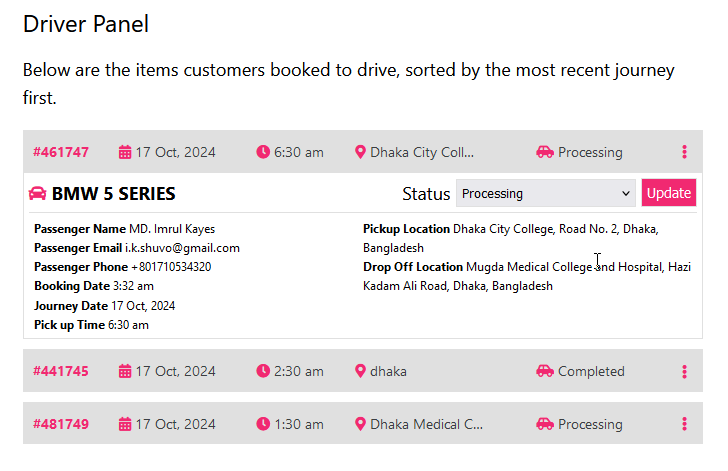
The Pro driver panel is what turns eCab from a booking form into a dispatch workflow. (MagePeople has published a short driver panel video walkthrough that shows the screen flow.)
- Instant updates: drivers receive new bookings and change status through accepted, on the way, and completed.
- Admin control: add, edit, deactivate, or reassign drivers and allocate rides from the dashboard.
- Mobile access: drivers can manage their queue from a phone, so the workflow does not depend on anyone returning to a desk.
For a fleet of five to fifty vehicles, this usually removes the WhatsApp group that most operators start with.
Pump Up Profits with eCab’s Pro Addons
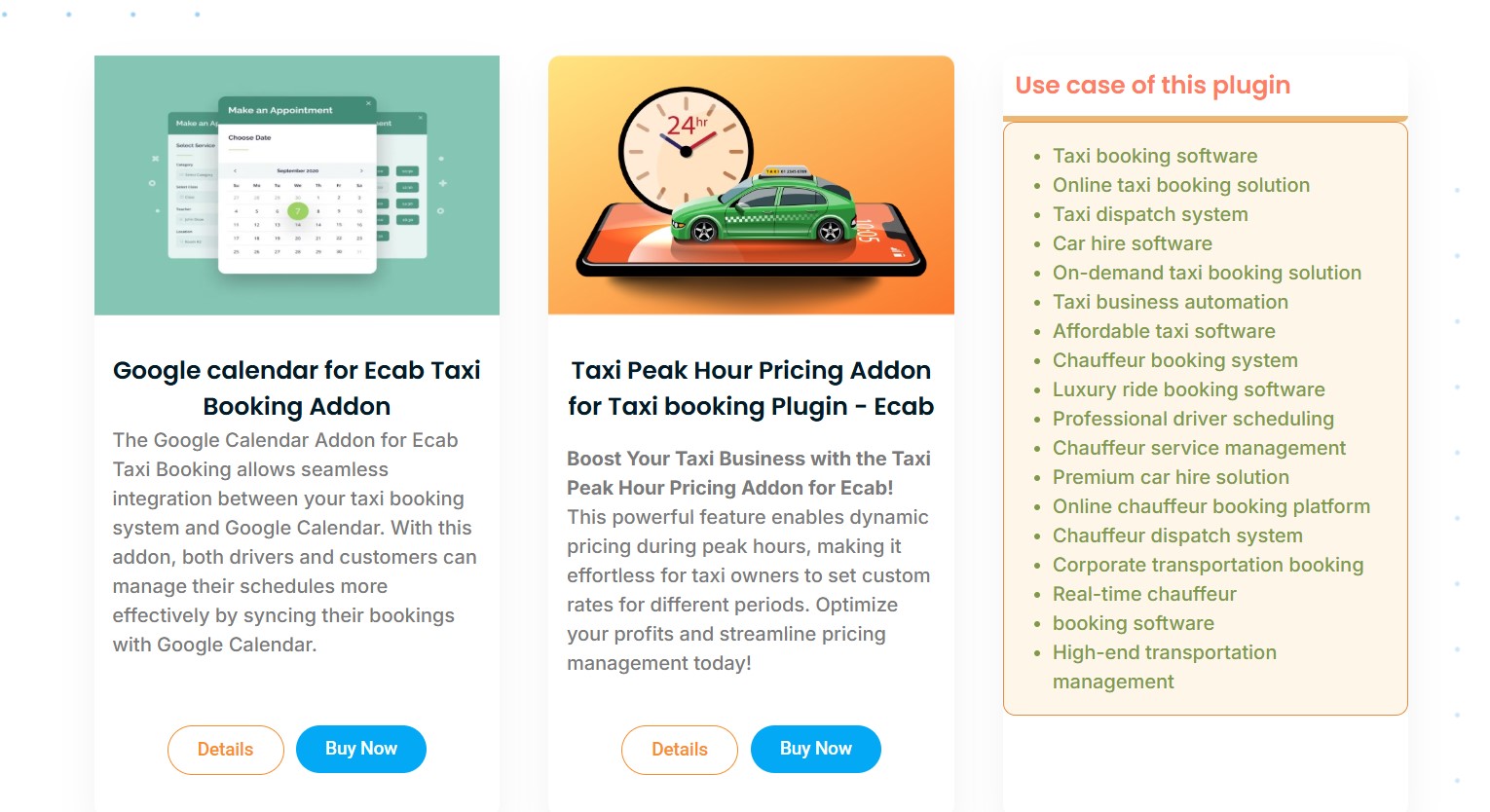
Two addons do most of the revenue work:
Taxi Peak Hour Pricing Addon
- Increase fares during rush hours, holidays, and major events.
- Create time-based surcharge rules that apply automatically.
- Useful for city services that face heavy traffic windows every day.
Distance Based Tier Pricing Addon
- Charge tiered rates for short hops versus long hauls.
- Distance bands are calculated with Google Maps.
- A good match for intercity routes and mixed-distance fleets.
If your traffic grows in a predictable weekly rhythm, peak pricing is usually the fastest payback of any feature in the plugin. The setup is explained in this guide on adding peak hour pricing to your taxi booking website.
More Pro Features to Love
Beyond pricing and dispatch, the Pro version of eCab adds the operational extras that reduce manual follow-up:
- Google Calendar sync: push bookings to your calendar and let passengers add theirs.
- PDF tickets: issue professional confirmation documents for riders and corporate clients.
- Automated emails: send confirmations and reminders without touching your inbox.
- Coupon support: run discounts and promotions through the WooCommerce coupon engine.
Start Free, Scale with Pro
You do not have to commit on day one. The free version covers the essentials: taxi and booking management, ancillary services, Google Maps integration, and shortcode-based booking forms you can drop on any page. It is a sensible way to test whether the workflow matches how you actually operate.
Pro is where the driver panel, pricing addons, PDF tickets, automated emails, and coupons live. For a single operator the free tier may be enough; once you have staffed drivers and variable pricing, the Pro tier pays for itself.
eCab vs Other WordPress Taxi Booking Options
If you are still weighing categories rather than specific plugins, a broader comparison of the best taxi booking plugins for WordPress covers the field. The table below summarises how eCab compares with other approaches that WordPress taxi businesses commonly evaluate.
| Option | Pricing | Key features | Compatibility | Best for |
|---|---|---|---|---|
| eCab Taxi (free tier) | Free version available; check current pricing for Pro | Booking forms, taxi and driver management, Google Maps, shortcodes, geofencing | WordPress, WooCommerce, Gutenberg, Elementor, WPBakery, WPML | Startups confirming the workflow fits |
| eCab Taxi (Pro) | Check current pricing on the product page | Everything in free plus driver panel, peak hour pricing, distance-tier pricing, PDF tickets, calendar sync, automated emails, coupons | WordPress, WooCommerce, page builders, multilingual plugins | Local fleets and chauffeur services with staffed drivers |
| eCab Pro addons | Check current pricing per addon | Taxi Peak Hour Pricing, Distance Based Tier Pricing | Requires eCab Pro | Operators scaling revenue in busy windows |
| Other WordPress taxi plugins | Varies; often subscription-based | Varies by vendor; driver apps and dispatch are sometimes bundled, sometimes extra | Varies; verify WooCommerce support before buying | Businesses needing a bundled mobile app |
| Custom-built booking system | Requires ongoing development budget; check quotes | Unlimited, but everything must be specified and maintained | Depends entirely on your stack | Large operators with in-house developers |
Prices change. Check current pricing on the vendor’s page before you budget, because we will not quote a figure that may be stale.
Where eCab Is Not the Right Fit
Being honest about this is more useful than another feature list:
- You need a passenger mobile app. eCab powers bookings on your website. Passengers book through a responsive form, not a native app you publish to an app store.
- You are building a ride-hailing marketplace. If your model matches thousands of independent drivers to riders in real time with surge algorithms and in-app navigation, you need dedicated marketplace software.
- You are not on WordPress or WooCommerce. The plugin’s biggest strength, deep WooCommerce integration, becomes irrelevant if your site runs on another platform.
- You have no drivers yet. The Pro driver panel is excellent, but with a single self-driving owner-operator the free tier will likely cover you.
- You want zero maintenance. Any WordPress plugin needs updates, backups, and occasional conflict testing, exactly like the rest of your stack.
If your situation matches one of those five points, save yourself the setup time and look at a purpose-built tool instead.
Fantastic Support and Customization Galore
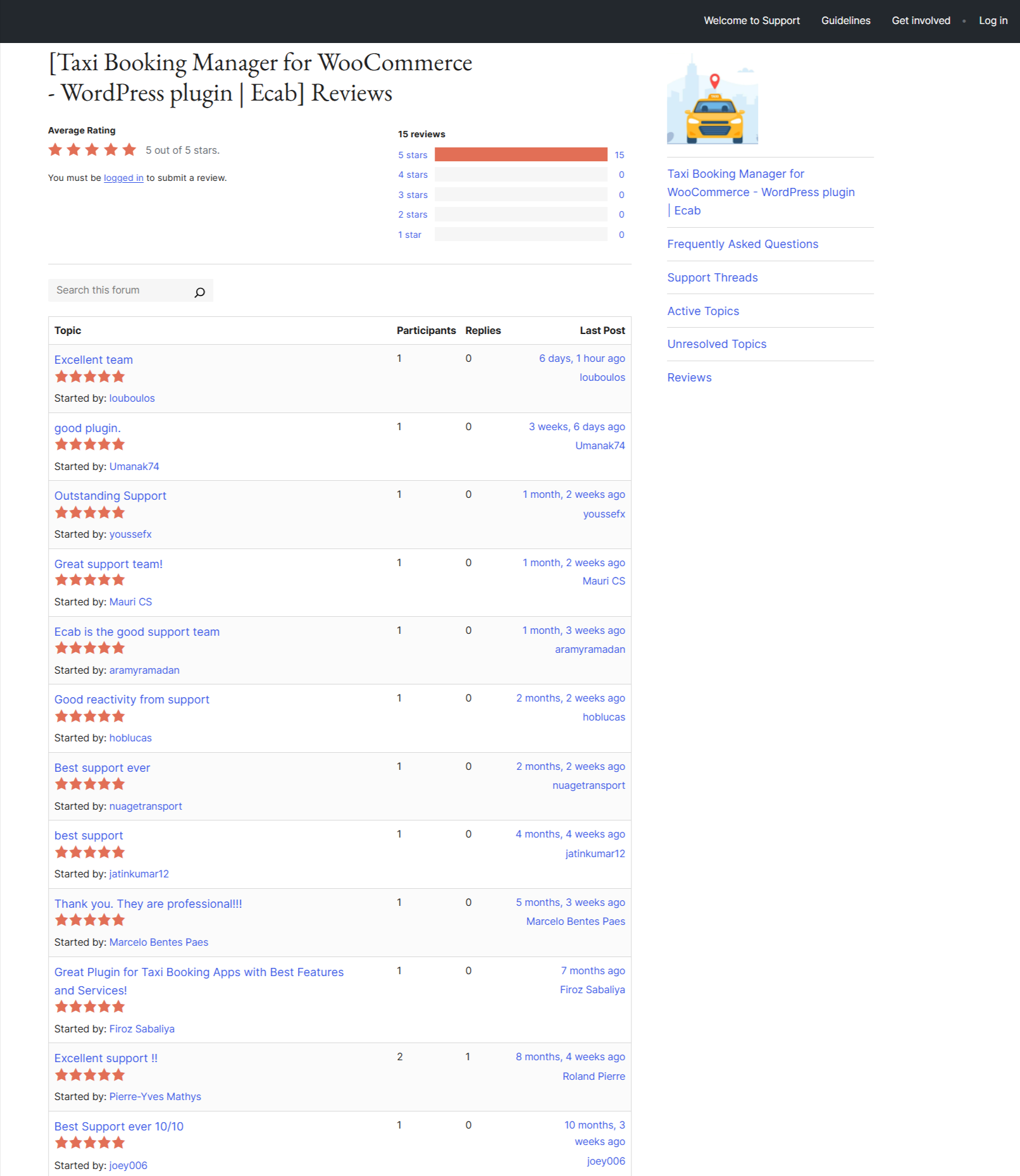
Support and flexibility matter more than any single feature, because every taxi business prices differently:
- Help when you need it: MagePeople’s support team handles setup questions and troubleshooting.
- Make it your own: the plugin is open-source, so a developer can extend it to match your fare logic.
- Works with your stack: Gutenberg, Elementor, WPBakery, and WPML compatibility mean it drops into most existing WordPress builds.
Why eCab Leaves the Competition in the Dust
The short version: eCab combines WooCommerce-native checkout, map-based geofencing and zone pricing, a real driver workflow, and revenue addons without demanding a custom build budget. Competitors do exist, and some bundle mobile apps that eCab does not, but few match the balance of price, integration, and operational depth for a WordPress taxi business.
- Affordable: a free tier that is genuinely usable, with Pro upgrades you can add later.
- Feature-deep: geofencing, single operation areas, driver tools, and pricing addons.
- Scales with you: workable for a solo driver and for a multi-vehicle regional fleet.
How to Evaluate eCab Before You Buy
- Install the free version and build one real booking end to end, including payment.
- Draw your actual service area as a geofence and test a pickup from just outside it.
- Set one flat-rate route, such as airport to city centre, and confirm the passenger sees it upfront.
- Assign a test driver and run a booking through the Pro driver panel if you are evaluating dispatch.
- Check how the booking appears in WooCommerce orders alongside your existing reporting.
Frequently Asked Questions
Do I need coding skills to use eCab?
No. The booking forms are added with shortcodes, fares are configured through settings screens, and bookings are managed from the standard WordPress dashboard. Developers can extend the open-source code if you need custom behaviour, but it is not required for setup.
Can I use eCab for free?
Yes. The free version includes taxi and booking management, Google Maps integration, and shortcode-based booking forms. The driver panel, peak hour pricing, distance-tier pricing, PDF tickets, and coupons are part of Pro. Check the product page for current pricing.
Does eCab work with my WordPress theme and page builders?
eCab is compatible with most WordPress themes and with Gutenberg, Elementor, and WPBakery, and it supports WPML for multilingual sites. Because it is WooCommerce-based, it inherits WooCommerce’s theme compatibility as well.
How does geofencing help my taxi business?
Geofencing limits bookings to the areas you actually serve, so you avoid accepting jobs your vehicles cannot reach economically. It reduces dead mileage, keeps fare estimates accurate, and prevents out-of-area bookings that lead to awkward cancellations.
Can I offer discounts and coupons to passengers?
Yes, through WooCommerce coupons on the Pro version. You can run seasonal promotions, corporate discount codes, or first-ride offers, and they apply at checkout like any other WooCommerce order.
What is the difference between geofencing and single operation areas?
Geofencing defines where your business operates. Single operation areas refine that into a polygon with a rule: either both pickup and drop-off must fall inside, or only the pickup must. The second option lets you accept one-way trips out of your zone.
What if I run into a problem after installing?
MagePeople’s support team handles setup questions and troubleshooting, and the plugin documentation covers the main configuration steps. Because the code is open-source, a developer can also inspect or extend it directly.
Ready to Put Your Taxi Business in the Fast Lane?
If you want WooCommerce-native checkout, geofencing, flat zone rates, a driver panel, and pricing addons without commissioning a custom build, eCab is worth a serious look. Start with the free tier, run one real booking, then upgrade when dispatch and dynamic pricing become part of your daily routine.
Try the live demo: see the booking flow, driver panel, and pricing options in action before you install anything at eCab Taxi Booking Manager for WooCommerce.
Questions about whether eCab fits your fleet? The MagePeople showroom in Dhanmondi is open Saturday to Thursday, 9am to 6pm, and the support hotline runs the same hours. Closed Fridays and public holidays.
