 Get Halloween 15% for Limited Time on Lifetime & Bundle Deal

Choosing a WordPress rental plugin in 2026 is less about finding “the best one” and more about matching booking logic to your business. A villa manager, a camera hire shop and a power-tool yard all need different rules around time, deposit and inventory. This guide compares seven plugins on the details that actually decide the choice: pricing model, rental logic, payment options and compatibility, so you can shortlist in minutes instead of installing and uninstalling for a week.
- What a WordPress Rental Plugin Actually Does
- 7 Best WordPress Rental Plugins for 2026 at a Glance
- How to Choose: Six Questions to Ask Before Installing
- The 7 Plugins in Detail
- Free or Paid: What the Upgrade Actually Buys You
- Which Plugin Fits Which Rental Business?
- Our Own Product: WpRently Rental Manager
- Final Thoughts
- Frequently Asked Questions
What a WordPress Rental Plugin Actually Does
A rental plugin sits between your product pages and your payment gateway. Instead of a one-off “add to cart”, it collects a rental period, checks whether the item is available for those dates, applies the right rate, and holds the stock until the booking closes.
Core capabilities worth checking
- Availability logic: per-night, per-day, per-hour, or mileage-based booking windows.
- Rate rules: seasonal pricing, weekend surcharges, minimum and maximum rental length, and buffer time between hires.
- Deposits and split payments: a refundable security deposit, a partial payment now with the balance on pickup, or both.
- Inventory tracking: does it understand that you own six identical drills, not one?
- Handover workflow: pickup and return records, condition notes, and overdue reminders.
Where rental plugins sit in the stack
Most rental plugins on WordPress fall into one of three shapes: a WooCommerce extension, a standalone booking system, or a SaaS product that connects your site to a hosted dashboard. That shape matters more than the feature list, because it decides where your data lives and how you handle walk-in customers. If you want the bigger picture of how these pieces fit together, see our guide to building a dynamic rental booking and management system.
7 Best WordPress Rental Plugins for 2026 at a Glance
The table below is a starting filter, not a verdict. Everything that changes often — exact plan prices and annual discounts — should be confirmed on the vendor’s own page before you buy.
| Plugin | Model & pricing | Rental logic | Payments & compatibility |
|---|---|---|---|
| WpRently | Free core on WordPress.org; paid tiers per domain. Check current pricing. | Hourly, daily or weekly periods; variants for size/colour; broad item-type support | Built on WooCommerce, so any WooCommerce gateway; WPML/Polylang ready |
| MotoPress Appointment Booking | Free core; modular add-ons sold separately. Check current pricing. | Time-slot and staff/location scheduling, group capacity, multi-service cart | WooCommerce add-on for card payments; Google/Apple/Outlook calendar sync |
| VikRentItems | Free core; one-time Pro licence with a year of updates. Check current pricing. | Multi-item bookings, quantities, hour-to-year terms, delivery distance fees | Large gateway set plus bank channels; iCal and Google Maps |
| Booqable | Free WordPress plugin, paid cloud subscription. Check current pricing. | Bundle/kitting logic, multi-location inventory, walk-in and POS orders | Stripe and PayPal via Booqable; Zapier, Mailchimp, GA4 |
| RnB | Free Lite; paid Pro licence with lifetime updates. Check current pricing. | Hourly/daily/mileage pricing, pre- and post-booking blocks, RFQ quotes | WooCommerce gateways; Elementor; Google Calendar; WPML |
| Twice Commerce | Free WordPress plugin; paid SaaS tiers. Check current pricing. | Serialised multi-unit stock, buffer times, multi-location, barcode scanning | WooCommerce checkout; API access; POS and check-in kiosk support |
| eaSYNC Booking | Free open-source core; Pro modules quoted per business. Check current pricing. | Niche modules (car, hotel, restaurant), geolocation currency switching | PayPal on free tier; Stripe and Authorize.net as paid modules; WordPress 6.9 and GDPR-ready |
How to Choose: Six Questions to Ask Before Installing
1. Does it speak your rental logic?
Per-night stays, per-hour hires and per-kilometre vehicle rates are three different data models. If the plugin’s pricing unit doesn’t match yours, you will end up faking it with workarounds that break at scale.
2. Does anyone take a cut of your revenue?
Flat licence fees keep your margins predictable. Percentage-based commissions quietly grow as you grow. Read the pricing page for the word “transaction” before anything else.
3. Can it handle quantity, not just products?
If you own one of an item, any plugin works. Once you own ten identical units, you need real multi-unit inventory or you will double-book on busy weekends.
4. What happens at the counter?
Online bookings are only half the story. Walk-ins, phone reservations and manual extensions either sync with your online stock or they don’t. This is the single most common reason a rental site gets replaced a year in.
5. Who holds your data?
A plugin keeps bookings in your WordPress database. A SaaS platform keeps them on the vendor’s servers and syncs your site. Both are fine — but only one lets you walk away with your records intact if you change your mind.
6. Is it actively maintained?
Check the plugin’s “last updated” date, its changelog and its support forum reply times. A rental plugin that hasn’t shipped an update in over a year is a liability, not a bargain.
The 7 Plugins in Detail
1. WpRently
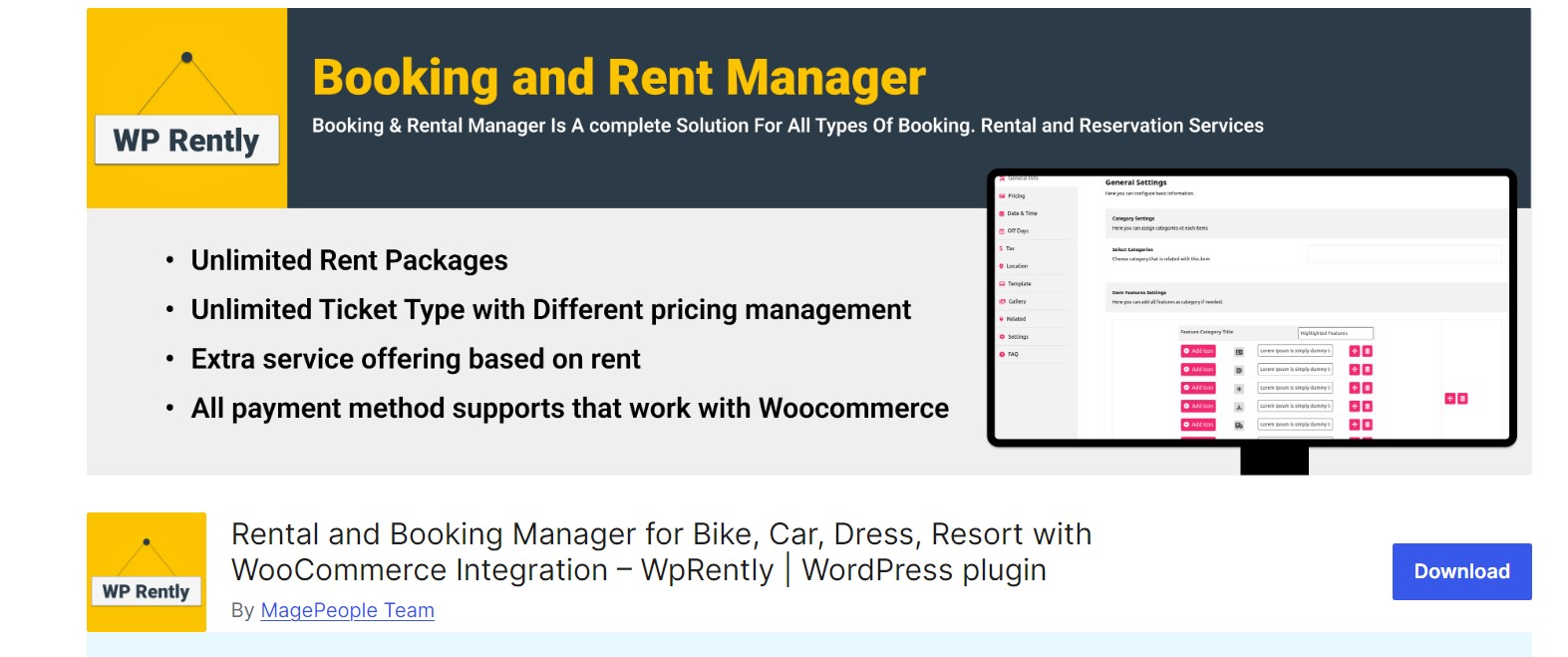
WpRently is the generalist of this group. It’s built as a WooCommerce rental extension, which means your products, orders, coupons and gateways all live in the same place you already manage them. That’s a real advantage if you also sell accessories, deposits or gift vouchers alongside rentals.
Item types span yachts and party dresses to parking spaces and appointment slots, and the plugin handles hourly, daily or weekly periods plus variants (size, colour, kit configuration). The free core is genuinely usable for a small shop; the paid tiers add tax handling, branded PDF receipts, deposit-style partial payments, CSV exports and seasonal rate changes. Add-ons for backend/manual orders, minimum and maximum booking days, and tiered length discounts let you buy only the workflow you need.
Best for: mixed or expanding inventory, and shops that want WooCommerce as the single source of truth.
Watch out for: if your business is pure time-slot scheduling with staff rosters, a scheduling-first plugin will need less configuration.
2. MotoPress Appointment Booking
MotoPress approaches rentals from the calendar side. Its strengths are time slots, staff assignment, locations and group capacity — the things that matter when a hire involves a person, a place or a minimum group size, such as guided boat trips, hourly jet-ski hire or shared equipment sessions.
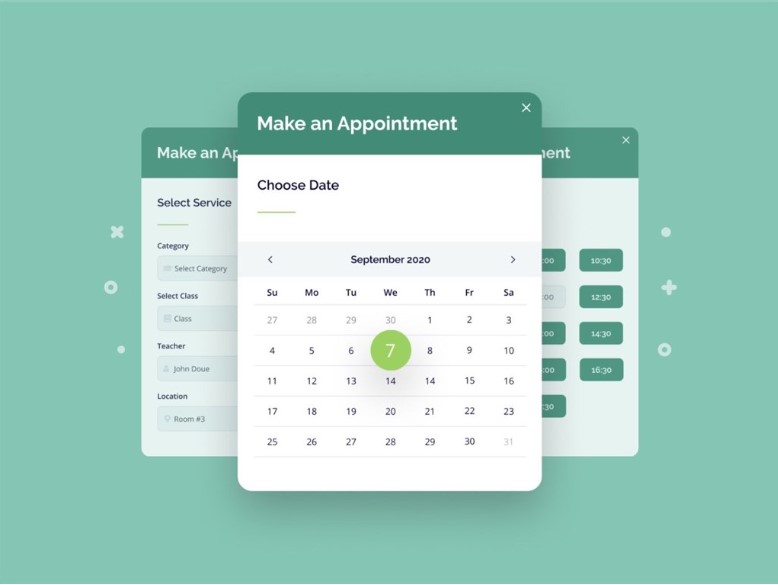
The free core is unusually uncapped: no limits on services, employees, locations or bookings, plus a multi-service cart so a customer can book a bike, a helmet and a guided session in one transaction. Paid add-ons cover WooCommerce-based card payments, SMS reminders and finer time-step control. Calendar sync with Google, Apple, Outlook and Yahoo is available from the base version, which removes a lot of copy-paste admin.
Best for: time-based hires and service-oriented rentals.
Watch out for: modular pricing means the total cost depends on which add-ons you need — price your exact combination before committing.
3. VikRentItems
VikRentItems targets warehouse-scale inventory: fleets, tool libraries, party supply catalogues. Its defining feature is multi-item booking — renting several units of the same item, or several different items, in one order without hacks.
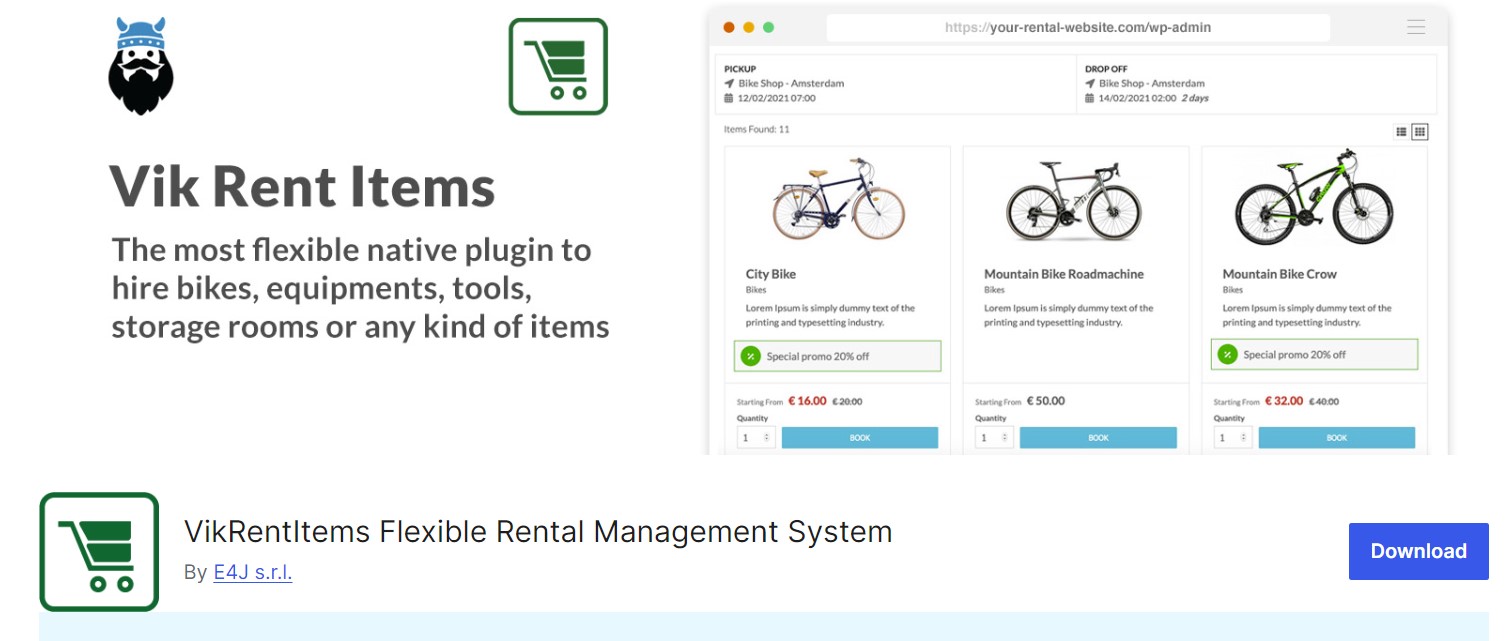
Rental terms run from hours to years, pricing can be refundable or non-refundable, and a distance-based delivery fee calculator handles items that must be dropped at the customer’s door. The free version ships seven front-end layouts and multi-language support; Pro adds seasonal discounts, editable calendars, weekday-only pickup and drop-off rules, a large gateway set and cron-driven email or SMS reminders. The one-time licence model appeals to businesses tired of subscriptions.
Best for: large quantities and long or mixed rental terms.
Watch out for: the interface is more “management console” than consumer app — budget time for configuration.
4. Booqable
Booqable is a hosted rental platform with a WordPress plugin that connects your site to its dashboard. Online orders and in-person hires share one live inventory, which is exactly what a shop with a physical counter needs.
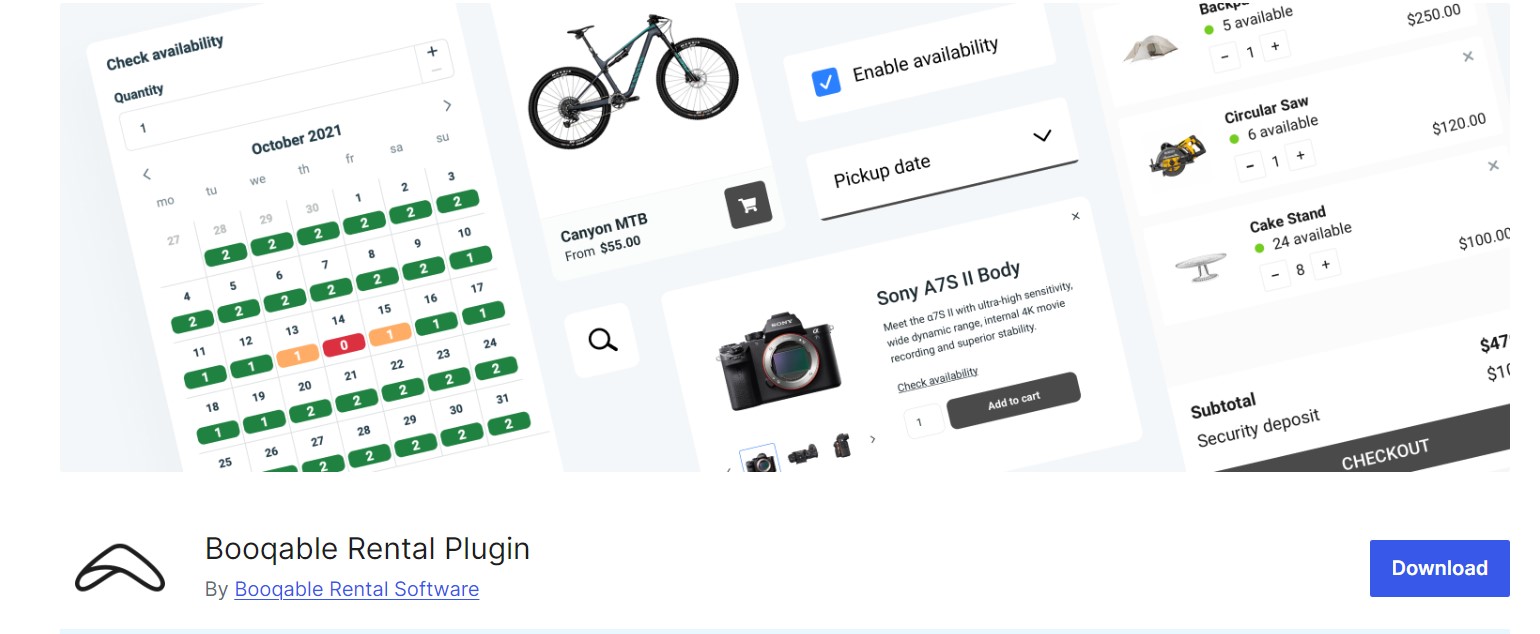
The WordPress side is shortcode-based, so you drop product lists, filters and datepickers into any page. Checkout is hosted, Stripe and PayPal are supported, security deposits can be held, and Booqable doesn’t take a commission on your bookings. Paid tiers add product bundles that track each component individually, a mobile POS app for deliveries and returns, automated quotes, contracts and invoices, and multi-location inventory.
Best for: businesses with both a storefront and a website, renting kits or bundles.
Watch out for: your booking data lives in Booqable’s cloud, and the subscription is an ongoing cost rather than a one-off purchase.
5. RnB
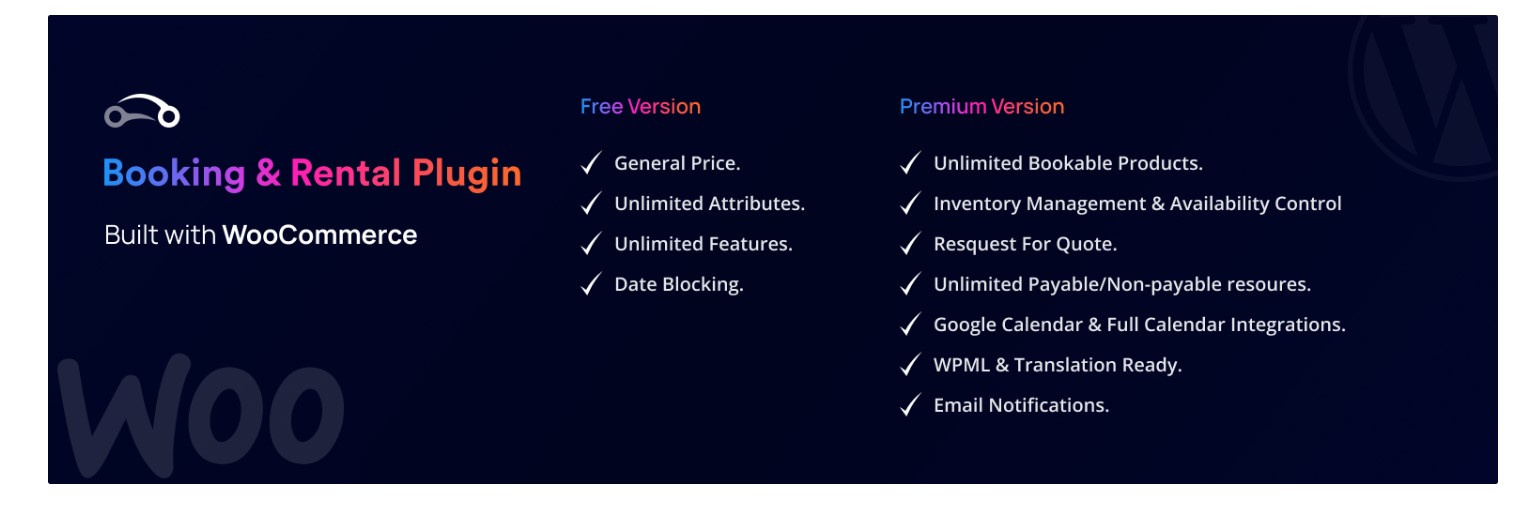
RnB is another WooCommerce-native rental manager, and it leans into vehicles and mileage-based hires. Pricing can be hourly, daily or distance-based, with pre- and post-booking block windows, weekend and holiday rules, and an RFQ flow that lets customers request a custom quote instead of booking instantly.
The Lite version covers unlimited rental products, availability control, backend booking creation, deposits, custom order emails and WooCommerce coupons. Pro adds multi-unit inventory, payable extras such as pickup and drop-off sites, seasonal rates, partial payments, Google Calendar sync, multilingual support and reporting on bookings, revenue and occupancy. Confirm the current release notes before you install, since WooCommerce compatibility depends on the version you’re running.
Best for: car, bike and equipment rental sites already on WooCommerce.
Watch out for: the plugin has a broad feature surface, so a staging site test is worth the half hour.
6. Twice Commerce
Twice Commerce pairs a WordPress plugin with an API-first rental platform. It supports selling and renting from the same catalogue, which suits outdoor retailers and hire-and-retail hybrid businesses.
Core features include simple, variable and grouped rental products with hourly-to-monthly pricing, a real-time booking calendar to prevent overbooking, discount codes, and WooCommerce checkout with local pickup or delivery. Paid tiers move you into serialised multi-unit tracking, buffer times between hires, pre-authorised deposits, multi-location syncing, POS and check-in kiosk support, barcode scanning and detailed availability and profitability reporting.
Best for: high-turnover operations with multiple locations or heavy in-person volume.
Watch out for: the most useful inventory features sit behind the higher subscription tiers.
7. eaSYNC Booking
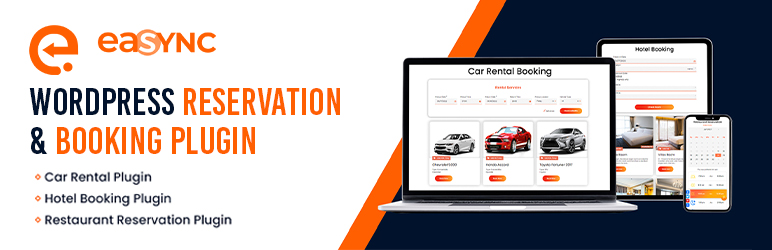
eaSYNC takes a modular, open-source approach. Instead of one plugin trying to do everything, it ships industry-specific modules — car rental, hotel, restaurant — so your dashboard only shows the fields your business uses.
The free core handles responsive booking forms, automated confirmation emails, a real-time availability calendar, shortcodes for any page or widget, and PayPal payments. A nice touch for international rentals is geolocation-based currency and price switching. Pro is quoted per business rather than sold as a fixed tier, unlocking Stripe and Authorize.net, coupon management, QR-code check-ins, financial reporting and advanced logic such as table mapping or guest profiles.
Best for: small and medium operators who want a lightweight site that stays fast.
Watch out for: because Pro pricing is quote-based, you can’t compare it on a price table — you have to talk to the vendor first.
Free or Paid: What the Upgrade Actually Buys You
In 2026, the free tiers have become genuinely competitive. Most of the plugins here cover the essentials without payment: listing items, showing availability, taking a booking and sending a confirmation.
Paid tiers cluster around four things:
- Money handling: card gateways, deposits, partial payments, tax and invoices.
- Operations: multi-unit inventory, multi-location stock, POS and handover records.
- Marketing: seasonal pricing, coupons, tiered length discounts and upsells.
- Insight: revenue, occupancy and utilisation reports you can export.
If your bottleneck is admin hours rather than payment collection, free plus one targeted add-on often beats a full premium bundle. If your bottleneck is double-bookings, buy the inventory features first — everything else is cosmetic by comparison.
Which Plugin Fits Which Rental Business?
- Property and holiday lets: per-night logic with seasonal rates and deposits matters more than mileage rules.
- Camera, AV and tool hire: kit bundles that track each component separately.
- Vehicles: mileage-based pricing, or kilometre and hour combinations, plus pre- and post-hire block windows.
- Appointments and classes: time slots, staff availability and group capacity.
- Party and event supply: quantity-based multi-item carts and delivery fees.
If your scenario is a specific vertical rather than general rentals, a niche guide will save you more time than a general comparison — for example, if you need a booking flow for overnight stays rather than equipment or hourly hires, see our comparison of vacation rental booking plugins.
Our Own Product: WpRently Rental Manager
Disclosure: WpRently is our own plugin, published by the team behind this site. We’ve kept it in the table and the list above on the same terms as the others — here is where it is and isn’t the right choice.
We build WpRently for one specific situation: a WordPress site where rentals and sales share a catalogue, staff are comfortable in WooCommerce, and the owner wants to scale into new item categories without migrating platforms. That’s why the free core ships the visual showcase, flexible time slots and admin calendar rather than a stripped-down teaser — the intent is that you can launch a real rental store before paying anything.
Where WpRently is not the right fit. If your bookings are driven by a single staff member’s diary — a one-person salon, a physio practice, a tutor booking 45-minute slots — a dedicated appointment scheduler will require far less setup, because WpRently models inventory and rental periods rather than personal availability. Similarly, if you run a large warehouse with serialised stock numbers, barcodes and a counter team doing hundreds of handovers a day, the SaaS platforms in this list were designed for that volume and we would not pretend otherwise. And if you need a hosted POS that keeps working at a physical yard when your WordPress site goes down, WpRently’s data lives in your own database, which is a trade-off rather than a feature.
Try it before you decide. Install the free version from the WordPress.org repository, add two or three real items, and run a test booking end to end — that tells you more about fit than any comparison table. Then review the paid tiers and add-ons and compare them against a quote for the alternatives: explore WpRently’s features and pricing.
Final Thoughts
Start with the shape of your booking logic, not the length of the feature list. If you rent mixed items and want everything in WooCommerce, WpRently or VikRentItems are the natural first tests. If your hires are tied to time slots and people, MotoPress is the cleaner starting point. If you have a physical counter and want online and offline stock permanently in sync, or you need serialised multi-location inventory, the hosted platforms are worth their subscription fee. Install free versions, run one real booking through each, and let the workflow decide.
Frequently Asked Questions
What is the best WordPress rental plugin for 2026?
There is no single winner, because the answer depends on your rental logic. For mixed inventory on WooCommerce, WpRently and VikRentItems are strong starting points; for time-slot and staff-based hires, MotoPress Appointment Booking suits better; for high-volume operations with a physical counter and multi-location stock, Booqable and Twice Commerce are built for that scale.
Can a WordPress rental plugin handle deposits and partial payments?
Yes, but usually on paid tiers. Several plugins on this list let you collect a refundable security deposit, a partial payment upfront with the balance due on pickup, or a pre-authorised hold on a card. Check the pricing page of the specific plugin, because deposit handling is often the feature that separates the free version from the paid one.
Do these rental plugins work with WooCommerce?
Most do. WpRently, RnB, Twice Commerce and MotoPress all connect to WooCommerce, which means you inherit its payment gateways, tax rules and coupon system. VikRentItems and eaSYNC Booking take a more standalone approach and manage their own payment integrations, so confirm your preferred gateway is supported before installing.
How do I stop double-bookings on rental items?
You need two things: real-time availability that blocks a date the moment a booking is confirmed, and multi-unit inventory so the system knows you own ten identical units rather than one. Plugins with buffer time between hires, such as Twice Commerce, also help for items that need cleaning, servicing or delivery turnaround.
Can I rent physical items and sell products from the same WordPress site?
Yes. A WooCommerce-based rental plugin lets a single catalogue contain both rentable and purchasable products, sharing one checkout and one set of customers. Hybrid catalogues are common in camera hire, outdoor gear and bicycle shops, where customers often rent for a weekend and buy accessories outright.
What happens to my bookings if I switch rental plugins later?
Plugin-based systems store bookings in your own WordPress database, so the records stay with you even if you stop using the plugin. Hosted platforms keep the booking data on their servers, which is usually easier to run but means you should confirm the export options before you commit to a long subscription.
