 Get Halloween 15% for Limited Time on Lifetime & Bundle Deal

If you run a rental business on WordPress, a security hole does not just cost you a repair bill – it can cost you bookings, deposits, and customer trust. This checklist walks you through the practical steps to secure a WordPress rental plugin setup: plugin hygiene, booking-form abuse, deposit and payment handling, customer data, and the monitoring habits that catch problems early. Work through it before you take your first live booking, then repeat it quarterly.
It is written for rental operators – equipment, vehicles, venues, gear – not for developers. Every step is something you can do from the WordPress dashboard or your hosting panel.
- Why Rental Sites Are A Specific Security Target
- Step 1: Audit Every Plugin on the Site
- Step 2: Harden the Booking Form Against Abuse
- Step 3: Secure Payments and Deposits
- Step 4: Protect Customer and Identity Data
- Step 5: Monitor, Test and Respond
- Quick Reference: Rental Security Priorities
- Conclusion
Why Rental Sites Are A Specific Security Target
A brochure website that gets hacked is embarrassing. A rental website that gets hacked can be expensive, because it holds three things attackers want:
- Availability data. Your calendar, inventory levels, and pricing tell a competitor – or a scraped-bot operator – exactly what you have and when.
- Deposit-handling logic. Rental checkouts involve holds, authorisations and partial refunds. Tampering with those amounts is a direct financial attack.
- Identity documents. Many rental businesses collect driving licences, passport scans or company registration details to verify renters. That is sensitive personal data with legal protection attached.
The plugin is usually the largest third-party codebase on the site, which makes it the most likely entry point and the most likely source of a data leak. Your security plan should therefore be built around the plugin, not bolted on afterwards.
Step 1: Audit Every Plugin on the Site
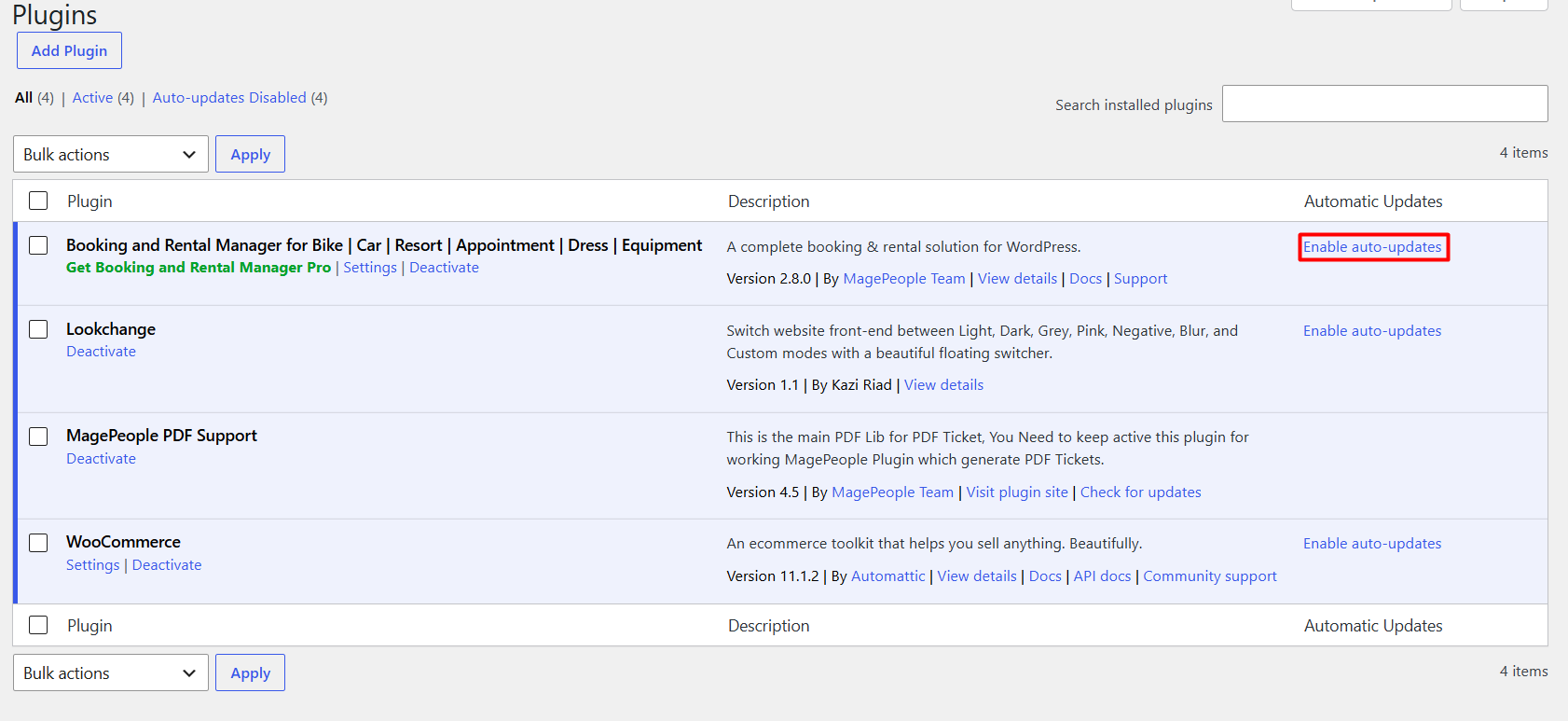
Start with what is already installed. Most rental security incidents trace back to something nobody remembered installing.
- Open your plugin list and sort it by last-updated date. Anything untouched for a year is a question mark.
- Deactivate and delete anything you cannot name a current use for. Deactivated plugins still sit on disk and can still be exploited.
- Check each remaining plugin against the WordPress.org repository or the vendor’s own changelog. Look for recent maintenance, not just a popular download count.
- Confirm each plugin’s author publishes security notices somewhere you will see them – a changelog, a mailing list, or a release feed.
- Record the version number of your booking plugin and any add-ons, and note where you found that version. You will need it for support tickets and for warranty or licence claims.
The general rule for rental stacks: fewer plugins, each actively maintained, beats a long list of narrowly useful extras. If a feature can be handled by your booking plugin already, avoid adding a second plugin for it.
Get WpRently latest version to stay updated and secure.
WordPress Core, Themes and PHP
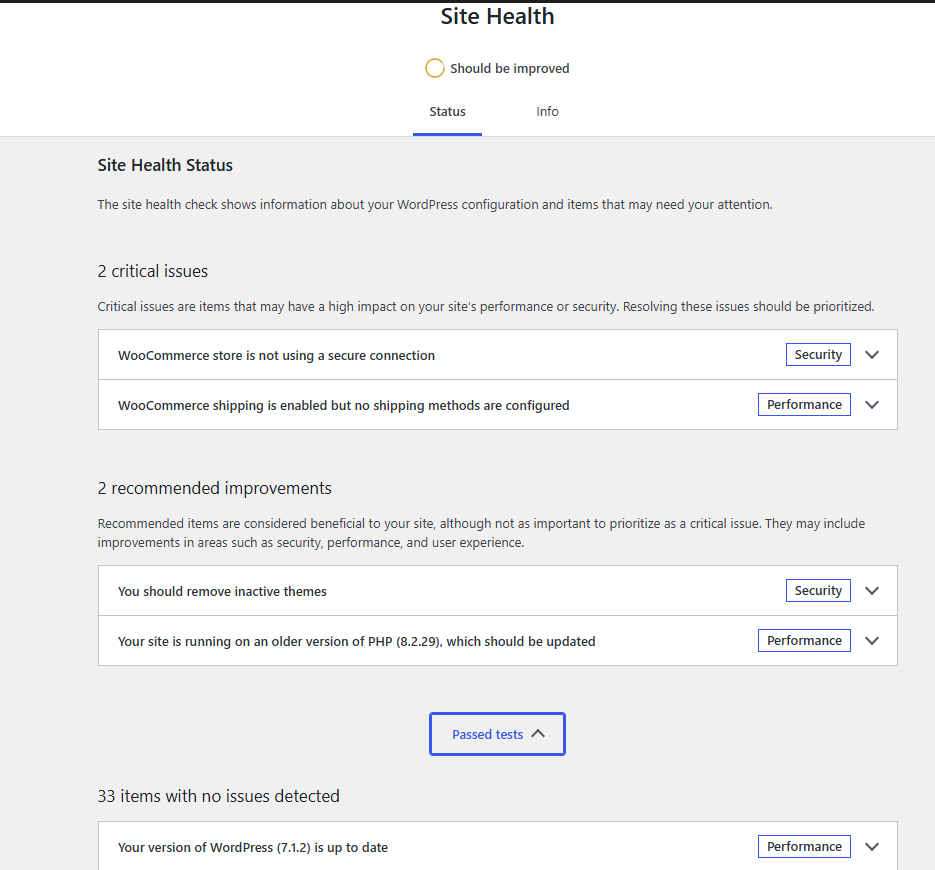
Plugin security is meaningless on an outdated foundation.
- Keep WordPress core on the current release – minor releases are often pure security patches.
- Keep your theme current, and remove any theme you are not using. Inactive themes are a classic backdoor location.
- Run a PHP version your host still supports. Old PHP versions stop receiving security fixes entirely, and no plugin update will save you.
- Turn off file editing in the dashboard (
DISALLOW_FILE_EDIT) so a compromised admin account cannot rewrite theme files from the browser.
Licensing and Update Delivery
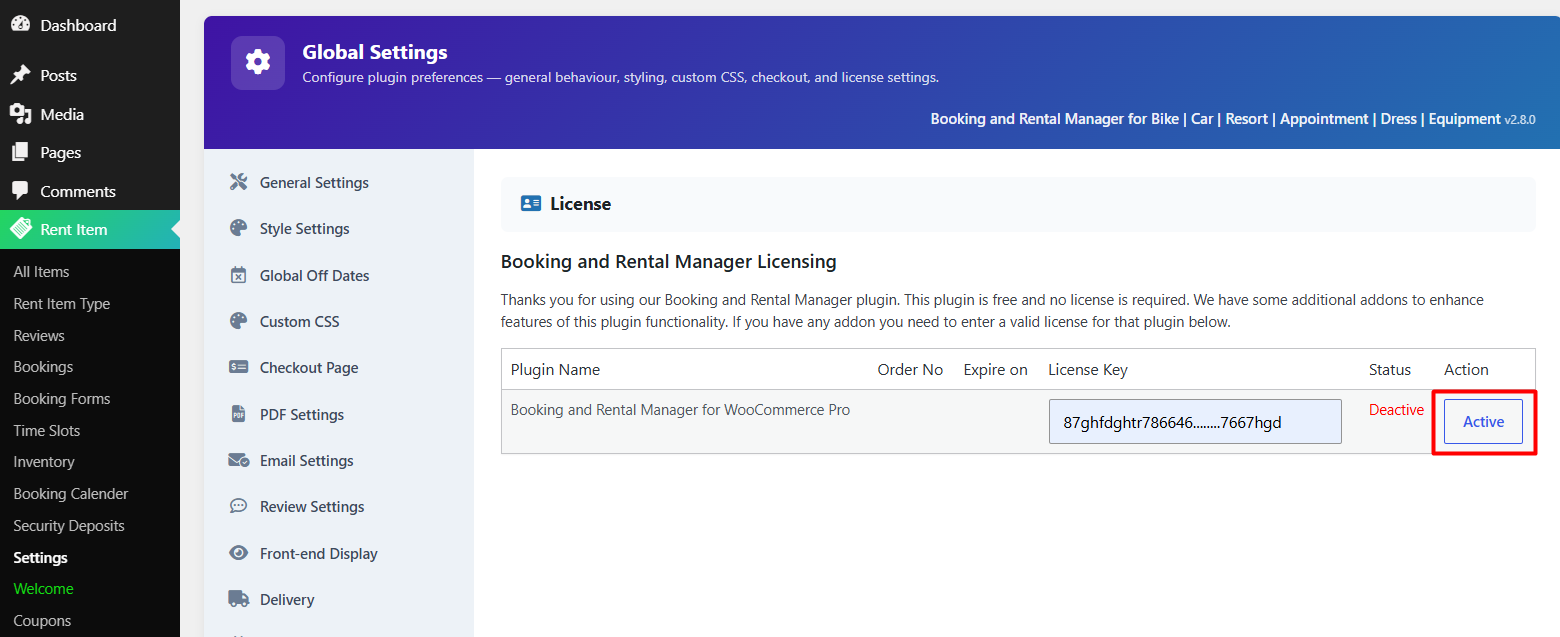
Paid rental plugins often deliver updates through a licence key rather than the WordPress.org update system. If that licence lapses, updates stop arriving silently – you may not notice for months. Set a calendar reminder for the renewal date, and after each renewal, check that a new version actually appears. Check current pricing and renewal terms with your vendor, since these change.
Step 2: Harden the Booking Form Against Abuse
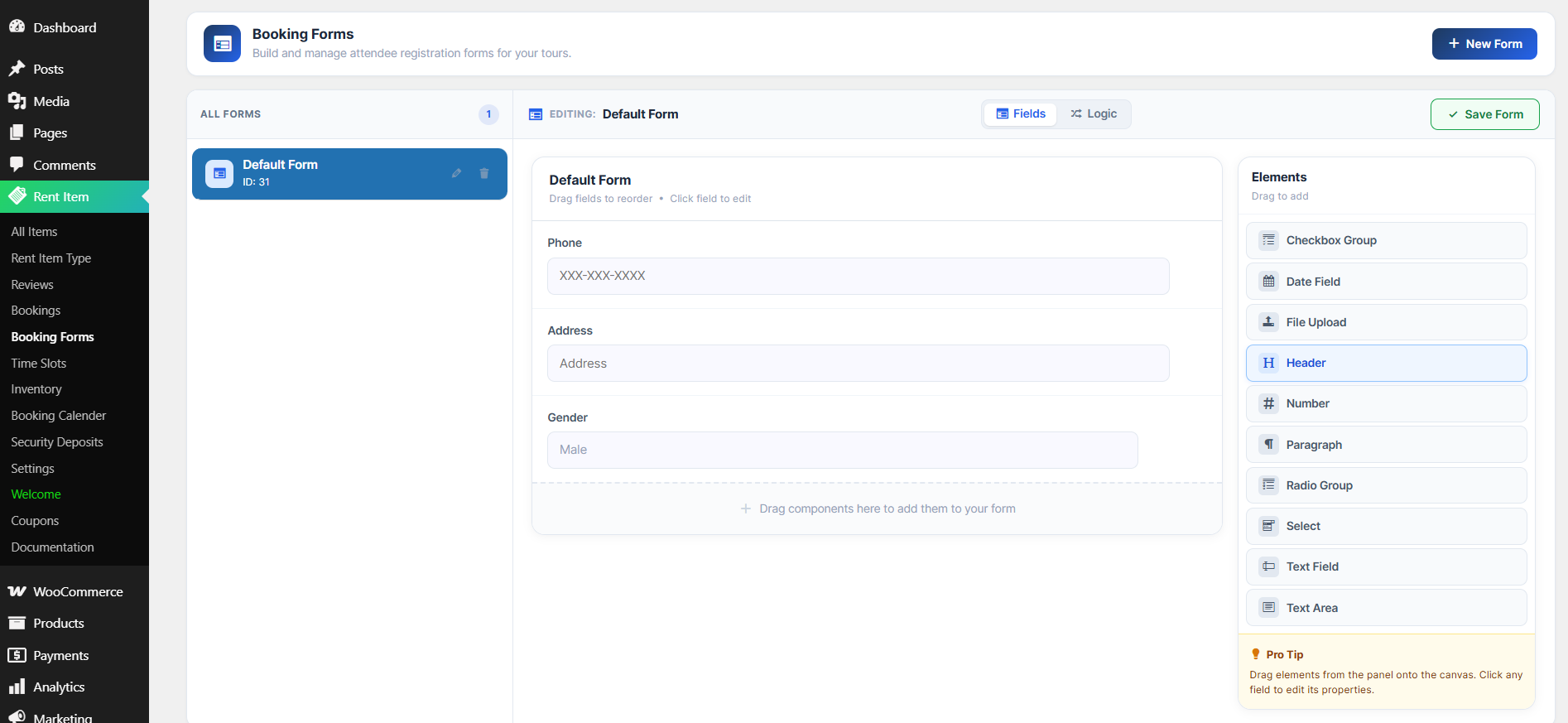
Public booking and enquiry forms are the most exposed part of any rental site, because they must accept input from strangers by design.
- Spam and bot protection. Use a reputable anti-spam layer – a CAPTCHA service or a form-level honeypot – on enquiry forms and on the checkout’s guest path.
- Server-side validation. Never trust the browser. Dates, quantities, and rental durations should be validated again on the server, so a manipulated request cannot book negative quantities or impossible date ranges.
- Date and inventory checks. Confirm that requested dates are actually available and that the item is not already reserved. Overlapping bookings are not just a security issue – they are a support nightmare.
- Rate limiting. Cap how many booking attempts or enquiries a single IP can submit in a short window. Without it, a script can hold your inventory hostage with fake reservations.
- File upload handling. If your rental flow accepts uploads – damage photos, signed agreements, ID scans – restrict file types, cap file size, and store uploads outside a publicly browsable directory where your host allows it.
Roles and Permissions
Rental teams often add staff accounts for front-desk or dispatch users. Give each person the minimum role they need. A staff member who only confirms returns does not need the ability to change prices or export customer lists. Review the user list quarterly and remove anyone who has left.
Enable two-factor authentication for every administrator account without exception. Admin access to a rental site is effectively access to the business’s money and customer records.
Step 3: Secure Payments and Deposits
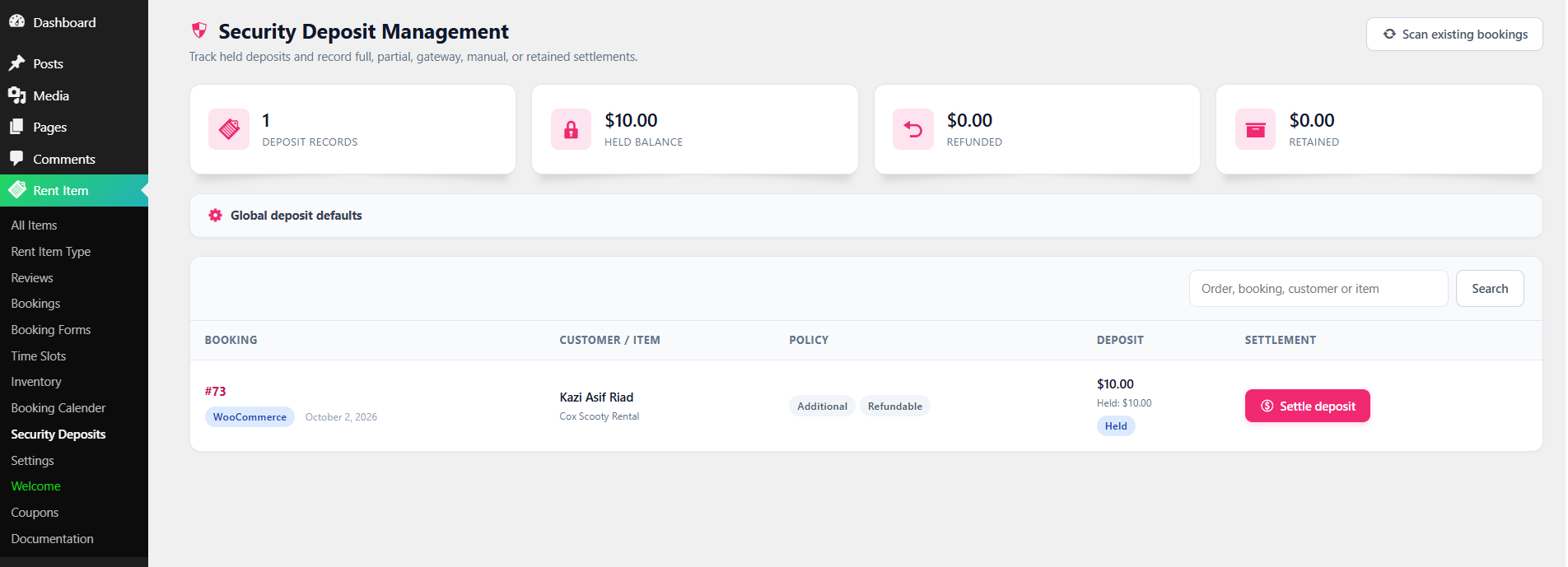
This is the step rental operators most often get wrong, because rental payments are not a simple one-off charge.
- Keep card data off your server. Use a hosted or tokenised checkout where the payment provider collects card details. If you store card numbers on your own hosting, your compliance burden jumps sharply.
- Confirm your checkout is served over HTTPS end to end, including any custom booking pages or iframes.
- Verify deposit logic in both directions. Test that the hold or authorisation amount is captured correctly at pickup and released or refunded correctly at return. A mismatch is a refund dispute waiting to happen.
- Log every manual override. If your workflow lets staff waive a deposit or change a rental total by hand, make sure the booking plugin records who did it and when.
- Reconcile deposits against actual returns weekly rather than monthly. Fraudulent or erroneous releases are far easier to catch while the rental is still recent.
If you are still choosing your stack, security posture should be one of your evaluation criteria up front. That trade-off is exactly what a side-by-side comparison is for, and if you need an overview of rating plugins on features and free-versus-paid trade-offs rather than hardening an existing one, see the 7 WordPress rental plugins comparison before you install anything.
Step 4: Protect Customer and Identity Data
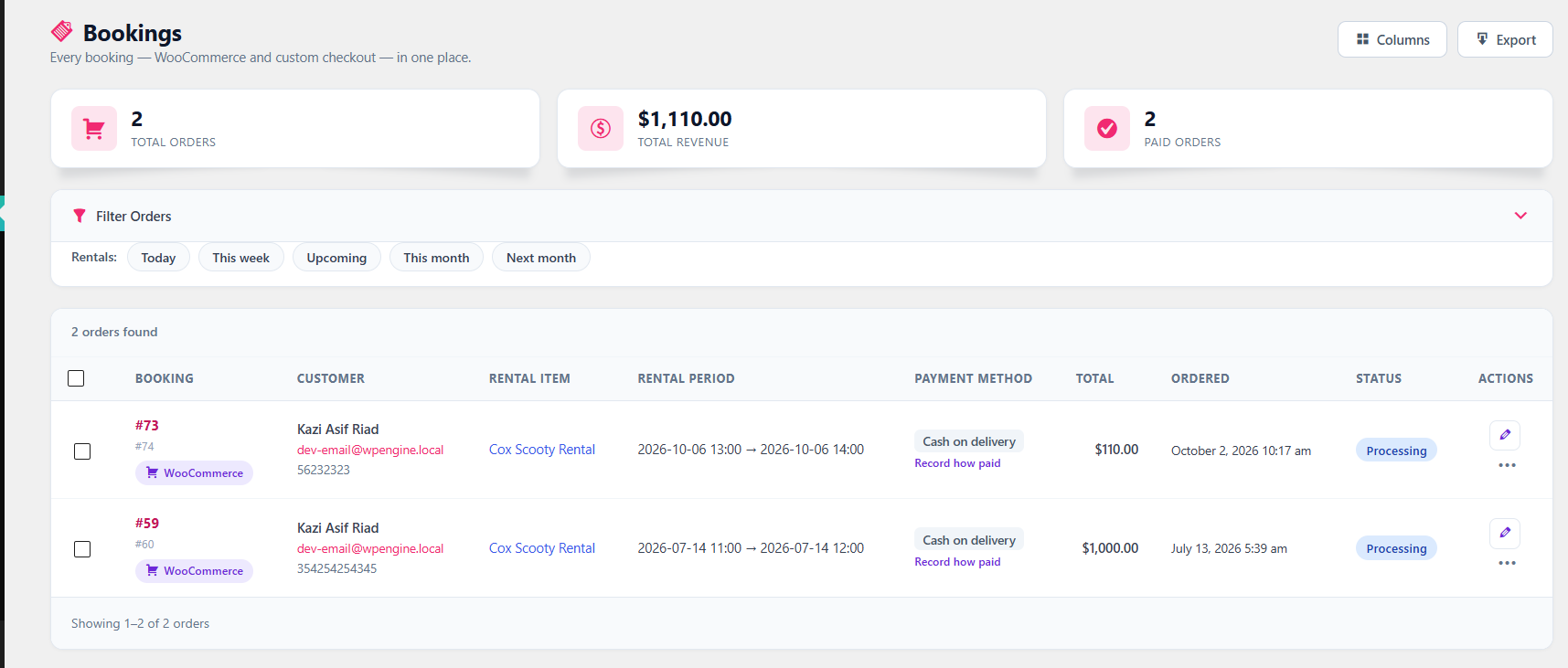
Rental businesses collect more personal data than most small sites: names, addresses, phone numbers, licence numbers, and sometimes document scans.
- Collect less. Every field on your booking form is data you must now protect. If you do not verify against it, do not collect it.
- Set a retention period. Booking records and ID copies rarely need to be kept indefinitely. Decide how long, document it, and delete on schedule.
- Restrict exports. Customer list exports are the single easiest way for data to leave your site. Limit that capability to one or two trusted roles.
- Encrypt at rest where available. Ask your host whether database and backup encryption are offered, and enable them if so.
- Publish a clear privacy notice covering what you collect, why, how long you keep it, and who to contact to request deletion.
Backups You Can Actually Restore
A backup that has never been test-restored is a guess, not a backup. For a rental site, keep:
- Automated daily database backups, since bookings change constantly.
- Weekly full-site backups covering files, uploads, and plugin data.
- At least one copy stored off your hosting account, in a separate location or provider.
- A dated restore test – do it once a quarter on a staging copy, and write down how long it took.
Before applying any plugin or core update, take a fresh backup. That single habit converts most failed updates from an outage into a five-minute rollback.
Step 5: Monitor, Test and Respond
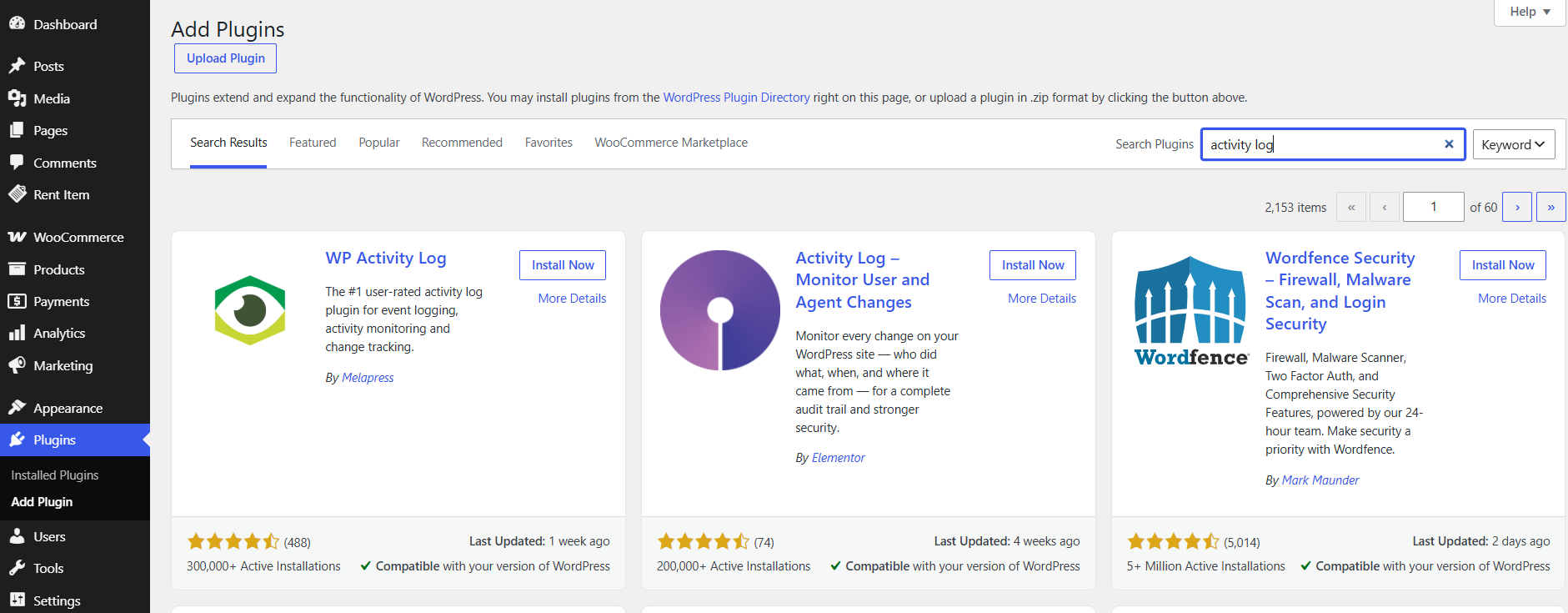
Prevention is only half the job. You also need to notice when something goes wrong – and rental businesses notice late, because a compromised availability calendar can look like ordinary booking activity.
- Enable a WordPress activity log. You want a record of logins, plugin changes, price edits, and permission changes.
- Turn on login protection. Limit failed login attempts and alert on repeated failures against admin accounts.
- Run a malware scan on a schedule and after any suspicious traffic spike.
- Set uptime and error monitoring. A checkout that silently breaks costs bookings every hour it stays down.
- Write a one-page incident plan. Who do you call, how do you restore, how do you tell affected customers? Decide this before you need it.
Test Your Own Booking Flow
Once a quarter, go through your own rental funnel as a customer would:
- Book a test item for a short, low-cost period.
- Try entering an invalid date range and an overlapping reservation – both should be refused.
- Check that confirmation, reminder, and return emails arrive and contain the right details.
- Confirm the deposit hold appears and is released correctly.
- Delete the test booking and verify any uploaded files go with it.
If you would rather have reminders and confirmations automated than send them by hand, the same principles apply to transactional email – see how to automate confirmation and reminder emails in WordPress for the configuration side.
Quick Reference: Rental Security Priorities
| Area | Priority action | How often |
|---|---|---|
| Plugins and core | Remove unused plugins, update everything, keep licence current | Monthly |
| Admin access | Two-factor authentication, least-privilege roles, remove leavers | Quarterly review |
| Booking forms | Anti-spam, server-side validation, rate limiting | On launch, then after changes |
| Payments and deposits | Tokenised checkout, HTTPS everywhere, weekly reconciliation | Weekly |
| Customer data | Collect less, set retention, restrict exports | Quarterly |
| Backups | Daily database, off-site copy, test restore | Daily/test quarterly |
| Monitoring | Activity log, login alerts, uptime checks | Continuous |
Conclusion
Securing a WordPress rental plugin setup is mostly a matter of habits rather than heroics: keep the plugin count low and current, validate everything a stranger can submit, keep card data off your own server, collect only the customer data you truly need, and rehearse the restore you hope never to need. Do the audit once properly, then put the monthly and quarterly checks in your calendar. A rental business lives on repeat customers, and nothing destroys repeat business faster than a leaked database or a checkout that quietly stopped working.