 Get Halloween 15% for Limited Time on Lifetime & Bundle Deal

- What to Look For in a Rental Management Plugin
- Why a Generic Booking Plugin Struggles With Rentals
- The Best WordPress Plugin for Managing Car, Bike, and Equipment Rentals: Comparison Table
- Where WpRently Fits Best
- Honest Limitations: When WpRently Is Not the Right Pick
- Choosing Between the Shortlist: A Practical Decision Path
- Frequently Asked Questions
- Get Started With a Rental-Ready Setup
What to Look For in a Rental Management Plugin
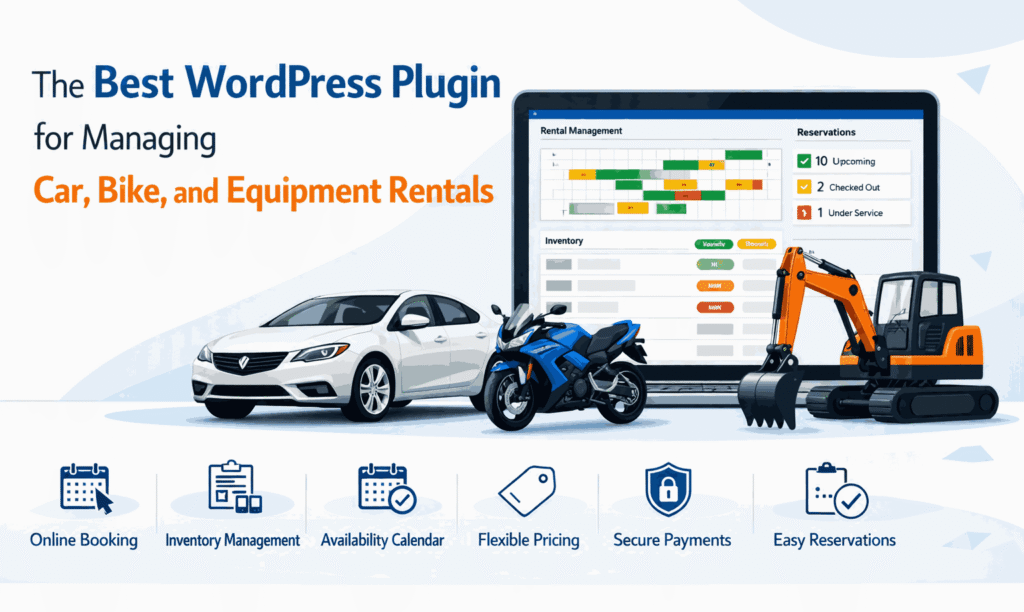
If you are shopping for the best WordPress plugin for managing car, bike, and equipment rentals, the real question is not “which plugin has the longest feature list” — it is “which one understands rental logic rather than appointment logic.” A rental store sells time with an asset, not a seat at a fixed hour. That single difference drives almost every requirement below.
Before you shortlist anything, decide which of these four patterns describes your business, because the plugin you need changes with each one:
- Short-cycle, high-volume (bikes, scooters, power tools): hourly and daily rates, fast availability checks, online waivers.
- Long-cycle, high-value (cars, vans, machinery): deposits, driver verification, insurance documents, damage hand-over records.
- Mixed fleet (a car rental yard that also hires out trailers and generators): one catalogue, many pricing rules.
- Niche accessories (child seats, roof boxes, helmets): cheap add-ons that must attach to a primary rental without breaking the calendar.
Once you know your pattern, score every candidate against these six criteria. We use the same six throughout this comparison.
- Availability logic: does it block a specific unit for a date range, or only reserve a product quantity?
- Rate models: hourly, daily, weekly, weekend, seasonal, and minimum/maximum duration.
- Deposits and damage cover: partial payments held against a booking.
- Customer intake: conditional forms for licences, waivers, and ID uploads.
- Checkout and payments: how it collects money and what gateways it inherits.
- Total cost of ownership: licence model, renewals, and how much you must pay a developer to fill gaps.
Why a Generic Booking Plugin Struggles With Rentals
Most booking plugins were designed for salons, clinics, classrooms, and events. They think in slots: 10:00, 10:30, 11:00. Rental businesses think in spans: pick up Friday 9am, return Monday 6pm, and the unit is unavailable in between — including the buffer you need for cleaning, charging, or servicing.
That mismatch shows up in predictable ways. A slot-based tool will happily sell your only cargo bike twice because the second customer chose a different start time. It will not understand that a three-day hire should cost less per day than three separate one-day hires. It has nowhere to store a signed waiver or a photo of the fuel gauge at hand-over.
A rental-specific plugin closes those gaps: date-range calendars with buffer time, per-unit serial tracking, tiered and seasonal rates, deposits, and intake forms attached to the booking rather than to a customer profile.
If you are still deciding between a general booking tool and a rental tool, the deciding question is whether you ever need the same physical item to be unavailable for a reason the software cannot see. If the answer is yes, you need rental logic.
The Best WordPress Plugin for Managing Car, Bike, and Equipment Rentals: Comparison Table
Below is a like-for-like view of the main options people shortlist for rental management on WordPress. Feature columns are drawn from each product’s public documentation; pricing moves, so verify on the vendor site before you commit a budget.
| Plugin | Primary focus | Pricing model | Rate types | Deposits & partial payment | Vehicle/equipment intake forms | Compatibility notes |
|---|---|---|---|---|---|---|
| WpRently (Booking and Rental Manager for WooCommerce) | Cars, bikes, equipment, anything rented by unit | Free core on WordPress.org; Pro tier is a paid annual licence — check current pricing on the product page | Hourly, daily, weekly, seasonal, min/max duration | Yes — partial deposits on Pro | Yes — custom fields for licences, waivers, attachments | Built on WooCommerce, so it inherits your existing gateway and tax setup; sits comfortably on Astra, GeneratePress, and most block themes |
| WooCommerce Bookings (official extension) | Time-slot and day-based bookings across many industries | Paid annual extension licence — check current pricing with Woo | Hourly, daily, blocks, buffers, resources | Yes, through WooCommerce deposit extensions | Limited — needs additional form plugins | Deep native WooCommerce fit; the most flexible option if you also sell non-rental products and want one extension vendor |
| YITH Booking & Appointment for WooCommerce | Appointments plus day-range rentals | Free version available; premium is a paid annual licence — check current pricing | Daily ranges, per-person and per-unit pricing | Available via additional payment extension | Basic | Good for small mixed stores already running YITH plugins; heavier configuration if you only rent and never book appointments |
| Amelia | Service appointments, employee schedules, classes | Paid annual licence — check current pricing | Duration-based appointments, not unit hire | No true rental deposit flow | Service intake, not asset hand-over | Excellent for workshops, lessons, and mobile detailing; a poor fit for a vehicle or equipment fleet |
| Booking Calendar (plugin) | Simple date-range availability requests | Free plugin; paid add-ons for payments and forms | Day ranges only | Limited | Limited | Good value for tiny hire operations with a handful of items and no online payment requirement |
How to read the table: if your fleet is more than about ten units, or if any unit is worth enough that you would chase a no-show, prioritise the “deposits” and “intake forms” columns over the “rate types” column. Missing rate flexibility costs you margin; missing deposits costs you the asset.
Where WpRently Fits Best
Disclosure: WpRently is our own product. We publish it on WordPress.org and sell the Pro tier ourselves, so treat the rest of this section as an honest account of what it is good at rather than a neutral review.
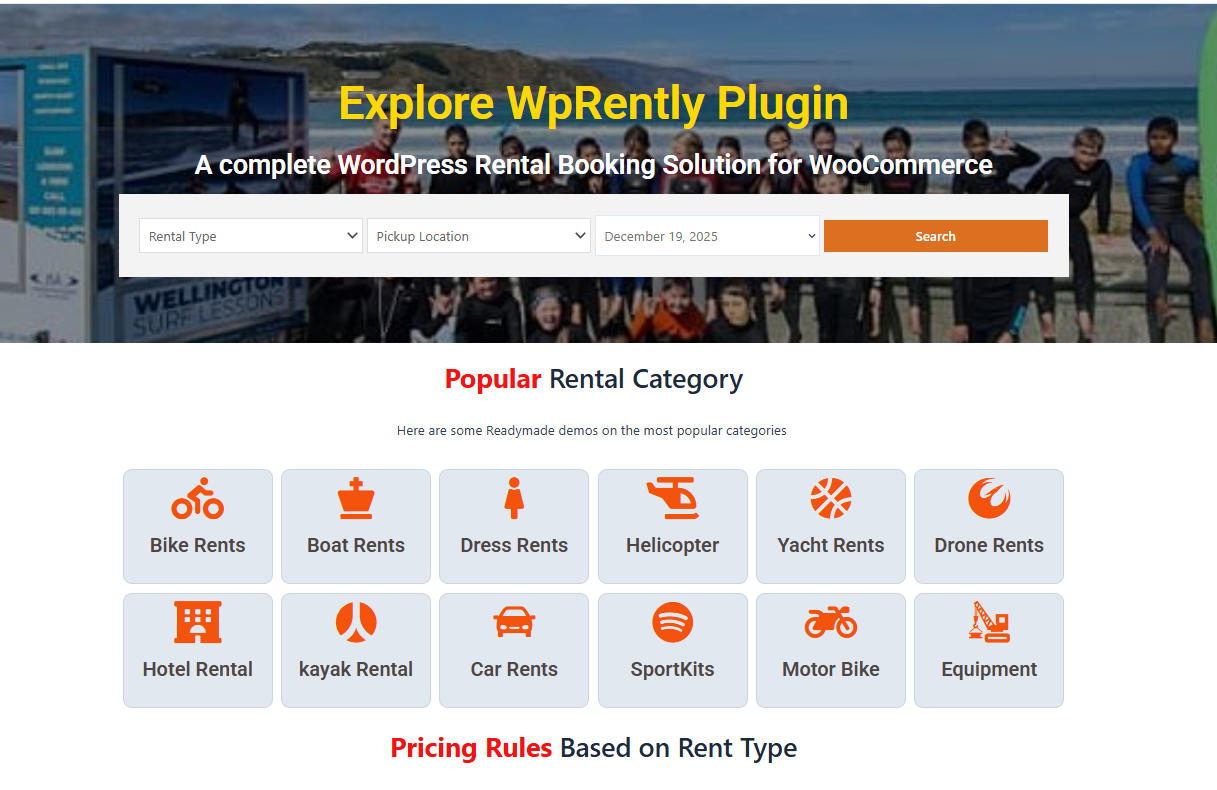
WpRently is a WooCommerce-based rental manager built around units rather than slots. The free core plugin handles the day-to-day: a live availability calendar, flexible rate options, product variations for things like frame size or equipment attachment, custom intake fields, and automated confirmation emails. Because it rides on WooCommerce, your checkout, taxes, currencies, and payment gateways are the ones you already have configured.
It is the strongest fit when:
- You rent physical assets by the hour or the day and need date-range availability, not appointment slots.
- You want to start free and add paid features only when a specific gap appears.
- You sell accessories or consumables alongside rentals and want one catalogue.
- You want your existing WooCommerce gateway and tax rules to apply without a second payment stack.
If your business model is closer to a service than a fleet, this walkthrough of building an equipment rental website with WpRently shows the setup sequence end to end, from adding the first unit to taking a paid booking.
Free Version: What You Can Launch With Today
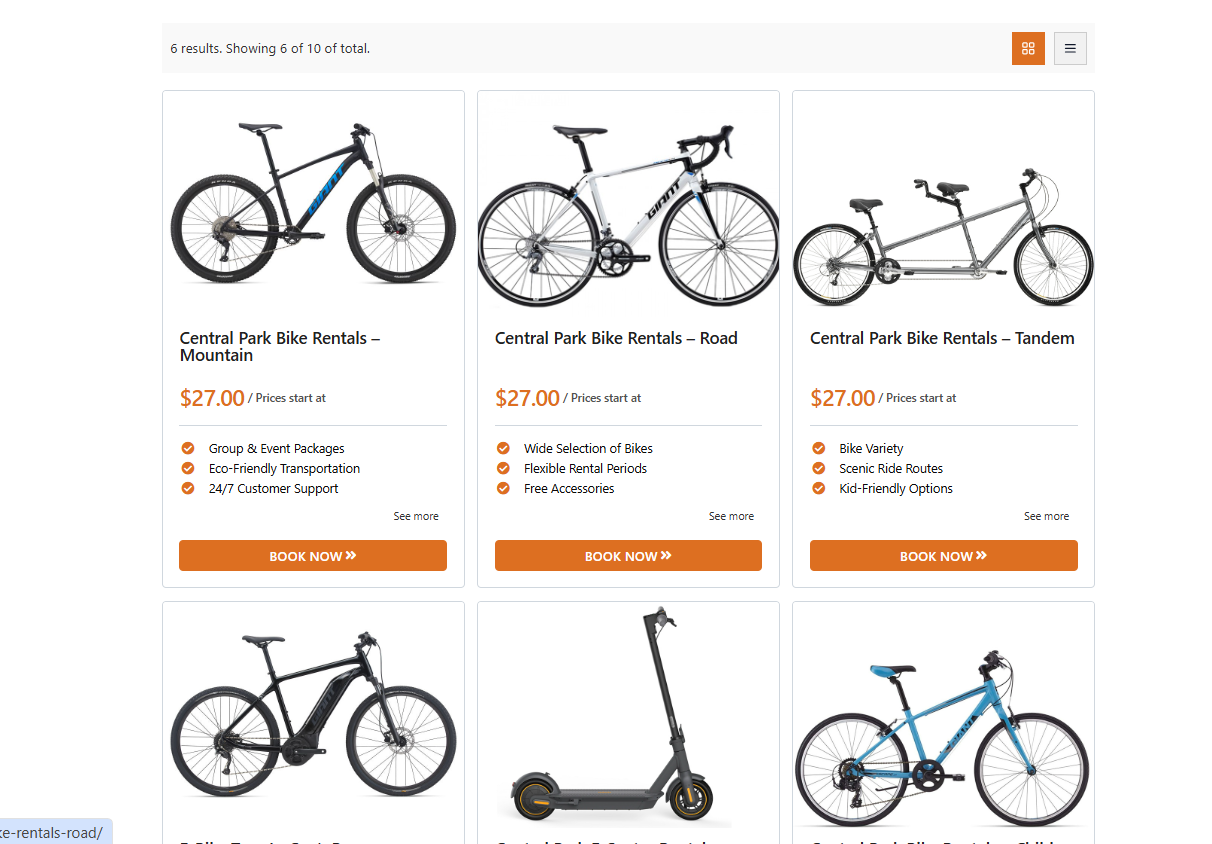
The core plugin is free on the WordPress.org repository and covers the majority of daily operations for a small or mid-sized hire business. You get the price screen shown above: per-hour, per-day, and per-week rates set on each unit, so a bicycle can be BDT 500 per day while a generator is priced by the week.
- Rate flexibility per unit: hour, day, and week pricing without separate products for each combination.
- Real-time availability: the calendar blocks a unit for the booked range, which is what stops double-booking on a one-of-a-kind item.
- Variations: frame size, engine type, or attachment selection handled as product variations rather than free-text notes.
- Custom intake fields: collect a driving licence number for vehicles or acknowledge a safety waiver for machinery.
- Booking emails: confirmations go out automatically, so your inbox is not the system of record.
- Professional galleries: present the fleet the way a customer expects to browse vehicles.
Pro Version: The Features That Actually Move Revenue
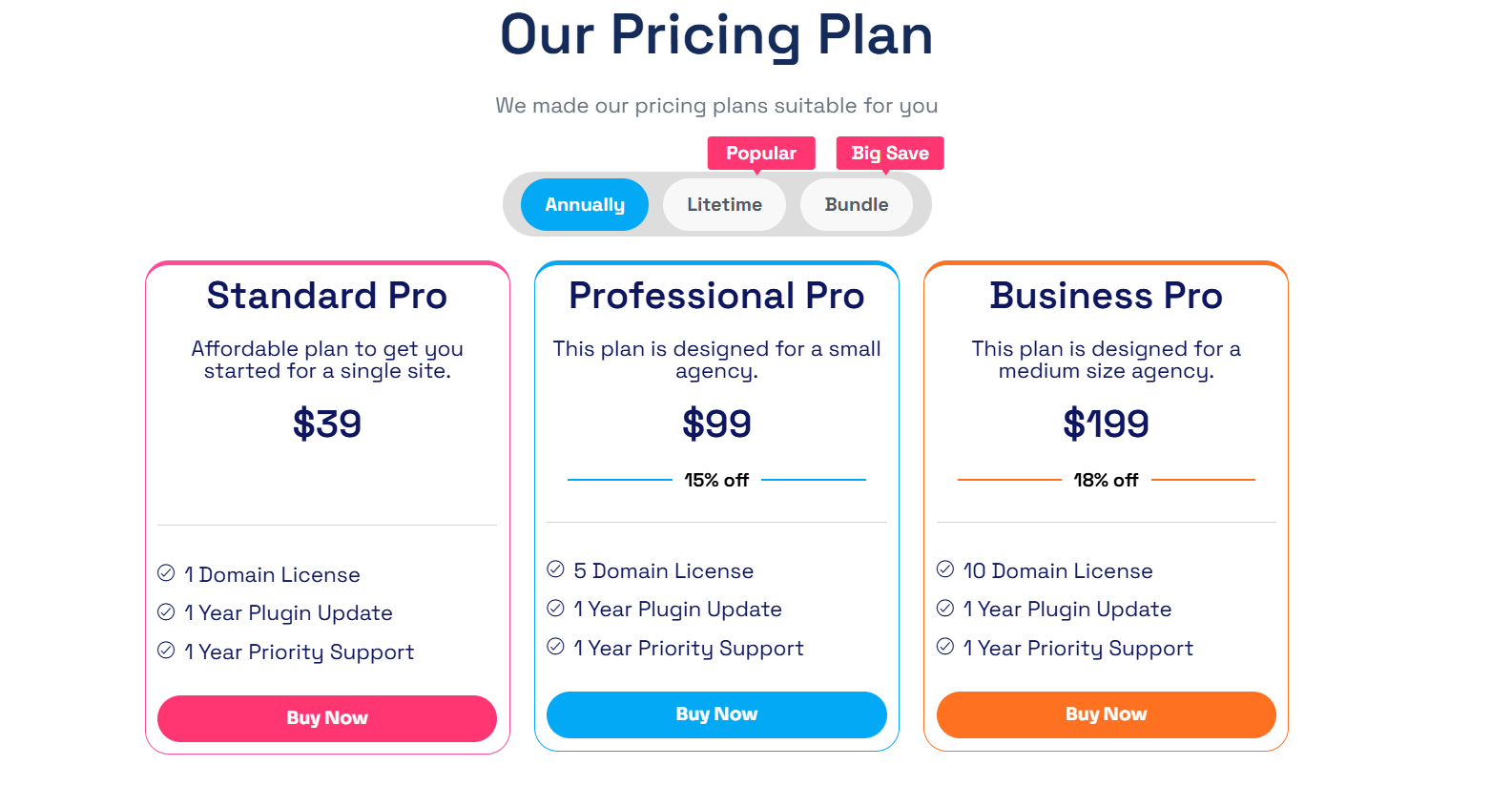
Pro (priced from the tier shown on the product page — check current pricing, as licence terms change) adds the controls that matter once your units get expensive or your season gets busy.
- Partial deposits: hold an upfront amount against a booking, which is the single most effective lever against no-shows on high-value vehicles.
- Seasonal pricing: raise rates automatically during peak weeks and discount during quiet ones.
- Minimum and maximum rental duration: enforce, for example, a three-day minimum over weekends.
- PDF receipts: branded hand-over documents for vehicles and corporate equipment records.
- Multilingual support: WPML and Polylang integration if you serve cross-border or international customers.
- Rental reporting: see which individual units earn and which sit idle, so fleet decisions stop being guesses.
There is also a dedicated WpRently Pro product page with the current licence details for the paid tier.
Honest Limitations: When WpRently Is Not the Right Pick
A comparison article that only lists strengths is not useful, so here is where we would steer you elsewhere.
- You run appointment-based services. If customers book a person rather than an asset — a mechanic’s time slot, a detailing bay, a lesson — an appointment plugin such as Amelia or a salon/class tool is a better fit. Our guide to running a repair service booking system in WordPress covers that side of the market.
- You need marketplace multi-vendor payouts out of the box. If you are building an Airbnb-style platform where third-party owners get paid directly, a multi-vendor marketplace stack is the correct foundation; WpRently is a single-operator rental manager.
- You need point-of-sale counter operations. Walk-in hire with a card terminal at the desk is a POS problem, not a WooCommerce checkout problem.
- You want hourly delivery slots with driver dispatch. Something like a courier or taxi dispatch system models routes and drivers; a rental manager models items. If your business is closer to that, see our taxi booking website guide, which covers ride dispatch rather than asset hire.
- You only hire out two or three items casually. The free version may be more than you need, and a simple calendar request form could be enough.
If you want to see what other business models people run on the same plugin before you commit, this round-up of rental business ideas you can launch with WpRently is a useful sanity check on whether your model fits.
Choosing Between the Shortlist: A Practical Decision Path
- Count your units and their value. Low count and low value: a light calendar plugin may be sufficient. Any unit you would pursue for non-return: you need deposits, which narrows the field fast.
- Write down your rate rules. If any of them include “cheaper by the week” or “dearer in July,” eliminate tools that only support a single flat daily price.
- Check the checkout you already trust. A WooCommerce-native tool reuses your gateways and tax settings. A standalone system asks you to maintain a second payment relationship.
- Test the hand-over document. Book a test rental on the demo and look at what the customer receives. Damage disputes are won or lost on that document.
- Price the gaps, not the licence. Add the developer hours needed to build any missing intake forms or deposit logic. That number frequently exceeds the licence difference.
For most single-operator and small-team fleets renting cars, bikes, tools, or machinery, a WooCommerce-based rental manager gives the best ratio of capability to total cost. For appointment-driven service businesses, it is the wrong category entirely.
Frequently Asked Questions
What is the best WordPress plugin for managing car, bike, and equipment rentals?
For most rental businesses, a WooCommerce-based rental manager such as WpRently is the best fit, because it handles date-range availability, hourly and daily rates, deposits, and asset intake forms in one plugin. If you also sell non-rental products, the official WooCommerce Bookings extension is a strong alternative. If you book people rather than assets, an appointment plugin is the correct category instead.
Can one plugin really manage cars, bikes, and equipment at the same time?
Yes, provided it prices per unit rather than with a single global rate. Cars, bikes, and tools differ in rate period, duration rules, and intake requirements, so the plugin must let you configure rates, minimum or maximum durations, and custom fields on each product individually. A tool with only one pricing model per product will force you into workarounds.
Do I need a paid plugin to stop double-booking a rental item?
No. Real-time availability that blocks a unit for a specific date range is a core rental feature and is available in the free version of WpRently and in several free calendar plugins. Paid tiers typically add deposits, seasonal pricing, branded PDF receipts, and reporting — the features that matter as your fleet value and booking volume grow.
How do deposits work for high-value car rentals?
A deposit feature lets you charge part of the rental total at the time of booking, then collect the balance later. That reduces no-shows and gives you a payment record to hold against damage or late return. Deposits are typically a paid-tier feature, so check which tier includes them before you choose a plugin.
Is WpRently compatible with my existing WordPress theme and payment gateway?
WpRently runs on WooCommerce, so it inherits whatever payment gateways, currencies, and tax rules you have already configured, and it works with common themes including Astra, GeneratePress, and standard block themes. Because the checkout is WooCommerce, adding a new gateway is a WooCommerce configuration task rather than a plugin-specific one.
What information should I collect from a customer before renting equipment or a vehicle?
For vehicles, collect the driving licence number, expiry date, and a contact address. For machinery and power tools, collect a signed safety waiver and a damage-liability acknowledgement. Use the plugin’s custom intake fields so these answers are attached to the booking, and record the condition of the item with photos at hand-over and return so disputes have evidence.
Get Started With a Rental-Ready Setup
Rental demand keeps shifting toward access over ownership, and the operators who win are the ones whose booking flow is invisible to the customer: they see availability, they see a price, they pay, they get a document. Everything else is paperwork you should not be doing by hand.
Here is the shortest path from here to a working rental site:
- Try WpRently free. Install the core plugin from the WordPress.org repository and add one real unit with a real rate to test the calendar.
- See it working first. Visit wprently.com for a live demo and a trial, so you can click through the customer booking flow before you install anything.
- Then decide on Pro. Add the paid tier only when you hit a specific gap — deposits on an expensive unit, seasonal pricing, or reporting. Check current pricing on the product page when you are ready.
Start with the free plugin and one unit today, and you will know within an afternoon whether your rental flow works — before you commit a season to it.
