 Get Halloween 15% for Limited Time on Lifetime & Bundle Deal

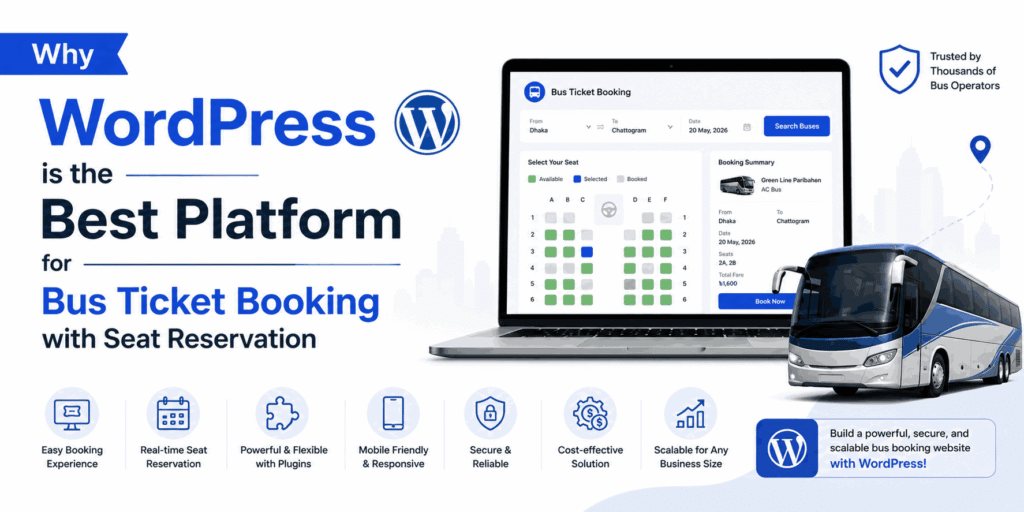
WordPress is the best platform for bus ticket booking with seat reservation because it pairs a free, open-source core with plugins built specifically for transport operators. You get a live seat map, PDF tickets with QR codes, automated payments and route-level reporting without paying for a custom build. This guide explains where WordPress genuinely wins, where it does not, and what to check before you commit.
- WordPress vs Custom-Built vs SaaS Ticketing: The Real Trade-Off
- Eye-Opening Stats: The Online Bus Booking Boom Is Real
- Why WordPress Is Suited to Bus Ticket Booking With Seat Reservation
- Top Advantages of an Online Bus Ticket Reservation System
- Meet WpBusTicketly: The Purpose-Built Bus Booking Plugin
- Frequently Asked Questions
- Bottom Line
WordPress vs Custom-Built vs SaaS Ticketing: The Real Trade-Off
Before the feature lists, it helps to be honest about the three routes most bus operators consider. Each has a legitimate use case.
| Factor | WordPress + bus booking plugin | Custom-built platform | Third-party SaaS ticketing |
|---|---|---|---|
| Typical upfront cost | Plugin licence plus hosting; core WordPress is free. Check current pricing. | Highest — custom development is billed by project or sprint. | Low or free to start, but usually billed per ticket or per month. |
| Time to launch | Days, once routes and seat layouts are configured. | Weeks to months. | Days, but limited to the vendor’s feature set. |
| Seat map control | Visual seat builder inside the plugin, including row rotation for coach layouts. | Unlimited, at a development cost for every change. | Whatever the vendor exposes — often a fixed grid. |
| Data ownership | You own the site, database and customer records. | You own everything. | The vendor holds the passenger data. |
| Ongoing costs | Annual plugin renewal plus hosting and domain. | Maintenance retainers and developer availability. | Ongoing commission on every sale. |
| Customisation ceiling | High with code access; you can edit templates and hooks. | Effectively unlimited. | Low to moderate. |
| Best fit | Operators who want ownership, branding and a normal cost curve. | Enterprise fleets with unusual, non-standard booking logic. | Very small operators testing a route before investing. |
The pattern is straightforward: custom builds buy freedom at the cost of money and time; SaaS buys speed at the cost of margin and data. WordPress sits in the middle, and for most bus operators that middle is the profitable place.
Where WordPress Falls Short — Say It Out Loud
- Very high transaction volume. If you are selling tens of thousands of seats per day across many regions, a purpose-built ticketing engine with dedicated infrastructure will outperform a general-purpose CMS.
- Hardware integration. On-board validators, turnstile readers and depot gate scanners usually need bespoke integration work regardless of platform.
- Plugin sprawl. WordPress rewards discipline. Ten overlapping plugins on one site will cause conflicts that have nothing to do with your booking logic.
- You still own maintenance. Updates, backups and security are your responsibility unless you pay for managed hosting.
None of these are dealbreakers for a regional or national bus operator. They are reasons to plan, not reasons to avoid WordPress.
Eye-Opening Stats: The Online Bus Booking Boom Is Real
The shift from counter sales to online ticketing is not a niche trend — it is the mainstream of how passengers now buy intercity seats.
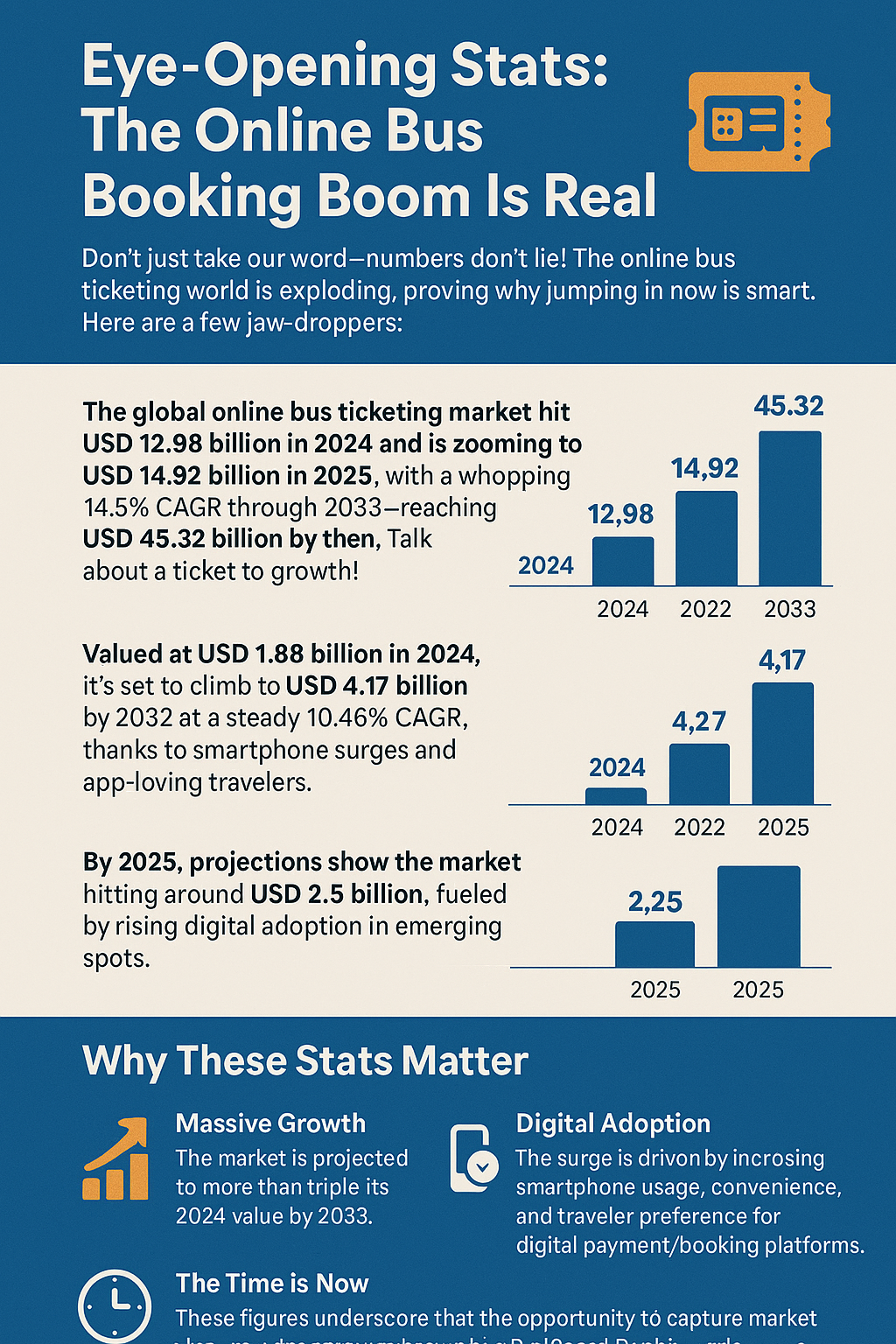
- The global online bus ticketing market reached USD 12.98 billion in 2024 and is projected to grow at roughly 14.9% CAGR through 2033, reaching USD 45.32 billion — according to Straits Research.
- A separate forecast values the online bus ticket service segment at USD 1.88 billion in 2024, rising to USD 4.17 billion by 2032 at a 10.46% CAGR, driven by smartphone adoption — per Maximize Market Research.
- Growth is concentrated in emerging markets where digital payment adoption is expanding fastest.
Different research houses define the market differently, so the absolute numbers vary. The direction does not: passengers increasingly expect to pick a seat on a screen rather than at a window. Operators without an online seat reservation flow are handing that demand to competitors who have one.
Why WordPress Is Suited to Bus Ticket Booking With Seat Reservation
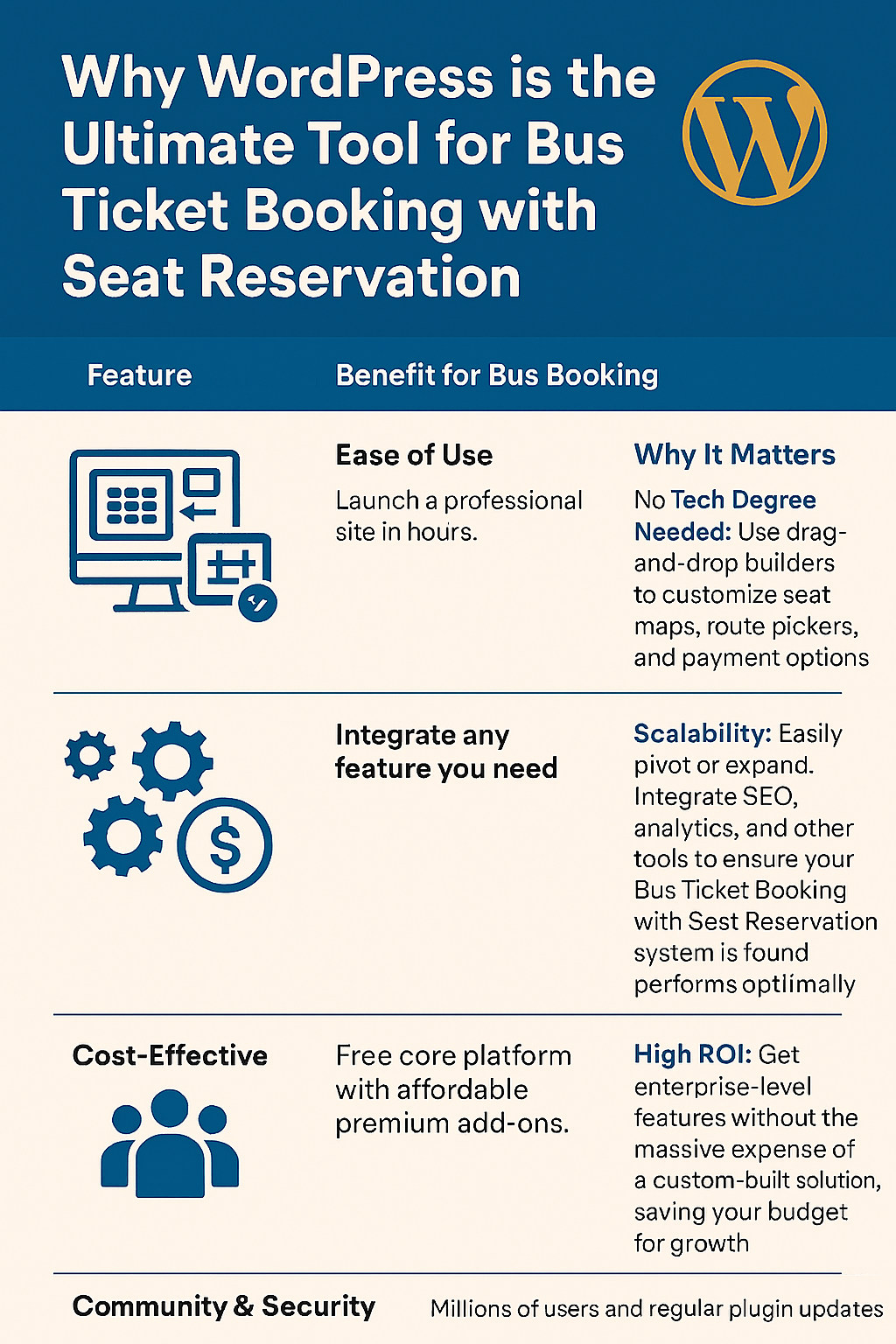
WordPress powers a large share of the web because it is flexible, well documented and free at its core. For a booking business, those traits translate into specific advantages:
- Speed to market. Route setup, seat layout design and payment configuration are configuration tasks, not coding projects.
- Cost efficiency. You avoid a custom development quote, which frees budget for fleet and marketing.
- SEO foundations. Route pages — “Dhaka to Chattogram bus schedule” and similar — can rank in search, turning your site into an acquisition channel instead of just a checkout.
- Payment ecosystem. WooCommerce gives you established gateways, tax handling and refund workflows that already work.
- Ownership. Passenger records, pricing history and route data stay in your database.
If you want the step-by-step build sequence rather than the strategic case, our walkthrough on creating a bus booking website with WordPress covers installation, route setup and seat map configuration in order.
What “Seat Reservation” Actually Requires
Seat-level booking is more demanding than selling a generic ticket. A platform must handle all of the following, and this is often where generic ticketing tools fall down:
- A visual seat map per vehicle type — sleeper, semi-sleeper, AC coach and non-AC buses all have different layouts.
- Atomic locking — two passengers must never be sold the same seat in the same second.
- Intermediate stop inventory — a seat freed at a mid-route stop should be resellable for the remaining leg.
- Per-seat pricing — window, front row and recliner seats are often priced differently.
- Ticket issuance — a scannable QR ticket that a conductor can verify offline-ish at the door.
- Buffer logic — a guard against selling a seat on a trip the bus cannot physically reach in time.
Top Advantages of an Online Bus Ticket Reservation System

Moving bookings online changes the economics of the operation, not just the checkout page.
- 24/7 sales. Counters close; a booking page does not. Late-night and early-morning sales are pure incremental revenue.
- Fewer support calls. Automated confirmations, reminders and self-service cancellation cut the volume of “is my seat confirmed?” enquiries.
- Higher revenue per trip. Seat selection, extra baggage and premium-seat upgrades are easy upsells when they sit inside the booking flow.
- Operational visibility. Occupancy by route, by departure time and by day of week tells you which services to expand and which to cut.
- Lower counter costs. Staff move from selling tickets to managing exceptions — refunds, reschedules and group bookings.
You can go deeper on the operational case in this breakdown of the benefits of an online bus reservation system, which expands on counter cost reduction and demand forecasting.
Two related guides are worth keeping open if you are still deciding scope: our roundup of the advantages of an online bus ticket reservation system for strategy, and common mistakes when setting up a bus booking plugin if you want to avoid configuration errors in your first launch.
Meet WpBusTicketly: The Purpose-Built Bus Booking Plugin
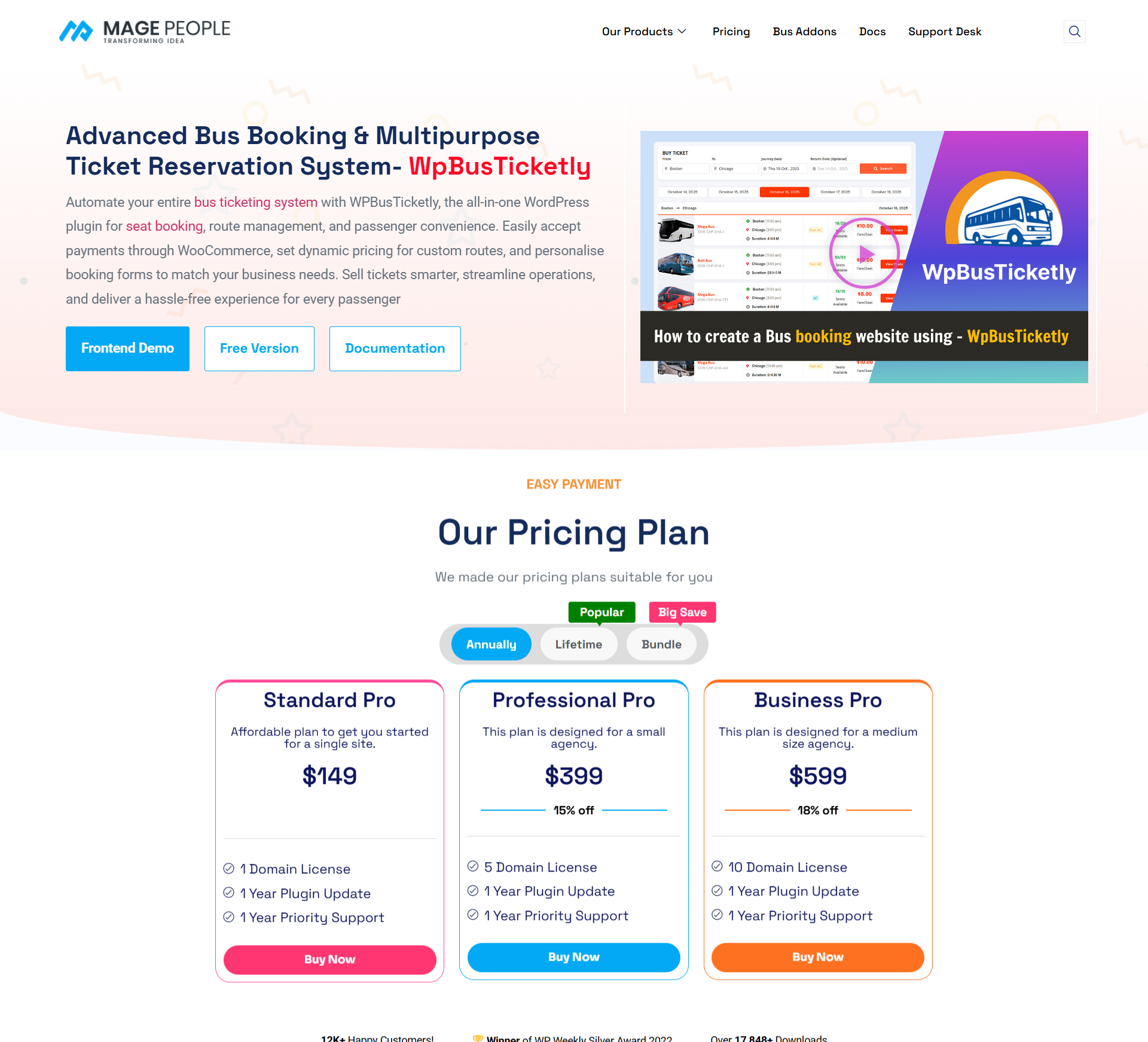
Disclosure: WpBusTicketly is our own product.
WpBusTicketly is a WordPress plugin built specifically for operators who sell seat-level bus tickets. It is designed to sit on top of the WordPress and WooCommerce stack you already have, rather than requiring a separate booking system.
Key Features for Seat-Level Booking
- Visual seat map builder — define layouts per bus type and let passengers choose an exact seat.
- PDF tickets with QR codes — scannable at boarding, with a ticket editor for branding and terms.
- Intermediate stop selling — resell seats that free up mid-route to increase revenue per departure.
- Buffer time controls — prevent selling seats on trips that cannot realistically be operated.
- Sales reporting — export route, trip and seat-level data to CSV for accounting and planning.
- WooCommerce payments — use the gateways, tax rules and refund flows you already trust.
- Multi-purpose layouts — the same seat-map engine accommodates buses, coaches, ferries and trains.
For complex coach interiors, the seat plan rotation feature lets you rotate individual seats or full rows so the on-screen map matches the physical vehicle. We cover that in detail in our guide to rotating bus seat plans in WpBusTicketly Pro.
Where WpBusTicketly Is Not the Right Fit
Being straight with you: this plugin is a strong choice for regional operators running scheduled intercity or commuter routes on WordPress. It is a weaker choice in these situations.
- You are not on WordPress and do not intend to move. The plugin cannot run on a different CMS, and a migration is a project in itself.
- You need on-board hardware integration out of the box. Depot turnstiles, on-bus validators and printed thermal-ticket hardware typically need custom integration work.
- You sell travel packages, not seats. If your product is a multi-day tour with hotels and activities, a dedicated tour booking plugin maps to your inventory far better than a seat map does.
- You want zero ongoing responsibility. WordPress requires updates and backups; a fully managed SaaS vendor removes that work but takes data ownership and a cut of revenue in return.
If any of those describe you, evaluate the alternatives in the comparison table above before committing. If none do, WpBusTicketly is likely the shortest path from “we sell tickets at a counter” to “we sell seats online.”
Try It Before You Decide
The free version is enough to build a working seat-selection flow on a staging site. Install WordPress, add the plugin, create one route and one bus layout, and take a test booking end to end. If the checkout feels right for your passengers, upgrade; if not, you have lost an afternoon rather than a development budget.
Start with the WpBusTicketly setup guide and launch your first route →
Frequently Asked Questions
Is WordPress good for a bus ticket booking website with seat reservation?
Yes. WordPress handles the content and payment side through WooCommerce, while a dedicated plugin supplies the visual seat map, seat locking and QR ticketing. The combination covers what a scheduled bus operator needs without a custom build. The main caveat is that very high-volume or hardware-dependent operations may need additional integration work.
How much does a WordPress bus booking site cost?
The WordPress core itself is free. Your real costs are hosting, a domain, an SSL certificate and the bus booking plugin licence, plus any payment gateway fees. Costs vary by vendor and by whether you choose the free or paid plugin tier, so check current pricing for each component before budgeting rather than relying on figures quoted in older articles.
Can two passengers book the same seat at the same time?
A properly built seat reservation system prevents this. The plugin locks a seat at the moment it is selected so a second passenger cannot complete checkout on an already-taken seat, and the map refreshes to show it as unavailable. If you are evaluating any booking tool, test this specific scenario with two browsers before you commit.
Does WordPress handle payments and refunds for bus tickets?
Yes, through WooCommerce. You can accept cards, wallets and local payment methods depending on the gateways available in your market, apply tax rules, and process refunds or reschedules using the standard WooCommerce order flow. This means your finance team works with familiar reports rather than a proprietary vendor dashboard.
Can I sell seats for intermediate stops, not just the full route?
With the right plugin, yes. Intermediate stop selling lets you release a seat for the remaining leg once a passenger disembarks at a mid-route stop, which raises occupancy and revenue on the same departure. It is one of the clearest differences between a purpose-built bus plugin and a generic appointment booking tool.
Can I use a bus booking plugin for ferries or trains too?
Often yes, provided the vessel or carriage uses a seat-based layout rather than cabins or unassigned standing. Seat map editors that support custom layouts and row rotation can usually be adapted to ferry and train seating, which means one plugin can cover multiple transport lines under a single site.
Bottom Line
WordPress wins for bus ticket booking with seat reservation because it gives you ownership, a normal cost curve and a route to launch measured in days rather than months. The platform handles content, SEO and payments; a purpose-built plugin handles the seat map, seat locking and QR ticketing. The honest caveats are volume, hardware integration and the fact that you keep responsibility for updates and security — worth knowing before you buy, not after.
Start small: one route, one bus layout, one test booking. If the flow works for your passengers, scaling it is a configuration exercise rather than a rebuild.
