 Get Halloween 15% for Limited Time on Lifetime & Bundle Deal


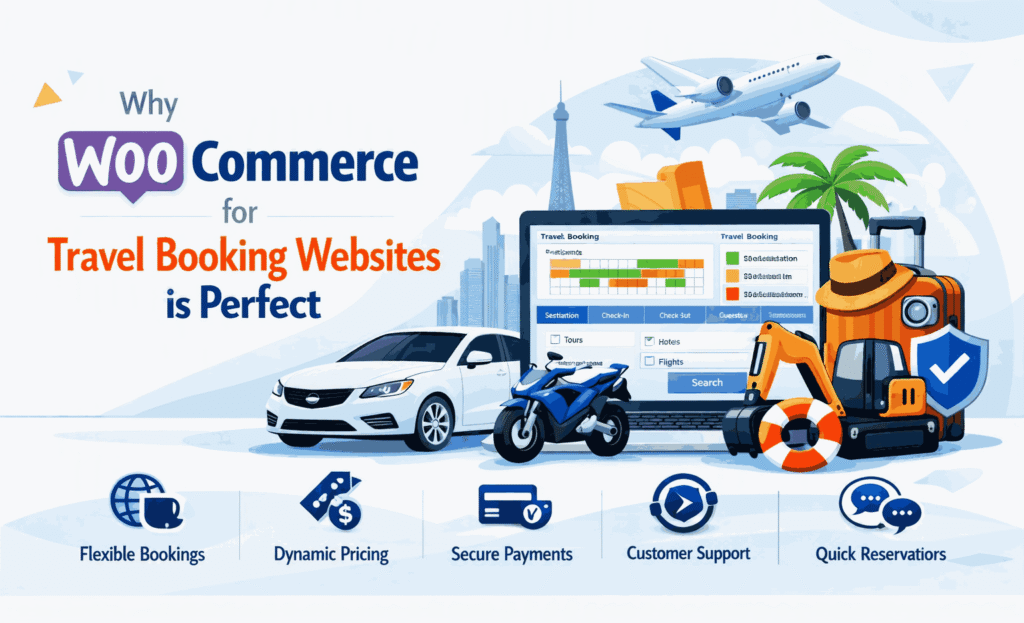
WooCommerce for travel booking works because it already solves the expensive half of the problem: secure payments, order records, tax and coupon logic, customer accounts and email notifications. What it does not do out of the box is sell a seat on a date or a place on a departure. That gap is closed by a tour booking extension. This article explains what WooCommerce gives you for free, what a travel-specific plugin must add, and how to judge whether the pairing fits your business.
It is written for tour operators, DMCs and small travel agencies who are deciding between a hosted booking platform and owning their own site. If you are still weighing plugin options rather than platform architecture, start with how to choose a travel booking plugin instead — this piece is about the platform underneath.
- The Core Argument: Tours Are Products With Dates
- Why WooCommerce for Travel Booking?
- What WooCommerce Handles Well for Travel Businesses
- What WooCommerce Does Not Do for Travel Out of the Box
- Choosing a Tour Booking Extension: Five Tests
- WPTravelly: The Travel Layer for WooCommerce
- WPTravelly Features: Core vs. Pro
- Ideal Use Cases for WPTravelly
- Honest Limitations You Should Plan For
- How WooCommerce Compares With a Hosted Tour Platform
- Frequently Asked Questions
- Bottom Line
The Core Argument: Tours Are Products With Dates
A tour booking is not a mystery. It is a product (the itinerary), sold in units (travellers), against capacity (seats or places), on a schedule (departure dates), often with variations (adult, child, private upgrade). Every one of those concepts already exists in WooCommerce, just not in travel-shaped packaging.
WooCommerce gives you:
- A product model with variations, attributes and stock thresholds.
- An order lifecycle — pending, processing, completed, refunded — with notes and audit history.
- Payment gateways maintained by WooCommerce and the gateway providers themselves.
- Checkout, accounts and transactional emails already battle-tested at scale.
- A REST API and webhook system for connecting accounting, CRM or channel tools.
What WooCommerce does not give you: per-date availability, traveller-level pricing, cut-off rules, pickup points, or a manifest you can hand to a guide. That is the layer a travel plugin supplies. Understanding the split matters, because it is the reason WooCommerce travel sites stay maintainable rather than turning into custom builds only one developer can touch.
Why WooCommerce for Travel Booking?
Assuming you already run WordPress, WooCommerce is the shortest path from content site to transacting site. Your destination guides, tour descriptions and blog articles sit on the same domain as your checkout, which is exactly what you want when a traveller reads about a hike and decides to book it.
Four practical reasons it holds up for travel operators:
| Benefit | What it means in practice |
|---|---|
| Open-source flexibility | No platform veto on how you lay out itineraries, present pricing or model departures. Themes and extensions are interchangeable. |
| Real e-commerce plumbing | Payments, refunds, invoices, tax rules and coupons are handled by the same stack that runs general retail. |
| Content and commerce together | Tour pages, blog posts and product pages share one structure, one sitemap and one set of SEO controls. |
| Data ownership | Traveller records, order history and reviews live in your database, exportable at any time. |

The trade-off is responsibility. On a hosted platform, uptime, upgrades and PCI scope are someone else’s job. On WooCommerce, your hosting, plugin updates and backups are yours. For a business where bookings are revenue, that responsibility needs an owner — a retainer, an in-house developer, or a disciplined maintenance routine.
What WooCommerce Handles Well for Travel Businesses
1. Payments, Deposits and Refunds
Travel is deposit-heavy by nature: a percentage now, the balance later. WooCommerce supports partial payment and deposit workflows, and MagePeople publishes a walkthrough for adding deposits in WooCommerce bookings. Refunds, chargebacks and multi-currency through supported gateways all follow the standard order flow, so finance teams get consistent records rather than manual spreadsheets.
Gateways are also maintained upstream. When a payment provider changes its API, the update comes from the gateway extension vendor, not from a travel plugin trying to keep up.
2. Products, Variations and Bundles
A multi-day trip can be modelled as a variable product with traveller types, or as a bundle that adds airport transfers, travel insurance or merchandise to the same cart. That bundling ability is genuinely useful for agencies selling packages, and it is the sort of thing hosted tour platforms often charge extra for or do not support at all.
3. Content, SEO and Conversion
The marketing side is where self-hosted WooCommerce pulls ahead. You control URLs, page titles, structured data and internal linking. Tour pages live alongside destination content, so a traveller researching a region lands on an article and books from there. Rich results for products and reviews, breadcrumbs and FAQ markup are all available through standard SEO tooling.
4. Reporting and Integrations
Because orders are stored as standard WooCommerce orders, sales reporting, accounting exports and CRM syncs work the way they do for any store. You are not locked into one vendor’s analytics dashboard.
What WooCommerce Does Not Do for Travel Out of the Box
Be honest about the gap before you commit. A vanilla WooCommerce store, pointed at a tour, will let a customer buy one unit with no departure date attached.
- No availability calendar against departures, blackout dates or cut-off windows.
- No traveller-level pricing — child rates, group tiers, single supplements.
- No capacity enforcement per date, so overselling is a real risk.
- No itinerary presentation built for day-by-day tour content.
- No pickup points, traveller details or manifest export for guides.
- No recurring or scheduled departures generated automatically.
Those are precisely the jobs of a tour booking extension. The rest of this article is about choosing one that respects the WooCommerce foundation rather than replacing it.
Choosing a Tour Booking Extension: Five Tests
Not every travel plugin is WooCommerce-native, and the difference shows up months later. Run these tests before you buy.
Test 1: Does it create real WooCommerce orders?
If bookings land in a plugin-specific table and payments are handled separately, you lose WooCommerce reporting, gateway support and refund flows. Native plugins treat tours as products and bookings as orders, with availability decremented automatically after checkout.
Test 2: Can it model your departures?
Fixed departure dates, recurring schedules, private-only tours, multi-day itineraries with per-day stops — write down which of these you actually sell, then check each one against the plugin’s documentation rather than its feature grid.
Test 3: Does it enforce capacity?
Test an oversell scenario on staging. Book the last two places, then try to book a third. If the site allows it, the plugin is a form builder, not a booking engine.
Test 4: What does the traveller information capture?
Passenger names, dietary requirements, passport details, pickup addresses. If you cannot collect and export these, your guides and your compliance process will run on email threads.
Test 5: What is the exit path?
Ask what happens to your booking data if you stop paying. A WooCommerce-based extension should leave orders, customers and products intact. A proprietary system may not.
WPTravelly: The Travel Layer for WooCommerce
WPTravelly, the WooCommerce tour and travel booking manager, is MagePeople’s take on that travel layer. It plugs into WooCommerce rather than sitting beside it: tours become products, bookings become orders, and checkout runs through whatever gateways your store already supports.
For a WooCommerce-first business this matters. You keep one order list, one refund process and one sales report instead of reconciling a booking dashboard against a store dashboard every month. For a walkthrough of the full setup, see how to create a tours and travels website with WooCommerce.
WPTravelly Features: Core vs. Pro
The free core covers listing, booking and payment through WooCommerce. Pro adds the operational tooling that multi-day or multi-vendor operations usually need. Confirm current plan details on the product page before you decide — feature sets in this category change with releases.

| Area | Core (free) | Pro (enhanced) |
|---|---|---|
| Tour listing and checkout | Tour products with WooCommerce checkout, participant selection, live capacity display | Recurring tours, custom traveller fields, multi-vendor support with commission tracking |
| Bookings and inventory | Date and availability display, booking confirmation flow | Backend orders for phone and walk-in sales, ticket inventory handling, advanced date blocking |
| Payments and tickets | All WooCommerce gateways, standard confirmation emails | PDF tickets with QR codes, customisable email templates, partial refunds, tax classes |
| Search and filters | Basic filters by location, price and activity | Seasonal pricing filters, custom booking forms for detailed passenger data |
| Reporting | WooCommerce sales reports | Traveller and guest lists with CSV export, occupancy reporting |
| Integrations | Theme compatibility, multilingual plugins | Calendar sync, white-label branding, membership subscriptions |

The practical read: a single operator selling a dozen day tours can launch on Core and validate demand. The moment you sell multi-day itineraries, take phone bookings, or host third-party vendors, Pro features stop being nice-to-have.
Ideal Use Cases for WPTravelly
WooCommerce travel booking fits differently depending on how you sell. Here is where the pairing earns its keep:
| Business type | Typical need | How the WooCommerce setup helps |
|---|---|---|
| Small tour operator | Day trips and local experiences, few staff | Fast launch, unlimited listings, payments handled by WooCommerce gateways |
| Travel agency | Multi-day packages, group sizing, seasonal rates | Variations for traveller types and dates; deposit and balance workflow in one order |
| Destination marketplace | Aggregating several local vendors | Multi-vendor support with commissions, one checkout, one payout record |
| Niche provider | Wine, safari or adventure tours with custom requirements | Custom traveller fields and add-ons attached to the same booking |
| Institution or venue | Museum tickets, workshops, guided passes | Tour tickets sold beside merchandise and memberships in one cart |

If you are closer to a fixed-type operation — buses rather than tours, or vehicles rather than itineraries — a general tour plugin may be the wrong shape. Operators in that position should look at the bus-specific or taxi-specific plugins in the MagePeople range rather than stretching a tour plugin to cover seat maps and routes.
Honest Limitations You Should Plan For
- You own maintenance. WordPress core, WooCommerce and every extension need updating. Budget time or a retainer for it.
- Hosting quality matters more than usual. Tour sites spike during booking seasons and travel content pulls heavy image load.
- Extensions are individually priced. The core is free; capacity, ticketing, multi-vendor and reporting add-ons are not. Check current pricing as a bundle, not a single licence.
- Compliance is your scope. Gateways handle card data, but privacy, cancellation terms and traveller data retention are your policies to write.
- Setup is fast, polish is not. A working booking flow can be live quickly; itineraries, copy, photography and filters take real time.
How WooCommerce Compares With a Hosted Tour Platform
Hosted platforms win on speed to launch and zero maintenance. WooCommerce wins on ownership, content integration and cost at volume. A useful decision rule:
- Choose hosted if you need any booking flow live this week, have no technical support, and expect booking volume low enough that per-booking fees do not matter.
- Choose WooCommerce if content is your acquisition channel, you sell varied products (tours plus transfers plus merchandise), or you want traveller data and order history in your own database.
- Choose WooCommerce with reservations if you sell internationally and need multi-currency and local gateway coverage you can control.
Many operators start hosted and migrate once fees or limitations bite. Migrating means reconstructing bookings, customers and content — worth factoring in before you commit rather than after.
Frequently Asked Questions
Is WooCommerce free for travel booking sites?
WooCommerce itself is free and open source. A tour booking extension is where cost enters — some have free tiers, and advanced features are typically paid. Check current pricing on the extension’s product page before budgeting.
Can WooCommerce handle seasonal and dynamic pricing?
WooCommerce handles scheduled sales, variations and coupons natively. Date-driven rate rules — high-season departures, weekend markups, early-bird cut-offs — depend on the booking extension you add. Verify the specific rule types you need.
Can I sell tours and physical products in the same store?
Yes, and this is one of WooCommerce’s clearest advantages. A tour can sit beside guidebooks, gift cards or travel accessories in the same cart, with one checkout and one order record.
Do I need a developer?
Not to launch. You will want one for deep theme customisation, complex integrations or performance tuning — or a maintenance service that covers updates and backups.
Is it secure enough for customer payment data?
Security comes from the payment gateways, which are maintained by their own providers and are the ones handling card data. Keep WordPress, WooCommerce and every extension current, and host on a provider with a clear security posture. “PCI compliant” applies to the gateway, not to your WordPress install by default.
Bottom Line
WooCommerce for travel booking is not a shortcut — it is a foundation. It gives you payments, orders, discounts and content in one system you own, and it hands the travel-specific work to a plugin built for it. For operators who see content as their main acquisition channel and want their booking data in their own database, that trade is a good one.
The decision comes down to two questions: can you keep the site maintained, and does the extension you pick enforce capacity and dates correctly? Answer both, and WooCommerce will carry your bookings from a dozen a month to thousands without forcing a rebuild.
