 Get Halloween 15% for Limited Time on Lifetime & Bundle Deal


If you run a tour operator or travel agency on WordPress, the WpTravelly travel booking WordPress plugin is the tool that turns a brochure-style site into a system that takes bookings, payments and guest details on autopilot. This 2026 guide walks through what WpTravelly does, which addons matter for which business model, how it compares with general-purpose booking plugins, and the practical steps that move the needle on revenue.
- Why Running a Travel Business Online Is Still Hard in 2026
- What Is WpTravelly?
- Core Features That Actually Affect Your Revenue
- WpTravelly Addons and What Each One Solves
- Free vs Pro: What You Get Before You Pay
- WpTravelly vs General-Purpose Booking Plugins
- Migration Notes and Common Pitfalls
- How to Boost Bookings Once WpTravelly Is Live
- Frequently Asked Questions
- Final Thoughts
Why Running a Travel Business Online Is Still Hard in 2026
Travel demand keeps climbing, but so does customer expectation. Travellers compare three or four operators before they book, and they expect live availability, transparent pricing and instant confirmation. The bottlenecks that slow travel operators down have not changed much:
- Pricing that shifts constantly. Peak season, off-season, group size, early-bird windows and child rates all change the number a customer sees. Manual edits do not scale past a handful of tours.
- Booking conflicts. Showing availability that is already sold, or double-booking a departure slot, damages trust fast. A booking engine needs to hold inventory in real time.
- Guest data collection. Passport numbers, pickup points, dietary needs and emergency contacts all have to be captured securely and stay retrievable at check-in.
- Selling across borders. Multi-currency pricing, local payment methods and translated content are table stakes for operators who want inbound travellers.
- Being found at all. Tour pages that lack structured data, itineraries and reviews rarely surface in travel search results.
WpTravelly is built specifically for these problems rather than bending a generic appointment scheduler into a tour business.
What Is WpTravelly?
WpTravelly is a WordPress tour and travel booking manager from MagePeople. It plugs into WooCommerce, so your checkout, taxes, coupons, invoices and payment gateways all run through the same e-commerce system you would use for anything else on the site. Instead of a separate booking database, tours become WooCommerce products with travel-specific fields attached.
That architecture matters for two reasons. First, you inherit every payment gateway WooCommerce supports without extra integration work. Second, your booking data sits alongside your other store reporting, so revenue, refunds and customer records live in one place. If you want the step-by-step build, the guide to creating a tours and travels website covers setup end to end.
Core Features That Actually Affect Your Revenue
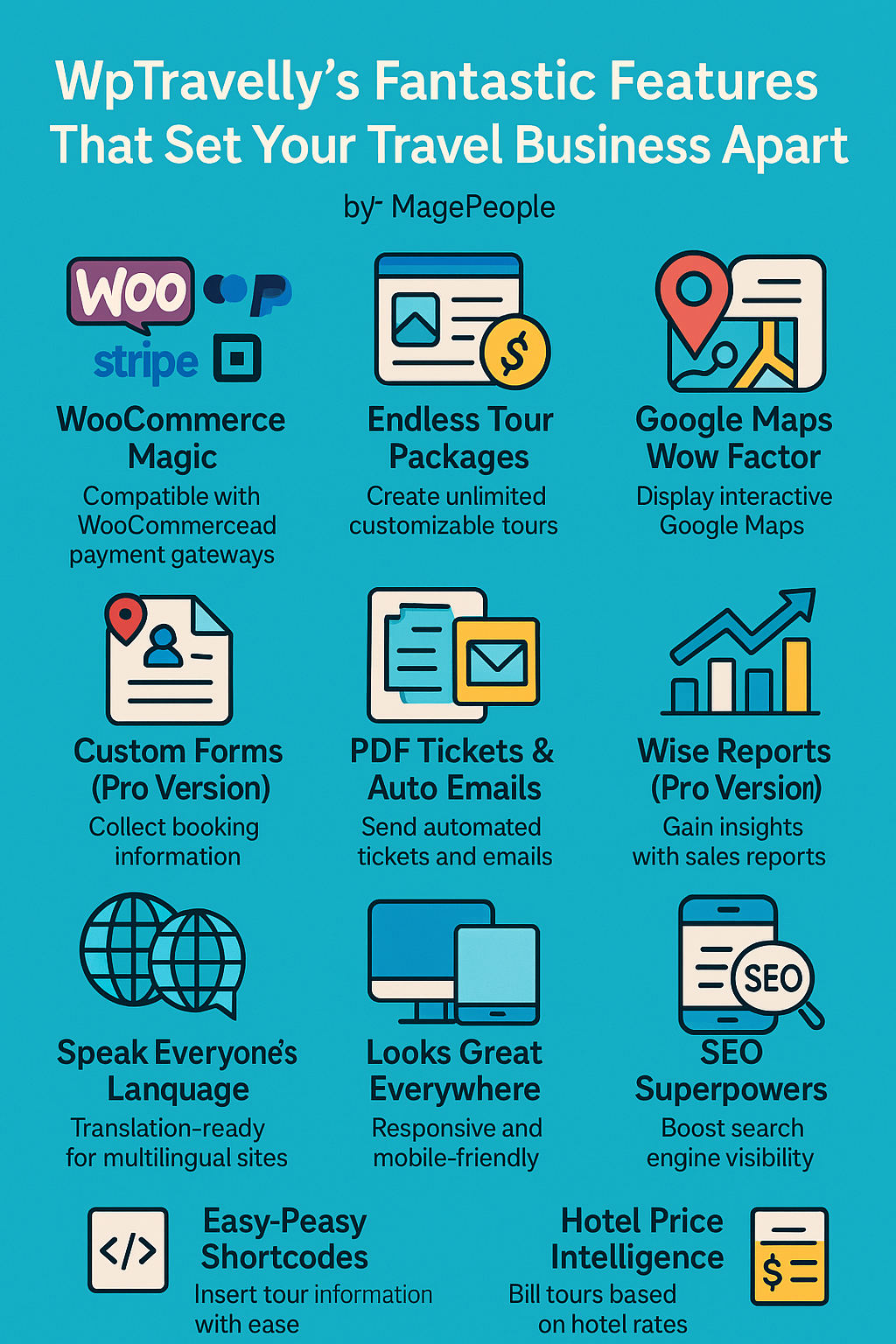
Unlimited tour packages with rich detail
Create as many tours as you need, each with itineraries, inclusions and exclusions, photo galleries, day-by-day plans and FAQs. The richer the tour page, the better it converts and the more it can rank for long-tail destination searches.
Traveller-type pricing
Set separate rates for adults, children and infants on the same departure. This is the difference between a workable family-market offer and a page families abandon because the price is wrong.
WooCommerce checkout and global payments
Because it runs on WooCommerce, WpTravelly supports the major gateways and any regional option available as a WooCommerce extension. Customers pay in the currency and method they trust, which directly reduces drop-off at checkout.
Google Maps on tour pages
Interactive maps on each itinerary build confidence about where a trip actually goes. For multi-stop tours, this is one of the cheapest credibility wins available.
Custom booking form fields (Pro)
Add passport number, room preference, dietary requirements or pickup time to the booking form. The data lands in the order record, so your operations team has what it needs without chasing emails.
PDF tickets and automated emails (Pro)
Confirmations and downloadable tickets are sent automatically after purchase. For operators running frequent departures, this removes a recurring manual task.
Reports and guest lists (Pro)
WooCommerce reporting gives you booking volume and revenue by period. Guest lists can be exported for departure-day check-in.
Translation-ready and mobile-first
The plugin is translation-ready, so the booking flow can be localised for inbound markets. Layouts adapt to phones, where a large share of travel browsing and booking now happens.
Schema markup for search
WpTravelly outputs structured data, which helps tour pages qualify for rich results. Combined with a plugin like Yoast SEO, that gives your itineraries a fair shot at travel queries they would otherwise miss.
Shortcodes and theme compatibility
Drop tour listings or single-tour blocks anywhere with shortcodes, and use any WooCommerce-compatible theme. You are not locked into a proprietary design.
WpTravelly Addons and What Each One Solves
The free and Pro cores cover standard tour bookings. Addons extend it for specific commercial models. Check current pricing and addon availability on the product page before you plan a budget, since bundled offerings change.
| Addon | What it does | Best for |
|---|---|---|
| Seasonal Pricing | Applies date-dependent rates automatically | Operators with strong high and low seasons |
| Group / Bulk Discount | Tiered discounts for larger bookings | Family, school and corporate groups |
| Seat Plan | Assignable seats with their own pricing and a calendar view | Coach tours, cruises and fixed-capacity departures |
| QR Code | Scannable codes on PDF tickets for validation | High-volume check-in at departure points |
| Early Bird Pricing | Discounts triggered by how far ahead a booking is made | Improving cash flow and forward planning |
| Travel Backend Order | Admins create orders from the dashboard | Phone, walk-in and offline bookings |
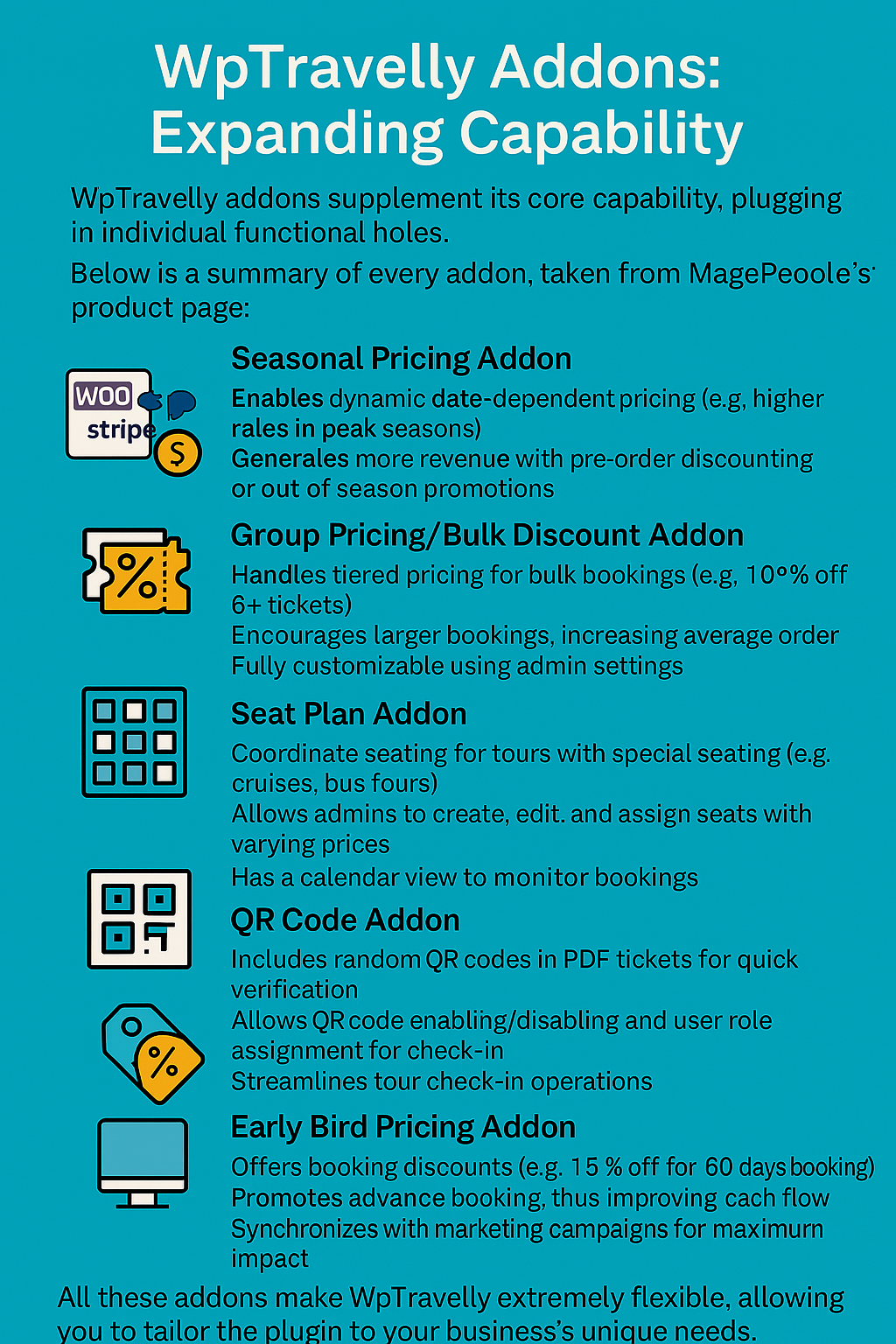
For a small agency, Seasonal Pricing plus Travel Backend Order usually delivers the fastest return, because they remove two of the most repetitive manual tasks. For a coach or cruise operator, the Seat Plan addon is often the deciding factor.
Free vs Pro: What You Get Before You Pay
WpTravelly follows a freemium model. The free plugin covers the essentials: tour listings, traveller-type pricing, WooCommerce checkout and a functional booking flow. That is genuinely enough to validate whether the setup fits your business.
Pro and the addons add the operational layer: custom form fields, automated PDF tickets, reporting depth, guest lists and the pricing addons above. If you take bookings at volume, or you handle guest data that must be collected reliably, Pro pays for itself quickly. For a broader look at what is achievable without a paid licence, see the comparison of free WordPress booking plugins for small businesses.
WpTravelly vs General-Purpose Booking Plugins
Most WordPress booking plugins were designed for appointments: salons, clinics, repair visits, one-to-one services. They handle a calendar and a service duration well. They handle a seven-day tour with per-person pricing, child rates, multiple departure dates and a guest manifest badly.
That distinction is the main reason to choose a travel-specific plugin. If your business is closer to service appointments than tours, a general tool will be simpler and cheaper. The split looks like this:
- Choose WpTravelly when you sell tours, packages, multi-day itineraries or excursion seats with per-person pricing.
- Choose a general booking plugin when you sell time slots tied to staff or rooms, like rentals, spa treatments or repair callouts.
Migration Notes and Common Pitfalls
Teams switching from spreadsheets, email bookings or a legacy system tend to hit the same few problems in month one. Planning for them up front saves a lot of scrambling:
- Decide addons before launch, not after. Retrofitting seasonal pricing mid-season means reworking every tour’s rate structure while departures are already on sale.
- Model your capacity correctly. Multi-day tours and single-day excursions need different availability rules. Test both before going live.
- Set up WooCommerce emails and taxes first. Tax rules and notification templates are easier to configure on an empty store than one with live orders.
- Write real tour pages. A booking button on a thin page converts badly. Itineraries, inclusions, FAQs and photos do the selling; the plugin just closes the sale.
- Schedule manual bookings into the same system. If phone bookings live outside WpTravelly, your availability data becomes unreliable within weeks.
How to Boost Bookings Once WpTravelly Is Live
- Use seasonal pricing to smooth demand. Raise peak rates where the market supports it, and run a visible off-season offer to fill otherwise empty departures.
- Introduce group tiers. A modest discount at five or six travellers raises average order value more reliably than a site-wide sale.
- Collect preferences at checkout. Dietary needs, room types and pickup points captured in the booking form reduce day-of-trip surprises.
- Automate confirmations. Instant PDF tickets and confirmation emails remove a chunk of inbound support email.
- Publish detailed itineraries. Long, specific tour pages rank for destination plus activity queries that short pages never touch.
- Review reports monthly. Booking volume by tour tells you where to point marketing spend; most operators find two or three tours carry the business.
- Keep manual bookings in the system. Every phone booking entered through the backend keeps one availability calendar accurate.
For a wider checklist of conversion and content improvements, these tips for building the best travel booking website pair well with the setup above.
Frequently Asked Questions
Does WpTravelly require WooCommerce?
Yes. WpTravelly is built as a WooCommerce tour and travel booking manager, so WooCommerce handles checkout, payments, taxes and reports while WpTravelly adds the travel-specific booking layer. You should assume WooCommerce is a dependency.
Is WpTravelly suitable for a small travel agency?
Generally yes. The free version supports core tour listings and checkout, so a small operator can start without a paid licence. Pro is worth adding once you need custom form fields, automated tickets or meaningful reporting.
Can I offer different prices for adults, children and infants?
Yes. Traveller-type pricing is part of the core booking flow, which is one of the clearest differences between WpTravelly and appointment-based booking plugins.
Do I need addons, or is the core plugin enough?
Start with the core plus the addons that match your model: seasonal and early-bird pricing for leisure tours, group pricing for family and corporate business, seat plans for fixed-capacity departures, and the QR Code addon if you check in large groups.
Will WpTravelly help my tour pages rank in search?
It outputs structured data, which helps tour pages become eligible for rich results, and it works alongside SEO plugins such as Yoast. Rankings still depend on your itinerary content, page speed and reviews.
How do I try it before buying?
Install the free version first and build two or three real tours on it. That is the fastest way to confirm the booking flow fits your operation before committing to Pro or addons. You can review the full product on the WooCommerce Tour and Travel Booking Manager Pro page, where current pricing and licence terms are listed.
Final Thoughts
The WpTravelly travel booking WordPress plugin is a strong fit if your business sells tours, packages or excursion seats and you want the booking flow, payments, guest data and ticketing in one WooCommerce-based system rather than stitched together from separate tools. Set it up properly, choose addons that match your commercial model, and put real itinerary content behind every booking button.
If you need to compare it against other options first, start with our roundup of the best WordPress plugins for travel agencies, and if you specifically need hotel or room inventory, our guide to adding a hotel booking plugin in WordPress using WpTravelly is the better starting point.
