 Get Halloween 15% for Limited Time on Lifetime & Bundle Deal

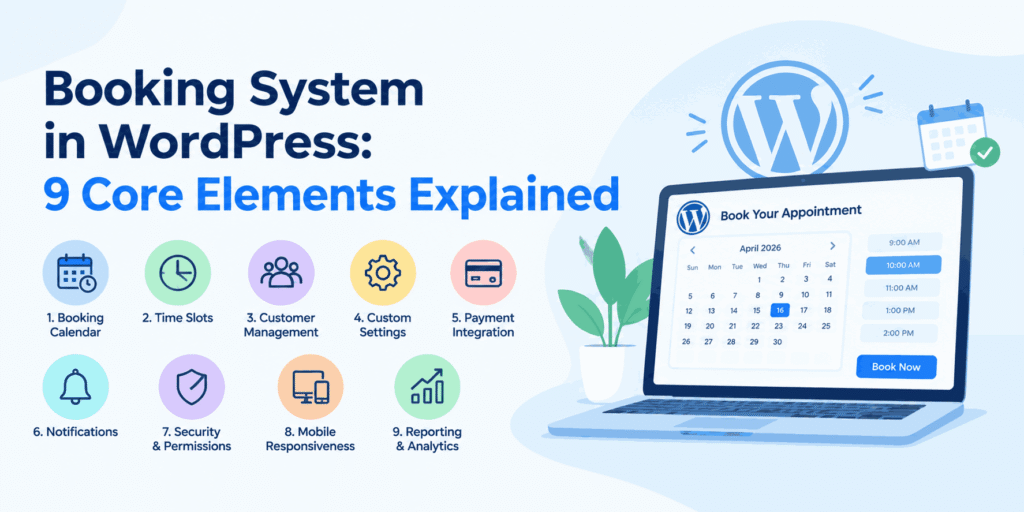
A booking system in WordPress is a plugin layer that turns a normal website into a reservation platform: it shows live availability, collects the customer’s date and details, calculates the price, takes payment, and confirms the booking automatically. This guide breaks that system into its nine essential elements and explains how to choose the right plugin for your business, so you can judge any tool on features instead of marketing copy.
- What a Booking System in WordPress Actually Does
- The 9 Core Elements of a WordPress Booking System
- How to Choose a Booking Plugin for WordPress
- Free vs Paid Booking Systems: What Changes
- Booking Systems for Specific Industries
- Common Mistakes When Setting Up a Booking System
- Launch Checklist
- Conclusion
What a Booking System in WordPress Actually Does
WordPress by itself is a content platform. It has no concept of a calendar slot, an inventory unit, or a deposit. A booking plugin adds those concepts, then wraps them in the front-end forms your customers use and the admin screens your staff use.
Under the hood, every booking plugin answers the same three questions:
- Is this resource available? A resource might be a chair, a room, a vehicle, a tour departure, or a person’s time.
- What should this cost? Prices may vary by duration, season, group size, or add-on.
- What happens next? Confirmation, payment, calendar entry, reminder, and follow-up.
If a plugin cannot answer all three cleanly, it will create manual work later. That is the practical test worth applying before you install anything.
The 9 Core Elements of a WordPress Booking System
1. Availability and Calendar Logic
This is the engine. Good plugins support different availability models, because a salon, a rental fleet and a tour operator do not book the same way.
- Time-slot booking – fixed appointment lengths, often with buffer time between them.
- Date-range booking – a customer takes the resource for several days, such as a vehicle or a holiday rental.
- Capacity or seat-based booking – multiple customers share one departure, as on a bus or a group tour.
- Recurring availability – repeating weekly schedules with exceptions for holidays.
Check that blocked dates, seasonal closures and blackout periods can be set without touching code. This one feature decides whether your staff trusts the system.
2. Search and Filtering
If you sell more than a handful of options, customers need to narrow them down before they see a calendar. Look for filters such as location, category, date range, number of guests, or vehicle type. A booking form that requires scrolling through fifty items will lose customers on mobile.
3. Pricing Rules and Add-Ons
Flat pricing is rare in the real world. Useful pricing features include:
- Per-hour, per-day and per-person rates.
- Peak and off-peak price bands.
- Deposits and partial payments.
- Optional extras added at checkout, such as child seats, insurance, or an extra driver.
Extras matter more than most buyers expect. If you want to see how far add-ons can stretch a basic setup, this guide to how addons extend a WordPress booking system is worth reading alongside this one, because it focuses specifically on bolting capability onto an existing install rather than choosing a system from scratch.
4. Payment Gateways
Local payment methods decide conversions more than the number of global gateways a plugin lists. Confirm support for the methods your customers actually use, plus the ability to take payment on arrival if that matches your business.
Also check how the plugin handles failures: does an unpaid booking hold the slot, and for how long?
5. Notifications and Reminders
Automated email and SMS confirmations reduce support calls, and reminder messages reduce no-shows. Look for:
- Separate templates for customer and admin.
- Reminder timing you can configure, not just a fixed 24-hour notice.
- Calendar files (.ics) attached to confirmations.
6. Admin Dashboard and Staff Workflow
The back end is where the system earns its keep. You want a calendar view of the day’s bookings, quick status changes, and the ability to create a booking on behalf of a phone-in customer. If staff must open three screens to reschedule an appointment, the plugin is costing you money.
7. Customer Accounts and Guest Checkout
Forced account creation is a known conversion killer. The best systems allow guest checkout, then offer an account for repeat customers so their details are saved. If you sell to businesses, check whether the plugin supports multiple travellers or passengers under one order.
8. Reporting and Export
You need to know which resources are earning and which are idle. Look for revenue reports by date range, resource utilisation, and CSV export for accounting. Avoid any plugin that locks your booking data inside its own dashboard with no export.
9. Integrations and Extensibility
Check the ecosystem before you commit: WooCommerce support, form plugins, CRM or mailing-list tools, Google Calendar sync, and multilingual support if you serve more than one language community. Extensibility is what keeps a booking system usable two years from now.
How to Choose a Booking Plugin for WordPress
Work through this in order. It takes an afternoon and saves weeks.
- Write down your booking model. Slots, date ranges, or seats. Everything else follows from this.
- List your payment methods. Local mobile payments, cards, bank transfer, or cash on arrival.
- Decide who manages bookings. Owner-operator or a staff team. Team scheduling needs role permissions; solo operators do not.
- Test the free version. Run real bookings through it for a week before buying.
- Check current pricing for the pro tier. Confirm what is included and whether add-ons are sold separately.
- Verify support responsiveness. Send a pre-sales question and note how long the reply takes.
Two structural decisions come up in almost every evaluation. The first is whether you need a paid, feature-complete plugin or a lighter free option – if you are a small business watching costs, the free WordPress booking plugin comparison for small businesses covers that trade-off without WooCommerce in the picture. The second is whether your business is a general appointment business or a vertical with specialised inventory rules.
Free vs Paid Booking Systems: What Changes
| Element | Typical free plugin | Typical paid plugin |
|---|---|---|
| Availability models | Usually one (time slots) | Multiple, including date ranges and capacity |
| Payment gateways | One or two, or none | Multiple, with deposits |
| SMS reminders | Rarely | Common, often via a paid gateway |
| Staff and resource management | Limited or absent | Full role and resource assignment |
| Reporting and export | Basic lists | Revenue and utilisation reports |
| Support | Community forums | Priority tickets |
None of this means free is wrong. It means free fits simpler booking models, and the moment you add staff, deposits, or date-range inventory, the gap becomes a daily workflow problem.
Booking Systems for Specific Industries
General-purpose plugins do most things adequately. Vertical booking systems win when the inventory has rules a generic calendar cannot express – per-vehicle pricing, seat maps, seasonal rates, or multi-day itineraries with pickup points.
Vertical categories worth treating separately include transport, tours and travel, property rentals, and personal services. If you operate in one of those, compare the vertical offering against the general plugin on the nine elements above, not on price alone.
Common Mistakes When Setting Up a Booking System
- Skipping buffer time. Back-to-back appointments with no travel or cleanup gap are the fastest route to a late-running business.
- No cancellation policy in the system. If the rules are not enforced by the plugin, they are not real.
- Hiding availability. Customers who cannot see open slots assume you have none.
- Over-collecting at checkout. Ask only for what you need to deliver the booking.
- Ignoring mobile. Most bookings happen on a phone. Test the whole flow on a small screen before launch.
- No test bookings. Make a real booking, pay for it, and cancel it, before you announce anything.
Launch Checklist
- Availability calendar configured with blocked dates and buffers.
- Pricing rules and add-ons tested on a real booking.
- Payment gateway tested end to end, including refunds.
- Confirmation and reminder templates personalised with your branding.
- Staff accounts created with the right permissions.
- Reports and CSV export verified with test data.
- Booking flow tested on mobile, tablet and desktop.
Conclusion
A booking system in WordPress succeeds or fails on two things: whether its availability logic matches how your business actually sells, and whether your team can run it daily without workarounds. Evaluate any plugin against the nine elements above, test it with real bookings, and confirm current pricing before you commit. Do that, and the system becomes part of your operations; skip it, and you have bought a calendar that your staff quietly work around.