 Get Halloween 15% for Limited Time on Lifetime & Bundle Deal


If you are weighing up whether a free car rental plugin is enough to run your WordPress site in 2026, the short answer is: for most new and small fleets, yes — provided you understand exactly where the free tier stops. This guide is a decision framework, not a tutorial. It covers what a free rental plugin genuinely gives you, the five limits that eventually push operators to a paid licence, the hidden costs nobody mentions, and a simple test for knowing when you have outgrown free.
- What "Free" Actually Means in the WordPress Plugin World
- The Real Case for Starting Free
- Where Free Plugins Stop: Five Honest Limits
- Free vs Paid: A Decision Table
- The Costs a "Free" Plugin Does Not Remove
- How to Evaluate a Free Car Rental Plugin in 20 Minutes
- Free Plugins and Getting Found in Search
- A Practical Upgrade Path
- Frequently Asked Questions
- The Bottom Line
What “Free” Actually Means in the WordPress Plugin World
Before you decide, it helps to know which kind of “free” you are looking at. On WordPress.org, three very different models all get labelled free:
- Freemium core. A fully functional booking engine is released free, with advanced modules sold separately. Car Rental Manager by MagePeople works this way — you get vehicle listings, availability and checkout at no cost, and buy extras only if you need them.
- Feature-gated trial. The plugin installs free but locks the parts that matter — payments, email confirmations, multiple vehicles — behind an immediate upsell. Functionally this is a demo, not a free plugin.
- Genuinely open, unsupported. A community plugin with no commercial arm. Nothing to pay, but also no update schedule and no one to email when checkout breaks.
The first model is the one worth building on. The second wastes a weekend. The third is a risk you only take if you can read and patch PHP yourself. Check the plugin’s “Last updated” date and active-install count on its WordPress.org listing before you commit — an abandoned rental plugin holding customer payment data is a liability, not a saving.
The Real Case for Starting Free
1. You validate demand before you spend
Most car rental startups do not fail because their booking form lacked a feature. They fail because the local demand was not there, or the fleet was wrong for the market. A free plugin lets you publish a real, bookable site and find that out with only hosting and domain costs at stake. If ten bookings a month come through, you have proof worth investing behind. If none do, you have lost nothing but time.
2. Free covers the whole core rental workflow
A capable free tier already handles the jobs a small operator actually performs daily: listing vehicles with photos and specs, showing live availability so two customers cannot claim the same car, collecting pickup and drop-off dates and locations, applying daily rates, and taking payment through WooCommerce gateways such as Stripe or PayPal. That is a complete rental cycle. Everything beyond it is efficiency, not capability.
3. No lock-in while your model is still moving
Rental businesses pivot constantly in year one — adding chauffeur options, switching from daily to weekly hire, dropping a vehicle class. Committing to an annual licence before your model settles means paying for modules you may never switch on. Free keeps your options open, and a well-built freemium plugin keeps your data in standard WordPress post types so you can migrate or upgrade later without rebuilding.
4. Your own site beats a marketplace listing
Aggregator platforms take a commission on every booking and own the customer relationship. A direct booking on your own WordPress site costs you the payment-gateway fee and nothing else. Even a basic free plugin that converts a handful of direct bookings each month usually returns more than it costs — because it costs zero.
Where Free Plugins Stop: Five Honest Limits
Being fair about the ceiling matters more than selling the floor. These are the points at which operators typically need more than a free tier:
Limit 1 — Advanced pricing logic
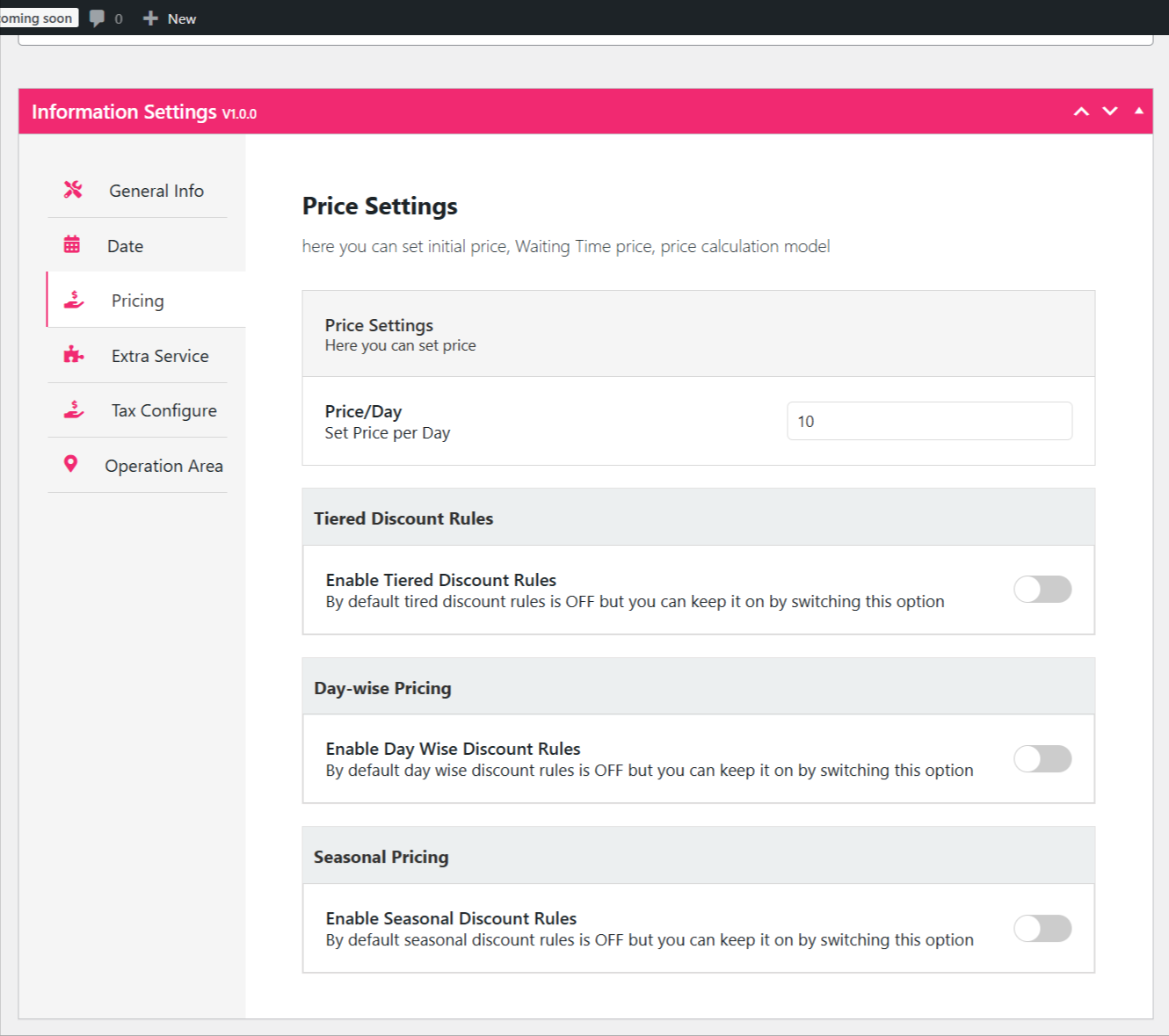
Flat daily rates are fine to start. Revenue optimisation is not: weekend surcharges, long-hire tiered discounts, peak-season uplifts, mileage caps with per-kilometre overage, and one-way drop-off fees usually sit in premium modules. If your margins depend on charging differently in August than in February, pricing rules are the first thing worth paying for. Our walkthrough on adding seasonal pricing to a rental booking site shows what that configuration involves in practice.
Limit 2 — Multi-location and fleet depot logic
One garage, one pickup point — free handles it. Two or more branches, each with its own inventory and drop-off rules, needs location-aware availability. Running that on a free tier means manual reconciliation, and manual reconciliation eventually means a double booking.
Limit 3 — Documents and compliance
Rental agreements, PDF invoices, driving-licence capture, deposit holds and damage waivers are contractual, not cosmetic. Free tiers rarely generate signed documents. Many operators run free bookings alongside a separate e-signature tool until volume justifies an integrated module.
Limit 4 — Support response time
Free support is a public forum where a volunteer may answer in a few days. That is acceptable while you are building. It is not acceptable when checkout fails on a Friday afternoon in peak season. Paid tiers buy a ticket queue and a response commitment — for many businesses that alone is the upgrade trigger.
Limit 5 — Reporting depth
Free typically shows you a booking list. It rarely shows utilisation rate per vehicle, revenue per car per month, or idle-day counts — the numbers that tell you which car to sell and which to buy two more of. You can export and build this in a spreadsheet, but only for so long.
Free vs Paid: A Decision Table
| Your situation | Free tier is enough | Consider upgrading |
|---|---|---|
| Fleet size | Roughly 1–10 vehicles | Growing past a single depot |
| Pricing model | Flat daily or weekly rate | Seasonal, tiered or mileage-based |
| Locations | One pickup point | Multiple branches or one-way hire |
| Paperwork | Email confirmation only | Signed agreements and PDF invoices |
| Booking volume | Low enough to check manually | Daily bookings you cannot supervise |
| Support need | You can wait days for a forum reply | Downtime costs you real bookings |
Licence costs vary by vendor and change frequently — check current pricing on the plugin’s own page rather than trusting any figure quoted in a blog post, including this one.
The Costs a “Free” Plugin Does Not Remove
Free plugin does not mean free website. Budget realistically for:
- Hosting that can handle a WooCommerce checkout without timing out.
- An SSL certificate — non-negotiable when you are taking card details.
- Payment gateway fees, charged per transaction whatever your plugin costs.
- A theme that renders vehicle grids and date pickers cleanly on mobile.
- Your own time — usually the largest line item. A weekend spent fighting a poorly documented free plugin is more expensive than a licence.
That last point is the one to weigh hardest. “Free” is only a saving when the setup is genuinely straightforward.
How to Evaluate a Free Car Rental Plugin in 20 Minutes
- Check the update date. Anything untouched for over a year against current WordPress and PHP releases is a security question, not a shortlist candidate.
- Read the one and two-star reviews first. Five-star reviews tell you what works on day one; low reviews tell you what breaks in month three.
- Open the demo on a phone. Most rental searches happen on mobile. If the date picker is awkward on a small screen, nothing else matters.
- Find the upgrade page before installing. Know exactly which features are gated, so you learn the ceiling on day one rather than the day you need it.
- Test a full booking on a staging site. Complete a reservation start to finish, including the confirmation email, before you put it live.
- Confirm the data stays yours. Bookings stored in your own WordPress database — not a third-party service — mean you can export and move on.
Free Plugins and Getting Found in Search
A booking plugin will not rank your site on its own, but the right one avoids actively harming you. Look for server-rendered vehicle pages rather than listings drawn entirely by JavaScript, clean URLs for each vehicle, and fast-loading templates. Then do the work the plugin cannot: write a genuine page per vehicle class, keep a Google Business Profile current for “car rental near me” style searches, and publish location pages for each area you serve. Structured data for vehicles and offers helps too, and many SEO plugins can add it without extra cost.
A Practical Upgrade Path
You do not have to choose once and live with it. A sensible sequence looks like this:
- Months 1–3: Free tier, flat rates, one location. Aim is proving that people book.
- Months 4–6: Add pricing rules if seasonal demand is visible in your booking data. Add document handling if customers ask for invoices.
- Months 7–12: Move to multi-location and reporting once a second depot or a second driver is genuinely on the table.
Each step should be triggered by a real constraint you have hit, not by a feature list you read. If you want the hands-on configuration detail rather than this buy-or-not decision, see our guide on how to set up and use a car rental plugin for WordPress. And if you are still choosing which rental niche to enter at all, our roundup of 25 rental business ideas is the better starting point. For operators comparing rental plugins side by side rather than free versus paid, there is also a broader comparison of WordPress rental plugins.
Frequently Asked Questions
Is a free car rental plugin safe for taking payments?
Yes, when the plugin routes payment through an established gateway such as Stripe or PayPal via WooCommerce. Card details are handled by the gateway, not stored on your site. Pair that with an SSL certificate and current plugin updates.
Can I upgrade later without losing my bookings?
With a freemium plugin from a single vendor, upgrading typically activates extra features over the same database, so existing vehicles and reservations stay put. Switching between unrelated vendors is a different matter and usually needs a manual export. Always take a full backup first.
How many vehicles can a free plugin handle?
There is rarely a hard cap. The practical limit is operational: once you cannot mentally track which car is where, you need reporting and multi-location tools that free tiers seldom include.
Do I need WooCommerce?
Many car rental plugins use WooCommerce for checkout, tax and payment gateways rather than rebuilding it. WooCommerce itself is free. If you would prefer to avoid it entirely, our guide to the best free WordPress booking plugin without WooCommerce covers the alternatives for simple service bookings.
What should I check before going live?
Complete a test booking on mobile, confirm the customer and admin emails both arrive, verify that a booked vehicle disappears from availability for those dates, and check that your cancellation terms appear before checkout.
The Bottom Line
Choosing a free car rental plugin for your WordPress site in 2026 is the right call when your fleet is small, your pricing is simple and your priority is proving demand rather than optimising margin. It gives you a real, bookable, commission-free site for the cost of hosting. Where it stops — seasonal pricing, multi-location inventory, signed agreements, guaranteed support and deep reporting — is predictable, and none of those limits should surprise you if you check the upgrade page before you install. Start free, let genuine operational constraints decide when to pay, and keep your booking data somewhere you can always take it with you.
