 Get Halloween 15% for Limited Time on Lifetime & Bundle Deal

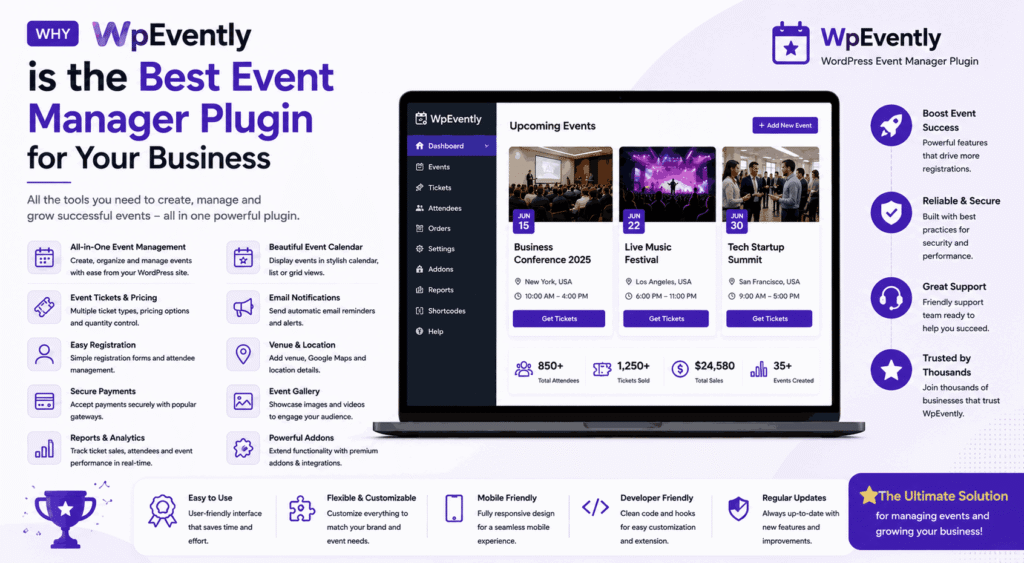
If you run events for a living — workshops, conferences, classes, festivals — you already know the bottleneck is rarely the event itself. It is the booking, ticketing, attendee tracking and follow-up that eats your week. WpEvently is a WordPress event manager plugin built on WooCommerce, and this guide explains exactly where it fits for a business like yours, where a cheaper or lighter option would serve you better, and what you should verify before you commit. No hype, just the practical case.
- What WpEvently Actually Is
- 1. It Goes Hand-in-Hand with WooCommerce
- 2. It's Packed with Features for Any Occasion
- 3. Add-Ons That Allow You To Customize
- 4. Super Easy to Use (Even for Beginners!)
- 5. Multilingual and International-Ready
- 6. Scales From a Small Workshop to a Large Programme
- How WpEvently Compares to Other Event Plugins
- Where WpEvently Is Not the Right Fit
- Getting Started with a Real Test
- Final Thoughts
- Frequently Asked Questions
What WpEvently Actually Is
WpEvently (also published as the Mage EventPress plugin on WordPress.org) is an event booking and ticketing plugin for WordPress. Instead of rebuilding checkout from scratch, it hands ticket sales to WooCommerce and focuses on the parts WooCommerce does not handle well: event schedules, recurring sessions, capacity, attendee lists, check-in and event-specific add-ons.
That single design decision is the reason most businesses choose it. If your store already runs on WooCommerce, you are not adding a second financial system — you are extending the one your customers, tax settings and refunds already live in.
It is worth being precise here: because WpEvently is the publisher’s own product, everything below is written with the intent that you can check each claim yourself against the free version before spending anything.
1. It Goes Hand-in-Hand with WooCommerce
Ticketing and payment run through WooCommerce, which means every payment gateway your store already supports — PayPal, Stripe, bank transfer, local gateways — works for event tickets with no extra integration work. Coupons, taxes, invoices, order statuses and refunds all behave the way your team already knows.
The practical benefit is operational, not cosmetic. One order table, one refund process, one reporting view. You do not need to reconcile a separate ticketing dashboard against your WooCommerce revenue at month end. Whether you are selling tickets to a yoga class or a two-day conference, the transaction is a normal WooCommerce order.
Why it matters for your business: fewer systems, less training, and a checkout your buyers already trust.
2. It’s Packed with Features for Any Occasion
WpEvently handles one-off events, recurring weekly or monthly sessions, and multi-day programmes. You can build custom attendee forms so you capture the information you actually need at registration rather than chasing it by email later, export attendee lists for follow-up campaigns, plot venue locations with Google Maps, and embed event lists or single events anywhere using shortcodes.
This range is what separates an event manager from a calendar. A calendar shows dates. An event manager handles capacity, registrations, money and attendees — which is the part that generates revenue.
- Recurring and multi-session events for classes, courses and regular meetups
- Custom registration fields for dietary needs, seat preferences or session choices
- Attendee export for CRM import and post-event marketing
- Google Maps venue display and shortcode embeds for landing pages
If you run B2B programmes, it is worth mapping your formats first — this breakdown of types of corporate events and how they are organised helps you decide whether you need a single event or a recurring series.
3. Add-Ons That Allow You To Customize
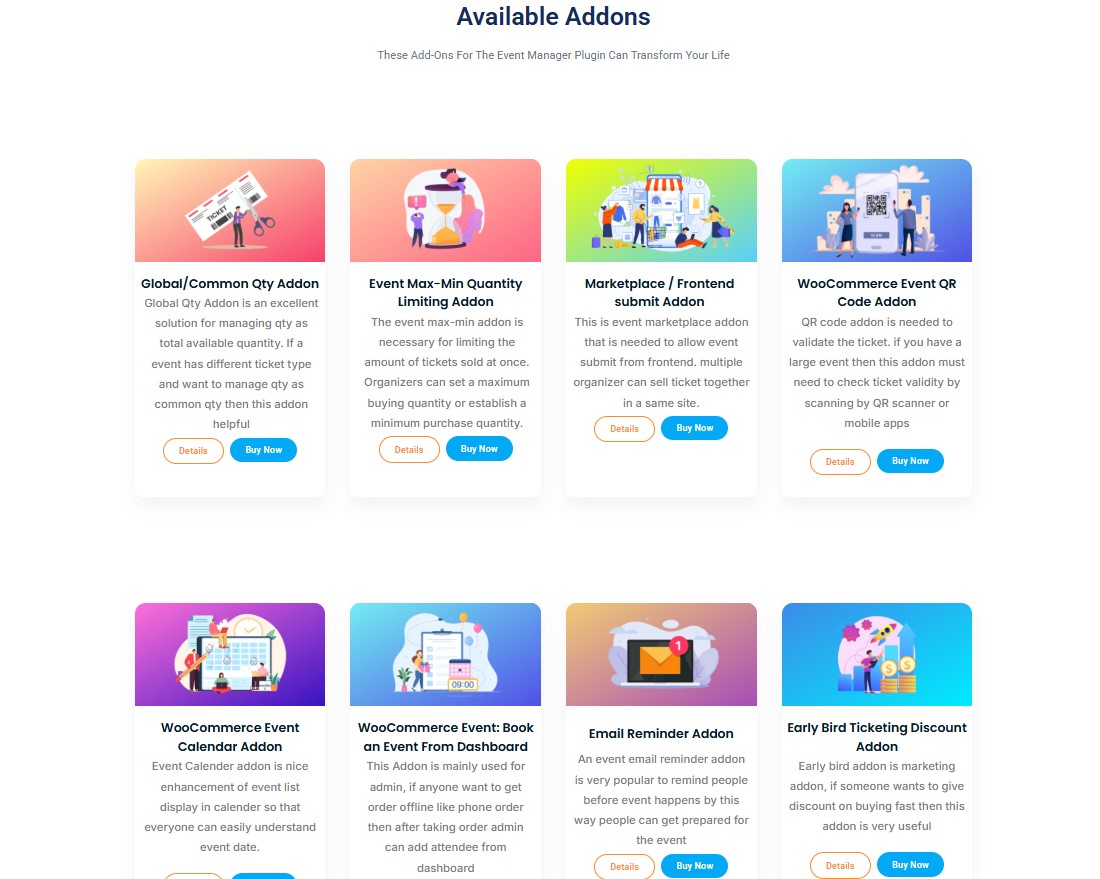
Rather than shipping one heavy plugin with every feature switched on, WpEvently splits advanced capability into add-ons. You buy the ones that match your event type.
- QR code check-in — scan tickets at the door instead of printing attendee lists
- Seat plan — allocated seating for theatres, seminars and ticketed halls
- Waitlist — capture demand when a session sells out
- Advanced coupons and early-bird pricing — time-limited discounts that encourage early commitment
- Marketplace — multiple organisers selling under one site
- Backend order creation — book attendees in from the dashboard for phone and walk-in sales
Why it matters for your business: you pay for the capability you need now, and add the rest when your events demand it. That is usually cheaper than buying an all-in-one platform where 80% of the features sit unused.
You can review the full WpEvently Pro feature set and add-on list before deciding which combination fits your events.
4. Super Easy to Use (Even for Beginners!)
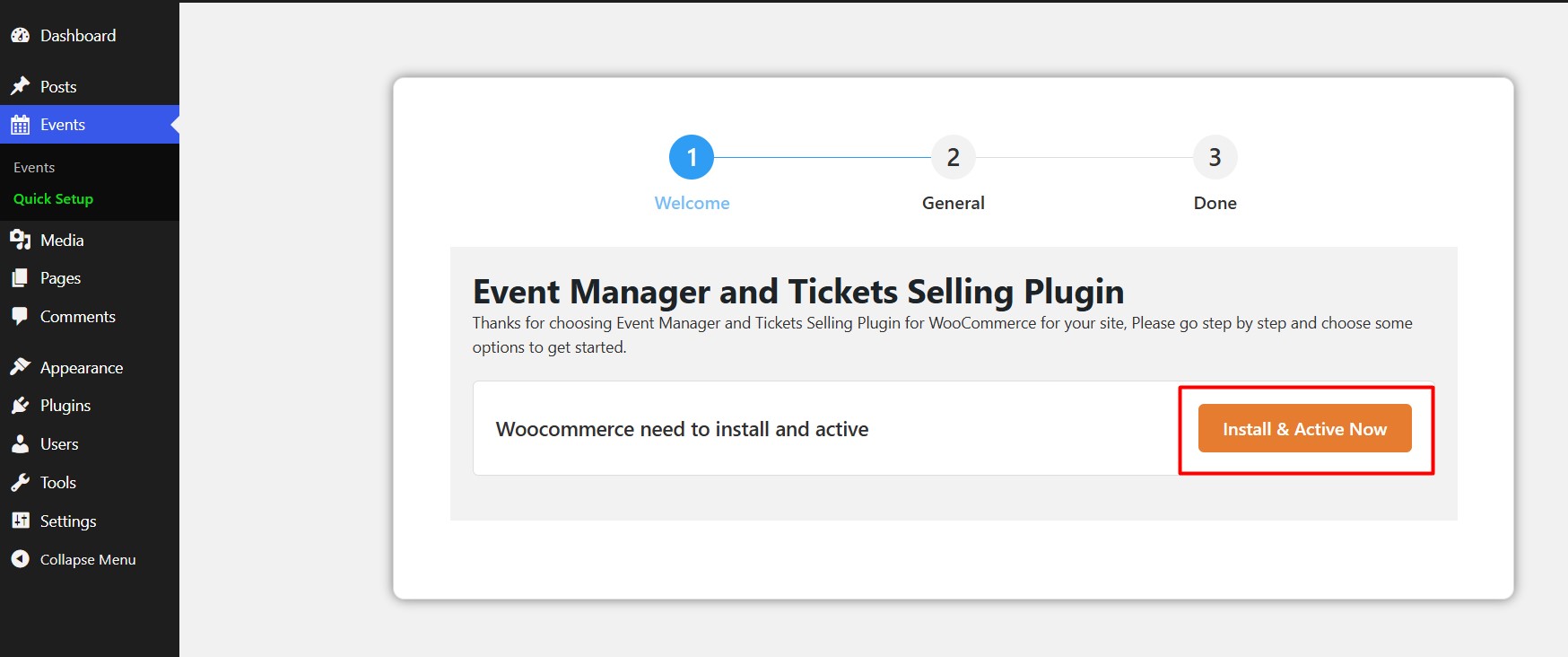
Setup is form-driven rather than code-driven. You create an event, set date, time, capacity and ticket types, and publish — the same rhythm as publishing a post. Events render cleanly with page builders such as Elementor, and layouts adapt to phones, tablets and desktops, which matters when most ticket purchases happen on a mobile device.
If you want to see the workflow end to end before buying, this walkthrough of setting up WooCommerce for event registration shows the registration path a customer actually takes.
Why it matters for your business: your team can run events without a developer on retainer for every new listing.
5. Multilingual and International-Ready
WpEvently works alongside translation plugins including WPML, Polylang and Loco Translate, so you can publish event pages in more than one language and take registrations from international attendees. Combined with WooCommerce’s currency handling, that is enough to run paid events across borders without a separate platform.
This is a support-and-configuration question more than a feature switch, so plan a short testing round on your staging site before announcing a multilingual event.
6. Scales From a Small Workshop to a Large Programme
Bulk editing, global ticket count controls, waitlists and capacity management mean the same plugin handles a 20-person workshop and a 2,000-seat programme. Because sales flow through WooCommerce, high-volume periods use infrastructure you already trust rather than a new checkout system that has never seen a traffic spike.
Why it matters for your business: you are unlikely to outgrow the plugin and have to migrate mid-season, which is the most expensive kind of upgrade.
How WpEvently Compares to Other Event Plugins
The honest framing is that event plugins solve different problems. Some are excellent calendar and schedule displays with limited commerce. Others are full SaaS event platforms with subscriptions per attendee. WpEvently’s lane is WooCommerce-native ticketing and attendee management.
| Solution | Pricing approach | Key strengths | Compatibility notes |
|---|---|---|---|
| WpEvently | Free core plugin; Pro and add-ons sold separately — check current pricing | WooCommerce ticketing, recurring events, attendee forms and exports, QR check-in, seat plans, waitlists, multi-organiser marketplace | WordPress + WooCommerce; Elementor and other page builders; WPML, Polylang, Loco Translate |
| Calendar-first event plugins | Free tier plus paid annual plans — check current pricing | Polished calendar and list views, strong recurring-event display, large template libraries | WordPress; ticketing usually needs a separate commerce plugin or add-on |
| Standalone ticketing SaaS | Subscription plus per-ticket fees — check current pricing | Hosted checkout, built-in marketing, no hosting maintenance | External platform; integration with your WordPress site varies; your attendee data lives off-site |
| WooCommerce booking extensions | Annual licence — check current pricing | Appointment and resource booking, deposits, availability rules | WordPress + WooCommerce; event-specific features such as seat plans and check-in are usually absent |
None of these columns is automatically the right answer. If your revenue depends on selling a finite number of tickets and knowing exactly who is coming, the WooCommerce-native route usually wins on cost and data ownership. If you mostly need to publish a public calendar with no payment, a calendar-first plugin is the simpler purchase.
For a wider field of options with pricing context, see this comparison of the best WordPress event booking plugins, and if your store is WooCommerce-based specifically, the WooCommerce ticketing plugin comparison covers that narrower question. If you need X rather than Y — a broad plugin roundup rather than a single-plugin evaluation — those are the two to read instead of this page.
Where WpEvently Is Not the Right Fit
This is the part most plugin reviews skip, and it is the part that saves you money.
- You do not use WooCommerce and do not want to. If your site has no e-commerce layer, adopting WpEvently means adopting WooCommerce too. For a simple free event calendar with no ticket sales, a lighter calendar plugin is the better choice.
- You want one flat, fully managed subscription. A hosted ticketing platform bundles hosting, updates and support into one fee. WpEvently puts you in charge of your own WordPress maintenance, backups and updates.
- You need complex resource or room allocation rather than event seats. Booking a meeting room by the hour is a booking problem, not an event problem; a dedicated booking extension fits better.
- Advanced features cost extra. Seat plans, QR check-in and waitlists are paid add-ons. If you need four or five of them on day one, add those costs up before comparing against an all-in-one platform.
- Multilingual setups need testing. Translation plugins and event plugins both hook into front-end templates. Expect to test on staging rather than assume it works on activation.
If your events are free and simple, or your business already runs on a non-WordPress platform, do not buy this plugin. The value is concentrated in paid, ticketed, attendee-managed events on WooCommerce.
Getting Started with a Real Test
The sensible way to evaluate any event plugin is to run one real event through it before committing your season.
- Install the free core plugin and publish one paid event with two ticket types.
- Buy a ticket yourself using a live gateway in test mode, and confirm the order, confirmation email and attendee record.
- Export the attendee list and check the fields you captured are the ones you need.
- Only then decide which add-ons — QR check-in, seat plan, waitlist — your event type genuinely requires.
You can start with the free version, then move to the paid build. Ready to see the ticketing and add-on workflow in the Pro version yourself? Book a WpEvently Pro demo or start a trial and run your own event through it before you buy.
Final Thoughts
WpEvently earns its place as an event manager for businesses that sell tickets: it uses the WooCommerce checkout you already trust, keeps attendee data in your own database, and lets you add QR check-in, seat plans, waitlists and multi-organiser selling only when you need them. It is a weaker fit if you want a fully hosted platform, or if your events are free and calendar-only. Test it with one real event, and the decision makes itself.
If you are still deciding between setup approaches, the complete WooCommerce event booking setup guide walks through configuration step by step.
Frequently Asked Questions
Is WpEvently free to use?
There is a free core plugin available from the WordPress.org plugin directory, and a paid Pro version plus optional add-ons. The free version handles basic event publishing and registration; advanced features such as seat plans, QR check-in and waitlists require paid add-ons. Check current pricing before budgeting.
Does WpEvently require WooCommerce?
WpEvently is built around WooCommerce for ticket sales and payments, so WooCommerce must be installed if you are selling tickets. That is what gives you access to your existing payment gateways, coupons, taxes and refund workflow without extra configuration.
Can I sell tickets with different prices for the same event?
Yes. Because ticketing runs through WooCommerce product types, you can offer multiple ticket tiers — early bird, standard, VIP — as separate options on one event, and apply time-limited discounts. This is one of the main practical advantages of the WooCommerce-native approach.
Does WpEvently support recurring events and multi-day programmes?
Yes. You can create recurring events on a weekly or monthly schedule as well as multi-day programmes, and manage them without duplicating each listing by hand. A separate add-on also covers duplicating events for repeated gigs.
Can I manage seating and check-in for a large event?
Yes, through add-ons. A seat plan add-on handles allocated seating for theatres, seminars and halls, while a QR code add-on lets staff scan tickets at the door instead of working from a printed attendee list. Both are paid add-ons, so factor them into your costs.
How does WpEvently handle languages and international attendees?
It works alongside translation plugins such as WPML, Polylang and Loco Translate, letting you publish event pages in multiple languages. WooCommerce also handles currency and international payment gateways, so paid registration from overseas attendees is possible. Multilingual setups should be tested on staging before a launch.
