 Get Halloween 15% for Limited Time on Lifetime & Bundle Deal


WpCarRently (Car Rental Manager) has shipped its biggest release to date, and the short version is this: the free plugin now handles multi-branch management with dedicated branch managers and real-world fee options, while the Pro tier adds an analytics dashboard, Google Calendar sync, Google Reviews integration and SMS notifications. If you set the plugin up months ago, the admin area you remember is gone — it was rebuilt from the ground up. Below is a clear breakdown of what changed, what’s free, what’s Pro, and what to check first after updating.
- Why this release is more than a routine changelog
- Multi-branch management, included free
- Real-world fees and deposits (free)
- Analytics dashboard (Pro)
- Google Reviews on your booking pages (Pro)
- Google Calendar sync and calendar view (Pro)
- Email and SMS notifications (Pro)
- Payments and booking management: what to know
- Upgrading from an older version
- Free vs Pro at a glance
- Frequently asked questions
- The bottom line
Why this release is more than a routine changelog
Most plugin updates are incremental: a bug fix here, an extra field there. This one moves WpCarRently from a capable single-location booking tool to something that can run a genuine multi-location rental operation without paying for an enterprise plugin.
That’s unusual in this category. Look at most WordPress car rental plugins and the pattern is consistent — the free version gives you one location and basic booking, and everything operational sits behind a licence. WpCarRently’s free tier now covers multiple branches, branch-level staff permissions, and the fee types rental businesses actually charge. The Pro tier, meanwhile, focuses on reporting, automation and conversion.
Multi-branch management, included free
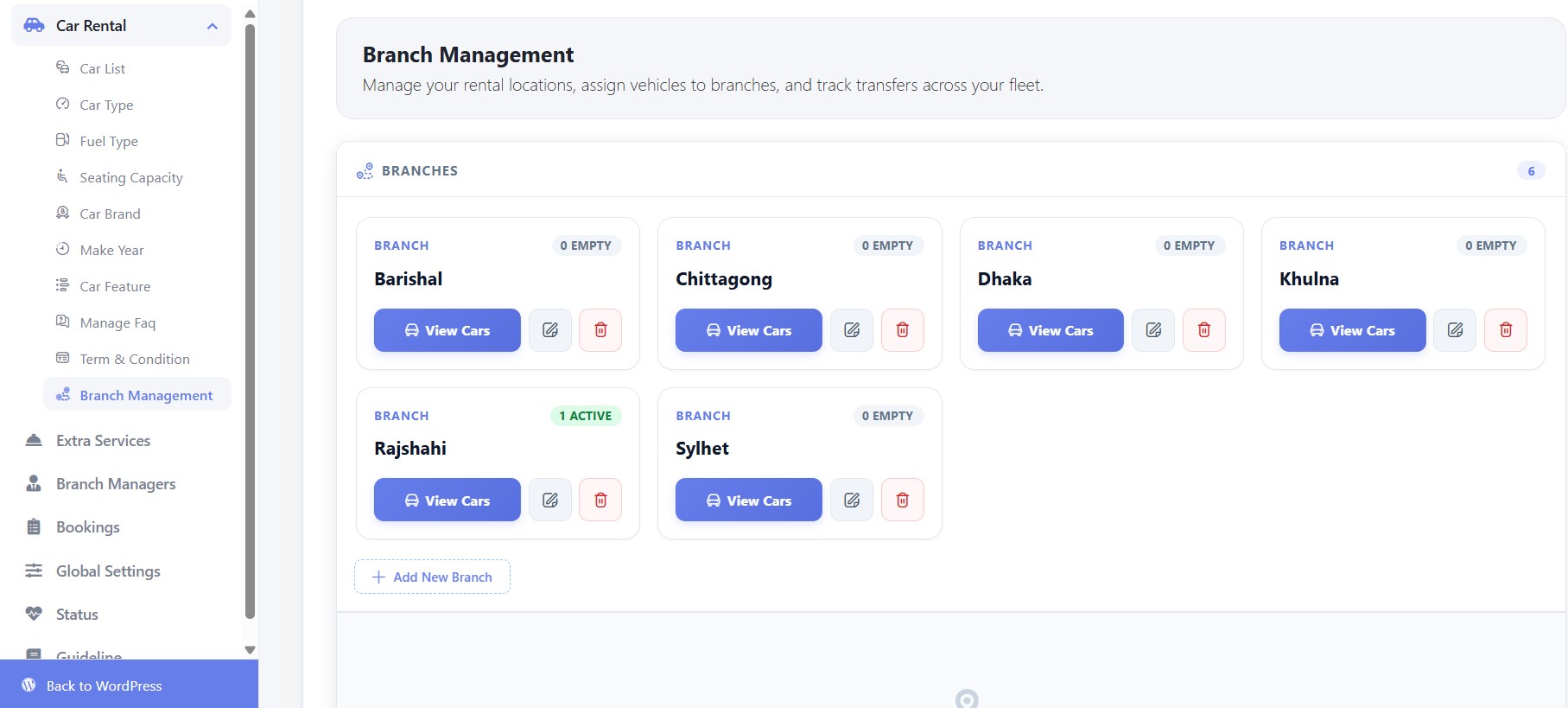
Instead of tying every vehicle to a single fixed pickup point, you can now create multiple branches, assign vehicles to each, and add Branch Managers who only see and manage their own location’s bookings.
In practice, that means:
- A rental company operating in two or three cities can run all of them from one WordPress install instead of maintaining separate sites.
- Each branch manager logs in to a filtered view: their fleet, their bookings, nothing else.
- Driver information is visible per vehicle in the free version, so you always know who is associated with a car. (Assigning drivers to specific bookings is a Pro feature.)
- The old “Locations” menu has been replaced by Branch Management, which does considerably more than the screen it succeeds.
Who this actually helps
Single-location operators can safely ignore branches. But if you have an airport desk plus a downtown office, or a franchise model with local staff, this is the feature that removes the biggest structural limitation the plugin used to have.
Real-world fees and deposits (free)
A daily rate is only one part of rental pricing. This release adds proper, configurable handling for the charges that make a rental business profitable — all in the free plugin:
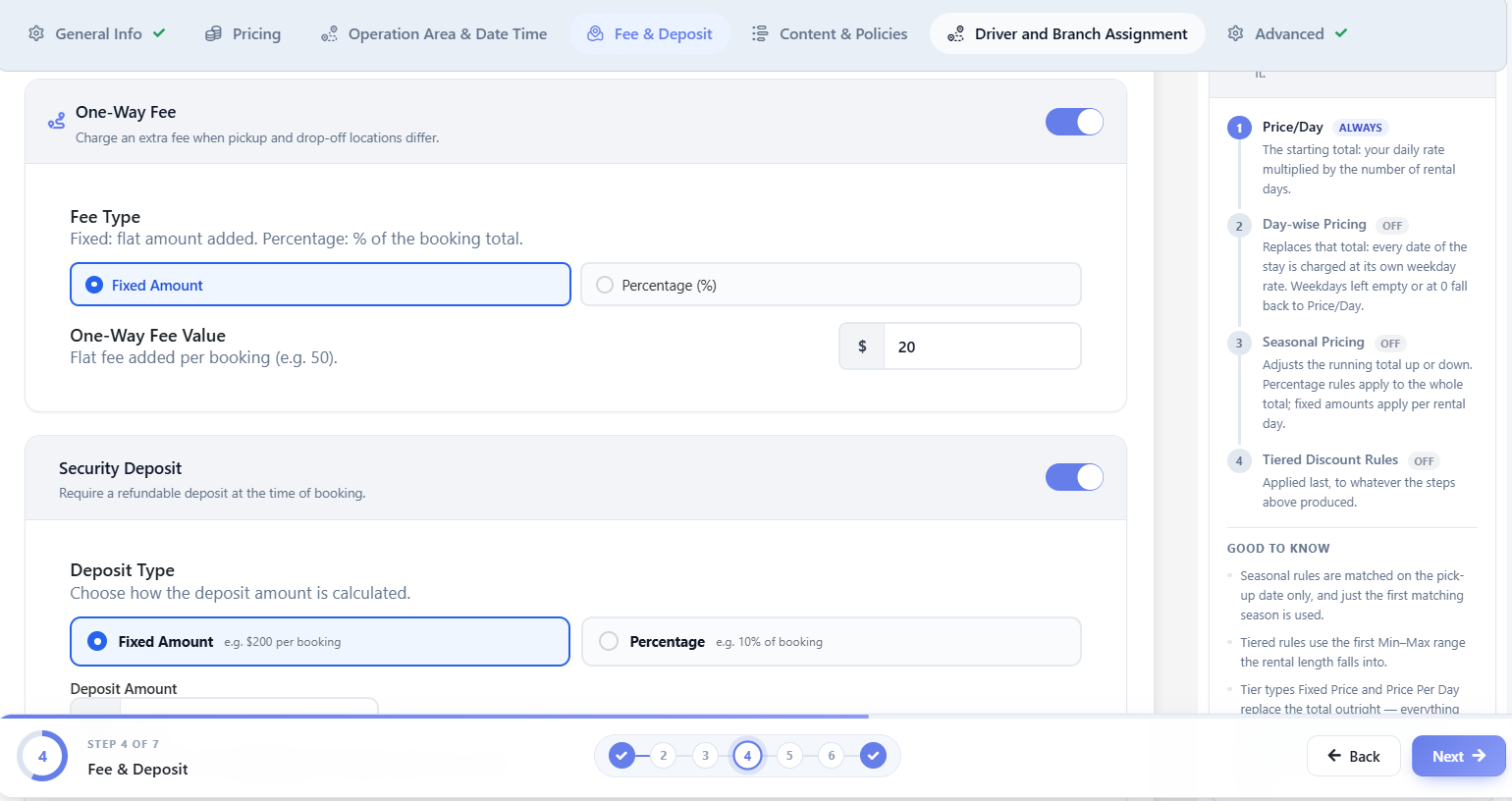
- One-way fees for pickups at one branch and drop-offs at another.
- Security deposits, with flexible deposit types.
- Delivery and collection fees when you bring the vehicle to the customer.
- Early bird discounts, layered on top of the existing tiered, day-wise and seasonal pricing.
Configure these before you promote the update to a live site — one-way fees in particular interact with your branch setup, so it’s worth running a test booking across two branches to confirm the totals are what you expect.
Analytics dashboard (Pro)
The new Analytics dashboard answers the question order lists never did: how is the business actually performing? Rather than exporting rows and rebuilding them in a spreadsheet, you get:
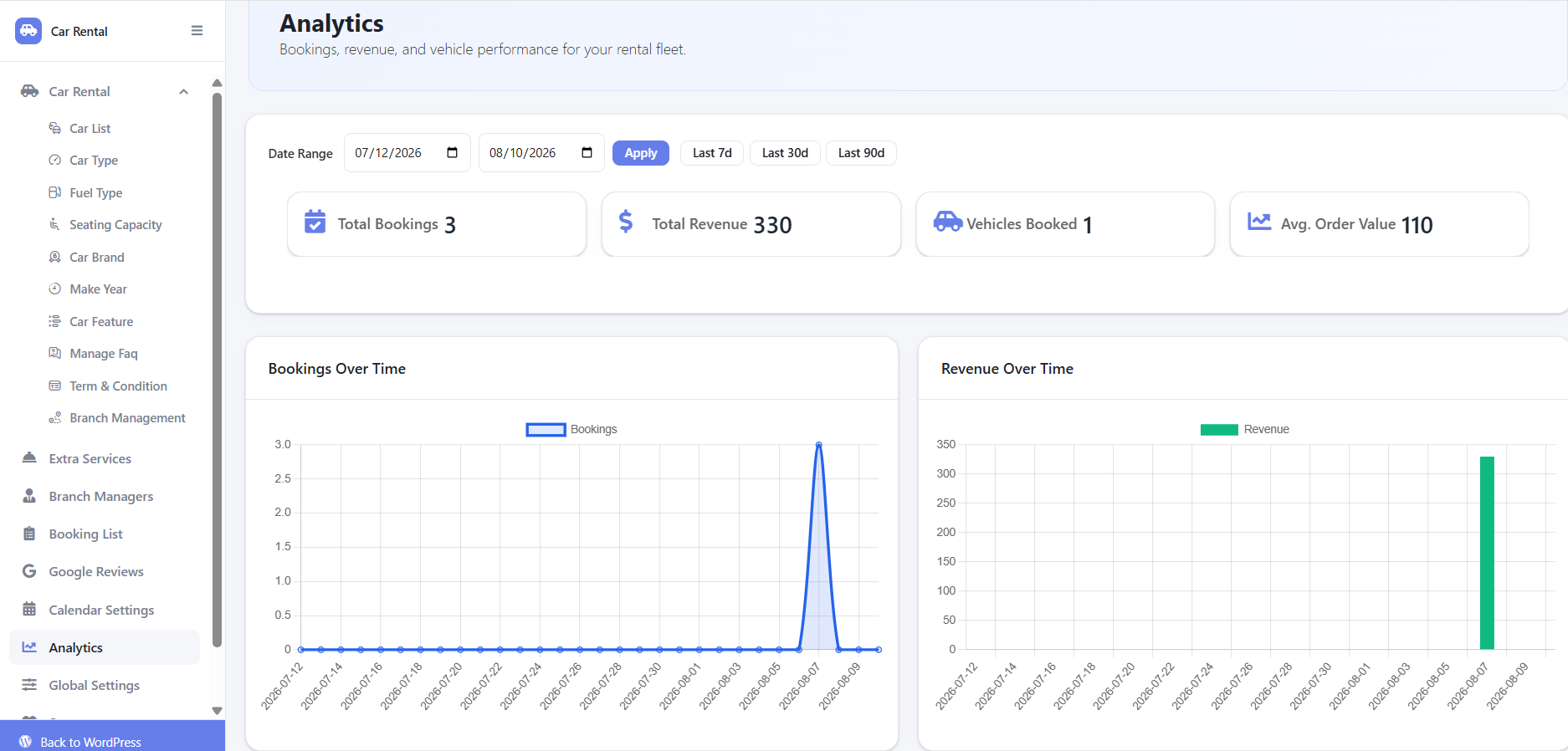
- Bookings over time, shown as a line chart.
- Revenue over time, shown as a bar chart.
- A breakdown of bookings by status — pending, confirmed, completed — at a glance.
- A ranked list of your top-performing vehicles.
The vehicle ranking is the most immediately actionable part: it tells you which cars justify replacement or duplication, and which ones are sitting idle on your lot.
Google Reviews on your booking pages (Pro)
This is easy to underestimate, but it may be the Pro feature with the clearest effect on conversions. WpCarRently can now pull your real Google Business reviews onto your site through a simple shortcode.
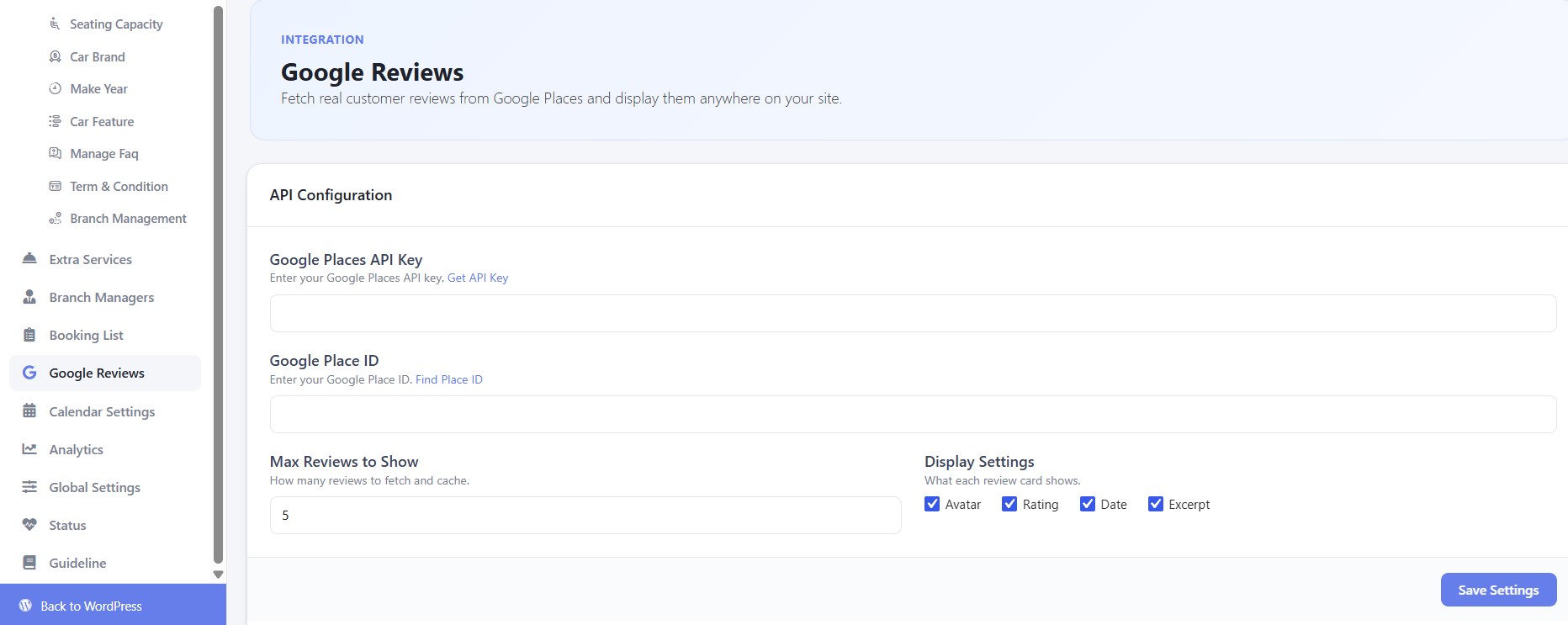
When a visitor is deciding whether to hand over payment details to a rental site they’ve never used, social proof does the heavy lifting. A star badge you designed yourself carries far less weight than verified reviews sourced from Google. Placing them on vehicle pages and the checkout step puts reassurance exactly where hesitation happens.
Google Calendar sync and calendar view (Pro)
Double-bookings usually happen because your website and your working calendar aren’t talking to each other. Pro now supports:
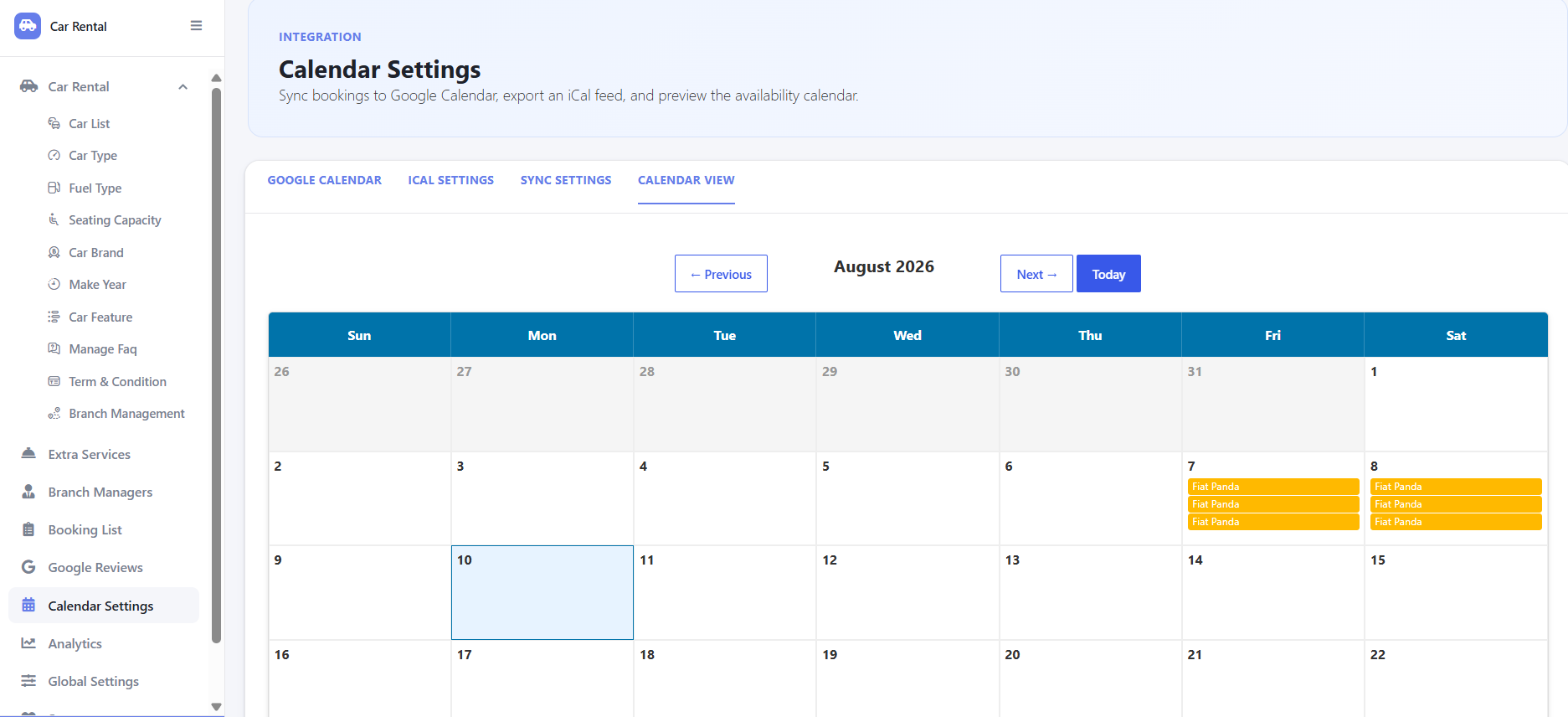
- Two-way Google Calendar sync, so bookings made on your site appear in your calendar and vice versa.
- iCal export for Outlook, Apple Calendar or any other tool.
- Auto-sync at a frequency you set, so nothing needs manual refreshing.
- A dedicated Calendar View inside the plugin, so you can see fleet availability without leaving WordPress.
Email and SMS notifications (Pro)
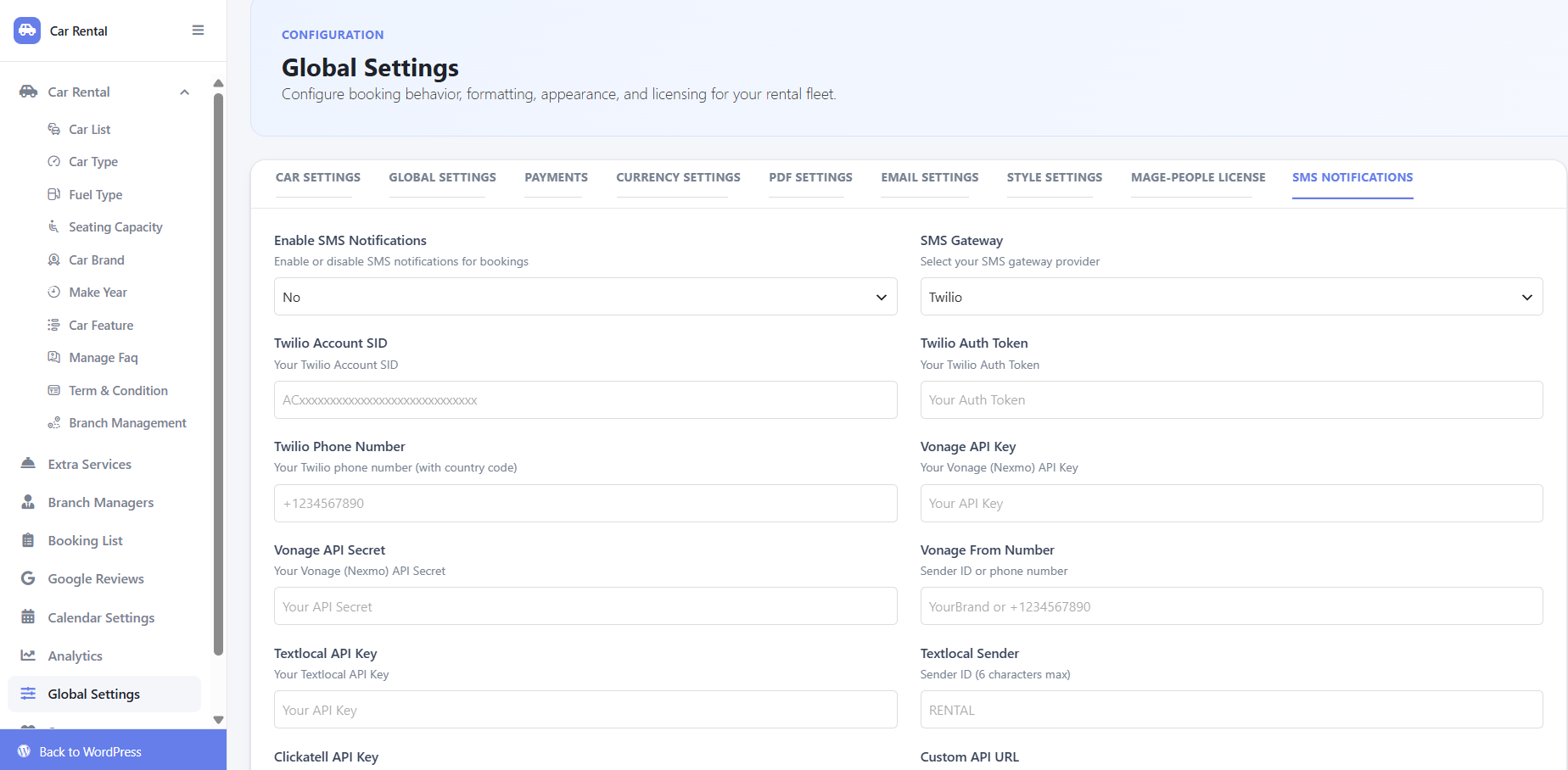
Email confirmations are table stakes; custom email templates are now a Pro feature. The more significant addition is SMS notifications, also Pro, with support for custom API gateways if you already have an SMS provider. Automated customer templates mean nobody on your team is typing “your booking is confirmed” by hand — and SMS reliably outperforms email for time-sensitive pickup reminders.
Payments and booking management: what to know
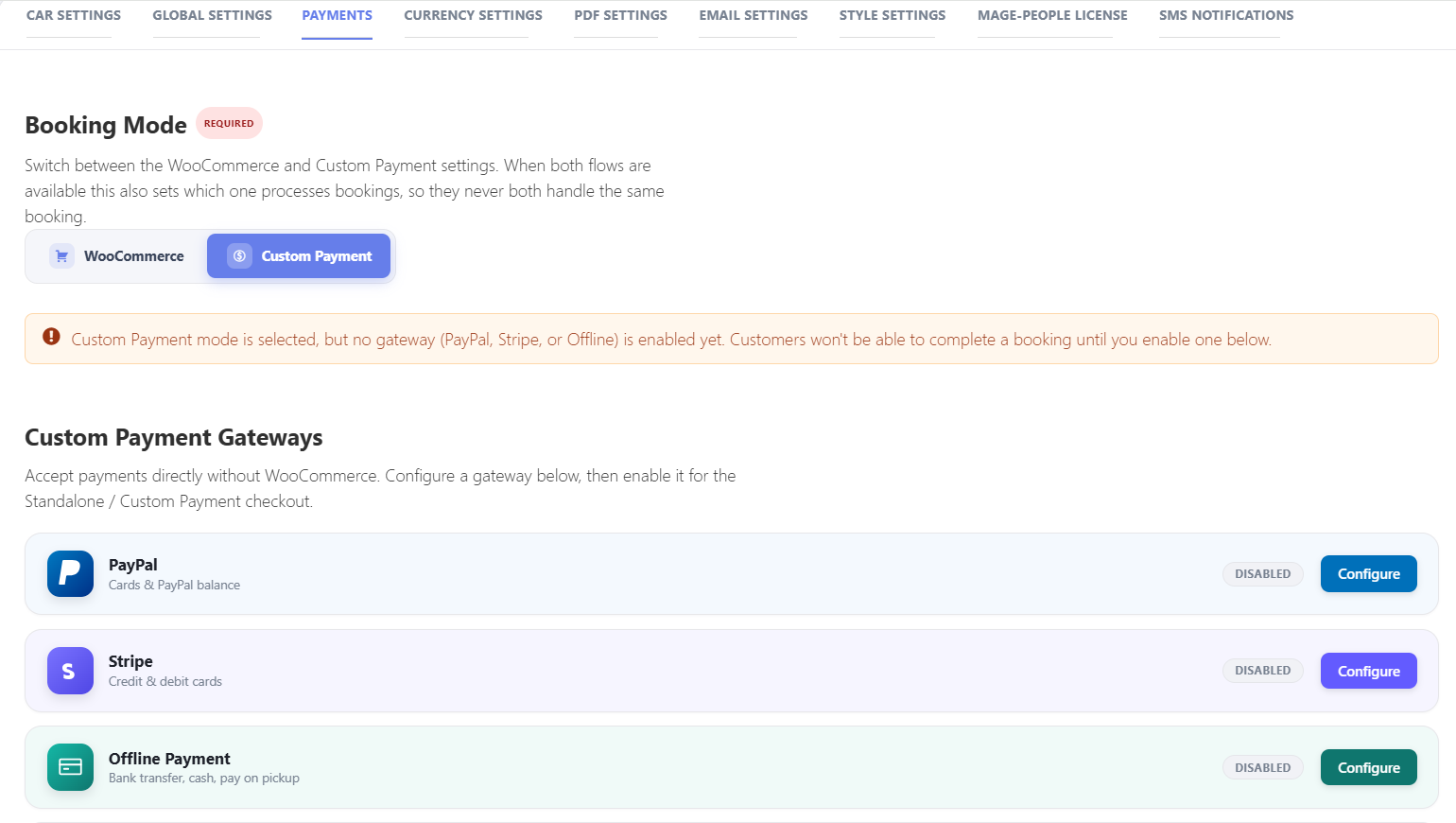
- Payments: without WooCommerce, only offline payment is available in the free version. PayPal and Stripe require Pro alongside WooCommerce.
- Booking List: viewing all bookings is free; editing a booking directly from the list requires Pro.
- PDF export: generating booking confirmations or invoices as PDFs is a Pro feature.
Upgrading from an older version
If you installed WpCarRently a while ago, several things will look unfamiliar the moment you log in:
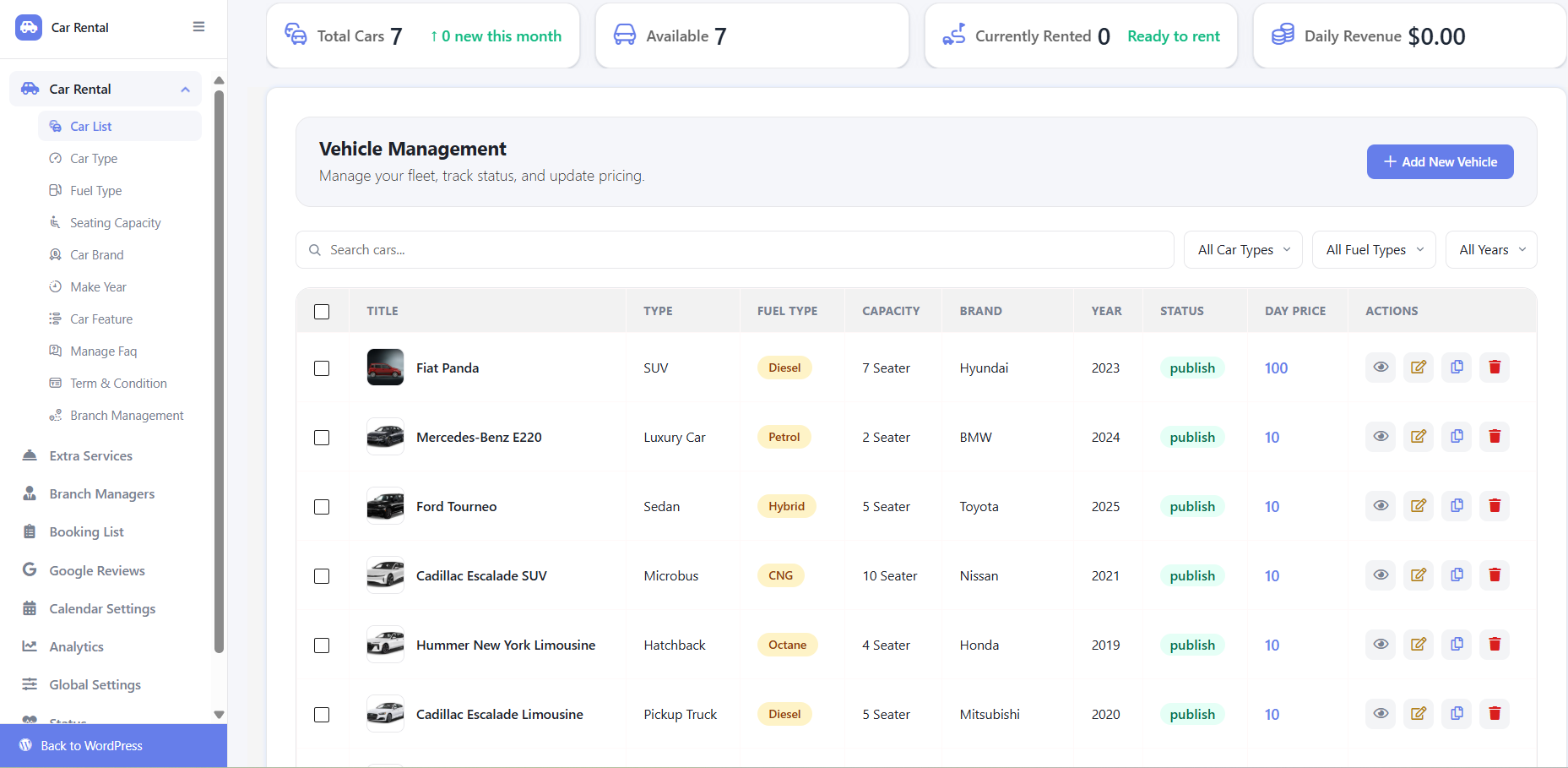
- The admin area has a new shell — sidebar navigation, a consistent header and a card-based layout across every screen.
- Adding a car is now a step-by-step wizard rather than one long form, so you can’t publish a vehicle missing a required field hidden in a forgotten tab.
- “Locations” has become “Branch Management,” with expanded capabilities.
Existing bookings and vehicle data are unchanged. As always, take a backup and test on staging first if you’re running a busy site.
Free vs Pro at a glance
- Free: branch management, branch managers, one-way/delivery/security deposit fees, early bird discounts, driver info visibility, booking list (view), offline payment.
- Pro: analytics dashboard, Google Calendar and iCal sync, Google Reviews integration, SMS notifications, custom email templates, PDF export, driver assignment, booking list editing, PayPal and Stripe via WooCommerce.
Frequently asked questions
Can WpCarRently manage multiple rental locations?
Yes, and it’s free. Branch Management lets you create multiple branches, each with its own vehicles and bookings, and assign branch managers to run them independently.
Does WpCarRently include analytics or reporting?
Yes, as a Pro feature. The dashboard covers bookings over time, revenue trends, booking status breakdowns and top-performing vehicles.
Can I display Google reviews on my car rental site?
Yes, with Pro. The Google Reviews integration pulls your verified reviews onto any page via shortcode.
Does it sync with Google Calendar?
Yes, in Pro — two-way Google Calendar sync, iCal export, scheduled auto-sync and a built-in calendar view.
Can I accept PayPal or Stripe without WooCommerce?
No. The free version supports offline payment only; PayPal and Stripe need Pro together with WooCommerce.
The bottom line
If you already run WpCarRently, updating gives you multi-branch management and the expanded fee options at no cost — reason enough to update this week. If you’re weighing the Pro tier, the analytics dashboard, calendar sync, Google Reviews and SMS notifications are the features that turn a booking form into a managed operation. Start with the free update, configure your branches and fees, then decide which Pro tools your workflow actually needs.
