 Get Halloween 15% for Limited Time on Lifetime & Bundle Deal


Looking for the best WordPress review plugin to boost your eCommerce sales? Reviews are the shortest path from a hesitant visitor to a paid order, and the plugin you choose decides whether those reviews are easy to collect, pleasant to read and visible to Google. Below you will find seven options compared on price, features and WooCommerce compatibility, followed by a practical buying checklist.
A study from Medill Spiegel Research Center found that displaying just five reviews can increase the likelihood of purchase by 270% compared to products with no reviews, with increases as high as 380% on higher-priced items. That is the gap a review plugin is meant to close, so it is worth choosing carefully rather than installing the first free option you find.
7 Best WordPress Review Plugin
There are hundreds of review plugins in the WordPress directory. The seven below were picked because they solve different problems: editorial scoring, customer opinions, structured data or product feed visibility. The comparison table summarises them before the detailed breakdown.
| Plugin | Primary job | Free or paid | WooCommerce fit | Schema / rich results |
|---|---|---|---|---|
| Ultimate Editorial Rating | Editor-scored, multi-criteria reviews | Free core version with a paid upgrade | Yes, works alongside WooCommerce product pages | Yes, review schema output |
| WP Review Pro | Configurable ratings on posts and products | Free version on WordPress.org; Pro is a paid annual licence | Yes, WooCommerce integration included | Yes, rich snippet support |
| WP Product Review Lite | Single-product review boxes with pros and cons | Free | Designed for review posts and product pages | Yes, rich snippets |
| Schema Ninja | Structured data for SEO-focused content | Free version plus a paid Pro licence | Indirect, best used with WooCommerce markup | Yes, that is its main purpose |
| WP Customer Reviews | Collecting and moderating customer feedback | Free, open source | Works on any page, shortcode based | Yes, basic rich snippets |
| Ultimate Reviews | Custom review forms and display layouts | Free core; paid add-ons for extra layouts | Can pull reviews from WooCommerce products | Limited, mainly display focused |
| CTX Feed | Product feed generation, not on-site reviews | Free version; Pro is a paid annual licence | Built specifically for WooCommerce | Feeds Google and social catalogues instead of on-page markup |
Note on pricing: plugin vendors change their plans often, and the amounts vary by licence tier and renewals. Use the table to understand how each tool is sold, then check current pricing on the vendor’s own page before you buy.
1. Ultimate Editorial Rating
Ultimate Editorial Rating is built for editorial reviews rather than raw customer opinions. You score a product across several criteria, publish the score, and let readers see exactly why you rated it that way. It suits affiliate blogs, buying guides and WooCommerce stores that sell considered purchases such as electronics.
- Multi-criteria ratings so a score can reflect design, battery life or build quality separately.
- Animated rating bars that draw attention without slowing the page down when properly cached.
- Schema support, so scores can be eligible for star treatment in search results.
- Category-specific review layouts and a sticky sidebar option to keep the score visible.
- WooCommerce compatibility for stores that mix editorial posts with product pages.

It is not the right choice if you want customers to submit their own reviews straight away, since the emphasis is on your verdict, not the crowd’s. If your store lives inside WooCommerce, our roundup of the best WooCommerce plugins covers the rest of a solid store stack.
2. WP Review Pro
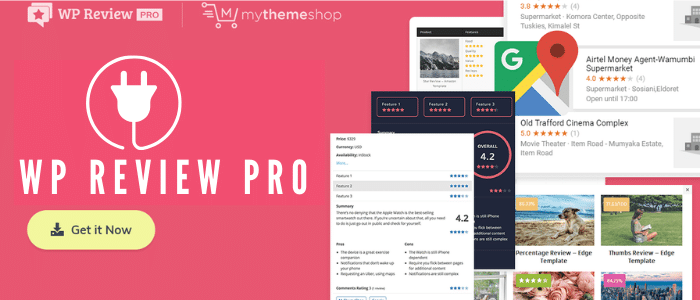
WP Review Pro is the most flexible rating engine on this list. It lets you switch the visual style of a score depending on the content type, which matters when a store sells both a coffee machine and a software licence. It also has a free version in the WordPress directory, which makes it a low-risk trial before committing to the Pro licence.
- Multiple rating systems: stars, percentage bars, circles, points and thumbs.
- A library of pre-designed templates so you do not have to style anything from scratch.
- Visitors can leave comments alongside their rating.
- Support for comparison tables, useful for roundup posts.
- WooCommerce integration and optional Facebook review embedding.
Licence pricing is annual and tier-based, so check current pricing on the vendor’s page. The main trade-off is weight: with many rating types enabled across a large catalogue, you will want to test page speed before rolling it out sitewide.
3. WP Product Review Lite
WP Product Review Lite is the simplest way to put a score box on a product page. You write the product description, set your review policy, grade a few aspects and add a pros and cons list. It is entirely free, which makes it a strong first install for a new store testing whether review content moves the needle.

- Structured review boxes with an overall score and optional criteria grades.
- Separate positive and negative feature lists, which readers scan first.
- Recent products widget for highlighting what you have reviewed lately.
- Rich snippet support for search visibility.
Because it is free, the trade-off is depth: there is no built-in system for collecting and moderating customer-submitted reviews, so pair it with a feedback plugin if you need both.
4. Schema Ninja
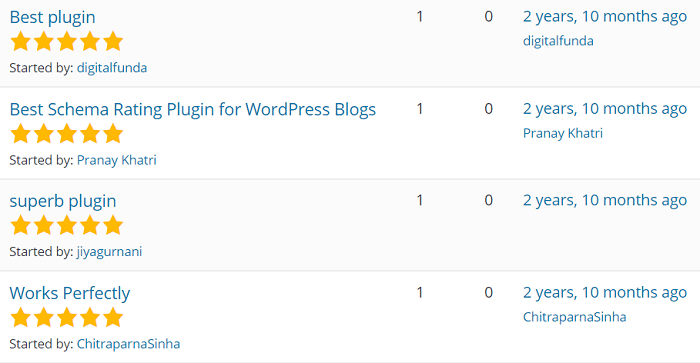
Schema Ninja approaches reviews from the SEO side. Instead of designing a pretty score box, it focuses on getting valid structured data onto your pages so search engines can understand your reviews and other content types. For a store already publishing review content, this is often the missing piece.
- Works with any well-coded WordPress theme.
- Quick to install and configure, with sensible defaults.
- Customers can submit reviews with ratings and images where configured.
- Outputs review and rating markup that maps to rich result guidelines.
It is not a review collection tool. If you want a familiar review box on the front end plus reliable markup behind it, you may run Schema Ninja alongside one of the display-focused plugins above rather than instead of it. Search engines also penalise markup that does not match visible content, so only mark up what a reader can actually see on the page.
5. WP Customer Reviews
WP Customer Reviews is a free, open-source plugin for collecting feedback and placing it wherever you want with a shortcode. That makes it unusually good for service businesses, where a review about a completed job matters as much as a review about a product.
- Completely free and open source.
- Shortcodes for dropping review lists or a submission form on any page or post.
- A basic dashboard for approving or rejecting submissions.
- Control over how many reviews are displayed at once.
- Basic rich snippets for search visibility.

Since it is shortcode-driven, it integrates with almost any theme, but do not expect a designed review widget straight out of the box. You will spend a little time styling it.
6. Ultimate Reviews
Ultimate Reviews is aimed at people who need a review form that asks the right questions. You can add custom fields for quality, appearance, delivery speed or anything else, then filter submitted reviews on the back end. Two shortcodes handle display and submission.

- Show reviews for all products or a single product.
- Add extra rating fields beyond the default star score.
- Custom field types including text boxes, checkboxes and dropdowns.
- Multiple rating styles: stars, percentages and points.
- Filter reviews by product name, score or author.
It is developer-friendly and fairly light, but the default layouts are plain, so budget for a little CSS if design matters to your brand.
7. CTX Feed
CTX Feed belongs on this list for a different reason: it does not display reviews at all. It generates WooCommerce product feeds so your products and their ratings appear in the places shoppers actually browse, including Google Shopping, Facebook, Instagram, TikTok, Bing and price comparison sites.
That matters because a review only increases sales if somebody sees it. Feeds carry your product data and ratings into catalogue surfaces, which is where a lot of comparison shopping now begins.

- Unlimited product feed generation with ready-made templates.
- Dynamic pricing, advanced filters and automatic feed scheduling.
- Multiple languages and currencies for cross-border stores.
- CSV, TXT and XML output formats.
- Free and paid versions, with licence pricing that changes by tier, so check current pricing before purchase.
How to Choose the Best WordPress Review Plugin for Your Store
Before installing anything, decide what job the plugin actually has to do in your funnel. A store with a small catalogue and strong editorial voice needs a different tool from a marketplace relying on hundreds of customer submissions.
- Do you want your score or your customers’ scores? Editorial plugins such as Ultimate Editorial Rating and WP Product Review Lite publish your verdict. WP Customer Reviews and Ultimate Reviews collect the crowd’s.
- Does the markup match the visible page? Review schema is only useful if a reader sees the same score you are marking up.
- Will it slow the store down? Animated bars, multiple rating widgets and feed generation all add requests. Test with a caching plugin in place.
- How does your store handle product data? WooCommerce reviews live in the product tab by default, so check whether the plugin replaces or extends that tab rather than duplicating it.
- What happens after the sale? A review request triggered by a completed order converts far better than a form buried in a footer.
Combining tools is normal, and often better than searching for one plugin that does everything. Many stores run a display plugin for editorial reviews, a collection plugin for customer feedback, and a feed plugin so the resulting ratings travel to shopping catalogues.
Why Reviews Matter Beyond the Product Page
Reviews do more than reassure a shopper looking at one item. They affect the services people book as well, where trust is the whole purchase decision.
Event Management Business
Event clients are spending a large sum on something they cannot test beforehand, so reviews from past clients do the convincing. Displaying feedback from completed events shortens the consideration stage considerably. If you sell registrations, see how to set up WooCommerce for event registration so orders and reviews sit in one place.
Travel Booking Business
Travellers read reviews to understand the strengths and weaknesses of a service before committing money and leave days. Higher ratings correlate with better occupancy, which is why travel sites treat review volume as a growth metric rather than a nice-to-have.
Taxi and Transport Booking Business
In a crowded market, ratings are one of the few signals that separate similar operators. Consistent positive feedback drives both new bookings and repeat rides, and it protects you when a single bad experience lands in the feed.
Bus Booking Business
Passengers book transport with very little information, so they rely heavily on what previous passengers reported about punctuality and comfort. Reviews also improve visibility in search, which means more organic traffic. If you are building in this space, our guide on how to create a bus booking website covers the full setup.
Service, Repair and Rental Businesses
For repairs, salon visits and rentals, reviews describe the experience of the service, not just the product. That transparency is what converts someone comparing three local providers. It also creates a feedback loop: patterns in reviews tell you what to fix operationally.
Frequently Asked Questions
What is the best WordPress review plugin for WooCommerce?
It depends on what you need the plugin to do. WP Review Pro is the most flexible for rating styles and templates, Ultimate Editorial Rating is strongest for scored editorial content, and CTX Feed is the one you need if reviews must reach shopping catalogues such as Google Shopping or Facebook.
Do WordPress review plugins help SEO?
They can, but only indirectly through structured data. Plugins that output valid review schema make your pages eligible for star-rich results, which can improve click-through rate. The markup must match the reviews a reader can actually see, otherwise search engines may ignore or penalise it.
Can I add review schema without a plugin?
Yes, if you are comfortable editing your theme or adding JSON-LD manually. Most store owners use a plugin because hand-written markup breaks whenever a theme or template changes, and a single validation error can remove rich results across the whole catalogue.
Are there free WordPress review plugins that are good enough?
Yes. WP Customer Reviews and WP Product Review Lite are both free and handle the basics well: collecting feedback, displaying scores and outputting rich snippets. You only need a paid licence when you want advanced layouts, additional rating criteria or feed generation.
How many reviews should I display on a product page?
Enough to be credible, not so many that the page becomes a wall of text. Five or more reviews is the commonly cited threshold where purchase intent rises sharply, so prioritise showing a handful of detailed reviews over a long list of one-line scores.
Can I use more than one review plugin at the same time?
Usually yes, though avoid running two plugins that both output review schema for the same page, because conflicting markup is harder for search engines to interpret. A common setup is one plugin for display, one for collecting customer submissions, and a feed plugin for off-site visibility.
Wrapping It Up
The best WordPress review plugin is the one that matches how your store earns trust. Editorial stores do well with Ultimate Editorial Rating or WP Product Review Lite, stores that live on customer feedback should start with WP Customer Reviews or Ultimate Reviews, SEO-led publishers get value from Schema Ninja, and anyone selling through shopping catalogues needs CTX Feed in the stack.
Start with the free versions, measure whether review content lifts conversion over a month or two, and only then pay for the layout and collection features you actually use. One plugin is unlikely to cover every step from review request to rich result, so combine tools rather than forcing a single one to do everything.
