 Get Halloween 15% for Limited Time on Lifetime & Bundle Deal

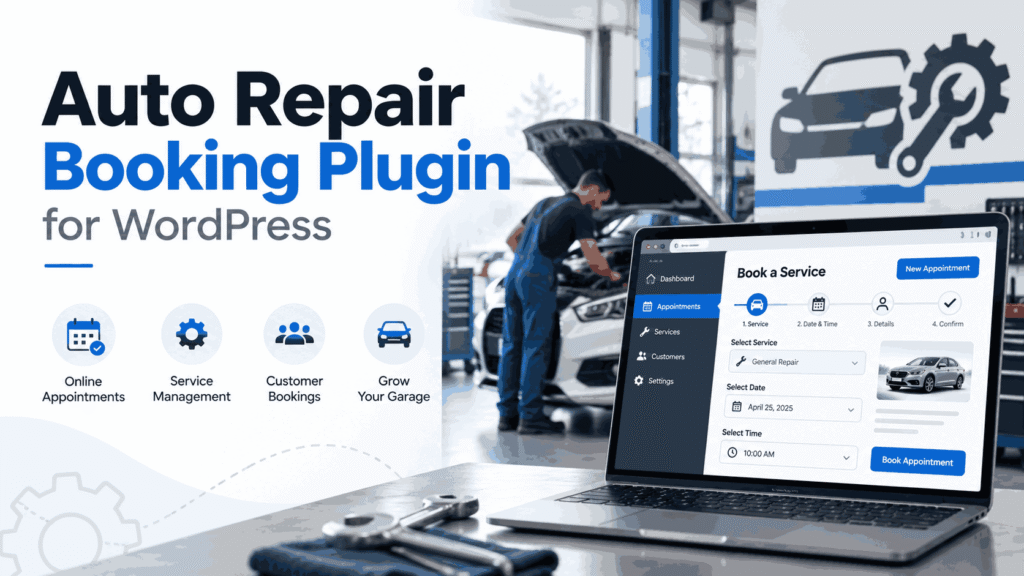
An auto repair booking plugin for WordPress lets customers book a service slot online instead of phoning the front desk, and it gives you a calendar that knows the difference between a 30-minute oil change and a two-day engine job. This guide explains what to look for, how to set one up on your existing site, and which settings actually reduce no-shows at a garage.
It is written for independent workshops, tyre and alignment shops, mobile mechanics, and multi-bay service centres that already run a WordPress site and want bookings handled without a call centre.
- What an Auto Repair Booking Plugin Actually Does
- Who This Guide Is For - and Who It Is Not
- Must-Have Features for a Workshop (Not a Salon)
- How to Set Up an Auto Repair Booking Plugin on WordPress
- Reducing No-Shows: The Settings That Actually Matter
- Choosing Between a Free Plugin and a Paid One
- Common Mistakes to Avoid
- Frequently Asked Questions
- The Bottom Line
What an Auto Repair Booking Plugin Actually Does
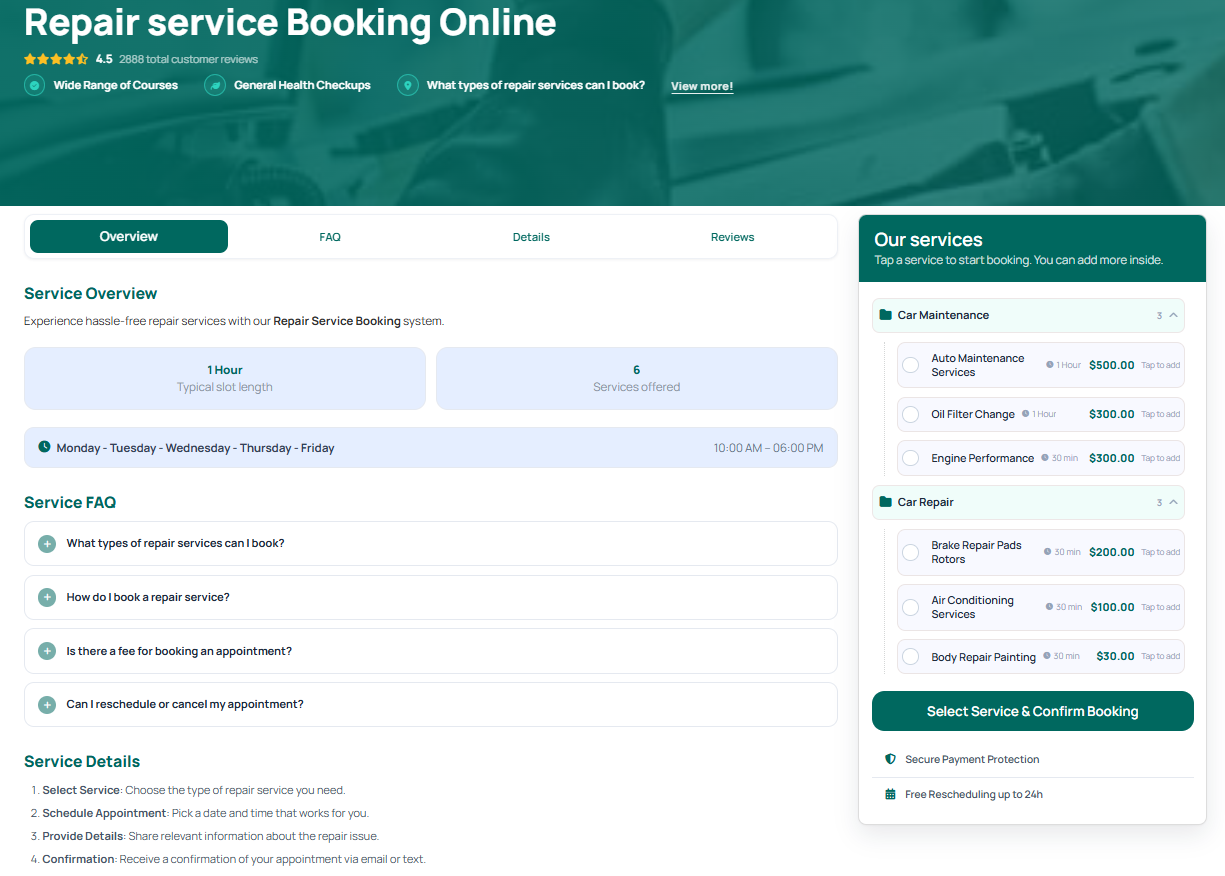
A general appointment plugin books a person into a time slot. A workshop-ready booking system has to do more than that, because your constraints are physical: bays, lifts, tools, and technicians who specialise.
- Service catalogue – each job described with its own duration, price range, and required skills, so a customer picks “brake pad replacement” rather than a vague “appointment”.
- Resource assignment – bays, lifts, or mobile vans booked alongside the technician, so two cars are never promised the same lift.
- Vehicle records – make, model, registration, mileage, and service history attached to the customer, so your team arrives prepared.
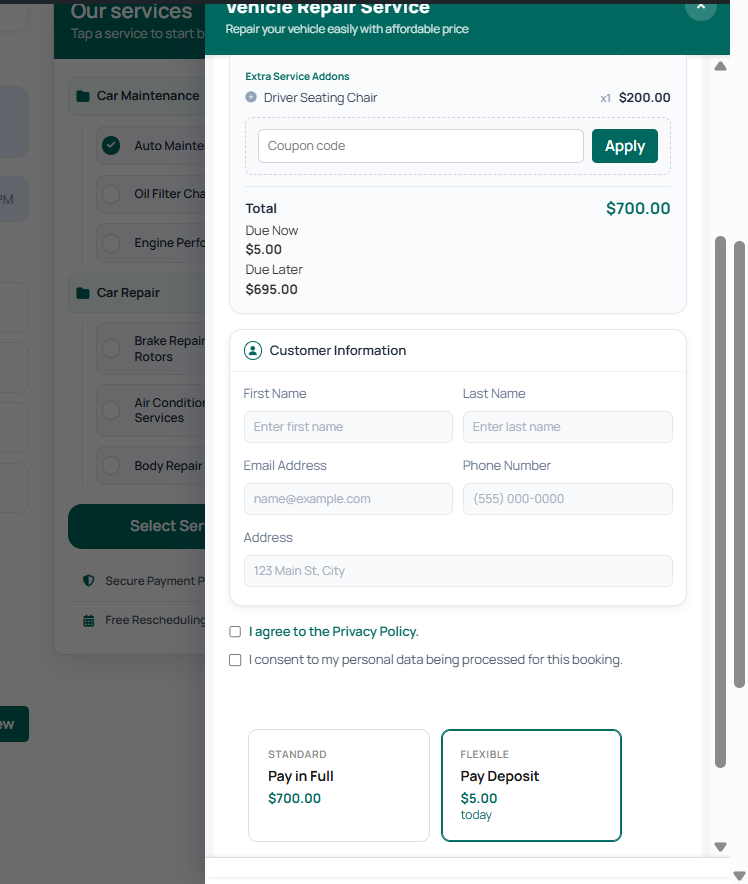
- Deposits and approvals – taking a small payment or a card hold at booking time, which is the single most effective no-show filter for workshops.
- Reminders – email or SMS confirmations and day-before nudges that cut forgotten appointments.
- Drop-off and pick-up windows – letting a customer choose when they will leave the car, separate from when work begins.
If a plugin cannot handle resource assignment and job duration together, it is a generic appointment tool wearing a mechanic’s overalls. Test that first.
Who This Guide Is For – and Who It Is Not
This is for a workshop that already has a website and wants online bookings to replace phone tag.
It is not the same problem as building a full transportation marketplace. If you are selling rides or vehicle hire rather than servicing cars that customers already own, the intent is different: see their car booking system guide, which covers vehicle reservations rather than workshop scheduling.
If your business is home-appliance servicing – white goods repaired at a customer’s address rather than in your bay – the requirements lean much more heavily on dispatch routing. If you need appliance repair dispatch rather than garage bay scheduling, see that appliance repair booking guide instead.
Must-Have Features for a Workshop (Not a Salon)
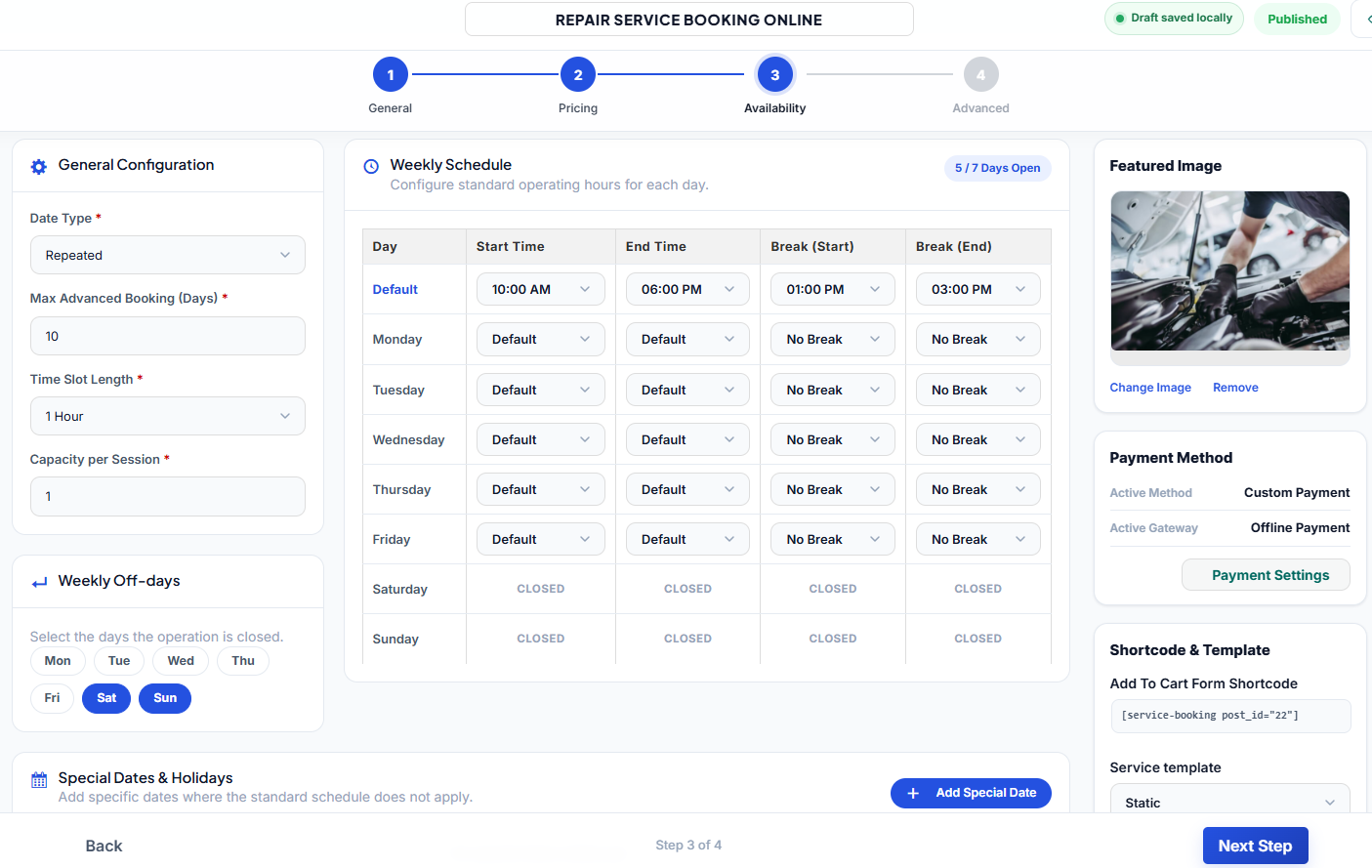
1. Duration by service, not by slot length
A salon runs on uniform 30- or 60-minute intervals. A garage does not. Look for a plugin where each service carries its own duration, and where longer jobs can block a bay for a full day or span multiple days.
2. Multi-bay and multi-technician capacity
Your real capacity is the number of bays you can staff, not the number of hours in a day. The booking plugin should allow several bookings to start at the same time as long as each has its own resource, and should refuse overlapping assignments automatically.
3. Vehicle and mileage capture
Registration number and mileage are not decoration. They let you quote accurately, order the right parts before the car arrives, and build a service history that brings customers back.
4. Deposits, quotes, and cancellation rules
Long jobs and expensive parts justify a deposit at booking. Make sure the plugin can charge a fixed deposit or a percentage, and that your cancellation window is stated clearly on the booking form so the policy is enforceable.
5. Reminders and self-service rescheduling
A reminder 24 hours ahead and a link that lets a customer move their own slot both reduce the number of empty bays. Self-service rescheduling is far better than a no-show, because the bay still gets used.
6. Buffer time between jobs
A 10-15 minute buffer after each job covers overruns and paperwork. Without it, one delayed cambelt cascades through your whole afternoon.
How to Set Up an Auto Repair Booking Plugin on WordPress
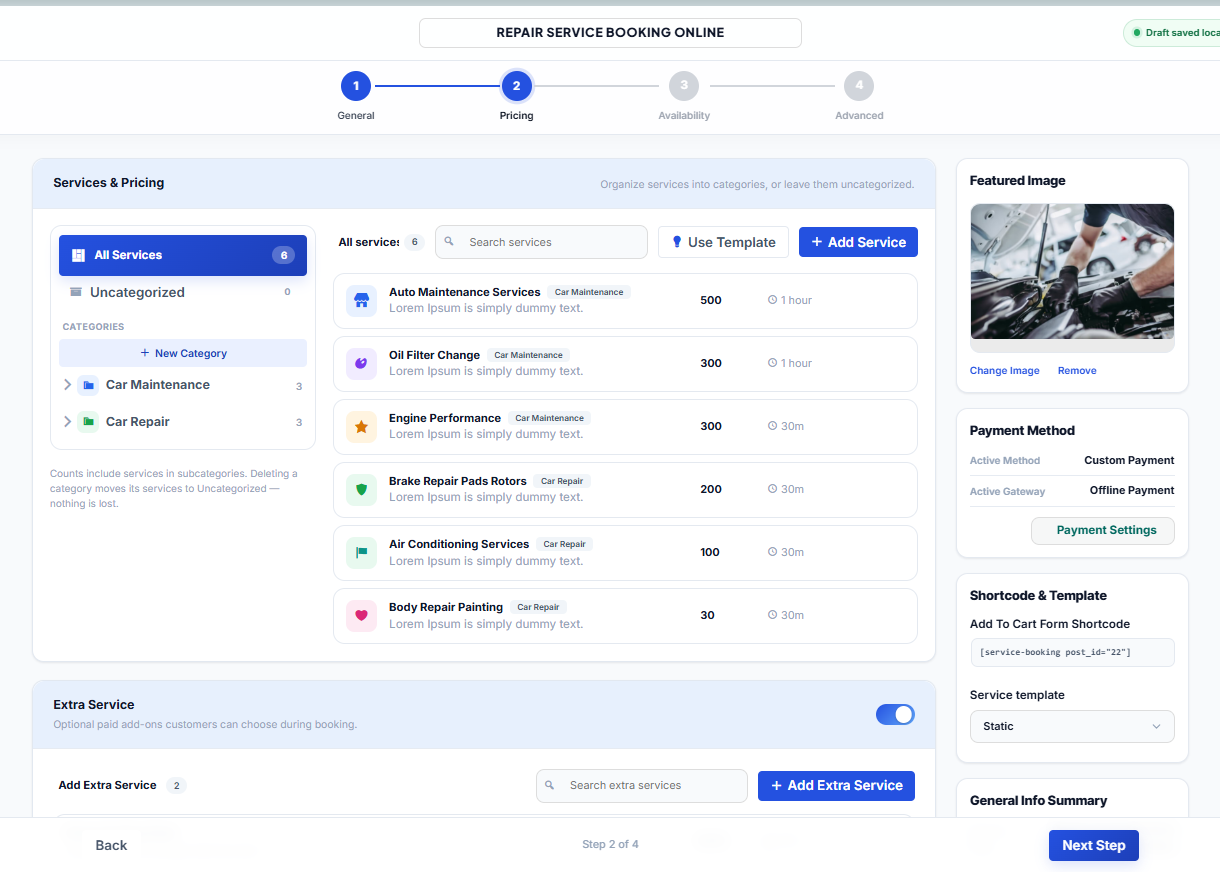
- Write down your services and honest durations. Time a few real jobs, including the admin and road test. Underestimating duration is the most common cause of a scheduling system that customers stop trusting.
- Define your resources. List every bay, lift, and technician, and note which services each can handle. This becomes your capacity model.
- Install the plugin and connect payments. Use your existing payment gateway so deposits land in the same account as your other sales. Check current pricing for the plugin and any gateway fees before committing.
- Build the service list with categories. Group jobs – servicing, brakes, tyres and alignment, diagnostics, electrical, bodywork – so customers can find their problem quickly instead of scrolling a wall of items.
- Set working hours, holidays, and lead time. Block public holidays and the days your parts supplier is closed, and require a minimum notice period so nobody books a job for the next half hour.
- Turn on deposits, then reminders. Add a deposit for jobs above a threshold, and configure an email reminder 24 hours before the slot.
- Add the booking form to a real page. Put it on a dedicated “Book a Service” page linked from the main menu, and embed a shorter version on the homepage.
- Test the whole journey yourself. Book a fictitious job from a phone, receive the confirmation, reschedule it, and cancel it. Fix anything confusing before you point customers at it.
- Measure for a month. Track online bookings versus phone bookings, and how many of each are no-shows. Adjust deposits and reminder timing from that data, not from guesswork.
For more details on creating a repair booking system, check out how to use a WordPress repair service booking plugin.
Reducing No-Shows: The Settings That Actually Matter
No-shows are the main reason workshops give up on online booking. Three settings do most of the work:
| Setting | What it changes | Recommended starting point |
|---|---|---|
| Deposit at booking | Filters out casual bookings and compensates for a wasted bay | A small fixed amount for diagnostic and long jobs |
| Reminder timing | Recovers appointments people forgot | Email 24 hours ahead, plus an SMS for same-day slots |
| Self-service rescheduling | Converts a would-be no-show into a moved slot | Allow changes up to 12-24 hours before the booking |
Check the current pricing of any SMS add-on before you promise SMS reminders to customers – per-message costs vary by provider.
Choosing Between a Free Plugin and a Paid One
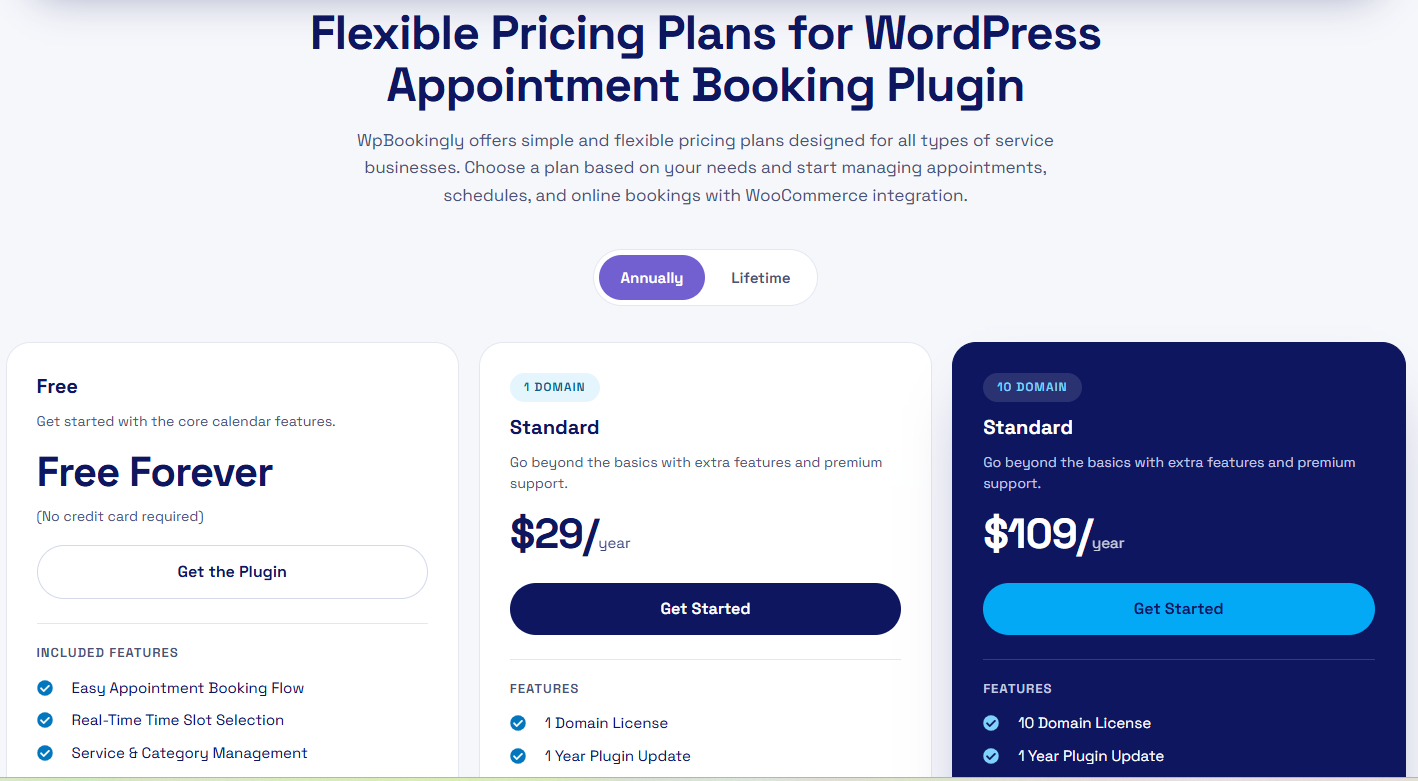
Free booking plugins are perfectly capable for a single-bay workshop with uniform job lengths and no deposits. They tend to fall short on multi-resource scheduling, deposit handling, and vehicle records.
The practical test: if you have more than one bay, or jobs that last longer than a day, or you want deposits, budget for a paid booking system. The cost is usually smaller than a handful of empty bays per month. If you are weighing free options first, the trade-offs are set out in this comparison of free booking plugins for small businesses.
Common Mistakes to Avoid
- Booking by time slot only. If the plugin cannot hold a bay for a two-day job, you will double-book your lift.
- Publishing unrealistic durations. Customers notice when a “45-minute service” becomes three hours.
- Hiding the cancellation policy. State it on the booking form, not in a footer nobody reads.
- No vehicle fields. You cannot pre-order parts or quote accurately without registration and mileage.
- Ignoring mobile. Most bookings happen on a phone, often while the customer is standing next to a broken-down car.
- Abandoning the phone. Keep taking calls. Online booking should reduce pressure on the front desk, not remove a channel your customers still use.
Frequently Asked Questions
Can I run online bookings alongside my existing phone bookings?
Yes, and you should. Add phone bookings into the same calendar manually so both channels share one source of truth. If they live in separate diaries, you will promise the same bay twice.
Do I need WooCommerce for this?
Not necessarily. Many booking plugins handle their own payments. WooCommerce helps if you already sell parts or merchandise on the same store and want one checkout; otherwise, it adds complexity you may not need.
How do I handle jobs that suddenly need extra work?
Use the plugin’s quote or estimate flow: the customer approves the additional work by email or in their account before you continue, and you extend the bay booking at the same time.
Will this work for a mobile mechanic?
Yes, if the plugin lets you treat the van – not the bay – as the resource, and lets you set a travel radius or postcode-based availability so you are not booked across the city in back-to-back slots.
The Bottom Line
An auto repair booking plugin earns its place when it models your real capacity: bays, lifts, technicians, and job durations. Start with your service list and honest timings, define your resources, then layer deposits and reminders on top to protect those bays. Once the schedule is reliable, online booking stops being a gadget and becomes the front door of your workshop.
Check current pricing before you buy, test the full booking journey on a phone, and review your no-show numbers after the first month before you change anything else.