 Get Halloween 15% for Limited Time on Lifetime & Bundle Deal


WpRently (Booking and Rental Manager for WooCommerce) just shipped its biggest update in a while. You get a new step-by-step Modern Editor for building rental listings, a unified coupon and automatic-discount engine, a redesigned Booking Calendar with Google Calendar sync, location-based inventory and pricing, item variations, configurable off-days and buffer time, a drag-and-drop booking form builder, and a Standalone checkout mode that works without WooCommerce.
If you’re running a car, bike, equipment, dress, resort, or appointment-based rental business on WordPress, this is one of those updates that actually changes your day-to-day workflow, not just the paint job.
Let’s walk through what’s new.
- A Rental Item Builder That Doesn't Feel Like a Spreadsheet Anymore
- Five Ways to Rent, Each Priced Its Own Way
- One Coupon Engine, Both Checkout Modes
- A Booking Calendar You Can Actually Read at a Glance
- Pricing and Stock That Follow the Location
- Variations and Multi-Item Booking
- Off Days, Buffer Time, and Blackout Dates
- A Form Builder, and a Way to Skip WooCommerce Entirely
- Frequently Asked Questions
A Rental Item Builder That Doesn’t Feel Like a Spreadsheet Anymore
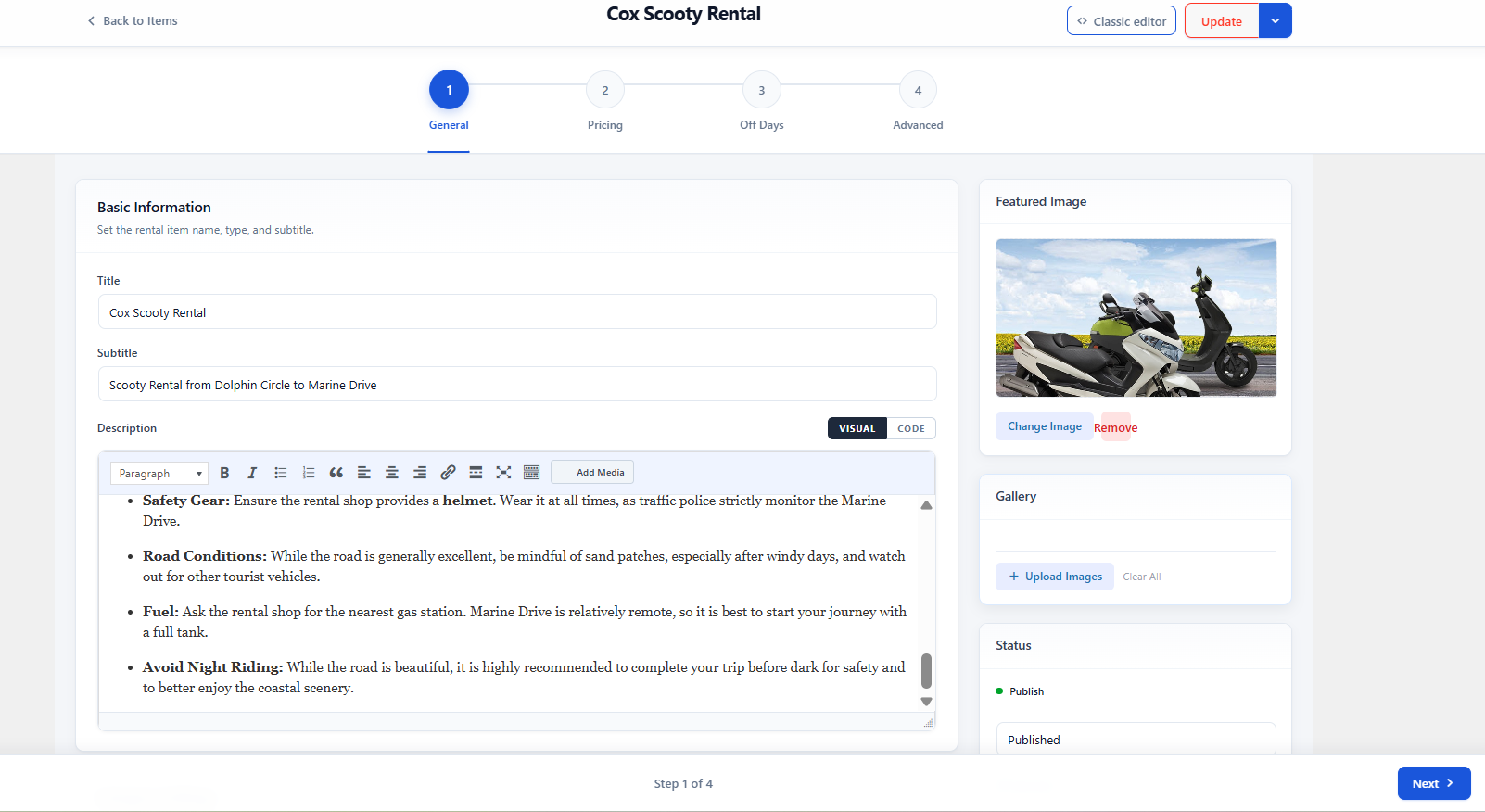
If you’ve used WpRently before, you know the old item creation screen one long page, every setting stacked on top of the next. That’s gone (well, it’s still there if you want it, more on that in a second).
In its place: the Modern Editor, a guided four-step flow that walks you through building a listing instead of dumping every option in front of you at once.
- General — title, subtitle, description, category, feature list with icons, featured image, gallery
- Pricing — your rent type and all the pricing logic underneath it (this is where it gets interesting — see below)
- Off Days — recurring closures, buffer time, blackout dates
- Advanced — locations, page templates, FAQs, tax, security deposits, related items
If you’re the type who prefers the old-school single-page form, don’t worry, the Classic editor is still one click away. Nothing was taken from you, just a better default was added.
Five Ways to Rent, Each Priced Its Own Way
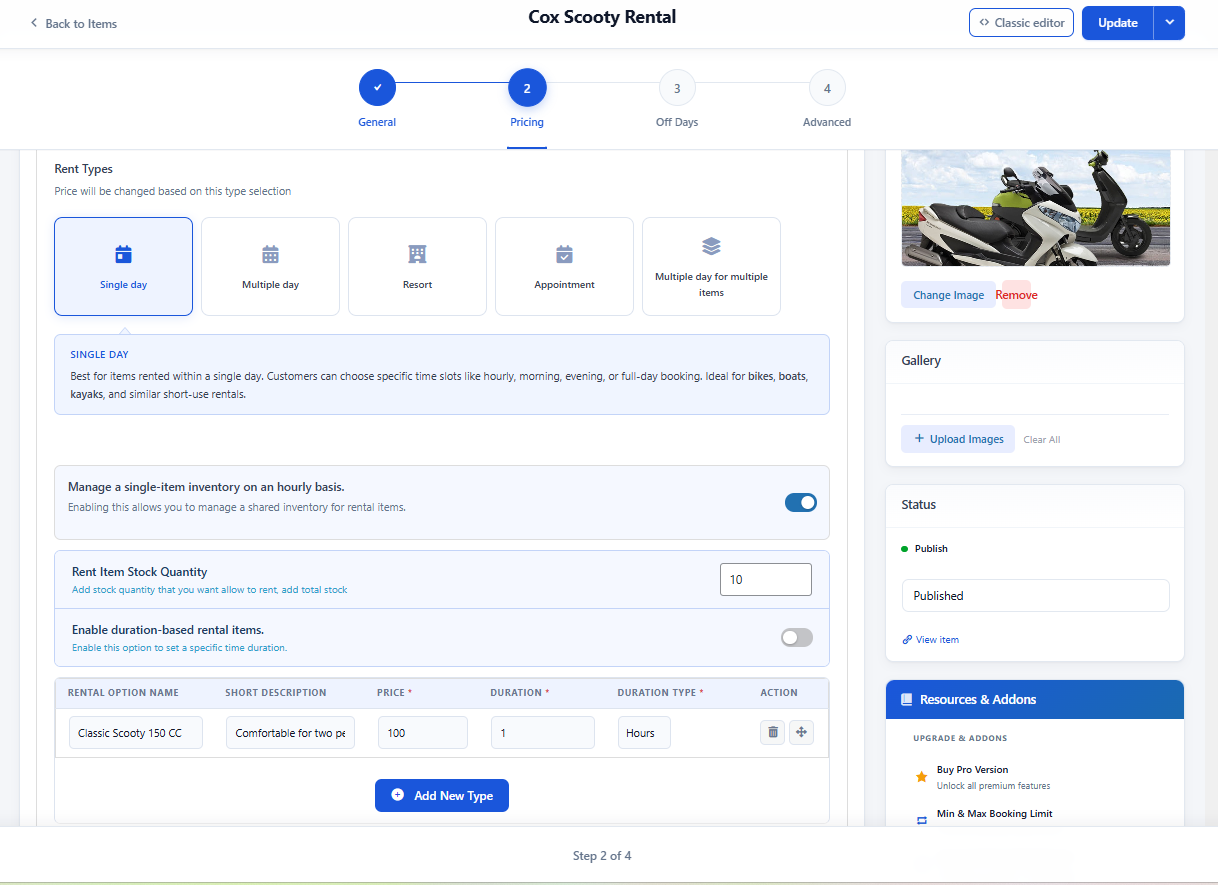
This is probably the most underrated part of the update: WpRently now treats “rental business” as five distinct shapes, and each one gets pricing logic built for how that business actually works.
Single Day is for the quick stuff bikes, boats, kayaks. Hourly time slots, per-slot sold-out states, and you can layer variations (like color options) on top of a base price.
Multiple Day is for cars and equipment rented over stretches of days. The clever part here is automatic tier thresholds say a customer books 3 weeks and 5 days, and your weekly threshold is set to 5 days. The system just rolls that into a full month’s rate automatically. No manual math, no support tickets asking “why was I charged this much.”
Resort handles nightly stays with multiple room types, each with its own price and stock, built for hotels, guesthouses, and vacation rentals.
Appointment turns the whole plugin into a scheduling tool. Day-of-week availability, defined time slots — useful for anything from consultations to medical appointments.
Multiple Day for Multiple Items is the one for bundle bookings a customer renting three different pieces of equipment at once, with the same automatic hourly-to-monthly tier upgrades as the Multiple Day mode, just applied across a whole cart of items.
One Coupon Engine, Both Checkout Modes
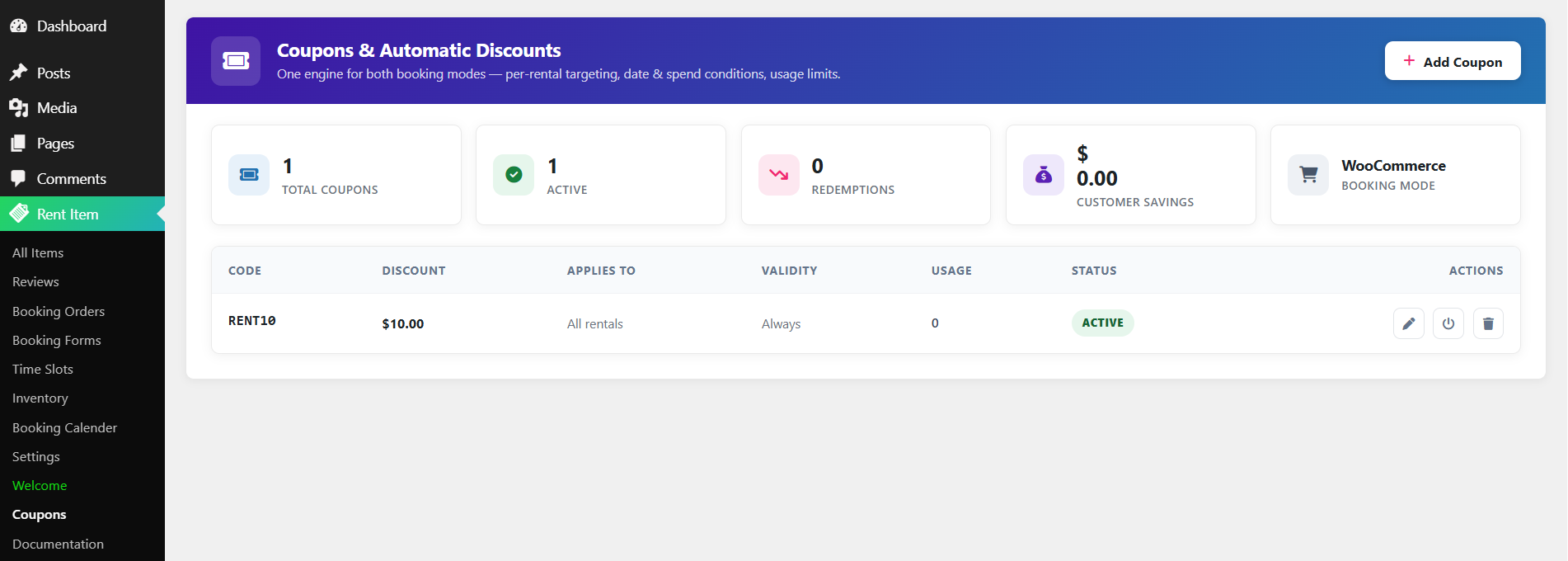
Discounts used to feel like an afterthought bolted onto checkout. Now there’s an actual dashboard for it the Coupon Engine, and it works whether you’re on WooCommerce or the new Standalone checkout.
It tracks the numbers you’d actually want to see: how many coupons are active, how many times they’ve been redeemed, and the total amount customers have saved. You decide whether coupons can stack by default, what the coupon field is labeled at checkout, and whether that field even shows up — automatic discounts still fire in the background even if you hide the manual entry box.
A Booking Calendar You Can Actually Read at a Glance
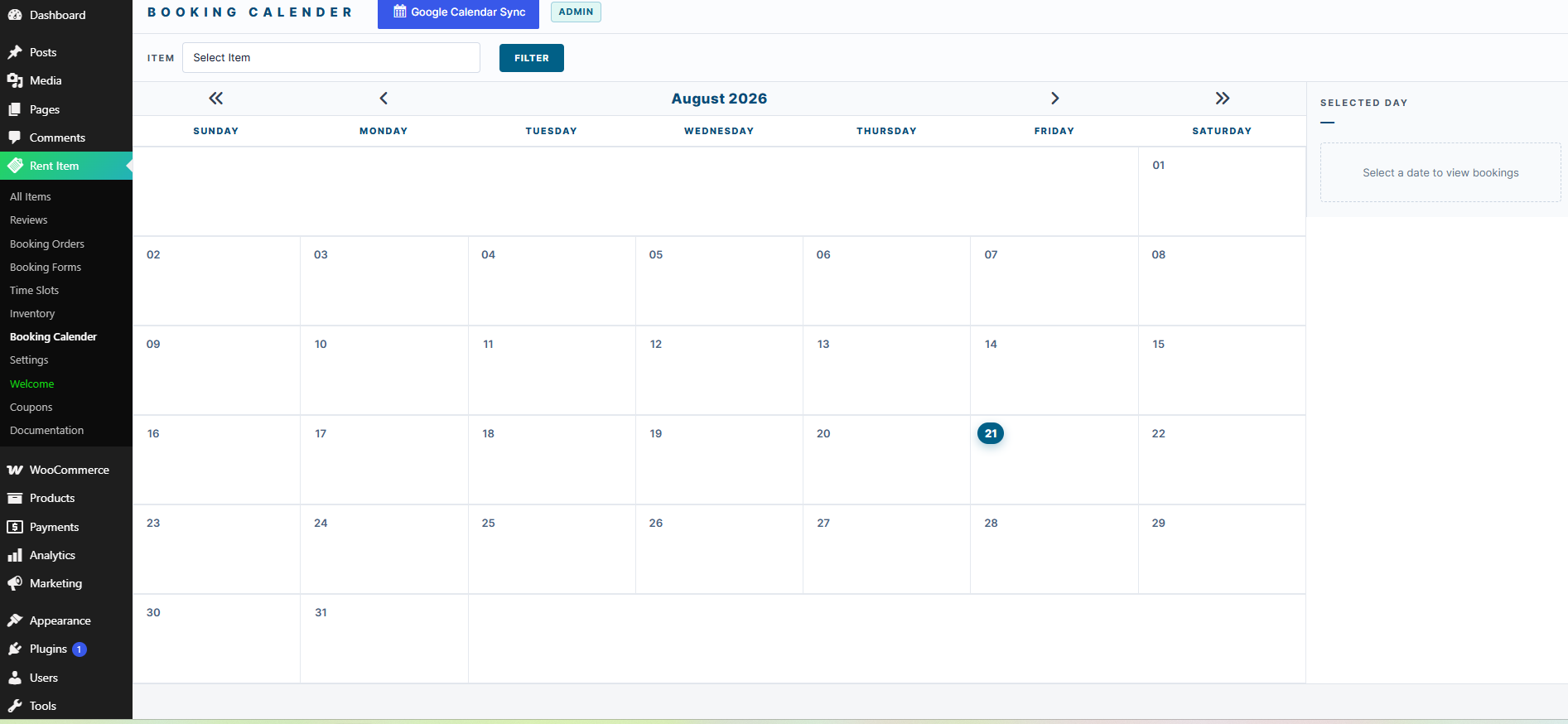
The Booking Calendar got a real redesign. You can filter by item, and every day on the calendar shows a status breakdown of how many bookings are Confirmed, Pending, or Cancelled before you even click in. Click a date, and you get the full list of bookings for that day, with a one-click sync to Google Calendar for anything you want mirrored externally.
Pricing and Stock That Follow the Location
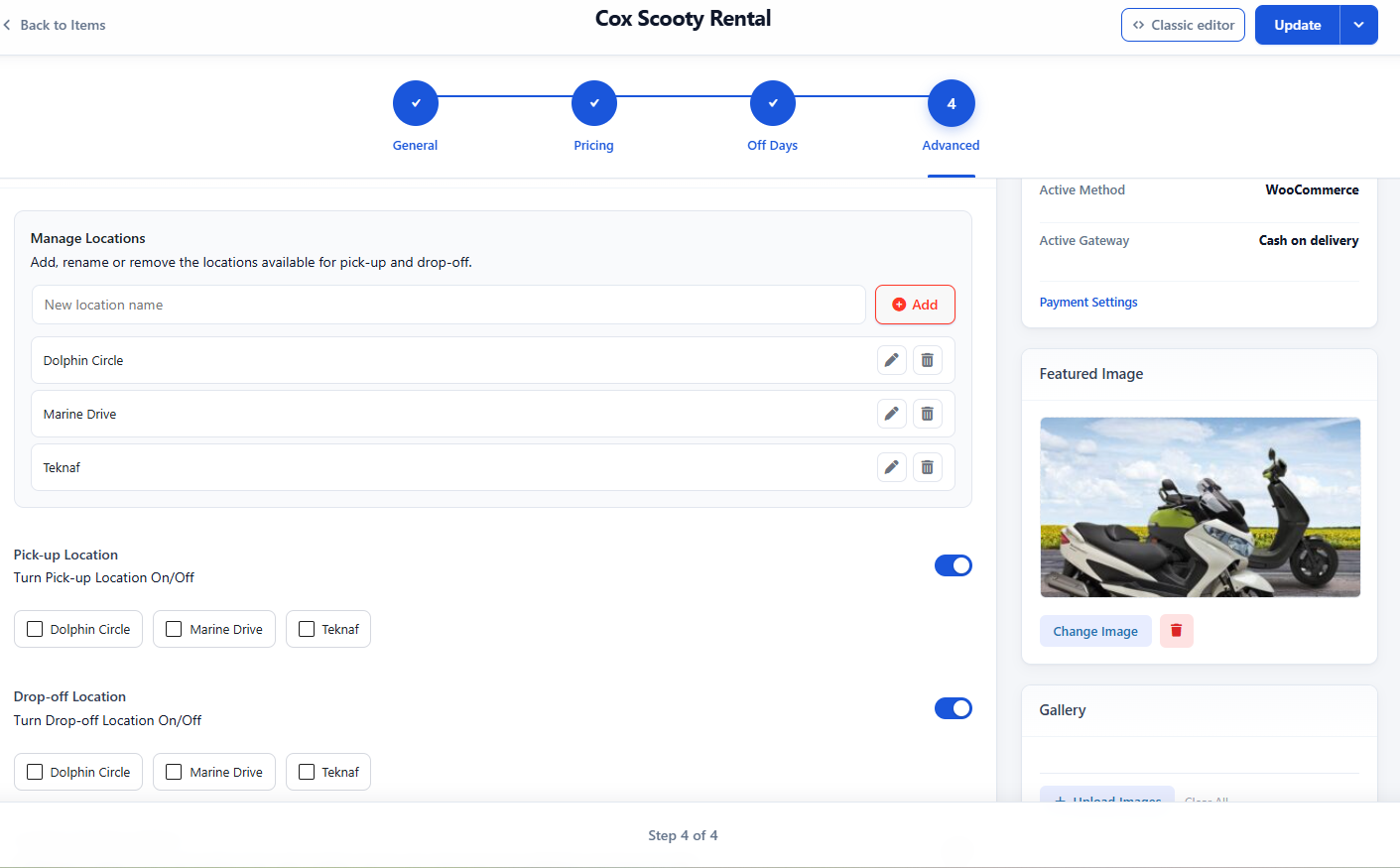
If your rental business runs on pickup and drop-off points, think car and bike rentals, this is the feature to pay attention to. You can now:
- Set up a list of pickup and drop-off locations
- Let drop-off differ from pickup, enabling true one-way rentals
- Tie stock and pricing to specific locations, so the total a customer sees automatically reflects wherever they’re picking up from
Variations and Multi-Item Booking
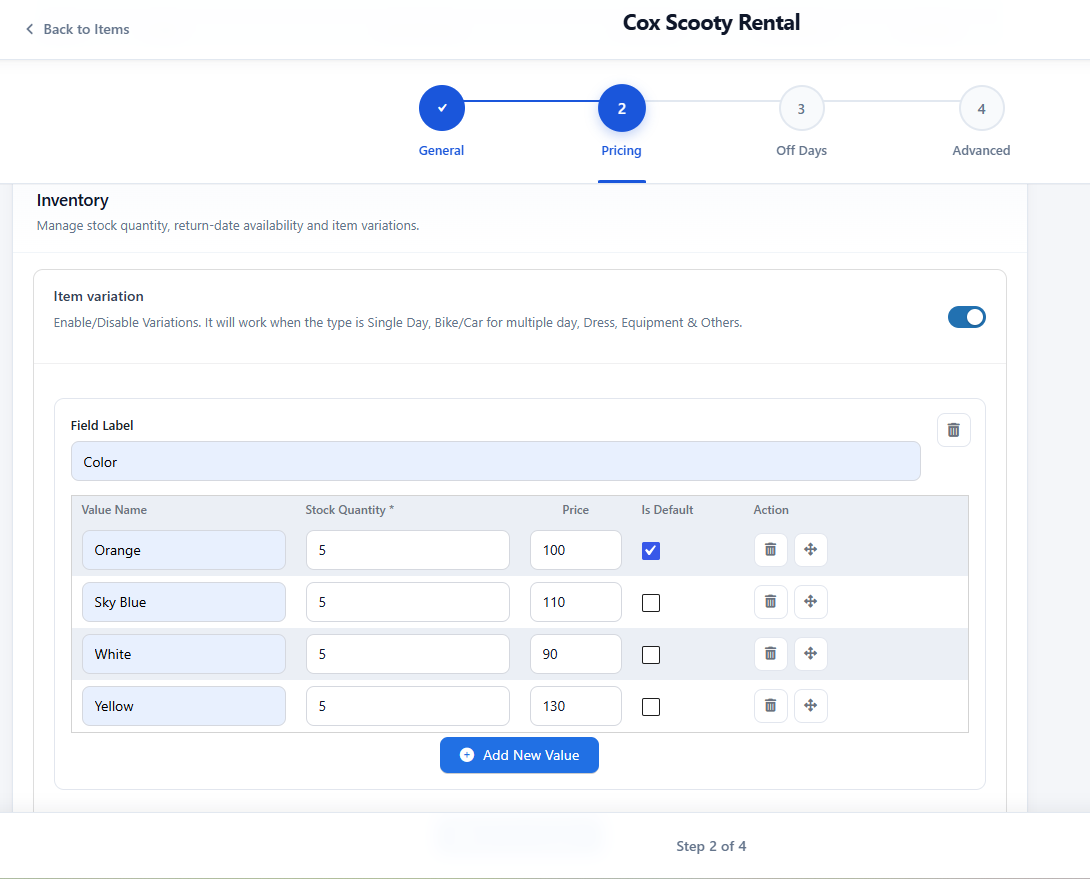
Rental items can now support variations in colors, sizes, and specs, all drawn from one shared stock pool instead of forcing you to create a separate listing for every option. Pair that with the new multi-item toggle, and a customer can book more than one unit of the same item in a single go, which matters a lot for group bike or equipment rentals.
Off Days, Buffer Time, and Blackout Dates
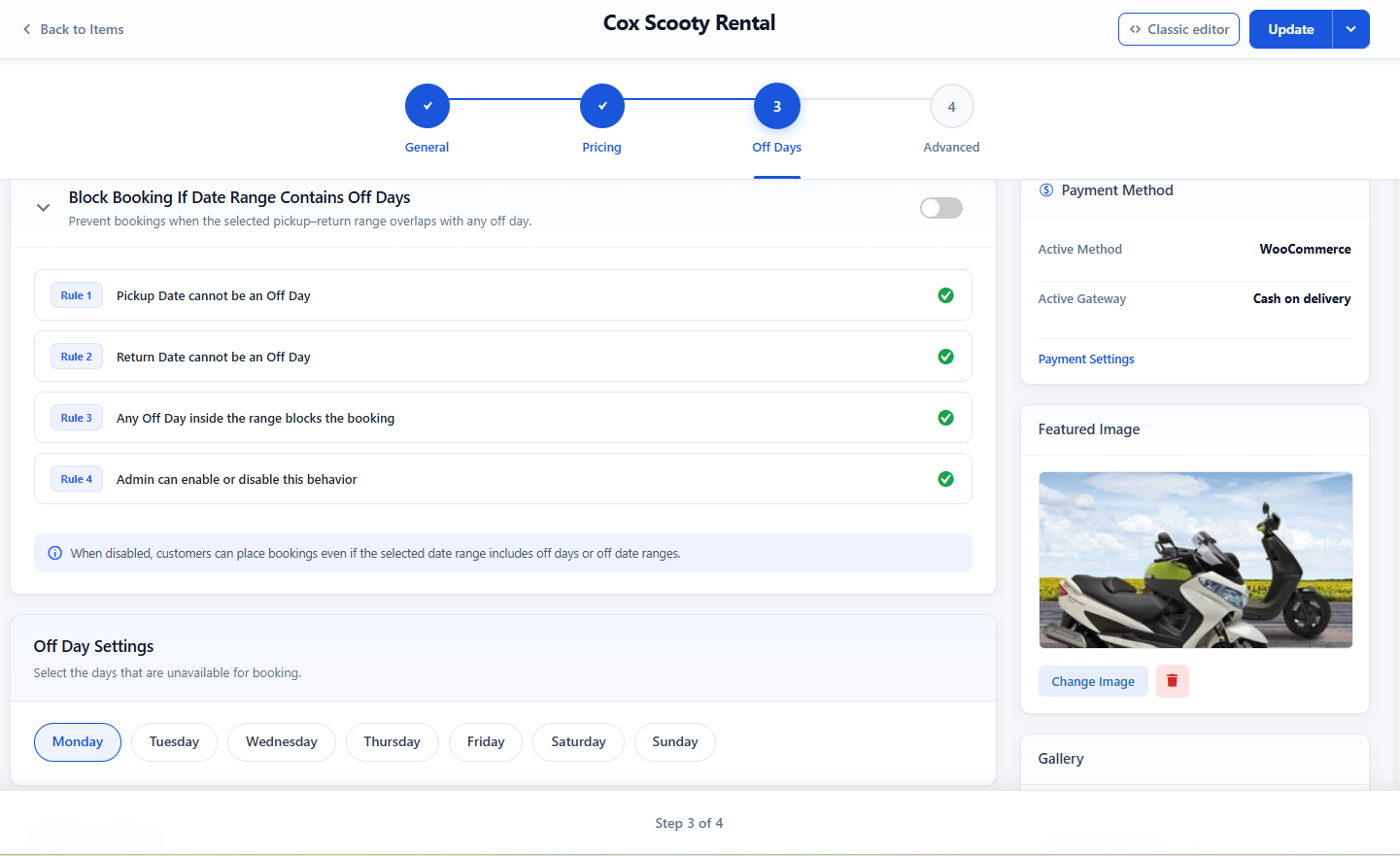
Availability control got more precise. You can set recurring weekly closures (for instance, closed every Wednesday), add buffer time before and after a booking for cleaning or prep, and block off specific date ranges for holidays or maintenance. The system enforces this strictly too; a booking can’t have its pickup, return, or any overlap land on a day you’ve marked off.
A Form Builder, and a Way to Skip WooCommerce Entirely
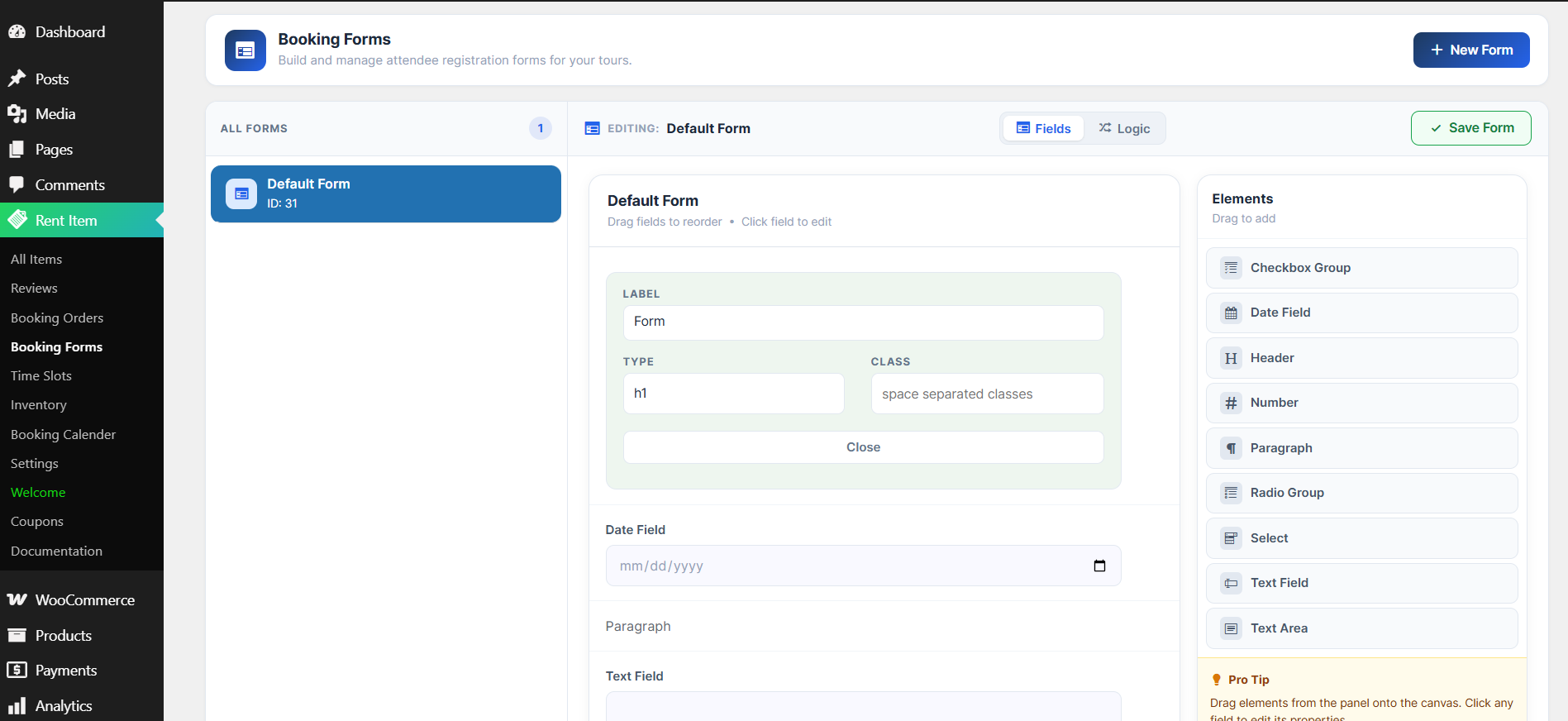
Two structural changes worth calling out on their own:
The Booking Form Builder is a proper drag-and-drop form editor for collecting whatever custom info you need at checkout text fields, dropdowns, checkboxes, and conditional logic kept separate from the item’s own description.
And the Standalone booking mode means WooCommerce is no longer a requirement. You can run bookings and take payments through PayPal, Stripe, or Offline Payment directly, with its own guest-checkout controls and its own coupon and email settings. If you never wanted the overhead of a full WooCommerce install just to rent out kayaks, this is for you.
Frequently Asked Questions
Does WpRently still support single-day, multi-day, and appointment bookings?
Yes. This update adds Resort and Multiple Day/Multiple Item modes on top of what was already there; nothing was removed.
Do I need WooCommerce to use WpRently now?
No. The new Standalone mode lets you take bookings and payments (PayPal, Stripe, or Offline) without WooCommerce installed at all, alongside the original WooCommerce checkout flow.
Can I sync bookings to Google Calendar?
Yes, the redesigned Booking Calendar has a direct sync option for individual bookings.
Is the Modern Editor mandatory, or can I keep using the old one?
It’s optional. You can switch to the Classic editor from within the item screen at any time.
